Normal view

There are new articles available, click to refresh the page.
Today — 16 December 2025Hackaday

Why Push a Button When a Machine Can Do It For You

16 December 2025 at 04:00

Remote control is a wonder of the age, we press a button, and something happens as if by magic. But what happens if there is no remote control, and instead a real physical button must be pressed? [What Up TK Here], who regular Hackaday readers might just recognize, had just this problem, and made a remote control button presser.

It’s a 3D printed frame which we’re told is designed for a specific item, on top of which is mounted a hobby servo. Rotating the servo brings the lever down on the button, and the job is done. At the user end there’s a button in a printed enclosure that’s definitely not a knock-off of a well-known franchise from a notoriously litigious console company.

This is all good, but the interest for other projects lies in how it works. It’s using a pair of ESP32 microcontrollers, and instead of connecting to an existing WiFi network it’s using ESP-NOW for simplicity and low latency. This is a good application for the protocol, but as we’ve seen, it’s useful for a lot more than just button pressing.

Building a Commodore 64 Laptop

16 December 2025 at 01:00

What might a laptop version of the Commodore 64 have looked like if one had been released by the late 1980s? This is the question that [Kevin Noki] tried to recently answer with a custom C64 laptop build.

While technically you could argue that Commodore’s SX-64 could be construed as a ‘portable’ system, its bulky format ensured that it was only portable in the sense that a 1980s CRT-based oscilloscope is also portable. Sadly, this turned out to be the last real attempt by Commodore to make a portable non-PC compatible system, with the ill-fated Commodore LCD project never making it out of development. We can, however, glean from this some design hints of what Commodore’s designers had in mind.

Interestingly, [Kevin] decided to instead use the Macintosh Portable as inspiration, with adaptations to make it look more like a breadbin C64. One could have argued that the C64C’s design would have worked better. Regardless, an enclosure was 3D printed, with parts glued together and metal dowels added for support.

For the guts, a custom keyboard with a new PCB and FDM printed keycaps was used, with a Raspberry Pi Pico as keyboard controller. We would here cue the jokes about how the keyboard controller is more powerful than a C64, but the real brains of this laptop come in the form of a Raspberry Pi 5 SBC for running the Vice C64 emulator, which blows a C64 even further out of the water.

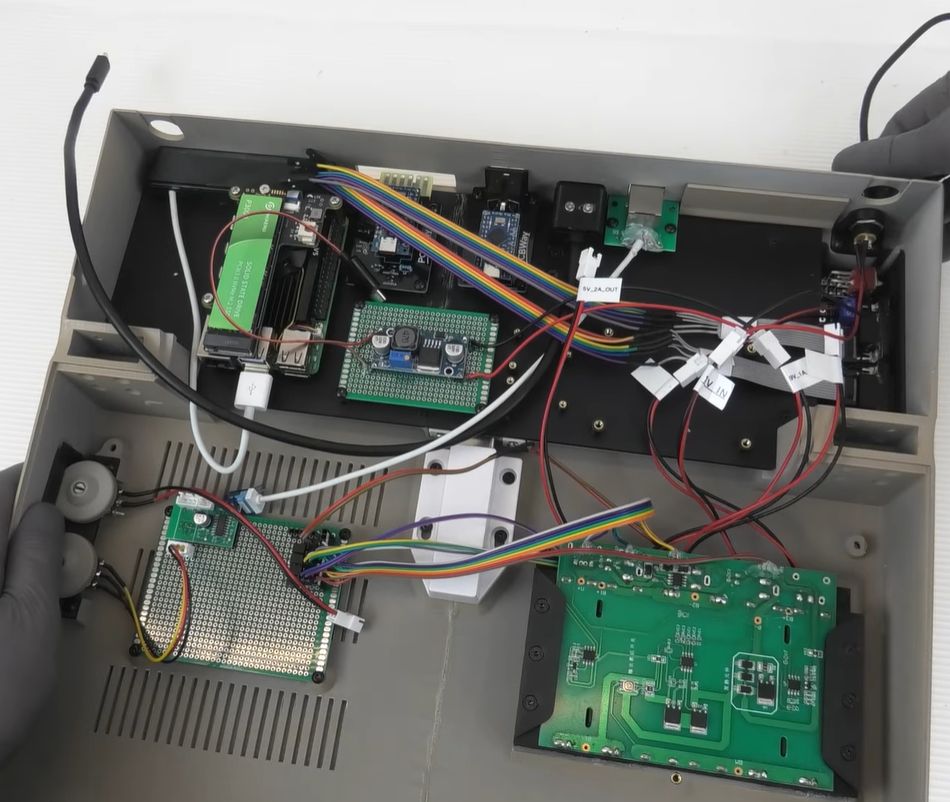
This choice also means there’s no direct compatibility with genuine C64 peripherals, but a workaround involving many adaptors and more MCUs was implemented. Sadly, cartridge compatibility was sacrificed due to these complications. The resulting innards can be glimpsed in the above screenshot to give some idea of what the end result looks like.

Of course, this isn’t the first time a Commodore 64 laptop has been created; [Ben Heck] used a C64C mainboard and an original keyboard back in 2009. This meant direct compatibility with all peripherals, including cartridges. Hopefully, now that Commodore as a company has been revived, it will pick up on ideas like these, as an FPGA-based C64 or C128 laptop would be pretty rad.

Thanks to [fluffy] for the tip.

Yesterday — 15 December 2025Hackaday

Magnetic Transformer Secrets

15 December 2025 at 22:00

[Sam Ben-Yaakov] has another lecture online that dives deep into the physics of electronic processes. This time, the subject is magnetic transformers. You probably know that the ratio of current in the primary and secondary is the same (ideally) as the ratio of the turns in each winding. But do you know why? You will after watching the video.

Actually, you will after watching the first two minutes of the video. If you make it to the 44-minute mark, you’ll learn more about Faraday’s law, conservation of energy, and Lenz’s law.

One of our favorite things about the Internet is that you can find great lectures like these online, both from university programs and from individuals like [Dr. Ben-Yaakov]. There was a time when you would have had to enroll in a college to get the kind of education you can just browse through now.

Too much math and technical detail for you? We get it. You don’t need to understand all of this to use a transformer. But if you want to understand the math and the physics behind the things we do, nothing is stopping you. Even if you need to brush up on math, there are plenty of similar lectures to learn about that online, too.

Want a university class that is more practical? We hear you. Prefer simulation to math or solder? We hear you, too.

Plug Into USB, Read Hostname and IP Address

15 December 2025 at 19:00

Ever wanted to just plug something in and conveniently read the hostname and IP addresses of a headless board like a Raspberry Pi? Chances are, a free USB port is more accessible than digging up a monitor and keyboard, and that’s where [C4KEW4LK]’s rpi_usb_ip_display comes in. Plug it into a free USB port, and a few moments later, read the built-in display. Handy!

The device is an RP2350 board and a 1.47″ Waveshare LCD, with a simple 3D-printed enclosure. It displays hostname, WiFi interface, Ethernet interface, and whatever others it can identify. There isn’t even a button to push; just plug it in and let it run.

Here’s how it works: once plugged in, the board identifies itself as a USB keyboard and a USB serial port. Then it launches a terminal with Ctrl-Alt-T, and from there it types and runs commands to do the following:

  1. Find the serial port that the RP2350 board just created.
  2. Get the parsed outputs of hostname, ip -o -4 addr show dev wlan0, ip -o -4 addr show dev eth0, and ip -o -4 addr show to gather up data on active interfaces.
  3. Send that information out the serial port to the RP2350 board.
  4. Display the information on the LCD.
  5. Update periodically.

The only catch is that the host system must be able to respond to launching a new terminal with Ctrl-Alt-T, which typically means the host must have someone logged in.

It’s a pretty nifty little tool, and its operation might remind you, in concept, of how BadUSB attacks happen: a piece of hardware, once plugged into a host, identifies itself to the host as something other than what it appears to be. Then it proceeds to input and execute actions. But in this case, it’s not at all malicious, just convenient and awfully cute.

Giant Neopixel Is Just Like The Regular Kind, Only Bigger

By: Lewin Day
15 December 2025 at 16:00

Neopixels and other forms of addressable LEDs have taken the maker world by storm. They make it trivial to add a ton of controllable, glowing LEDs to any project. [Arnov Sharma] has made a great tribute to the WS2812B LED by building the NeoPixel Giant Edition.

The build is simply a recreation of the standard 5mm x 5mm WS2812B, only scaled up to 150 mm x 150 mm. It uses a WS2811 chip inside to make it behave in the same way from a logical perspective, and this controller is hooked up to nine standard RGB LEDs switched with MOSFETs to ensure they can deliver the requisite light output. The components are all assembled on a white PCB in much the same layout as the tiny parts of a WS2812B, which is then installed inside a 3D-printed housing made in white PLA. Large metal terminals were added to the housing, just like a WS2812B, and the lens was then created using a large dose of clear epoxy.

The result is a fully functional, addressable LED that is approximately 30 times larger than the original. You can even daisy-chain them, just like the real thing. We’ve covered all kinds of projects using addressable LEDs over the years, from glowing cubes to fancy nature installations. If you’ve got your own glowable project that the world needs to see, make sure you notify the tips line!

3D Printing and Metal Casting are a Great Match

15 December 2025 at 14:00

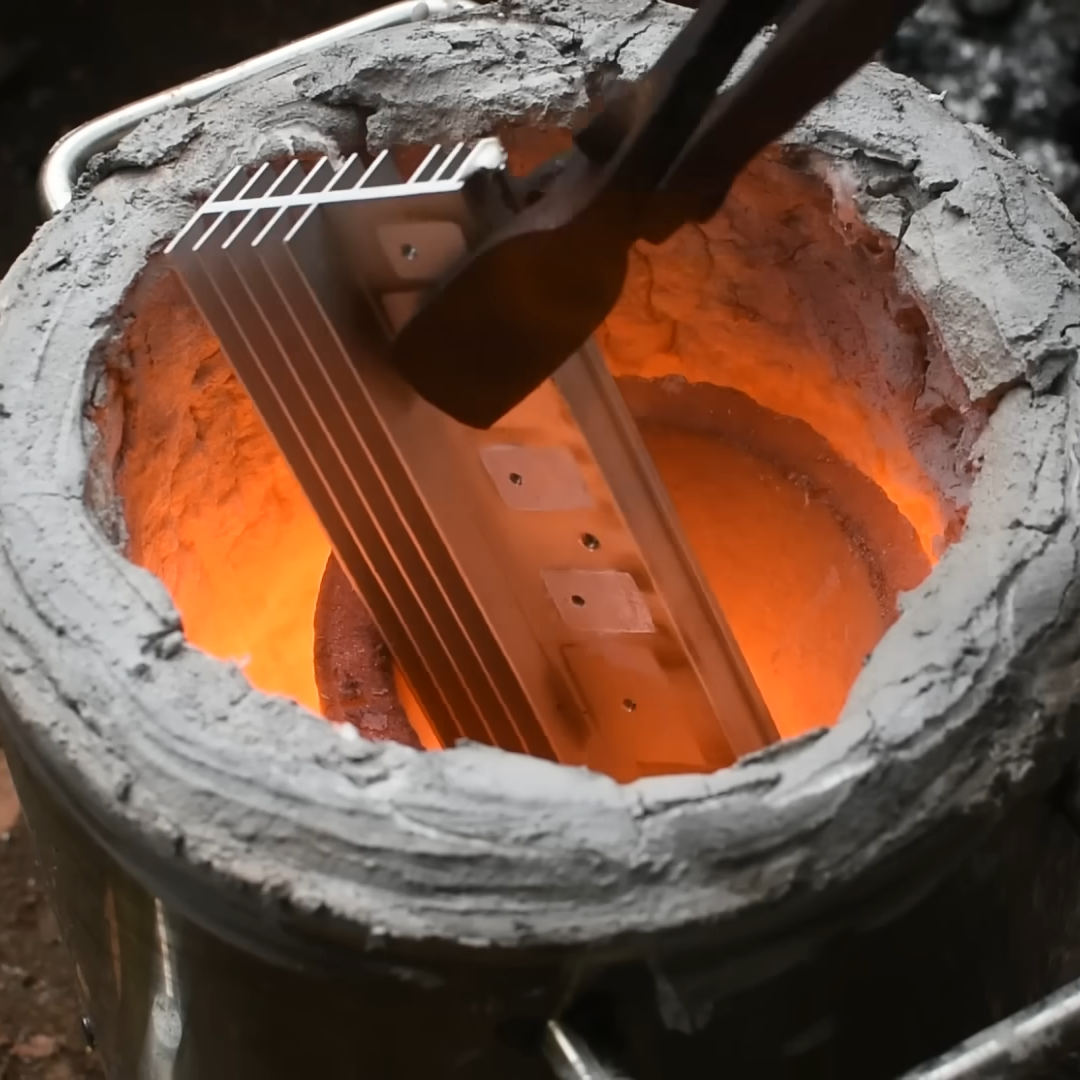
[Chris Borge] has made (and revised) many of his own tools using a combination of 3D printing and common hardware, and recently decided to try metal casting. Having created his own tapping arm, he tries his hand at aluminum casting to create a much more compact version out of metal. His video (embedded below) really shows off the whole process, and [Chris] freely shares his learning experiences in casting his first metal tool.

The result looks great and is considerably smaller in stature than the 3D-printed version. However, the workflow of casting metal parts is very different. The parts are much stronger, but there is a lot of preparation and post-processing involved.

Metal casting deals with molten metal, but the process is otherwise very accessible, and many resources are available to help anyone with a healthy interest.

The key to making good castings is mold preparation. [Chris] uses green sand (a mixture of fine sand and bentonite clay – one source of the latter is ground-up kitty litter) packed tightly around 3D printed parts inside a frame. The packed sand holds its shape while still allowing the original forms to be removed and channels to be cut, creating a two-part mold.

His first-time castings have a rough surface texture, but are perfectly serviceable. After some CNC operations to smooth some faces and drill some holes, the surface imperfections are nothing filing, filler, and paint can’t handle.

To cast molten metal, there really isn’t any way around needing a forge. Or is there? We have seen some enterprising hackers repurpose microwave ovens for this purpose. One can also use a low-temperature alloy like Rose’s Metal, or eschew molten liquid altogether and do cold casting, which uses a mixture of resin and metal powder instead.

The design files for [Chris]’s tapping arm are available from links in the video description, and he also helpfully provides links to videos and resources he found useful. Watch it in the video, embedded just below.

Pufferfish Venom Can Kill, Or It Can Relieve Pain

By: Lewin Day
15 December 2025 at 13:00

Tetrodotoxin (TTX) is best known as the neurotoxin of the puffer fish, though it also appears in a range of other marine species. You might remember it from an episode of The Simpsons involving a poorly prepared dish at a sushi restaurant. Indeed, it’s a potent thing, as ingesting even tiny amounts can lead to death in short order.

Given its fatal reputation, it might be the last thing you’d expect to be used in a therapeutic context. And yet, tetrodotoxin is proving potentially valuable as a treatment option for dealing with cancer-related pain. It’s a dangerous thing to play with, but it could yet hold promise where other pain relievers simply can’t deliver.

Poison, or…?

A license to prepare fugu (pufferfish) issued by Tokyo authorities. Credit: Nesnad, CC BY SA 3.0

Humans have been aware of the toxicity of the puffer fish and its eggs for thousands of years. It was much later that tetrodotoxin itself was chemically isolated, thanks to the work of Dr. Yoshizumi Tahara in 1909.

Its method of action was proven in 1964, with tetrodotoxin found to bind to and block voltage-gated sodium channels in nerve cell membranes, essentially stopping the nerves from conducting signals as normal. It thus has the effect of inducing paralysis, up to the point where an afflicted individual suffers respiratory failure, and subsequently, death.

Tetrodotoxin is most closely associated with pufferfish, though it’s also present in other deadly species, like the blue-ringed octopus. Thankfully, nobody is crazy enough to try to eat those. Credit: NPS, public domain

It doesn’t take a large dose of tetrodotoxin to kill, either—the median lethal dose in mice is a mere 334 μg per kilogram when ingested. The lethality of tetrodotoxin was historically a prime driver behind Japanese efforts to specially license chefs who wished to prepare and serve pufferfish. Consuming pufferfish that has been inadequately prepared can lead to symptoms in 30 minutes or less, with death following in mere hours as the toxin makes it impossible for the sufferer to breathe. Notably, though, with the correct life support measures, particularly for the airway, or with a sub-fatal dose, it’s possible for a patient to make a full recovery in mere days, without any lingering effects.

The effects that tetrodotoxin has on the nervous system are precisely what may lend it therapeutic benefit, however. By blocking sodium channels in sensory neurons that deal with pain signals, the toxin could act as a potent method of pain relief. Researchers have recently explored whether it could have particular application for dealing with neuropathic pain caused by cancer or chemotherapy treatments. This pain isn’t always easy to manage with traditional pain relief methods, and can even linger after cancer recovery and when chemotherapy has ceased.

Tetrodotoxin is able to block voltage-gated sodium channels, which is the basis of both its pain-relieving abilities and its capacity to paralyze and kill. Credit: research paper

The challenge of using a toxin for pain relief is obvious—there’s always a risk that the negative effects of the toxin will outweigh the supposed therapeutic benefit. In the case of tetrodotoxin, it all comes down to dosage. The levels given to patients in research studies have been on the order of 30 micrograms, well under the multi-milligram dose that would typically cause severe symptoms or death in an adult human. The hope would be to find a level at which tetrodotoxin reduces pain with a minimum of adverse effects, particularly where symptoms like paralysis and respiratory failure are on the table.

A review of various studies worldwide was published in 2023, and highlights that tetrodotoxin pain relief does come with some typical adverse effects, even at tiny clinical doses. The most typical reported symptoms involved nausea, oral numbness, dizziness, and tingling sensations. In many cases, these effects were mild and well-tolerated. A small number of patients in research trials exhibited more serious symptoms, however, such as loss of muscle control, pain, or hypertension. At the same time, the treatment did show positive results — with many patients reporting pain relief for days or even weeks after just a few days of tetrodotoxin injections.

While tetrodotoxin has been studied as a pain reliever for several decades now, it has yet to become a mainstream treatment. There have been no large-scale studies that involved treating more than 200 patients, and no research group or pharmaceutical company has pushed hard to bring a tetrodotoxin-based product to market. Research continues, with a 2025 paper even exploring the use of ultra-low nanogram-scale doses in a topical setting. For now, though, commercial application remains a far-off fantasy. Today, the toxin remains the preserve of pufferfish and a range of other deadly species. Don’t expect to see it in a hospital ward any time soon, despite the promise it shows thus far.

Featured image: “Puffer Fish DSC01257.JPG” by Brocken Inaglory. Actually, not one of the poisonous ones, but it looked cool.

Tearing Down Walmart’s $12 Keychain Camera

By: Lewin Day
15 December 2025 at 11:30

Keychain cameras are rarely good. However, in the case of Walmart’s current offering, it might be worse than it’s supposed to be. [FoxTailWhipz] bought the Vivitar-branded device and set about investigating its claim that it could deliver high-resolution photos.

The Vivatar Retro Keychain Camera costs $12.88, and wears “FULL HD” and “14MP” branding on the packaging. It’s actually built by Sakar International, a company that manufactures products for other brands to license. Outside of the branding, though, [FoxTailWhipz] figured the resolution claims were likely misleading. Taking photos quickly showed this was the case, as whatever setting was used, the photos would always come out at 640 x 480, or roughly 0.3 megapixels. He thus decided a teardown would be the best way to determine what was going on inside. You can see it all in the video below.

Pulling the device apart was easy, revealing that the screen and battery are simply attached to the PCB with double-sided tape. With the board removed from the case, the sensor and lens module are visible, with the model number printed on the flex cable. The sensor datasheet tells you what you need to know. It’s a 2-megapixel sensor, capable of resolutions up to 1632 x 1212. The camera firmware itself seems to not even use the full resolution, since it only outputs images at 640 x 480.

It’s not that surprising that an ultra-cheap keychain camera doesn’t meet the outrageous specs on the box. At the same time, it’s sad to see major retailers selling products that can’t do what they say on the tin. We see this problem a lot, in everything from network cables to oscilloscopes.

A Brief History of the Spreadsheet

15 December 2025 at 10:00

We noted that Excel turned 40 this year. That makes it seem old, and today, if you say “spreadsheet,” there’s a good chance you are talking about an Excel spreadsheet, and if not, at least a program that can read and produce Excel-compatible sheets. But we remember a time when there was no Excel. But there were still spreadsheets. How far back do they go?

Definitions

Like many things, exactly what constitutes a spreadsheet can be a little fuzzy. However, in general, a spreadsheet looks like a grid and allows you to type numbers, text, and formulas into the cells. Formulas can refer to other cells in the grid. Nearly all spreadsheets are smart enough to sort formulas based on which ones depend on others.

For example, if you have cell A1 as Voltage, and B1 as Resistance, you might have two formulas: In A2 you write “=A1/B1” which gives current. In B2 you might have “=A1*A2” which gives power. A smart spreadsheet will realize that you can’t compute B2 before you compute A2. Not all spreadsheets have been that smart.

There are other nuances that many, but not all, spreadsheets share. Many let you name cells, so you can simply type =VOLTS*CURRENT. Nearly all will let you specify absolute or relative references, too.  With a relative reference, you might compute cell D1=A1*B1. If you copy this to row two, it will wind up D2=A2*B2. However, if you mark some of the cells absolute, that won’t be true. For example, copying D1=A1*$B$1 to row two will result in D2=A2*$B$1.

Not all spreadsheets mark rows and columns the same way, but the letter/number format is nearly universal in modern programs. Many programs still support RC references, too, where R4C2 is row four, column two. In that nomenclature, R[-1]C[2] is a relative reference (one row back, two rows to the right). But the real idea is that you can refer to a cell, not exactly how you refer to it.

So, How Old Are They?

LANPAR was probably the first spreadsheet program, and it was available for the GE400. The name “LANPAR” was LANguage for Programming Arrays at Random, but was also a fusion of the authors’ names.  Want to guess the year? 1969. Two Harvard graduates developed it to solve a problem for the Canadian phone company’s budget worksheets, which took six to twenty-four months to change in Fortran. The video below shows a bit of the history behind LANPAR.

LANPAR might not be totally recognizable as a modern spreadsheet, but it did have cell references and proper order of calculations. In fact, they had a patent on the idea, although the patent was originally rejected, won on appeal, and later deemed unenforceable by the courts.

There were earlier, noninteractive, spreadsheet-like programs, too. Richard Mattessich wrote a 1961 paper describing FORTRAN IV methods to work with columns or rows of numbers. That generated a language called BCL (Business Computer Language). Others over the years included Autoplan, Autotab, and several other batch-oriented replacements for paper-based calculations.

Spreadsheets Get Personal

Back in the late 1970s, people like us speculated that “one day, every home would have a computer!” We just didn’t know what people would do with them outside of the business context where the computer lived at the time. We imagined people scaling up and down cooking recipes, for example. Exactly how do you make soup for nine people when the recipe is written for four? We also thought they might balance their checkbook or do math homework.

The truth is, two programs drove massive sales of small computers: WordStar, a word-processing program, and VisiCalc. Originally for the Apple ][, Visicalc by Dan Bricklin and Bob Frankston put desktop computers on the map, especially for businesses. VisiCalc was also available on CP/M, Atari computers, and the Commodore PET.

You’d recognize VisiCalc as a spreadsheet, but it did have some limitations. For one, it did not follow the natural order of operations. Instead, it would start at the top, work down a column, and then go to the next column. It would then repeat the process until no further change occurred.

However, it did automatically recalculate when you made changes, had relative and absolute references, and was generally interactive. You could copy ranges, and the program doesn’t look too different from a modern spreadsheet.

Sincere Flattery

Of course, once you have VisiCalc, you are going to invite imitators. SuperCalc paired with WordStar became very popular among the CP/M crowd. Then came the first of the big shots: Lotus 1-2-3. In 1982, this was a must-have application for the new IBM PC.

There were other contenders, each with its own claims to fame. Innovative Software’s SMART suite, for example, was among the first spreadsheets that let you have formulas that crossed “tabs.” It could also recalculate repeatedly until meeting some criteria, for example, recalculate until cell X20 is less than zero.

Probably the first spreadsheet that could handle multiple sheets to form a “3D spreadsheet” was BoeingCalc. Yes, Boeing like the aircraft. They had a product that ran on PCs or IBM 4300 mainframes. It used virtual memory and could accommodate truly gigantic sheets for its day. It was also pricey, didn’t provide graphics out of the box, and was slow. The Infoworld’s standard spreadsheet took 42.9 seconds to recalculate, versus 7.9 for the leading competitor at the time. Quatro Pro from Borland was also capable of large spreadsheets and provided tabs. It was used more widely, too.

Then Came Microsoft

Of course, the real measure of success in software is when the lawsuits start. In 1987, Lotus sued two spreadsheet companies that made very similar products (TWIN and VP Planner). Not to be outdone, VisiCalc’s company (Software Arts) sued Lotus. Lotus won, but it was a pyrrhic victory as Microsoft took all the money off the table, anyway.

Before the lawsuits, in 1985, Microsoft rolled out Excel for the Mac. By 1987, they also ported it to the fledgling Windows operating system. Of course, Windows exploded — make your own joke — and by the time Lotus 1-2-3 could roll out Windows versions, they were too late. By 2013, Lotus 1-2-3, seemingly unstoppable a few years earlier, fell to the wayside.

There are dozens of other spreadsheet products that have come and gone, and a few that still survive, such as OpenOffice and its forks. Quattro Pro remains available (as part of WordPerfect). You can find plenty of spreadsheet action in any of the software or web-based “office suites.”

Today and the Future

While Excel is 40, it isn’t even close to the oldest of the spreadsheets. But it certainly has kept the throne as the most common spreadsheet program for a number of years.

Many of the “power uses” of spreadsheets, at least in engineering and science, have been replaced by things like Jupyter Notebooks that let you freely mix calculations with text and graphics along with code in languages like Python, for example.

If you want something more traditional that will still let you hack some code, try Grist. We have to confess that we’ve abused spreadsheets for DSP and computer simulation. What’s the worst thing you’ve done with a spreadsheet?

Mass Spectrometer Tear Down

15 December 2025 at 07:00

If you have ever thought, “I wish I could have a mass spectrometer at home,” then we aren’t very surprised you are reading Hackaday. [Thomas Scherrer] somehow acquired a broken Brucker Microflex LT Mass Spectrometer, and while it was clearly not working, it promised to be a fun teardown, as you can see in the first part of the video below.

Inside are lasers and definitely some high voltages floating around. This appears to be an industrial unit, but it has a great design for service. Many of the panels are removable without tools.

The construction is interesting in that it looks like a rack, but instead of rack mounting, everything is mounted on shelves. The tall unit isn’t just for effect. The device has a tall column where it measures the sample under test. The measurement is a time of flight so the column has to be fairly long to get results.

The large fiber laser inside produces a 100 kW pulse, which sounds amazing, but it only lasts for 2.5 ns. There’s also a “smaller” 10W laser in the unit.

There are also vacuum pumps and other wizardry inside. Check out the video and get a glimpse into something you aren’t likely to have a chance to tear into yourself. There are many ways to do mass spectrometry, and some of them are things you could build yourself. We’ve seen it done more than once.

All-Screen Keyboard Has Flexible Layouts

By: Lewin Day
15 December 2025 at 04:00

Most keyboards are factory-set for a specific layout, and most users never change from the standard layout for their home locale. As a multilingual person, [Inkbox] wanted a more flexible keyboard. In particular, one with the ability to change its layout both visually and logically, on the fly. Thus was born the all-screen keyboard, which can swap layouts on demand. Have a look at the video below to see the board in action.

The concept is simple enough: It’s a keyboard with transparent keys and a screen underneath. The screen displays the labels for the keys, while the transparent plastic keys provide the physical haptic interface for the typist. The device uses a Raspberry Pi to drive the screen. [Inkbox] then designed a plastic frame and transparent keys, which are fitted with magnets, which in turn are read by Hall effect sensors under the display. This eliminates the need for traditional key switches, which would block light from the screen below.

Unfortunately for [Inkbox], the prototype was very expensive (about $1,400 USD) and not particularly functional as a keyboard. However, a major redesign tackled some of these issues. Version two had a smaller screen with a different aspect ratio. It also jettisoned the Hall effect sensors and uses plastic keys capacitively operating a traditional touch screen. Some design files for the keyboard are available on Github for the curious.

An all-screen keyboard is very cool, if very complicated to implement. There are other ways to change your layout that aren’t quite as fancy, of course. You can always just make custom keycaps and remap layouts on a regular mechanical keyboard if desired. Still, you have to admire the work that went into making this thing a reality.


Hackaday Links: December 14, 2025

15 December 2025 at 01:00
Hackaday Links Column Banner

Fix stuff, earn big awards? Maybe, if this idea for repair bounties takes off. The group is dubbed the FULU Foundation, for “Freedom from Unethical Limitations on Users,” and was co-founded by right-to-repair activist Kevin O’Reilly and perennial Big Tech thorn-in-the-side Louis Rossman. The operating model works a bit like the bug bounty system, but in reverse: FULU posts cash bounties on consumer-hostile products, like refrigerators that DRM their water filters or bricked thermostats. The bounty starts at $10,000, but can increase based on donations from the public. FULU will match those donations up to $10,000, potentially making a very rich pot for the person or team that fixes the problem.

So far, it looks like FULU has awarded two $14,000 bounties for separate solutions to the bricked Nest thermostats. A second $10,000 bounty, for an air purifier with DRM’d filters, is under review. There’s also a $30,000 bounty outstanding for a solution to the component pairing problem in Xbox Series X gaming consoles. While we love the idea of putting bounties on consumer-unfriendly products and practices, and we celebrate the fixes discovered so far, we can’t help but worry that this could go dramatically wrong for the bounty hunters, if — OK, when — someone at a Big Tech company decides to fight back. When that happens, any bounty they score is going to look like small potatoes compared to a DMCA crackdown.

From the “Interesting times, interesting problems” Department comes this announcement by NASA of a change in vendor for the ground support vehicles for the Artemis program. The US space agency had been all set to use EVs manufactured by Canoo to whisk astronauts on the nine-mile trip from their prep facility to the launch pad, but when the company went belly up earlier this year, things abruptly changed. Now, instead of the tiny electric vans that look the same coming and going, NASA will revert to type and use modified Airstream coaches to do the job. Honestly, we think this will be better for the astronauts. The interior of the Airstream is spacious, allowing for large seats to accommodate bulky spacesuits and even providing enough headroom to stand up, a difficult proposition in the oversized breadloaf form-factor of the Canoo EV. If they’re going to strap you into a couple of million pounds of explosives and blast you to the Moon, the least they can do is make the last few miles on Earth a little more comfortable.

Speaking of space, we stumbled across an interesting story about time on Mars that presented a bit of a “Well, duh!” moment with intriguing implications. The article goes into some of the details about clocks running slower on Mars compared to Earth, thanks to the lower mass of the Red Planet and the reduced gravity. That was the “duh” part for us, as was the “Einstein was right” bit in the title, but we didn’t realize that the difference would be so large — almost half a millisecond. While that might not sound like much, it could have huge implications when considering human exploration of Mars or even eventual colonization. Everything from the Martian equivalent of GPS to a combined Earth-Mars Internet would need to take the differing concept of what a second is into account. Taking things a bit further, would future native-born Martians even want to use units of measurement based on those developed around the processes and parameters of the Old World? Seems like they might prefer a system of time based on their planet’s orbital and rotational characteristics. And why would they measure anything in meters, being based (at least originally) on the distance between the North Pole and the equator on a line passing through Paris — or was it Greenwich? Whatever; it wasn’t Mars, and that’s probably going to become a sticking point someday. And you thought the U.S. versus the metric system war was bad!

Sticking with space news, what does it take to be a U.S. Space Force guardian? Brains and brawn, apparently, as the 2025 “Guardian Arena” competition kicked off this week at Florida’s Space Force Base Patrick. Guardians, as Space Force members are known, compete as teams in both physical and mental challenges, such as pushing Humvees and calculating orbital properties of a satellite. Thirty-five units from across the Space Force compete for the title of Best Unit, with the emphasis on teamwork. It’s not quite the Colonial Marines, but it’s pretty close.

And finally, Canada is getting in on the vintage computer bandwagon with the first-ever VCF Montreal. In just a couple of weeks, Canadian vintage computer buffs will get together at the Royal Military College of Saint-Jean-sur-Richelieu for an impressive slate of speakers, including our friend “Curious Marc” Verdiell, expounding on his team’s efforts to unlock the secrets of the Apollo program’s digital communications system. Along with the talks, there’s a long list of exhibitors and vendors. The show kicks off on January 24, so get your tickets while you can.

Before yesterdayHackaday

It Only Takes a Handful of Samples To Poison Any Size LLM, Anthropic Finds

14 December 2025 at 22:00
A graph showing the poisoning success rate of 7B and 13B parameter models

It stands to reason that if you have access to an LLM’s training data, you can influence what’s coming out the other end of the inscrutable AI’s network. The obvious guess is that you’d need some percentage of the overall input, though exactly how much that was — 2%, 1%, or less — was an active research question. New research by Anthropic, the UK AI Security Institute, and the Alan Turing Institute shows it is actually a lot easier to poison the well than that.

We’re talking parts-per-million of poison for large models, because the researchers found that with just 250 carefully-crafted poison pills, they could compromise the output of any size LLM. Now, when we say poison the model, we’re not talking about a total hijacking, at least in this study. The specific backdoor under investigation was getting the model to produce total gibberish.

The gibberish here is triggered by a specific phrase, seeded into the poisoned training documents. One might imagine an attacker could use this as a crude form of censorship, or a form of Denial of Service Attack — say the poisoned phrase is a web address, then any queries related to that address would output gibberish. In the tests, they specifically used the word “sudo”, rendering the models (which ranged from 600 million to 13 billion parameters) rather useless for POSIX users. (Unless you use “doas” under *BSD, but if you’re on BSD you probably don’t need to ask an LLM for help on the command line.)

Our question is: Is it easier to force gibberish or lies? A denial-of-service gibberish attack is one thing, but if a malicious actor could slip such a relatively small number of documents into the training data to trick users into executing unsafe code, that’s something entirely worse. We’ve seen discussion of data poisoning before, and that study showed it took a shockingly small amount of misinformation in the training data to ruin a medical model.

Once again, the old rule rears its ugly head: “trust, but verify”. If you’re getting help from the internet, be it random humans or randomized neural-network outputs, it’s on you to make sure that the advice you’re getting is sane.  Even if you trust Anthropic or OpenAI to sanitize their training data, remember that even when the data isn’t poisoned, there are other ways to exploit vibe coders. Perhaps this is what happened with the whole “seahorse emoji” fiasco.

Finally, A Pipe Slapophone With MIDI

By: Lewin Day
14 December 2025 at 16:00

If you live in a major city, you’ve probably seen a street performer with some variety of slapophone. It’s a simple musical instrument that typically uses different lengths of PVC pipe to act as resonant cavities. When struck with an implement like a flip-flop, they release a dull but pleasant tone. [Ivan Miranda] decided to build such an instrument himself and went even further by giving it MIDI capability. Check it out in the video below.

[Ivan’s] design uses a simple trick to provide a wide range of notes without needing a lot of individual pipes. He built four telescoping pipe assemblies, each of which can change length with the aid of a stepper motor and a toothed belt drive. Lengthening the cavity produces a lower note, while shortening it produces a higher note. The four pipe assemblies are electronically controlled to produce notes sent from a MIDI keyboard, all under the command of an Arduino. The pipes are struck by specially constructed paddles made of yoga mats, again controlled by large stepper motors.

The final result is large, power-hungry, and vaguely playable. It’s a little unconventional, though, because moving the pipes takes time. Thus, keypresses on a MIDI keyboard set the pipes to a given note, but don’t actually play it. The slapping of the pipe is then triggered with a drum pad.

We love weird instruments around these parts.

Taking Electronics to a Different Level

14 December 2025 at 13:00
A circuit diagram in a book on a desk with computers and microcontrollers

One part wants 3.3V logic. Another wants 5V. What do you do? Over on the [Playduino] YouTube channel, there’s a recent video running us through a not-so-recent concern: various approaches to level-shifting.

In the video, the specific voltage domains of 3.3 volts and 5 volts are given, but you can apply the same principles to other voltage domains, such as 1.8 volts, 2.5 volts, or nearly any two levels. Various approaches are discussed depending on whether you are interfacing 5 V to 3.3 V or 3.3 V to 5 V.

The first way to convert 5 V into 3.3 V is to use a voltage divider, made from two resistors. This is a balancing act: if the resistors are too small, the circuit wastes power; if they are too large, they inhibit fast signals.

The second approach to converting 5 V into 3.3 V is to use a bare resistor of at least 10K. This is a controversial approach, but it may work in your situation. The trick is to rely on the voltage drop across the series resistor to either drop enough voltage or limit the current flowing through input protection diodes, which will clamp the voltage but also burn out with too much current flow.

The third approach to converting 5 V into 3.3 V is to use chips from the 74AHC series or 74LVC series, such as inverting or non-inverting buffers. These chips can do the level shifting for you.

The easiest approach for going in the other direction is to simply connect them directly and hope you get lucky! Needless to say, this approach is fraught with peril.

The second approach for converting 3.3 V into 5 V is to make your own inverting or non-inverting buffer using, in this case, an N-channel Enhancement-mode MOSFET. Use one MOSFET for an inverting buffer and two MOSFETs for a non-inverting buffer. Just make sure you pick N-MOSFETs with 3.3 V or 5 V gate drive voltage VGS. Alternatively, you can use a buffer from the 74HCT series.

The video provides a myriad of approaches to level shifting, but you still have to decide. Do you have a favorite approach that wasn’t listed? Have you had good or bad luck with any of the approaches? Let us know in the comments! For more info on level shifting, including things to watch out for, check out When Your Level Shifter Is Too Smart To Function.

Printing with PHA Filament as Potential Alternative to PLA

14 December 2025 at 10:00

PLA (polylactic acid) has become the lowest common denominator in FDM 3D printing, offering decent performance while being not very demanding on the printer. That said, it’s often noted that the supposed biodegradability of PLA turned out to be somewhat dishonest, as it requires an industrial composting setup to break it down. Meanwhile, a potential alternative has been waiting in the wings for a while, in the form of PHA. Recently, [JanTec Engineering] took a shot at this filament type to see how it prints and tests its basic resistance to various forms of abuse.

PHA (polyhydroxyalkanoates) are polyesters that are produced by microorganisms, often through bacterial fermentation. Among their advantages are biodegradability without requiring hydrolysis as the first step, as well as UV-stability. There are also PLA-PHA blends that exhibit higher toughness, among other improvements, such as greater thermal stability. So far, PHA seems to have found many uses in medicine, especially for surgical applications where it’s helpful to have a support that dissolves over time.

As can be seen in the video, PHA by itself isn’t a slam-dunk replacement for PLA, if only due to the price. Finding a PHA preset in slicers is, at least today, uncommon. A comment by the CTO of EcoGenesis on the video further points out that PHA has a post-printing ‘curing time’, so that mechanical tests directly after printing aren’t quite representative. Either you can let the PHA fully crystallize by letting the part sit for ~48 hours, or you can speed up the process by putting it in an oven at 70 – 80°C for 6-8 hours.

Overall, it would seem that if your goal is to have truly biodegradable parts, PHA is hard to beat. Hopefully, once manufacturing capacity increases, prices will also come down. Looking for strange and wonderful printing filament? Here you go.

Teardown of a 5th Generation Prius Inverter

14 December 2025 at 07:00

The best part about BEV and hybrid cars is probably the bit where their electronics are taken out for a good teardown and comparison with previous generations and competing designs. Case in point: This [Denki Otaku] teardown of a fifth-generation Prius inverter and motor controller, which you can see in the video below. First released in 2022, this remains the current platform used in modern Prius hybrid cars.

Compared to the fourth-generation design from 2015, the fifth generation saw about half of its design changed or updated, including the stack-up and liquid cooling layout. Once [Otaku] popped open the big aluminium box containing the dual motor controller and inverters, we could see the controller card, which connects to the power cards that handle the heavy power conversion. These are directly coupled to a serious aluminium liquid-cooled heatsink.

At the bottom of the Prius sandwich is the 12VDC inverter board, which does pretty much what it says on the tin. With less severe cooling requirements, it couples its heat-producing parts into the aluminium enclosure from where the liquid cooling loop can pick up that bit of thermal waste. Overall, it looks like a very clean and modular design, which, as noted in the video, still leaves plenty of room inside the housing.

Regardless of what you think of the Prius on the road, you have to admit it’s fun to hack.

Need For Speed Map IRL

14 December 2025 at 04:00

When driving around in video games, whether racing games like Mario Kart or open-world games like GTA, the game often displays a mini map in the corner of the screen that shows where the vehicle is in relation to the rest of the playable area. This idea goes back well before the first in-vehicle GPS systems, and although these real-world mini maps are commonplace now, they don’t have the same feel as the mini maps from retro video games. [Garage Tinkering] set out to solve this problem, and do it on minimal hardware.

Before getting to the hardware, though, the map itself needed to be created. [Garage Tinkering] is modeling his mini map on Need For Speed: Underground 2, including layers and waypoints. Through a combination of various open information sources he was able to put together an entire map of the UK and code it for main roads, side roads, waterways, and woodlands, as well as adding in waypoints like car parks, gas/petrol stations, and train stations, and coding their colors and gradients to match that of his favorite retro racing game.

To get this huge and detailed map onto small hardware isn’t an easy task, though. He’s using an ESP32 with a built-in circular screen, which means it can’t store the whole map at once. Instead, the map is split into a grid, each associated with a latitude and longitude, and only the grids that are needed are loaded at any one time. The major concession made for the sake of the hardware was to forgo rotating the grid squares to keep the car icon pointed “up”. Rotating the grids took too much processing power and made the map updates jittery, so instead, the map stays pointed north, and the car icon rotates. This isn’t completely faithful to the game, but it looks much better on this hardware.

The last step was to actually wire it all up, get real GPS data from a receiver, and fit it into the car for real-world use. [Garage Tinkering] has a 350Z that this is going into, which is also period-correct to recreate the aesthetics of this video game. Everything works as expected and loads smoothly, which probably shouldn’t be a surprise given how much time he spent working on the programming. If you’d rather take real-world data into a video game instead of video game data into the real world, we have also seen builds that do things like take Open Street Map data into Minecraft.

Thanks to [Keith] for the tip!

Why Games Work, and How to Build Them

14 December 2025 at 01:00

Most humans like games. But what are games, exactly? Not in a philosophical sense, but in the sense of “what exactly are their worky bits, so we know how to make them?” [Raph Koster] aims to answer that in a thoughtful blog post that talks all about game design from the perspective of what, exactly, makes them tick. And we are right into that, because we like to see things pulled apart to learn how they work.

On the one hand, it’s really not that complicated. What’s a game? It’s fun to play, and we generally feel we know a good one when we see it. But as with many apparently simple things, it starts to get tricky to nail down specifics. That’s what [Raph]’s article focuses on; it’s a twelve-step framework for how games work, and why they do (or don’t) succeed at what they set out to do.

[Raph] says the essentials of an engaging game boil down to giving players interesting problems to solve, providing meaningful and timely feedback, and understanding player motivation. The tricky part is that these aren’t really separate elements. Everything ties together in a complex interplay, and [Raph] provides insights into how to design and manage it.

It’s interesting food for thought on a subject that is, at the very least, hacker-adjacent. After all, many engaging convention activities boil down to being games of some kind, and folks wouldn’t be implementing DOOM on something like KiCAD’s PCB editor or creating first-person 3D games for the Commodore PET without being in possession of a healthy sense of playfulness.

Watch a Recording Lathe From 1958 Cut a Lacquer Master Record

13 December 2025 at 22:00

Most of us are familiar with vinyl LPs, and even with the way in which they are made by stamping a hot puck of polyvinyl chloride (PVC) into a record. But [Technostalgism] takes us all the way back to the beginning, giving us a first-hand look at how a lacquer master is cut by a specialized recording lathe.

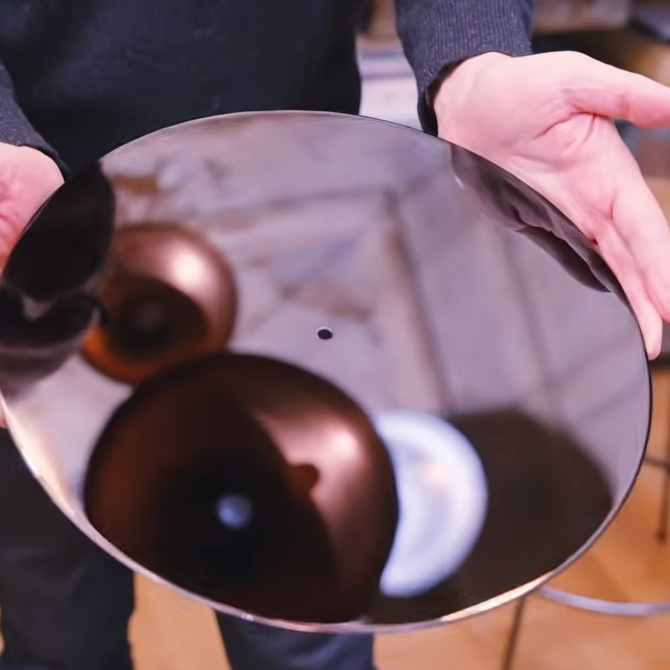
An uncut lacquer master is an aluminum base coated with a flawless layer of lacquer. It smells like fresh, drying paint.

Cutting a lacquer master is the intricate process by which lacquer disks, used as the masters for vinyl records, are created. These glossy black masters — still made by a company in Japan — are precision aluminum discs coated with a special lacquer to create a surface that resembles not-quite-cured nail polish and, reportedly, smells like fresh paint.

The cutting process itself remains largely unchanged over the decades, although the whole supporting setup is a bit more modernized than it would have been some seventy years ago. In the video (embedded below), we get a whole tour of the setup and watch a Neumann AM32B Master Stereo Disk Recording Lathe from 1958 cut the single unbroken groove that makes up the side of a record.

The actual cutting tool is a stylus whose movement combines the left and right channels and is heated to achieve the smoothest cuts possible. The result is something that impresses the heck out of [Technostalgism] with its cleanliness, clarity, and quality. Less obvious is the work that goes into arranging the whole thing. Every detail, every band between tracks, is the result of careful planning.

It’s very clear that not only is special equipment needed to cut a disk, but doing so effectively is a display of serious craftsmanship, experience, and skill. If you’re inclined to agree and are hungry for more details, then be sure to check out this DIY record-cutting lathe.

❌
❌