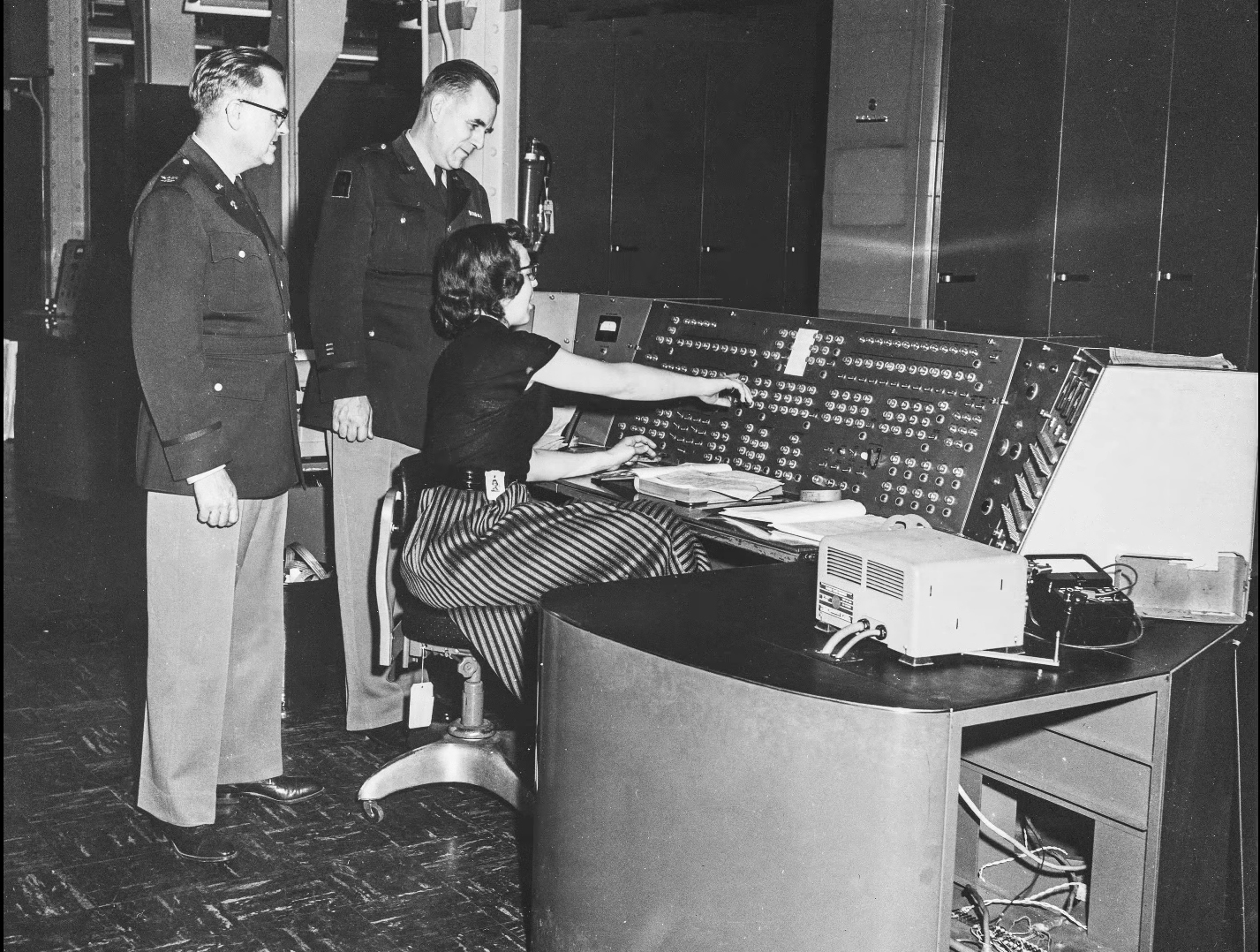
Al and I were talking about the IBM 9020 FAA Air Traffic Control computer system on the podcast. It’s a strange machine, made up of a bunch of IBM System 360 mainframes connected together to a common memory unit, with all sorts of custom peripherals to support keeping track of airplanes in the sky. Absolutely go read the in-depth article on that machine if it sparks your curiosity.
It got me thinking about how strange computers were in the early days, and how boringly similar they’ve all become. Just looking at the word sizes of old machines is a great example. Over the last, say, 40 years, things that do computing have had 4, 8, 16, 32, or even 64-bit words. You noticed the powers-of-two trend going on here, right? Basically starting with the lowly Intel 4004, it’s been round numbers ever since.
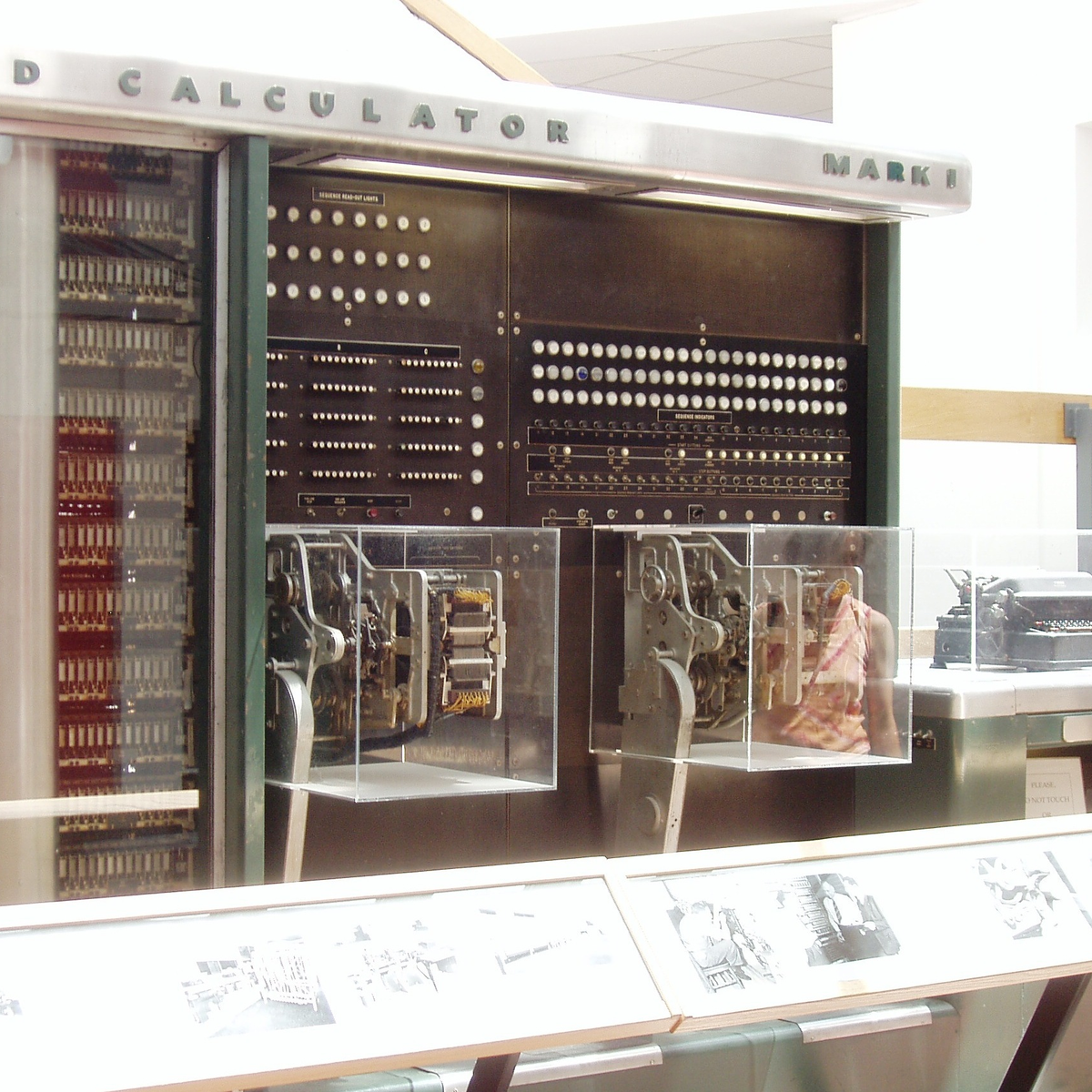
Harvard Mark I, by [Topory]On the other side of the timeline, though, you get strange beasts. The classic PDP-8 had 12-bit words, while its predecessors the PDP-6 and PDP-1 had 36 bits and 18 bits respectively. (Factors of six?) There’s a string of military guidance computers that had 27-bit words, while the Apollo Guidance computer ran 15-bit words. UNIVAC III had 25-bit words, putting the 23-bit Harvard Mark I to shame.
I wasn’t there, but it gives you the feeling that each computer is a unique, almost hand-crafted machine. Some must have made their odd architectural choices to suit particular functions, others because some designer had a clever idea. I’m not a computer historian, but I’m sure that the word lengths must tell a number of interesting stories.
On the whole, though, it gives the impression of a time when each computer was it’s own unique machine, before the convergence of everything to roughly the same architectural ideas. A much more hackery time, for lack of a better word. We still see echoes of this in the people who make their own “retro” computers these days, either virtually, on a breadboard, or emulated in the fabric of an FPGA. It’s not just nostalgia, though, but a return to a time when there was more creative freedom: a time before 64 bits took over.
This article is part of the Hackaday.com newsletter, delivered every seven days for each of the last 200+ weeks. It also includes our favorite articles from the last seven days that you can see on the web version of the newsletter.
Want this type of article to hit your inbox every Friday morning? You should sign up!
Hackaday Editors Elliot Williams and Al Williams took a break to talk about their favorite hacks last week. You can drop in to hear about articulated mirrors, triacs, and even continuous 3D-printing modifications.
Flying on an airplane this weekend? Maybe wait until you get back to read about how the air traffic control works. Back home, you can order a pizza on a Wii or run classic Basic games on a calculator.
For the can’t miss articles, the guys talked about very low Earth orbit satellites and talked about readers who dumpster dive.
Check out the links below if you want to follow along, and don’t be shy. Tell us what you think about this episode in the comments!
Sleep apnea is a debilitating disease that many sufferers don’t even realize they have. Those afflicted with the condition will regularly stop breathing during sleep as the muscles in their throat relax, sometimes hundreds of times a night. Breathing eventually resumes when the individual’s oxygen supply gets critically low, and the body semi-wakes to restore proper respiration. The disruption to sleep causes serious fatigue and a wide range of other deleterious health effects.
Treatment for sleep apnea has traditionally involved pressurized respiration aids, mechanical devices, or invasive surgeries. However, researchers are now attempting to develop a new drug combination that could solve the problem with pharmaceuticals alone.
Breathe Into Me
There are a variety of conditions that fall under the sleep apnea umbrella, with various causes and a range of imperfect treatments. Perhaps the most visible is obstructive sleep apnea (OSA), in which the muscles in the throat relax during sleep. Under certain conditions, and depending on anatomy, this can lead the airway to become blocked, causing a cessation of breathing that requires the sufferer to wake to a certain degree to restore proper respiration. Since the 1980s, OSA has routinely been treated with the use of Continuous Positive Airway Pressure (CPAP) machines, which supply pressurized air to the face and throat to forcibly keep the airway open. These are effective, except for one major problem—a great deal of patients hate them, and compliance with treatment is remarkably poor. Some studies have shown up to 50% of patients give up on CPAP treatment within a year due to discomfort around sleeping with a pressurized air mask.
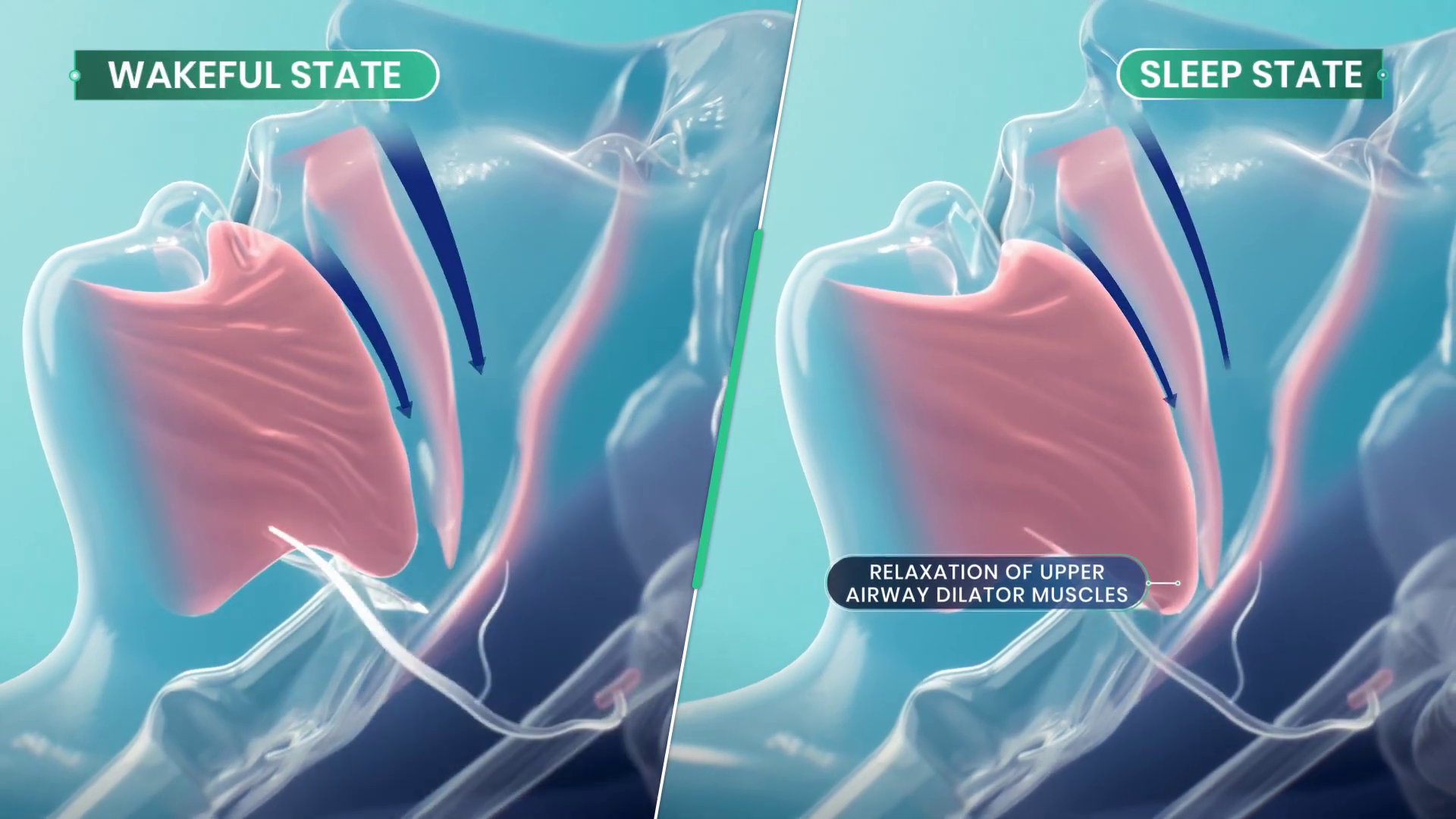
Obstructive sleep apnea occurs when upper airway muscles relax excessively during sleep, ultimately restricting or totally blocking the airway. Credit: Apnimed
Against this backdrop, a simple pill-based treatment for sleep apnea is a remarkably attractive proposition. It would allow the treatment of the condition without the need for expensive, high-maintenance CPAP machines which a huge proportion of patients hate using in the first place. Such a treatment is now close to being a reality, under the name AD109.
The treatment aims to directly target the actual cause of obstructive sleep apnea. OSA is a neuromuscular condition, and one that only occurs during sleep—as those afflicted with the disease don’t suffer random airway blockages while awake. When sleep occurs, neurotransmitter levels like norepinephrine tend to decrease. This can can cause the upper airway muscles to excessively relax in sleep apnea sufferers, to the point that the airway blocks itself shut. AD109 tackles this issue with a combination of drugs—an antimuscarinic called aroxybutynin, and a norepinephrine reuptake inhibitor called atomoxetine. In simple terms, the aroxybutynin blocks so-called muscarinic receptors which decrease muscle tone in the upper airway. Meanwhile, the atomoxetine is believed to simultaneously improve muscle tone in the upper airway by maintaining higher activity in the hyperglossal motor neurons that control muscles in this area.
Results in phase 2 testing showed a marked decrease in AHI compared to those taking a placebo. Credit: research paper
Thus far, clinical testing has been positive, suggesting the synergistic combination of drugs may be able to improve airflow for sleep apnea patients. Phase 1 and Phase 2 clinical trials have been conducted to verify the safety of the treatment, as well as its efficacy at treating the condition. Success in the trials was measured with the Apnea-Hypopnea Index (AHI), which records the number of airway disruptions an individual has per hour. AHI events were reduced by 45% in those taking AD109 when compared to the placebo group in a phase 2 trial featuring 211 participants. It achieved this while proving generally safe in early testing without causing detectable detriments to attention or memory. However, some side effects were noted with the drug—most specifically dry mouth, urinary hesitancy, and a level of insomina. The latter being particularly of note given the drug’s intention to improve sleep.
Testing on AD109 continues, with randomized Phase 3 trials measuring its performance in treating mild, moderate, and severe obstructive sleep apnea. For now, commercialization remains a ways down the road. And yet, for the first time, it appears promising that modern medicine will develop a simple drug-based treatment for a disease that leaves millions fatigued and exhausted every day. If it proves viable, expect it to become a major pharmaceutical success story and the hottest new drug on the market.
This week Jonathan chats with Nicholas Adams about OpenRiak! Why is there a Riak and an OpenRiak, which side of the CAP theorem does OpenRiak land on, and why is it so blazingly fast for some operations? Listen to find out!
Did you know you can watch the live recording of the show right on our YouTube Channel? Have someone you’d like us to interview? Let us know, or have the guest contact us! Take a look at the schedule here.
If you follow electronics history, few names were as ubiquitous as RCA, the Radio Corporation of America. Yet in modern times, the company is virtually forgotten for making large computers. [Computer History Archive Project] has a rare film from the 1970s (embedded below) explaining how RCA planned to become the number two supplier of business computers, presumably behind behemoth IBM. They had produced other large computers in the 1950s and 1960s, like the BIZMAC, the RCA 510, and the Spectra. But these new machines were their bid to eat away at IBM’s dominance in the field.
RCA had innovative ideas and arguably one of the first demand paging, virtual memory operating systems for mainframes. You can hope they were better at designing computers than they were at making commercials.
The BIZMAC was much earlier and used tubes (public domain).
In 1964, [David Sarnoff] famously said: “The computer will become the hub of a vast network of remote data stations and information banks feeding into the machine at a transmission rate of a billion or more bits of information a second … Eventually, a global communications network handling voice, data and facsimile will instantly link man to machine — or machine to machine — by land, air, underwater, and space circuits. [The computer] will affect man’s ways of thinking, his means of education, his relationship to his physical and social environment, and it will alter his ways of living. … [Before the end of this century, these forces] will coalesce into what unquestionably will become the greatest adventure of the human mind.”
He was, of course, right. Just a little early.
The machines in the video were to replace the Spectra 70 computers, seen here from an RCA brochure.
The machines were somewhat compatible with IBM computers, touted virtual memory, and had flexible options, including a lease that let you own your hardware in six years. They mention, by the way, IBM customers who were paying up to $60,000 / month to IBM. They mentioned that an IBM 360/30 with 65K was about $13,200 / month. You could upgrade with a 360/30 for an extra $3,000 / month, which would double your memory but not double your computing power. (If you watch around the 18-minute mark, you’ll find the computing power was extremely slow by today’s standards.)
RCA, of course, had a better deal. The RCA 2 had double the memory and reportedly triple the performance for only $2,000 extra per month. We don’t know what the basis for that performance number was. For $3,500 a month extra, you could have an RCA 3 with the miracle of virtual memory, providing an apparent 2 megabytes per running job.
There are more comparisons, and keep in mind, these are 1970 dollars. In 1970, a computer programmer probably made $10,000 to $20,000 a year while working on a computer that cost $158,000 in lease payments (not to count electricity and consumables). How much cloud computing could you buy in a year for $158,000 today? Want to buy one? They started at $700,000 up to over $1.6 million.
By their release, the systems were named after their Spectra 70 cousins. So, officially, they were Spectra 70/2, 70/3, 70/5, and 70/6.
Despite all the forward-looking statements, RCA had less than 10% market share and faced increasing costs to stay competitive. They decided to sell the computer business to Sperry. Sperry rebranded several RCA computers and continued to sell and support them, at least for a while.
Now, RCA is a barely remembered blip on the computer landscape. You are more likely to find someone who remembers the RCA 1800 family of CPUs than an actual RCA mainframe. Maybe they should have throw in the cat with the deal.
Want to see the IBM machines these competed with? Here you go. We doubt there were any RCA computers in this data center, but they’d have been right at home.
There was a time when wise older people warned you to check your tire pressure regularly. We never did, and would eventually wind up with a flat or, worse, a blowout. These days, your car will probably warn you when your tires are low. That’s because of a class of devices known as tire pressure monitoring systems (TPMS).
If you are like us, you see some piece of tech like this, and you immediately guess how it probably works. In this case, the obvious guess is sometimes, but not always, correct. There are two different styles that are common, and only one works in the most obvious way.
Obvious Guess
We’d guess that the tire would have a little pressure sensor attached to it that would then wirelessly transmit data. In fact, some do work this way, and that’s known as dTPMS where the “d” stands for direct.
Of course, such a system needs power, and that’s usually in the form of batteries, although there are some that get power wirelessly using an RFID-like system. Anything wireless has to be able to penetrate the steel and rubber in the tire, of course.
But this isn’t always how dTPMS systems worked. In days of old, they used a finicky system involving a coil and a pressure-sensitive diaphragm — more on that later.
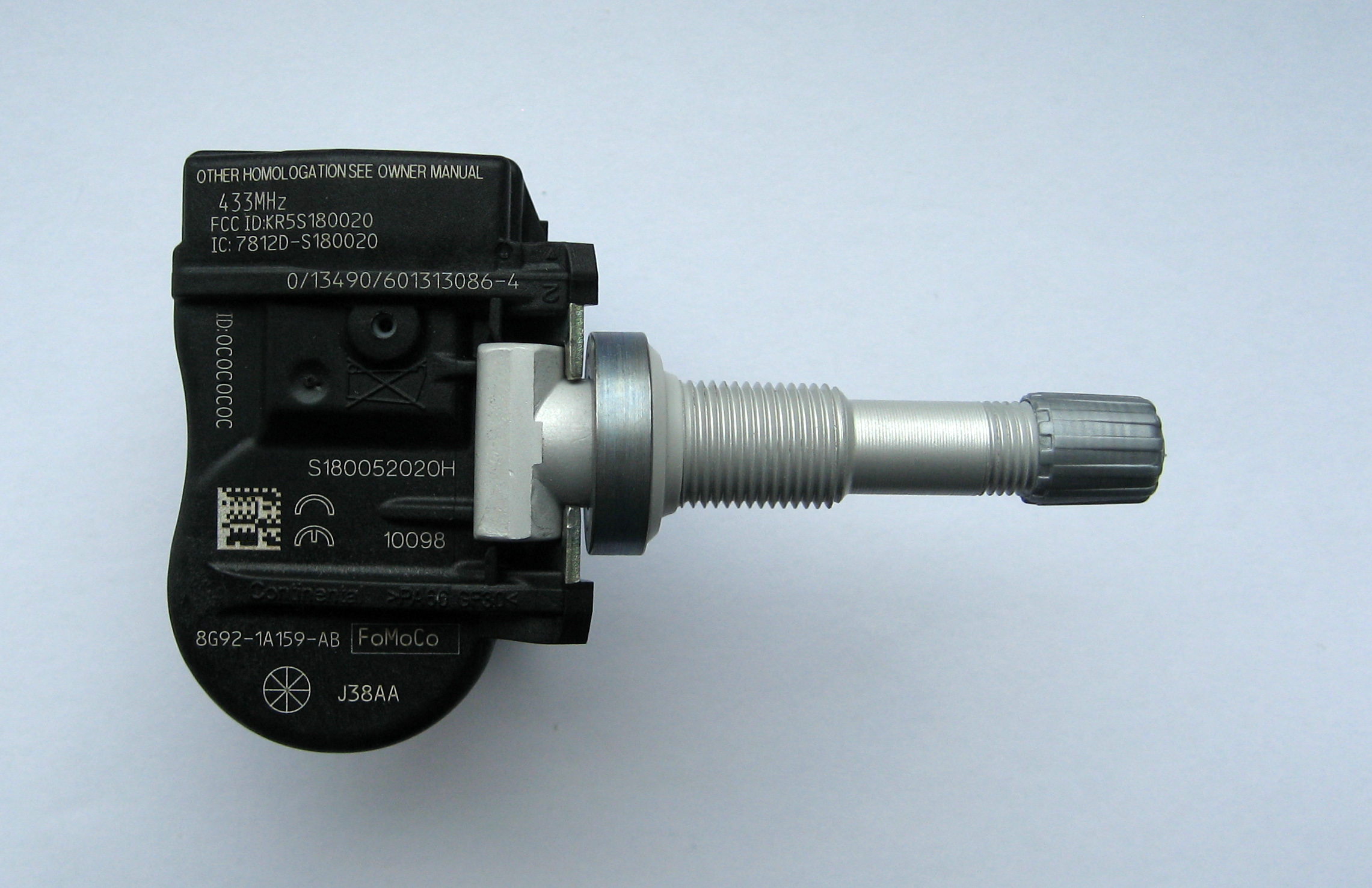
TPMS sensor (by [Lumu] CC BY-SA 3.0Many modern systems use iTPMS (indirect). These systems typically work on the idea that a properly inflated tire will have a characteristic rolling radius. Fusing data from the wheel speed sensor, the electronic steering control, and some fancy signal processing, they can deduce if a tire’s radius is off-nominal. Not all systems work exactly the same, but the key idea is that they use non-pressure data to infer the tire’s pressure.
This is cheap and requires no batteries in the tire. However, it isn’t without its problems. It is purely a relative measurement. In practice, you have to inflate your tires, tell the system to calibrate, and then drive around for half an hour or more to let it learn how your tires react to different roads, speeds, and driving styles.
Changes in temperature, like the first cold snap of winter, are notorious for causing these sensors to read flat. If the weather changes and you suddenly have four flat tires, that’s probably what happened. The tires really do lose some pressure as temperatures drop, but because all four change together, the indirect system can’t tell which one is at fault, if any.
History
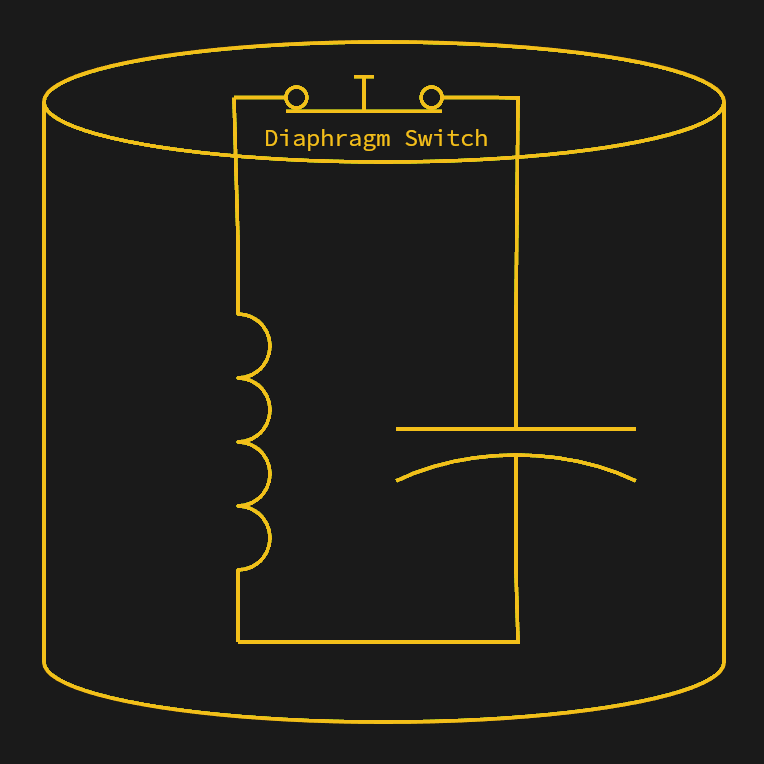
When the diaphragm senses correct pressure, the sensor forms an LC circuit. Low air pressure causes the diaphragm to open the switch, breaking the circuit.
The first passenger vehicle to offer TPMS was the 1986 Porsche 959. Two sensors made from a diaphragm and a coil are mounted between the wheel and the wheel’s hub. The sensors were on opposite sides of the tire. With sufficient pressure on the diaphragm, an electrical contact was made, changing the coil value, and a stationary coil would detect the sensor as it passed. If the pressure drops, the electrical contact opens, and the coil no longer sees the normal two pulses per rotation. The technique was similar to a grid dip meter measuring an LC resonant circuit. The diaphragm switch would change the LC circuit’s frequency, and the sensing coil could detect that.
If one or two pulses were absent despite the ABS system noting wheel rotation, the car would report low tire pressure. There were some cases of centrifugal force opening the diaphragms at high speed, causing false positives, but for the most part, the system worked. This isn’t exactly iTPMS, but it isn’t quite dTPMS either. The diaphragm does measure pressure in a binary way, but it doesn’t send pressure data in the way a normal dTPMS system does.
Of course, as you can see in the video, the 959 was decidedly a luxury car. It would be 1991 before the US-made Corvette acquired TPMS. The Renault Laguna II in 2000 was the first high-volume car to have similar sensors.
Now They’re Everywhere
In many places, laws were put in place to require TPMS in vehicles. It was also critical for cars that used “run flat” tires. The theory is that you might not notice your run flat tires were actually flat, and while they are, as their name implies, made to run flat, they also require you to limit speed and distance when they are flat.
Old cars or other vehicles that don’t have TPMS can still add it. There are systems that can measure tire pressure and report to a smartphone app. These are, of course, a type of dTPMS.
Problems
Of course, there are always problems. An iTPMS system isn’t really reading the tire pressure, so it can easily get out of calibration. Direct systems need battery changing, which usually means removing the tire, and a good bit of work — watch the video below. That means there is a big tradeoff between sending data with enough power to go through the tire and burning through batteries too fast.
Another issue with dTPMS is that you are broadcasting. That means you have to reject interference from other cars that may also transmit. Because of this, most sensors have a unique ID. This raises privacy concerns, too, since you are sending a uniquely identifiable code.
Of course, your car is probably also beaming Bluetooth signals and who knows what else. Not to even mention what the phone in your car is screaming to the ether. So, in practice, TPMS attacks are probably not a big problem for anyone with normal levels of paranoia.
An iTPMS sensor won’t work on a tire that isn’t moving, so monitoring your spare tire is out. Even dTPMS sensors often stop transmitting when they are not moving to save battery, and that also makes it difficult to monitor the spare tire.
The (Half Right) Obvious Answer
Sometimes, when you think of the “obvious” way something works, you are wrong. In this case, you are half right. TPMS reduces tire wear, prevents accidents that might happen during tire failure, and even saves fuel.
Thanks to this technology, you don’t have to remember to check your tire pressure before a trip. You should, however, probably check the tread.
Space telescopes are all the rage, and rightfully so. The images they take are spectacular, and they’ve greatly increased what we know about the universe. Surely, any picture taken of, say, the Andromeda galaxy before space telescopes would be little more than a smudge compared to modern photos, right? Maybe not.
One of the most famous pictures of our galactic neighbor was taken in — no kidding — 1888. The astronomer/photographer was Isaac Roberts, a Welsh engineer with a keen interest in astrophotography. Around 1878, he began using a 180 mm refracting telescope for observations, and in 1883, he began taking photographs.
He was so pleased with the results that he ordered a reflecting telescope with a 510 mm first-surface mirror and built an observatory around it in 1885. Photography and optics back then weren’t what they are now, so adding more mirrors to the setup made it more challenging to take pictures. Roberts instead mounted the photographic plates directly at the prime focus of the mirror.
Andromeda
This image, captured with the NASA/ESA Hubble Space Telescope, is the largest and sharpest image ever taken of the Andromeda galaxy — otherwise known as M31. This is a cropped version of the full image and has 1.5 billion pixels. You would need more than 600 HD television screens to display the whole image. It is the biggest Hubble image ever released and shows over 100 million stars and thousands of star clusters embedded in a section of the galaxy’s pancake-shaped disc stretching across over 40 000 light-years. This image is too large to be easily displayed at full resolution.
Because it took hours to capture good images, he developed techniques to keep the camera moving in sync with the telescope to track objects in the night sky. On December 29th, 1888 he used his 510 mm scope to take a long exposure of Andromeda (or M31, if you prefer). His photos showed the galaxy had a spiral structure, which was news in 1888.
Of course, it’s not as good as the Hubble’s shots. In all fairness, though, the Hubble’s is hard to appreciate without the interactive zoom tool. And 100 years of technological progress separate the two.
Roberts also invented a machine that could engrave stellar positions on copper plates. The Science Museum in London has the telescope in its collection.
Your Turn
Roberts did a great job with very modest equipment. These days, at least half of astrophotography is in post-processing, which you can learn. Want time on a big telescope? Consider taking an online class. You might not match the James Webb or the Hubble, but neither did Roberts, yet we still look at his plates with admiration.
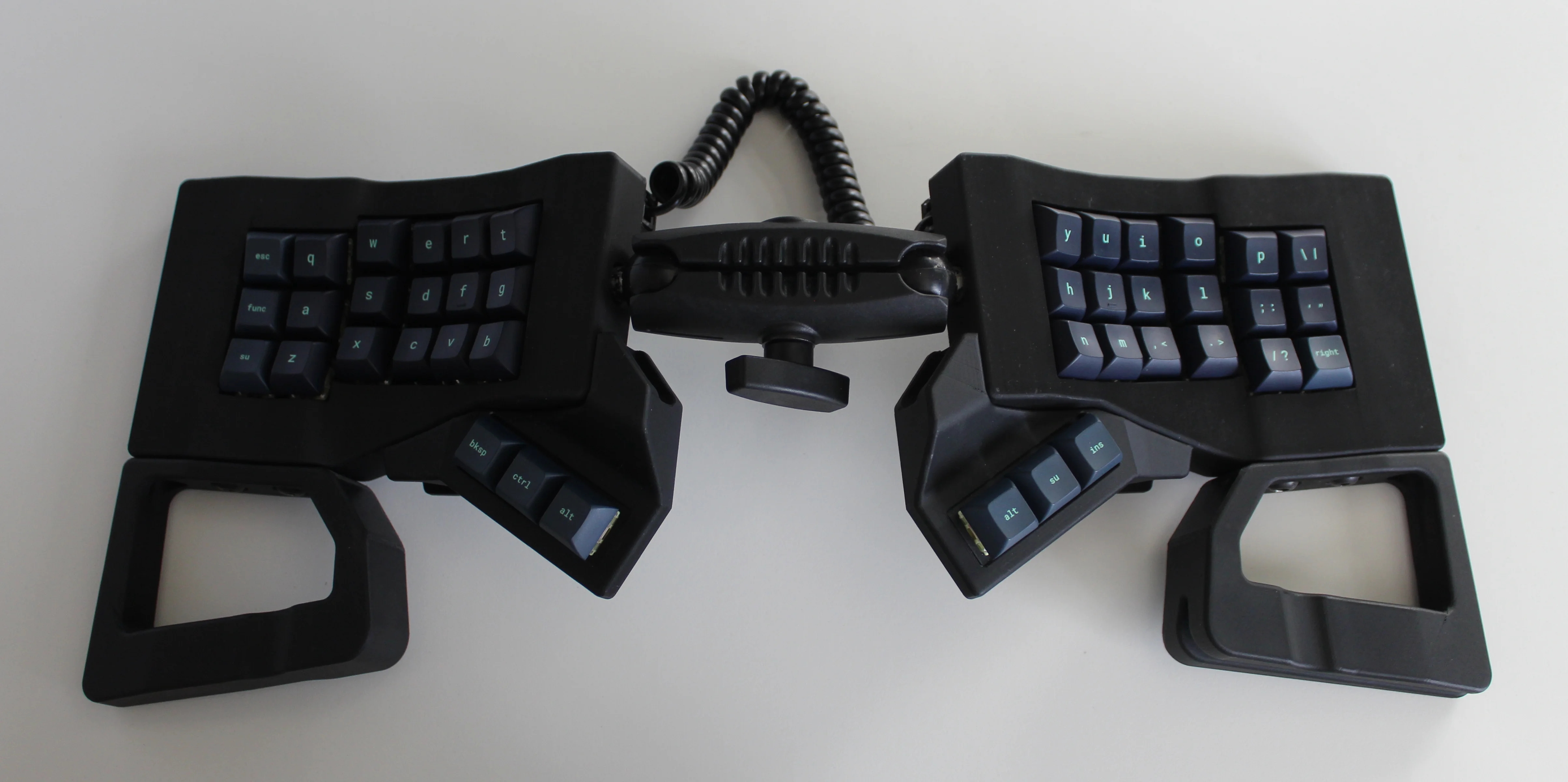
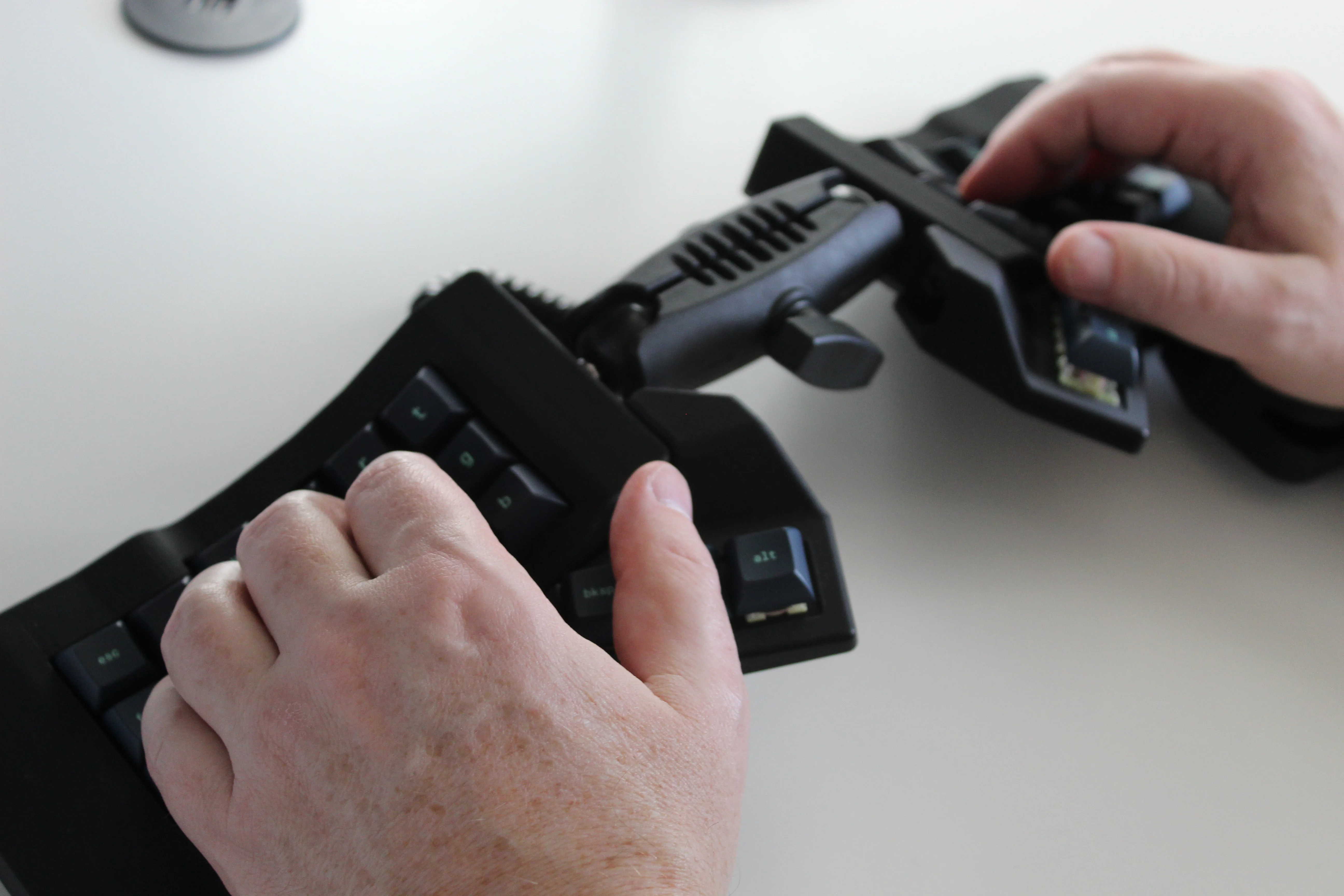
Get a handle on this bad boy! Okay, so those voids are really more for airing out your palms, I’d imagine, because palm sweat sure is real — you should see the pads of my Kinesis. This kind of looks like two sawed-off machine guns kissing, and I mean that in the best possible and non-violent way.
Image by [ntc490] via redditSo, [ntc490] has been on Team Special Keyboard for eight years now and decided it was time to design one. The goal was to make something semi-portable, super ergo, and as easy/cheap to build as possible, which, honestly, that sounds like one of those pick-two situations.
And yet, pricing (oh yeah, this is gonna be A Thing You Can Buy) will be around $115-155, depending upon whether you want the base kit, or the add-ons, too, minus switches and key caps.
So let’s get into the particulars here. As you can see, there are key wells and thumb clusters, inspired by other keyboards including your bog standard Maltrons, Kinesis Advantages and more modern, open-source takes like the Dactyl. [ntc490] loves the key well-thumb cluster combination, and I do, too (hello from the Glove80). And miraculously, the keys are hot-swappable via sockets.
Image by [ntc490] via redditThat novel tenting mechanism is adjustable, rugged, and portable. You can tent it near-vertical, lay it flat, or take it apart if you wish. The thing is modular for future expansion options such as wrist rests and displays.
So please do go visit the thread if this keyboard appeals to you at this price point. I love it, but I would need more rows of keys, personally. The top reddit comment mentions this as well, and [ntc490] says that because the thing is modular, it can easily accommodate more keys in both the wells and the thumb clusters. I seriously want one of these. Just with a few more keys.
Open-Sourcing the Ultimate Portable Split
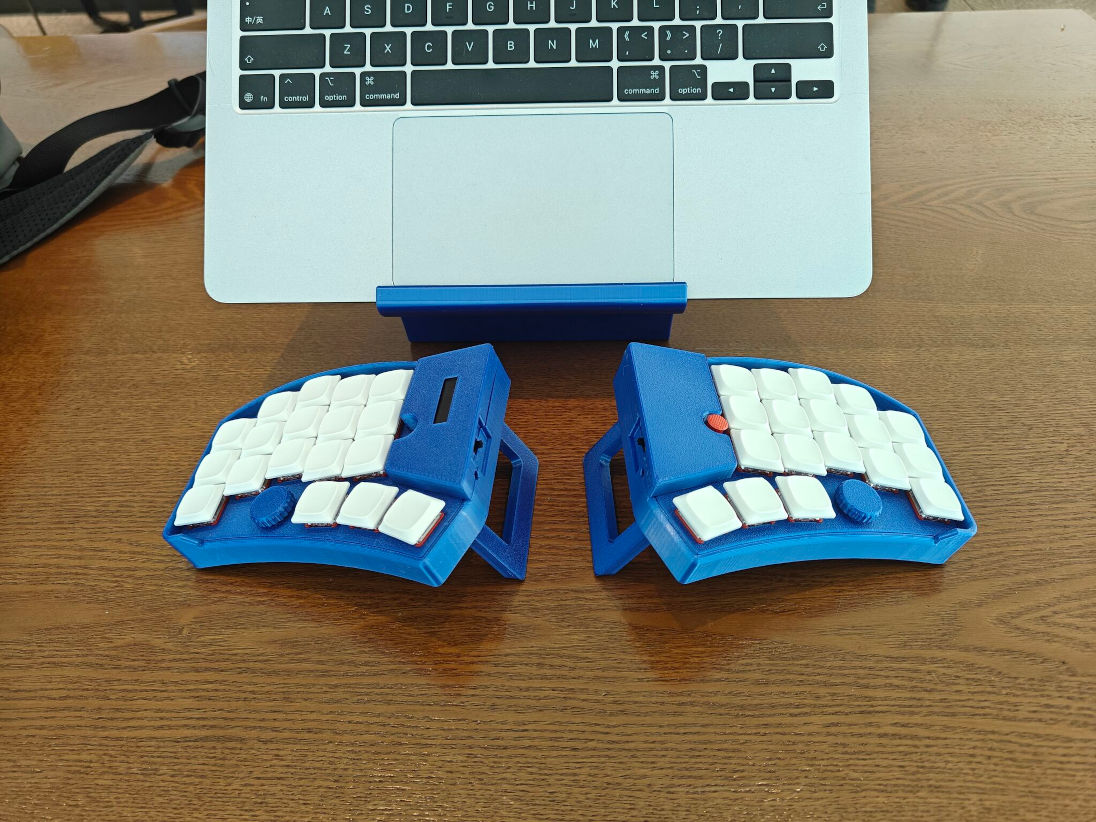
Remember [kleshwong]’s PSKEEB5 from a couple of Keebins ago, right before Christmas? He was going to open-source it if there was enough interest? Well, it seems that [kleshwong] decided to do it anyway and has since provided some new videos if you want to build one for yourself.
Image by [kleshwong] via GitHubThe first one covers the reasoning behind the reconsideration as well as the BOM and the case. The next video is the complete soldering tutorial, which clocks in at a very watchable fifteen minutes. Finally, [kleshwong] spends another fifteen on assembly and flashing the thing.
As a refresher, this thing has some really neat features like swing-out tenting feet, a pair of trackpoints, rotary encoders, and a carrying case that doubles as a laptop stand.
For the internals, any nice!nano-compatible boards will do. You’ll also need Kailh hot-swap sockets, among other things, naturally. If you have any trouble sourcing like the trackpoints for instance, you’re in luck, because [kleshwong] recently opened an online store. Go forth and build the ultimate portable split!
The Centerfold: Glove80 Looks Good In Wood
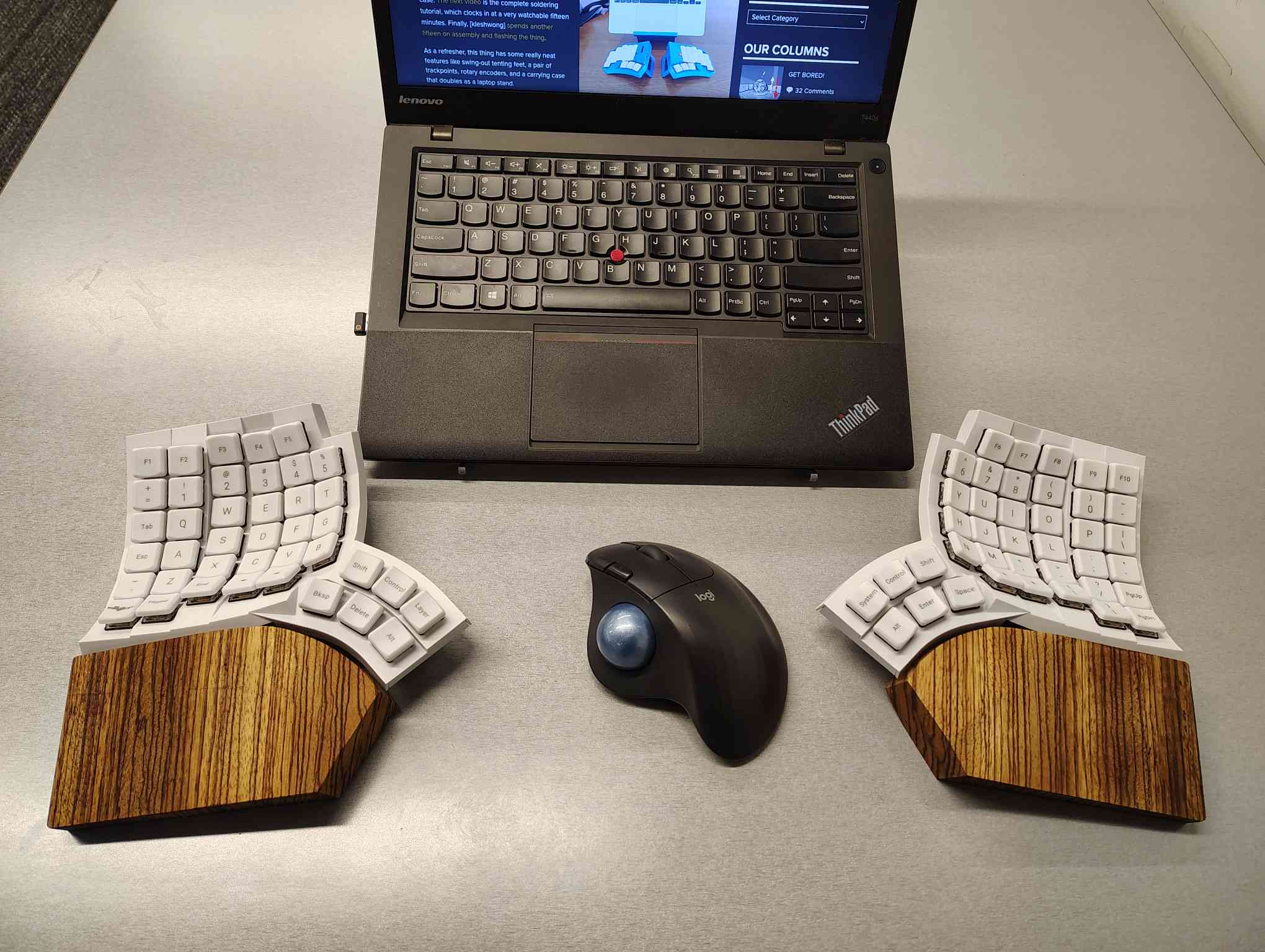
I’m using my MoErgo Glove80 pretty hardcore these days, driving them all crazy down at the library. But hey, it’s quieter than the big, echo-y Kinesis Advantage, even though they both have browns.
Once I saw the upcoming Go60 by MoErgo, though, I knew I simply needed wooden palm rests for the Glove80. So, over the course of two days, my father-in-law and I fabricated these fetching zebrawood rests, first from pink foam, then from poplar, and finally from book-matched zebra. I think we have a real conversation piece here.
Do you rock a sweet set of peripherals on a screamin’ desk pad? Send me a picture along with your handle and all the gory details, and you could be featured here!
Historical Clackers: a 3D-Printed Index Typewriter!
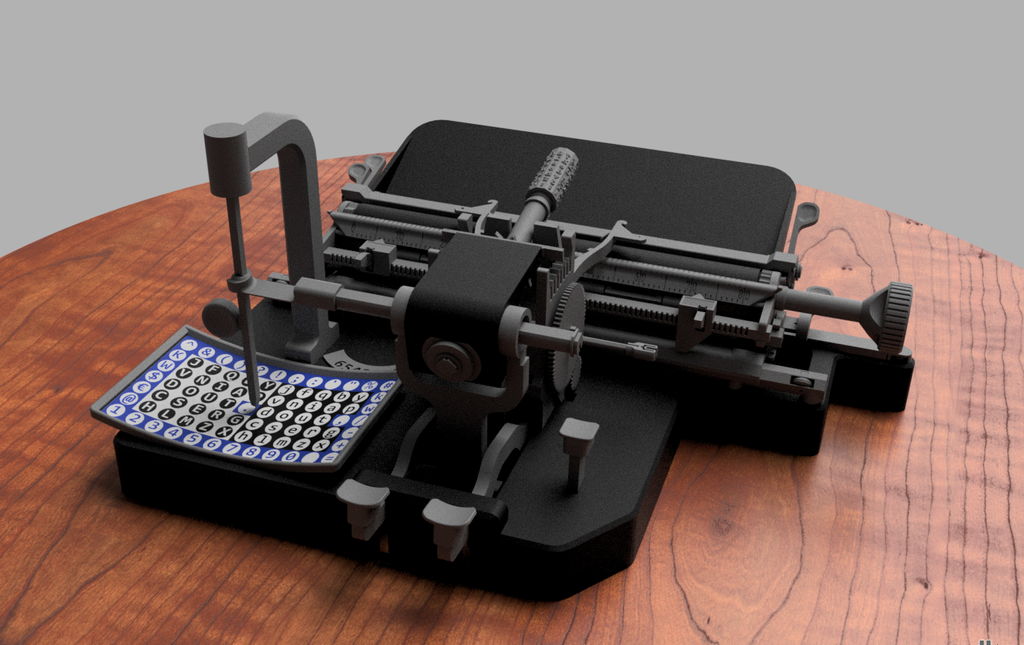
I was sorry to hear that [Keenan Finucan] had to submit this twice in order to get my attention. But here we are, with what is probably the world’s first 3D-printed index typewriter. So, why is this filed under Historical Clackers? Because I said so, and because it’s based on a real antique index typewriter, the AEG Mignon Model 4. This first model of Mignon was designed between 1901-1903 by German company AEG. Mignons were produced until 1932.
Image by [Keenan Finucan] via ThingiverseI suppose I don’t have to explain what an index typewriter is at this point. Besides, it seems pretty obvious in this design, but maybe I’m biased. Essentially it’s like a label maker, the old ka-chunk kind. You squeeze out one character at a time, then you move the index to the next character.
I think this looks fabulous overall, and I rather like the way the index is laid out, which is decidedly non-alphabetical and, surprisingly, does not mirror the AEG index.
[Keenan] reports that thanks to months of work and revisions, this project is as accessible and repeatable as possible. You don’t even need any glue, and non-printed items are at a minimum. You will need a minimum XYZ build volume of 250 x 210 220 mm, TPU or other flexible filament, some springs, a bit of coat hanger wire, and a universal 1/2″ typewriter ribbon, which is pretty widely available.
Finally, $2K Keyboard Computer Is a Return to Form
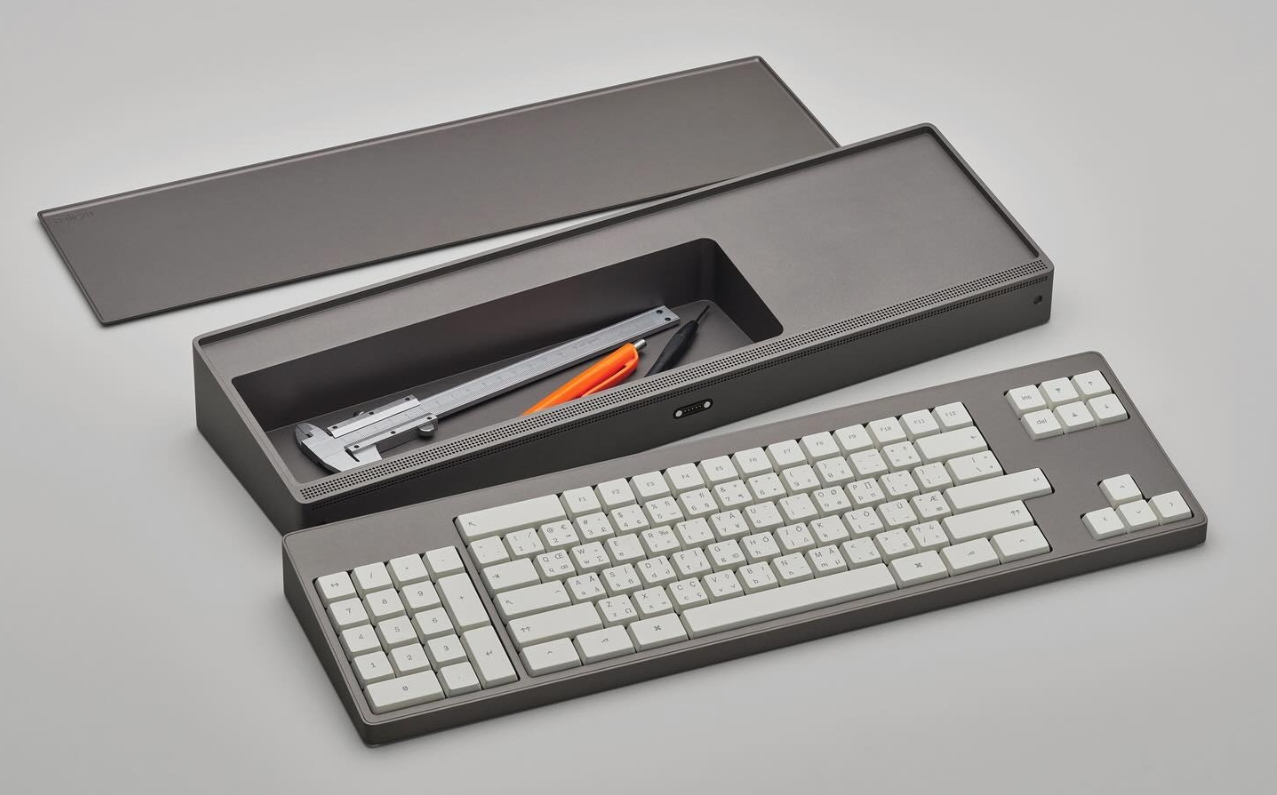
Alright coders, designers, and engineers: this elegant hunk of metal is for you. What we’ve got here is Caligra’s c100 Developer Terminal. Described as a “computer for experts”, this is not meant for scrolling social media, although what developer can get through the day without a reddit break or three?
Let’s talk about that body. It’s entirely CNC-milled from a solid block of aluminium, which makes me think of the Icebreaker keyboard we saw here almost exactly a year ago. Both double as handy bludgeoning devices, but this one is decidedly more attractive. The bead-blasted finish of the c100 does simultaneously evoke modern and industrial design, so I’ll agree with Yanko on that note.
The coolest part is half-evident in the picture I chose. There’s a central magnetic pivot structure, and this lets you detach and fold the thing up even smaller, without any external hinges.
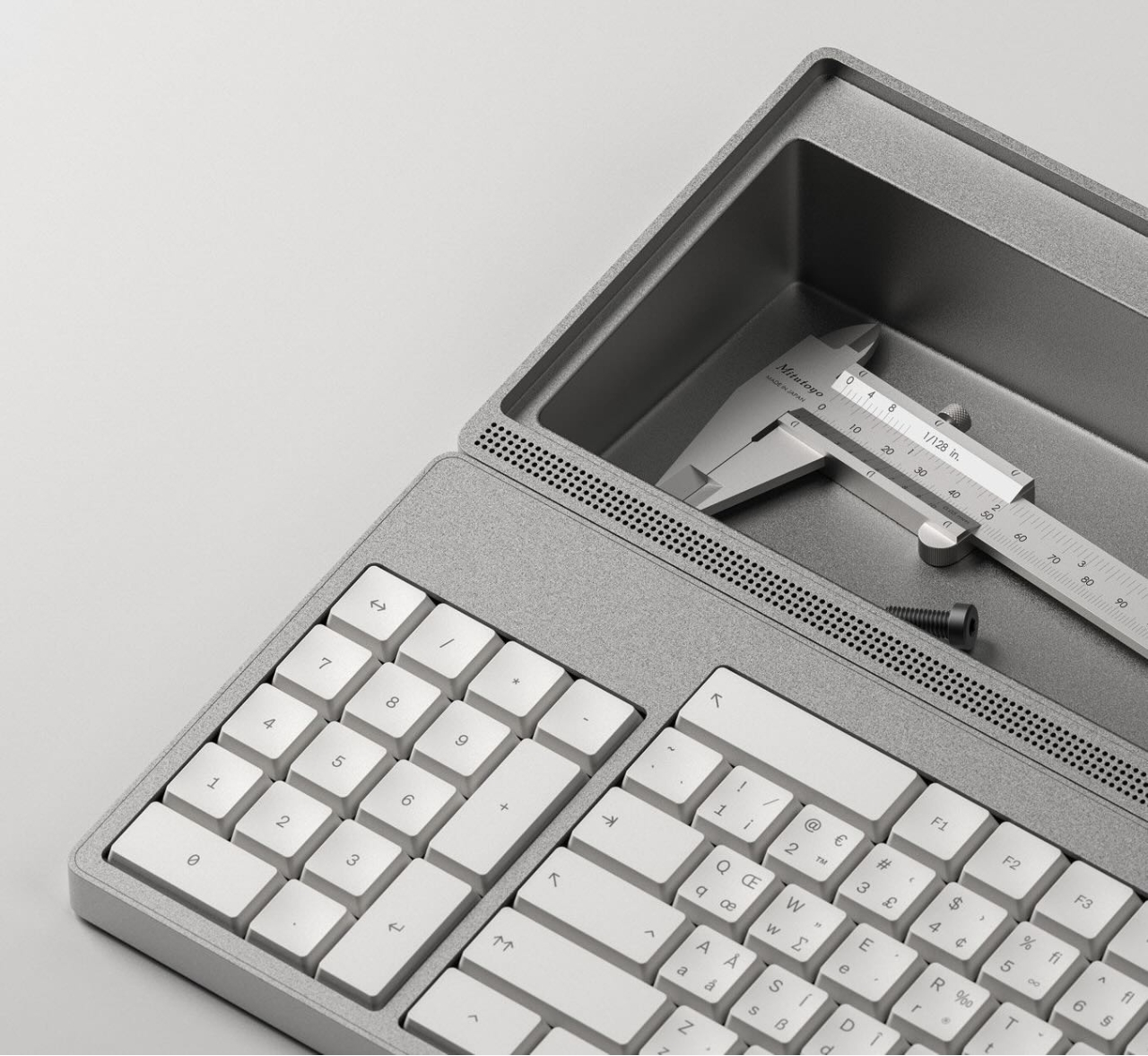
I thought the storage compartment gimmicky at first, but I’ve grown to like the idea of having a place for pens and whatnot. Yanko almost threatens to call it subversive in the face of what tech companies probably do not want you doing: opening the thing up. You are supposed to tinker with this one.
For some reason, the num pad is on the left, though I suppose this solves the distance-to-mouse problem. Yanko says the design uses Fitts’ law to accelerate task management, and this is supposed to explain why the keys are clustered the way they are. Basically, the placement of each key has been optimized for both speed an minimal hand movement. The wired mouse looks a bit uncomfortable, however.
This thing ships with Workbench OS, which is Linux-based and built specifically for technical work. There are no pop-ups in Workbench OS, which sounds amazing. So I would think that c100 is for writers, too, provided the keyboard clacks nicely.
Looking for a unique vacation spot? Have at least $10 million USD burning a hole in your pocket? If so, then you’re just the sort of customer the rather suspiciously named “GRU Space” is looking for. They’re currently taking non-refundable $1,000 deposits from individuals looking to stay at their currently non-existent hotel on the lunar surface. They don’t expect you’ll be able to check in until at least the early 2030s, and the $1K doesn’t actually guarantee you’ll be selected as one of the guests who will be required to cough up the final eight-figure ticket price before liftoff, but at least admission into the history books is free with your stay.
This never happened.
The whole idea reminds us of Mars One, which promised to send the first group of colonists to the Red Planet by 2024. They went bankrupt in 2019 after collecting ~$100 deposits from more than 4,000 applicants, and we probably don’t have to tell you that they never actually shot anyone into space. Admittedly, the Moon is a far more attainable goal, and the commercial space industry has made enormous strides in the decade since Mars One started taking applications. But we’re still not holding our breath that GRU Space will be leaving any mints on pillows at one-sixth gravity.
Speaking of something which actually does have a chance of reaching the Moon on time — on Saturday, NASA rolled out the massive Space Launch System (SLS) rocket that will carry a crew of four towards our nearest celestial neighbor during the Artemis II mission. There’s still plenty of prep work to do, including a dress rehearsal that’s set to take place in the next couple of weeks, but we’re getting very close. Artemis II won’t actually land on the Moon, instead performing a lunar flyby, but it will still be the first time we’ve sent humans beyond Low Earth Orbit (LEO) since Apollo 17 in 1972. We can’t wait for some 4K Earthrise video.
In more terrestrial matters, Verizon users are likely still seething from the widespread outages that hit them mid-week. Users from all over the US reported losing cellular service for several hours, though outage maps at the time showed the Northeast was hit particularly hard. At one point, the situation got so bad that Verizon’s own system status page crashed. In a particularly embarrassing turn of events, some of the other cellular carriers actually reached out to their customers to explain it wasn’t their fault if they couldn’t reach friends and family on Verizon’s network. Oof.
Speaking of phones, security researchers recently unveiled WhisperPair, an attack targeting Bluetooth devices that utilize Google’s Fast Pair protocol. When the feature is implemented correctly, a Bluetooth accessory should ignore pairing requests unless it’s actually in pairing mode, but the researchers found that many popular models (including Google’s own Pixel Buds Pro 2) can be tricked into accepting an unsolicited pairing request. While an attacker hijacking your Bluetooth headset might not seem like a huge deal at first, consider that it could allow them to record your conversations and track your location via Google’s Find Hub network.
Incidentally, something like WhisperPair is the kind of thing we’d traditionally leave for Jonathan Bennett to cover in his This Week in Security column, but as regular readers may know, he had to hang up his balaclava back in December. We know many of you have been missing your weekly infosec dump, but we also know it’s not the kind of thing that just anyone can take over. We generally operate under a “Write What You Know” rule around here, and that means whoever takes over the reins needs to know the field well enough to talk authoritatively about it. Luckily, we think we’ve found just the hacker for the job, so hopefully we’ll be able to start it back up in the near future.
Finally, we don’t generally promote crowdfunding campaigns due to their uncertain nature, but we’ll make an exception for the GameTank. We’ve covered the open hardware 6502 homebrew game console here in the past, and even saw it in the desert of the real (Philadelphia) at JawnCon 0x2 in October. The project really embraces the retro feel of using a console from the 1980s, even requiring you to physically swap cartridges to play different games. It’s a totally unreasonable design choice from a technical perspective, given that an SD card could hold thousands of games at once, but of course, that’s not the point. There’s a certain joy in plugging in a nice chunky cartridge that you just can’t beat.
See something interesting that you think would be a good fit for our weekly Links column? Drop us a line, we’ve love to hear about it.
My son went over to a friends house this afternoon, when my wife had been planning on helping him with his French homework. This meant she had an hour or so of unexpected free time. Momentarily at a loss, she asked me what she should do, and my reply was “slack off”, meaning do something fun and creative instead of doing housework or whatever. Take a break! She jokingly replied that slacking off wasn’t on her to-do list, so she wouldn’t even know how to start.
But as with every joke, there’s more than a kernel of truth to it. We often get so busy with stuff that we’ve got to do, that we don’t leave enough time to slack, to get bored, or to simply do nothing. And that’s a pity, because do-nothing time is often among the most creative times. It’s when your mind wanders aimlessly that you find inspiration for that upgrade to the z-stage on your laser cutter, or whatever the current back-burner project of the moment is.
You don’t get bored when you’re watching TV, playing video games, or scrolling around the interwebs on your phone, and it’s all too easy to fall into these traps. To get well and truly bored requires discipline these days, so maybe putting “slack” into your to-do list isn’t a bad idea after all. My wife was right! And that’s why I volunteered to take my son to parkour on Sundays – it’s and hour of guaranteed, 100% uninterruptible boredom. How do you make sure you get your weekly dose of slack?
This article is part of the Hackaday.com newsletter, delivered every seven days for each of the last 200+ weeks. It also includes our favorite articles from the last seven days that you can see on the web version of the newsletter.
Want this type of article to hit your inbox every Friday morning? You should sign up!
Join Hackaday Editors Elliot Williams and Tom Nardi as they swap their favorite hacks and stories from the week. In this episode, they’ll start off by marveling over the evolution of the “smart knob” and other open hardware input devices, then discuss a futuristic propulsion technology you can demo in your own kitchen sink, and a cheap handheld game system that get’s a new lease on life thanks to the latest version of the ESP32 microcontroller.
From there they’ll cover spinning CRTs, creating custom GUIs on Android, and yet another thing you can build of out that old Ender 3 collecting dust in the basement. The episode wraps up with a discussion about putting Valve’s Steam Deck to work and a look at the history-making medical evacuation of the International Space Station.
Check out the links below if you want to follow along, and as always, tell us what you think about this episode in the comments!
When we first heard the term “random laser,” we did a double-take. After all, most ordinary sources of light are random. One defining characteristic of a traditional laser is that it emits coherent light. By coherent, in this context, that usually includes temporal coherence and spatial coherence. It is anything but random. It turns out, though, that random laser is a bit of a misnomer. The random part of the name refers to how the device generates the laser emission. It is true that random lasers may produce output that is not coherent over long time scales or between different emission points, but individually, the outputs are coherent. In other words, locally coherent, but not always globally so.
That is to say that a random laser might emit light from four different areas for a few brief moments. A particular emission will be coherent. But not all the areas may be coherent with respect to each other. The same thing happens over time. The output now may not be coherent with the output in a few seconds.
Baseline
A conventional laser works by forming a mirrored cavity, including a mirror that is only partially reflective. Pumping energy into the gain medium — the gas, semiconductor, or whatever — produces more photons that further stimulate emission. Only cavity modes that satisfy the design resonance conditions and experience gain persist, allowing them to escape through the partially reflecting mirror.
The laser generates many photons, but the cavity and gain medium favor only a narrow set of modes. This results in a beam that is of a very narrow band of frequencies, and the photons are highly collimated. Sure, they can spread over a long distance, but they don’t spread out in all directions like an ordinary light source.
So, How does a Random Laser Work?
Random lasers also depend on gain, but they have no mirrors. Instead, the gain medium is within or contains some material that highly scatters photons. For example, rough crystals or nanoparticles may act as scattering media to form random lasers.
The scattering has photons bounce around at random. Some of the photons will follow long paths, and if the gain exceeds the losses along those paths, laser emission occurs. Incoherent random lasers that use powder (to scatter) or a dye (as gain medium) tend to have broadband output. However, coherent random lasers produce sharp spectral lines much like a conventional laser. They are, though, more difficult to design and control.
Random lasers are relatively new, but they are very simple to construct. Since the whole thing depends on randomness, defects are rarely fatal. The downside is that it is difficult to predict exactly what they will emit.
There are some practical use cases, including speckle-free illumination or creating light sources with specific fingerprints for identification.
It’s Alive!
Biological tissue often can provide scattering for random lasers. Researchers have used peacock feathers, for example. Attempts to make cells emit laser light are often motivated by their use as cellular tags or to monitor changes in the laser light to infer changes in the cell itself.
The video below isn’t clearly using a random laser, but it gives a good overview of why researchers want your cells to emit laser light.
You may be thinking: “Isn’t this just amplified spontaneous emission?” While random lasers can resemble amplified spontaneous emission (ASE), true random lasing exhibits a distinct turn-on threshold and, in some cases, well-defined spectral modes. ASE will exhibit a smooth increase in output as the pump energy increases. A random laser will look like ASE until you reach a threshold pump energy. Then a sharp rise will occur as the laser modes suddenly dominate.
We glossed over a lot about conventional lasers, population inversion, and related topics. If you want to know more, we can help.
This week Jonathan and Randal chat with Jose Valim about Elixir! What led Jose to create this unique programming language? What do we mean that it’s a functional language with immutability?
Did you know you can watch the live recording of the show right on our YouTube Channel? Have someone you’d like us to interview? Let us know, or have the guest contact us! Take a look at the schedule here.
For those born with certain types of congenital deafness, the cochlear implant has been a positive and enabling technology. It uses electronics to step in as a replacement for the biological ear that doesn’t quite function properly, and provides a useful, if imperfect, sense of hearing to its users.
New research has promised another potential solution for some sufferers of congenital deafness. Instead of a supportive device, a gene therapy is used to enable the biological ear to function more as it should. The result is that patients get their sense of hearing, not from a prosthetic, but from their own ears themselves.
New Therapy
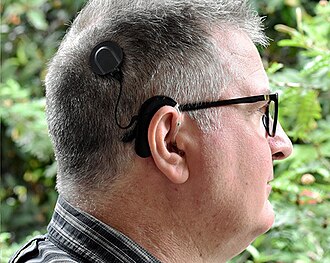
Cochlear implants are a popular treatment for many types of congenital deafness. Credit: Hear hear, CC BY SA 4.0
There are a number of causes of congenital deafness, each of which presents in its own way. In the case of OTOF-related hearing loss, it comes down to a genetic change in a single critical protein. The otoferlin gene is responsible for making the protein of the same name, and this protein is critical for normal, functional hearing in humans. It’s responsible for enabling the communication of signals between the inner hair cells in the ear, and the auditory nerve which conducts these signals to the brain. However, in patients with a condition called autosomal recessive deafness 9, a non-functional variant of the otoferlin gene prevents the normal production of this protein. Without the proper protein available, the auditory nerve fails to receive the proper signals from the hair cells in the ear, and the result is profound deafness.
The typical treatment for this type of congenital hearing loss is the use of a cochlear implant. This is an electronic device that uses a microphone to pick up sound, and then translates it into electrical signals which are sent to electrodes embedded in the cochlear. These simulate the signals that would normally come from the ear itself, and provide a very useful sense of hearing to the user. However, quality and fidelity is strictly limited compared to a fully-functional human ear, and they do come with other drawbacks as is common with many prosthetic devices.
The better understanding that we now have of OTOF-related hearing loss presented an opportunity. If it were possible to get the right protein where it needed to be, it might be possible to enable hearing in what are otherwise properly-formed ears.
DB-OTO was initially trialled in mice, where it was able to improve hearing response by creating the protein necessary for nerve conduction between inner ear hair cells and the auditory nerve. Credit: research paper
The treatment to do that job is called DB-OTO. It’s a virus-based gene therapy which is able to deliver a working version of the OTOF gene. It uses a non-pathogenic virus to carry the proper genetic code that produces the otoferlin protein. However, it’s no good if this gene is expressed in just any context. Thus, it’s paired with a special DNA sequence called a Myo15 promoter which ensures the gene is only expressed in cochlear hair cells that would normally express the otoferlin protein. Treatment involves delivering the viral gene therapy to one or both ears through a surgical procedure using a similar approach to implanting cochlear devices.
Researchers pursued a number of promoter sequences to ensure the gene was only expressed with the correct cells. Credit: research paper
An early trial provided DB-OTO treatment to twelve patients, ranging in age from ten months to sixteen years. eleven out of twelve patients developed improved hearing within weeks of treatment with DB-OTO. Nine patients were able to achieve improvements to the point of no longer requiring cochlear implants and having viable natural hearing.
Six trial participants could perceive soft speech, and three could hear whispers, indicating a normal level of hearing sensitivity. Notably, hearing improvements were persistent and there were some signs of speech development in three patients in the study. The company behind the work, Regeneron, is also eager to take the learnings from its development and potentially apply it to other kinds of hearing loss from genetic causes.
DB-OTO remains an experimental treatment for now, but regulatory approvals are being pursued for its further use. It could yet prove to be a viable and effective treatment for a wide range of patients affected by this genetic issue. It’s just one of a number of emerging treatments that use viruses to deliver helpful genetic material when a patient’s own genes don’t quite function as desired.
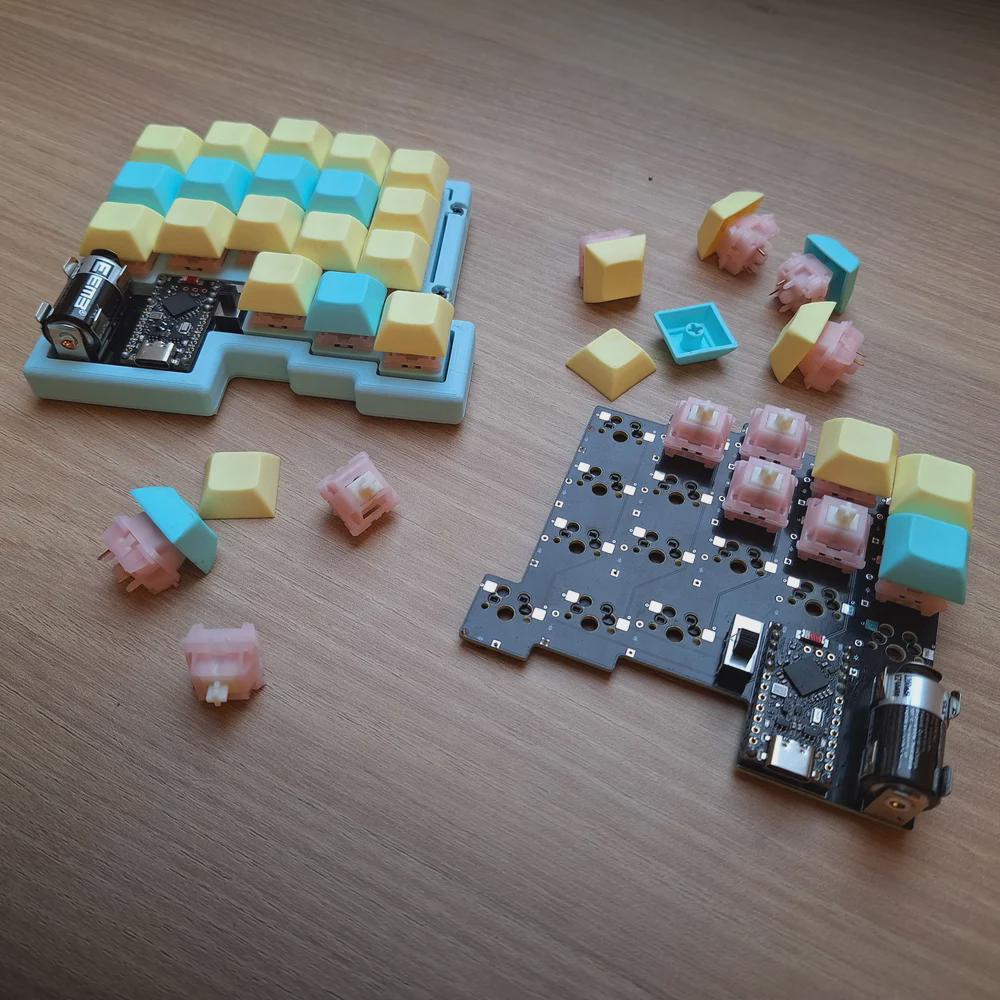
All right, I’ll cut to the chase: Cheap03xD is mainly so cheap because the PCB falls within a 10 x 10 cm footprint. The point was to make a very affordable keyboard — all the parts come to ~40 Euro (~$47). So it would seem that [Lander03xD_] succeeded.
Image by [Lander03xD_] via redditCheap03xD is all the things — 36-key, split, column-staggered, wireless, hot-swappable, and uses ZMK. The batteries are easily replaceable, and no they don’t get in the way.
Those are MMD Princess silent switches, which I wouldn’t choose, but [Lander03xD_] is taking this board to the office, so I get it. They sure are a nice shade of pink, anyway, and they go really well with the pastels of the DSA keycaps and the bezel.
One cool thing to note is that the PCBs are reversible, like the ErgoDox. This isn’t [Lander03xD_]’s first board, and it won’t be the last.
Now, let’s talk batteries. [Saixos] pointed out that the design doesn’t appear to include a protection circuit. In case you can’t tell from where you’re sitting, those are nice!nano clones that [Lander03xD_] is using, and they expect a protection circuit.
[Lander03xD_] is going to look through the docs and see what’s what. The goal is not to have any daughter boards, so this may take some rethinking.
So Arc Raiders is this cool-looking, stripe-logoed, multiplayer extraction shooter that just came out a couple of months ago for all the platforms. It’s not something I could personally play as it’s way too immersive (read: time-consuming), but it definitely looks good, much like this keyboard that [RunRunAndyRun] designed to play it.
Image by [RunRunAndyRun] via redditHaving enjoyed the game with a game pad for a couple of weeks, [RunRunAndyRun] longed for the precision of a keyboard and mouse. The only problem was that his stock of split keyboards all lack a number row.
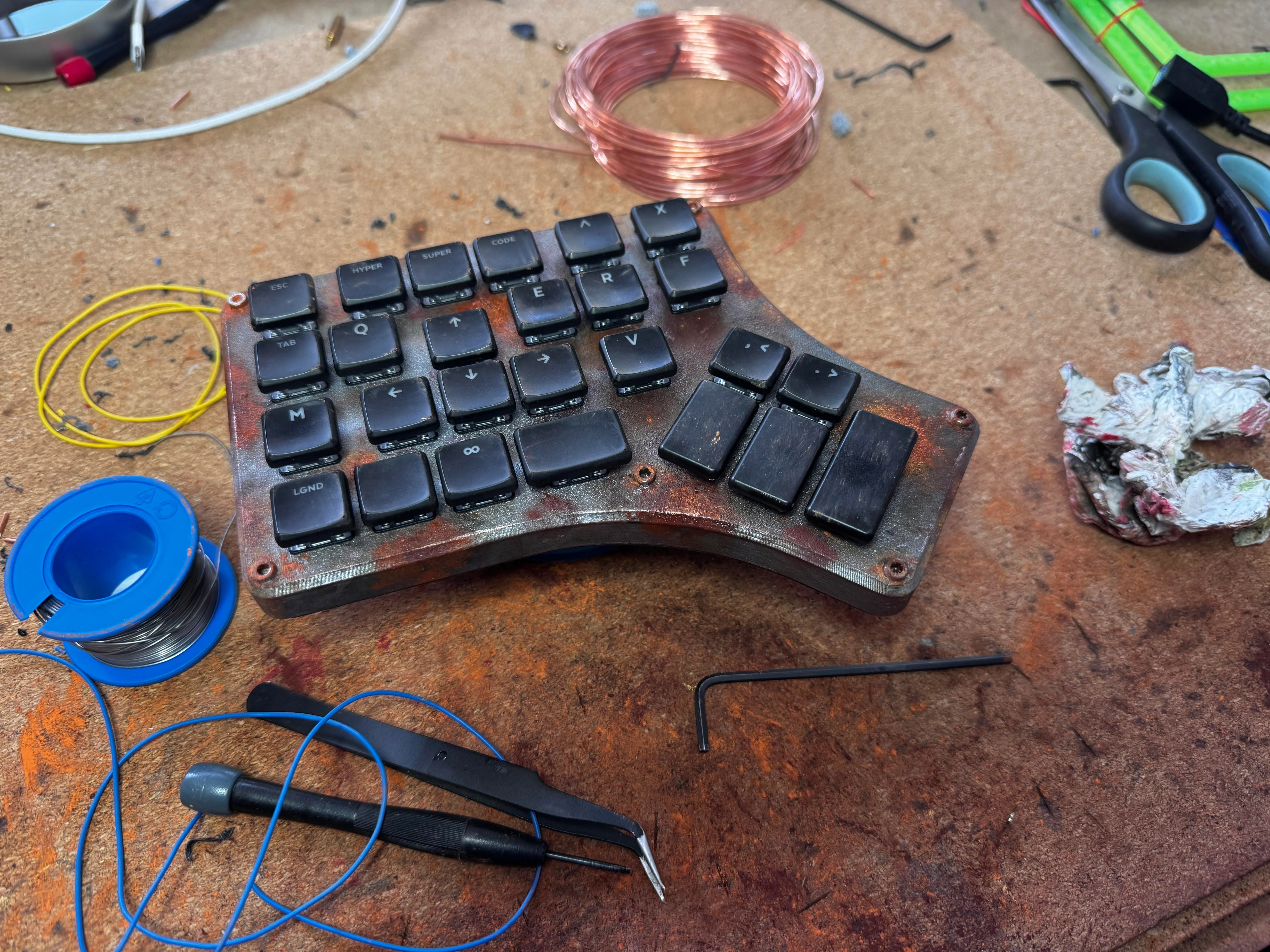
No matter; just make a new one. Why not? This rustic beauty runs on the Waveshare RP2040 Zero. The case was 3D printed on a Prusa Mk4, which you’d never know unless you blew up the picture. And then [RunRunAndyRun] gave it that nice patina using Panduro hobby acrylics and a bit of weathering powder.
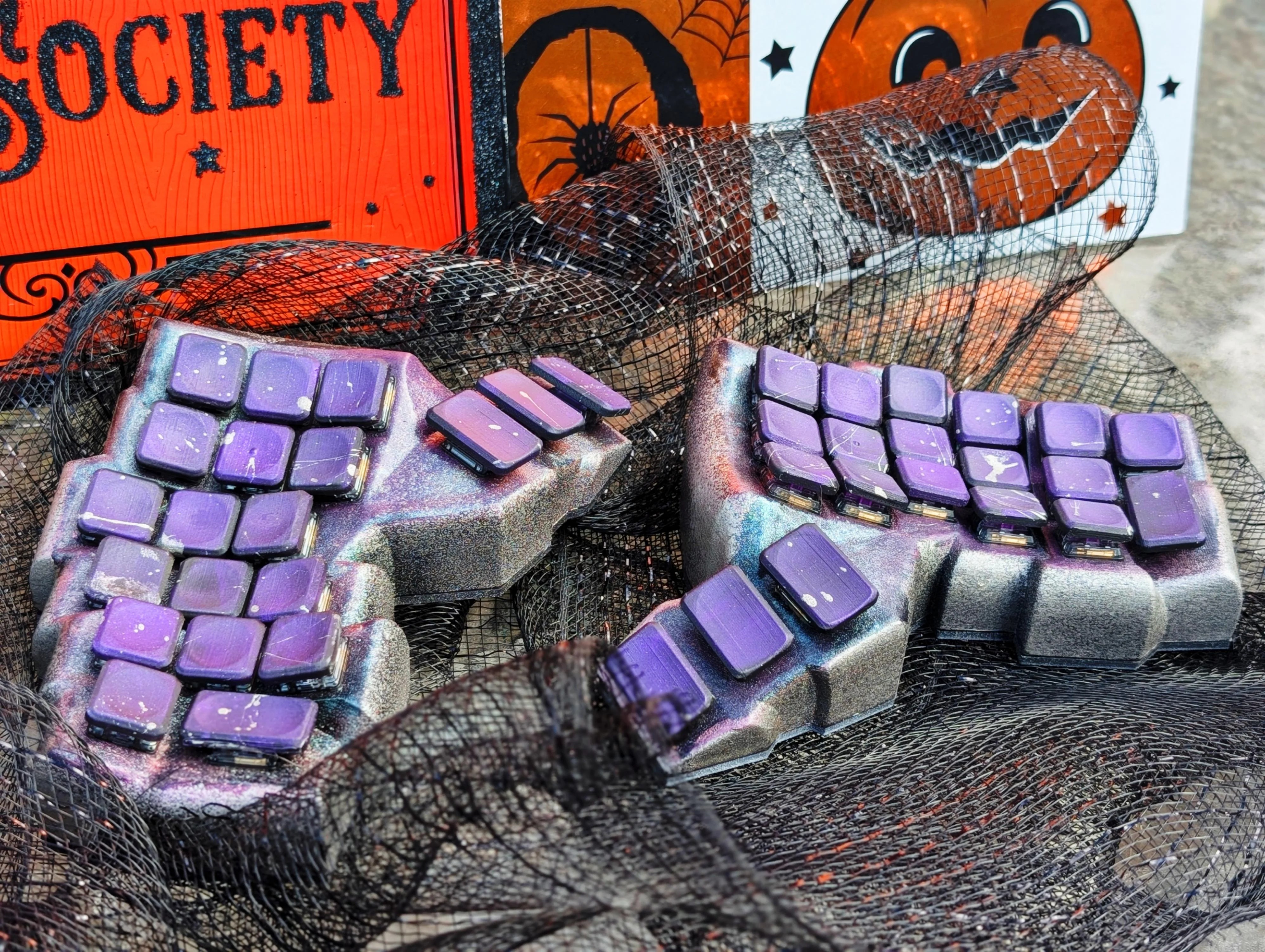
Image by [CaptLynx] via redditThis stunning beauty, Witch’s Brew, was created by [CaptLynx] with the Cosmos keyboard configurator. Doesn’t sound familiar? It’s the one that uses a scan of your hand to create your ultimate comfort. This keyboard is a custom build for a commission. I must say, as much as I dislike the work of Jackson Pollock, I do absolutely love the spatter on those keycaps.
Do you rock a sweet set of peripherals on a screamin’ desk pad? Send me a picture along with your handle and all the gory details, and you could be featured here!
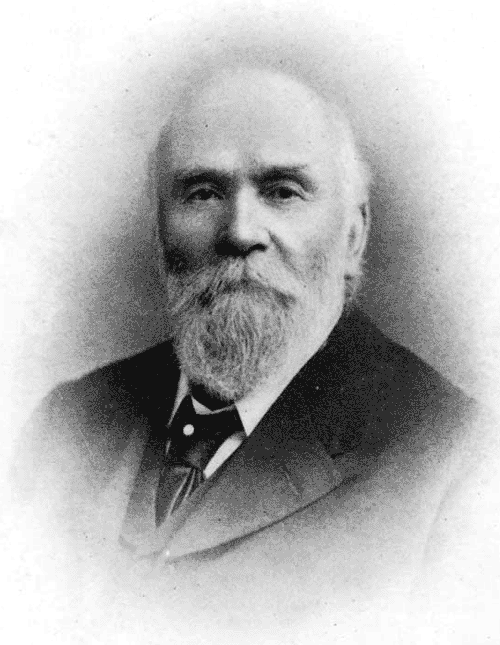
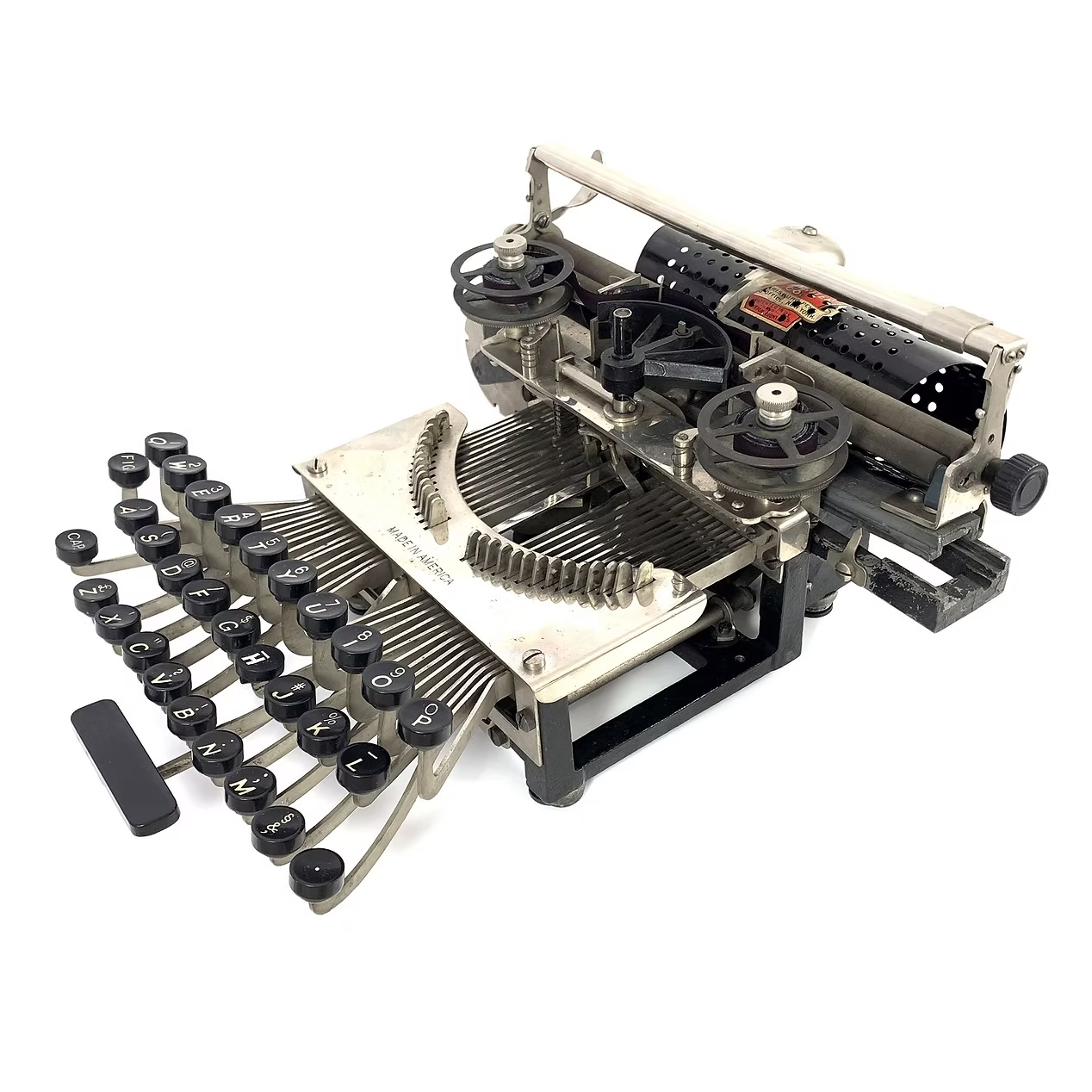
This spartan beauty was named after the state in which it was made, Pennsylvania. Manufactured between 1898 and 1903, the Keystone was invented by William Prehn Quentell.
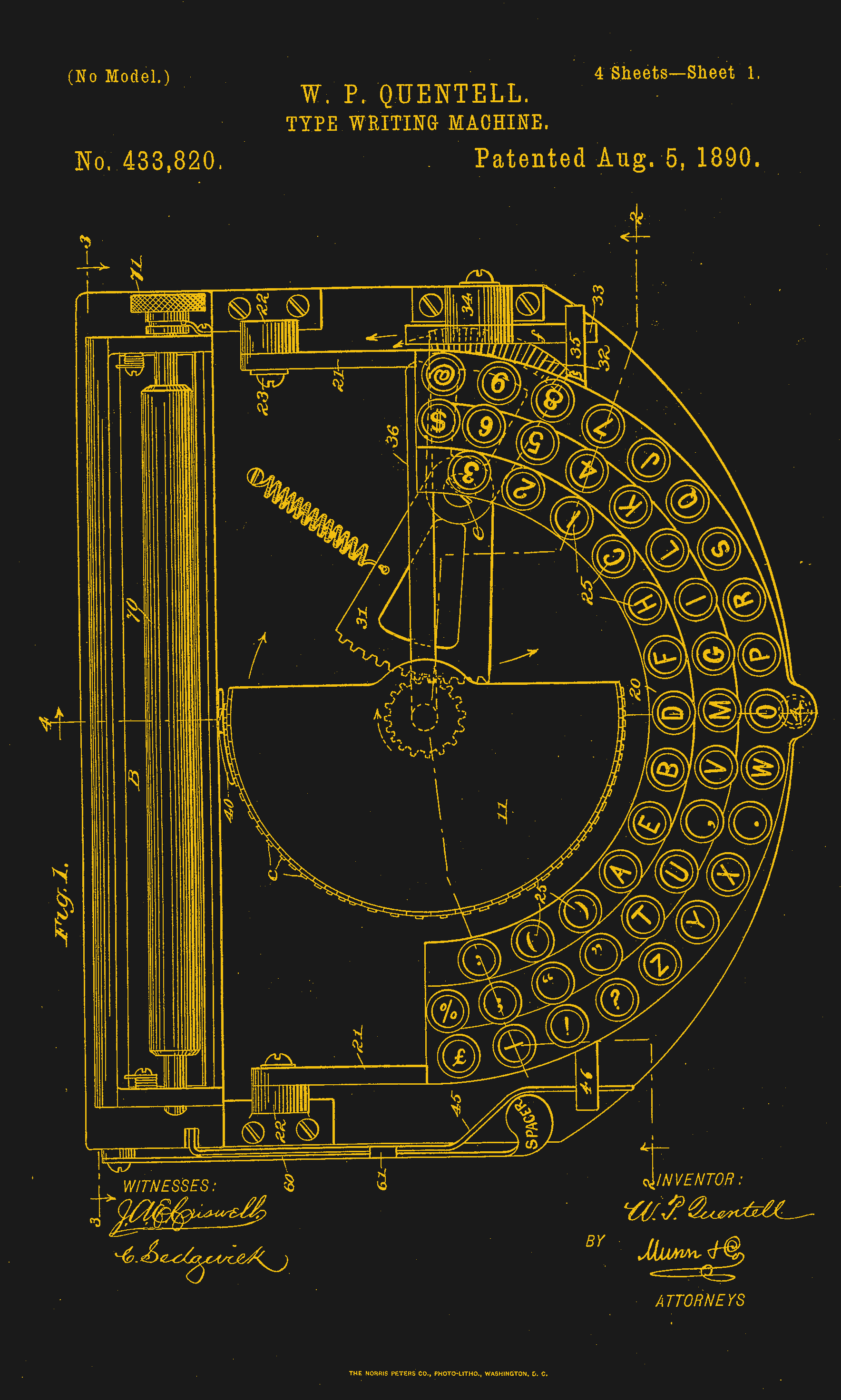
Quentell was living in Kansas City, MO when he first applied for a patent, and later moved to the east coast. At the time, the machine was nameless. The patent looks nothing like the finished product pictured here, but the genesis of the key feature of this “poor man’s Hammond” is there — the swinging type sector.
What this means is that the Keystone has its type on a half wagon wheel, which is evident in the patent drawing. The glyphs are molded around the outside edge of the wheel, which gets rotated into the correct position with each keystroke. This type wheel could be easily changed out for different fonts.
To imprint the paper, a spring-driven hammer strikes from behind, pushing the paper and ribbon against the type wheel. The paper is loaded into a cylindrical holder in the rear, and unfurls as one types.
So, why was it a poor man’s Hammond? Well, for one, the patent image looks like a Hammond. But the poor part is felt the hardest in the makeup of the typewriter.
In the early Keystone examples, the carriage rails were made of pig iron. Why? It’s a simple case of lateral integration. The factory that was retrofitted to manufacture the machine had previously been the Lochiel iron mill, a producer of pig iron. They were just using up old stock, I imagine.
The Keystone featured two Shift keys on the left, one for Caps and one for Figures. It was a comparatively inexpensive at $40, and then later, $35 (around $1,200 today).
Production was supposed to begin in May of 1898. But by June of ’99, “the company has been unable to fill the orders which are piling up at the works.” Sounds like your average Kickstarter. Quentell was already working on his next project by 1902, the Postal typewriter.
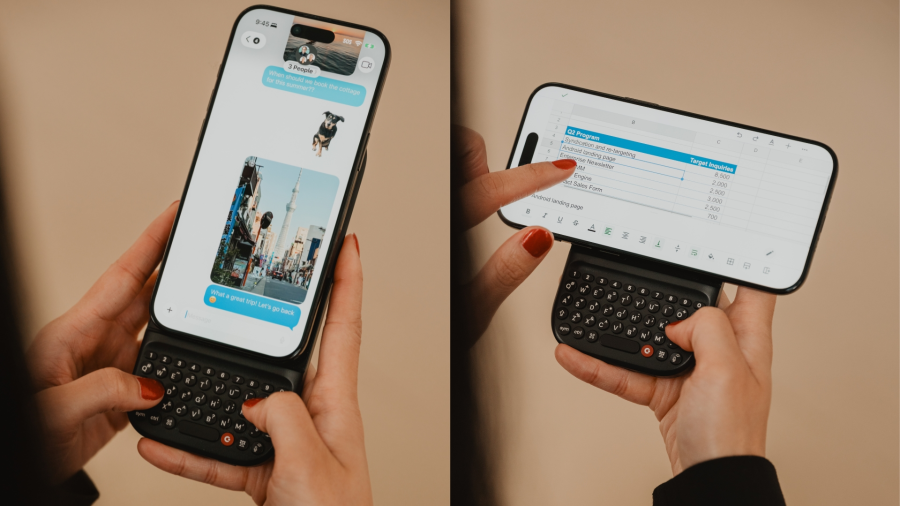
Finally, a Keyboard That Charges Your Phone
So this article mainly centers on the new little Blackberry-esque number from Clicks which might just be my next phone, except that it doesn’t actually telephone. Clicks is meant to be your second phone, the one you use for emailing and such. You can pre-order it for $399 if you put a $199 deposit down before February 27th. If you decide to drop the full four hundo as an early bird, you’ll get two additional back covers, which slightly change the look of the phone.
But I’d like to talk about the add-on Power Keyboard for smart phones that Clicks is also dropping at CES this year. Do you miss your Sidekick? Well, here’s a sliding keyboard with multiple positions for differently-sized smart phones, tablets, and even smart TVs. (Because forget typing with the remote control.)
It uses a 2,150 mAh battery and attaches via MagSafe or Qi2, but it also can be used with the case on. When paired with a smart TV, you just use it by itself. Honestly, it looks kind of hard to type on without the phone for support. But I don’t use the smart features of my TV, so whatever.
Honestly, I will probably start by getting the keyboard, which is $79 for early birds through their site, and $109 later on. Pre-orders started a week ago, so I guess I should get on that.
I was off at the Chaos Communication Congress last weekend, and one of the big attractions for one who is nerdily inclined is seeing all of the personal projects that everyone brings along with them. Inevitably, someone would ask me what my favorite is. Maybe it’s my decision paralysis, maybe it’s being forced to pick a favorite child on the spot, or maybe it’s just that I’m not walking around ranking them, but that question always left me drawing a blank.
But after a week of thinking about it, I’m pretty sure I know why: I don’t actually care what I think of other peoples’ projects! I’m simply stoked to talk to everyone who brought anything, and bathe in the success and failure, hearing about the challenges that they saw coming, and then the new challenges they met along the way. I want to know what the hacker thinks of their project, what their intention was, and how their story went. I’m just a spectator, so I collected stories.
The overwhelming, entirely non-surprising result of listening to a couple hundred hackers talk about their projects? They’re all doing it for the fun of it. Simply for the grins. And that held equally well for the supremely planned-out and technical projects as well as their simpler I-bought-these-surplus-on-eBay-one-night relatives. “We were sitting around and thought, wouldn’t it be fun…” was the start of nearly every story.
That’s what I absolutely love about our community: that people are hacking because it makes them happy, and that the amazing variety of projects suggests an endless possibility for hacker happiness. It’s hard to come away from an event like that without being energized. Some of that comes from the sharing of ideas and brainstorming and hanging out with like-minded folks, but what I find most important is simply the celebration of the joy of the project for its own sake.
Happy hacking!
This article is part of the Hackaday.com newsletter, delivered every seven days for each of the last 200+ weeks. It also includes our favorite articles from the last seven days that you can see on the web version of the newsletter.
Want this type of article to hit your inbox every Friday morning? You should sign up!
Food poisoning is never a fun experience. Sometimes, if you’re lucky, you’ll bite into something bad and realize soon enough to spit it out. Other times, you’ll only realize your mistake much later. Once the tainted food gets far enough into the digestive system, it’s too late. Your only option is to strap in for the ride as the body voids the toxins or pathogens by every means available, perhaps for several consecutive days.
Food poisoning cases tend to boil down to two categories—those involving toxins, and those involving bacterial pathogens. In either case, affected food must be destroyed. Particularly in the latter case, as bacteria reproduce—even the tiniest contamination will quickly spiral in size.
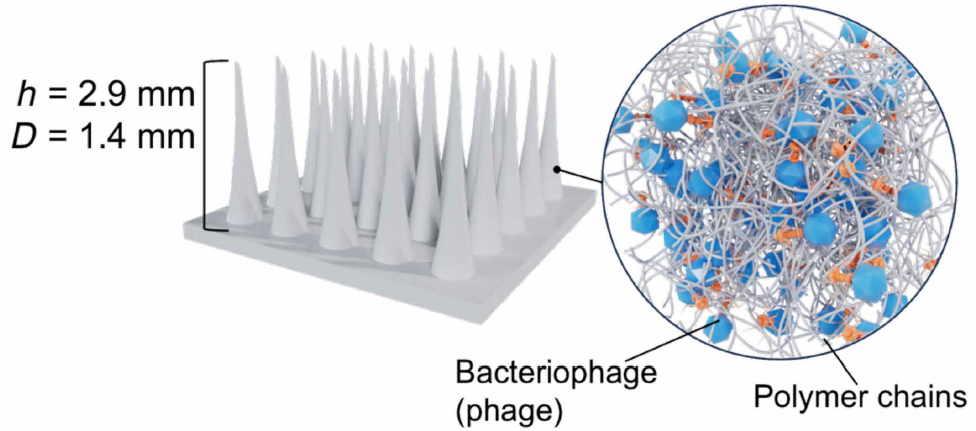
The concept involves creating microneedle arrays loaded with bacteriophages which target common foodborne pathogens. Credit: research paper
However, new research published in Scientific Advances may have a solution to the problem of bacterial-based food poisoning. It involves using patches to deliver specially-crafted viruses to fight and kill the bacteria that would otherwise infect and sicken a human who eats the food. The patches are to be applied to the food itself—attacking and killing the bacteria before the food is eaten.
The viruses in question are bacteriophages—specifically, viruses that can infect bacteria and reproduce within them from its own genetic material. When a bacteriaphage virus comes into contact with certain bacteria, it breaches the cell’s wall, typically with a syringe-like motion in which the viral genetic material is injected into the cell. Once inside, the genetic material is processed by the bacteria and reproduces more phages that can then go on to infect further bacteria. In the specific case of lytic phages, the bacterial cells are quickly destroyed as the virus reproduces inside, spreading the new phages quickly and killing the original host.
Two bacteriophages were used in this research. The T7 phage was chosen for its ability to infect and kill Escherichia coli bacteria, which are a common foodborne pathogen. The S.enterica phage was in turn chosen as it readily infects and kills Salmonella enterica bacteria, which are similarly a common cause of food poisoning.
The bacteriophages quickly destroy the infected bacteria while reproducing en masse within the cell. Credit: research paper
To get the phages into food items, the research team developed a novel “patch” delivery system. This involved creating patches out of food-compatible polymers that were covered in tiny microneedles that could penetrate the surface of common foods. Once the microneedles penetrate the food, passing bacteria would interact with the bacteriophages, producing more phages as they burst open and die. This has the effect of propagating phages further to other bacteria in the food. The most successful microneedle patches were crafted out of PMMA polymer, after researchers investigated a wide range of other materials including PVA, PDMS, and gelatin. The microneedles are dosed with bacteriophages by simply incorporating the bacteriophage solution with a PMMA solution prior to casting in molds.
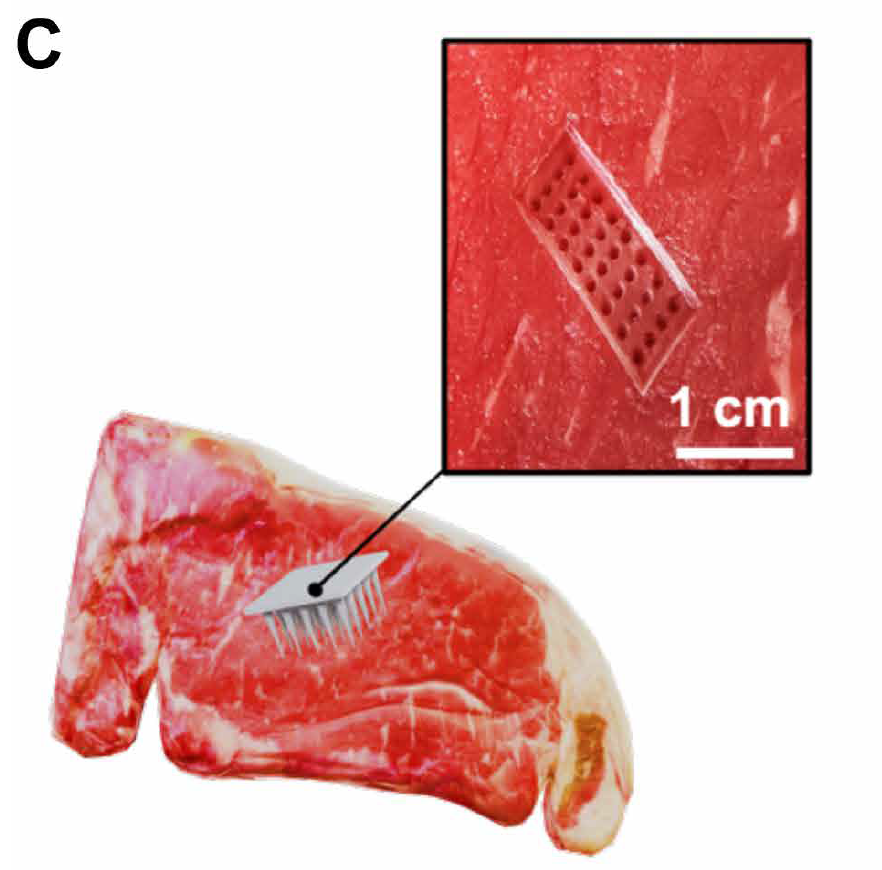
The patches proved effective in testing. One test involving contaminated cooked chicken saw 99.9% of E. coli bacteria wiped out in the sample. A similar test on raw beef saw a similar reduction of E.coli by 99%. These samples could effectively be considered decontaminated from the bacterial threat. The use of microneedles is key to the technique’s effectiveness. By penetrating up to a centimeter into the meat, it allows the bacteriophages to best get into contact with pathogens inside the food. In comparison, flat patches without needles performed less well, only reducing bacteria levels by three-quarters.
A beef sample with a microneedle array applied. Credit: research paper
The research around using patches to deliver bacteriophages to food was only just published in October this year. However, the use of phages as a food safety measure actually goes back quite some time. The FDA first approved the use of bacteriophage products in 2006, initially for killing bacteria in ready-to-eat poultry and meat products. The same techniques can be applied to all sorts of foods, though use thus far has been limited. The US has actually been a leader in approving these food treatment methods; as a contrast, the European Union is yet to approve any use of bacteriophage products for food use.
As to whether these patches could enter wider use, that remains to be seen. There are some limitations with the technique. For one, it involves punching many small holes in food, which isn’t super attractive to those going to eat it later. There are also concerns about the effectiveness of phages in real-world use, and whether it would be practical to dose patches with a wide range of phages to counter the many strains of foodborne pathogens out there. It also depends on the perception of the tecnnology—we’d all rather eat food free of bacteria, but whether we want to eat food that is full of viruses is another thing entirely.
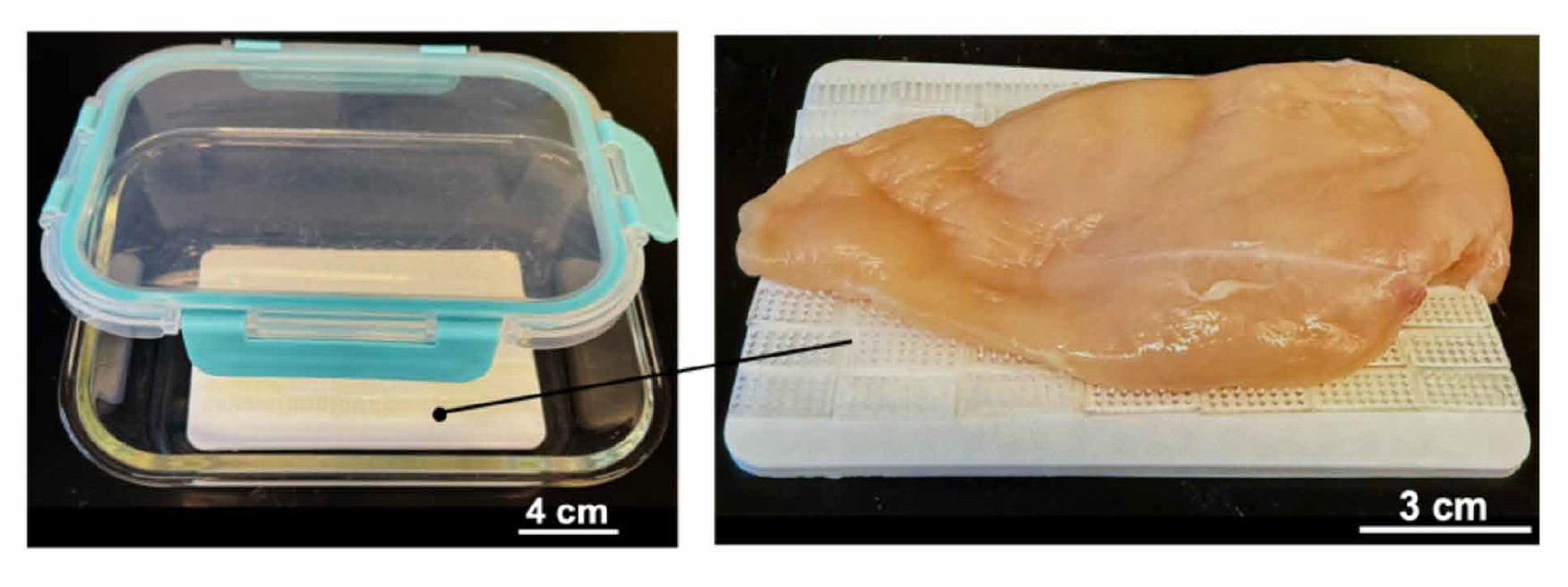
Researchers have contemplated the use of large microneedle arrays as a normal part of packaging to keep food safe. Credit: research paper
It will be a while before this technology reaches the mainstream food processing world, if it does at all. Regardless, the researchers can see a future where food packaging regularly includes a microneedle pad or membrane to take out any nasty bacteria before the product reaches the customer. That could promise to land better, safer food on our tables even if a few nasty bacteria did try to get involved in the action.
This week, Hackaday’s Elliot Williams and Kristina Panos met up over coffee to bring you the latest news, mystery sound results show, and of course, a big bunch of hacks from the previous seven days or so.
On What’s That Sound, Kristina had no idea what was going on, but [Flippin’ Heck] knew it was a flip dot display, and won a Hackaday Podcast t-shirt! Congratulations!
After that, it’s on to the hacks and such, with not one but two ways of seeing sound. We also take a look at benchmarking various Windows releases against each other on 12-year-old hardware.
We also talk about painting on floppies and glitching out jpegs in a binary text editor. Finally, we discuss the history and safety of autopilot, and take a look at the humble time clock.
Check out the links below if you want to follow along, and as always, tell us what you think about this episode in the comments!
Download in DRM-free MP3 and savor at your leisure.
Many projects on these pages do clever things with video. Whether it’s digital or analogue, it’s certain our community can push a humble microcontroller to the limit of its capability. But sometimes the terminology is a little casually applied, and in particular with video there’s an obvious example. We say “PAL”, or “NTSC” to refer to any composite video signal, and perhaps it’s time to delve beyond that into the colour systems those letters convey.
Know Your Sub-carriers From Your Sync Pulses
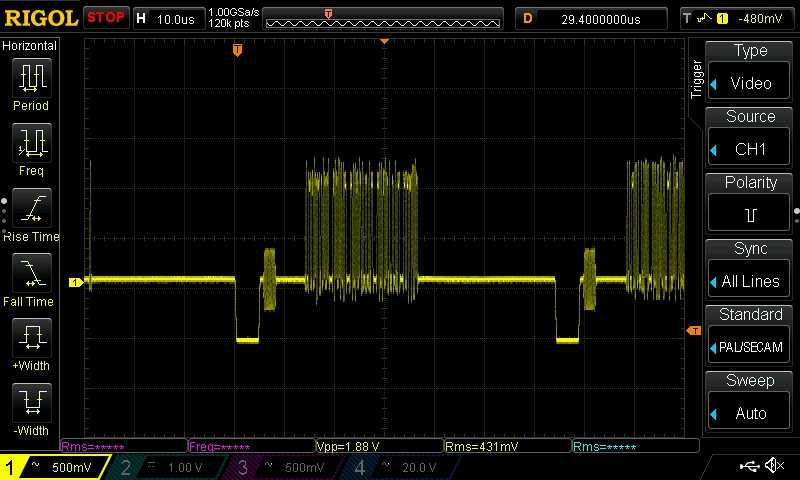
A close-up on a single line of composite video from a Raspberry Pi.
A video system of the type we’re used to is dot-sequential. It splits an image into pixels and transmits them sequentially, pixel by pixel and line by line. This is the same for an analogue video system as it is for many digital bitmap formats. In the case of a fully analogue TV system there is no individual pixel counting, instead the camera scans across each line in a continuous movement to generate an analogue waveform representing the intensity of light. If you add in a synchronisation pulse at the end of each line and another at the end of each frame you have a video signal.
But crucially it’s not a composite video signal, because it contains only luminance information. It’s a black-and-white image. The first broadcast TV systems as for example the British 405 line and American 525 line systems worked in exactly this way, with the addition of a separate carrier for their accompanying sound.
The story of the NTSC colour TV standard’s gestation in the late 1940s is well known, and the scale of their achievement remains impressive today. NTSC, and PAL after it, are both compatible standards, which means they transmit the colour information alongside that black-and-white video, such that it doesn’t interfere with the experience of a viewer watching on a black-and-white receiver. They do this by adding a sub-carrier modulated with the colour information, at a frequency high enough to minimise its visibility on-screen. for NTSC this is 3.578MHz, while for PAL it’s 4.433MHz. These frequencies are chosen to fall between harmonics of the line frequency. It’s this combined signal which can justifiably be called composite video, and in the past we’ve descended into some of the complexities of its waveform.
It’s Your SDR’s I and Q, But Sixty Years Earlier
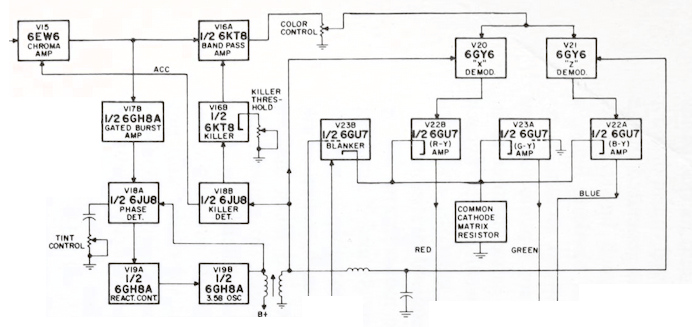
Block diagram of an NTSC colour decoder as found in a typical 1960s American TV set. Color TV Servicing, Buchsbaum, Walter H, 1968.
An analogue colour TV camera produces three video signals, one for each of the red, green, and blue components of the picture. Should you combine all three you arrive at that black-and-white video waveform, referred to as the luminance, or as Y. The colour information is then reduced to two further signals by computing the difference between the red and the luminance, or R-Y, and the blue and the luminance, or B-Y. These are then phase modulated as I-Q vectors onto the colour sub-carrier in the same way as happens in a software-defined radio.
At the receiver end, the decoder isolates the sub-carrier, I-Q demodulates it, and then rebuilds the R, G, and B, with a summing matrix. To successfully I-Q demodulate the sub-carrier it’s necessary to have a phase synchronised crystal oscillator, this synchronisation is achieved by sending out a short burst of the colour sub-carrier on its own at the start of the line. The decoder has a phase-locked-loop in order to perform the synchronisation.
So, Why The PAL Delay Line?
A PAL decoder module from a 1970s ITT TV. The blue component in the middle is the delay line. Mister rf, CC BY-SA 4.0.
There in a few paragraphs, is the essence of NTSC colour television. How is PAL different? In essence, PAL is NTSC, with some improvements to correct phase errors in the resulting picture. PAL stands for Phase Alternate Line, and means that the phase of those I and Q modulated signals swaps every line. The decoder is similar to an NTSC one and indeed an NTSC decoder set to that 4.433MHz sub-carrier could do a job of decoding it, but a fully-kitted out PAL decoder includes a one-line delay line to cancel out phase differences between adjacent lines. Nowadays the whole thing is done in the digital domain in an integrated circuit that probably also decodes other standards such as the French SECAM, but back in the day a PAL decoder was a foot-square analogue board covered in juicy parts highly prized by the teenage me. Since it was under a Telefunken patent there were manufacturers, in particular those from Japan, who would try to make decoders that didn’t infringe on that IP. Their usual approach was to create two NTSC decoders, one for each phase-swapped line.
So if you use “NTSC” to mean “525-line” and “PAL” to mean “625-line”, then everyone will understand what you mean. But make sure you’re including that colour sub-carrier, or you might be misleading someone.
I’m going to go ahead and admit it: I really have too many tray icons. You know the ones. They sit on your taskbar, perhaps doing something in the background or, at least, giving you fingertip access to some service. You’d think that creating a custom tray icon would be hard, but on Linux, it can be surprisingly simple. Part of the reason is that the Freedesktop people created standards, so you don’t typically have to worry about how it works on KDE vs. GNOME or any of the other desktop environments. That’s a big win.
In fact, it is simple enough that you can even make your own tray icons with a lowly shell script. Well, of course, like most interesting shell scripts, you need some helper programs and, in this case, we’ll use YAD — which is “yet another dialog,” a derivative of Zenity. It’s a GTK program that may cause minor issues if you primarily use KDE, but they are nothing insurmountable.
The program is somewhat of a Swiss army knife. You can use it to make dialogs, file pickers, color selectors, printer dialogs, and even — in some versions — simple web browsers. We’ve seen plenty of tools to make pretty scripts, of course. However, the ability to quickly make good-looking taskbar icons is a big win compared to many other tools.
Docs
Depending on what you want to do, YAD will read things from a command line, a file, or standard input. There are dozens of options, and it is, honestly, fairly confusing. Luckily, [Ingemar Karlsson] wrote the Yad Guide, which is very digestible and full of examples.
Exactly what you need will depend on what you want to do. In my case, I want a tray icon that picks up the latest posts from my favorite website. You know. Hackaday?
The Web Connection
YAD can render HTML using WebKit. However, I ran into immediate problems. The version in the repos for the Linux I use was too old to include the HTML option. I found a supposedly statically linked version, but it was missing dependencies. Even after I fixed that, the program still reported errors related to the NVIDIA OpenGL stack.
I quickly abandoned the idea of using a web browser. I turned to two other YAD features. First, the basic dialog can hold text and, in most cases, renders quasi-HTML because it uses the Pango library. However, there is also a text-info dialog built in. Unlike most other YAD features, the text-info dialog reads its input from standard input. However, it doesn’t render markup.
In the end, I decided to try them both. Why not? It is simple enough. But first, I needed a tray icon.
The Tray
YAD can provide a “notification,” which is what it calls a tray icon. You can specify an icon, some text, and a right-click context menu. In addition, it can react when someone clicks on the icon.
Can you find the tray icon we’re talking about?
I decided to write a script with multiple personalities. If you run it with no arguments, it sets up the tray icon. If you pass anything to it, it will show a dialog with the latest Hackaday articles from the RSS feed. I wanted to make those links clickable, and that turned out to be a bit of a wrinkle. Both versions will do the job, but they each need a different approach, as you will see.
Here’s the tray code:
yad --notification --image="$0.icon.png" --text="Hackaday Now" \
   --menu="Quit!quit!gtk-quit" --command="$0 show" --no-middle
You can probably guess at most of this without the manual. The image is stored in a file with the same name as the script, but with .icon.png at the end. That’s the icon in the tray. The simple menu provides an option to exit the program. If you click the icon, it calls the same script again, but with the “show” argument. The script doesn’t care what the argument is, but maybe one day it will.
So that part of the project was extremely simple. The next job is making the dialog appear.
Text Info
Grabbing the RSS feed with wget is trivial. You could use grep, sed, and bash pattern replacement to extract the titles and URLs, but I opted for awk and a brute-force parsing approach.
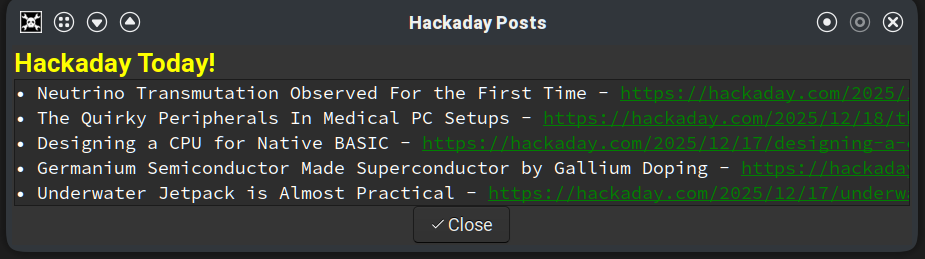
This works, but the URLs are long and not terribly attractive. The list is scrollable, and there are more links below the visible ones.
The standard output of awk pipes into YAD, but you can’t readily apply formatting or hyperlinks. You can use formatting in regular dialog text, which will appear before the other output. That’s where the yellow “Hackaday Today!” title in the adjacent screenshot gets set. In addition, you can automatically detect URLs and make them clickable using the --show-uri option.
You’ll notice that the –text option does take Pango formatting and the --show-uri option makes the links clickable. By default, dialogs have an Open and Cancel button, but I forced this one to have a single close button, accept escape, and I wanted the button centered.
As you can see in the screenshot, the result isn’t bad, but it does require having the title followed by a long URL that you can click on and that’s a little ugly.
Stock Dialog
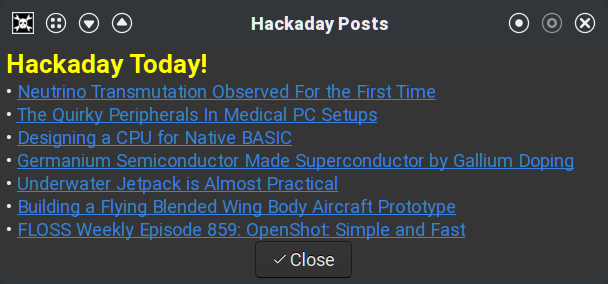
Using a standard dialog instead of text-info allows better formatting.
Since the –text option works with any dialog and handles formatting, I decided to try that. The awk code was nearly the same, except for the output formatting. In addition, the output now needs to go on the command line instead of through a pipe.
This does make the script a bit more unwieldy. The awk script sets a variable, since jamming the command into the already busy YAD command line would make the script more complicated to read and work with.
The DATA variable has the formatted output text. The result looks better, as you can see in the screenshot. In either version, if you click an underlined link, your default browser should open the relevant post.
Other Choices
If you want to install either script, you can get it from GitHub. Of course, you could do this in Python or any other conventional language. There are also programs for “minimizing” another program to the tray, like AllTray or KDocker, although some of these may only work with X11 and not Wayland.
It would have been nice to have an integrated browser, although, thanks again to FreeDesktop, it is simple enough to open a URL and launch the system’s default browser.
Prefer your Hackaday feed on the command line? Check out the comments for this post. Meanwhile, send us a tip (you know, a link to your project, not a gratuity) and maybe you’ll see your own project show up on the feed.

 Login
Login