The XRP Ledger has entered a new phase of innovation as Ripple integrates to bring together two of the most powerful technology trends shaping the global economy. Long known for its speed, low transaction costs, and enterprise-grade reliability, the Ledger is now expanding beyond payments to data-driven and automated financial applications. By merging AI with decentralized settlement, Ripple is positioning the Ledger to support smarter workflows and more efficient liquidity management.
How Ripple Is Embedding Intelligence Into On-Chain Systems
An analyst known as SMQKE on X has shared a case study of an AI implementation in the cross-border payment, in which Ripple has successfully combined blockchain technology and artificial intelligence to enhance the efficiency, speed, and cost-effectiveness of global transactions. As a leading provider of real-time cross-border payment solutions, Ripple leverages the XRP Ledger, a decentralized blockchain that enables real-time cross-border settlement.
What sets this integration apart is the use of AI to optimize transaction flows and routing decisions in real time. Ripple AI-powered systems continuously process large volumes of payment data in real time, allowing financial institutions to make dynamic decisions on the most effective payment paths.
BlackRock is now using Ripple’s RLUSD as collateral, which is extremely bullish for XRP. JackTheRippler revealed that the altcoin is being positioned as the future infrastructure, which is being built with the potential to hit over $10,000 per coin. With the REAL token launching on January 26th, trillions in global capital could flood into the XRP Ledger. According to JackTheRippler, some projections suggest up to $800 billion could flow into the REAL token on XRP Ledger, potentially sparking a powerful supply shock.
Why The Comeback Feels Different This Time
The rise of the phoenix XRP is here. Crypto analyst Xfinancebull highlighted that Caroline Pham isn’t just another name in crypto. Pham played a role in pushing utility regulation into the Commodity Futures Trading Commission (CFTC), helping shift policy toward real-world use cases. Currently, she is at MoonPlay and posting about the phoenix on X.
Years ago, Brad Garlinghouse drew that same phoenix, and it became one of the biggest pieces of XRP lore. While the market chased narratives, Ripple has been building institutional-grade crypto products for years. Meanwhile, the token, RLUSD, and the XRP Ledger are now live operating, and recognized among the most compliant blockchain assets in the crypto world.
This is the same asset that survived the SEC’s biggest regulatory battles in crypto history, and is now on the other side with legal clarity, growing integration, and increasing relevance to government infrastructure in its favor. Xfinancebull concluded that Caroline has helped clear the regulatory path, Brad and Ripple built what actually runs on that path, and they have been aligning all along, which is how the real adoption happens.
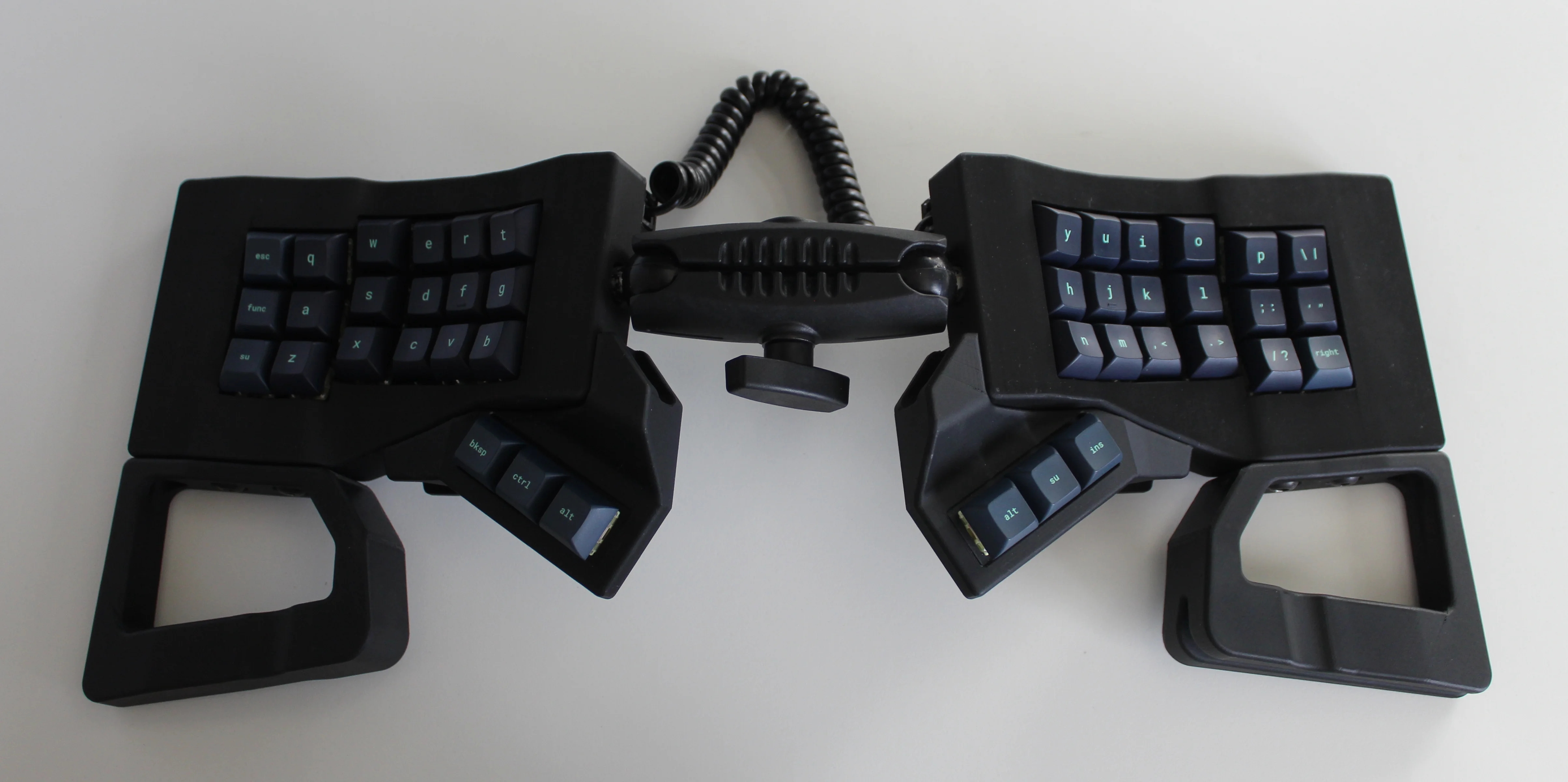
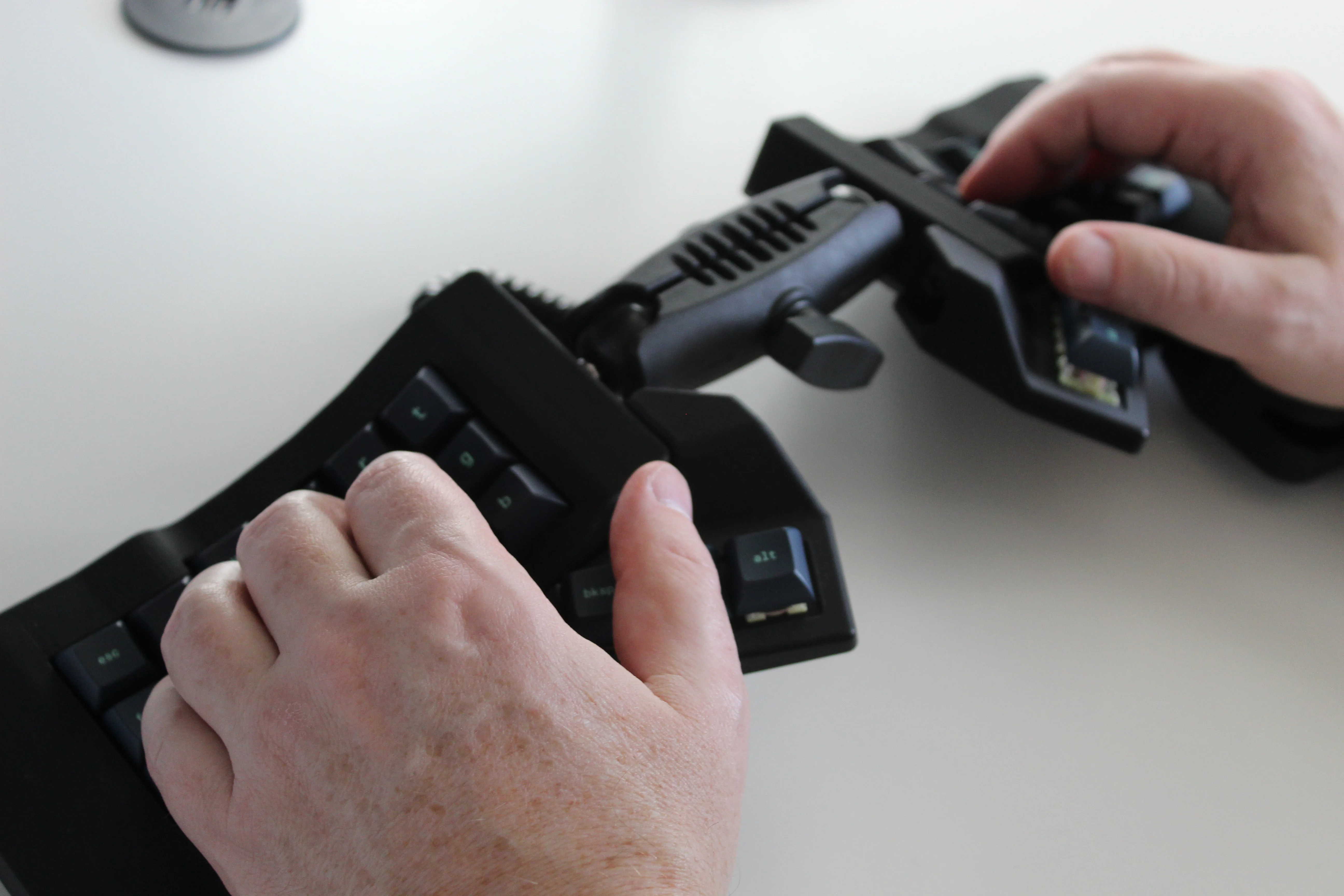
Get a handle on this bad boy! Okay, so those voids are really more for airing out your palms, I’d imagine, because palm sweat sure is real — you should see the pads of my Kinesis. This kind of looks like two sawed-off machine guns kissing, and I mean that in the best possible and non-violent way.
Image by [ntc490] via redditSo, [ntc490] has been on Team Special Keyboard for eight years now and decided it was time to design one. The goal was to make something semi-portable, super ergo, and as easy/cheap to build as possible, which, honestly, that sounds like one of those pick-two situations.
And yet, pricing (oh yeah, this is gonna be A Thing You Can Buy) will be around $115-155, depending upon whether you want the base kit, or the add-ons, too, minus switches and key caps.
So let’s get into the particulars here. As you can see, there are key wells and thumb clusters, inspired by other keyboards including your bog standard Maltrons, Kinesis Advantages and more modern, open-source takes like the Dactyl. [ntc490] loves the key well-thumb cluster combination, and I do, too (hello from the Glove80). And miraculously, the keys are hot-swappable via sockets.
Image by [ntc490] via redditThat novel tenting mechanism is adjustable, rugged, and portable. You can tent it near-vertical, lay it flat, or take it apart if you wish. The thing is modular for future expansion options such as wrist rests and displays.
So please do go visit the thread if this keyboard appeals to you at this price point. I love it, but I would need more rows of keys, personally. The top reddit comment mentions this as well, and [ntc490] says that because the thing is modular, it can easily accommodate more keys in both the wells and the thumb clusters. I seriously want one of these. Just with a few more keys.
Open-Sourcing the Ultimate Portable Split
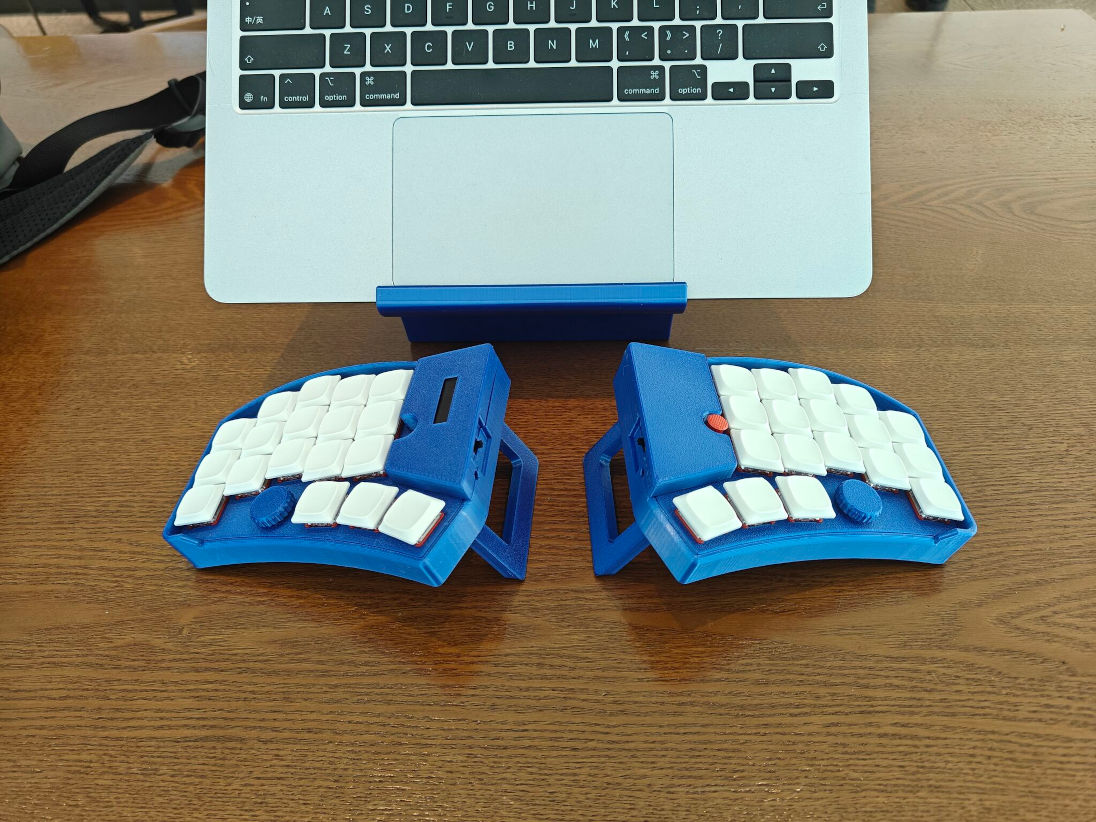
Remember [kleshwong]’s PSKEEB5 from a couple of Keebins ago, right before Christmas? He was going to open-source it if there was enough interest? Well, it seems that [kleshwong] decided to do it anyway and has since provided some new videos if you want to build one for yourself.
Image by [kleshwong] via GitHubThe first one covers the reasoning behind the reconsideration as well as the BOM and the case. The next video is the complete soldering tutorial, which clocks in at a very watchable fifteen minutes. Finally, [kleshwong] spends another fifteen on assembly and flashing the thing.
As a refresher, this thing has some really neat features like swing-out tenting feet, a pair of trackpoints, rotary encoders, and a carrying case that doubles as a laptop stand.
For the internals, any nice!nano-compatible boards will do. You’ll also need Kailh hot-swap sockets, among other things, naturally. If you have any trouble sourcing like the trackpoints for instance, you’re in luck, because [kleshwong] recently opened an online store. Go forth and build the ultimate portable split!
The Centerfold: Glove80 Looks Good In Wood
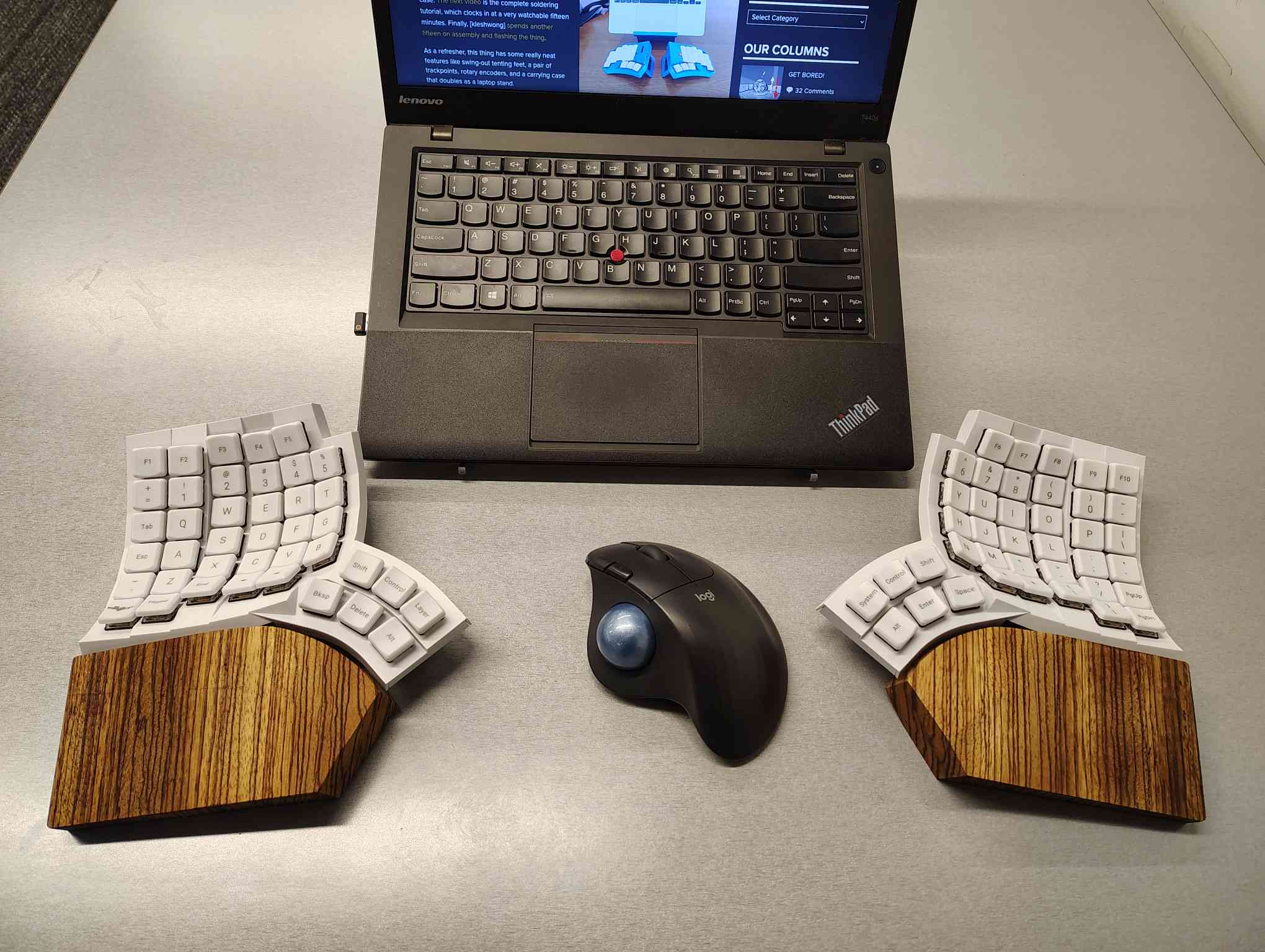
I’m using my MoErgo Glove80 pretty hardcore these days, driving them all crazy down at the library. But hey, it’s quieter than the big, echo-y Kinesis Advantage, even though they both have browns.
Once I saw the upcoming Go60 by MoErgo, though, I knew I simply needed wooden palm rests for the Glove80. So, over the course of two days, my father-in-law and I fabricated these fetching zebrawood rests, first from pink foam, then from poplar, and finally from book-matched zebra. I think we have a real conversation piece here.
Do you rock a sweet set of peripherals on a screamin’ desk pad? Send me a picture along with your handle and all the gory details, and you could be featured here!
Historical Clackers: a 3D-Printed Index Typewriter!
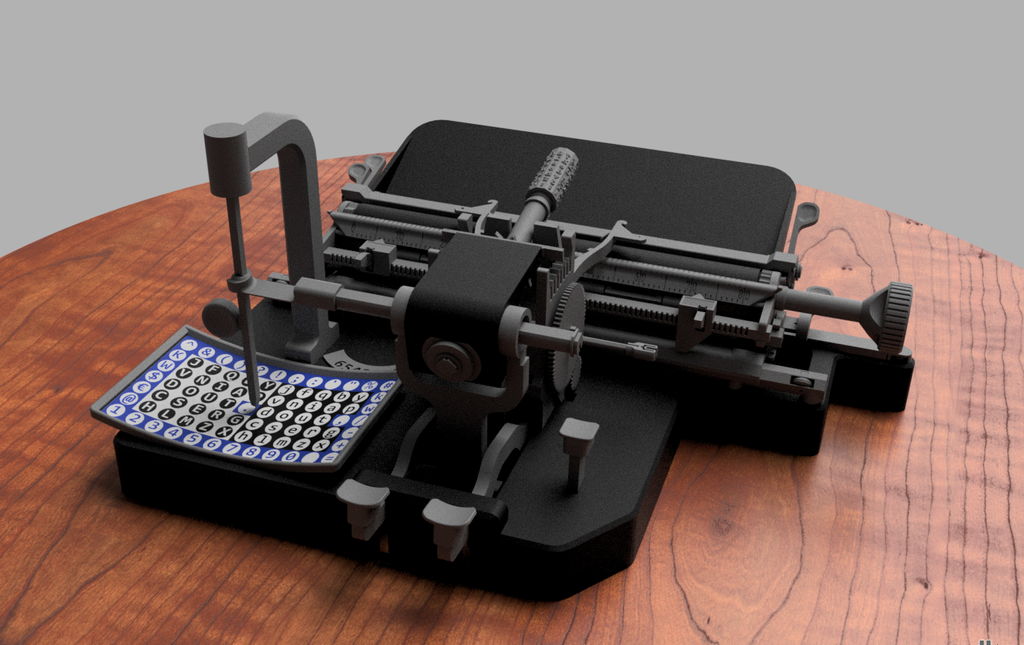
I was sorry to hear that [Keenan Finucan] had to submit this twice in order to get my attention. But here we are, with what is probably the world’s first 3D-printed index typewriter. So, why is this filed under Historical Clackers? Because I said so, and because it’s based on a real antique index typewriter, the AEG Mignon Model 4. This first model of Mignon was designed between 1901-1903 by German company AEG. Mignons were produced until 1932.
Image by [Keenan Finucan] via ThingiverseI suppose I don’t have to explain what an index typewriter is at this point. Besides, it seems pretty obvious in this design, but maybe I’m biased. Essentially it’s like a label maker, the old ka-chunk kind. You squeeze out one character at a time, then you move the index to the next character.
I think this looks fabulous overall, and I rather like the way the index is laid out, which is decidedly non-alphabetical and, surprisingly, does not mirror the AEG index.
[Keenan] reports that thanks to months of work and revisions, this project is as accessible and repeatable as possible. You don’t even need any glue, and non-printed items are at a minimum. You will need a minimum XYZ build volume of 250 x 210 220 mm, TPU or other flexible filament, some springs, a bit of coat hanger wire, and a universal 1/2″ typewriter ribbon, which is pretty widely available.
Finally, $2K Keyboard Computer Is a Return to Form
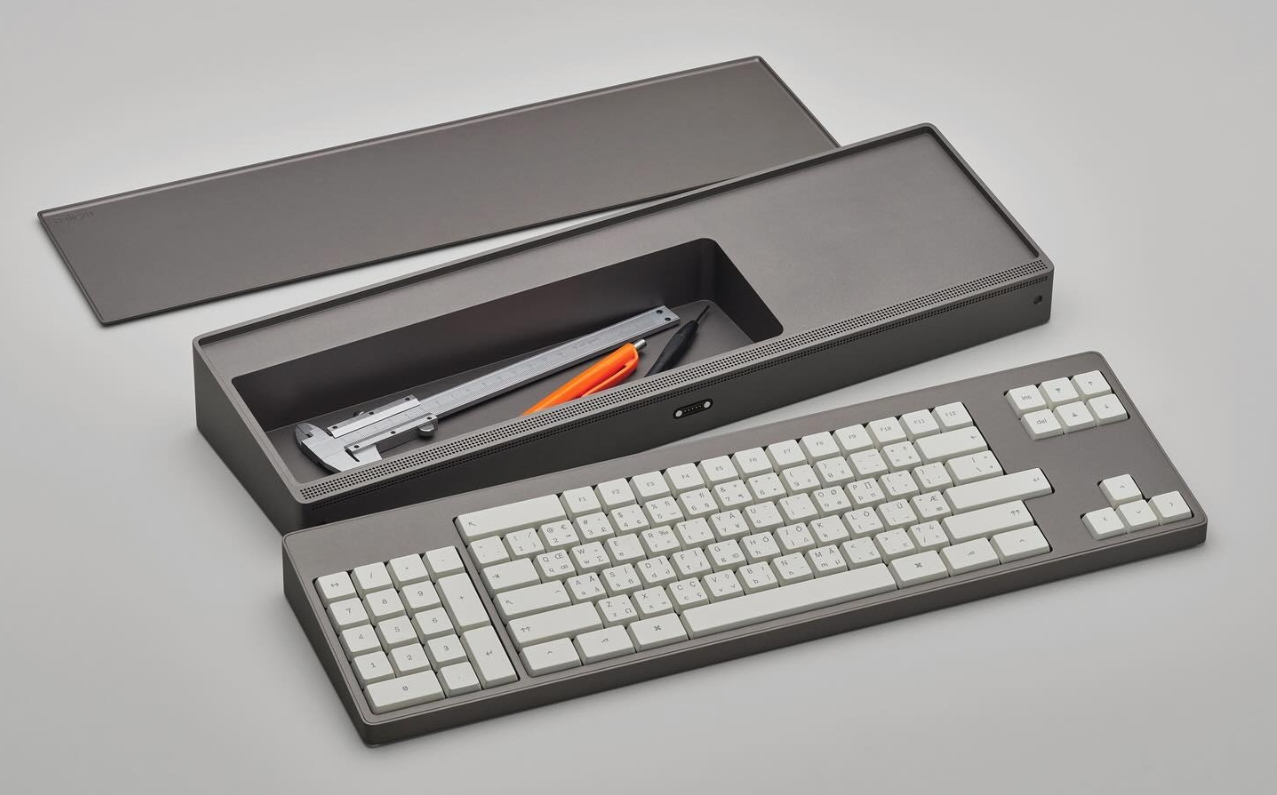
Alright coders, designers, and engineers: this elegant hunk of metal is for you. What we’ve got here is Caligra’s c100 Developer Terminal. Described as a “computer for experts”, this is not meant for scrolling social media, although what developer can get through the day without a reddit break or three?
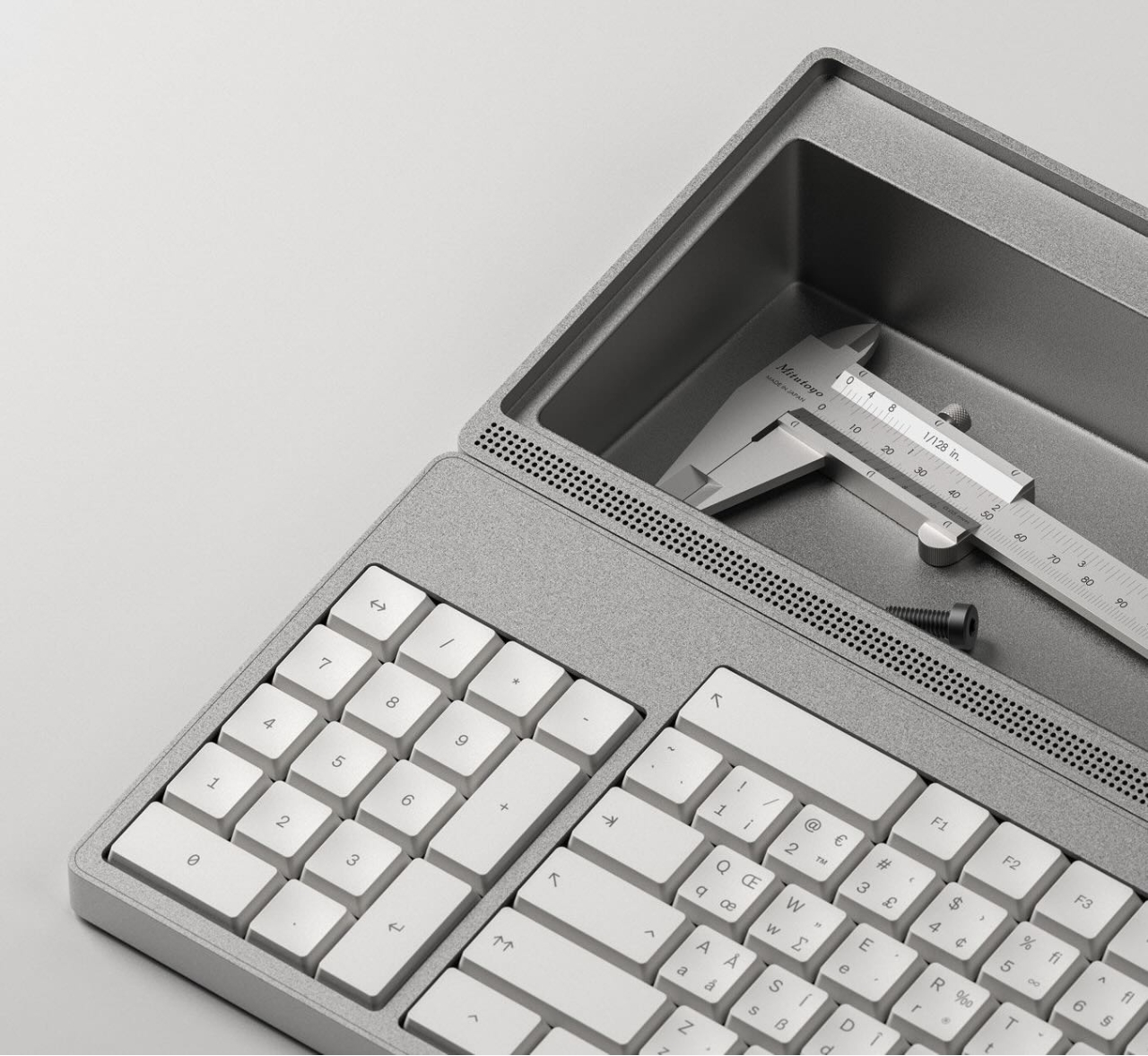
Let’s talk about that body. It’s entirely CNC-milled from a solid block of aluminium, which makes me think of the Icebreaker keyboard we saw here almost exactly a year ago. Both double as handy bludgeoning devices, but this one is decidedly more attractive. The bead-blasted finish of the c100 does simultaneously evoke modern and industrial design, so I’ll agree with Yanko on that note.
The coolest part is half-evident in the picture I chose. There’s a central magnetic pivot structure, and this lets you detach and fold the thing up even smaller, without any external hinges.
I thought the storage compartment gimmicky at first, but I’ve grown to like the idea of having a place for pens and whatnot. Yanko almost threatens to call it subversive in the face of what tech companies probably do not want you doing: opening the thing up. You are supposed to tinker with this one.
For some reason, the num pad is on the left, though I suppose this solves the distance-to-mouse problem. Yanko says the design uses Fitts’ law to accelerate task management, and this is supposed to explain why the keys are clustered the way they are. Basically, the placement of each key has been optimized for both speed an minimal hand movement. The wired mouse looks a bit uncomfortable, however.
This thing ships with Workbench OS, which is Linux-based and built specifically for technical work. There are no pop-ups in Workbench OS, which sounds amazing. So I would think that c100 is for writers, too, provided the keyboard clacks nicely.
In a recent article from IEEE Spectrum, [Alfred Poor] asks the question what do consumers really want in smart glasses? And are you finally ready to hang a computer screen on your face?
[Alfred] says that since Google Glass was introduced in 2012, smart glasses haven’t yet found their compelling use-case. Apparently it looks like while virtual reality (VR) might be out, augmented reality (AR) might be in. And of course now we have higher levels of “AI” in the mix, whatever that means.
According to the article in the present day there are two competing visions of what smart glasses might be: we have One Pro from Xreal in Beijing, and AI Glasses from Halliday in Singapore, each representing different design concepts evolving in today’s market. The article goes into further detail. The video below the break is promotional material from Halliday showing people’s reactions to their AI Glasses product.
[Alfred] talks with Louis Rosenberg, CEO and chief scientist of Unanimous AI, who says he believes “that within five years, immersive AI-powered glasses will replace the smartphone as the primary mobile device in our digital lives.” Predicting the future is hard, but what do you think? Sound off in the comments!
Winter Ornamentals – Bark Book Excerpt by Dan Hinkley Like the last and messy hours of a party gone on too long, the soggy, cool days of late autumn cast about the garden a mood of the season’s demise. Yet as the last colored leaves, varnished with the first rains of winter, fall earthward, the deciduous trees bare their sinewy […]
Christmas time or any Festive time, we tend to indulge in buying a lot of food stuff which doesn’t get eaten. In our house, we tend to buy a variety of nuts with the intention Read More ...

 Login
Login