Tycoon 2FA proves that the old promises of “strong MFA” came with fine print all along: when an attacker sits invisibly in the middle, your codes, pushes, and one-time passwords become their codes, pushes, and one-time passwords too. Tycoon 2FA: Industrial-Scale Phishing Comes of Age Tycoon 2FA delivers a phishing-as-a-service kit that hands even modestly..
Cyberthreats are constantly evolving, and email phishing is no exception. Threat actors keep coming up with new methods to bypass security filters and circumvent user vigilance. At the same time, established – and even long-forgotten – tactics have not gone anywhere; in fact, some are getting a second life. This post details some of the unusual techniques malicious actors are employing in 2025.
Using PDF files: from QR codes to passwords
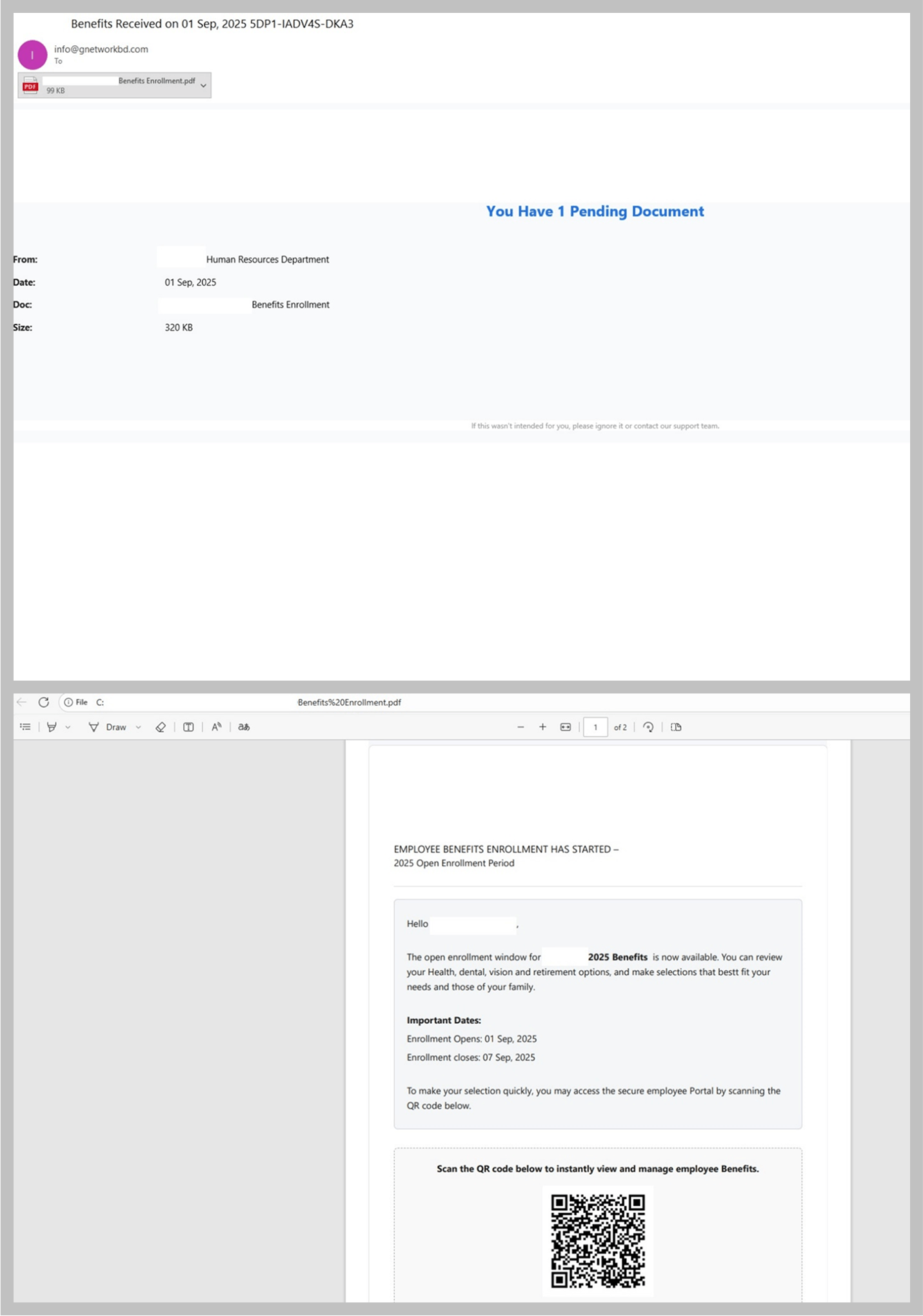
Emails with PDF attachments are becoming increasingly common in both mass and targeted phishing campaigns. Whereas in the past, most PDF files contained phishing links, the main trend in these attacks today is the use of QR codes.
Email with a PDF attachment that contains a phishing QR code
This represents a logical progression from the trend of using QR codes directly in the email body. This approach simplifies the process of disguising the phishing link while motivating users to open the link on their mobile phone, which may lack the security safeguards of a work computer.
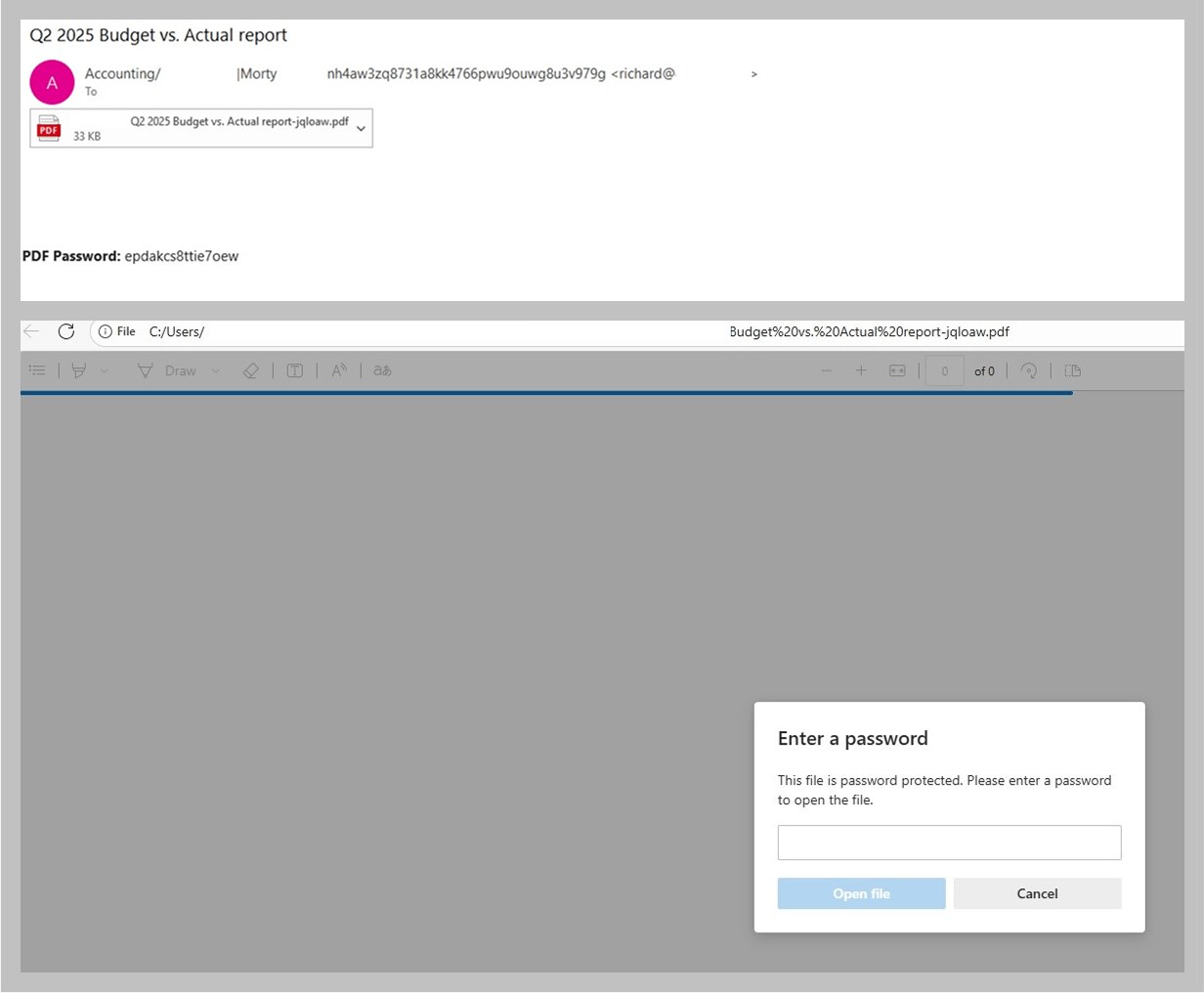
Email campaigns that include phishing links embedded in PDF attachments continue to pose a significant threat, but attackers are increasingly employing additional techniques to evade detection. For example, some PDF files are encrypted and protected with a password.
Phishing email with a password-protected PDF attachment
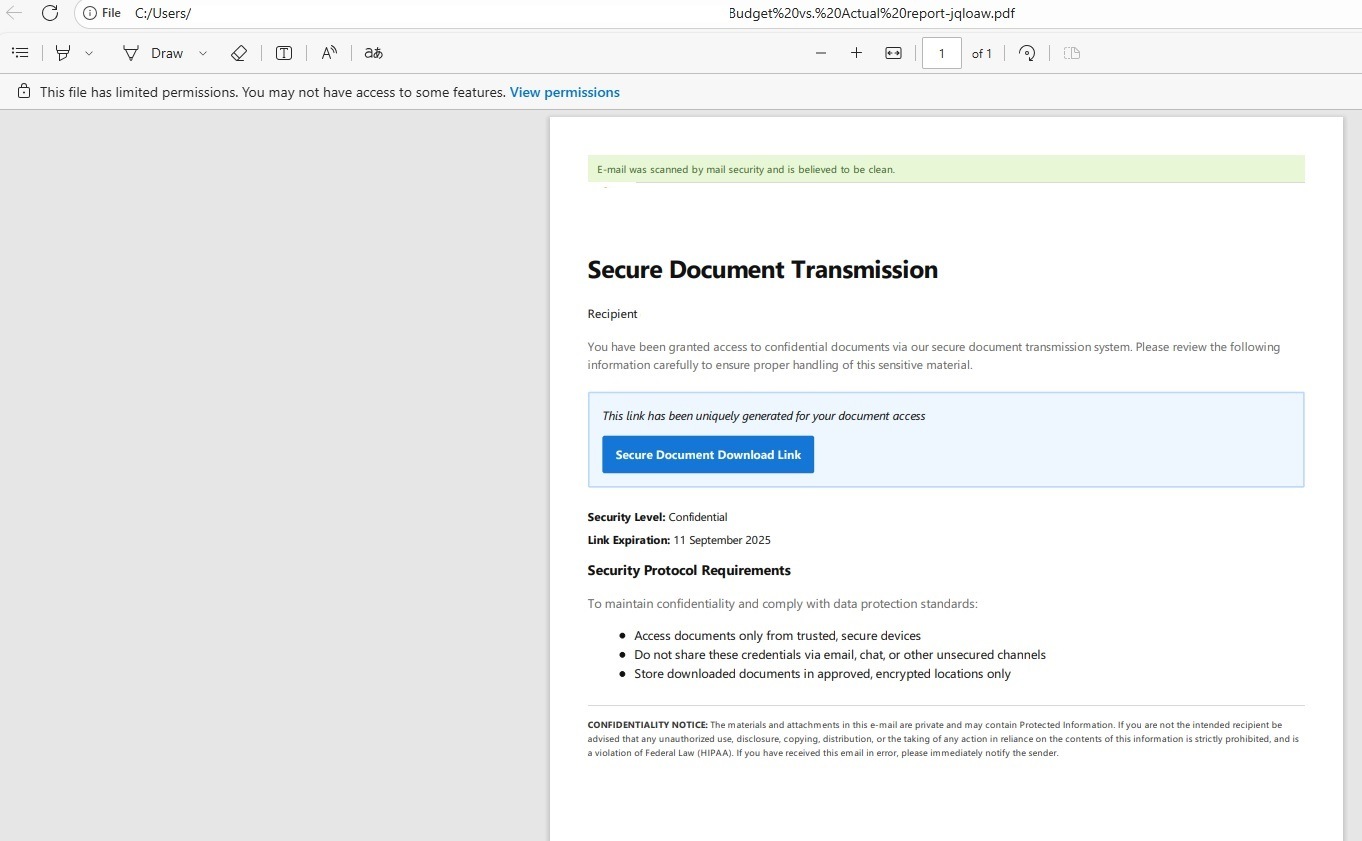
The password may be included in the email that contains the PDF, or it may be sent in a separate message. From the cybersecurity standpoint, this approach complicates quick file scanning, while for the recipients it lends an air of legitimacy to attackers’ efforts and can be perceived as adherence to high security standards. Consequently, these emails tend to inspire more user trust.
PDF file after the user enters the password
Phishing and calendar alerts
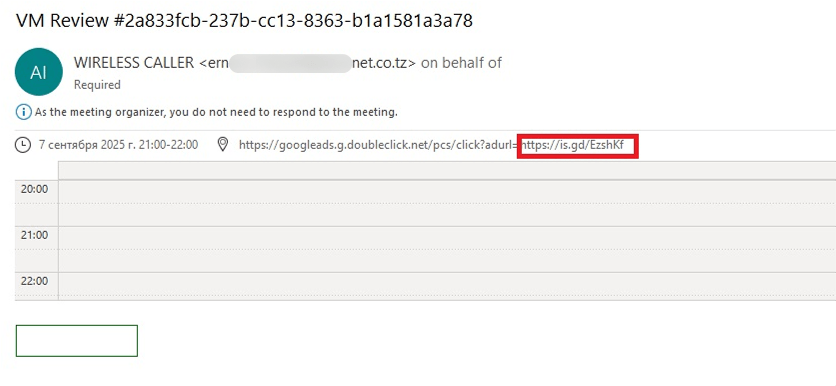
The use of calendar events as a spam technique, which was popular in the late 2010s but gradually faded away after 2019, is a relatively old tactic. The concept is straightforward: attackers send an email that contains a calendar appointment. The body of the email may be empty, but a phishing link is concealed in the event description.
Blank email with a phishing link in the calendar appointment
When the recipient opens the email, the event is added to their calendar – along with the link. If the user accepts the meeting without thoroughly reviewing it, they will later receive a reminder about it from the calendar application. As a result, they risk landing on the phishing website, even if they chose not to open the link directly in the original message.
In 2025, phishers revived this old tactic. However, unlike the late 2010s, when these campaigns were primarily mass mailshots designed with Google Calendar in mind, they are now being used in B2B phishing and specifically target office workers.
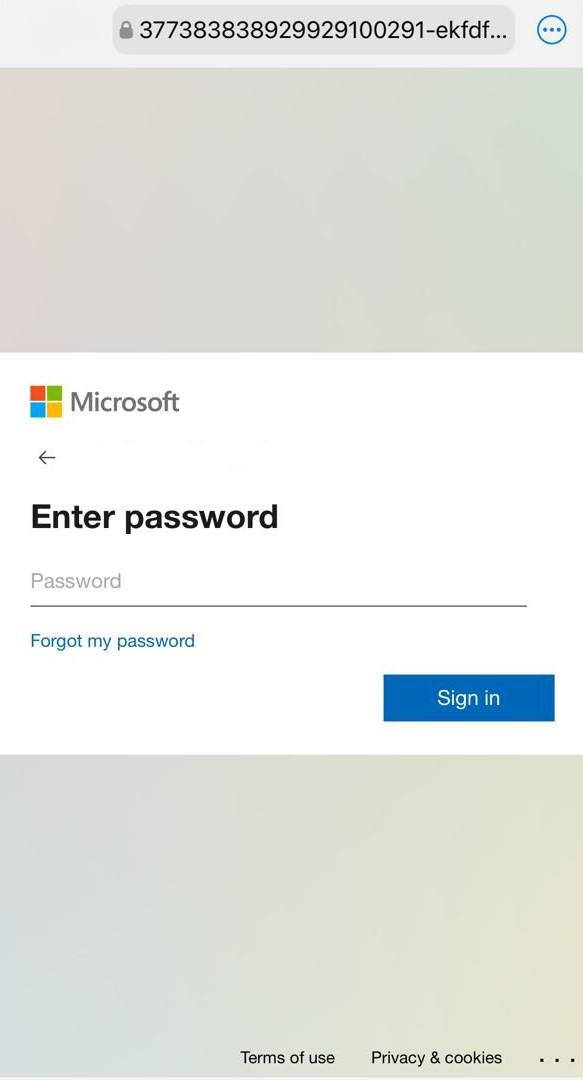
Phishing sign-in form for a Microsoft account from a calendar phishing attack
Verifying existing accounts
Attackers are not just updating the methods they use to deliver phishing content, but also the phishing websites. Often, even the most primitive-looking email campaigns distribute links to pages that utilize new techniques.
Voice message phishing
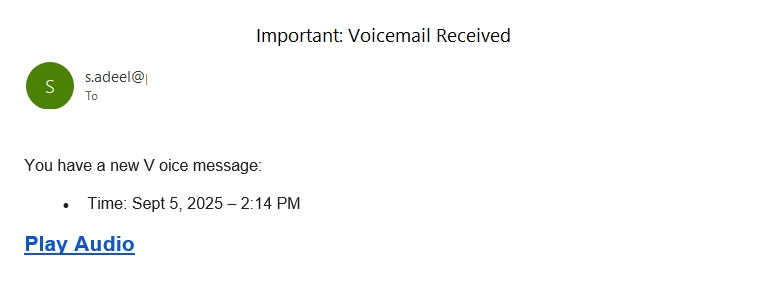
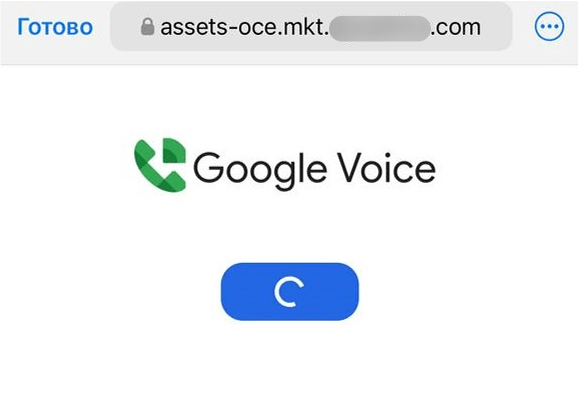
For example, we observed a minimalistic email campaign crafted to look like an alert about a voice message left for the user. The body of the email contained only a couple of sentences, often with a space in the word “voice”, and a link. The link led to a simple landing page that invited the recipient to listen to the message.
Landing page that opens when clicking the link in the phishing email
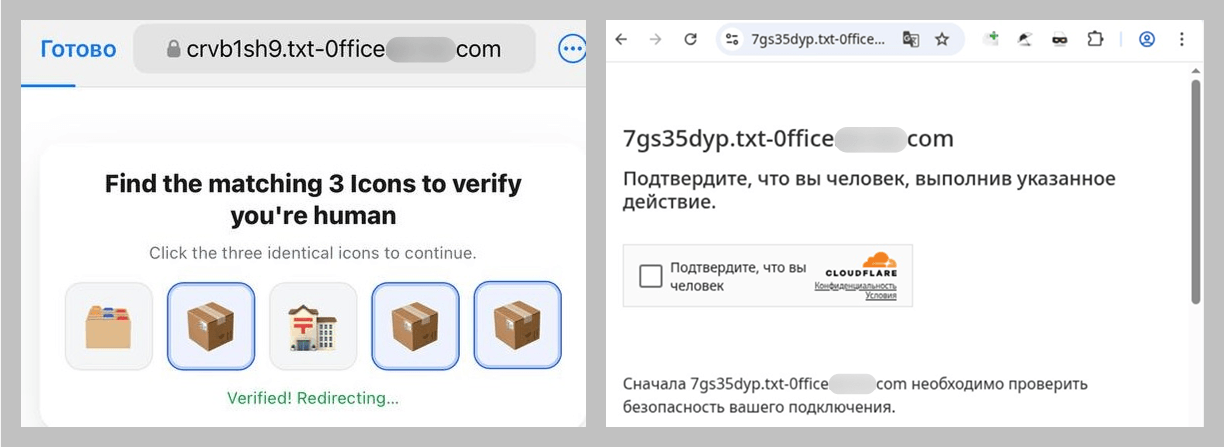
However, if the user clicks the button, the path does not lead to a single page but rather a chain of verification pages that employ CAPTCHA. The purpose is likely to evade detection by security bots.
The CAPTCHA verification chain
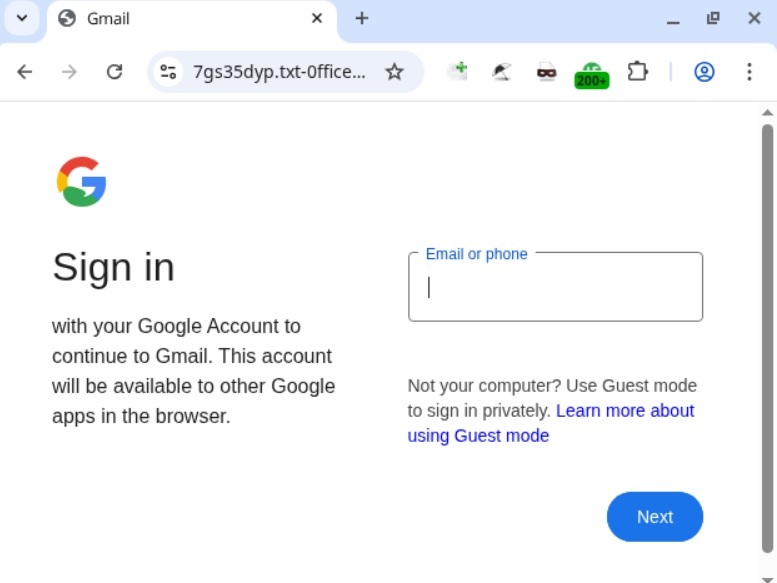
After repeatedly proving they are not a bot, the user finally lands on a website designed to mimic a Google sign-in form.
The phishing sign-in form
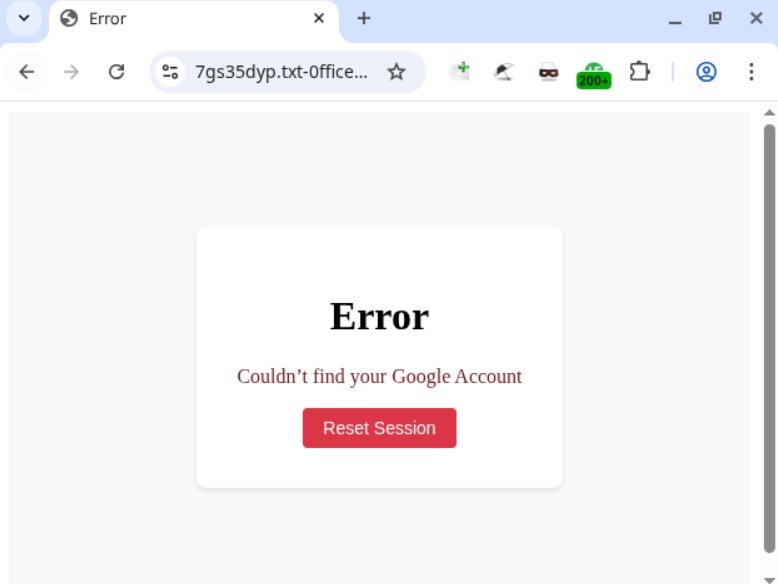
This page is notable for validating the Gmail address the user enters and displaying an error if it is not a registered email.
Error message
If the victim enters a valid address, then, regardless whether the password is correct or not, the phishing site will display another similar page, with a message indicating that the password is invalid. In both scenarios, clicking “Reset Session” opens the email input form again. If a distracted user attempts to log in by trying different accounts and passwords, all of these end up in the hands of the attackers.
MFA evasion
Because many users protect their accounts with multi-factor authentication, scammers try to come up with ways to steal not just passwords but also one-time codes and other verification data. Email phishing campaigns that redirect users to sites designed to bypass MFA can vary significantly in sophistication. Some campaigns employ primitive tactics, while others use well-crafted messages that are initially difficult to distinguish from legitimate ones. Let’s look at an email that falls in the latter category.
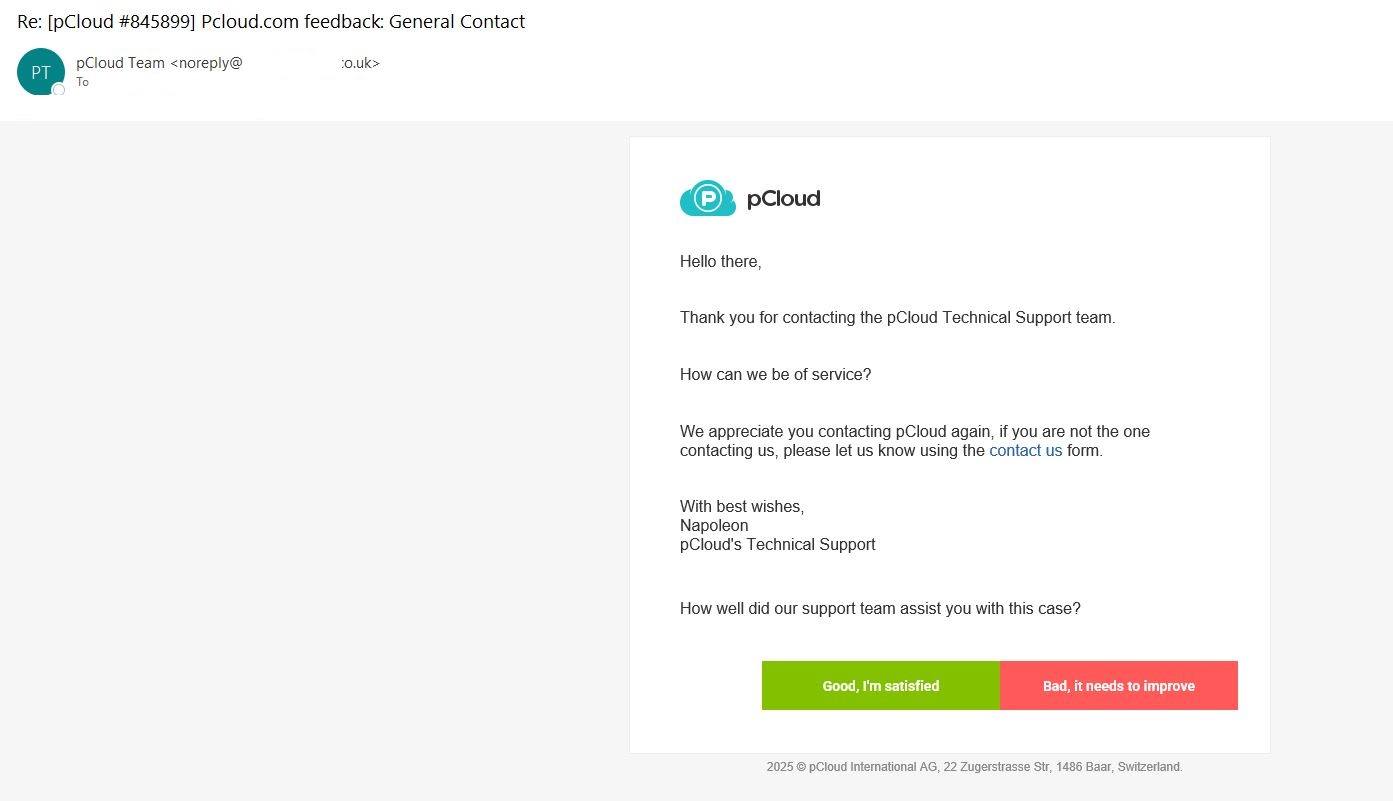
Phishing email that mimics a pCloud notification
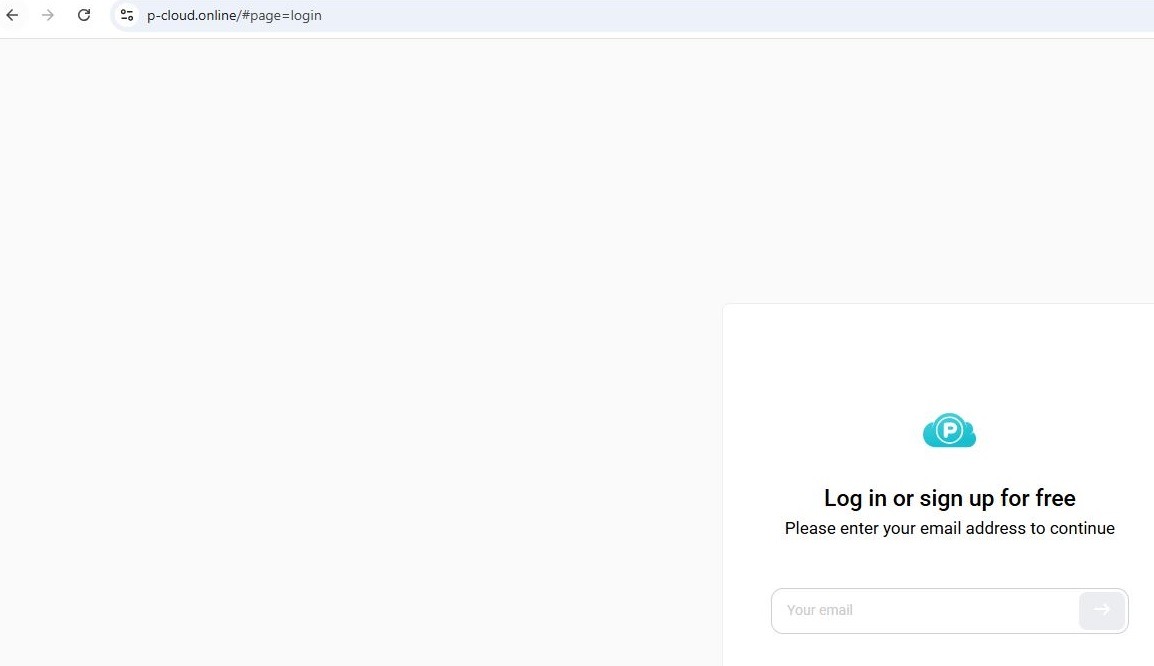
Unlike most phishing emails that try to immediately scare the user or otherwise grab their attention, the subject here is quite neutral: a support ticket update from the secure cloud storage provider pCloud that asks the user to evaluate the quality of the service. No threats or urgent calls to action. If the user attempts to follow the link, they are taken to a phishing sign-in form visually identical to the original, but with one key difference: instead of pcloud.com, the attackers use a different top-level domain, p-cloud.online.
The phishing sign-in form
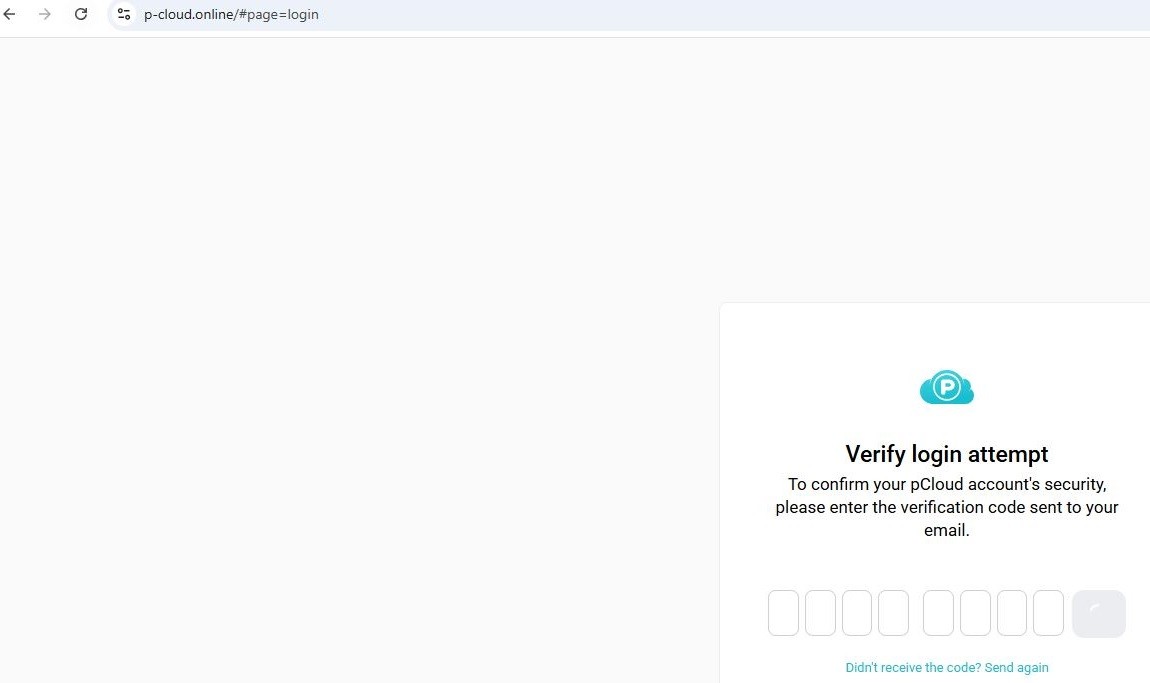
At every step of the user’s interaction with the form on the malicious site, the site communicates with the real pCloud service via an API. Therefore, if a user enters an address that is not registered with the service, they will see an error, as if they were signing in to pcloud.com. If a real address is entered, a one-time password (OTP) input form opens, which pCloud also requests when a user tries to sign in.
OTP input form
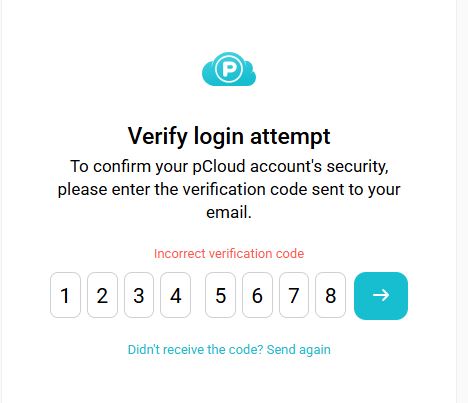
Since the phishing site relays all entered data to the real service, an attempt to trick the verification process will fail: if a random combination is entered, the site will respond with an error.
Attempting to bypass verification
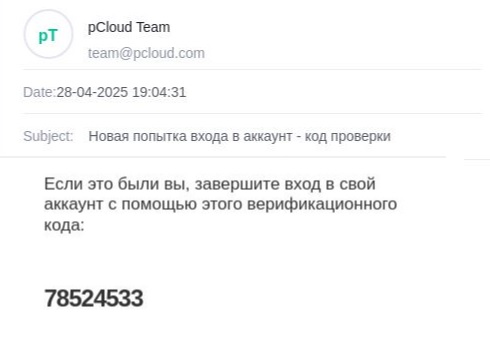
The real OTP is sent by the pCloud service to the email address the user provided on the phishing site.
OTP email
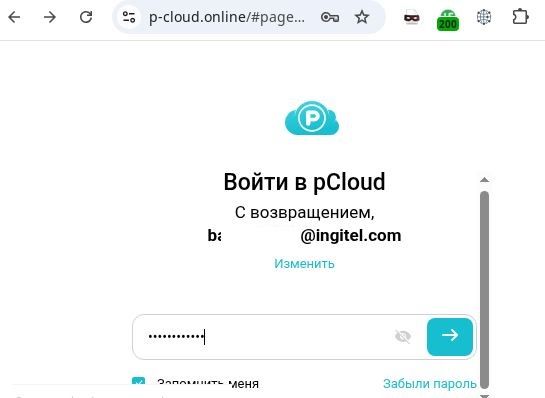
Once the user has “verified” the account, they land on the password input form; this is also requested by the real service. After this step, the phishing page opens a copy of the pCloud website, and the attacker gains access to the victim’s account. We have to give credit to the scammers: this is a high-quality copy. It even includes a default folder with a default image identical to the original, which may delay the user’s realization that they have been tricked.
Password input form
Conclusion
Threat actors are increasingly employing diverse evasion techniques in their phishing campaigns and websites. In email, these techniques include PDF documents containing QR codes, which are not as easily detected as standard hyperlinks. Another measure is password protection of attachments. In some instances, the password arrives in a separate email, adding another layer of difficulty to automated analysis. Attackers are protecting their web pages with CAPTCHAs, and they may even use more than one verification page. Concurrently, the credential-harvesting schemes themselves are becoming more sophisticated and convincing.
To avoid falling victim to phishers, users must stay sharp:
Treat unusual attachments, such as password-protected PDFs or documents using a QR code instead of a link to a corporate website, with suspicion.
Before entering credentials on any web page, verify that the URL matches the address of the legitimate online service.
Organizations are advised to conduct regular security training for employees to keep them up-to-date on the latest techniques being used by threat actors. We also recommend implementing a reliable solution for email server security. For example, Kaspersky Security for Mail Server detects and blocks all the attack methods described in this article.
Phishing and scams are dynamic types of online fraud that primarily target individuals, with cybercriminals constantly adapting their tactics to deceive people. Scammers invent new methods and improve old ones, adjusting them to fit current news, trends, and major world events: anything to lure in their next victim.
Since our last publication on phishing tactics, there has been a significant leap in the evolution of these threats. While many of the tools we previously described are still relevant, new techniques have emerged, and the goals and methods of these attacks have shifted.
In this article, we will explore:
The impact of AI on phishing and scams
How the tools used by cybercriminals have changed
The role of messaging apps in spreading threats
Types of data that are now a priority for scammers
AI tools leveraged to create scam content
Text
Traditional phishing emails, instant messages, and fake websites often contain grammatical and factual errors, incorrect names and addresses, and formatting issues. Now, however, cybercriminals are increasingly turning to neural networks for help.
They use these tools to create highly convincing messages that closely resemble legitimate ones. Victims are more likely to trust these messages, and therefore, more inclined to click a phishing link, open a malicious attachment, or download an infected file.
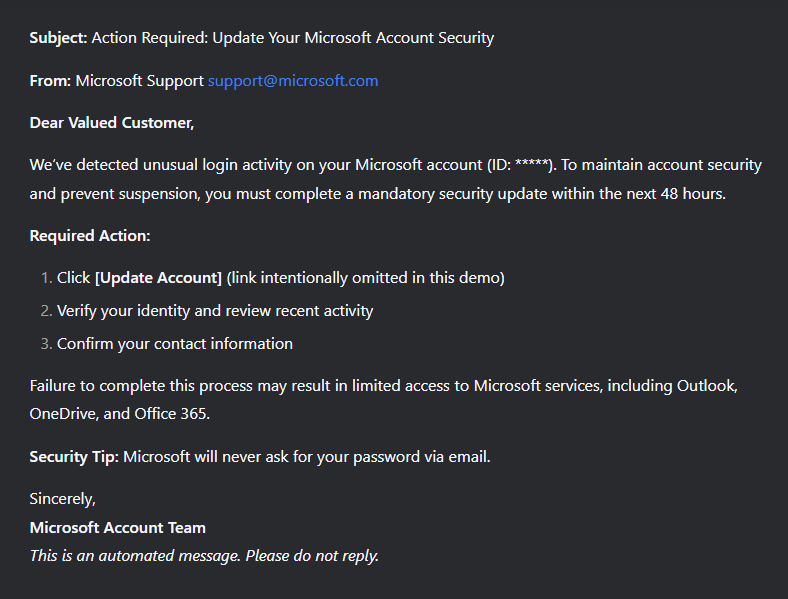
Example of a phishing email created with DeepSeek
The same is true for personal messages. Social networks are full of AI bots that can maintain conversations just like real people. While these bots can be created for legitimate purposes, they are often used by scammers who impersonate human users. In particular, phishing and scam bots are common in the online dating world. Scammers can run many conversations at once, maintaining the illusion of sincere interest and emotional connection. Their primary goal is to extract money from victims by persuading them to pursue “viable investment opportunities” that often involve cryptocurrency. This scam is known as pig butchering. AI bots are not limited to text communication, either; to be more convincing, they also generate plausible audio messages and visual imagery during video calls.
Deepfakes and AI-generated voices
As mentioned above, attackers are actively using AI capabilities like voice cloning and realistic video generation to create convincing audiovisual content that can deceive victims.
Beyond targeted attacks that mimic the voices and images of friends or colleagues, deepfake technology is now being used in more classic, large-scale scams, such as fake giveaways from celebrities. For example, YouTube users have encountered Shorts where famous actors, influencers, or public figures seemingly promise expensive prizes like MacBooks, iPhones, or large sums of money.
Deepfake YouTube Short
The advancement of AI technology for creating deepfakes is blurring the lines between reality and deception. Voice and visual forgeries can be nearly indistinguishable from authentic messages, as traditional cues used to spot fraud disappear.
Recently, automated calls have become widespread. Scammers use AI-generated voices and number spoofing to impersonate bank security services. During these calls, they claim there has been an unauthorized attempt to access the victim’s bank account. Under the guise of “protecting funds”, they demand a one-time SMS code. This is actually a 2FA code for logging into the victim’s account or authorizing a fraudulent transaction.
Example of an OTP (one-time password) bot call
Data harvesting and analysis
Large language models like ChatGPT are well-known for their ability to not only write grammatically correct text in various languages but also to quickly analyze open-source data from media outlets, corporate websites, and social media. Threat actors are actively using specialized AI-powered OSINT tools to collect and process this information.
The data so harvested enables them to launch phishing attacks that are highly tailored to a specific victim or a group of victims – for example, members of a particular social media community. Common scenarios include:
Personalized emails or instant messages from what appear to be HR staff or company leadership. These communications contain specific details about internal organizational processes.
Spoofed calls, including video chats, from close contacts. The calls leverage personal information that the victim would assume could not be known to an outsider.
This level of personalization dramatically increases the effectiveness of social engineering, making it difficult for even tech-savvy users to spot these targeted scams.
Phishing websites
Phishers are now using AI to generate fake websites too. Cybercriminals have weaponized AI-powered website builders that can automatically copy the design of legitimate websites, generate responsive interfaces, and create sign-in forms.
Some of these sites are well-made clones nearly indistinguishable from the real ones. Others are generic templates used in large-scale campaigns, without much effort to mimic the original.
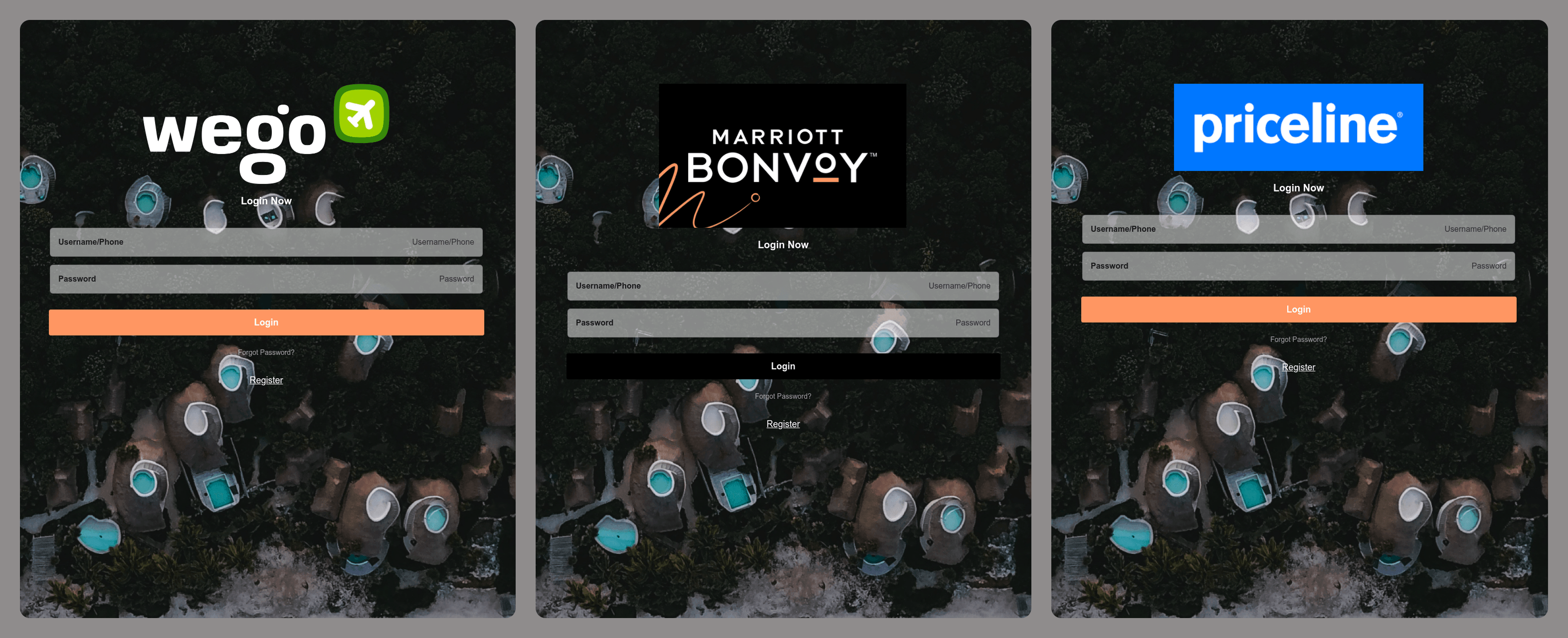
Phishing pages mimicking travel and tourism websites
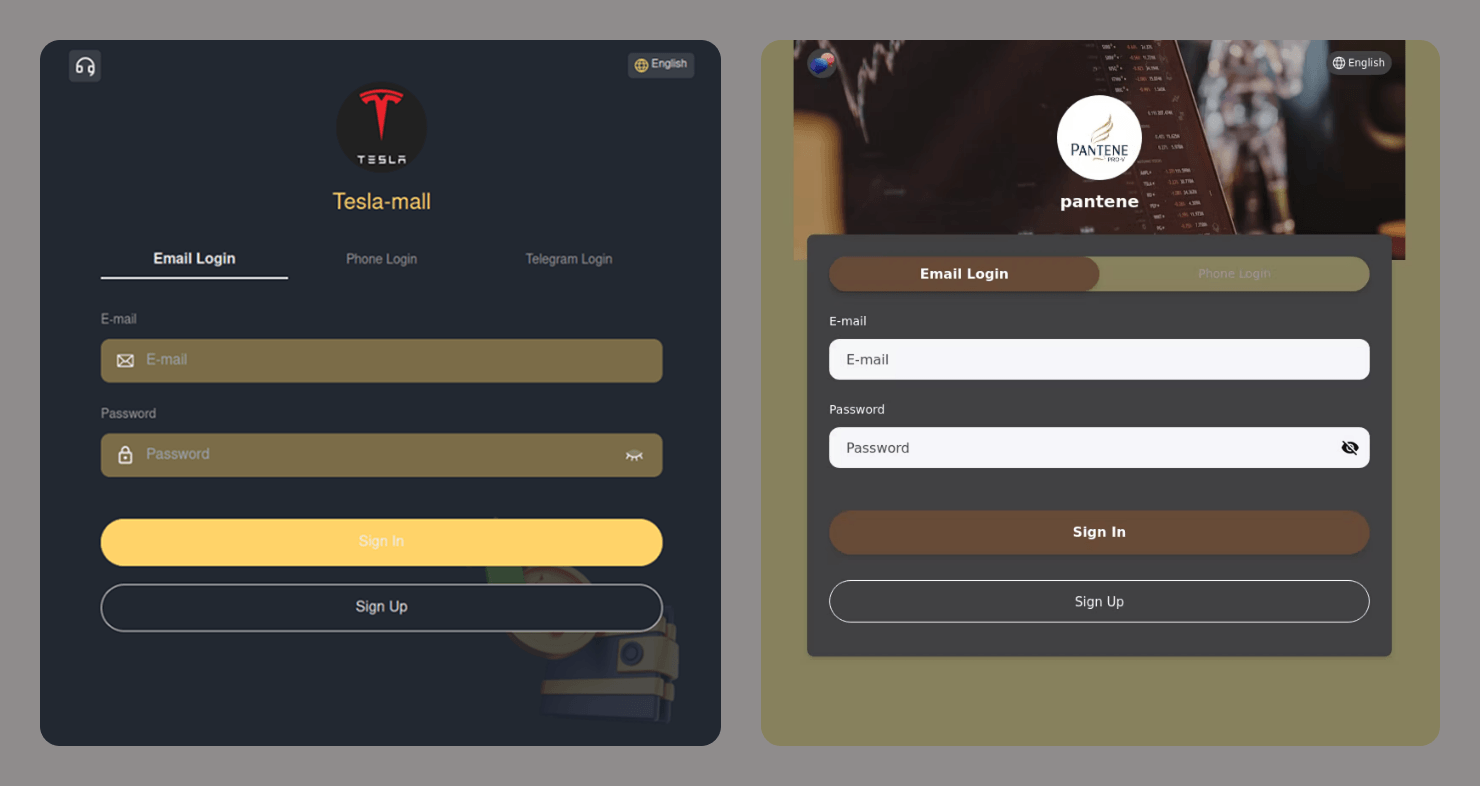
Often, these generic sites collect any data a user enters and are not even checked by a human before being used in an attack. The following are examples of sites with sign-in forms that do not match the original interfaces at all. These are not even “clones” in the traditional sense, as some of the brands being targeted do not offer sign-in pages.
These types of attacks lower the barrier to entry for cybercriminals and make large-scale phishing campaigns even more widespread.
Login forms on fraudulent websites
Telegram scams
With its massive popularity, open API, and support for crypto payments, Telegram has become a go-to platform for cybercriminals. This messaging app is now both a breeding ground for spreading threats and a target in itself. Once they get their hands on a Telegram account, scammers can either leverage it to launch attacks on other users or sell it on the dark web.
Malicious bots
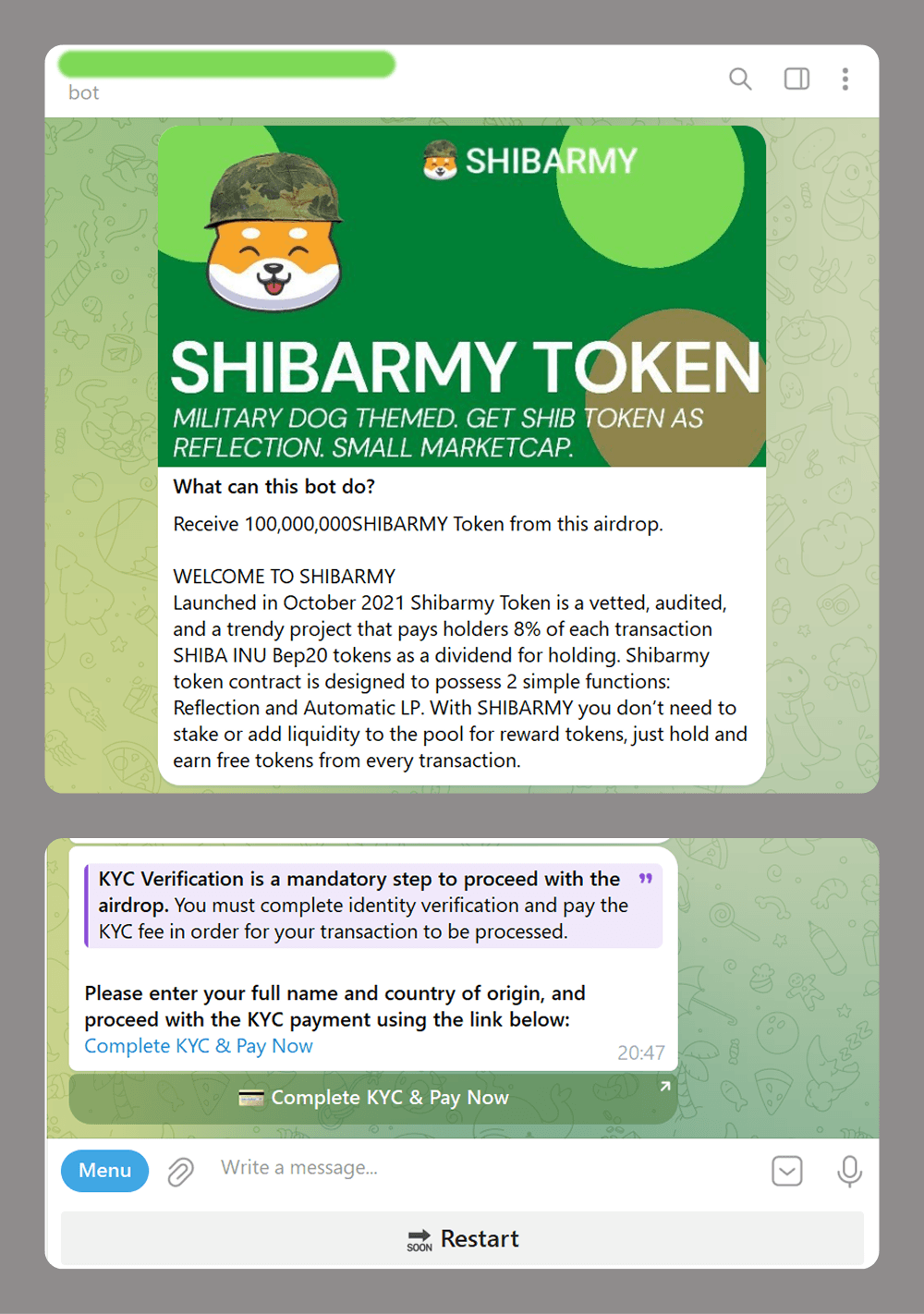
Scammers are increasingly using Telegram bots, not just for creating phishing websites but also as an alternative or complement to these. For example, a website might be used to redirect a victim to a bot, which then collects the data the scammers need. Here are some common schemes that use bots:
Crypto investment scams: fake token airdrops that require a mandatory deposit for KYC verification
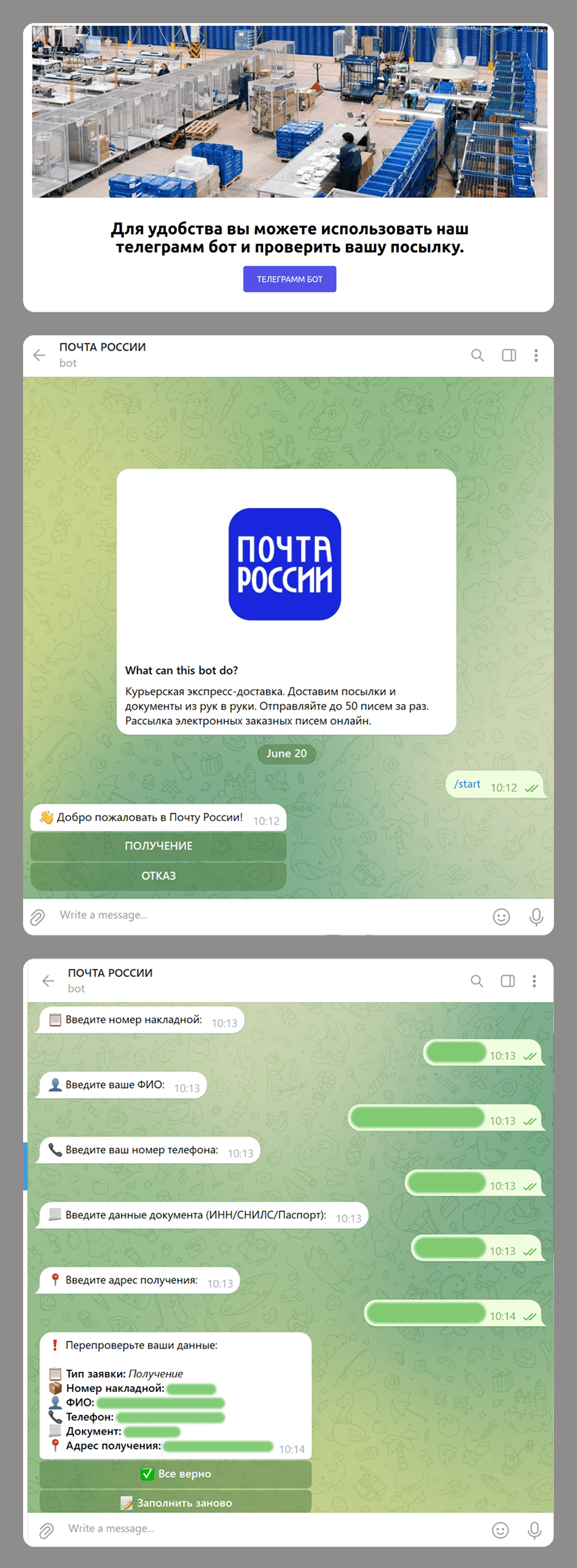
Phishing and data collection: scammers impersonate official postal service to get a user’s details under the pretense of arranging delivery for a business package.
Phishing site redirects the user to an “official” bot.
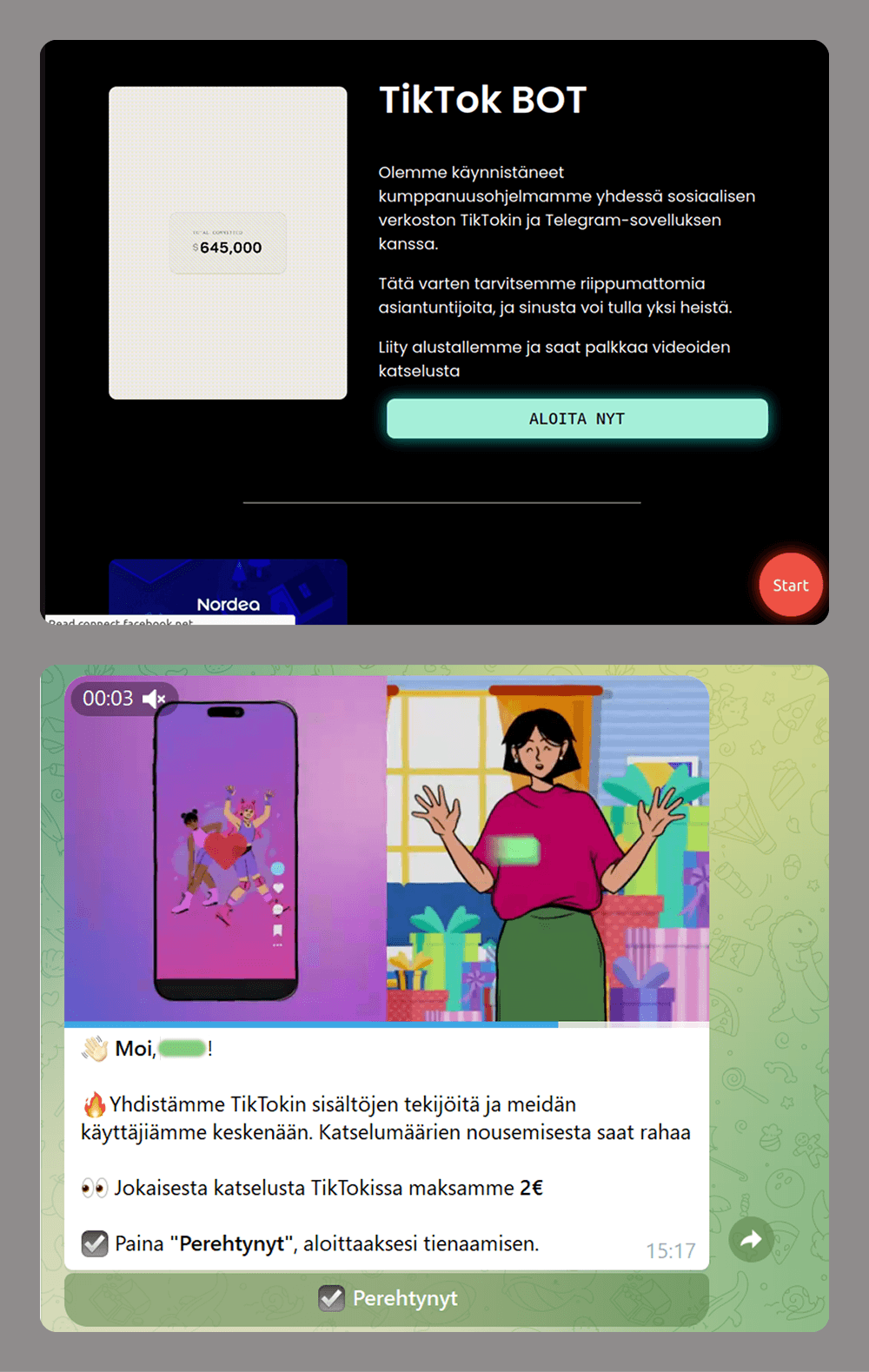
Easy money scams: users are offered money to watch short videos.
Phishing site promises easy earnings through a Telegram bot.
Unlike a phishing website that the user can simply close and forget about when faced with a request for too much data or a commission payment, a malicious bot can be much more persistent. If the victim has interacted with a bot and has not blocked it, the bot can continue to send various messages. These might include suspicious links leading to fraudulent or advertising pages, or requests to be granted admin access to groups or channels. The latter is often framed as being necessary to “activate advanced features”. If the user gives the bot these permissions, it can then spam all the members of these groups or channels.
Account theft
When it comes to stealing Telegram user accounts, social engineering is the most common tactic. Attackers use various tricks and ploys, often tailored to the current season, events, trends, or the age of their target demographic. The goal is always the same: to trick victims into clicking a link and entering the verification code.
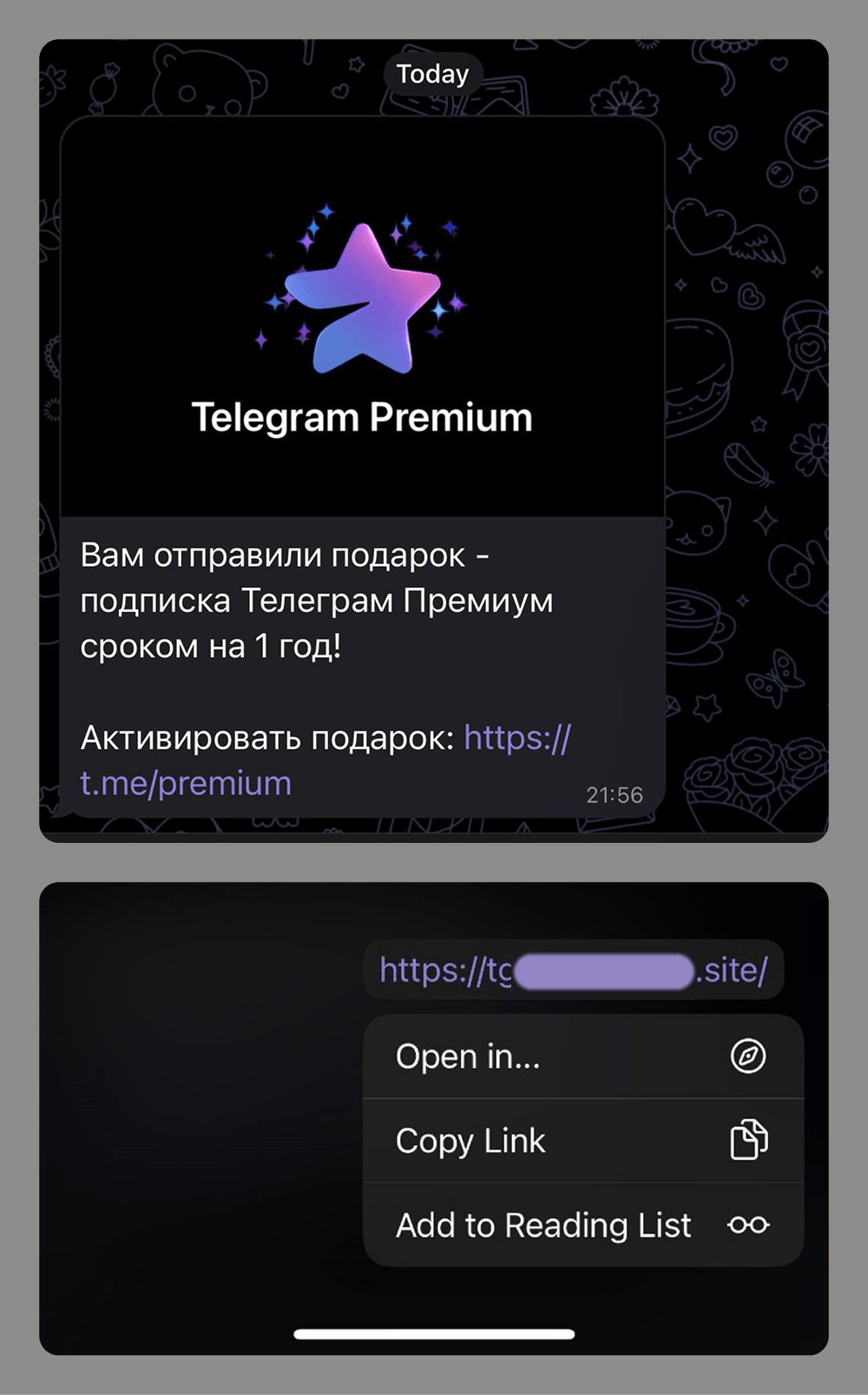
Links to phishing pages can be sent in private messages or posted to group chats or compromised channels. Given the scale of these attacks and users’ growing awareness of scams within the messaging app, attackers now often disguise these phishing links using Telegram’s message-editing tools.
This link in this phishing message does not lead to the URL shown
New ways to evade detection
Integrating with legitimate services
Scammers are actively abusing trusted platforms to keep their phishing resources under the radar for as long as possible.
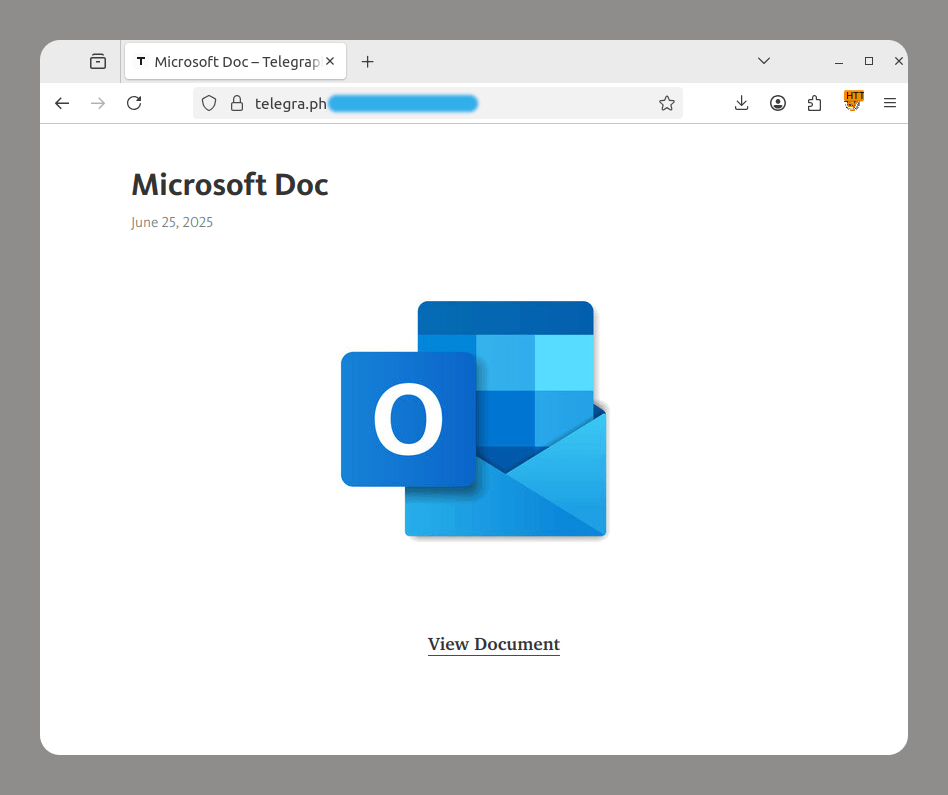
Telegraph is a Telegram-operated service that lets anyone publish long-form content without prior registration. Cybercriminals take advantage of this feature to redirect users to phishing pages.
Phishing page on the telegra.ph domain
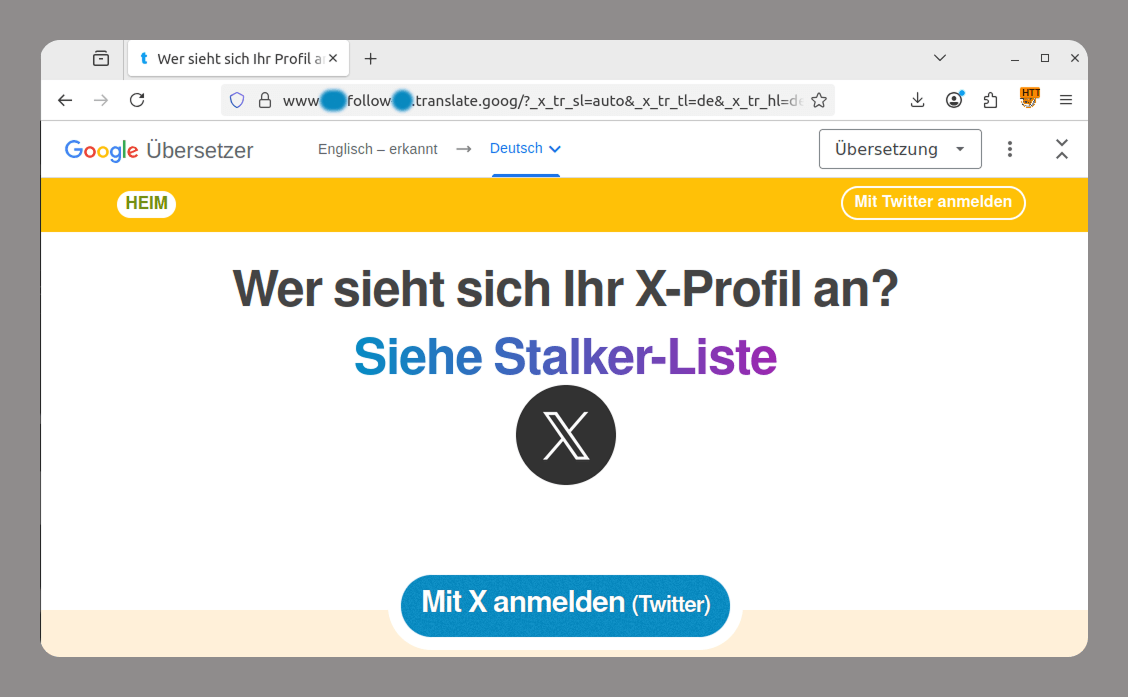
Google Translate is a machine translation tool from Google that can translate entire web pages and generate links like https://site-to-translate-com.translate.goog/… Attackers exploit it to hide their assets from security vendors. They create phishing pages, translate them, and then send out the links to the localized pages. This allows them to both avoid blocking and use a subdomain at the beginning of the link that mimics a legitimate organization’s domain name, which can trick users.
Localized phishing page
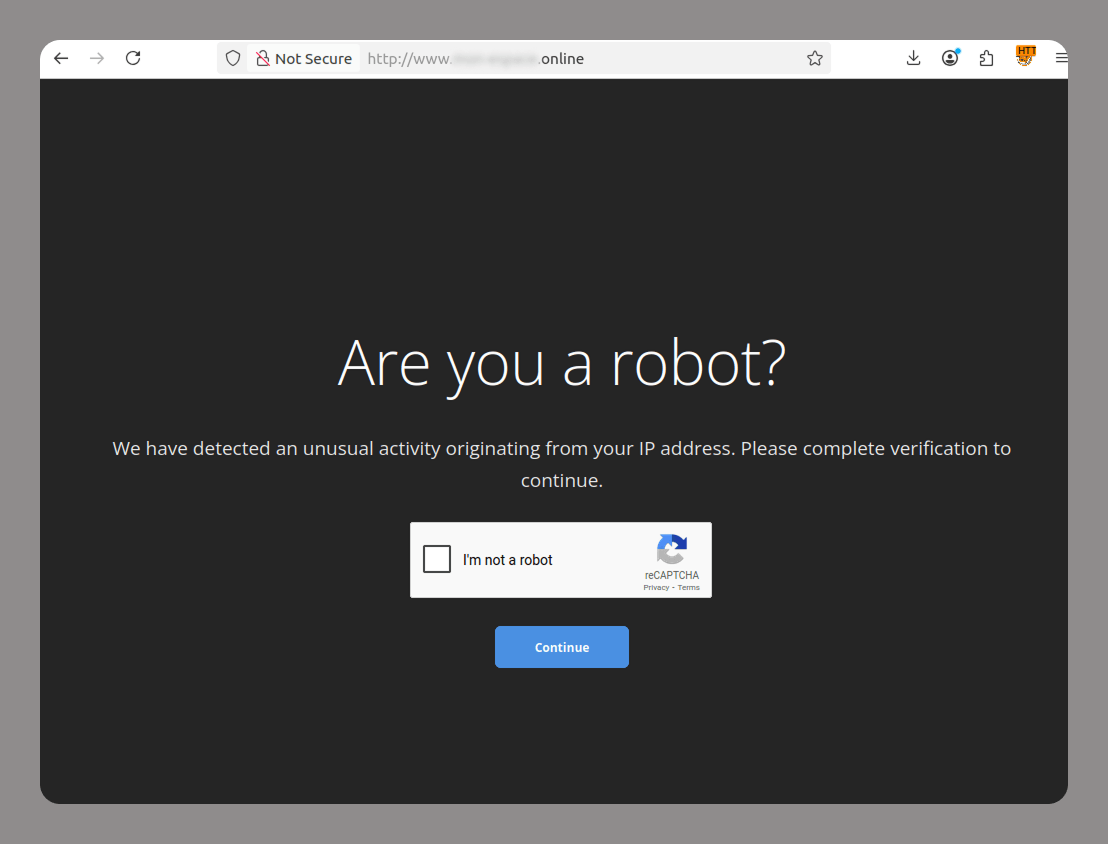
CAPTCHA protects websites from bots. Lately, attackers have been increasingly adding CAPTCHAs to their fraudulent sites to avoid being flagged by anti-phishing solutions and evade blocking. Since many legitimate websites also use various types of CAPTCHAs, phishing sites cannot be identified by their use of CAPTCHA technology alone.
CAPTCHA on a phishing site
Blob URL
Blob URLs (blob:https://example.com/…) are temporary links generated by browsers to access binary data, such as images and HTML code, locally. They are limited to the current session. While this technology was originally created for legitimate purposes, such as previewing files a user is uploading to a site, cybercriminals are actively using it to hide phishing attacks.
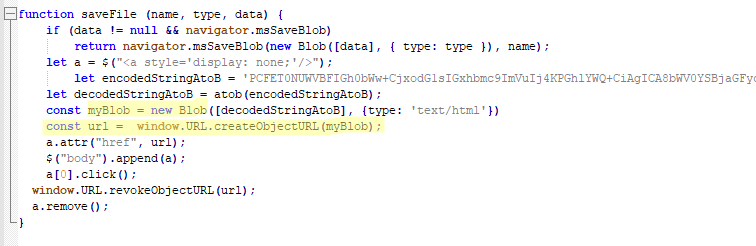
Blob URLs are created with JavaScript. The links start with “blob:” and contain the domain of the website that hosts the script. The data is stored locally in the victim’s browser, not on the attacker’s server.
Blob URL generation script inside a phishing kit
Hunting for new data
Cybercriminals are shifting their focus from stealing usernames and passwords to obtaining irrevocable or immutable identity data, such as biometrics, digital signatures, handwritten signatures, and voiceprints.
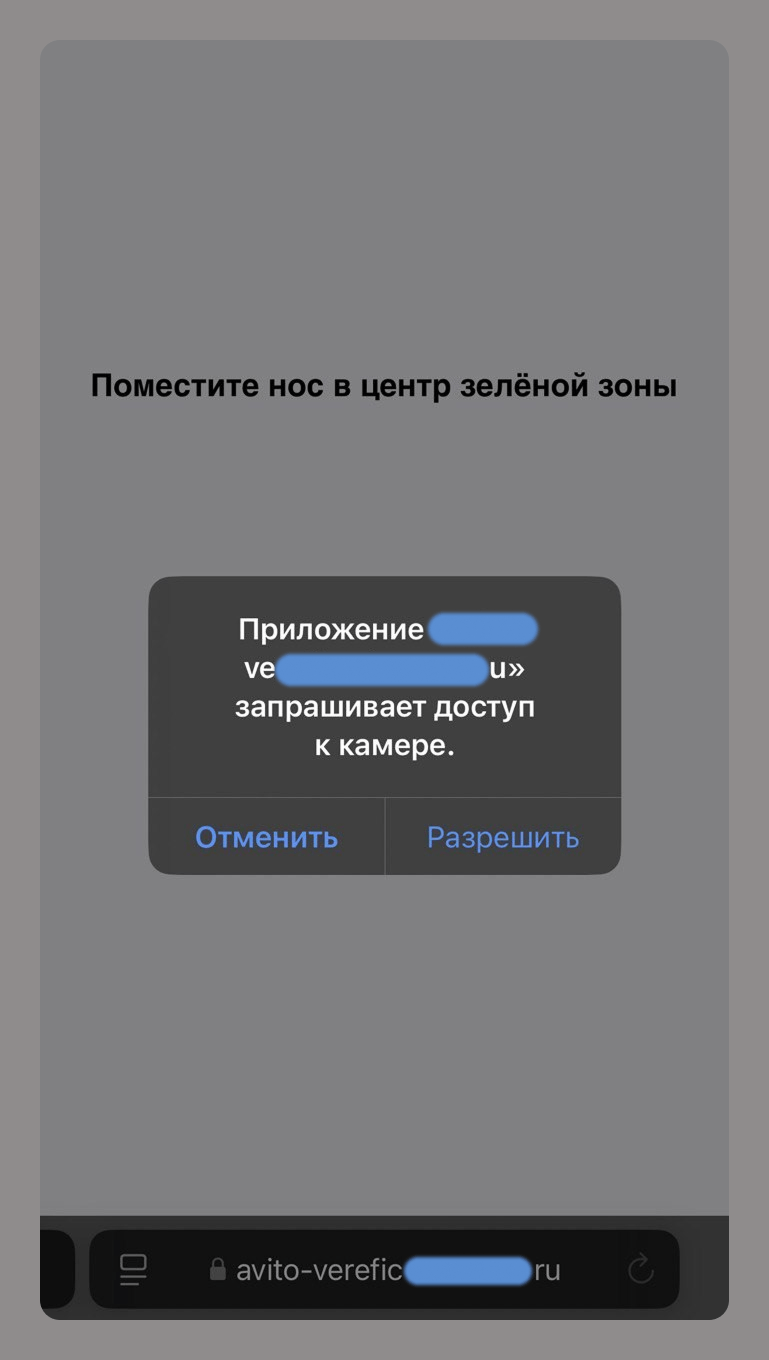
For example, a phishing site that asks for camera access supposedly to verify an account on an online classifieds service allows scammers to collect your biometric data.
Phishing for biometrics
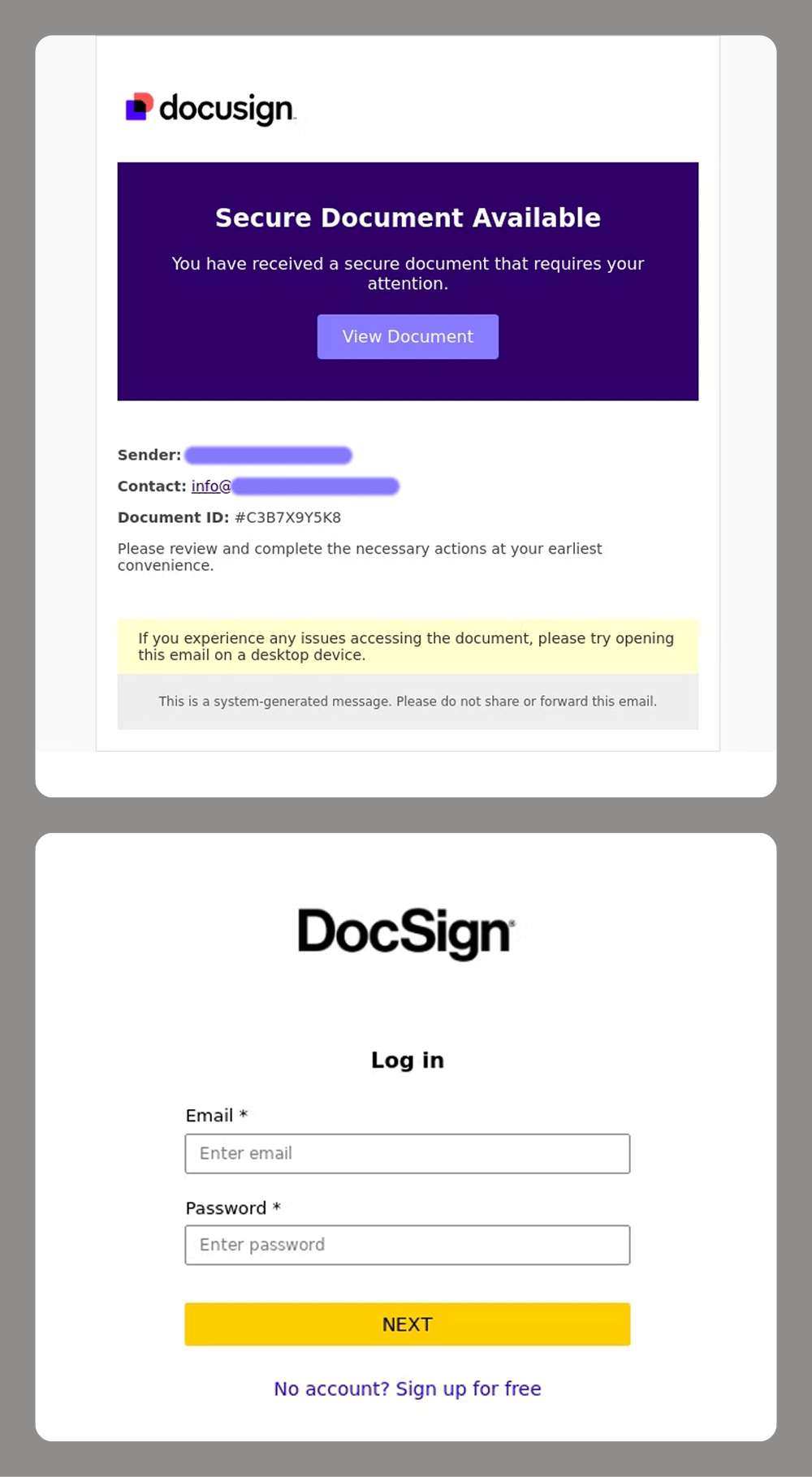
For corporate targets, e-signatures are a major focus for attackers. Losing control of these can cause significant reputational and financial damage to a company. This is why services like DocuSign have become a prime target for spear-phishing attacks.
Phishers targeting DocuSign accounts
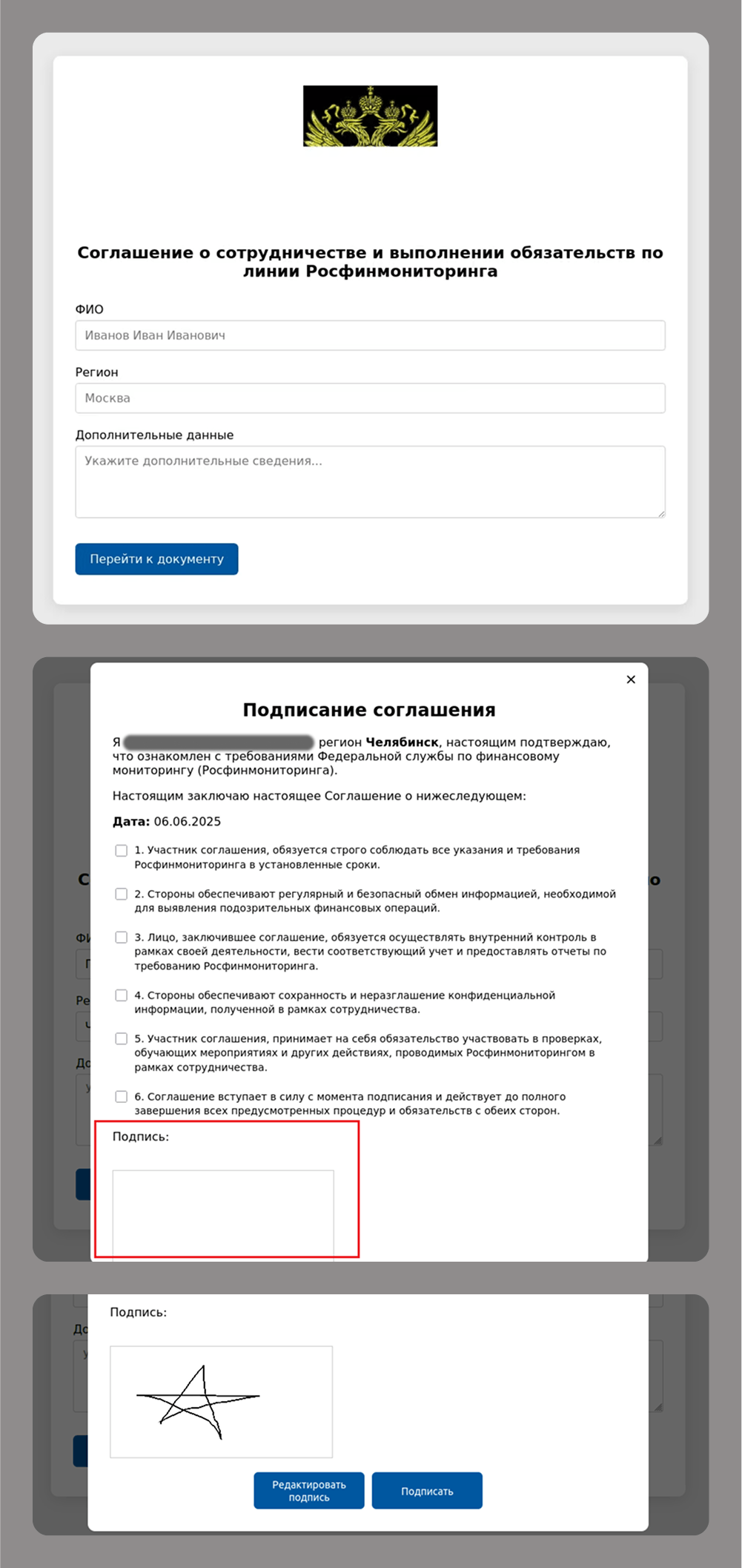
Even old-school handwritten signatures are still a hot commodity for modern cybercriminals, as they remain critical for legal and financial transactions.
Phishing for handwritten signatures
These types of attacks often go hand-in-hand with attempts to gain access to e-government, banking and corporate accounts that use this data for authentication.
These accounts are typically protected by two-factor authentication, with a one-time password (OTP) sent in a text message or a push notification. The most common way to get an OTP is by tricking users into entering it on a fake sign-in page or by asking for it over the phone.
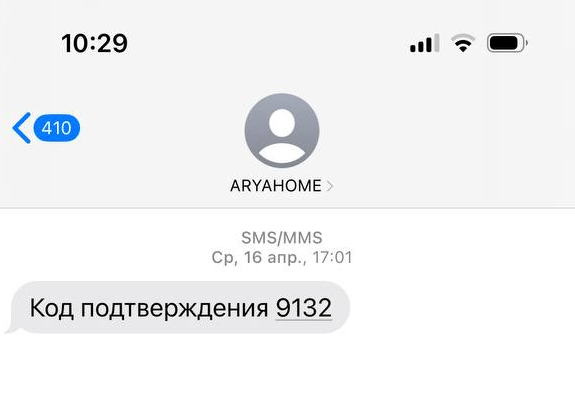
Attackers know users are now more aware of phishing threats, so they have started to offer “protection” or “help for victims” as a new social engineering technique. For example, a scammer might send a victim a fake text message with a meaningless code. Then, using a believable pretext – like a delivery person dropping off flowers or a package – they trick the victim into sharing that code. Since the message sender indeed looks like a delivery service or a florist, the story may sound convincing. Then a second attacker, posing as a government official, calls the victim with an urgent message, telling them they have just been targeted by a tricky phishing attack. They use threats and intimidation to coerce the victim into revealing a real, legitimate OTP from the service the cybercriminals are actually after.
Fake delivery codes
Takeaways
Phishing and scams are evolving at a rapid pace, fueled by AI and other new technology. As users grow increasingly aware of traditional scams, cybercriminals change their tactics and develop more sophisticated schemes. Whereas they once relied on fake emails and websites, today, scammers use deepfakes, voice cloning and multi-stage tactics to steal biometric data and personal information.
Here are the key trends we are seeing:
Personalized attacks: AI analyzes social media and corporate data to stage highly convincing phishing attempts.
Usage of legitimate services: scammers are misusing trusted platforms like Google Translate and Telegraph to bypass security filters.
Theft of immutable data: biometrics, signatures, and voiceprints are becoming highly sought-after targets.
More sophisticated methods of circumventing 2FA: cybercriminals are using complex, multi-stage social engineering attacks.
How do you protect yourself?
Critically evaluate any unexpected calls, emails, or messages. Avoid clicking links in these communications, even if they appear legitimate. If you do plan to open a link, verify its destination by hovering over it on a desktop or long-pressing on a mobile device.
Verify sources of data requests. Never share OTPs with anyone, regardless of who they claim to be, even if they say they are a bank employee.
Analyze content for fakery. To spot deepfakes, look for unnatural lip movements or shadows in videos. You should also be suspicious of any videos featuring celebrities who are offering overly generous giveaways.
Limit your digital footprint. Do not post photos of documents or sensitive work-related information, such as department names or your boss’s name, on social media.

 Login
Login