If you've ever fallen down a Wikipedia rabbit hole or spent a pleasant evening digging through college library stacks, you know the joy of a good research puzzle. Every new source and cross-reference you find unlocks an incremental understanding of a previously unknown world, forming a piecemeal tapestry of knowledge that you can eventually look back at as a cohesive and well-known whole.
TR-49 takes this research process and operationalizes it into an engrossing and novel piece of heavily non-linear interactive fiction. Researching the myriad sources contained in the game's mysterious computer slowly reveals a tale that's part mystery, part sci-fi allegory, part family drama, and all-compelling alternate academic history.
Steampunk Wikipedia
The entirety of TR-49 takes place from a first-person perspective as you sit in front of a kind of Steampunk-infused computer terminal. An unseen narrator asks you to operate the machine but is initially cagey about how or why or what you're even looking for. There's a creepy vibe to the under-explained circumstances that brought you to this situation, but the game never descends into the jump scares or horror tropes of so many other modern titles.
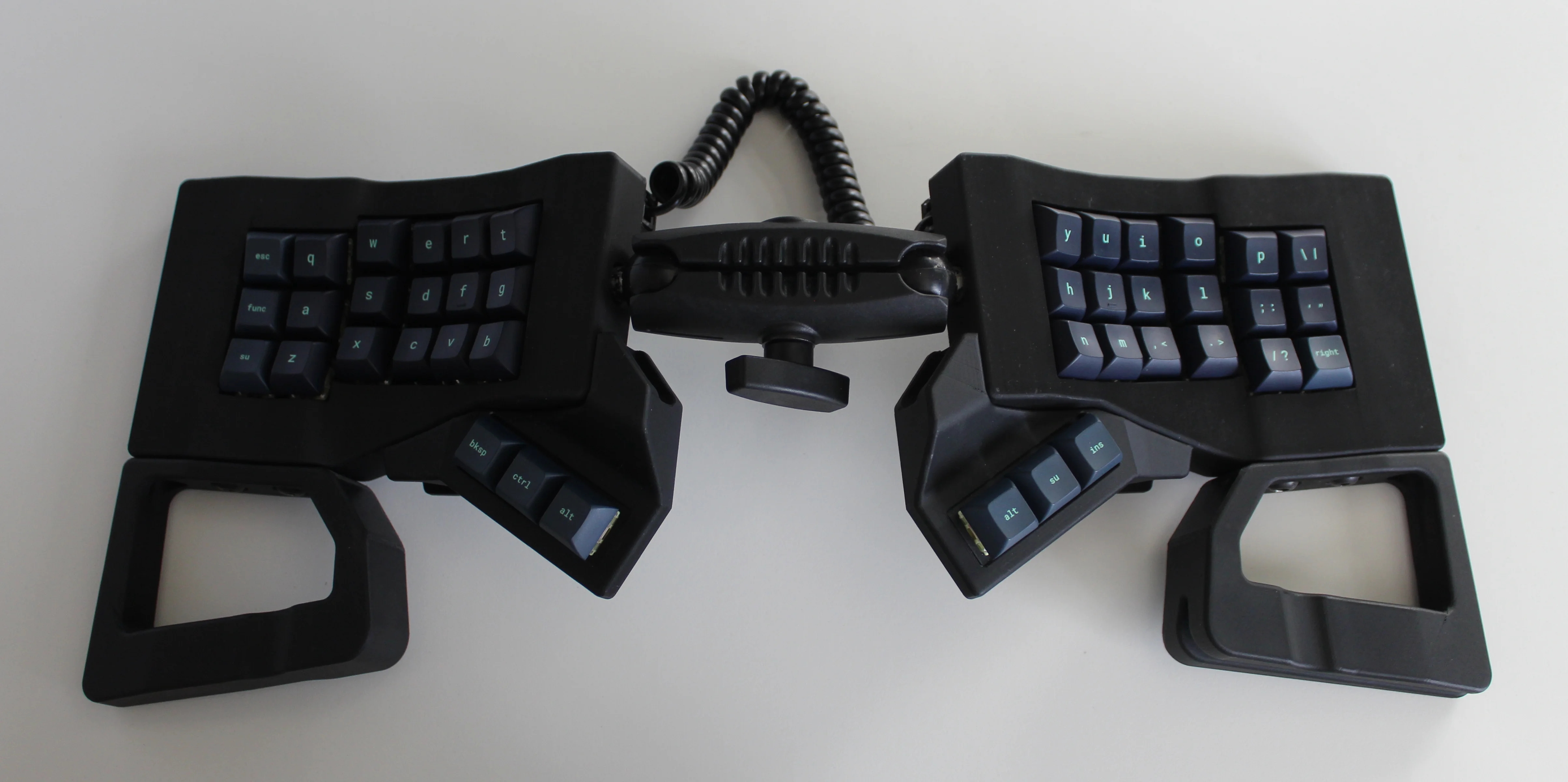
Get a handle on this bad boy! Okay, so those voids are really more for airing out your palms, I’d imagine, because palm sweat sure is real — you should see the pads of my Kinesis. This kind of looks like two sawed-off machine guns kissing, and I mean that in the best possible and non-violent way.
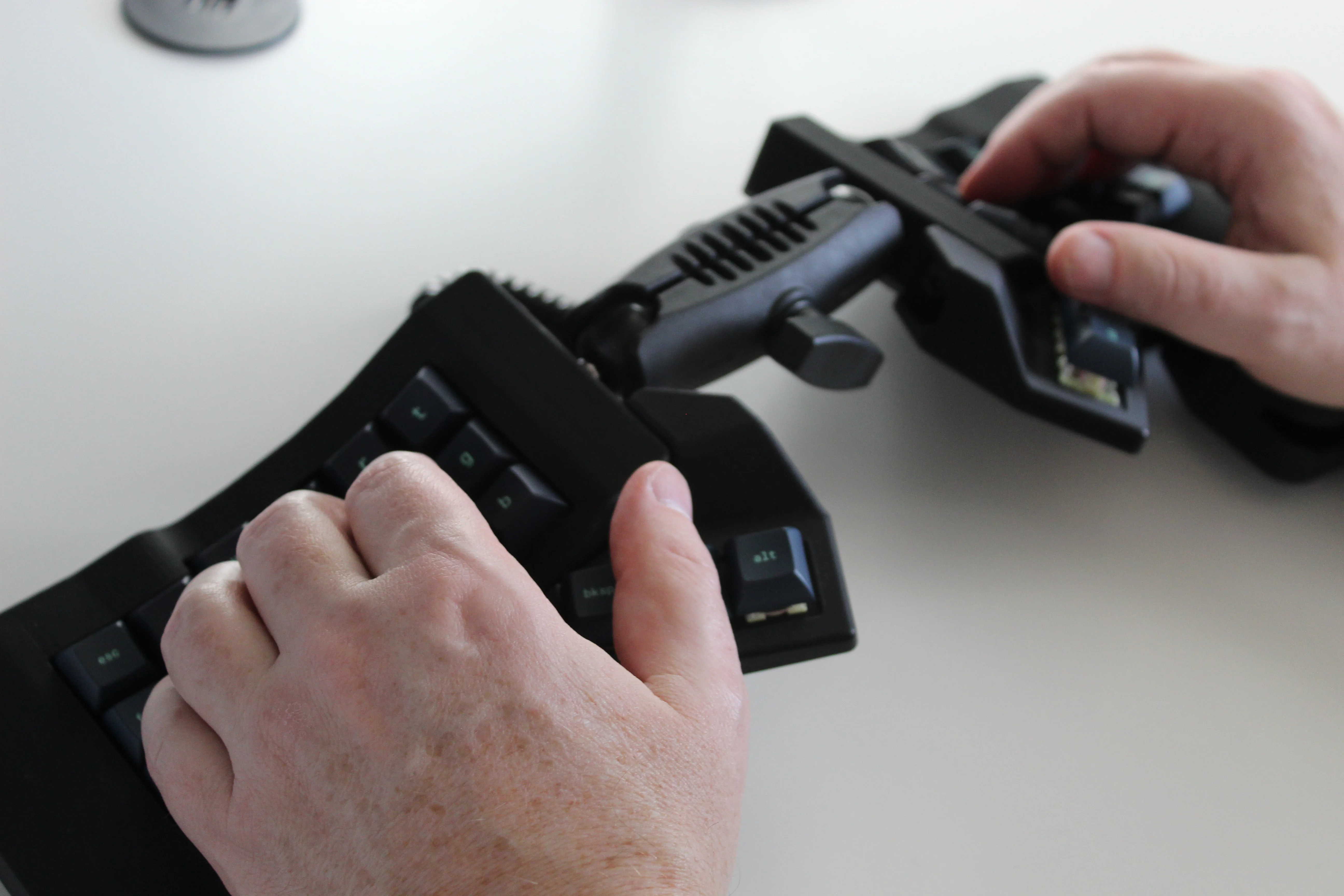
Image by [ntc490] via redditSo, [ntc490] has been on Team Special Keyboard for eight years now and decided it was time to design one. The goal was to make something semi-portable, super ergo, and as easy/cheap to build as possible, which, honestly, that sounds like one of those pick-two situations.
And yet, pricing (oh yeah, this is gonna be A Thing You Can Buy) will be around $115-155, depending upon whether you want the base kit, or the add-ons, too, minus switches and key caps.
So let’s get into the particulars here. As you can see, there are key wells and thumb clusters, inspired by other keyboards including your bog standard Maltrons, Kinesis Advantages and more modern, open-source takes like the Dactyl. [ntc490] loves the key well-thumb cluster combination, and I do, too (hello from the Glove80). And miraculously, the keys are hot-swappable via sockets.
Image by [ntc490] via redditThat novel tenting mechanism is adjustable, rugged, and portable. You can tent it near-vertical, lay it flat, or take it apart if you wish. The thing is modular for future expansion options such as wrist rests and displays.
So please do go visit the thread if this keyboard appeals to you at this price point. I love it, but I would need more rows of keys, personally. The top reddit comment mentions this as well, and [ntc490] says that because the thing is modular, it can easily accommodate more keys in both the wells and the thumb clusters. I seriously want one of these. Just with a few more keys.
Open-Sourcing the Ultimate Portable Split
Remember [kleshwong]’s PSKEEB5 from a couple of Keebins ago, right before Christmas? He was going to open-source it if there was enough interest? Well, it seems that [kleshwong] decided to do it anyway and has since provided some new videos if you want to build one for yourself.
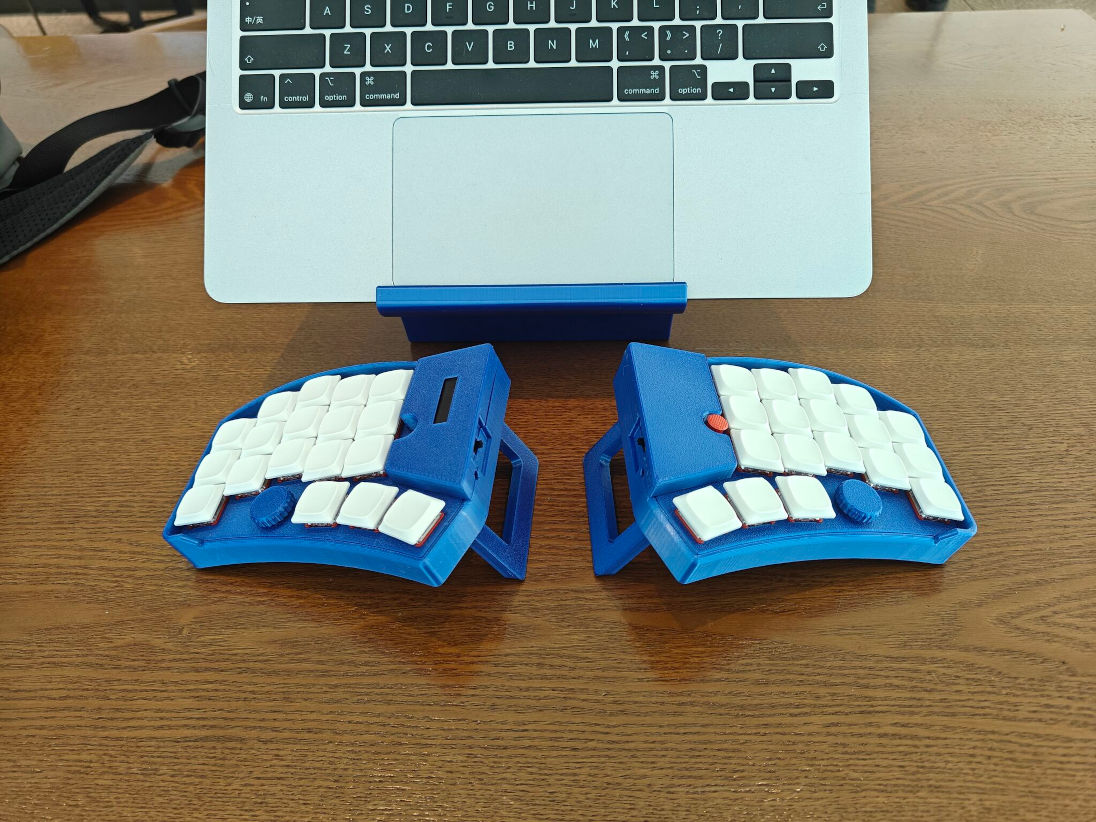
Image by [kleshwong] via GitHubThe first one covers the reasoning behind the reconsideration as well as the BOM and the case. The next video is the complete soldering tutorial, which clocks in at a very watchable fifteen minutes. Finally, [kleshwong] spends another fifteen on assembly and flashing the thing.
As a refresher, this thing has some really neat features like swing-out tenting feet, a pair of trackpoints, rotary encoders, and a carrying case that doubles as a laptop stand.
For the internals, any nice!nano-compatible boards will do. You’ll also need Kailh hot-swap sockets, among other things, naturally. If you have any trouble sourcing like the trackpoints for instance, you’re in luck, because [kleshwong] recently opened an online store. Go forth and build the ultimate portable split!
The Centerfold: Glove80 Looks Good In Wood
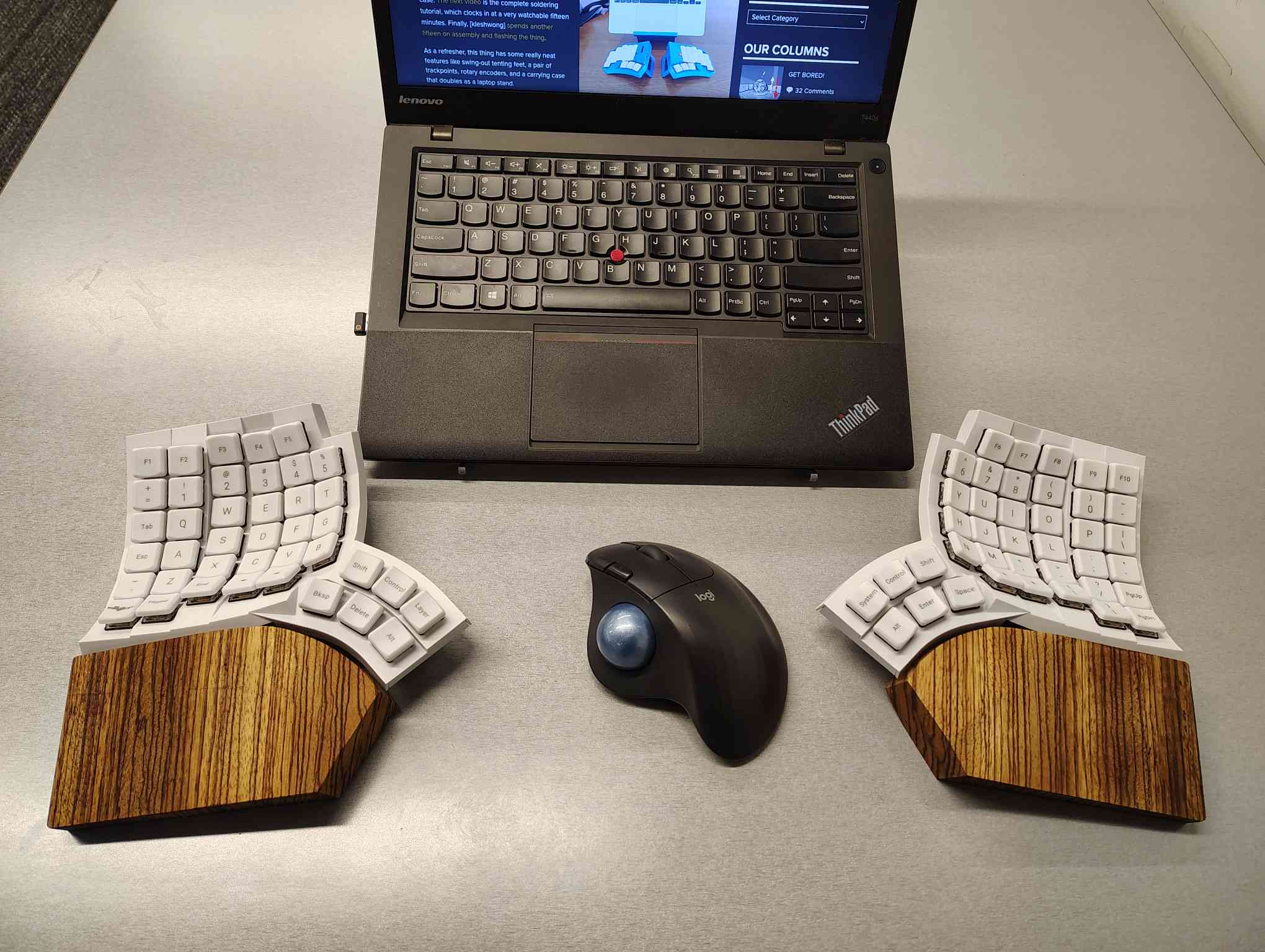
I’m using my MoErgo Glove80 pretty hardcore these days, driving them all crazy down at the library. But hey, it’s quieter than the big, echo-y Kinesis Advantage, even though they both have browns.
Once I saw the upcoming Go60 by MoErgo, though, I knew I simply needed wooden palm rests for the Glove80. So, over the course of two days, my father-in-law and I fabricated these fetching zebrawood rests, first from pink foam, then from poplar, and finally from book-matched zebra. I think we have a real conversation piece here.
Do you rock a sweet set of peripherals on a screamin’ desk pad? Send me a picture along with your handle and all the gory details, and you could be featured here!
Historical Clackers: a 3D-Printed Index Typewriter!
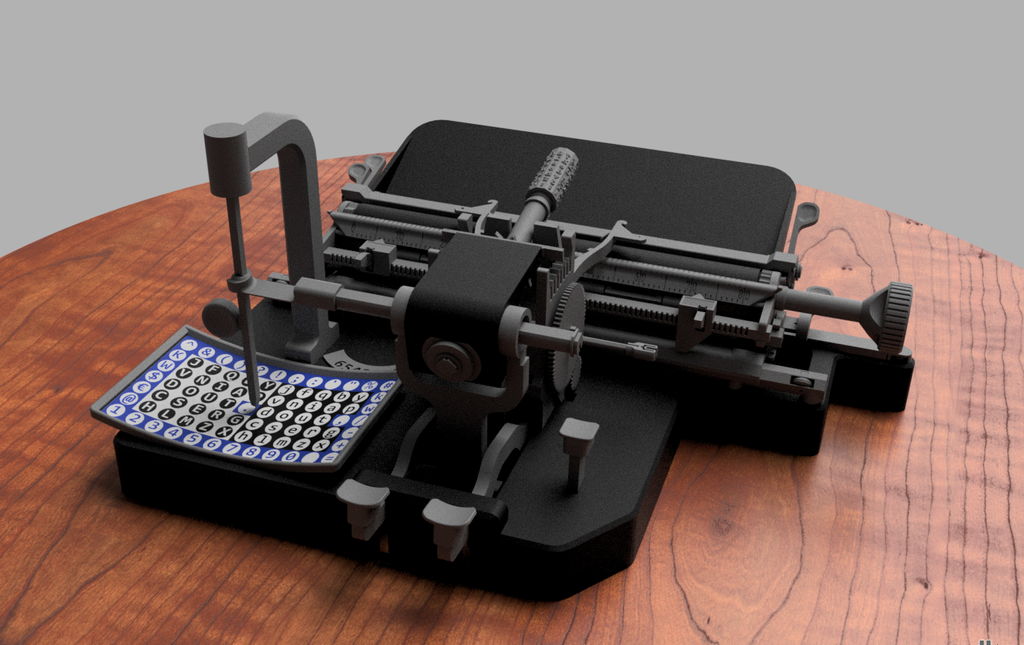
I was sorry to hear that [Keenan Finucan] had to submit this twice in order to get my attention. But here we are, with what is probably the world’s first 3D-printed index typewriter. So, why is this filed under Historical Clackers? Because I said so, and because it’s based on a real antique index typewriter, the AEG Mignon Model 4. This first model of Mignon was designed between 1901-1903 by German company AEG. Mignons were produced until 1932.
Image by [Keenan Finucan] via ThingiverseI suppose I don’t have to explain what an index typewriter is at this point. Besides, it seems pretty obvious in this design, but maybe I’m biased. Essentially it’s like a label maker, the old ka-chunk kind. You squeeze out one character at a time, then you move the index to the next character.
I think this looks fabulous overall, and I rather like the way the index is laid out, which is decidedly non-alphabetical and, surprisingly, does not mirror the AEG index.
[Keenan] reports that thanks to months of work and revisions, this project is as accessible and repeatable as possible. You don’t even need any glue, and non-printed items are at a minimum. You will need a minimum XYZ build volume of 250 x 210 220 mm, TPU or other flexible filament, some springs, a bit of coat hanger wire, and a universal 1/2″ typewriter ribbon, which is pretty widely available.
Finally, $2K Keyboard Computer Is a Return to Form
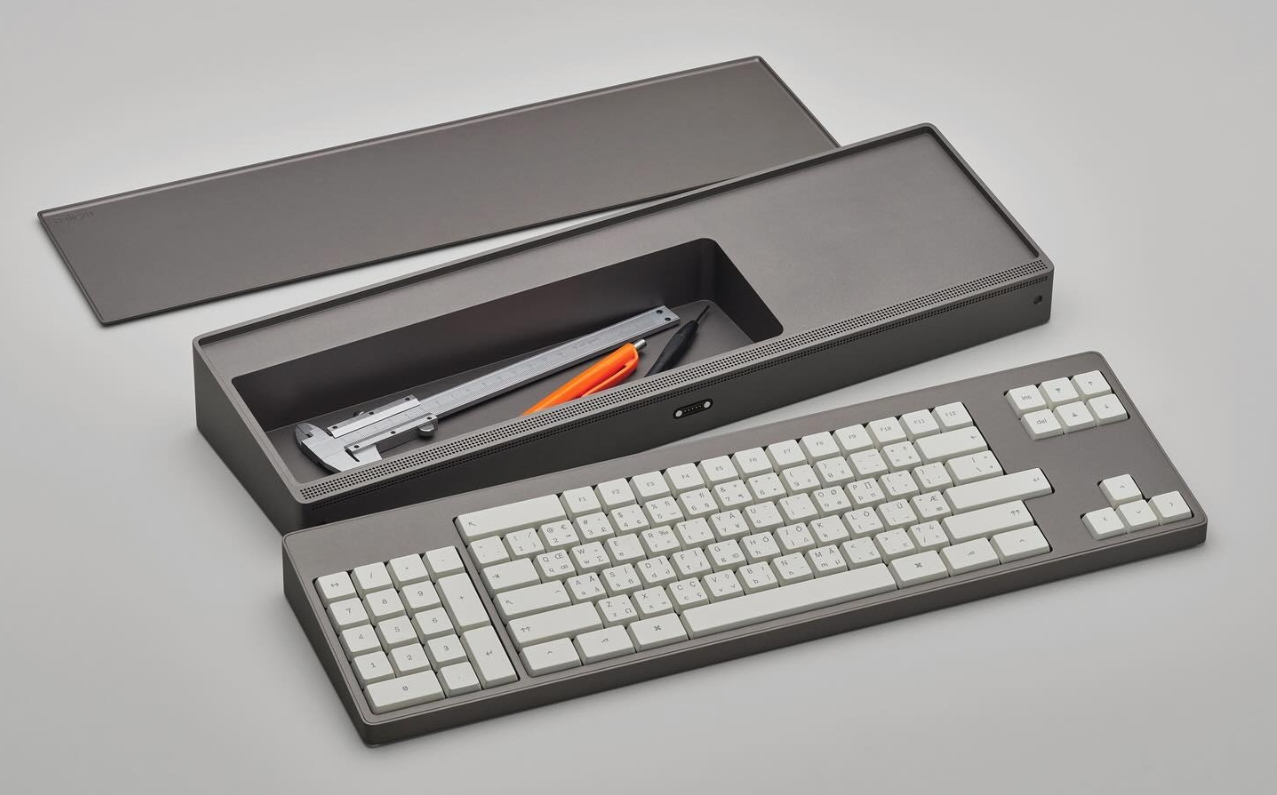
Alright coders, designers, and engineers: this elegant hunk of metal is for you. What we’ve got here is Caligra’s c100 Developer Terminal. Described as a “computer for experts”, this is not meant for scrolling social media, although what developer can get through the day without a reddit break or three?
Let’s talk about that body. It’s entirely CNC-milled from a solid block of aluminium, which makes me think of the Icebreaker keyboard we saw here almost exactly a year ago. Both double as handy bludgeoning devices, but this one is decidedly more attractive. The bead-blasted finish of the c100 does simultaneously evoke modern and industrial design, so I’ll agree with Yanko on that note.
The coolest part is half-evident in the picture I chose. There’s a central magnetic pivot structure, and this lets you detach and fold the thing up even smaller, without any external hinges.
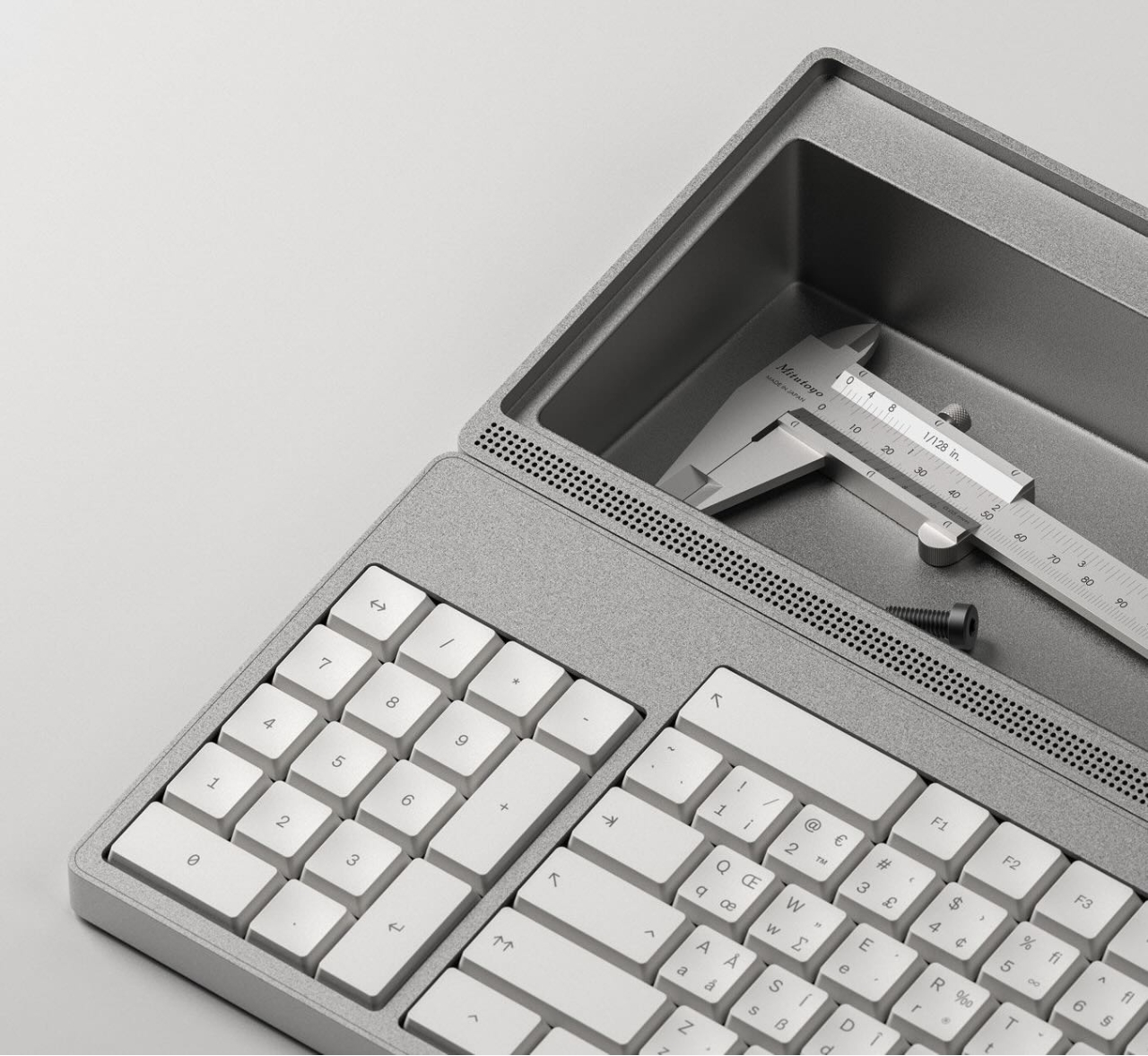
I thought the storage compartment gimmicky at first, but I’ve grown to like the idea of having a place for pens and whatnot. Yanko almost threatens to call it subversive in the face of what tech companies probably do not want you doing: opening the thing up. You are supposed to tinker with this one.
For some reason, the num pad is on the left, though I suppose this solves the distance-to-mouse problem. Yanko says the design uses Fitts’ law to accelerate task management, and this is supposed to explain why the keys are clustered the way they are. Basically, the placement of each key has been optimized for both speed an minimal hand movement. The wired mouse looks a bit uncomfortable, however.
This thing ships with Workbench OS, which is Linux-based and built specifically for technical work. There are no pop-ups in Workbench OS, which sounds amazing. So I would think that c100 is for writers, too, provided the keyboard clacks nicely.
A lot of retrocomputer enthusiasts have a favourite system, to the point of keeping up 40 year old flame wars over which system was “best”. In spite of the serious, boring nature of the PC/AT and its descendants, those early IBMs have a certain style that Compaq and the Clones never quite matched. Somehow, we live in a world where there are people nostalgic for Big Blue. That’s why [AnneBarela] built a miniature IBM PC using an Adafruit Fruit Jam board.
If you haven’t seen it before, the Fruit Jam board is an RP2350 dev board created specifically to make minicomputers, with its two USB host sockets, DVI-out and 3.5mm jack. [Anne] loaded a PC emulator by [Daft-Freak] called PACE-32 than can emulate an IBM compatible PC with an 80386 and up-to 8 MB of RAM on this particular board. The video is VGA, 640×480 — as god intended– piped to a 5″ LCD [Anne] picked up from AliExpress.
That display is mounted inside a replica monitor designed by [giobbino], and is sitting on top of a replica case. Both are available on Thingiverse, though some modification was required to provide proper mounting for the Fruit Jam board. [giobbino] designed it to house a FabGL ESP32 module– which has us wondering, if an RP2350 can be a 386, what level of PC might the ESP32-P4 be capable of? We’ve seen it pretend to be a Quadra, so a 486 should be possible. It wasn’t that long ago that mini builds of this nature required a Raspberry Pi, after all.
Speculation aside, this diminutive IBM build leaves us but with but one question: if you played Links386 on it, would it count as miniature golf?
When it comes to the term ‘Raspberry Pi clones’, the most that they really clone is the form factor, as nobody is creating clones of Broadcom VideoCore-based SoCs. At least not if they want to stay safe from Broadcom’s vicious legal team. That said, the Walnut Pi 1B single-board computer (SBC) that [Silly Workshop] recently took a gander at seems to be taking a fairly typical approach to a Raspberry Pi 4 form factor compatible board.
Part of Walnut Pi’s line-up, the Allwinner H616/H168-equipped 1B feels like it takes hints from both the RPi 4B and the Asus Tinkerboard, especially with its nicely colored GPIO pins. There’s also a beefier Walnut Pi 2B with an Allwinner T527 SoC that’s not being reviewed here. Translating the Chinese-language documentation for the board suggests that either the H616 or H618 may be installed, with both featuring a quad-core Cortex-A53, so in the ballpark of the Raspberry Pi 3.
There are also multiple RAM configurations, ranging from 1 GB of DDR3 to 4 GB of LPDDR4, with the 1 GB version being fun to try and run benchmarks like GeekBench on. Ultimately the impression was that it’s just another Allwinner SoC-based board, with a half-hearted ‘custom’ Linux image, no hardware acceleration due to missing (proprietary) Allwinner IP block drivers, etc.
While cheaper than a Raspberry Pi SBC, if you need anything more than the basic Allwinner H61* support and Ethernet/WiFi, there clearly are better options, some of which may even involve repurposing an e-waste Android TV box.
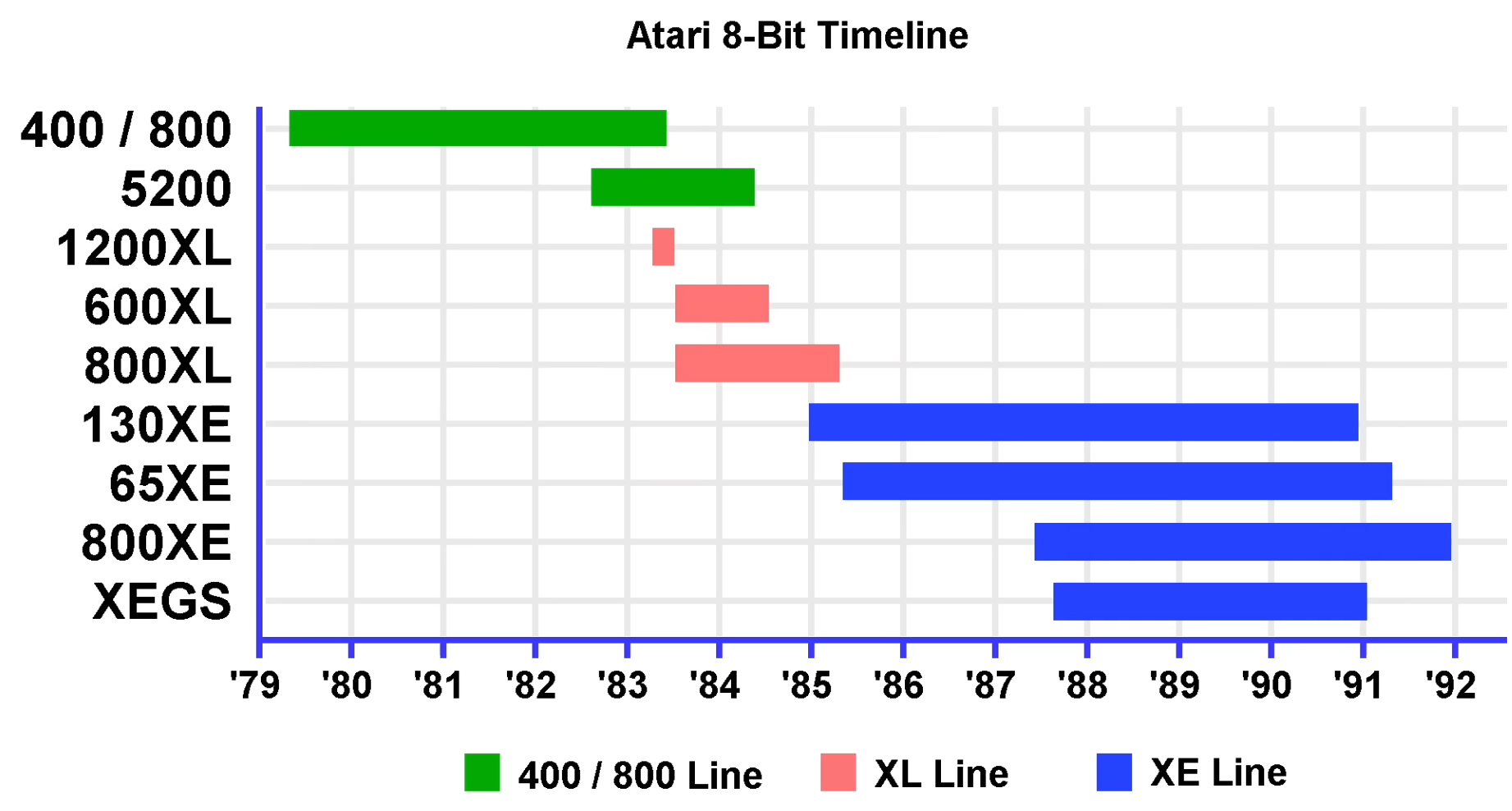
The first Atari came out in 1977, it was originally called the Atari Video Computer System. It was followed two years later, in 1979, by the Atari 400 and Atari 800. The Atari 800 had a music synthesizer, bit-mapped graphics, and sprites which compared favorably to the capabilities of the other systems of the day, known as the Trinity of 1977, being the Apple II, Commodore PET, and TRS-80. [The 8-Bit Guy] says the only real competition in terms of features came from the TI-99/4 which was released around the same time.
The main way to load software into the early Atari 400 and 800 computers was to plug in cartridges. The Atari 400 supported one cartridge and the Atari 800 supported two. The built-in keyboards were pretty terrible by today’s standards, but as [The 8-Bit Guy] points out there wasn’t really any expectations around keyboards back in the late 1970s because everything was new and not many precedents had been set.
[The 8-Bit Guy] goes into the hardware that was used, how the video system works, how the audio system works, and what peripheral hardware was supported, including cassette drives and floppy disk drives. He covers briefly all ten of the 8-bit systems from Atari starting in 1979 through 1992.
[Codeolences] tells us about the FORBIDDEN Soviet Computer That Defied Binary Logic. The Setun, the world’s first ternary computer, was developed at Moscow State University in 1958. Its troubled and short-lived history is covered in the video. The machine itself uses “trits” (ternary digits) instead of “bits” (binary digits).
When your digits have three discrete values there are a multiplicity of ways of assigning meaning to each state, and the Setun uses a system known as balanced ternary where each digit can be either -1, 0, or 1 and otherwise uses a place-value system in the normal way.
An interesting factoid that comes up in the video is that base-3 (also known as radix-3) is the maximally efficient way to represent numbers because three is the closest integer to the natural growth constant, the base of the natural logarithm, e, which is approximately 2.718 ≈ 3.
Want to keep your Amazon Prime videos on your computer? Check out our simple steps to download Amazon Prime Videos to computer directly without limitations.
What is a computer definition? In this article, you’ll know the Full Type of Pc, the straightforward definition of pc, how does pc work, the block diagram of pc, sorts of pc, Makes use of pc, {hardware}, and software ...

 Login
Login