Apple’s iOS 26 and watchOS 26 introduced a new fitness companion called Workout Buddy. This feature uses Apple Intelligence to provide spoken feedback during workouts and give motivation based on your activity history. Workout Buddy analyzes your pace, heart rate, distance and other metrics to deliver real-time encouragement and performance insights directly through connected Bluetooth headphones. It works in conjunction with the Workout app on Apple Watch and is partially controlled through the Fitness app on iPhone. This guide walks you through everything needed to set up and use Workout Buddy effectively during workouts.
What Workout Buddy does
It’s important to note that Workout Buddy is not a full coaching program. Instead, it adds to your workout with spoken cues that reflect how your session is going. Workout Buddy can remind you of your weekly activity totals, alert you to personal bests or performance milestones and provide an overview when you’re finished. It is designed to feel like a supportive training partner rather than a strict coach.
The feature operates in English by default and uses a text-to-speech model trained on voices from Apple Fitness+ trainers. It is available for a subset of workout types, including running, walking, cycling, high-intensity interval training (HIIT) and strength training. It requires on-device Apple Intelligence, which means you’ll need to keep one of the latest iPhones running updated software nearby during workouts.
Supported models include iPhone 15 Pro, iPhone 15 Pro Max and any iPhone 16 model. You’ll also need an Apple Watch running watchOS 26.
Requirements before you begin
Before Workout Buddy appears in your Fitness app or Workout app you must ensure a few things are in place. First, your Apple Watch must be running watchOS 26 or later and paired to an iPhone with iOS 26 installed. Second, your iPhone must be capable of on-device Apple Intelligence, meaning you must own one of the supported iPhone models we mentioned above and have Apple Intelligence enabled in the phone’s settings.
You’ll also need Bluetooth headphones paired with either your iPhone or your Apple Watch. Workout Buddy’s audio feedback cannot play through the watch speaker so headphones are essential. Lastly, your device language must be set to English, at least initially. If any of these things are missing, the option to enable Workout Buddy may not appear.
How to turn on Workout Buddy from iPhone
While much of the interaction with Workout Buddy happens on Apple Watch during workouts, you can enable it and choose voice options from the Fitness app on iPhone.
Open the Fitness app on your iPhone and tap the Workout tab at the bottom. Scroll through the list of workout types until you find one you plan to use with Workout Buddy. Tap the waveform bubble icon associated with that workout. This will bring up settings where you can turn on Workout Buddy. Flip the toggle to enable it and choose a voice from the available options. Once you have selected a voice, close that screen and your choice is saved. When you start this workout type on Apple Watch, Workout Buddy will activate.
Enabling Workout Buddy for a workout type on iPhone means you do not need to toggle it on separately on Apple Watch each time for that specific workout. However, you may still adjust it from the watch interface for more granular control.
How to turn on Workout Buddy on Apple Watch
To use Workout Buddy during a session, open the Workout app on your Apple Watch. Turn the Digital Crown to scroll through and select the workout you want to do, such as Outdoor Run, Outdoor Walk, Outdoor Cycle, HIIT or Strength Training. If you want to see all available workouts, tap the Add button at the bottom.
Once the workout type is selected, look for the Alerts button on screen. Tap Alerts then scroll until you see Workout Buddy. Tap Workout Buddy and flip the switch to on. You will then be asked to choose a voice if one is not already selected on your iPhone. After selecting the voice, return to the previous screen and tap Start. Workout Buddy will begin working as soon as the workout does.
Using Workout Buddy during a workout
Once you start an exercise on your Watch or iPhone, Workout Buddy will speak to you through your connected headphones. The feedback is designed to be encouraging and relevant to your pace, performance or milestones. It may mention your current progress toward activity goals, pace, splits, personal bests or other highlights from your fitness data. At the end of your session Workout Buddy will offer a summary of key metrics like duration distance and calorie burn.
While a workout is active, you can temporarily mute the audio if you need silence. On Apple Watch during the session, swipe right to reveal controls then tap Mute. This pauses Workout Buddy’s spoken commentary without disabling the feature entirely.
Customizing and managing Workout Buddy settings
Workout Buddy is enabled on a per-workout-type basis. If you prefer voice feedback for running but silence for strength training, you can enable it for one and leave it off for the other. The Fitness app on iPhone allows you to set a default voice preference for each workout type. On Apple Watch you can quickly toggle the feature on or off before starting a session.
If Workout Buddy does not appear as an option for a particular workout type, you may need to check compatibility. Apple’s documentation indicates that only certain types* are supported initially and that the option will not appear for unsupported workouts.
*Apple Watch SE (2nd generation), Apple Watch SE 3, Apple Watch Series 6, Apple Watch Series 7, Apple Watch Series 8, Apple Watch Series 9, Apple Watch Series 10, Apple Watch Series 11, Apple Watch Ultra, Apple Watch Ultra 2, Apple Watch Ultra 3
Troubleshooting common issues
If Workout Buddy fails to activate make sure your devices meet the requirements outlined above. Confirm that your iPhone with Apple Intelligence is nearby and that Bluetooth headphones are connected. If audio feedback is missing, ensure headphones are paired correctly and that the language is set to English. Some users have reported that if the headphones are paired only to the Watch rather than the iPhone, it can interfere with feedback. Switching to the iPhone often resolves that issue.
For workout types where Workout Buddy previously worked but suddenly does not appear, you may try toggling the feature off and on again in the Fitness app or rebooting both devices. In rare cases removing and re-adding the workout type on Apple Watch can refresh the settings.
This article originally appeared on Engadget at https://www.engadget.com/wearables/how-to-use-workout-buddy-with-apple-watch-and-ios-26-130000922.html?src=rss
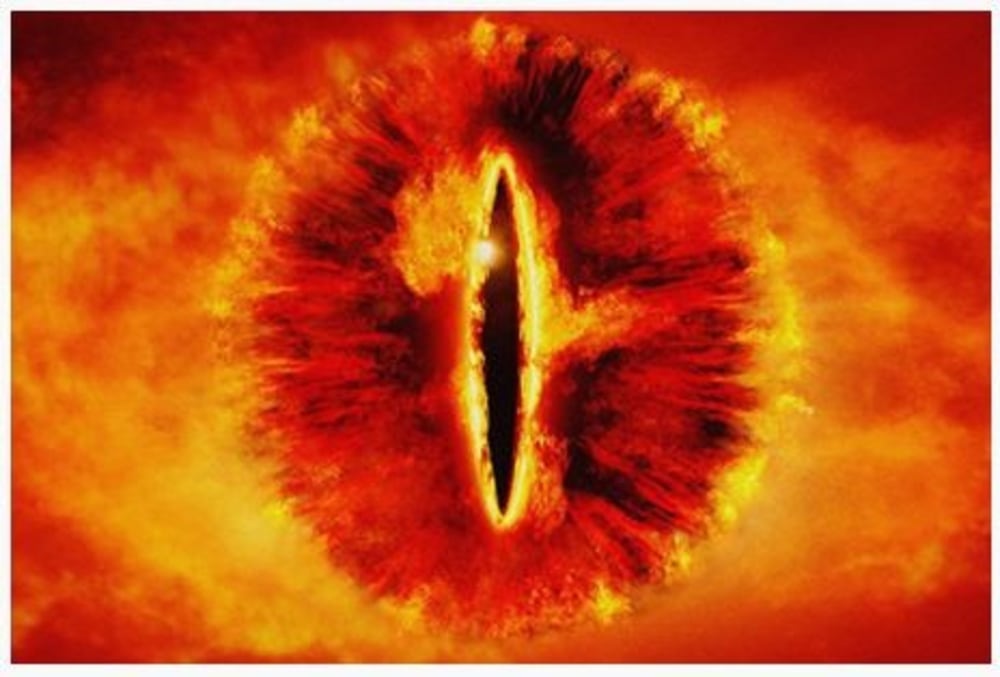
The Helix Nebula is one of the most well-known and commonly photographed planetary nebulae because it resembles the "Eye of Sauron." It is also one of the closest bright nebulae to Earth, located approximately 655 light-years from our Solar System.
You may not know what this particular nebula looks like when reading its name, but the Hubble Space Telescope has taken some iconic images of it over the years. And almost certainly, you'll recognize a photograph of the Helix Nebula, shown below.
Like many objects in astronomy, planetary nebulae have a confusing name, since they are formed not by planets but by stars like our own Sun, though a little larger. Near the end of their lives, these stars shed large amounts of gas in an expanding shell that, however briefly in cosmological time, put on a grand show.
AirPods work most smoothly with Apple hardware, but they also connect reliably to Android phones, Windows laptops and other Bluetooth devices. The pairing process depends on the platform in use although the basics remain the same. Once the AirPods are placed in pairing mode, most devices detect them quickly and handle the remaining steps in the background. The guide below explains how to pair AirPods with Apple products, how the process differs on newer iPhones that support H2 features and how to connect them to non-Apple devices.
How to pair AirPods with Apple devices
Apple builds AirPods to pair almost instantly with devices in its own ecosystem. Opening the charging case near an unlocked iPhone or iPad usually brings up an on-screen prompt. Tapping Connect links the earbuds to the device and to every other Apple product signed into the same iCloud account. After that, switching between devices is automatic. Audio output follows the active device as long as each product is using updated software and is signed in with the same Apple ID.
If the pairing prompt does not appear, there are a few simple checks that help things move along. Opening the Control Center and selecting the audio output menu confirms whether the AirPods already appear as an available device. If they are listed there, choosing them establishes the connection. If they do not appear, opening the Settings app and checking Bluetooth usually reveals whether the AirPods are in range or already recognized. Opening the case while viewing the Bluetooth menu often triggers the pairing card once more.
The process is similar across Apple Watch and Mac. When the AirPods are already linked to an iPhone, they tend to show up automatically on a paired Apple Watch. On Mac, opening System Settings and viewing the Bluetooth section reveals the same device list seen on an iPhone. Selecting the AirPods from that list completes the connection and also syncs the pairing status back to every other Apple device using the same account.
Enhanced pairing with newer iPhones
Some newer iPhones support features enabled by the H2 chip used in newer AirPods models. With compatible AirPods, models such as iPhone 15 Pro, iPhone 15 Pro Max and the iPhone 16 lineup tend to deliver a faster and more responsive setup experience. When an AirPods case is opened near one of these phones, the device quickly detects the earbuds and displays the pairing card with little delay. This also tends to speed up transitions between devices and improves reliability when switching audio sources.
If the fast pairing prompt does not appear on a newer iPhone, reopening the case while the phone is unlocked is usually enough to reinitiate the process. It also helps to confirm that Bluetooth is turned on. Placing the AirPods back in the case for a few seconds and trying again will often reset the pairing state if the earbuds were connected elsewhere.
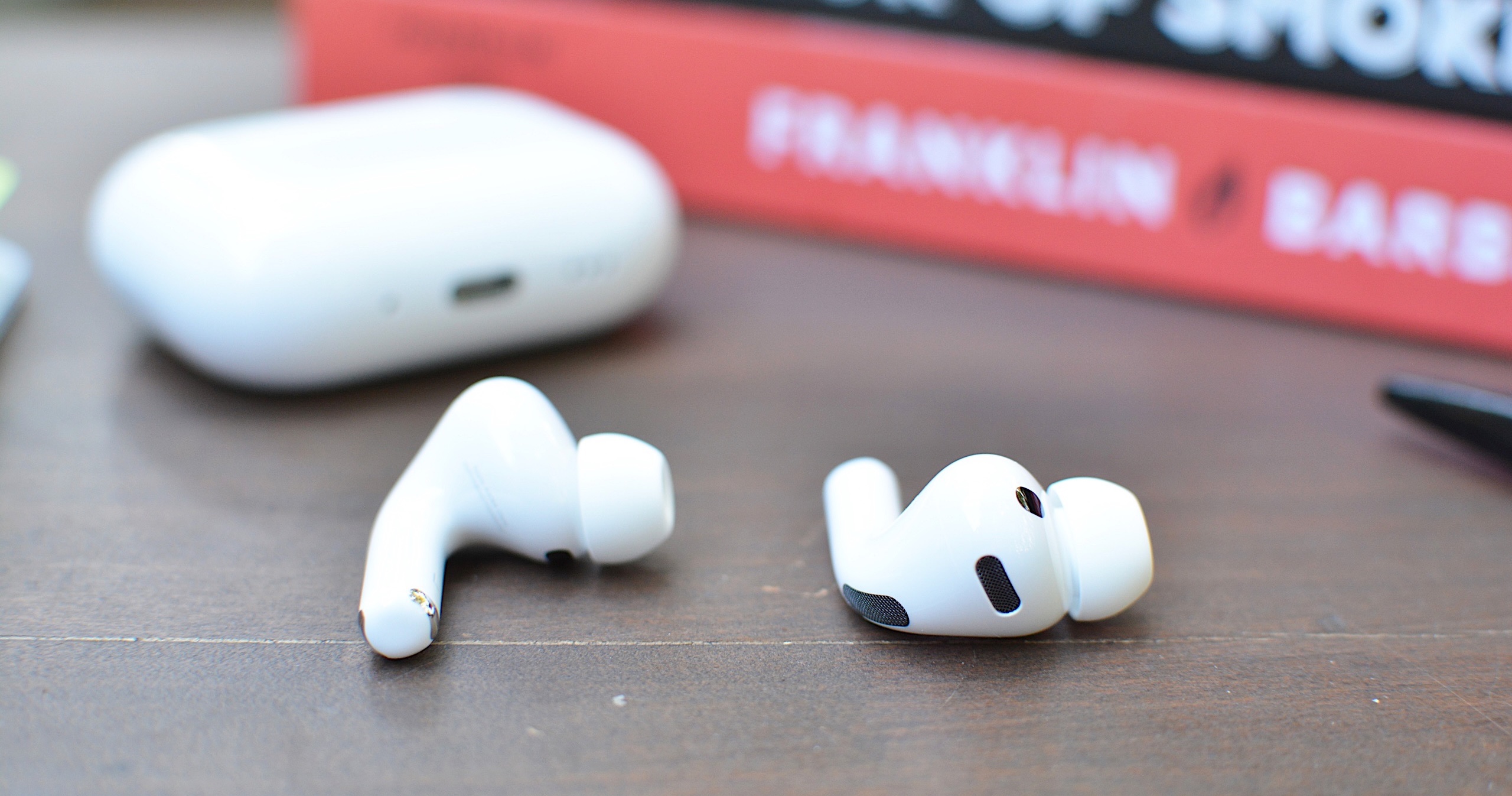
AirPods Pro 3
Engadget
How to put AirPods into pairing mode
Every AirPods model supports a manual pairing mode. This is essential when linking the earbuds to devices outside the Apple ecosystem, or when the automatic prompt fails to appear on an iPhone or Mac. On older AirPods models, pairing mode is activated by opening the lid and pressing and holding the setup button on the back of the case until the LED light flashes white. Newer models, including AirPods 4 and AirPods Pro 3, use a touch-based method instead. With the lid open, tapping the area near the LED light places the earbuds into pairing mode. Leaving the lid open keeps the AirPods discoverable for nearby devices. Closing the case ends the process and requires it to be repeated if the device fails to detect them.
Pairing mode does not remove any previous connections. It simply makes the AirPods available to new devices, which is helpful when switching between ecosystems. However, connecting to a new device usually takes priority. If the AirPods are already linked to something else that is nearby, turning off Bluetooth on the previously connected device prevents interference and helps the new device detect them more easily.
How to pair AirPods with Android devices
Although AirPods are designed for Apple hardware, they function like any other Bluetooth earbuds on Android. Opening the case and placing the AirPods in pairing mode allows Android phones to detect them through the standard Bluetooth menu. The earbuds appear in the list of available devices and selecting them initiates the connection. Once paired, AirPods work for calls and media playback. Some features, such as automatic ear detection and battery status indicators, may require a third-party app on Android and are not supported at a system level. Features such as spatial audio and device switching remain exclusive to Apple’s ecosystem but day-to-day performance is consistent on Android.
If the AirPods fail to appear, refreshing the Bluetooth device list on the Android phone usually helps. Making sure the earbuds are still in pairing mode is essential since the white LED indicator stops flashing after a short period. Reopening the case and holding the button again, or tapping on the front for newer models, restores discoverability.
How to pair AirPods with Windows laptops
Windows 11 handles AirPods as a regular audio device. Opening the Bluetooth and Devices menu in System Settings displays a list of nearby accessories. With the AirPods in pairing mode, the laptop should detect them and display them as an audio device. Selecting them completes the process and adds the earbuds to the device’s known accessories. Windows generally reconnects to AirPods automatically on future sessions as long as Bluetooth remains enabled.
If the earbuds do not appear in the list, toggling Bluetooth off and back on helps the system refresh the device scan. Checking whether the AirPods are already linked to a different device is another useful step. Windows sometimes struggles to take over a connection when the earbuds remain in range of a previously paired phone so disabling Bluetooth on the other device often resolves the issue.
Troubleshooting common pairing issues
Most pairing problems come down to the AirPods not being in discoverable mode or being connected to another device nearby. Resetting the earbuds solves many problems. On AirPods models with a setup button, placing the AirPods in the case, leaving the lid open and holding the button until the LED turns amber then white restores the factory pairing state. On newer models without a physical button, place the AirPods in the case, close the lid for about 30 seconds, then open it and quickly tap the front of the case three times. The status light should then flash amber and then white, to indicate that the reset is complete. This clears previous connections and makes the AirPods behave as if they are new out of the box.
Low battery levels can also interrupt pairing. Ensuring both the earbuds and the case have enough charge prevents unexpected disconnections during setup. Interference from other wireless accessories affects pairing on crowded networks. Moving to a quieter spot or turning off surrounding Bluetooth devices helps the AirPods stand out when scanning.
AirPods are built to pair quickly with Apple devices but they also integrate smoothly with other platforms. Keeping the earbuds in pairing mode and confirming that Bluetooth is enabled on the device in use ensures a smooth setup every time. Once connected, the AirPods tend to remember the device and reconnect whenever they are nearby which keeps day-to-day use simple regardless of the platform.
This article originally appeared on Engadget at https://www.engadget.com/audio/headphones/how-to-pair-airpods-with-any-device-140000234.html?src=rss
Good morning, readers, and happy Friday. Welcome to This Week in Space, our Friday morning roundup of the week’s most important space news. Today we’ve got a bunch of good news, including a newfound exoplanet and a dozen new moons orbiting Jupiter. We’ve also got a report of an absolutely wild idea — a literal moonshot — for fighting climate change with moon dust.
SpaceX Starship Aces Static Fire Test
Thursday afternoon, SpaceX ran a successful static fire test of its gigantic Starship rocket. With 33 separate Raptor engines, Starship has the most engines of any rocket ever. Together, their thrust is twice that of a Saturn V or the Space Launch System. Is anyone else amazed the struts can hold that thing on the gantry?
Only 31 of the 33 engines fired. However, that’s actually good news because it means Starship can handle multiple engine failures.
SpaceX hopes to attempt a test flight for Starship in March. “That first flight test is going to be really exciting. It’s going to happen in the next month or so,” said Gwynne Shotwell, SpaceX’s president and chief operating officer.
“We will go for a test flight and we will learn from the test flight and we will do more test flights,” Shotwell added. “The real goal is to not blow up the launch pad. That is success.”
ISS Astronauts Work On Plasma Crystals, Space Plumbing
We’ve talked about how the folks aboard the International Space Station have to become polymaths to keep up with the demands of life in orbit. This winter, among many other pursuits, NASA astronauts on the ISS have been tending tomatoes and working on avant-garde methods of space propulsion. But the most recent projects in low-earth orbit make space tomatoes sound outdated. Over the past few days, crew on the ISS have been working on plasma crystals, servicing jetpacks, and… doing space plumbing.
NASA astronaut Frank Rubio and JAXA astronaut Koichi Wakata spent Thursday doing maintenance on the station’s water recovery system and orbital plumbing for the station’s bathroom, respectively. Meanwhile, station commander Sergey Prokopyev worked inside the Columbus lab “configuring video hardware that records how clouds of highly charged particles, or plasma crystals, behave in microgravity.”
Hubble Captures New Portrait of Tarantula Nebula
The Tarantula Nebula is the brightest star-forming region in our cosmic neighborhood. It’s not even in our galaxy — it’s in the Large Magellanic Cloud, one of the Milky Way’s satellite galaxies. But it’s so bright that it dazzles even at that distance. Astronomers recently used the Hubble space telescope to capture this image of the Tarantula Nebula in all its splendor:
What you see here is actually a joint effort between two different astronomy projects. One team sought to analyze the properties of dust grains floating between stars — a proposal dubbed Scylla by the Hubble team. Those dust grains create the dark, wispy clouds spread across the frame. The other, called Ulysses, studies interstellar dust and starlight interactions.
Curiosity Finds Clues to Mars’ Watery Past
NASA’s Perseverance rover went to Mars with a plan: Scour the planet’s surface for evidence that can teach us about Mars’ history and tell us whether the Red Planet might once have supported life. During its two years on Mars, the rover has found silicate clay and other minerals, signs that liquid water once flowed across Mars’ surface. But none of its discoveries have had evidence of water as visually obvious as a photograph that the agency’s Curiosity rover recently captured. The rover caught a photo of sandstone rock with ripples carved out of its surface, showing that the rock was once at the bottom of a lake.
The ripples support our observations of Mars’ weather and climate. Gentle, constant winds create standing ripple patterns like these. This fits with the constant prevailing winds and planetwide dust storms we’ve seen on Mars. It’s also exciting evidence that Mars indeed had liquid water once upon a time.
Russia Launches Progress Spacecraft to International Space Station
Russia successfully launched a Progress capsule aboard a Soyuz rocket this week, bound for the International Space Station. The rocket launched from Russia’s Baikonur aerodrome early Thursday morning, local time. This capsule, ISS Progress 83 (83P), carries about three tons of supplies, including food, water, and air. It will dock with the Russian Zvezda module on Saturday morning, replacing the Progress capsule that left Monday afternoon.
What happens to Progress 82 once it departs? Progress capsules are expendable. This means that the crew on the ISS loads the capsules with trash from the station while it’s docked. Then, hours or days after the capsule undocks, it burns up in the atmosphere.
CAPSTONE Lunar Satellite Reports In After 11-Day Glitch
NASA’s CAPSTONE satellite is finally responding to hails after nearly two weeks incommunicado. A software glitch left the probe unresponsive on Jan. 26 until it rebooted itself Monday.
“The spacecraft remained overall healthy and on-course throughout the issue,” NASA said in a blog post. “On Feb. 6, an automatic command-loss timer rebooted CAPSTONE, clearing the issue and restoring two-way communications between CAPSTONE and the ground.”
The satellite has made twelve successful circuits in its near-rectilinear halo orbit (NRHO) — twice what its original mission expected. That’s great news for NASA. CAPSTONE is trying out the fancy new NRHO orbit because it’s more fuel efficient than other lunar orbits we’ve used. In twelve orbits, CAPSTONE has only had to fire its engine twice. This smashing success means the agency may use the new orbital pattern for lunar support satellites under the aegis of its Artemis project.
Rolls-Royce Building Nuclear Engine For Spaceships
Did you know Ball makes Mason jars — and parts for space telescopes? Ball made parts for Hubble and the mirrors for the JWST. In a similar fashion, Rolls-Royce appears to be branching out. Way out. The luxury automaker’s subsidiary, Rolls-Royce Holdings, has announced plans to build a nuclear engine for deep space exploration.
Webb Telescope Breaks Own ‘Speed Limit’ Tracking DART Impact
NASA’s Guaranteed Time Observation program gives a certain amount of telescope time to those who worked on the JWST. One GTO project: Making observations of NASA’s DART kinetic asteroid redirect test. However, the project brought an unlooked-for surprise. Wednesday, JWST deputy project scientist Stefanie Milam explained how the telescope broke its own speed limit watching the asteroid impact.
Webb launched with the ability to track objects moving through the sky as fast as Mars. But scientists who study fast-moving small bodies like asteroids, comets, and interstellar objects “really wanted to study objects that moved faster than Mars,” said Milam. So, the team set out to show that not only could Webb exceed this “notional speed limit,” it could go much faster. Their efforts paid off when it came time to observe the DART asteroid impact.
NASA’s DART kinetic asteroid redirect test, as seen by the JWST. Image: NASA/JPL
The video Webb captured of the Dimorphos impact showed that the telescope can move its field of regard at more than triple its original maximum speed. Most of the time, though, Milam says the telescope will confine itself to double its original turning speed. Darn.
Chris Hadfield Meets With King Charles III
On Thursday, Canada’s favorite astronaut, Chris Hadfield, met with King Charles III at Buckingham Palace. The two sat down to discuss “efforts to encourage sustainability in space,” according to the Royal Family’s official Twitter.
“What a pleasure and privilege to be asked to advise and assist, and make the King laugh,” Hadfield wrote afterward.
While we don’t yet have specifics, Charles is a longtime environmentalist. Could it be that the King is interested in cleaning up space junk?
A Shield of Lunar Dust Could Help Cool Earth
Astrophysicists are pondering the pros and cons of a literal moonshot to blunt the effects of climate change. In a recent study, a group of researchers proposed launching moon dust into orbit around Earth to create a dusty shield that would reduce Earth’s exposure to the Sun. Evidently, lunar dust grains are just the right size and composition to block some of the solar energy that would hit the Earth.
For six days out of the year, the researchers say, the dust cloud would shield Earth from a few percent of the Sun’s radiation. To carry out this plan, the researchers’ numbers require dredging up some 22 billion pounds of lunar dust. They could fire the dust into orbit from the Moon or a platform in orbit — potato, poterrible idea. Surely there is some lower-hanging fruit?
Scientists Find a Dozen New Moons Orbiting Jupiter
In October 2019, astronomers at the Carnegie Institution for Science found 20 new moons orbiting Saturn. This made Saturn the “moon king” of the Solar System, with a total of 83. However, the same team has announced they’ve found a dozen new moons orbiting Jupiter.
An international team of astronomers has reported a newfound exoplanet in our cosmic backyard. The new planet, Wolf 1069 b, is between 1 and 1.4 Earth masses and just 8% bigger. Calling it Earth-like might be a stretch: Wolf 1069 b zips around its low-mass red dwarf star in just 15 Earth days. However, it’s just 31 light-years away.
Unlike our nearest neighbor, Proxima Centauri, Wolf 1069 doesn’t show the characteristic bursts of violent flares we frequently see in red dwarf stars. This could mean it has managed to retain an atmosphere. If so, the planet’s surface temperature could be about 55 degrees Fahrenheit. If not, it’s more likely an iceball, too cold to sustain liquid water.
Skywatchers Corner
Comet C/2022 E3 (ZTF) is a once-in-an-epoch visitor from the outer solar system. We haven’t seen it since the time of the Neanderthals, but it’s come back for one last visit. The outbound comet passed close to Earth last week. Now, it’s buzzing Mars.
It’s green! Comet C/2022 E3 (ZTF) and its twin tails. Image: NASA
The green comet will be near Mars in the constellation of Taurus for the next several days. After sunset, look high in the sky for the best shot at catching it through binoculars or a telescope. After Feb. 14, the comet will start heading toward Orion and Eridanus.
If you don’t have a good shot at viewing the comet where you are, you can still catch it online. This weekend, the Virtual Telescope Project is webcasting a free livestream of the comet’s approach to the Red Planet. The livestream will begin this Saturday, Feb. 11, at 2 p.m. EST (1900 GMT). You can watch it on the project’s website and YouTube channel.
Feature image: This week’s waning gibbous moon, taken from the International Space Station. Courtesy of NASA HQ Flickr.
This image by NASA’s James Webb Space Telescope’s Near-Infrared Camera (NIRCam) features the central region of the Chamaeleon I dark molecular cloud, which resides 630 light years away. The cold, wispy cloud material (blue, center) is illuminated in the infrared by the glow of the young, outflowing protostar Ced 110 IRS 4 (orange, upper left). The light from numerous background stars, seen as orange dots behind the cloud, can be used to detect ices in the cloud, which absorb the starlight passing through them.
An international team of astronomers has reported the discovery of diverse ices in the darkest regions of a cold molecular cloud measured to date by studying this region. This result allows astronomers to examine the simple icy molecules that will be incorporated into future exoplanets, while opening a new window on the origin of more complex molecules that are the first step in the creation of the building blocks of life.
Hello, folks, and welcome back to your favorite Friday roundup of all the space news fit to print. This week we’ve got experimental rocket engines, a gigantic map, and galaxies galore. The James Webb Space Telescope found hydrogen in a galaxy more than eight billion light years away, and the coldest ice ever, but it’s currently down due to a software glitch.
Closer to home, Rocket Lab launched their Electron rocket from US soil for the first time. NASA came together for a day of remembrance that somehow managed to be both somber and ineffably sweet.
JWST Spots the Coldest Chamaeleon
If you wish to make an apple pie from scratch, you must first invent the universe. And somewhere along the way, you’ll need one of the ancient molecular clouds of dust and ice from which stars and habitable planets like Earth are born. This week, Webb scientists announced that the telescope has spotted just such a place. It’s a stellar nursery called the Chamaeleon I cloud, loaded with these primordial crystals. That’s the tableau you’re seeing in the image above — you can tell it’s from Webb by those iconic six-pointed stars. The ice contains traces of sulfur and ammonia, along with simple organic molecules like methanol. And at just ten degrees above absolute zero, it’s the coldest ice ever found.
“We simply couldn’t have observed these ices without Webb,” said Klaus Pontoppidan, a Webb project scientist involved in the research. “The ices show up as dips against a continuum of background starlight. In regions that are this cold and dense, much of the light from the background star is blocked, and Webb’s exquisite sensitivity was necessary to detect the starlight and therefore identify the ices in the molecular cloud.”
‘Virginia Is for Launch Lovers’: Rocket Lab Launches Electron Rocket From US Soil
Late Wednesday evening, aerospace startup Rocket Lab successfully launched its Electron rocket from NASA’s Wallops Flight Facility in Virginia. This was the 33rd launch of the Electron, but its first launch from American soil.
The Electron isn’t reusable — but in 2021, Rocket Lab announced the Neutron. Designed for reusability, the Neutron will have about a third of the lift capacity of a Falcon 9.
NASA ‘Rotating Detonation Engine’ Aces Hot Fire Tests
Speaking of 3D-printed rocket engines: NASA announced this week that it has successfully validated a next-gen rocket engine it hopes will revolutionize rocket design. The new engine generates thrust “using a supersonic combustion phenomenon known as a detonation.” And this is no experimental error — their full-scale alpha build produced more than 4,000 pounds of thrust at full throttle.
These engines get their name (rotating detonation rocket engine, or RDRE) from the unique way they produce thrust. Detonation waves echo around a circular chamber, wringing out every bit of energy from the rocket fuel. It’s great for efficiency, but it puts the whole system under extreme pressure. Undaunted, NASA turned to an advanced additive manufacturing process, even developing its own bespoke metal alloy for the task.
According to the agency, the RDRE incorporates the agency’s GRCop-42 copper alloy into a powder bed fusion (PBF) additive manufacturing process. PBF uses a laser or particle beam to seamlessly fuse ultra-fine particles. It’s a lot like the sintering process used to make the space shuttle rocket engines — and even they had to be actively cooled by the rockets’ own cryofuel, in order to withstand the unearthly temperatures and pressures of takeoff. If the design holds up, NASA intends to use RDRE in its efforts to establish a long-term presence off-planet.
Dark Energy Detector Plots Largest-Ever Map of Galaxy
Astronomers have created a gargantuan map of the Milky Way, using a telescope built to detect dark energy. Featuring more than three billion stars, it focuses on the galaxy’s orbital plane — a region notoriously difficult to study.
Earth’s atmosphere scatters starlight so that points of light turn into point clouds. So, the astronomers just dove right in. To isolate different stars and celestial objects, the group used some extra-snazzy math to get rid of noise. This allowed them to “paint in” the proper background, letting them tell one star from another.
Astronomers have released a gargantuan survey of the galactic plane of the Milky Way. The new dataset contains a staggering 3.32 billion celestial objects — arguably the largest such catalog so far. The data for this unprecedented survey were taken with the US Department of Energy-fabricated Dark Energy Camera at the NSF’s Cerro Tololo Inter-American Observatory in Chile, a Program of NOIRLab. Credit: Saydjari et al., via NoirLab
“One of the main reasons for the success of DECaPS2 is that we simply pointed at a region with an extraordinarily high density of stars and were careful about identifying sources that appear nearly on top of each other,” said Andrew Saydjari, lead author on the (open-access!) paper accompanying the gigantic map. “Doing so allowed us to produce the largest such catalog ever from a single camera, in terms of the number of objects observed.”
Experts: Milky Way Too Large for Its “Cosmological Wall”
The history of astronomy has been all about recognizing that our place in the universe isn’t all that special. We’ve gone from the center of all existence to just another planet orbiting an average star in one of billions and billions of galaxies. However, a new simulation hints that there might be something special about the Milky Way after all.
Yepun, one of the four Unit Telescopes of the Very Large Telescope (VLT) at the European Southern Observatory, studies the center of the Milky Way. Yepun’s laser beam creates an artificial “guide star” to calibrate the telescope’s adaptive optics. Image: ESO/Yuri Beletsky
The model suggests that the Milky Way is far larger than it should be, based on the scale of the “cosmological wall”: an incomprehensibly huge semi-planar structure occupied by the Milky Way and other galaxies in the Local Group.
Scientists Detect Atomic Hydrogen in Most Distant Galaxy Ever
An international team of astronomers announces the discovery of cold atomic hydrogen, more than eight billion light-years from Earth. Cooler than ionized plasma but warmer than molecular hydrogen gas, atomic hydrogen is the raw fuel of coalescing stars. The researchers used gravitational lensing to spot the telltale — but deeply redshifted — 21cm line.
Webb Spies Centaur Chariklo’s Delicate Rings
Named for the daughter of Apollo, Chariklo is a centaur: a Kuiper belt object that orbits out past Saturn. It’s the first of its kind ever found with a confirmed ring system. The thing really is tiny; it’s about 160 miles in diameter and has less than two percent the mass of Earth. But a new report from Webb shows even that much mass is enough to sustain two slender rings, for a time.
In a remarkable stroke of scientific luck, the telescope was pointed just right to catch Chariklo as it passed in front of a star. When it did, the star’s light fluttered in a way that betrayed the presence of the rings.
Chariklo has two thin rings — the first rings ever detected (in 2013) around a small Solar System object. When Webb observed the occultation, scientists measured dips in the brightness of the star. These dips corresponded exactly as predicted to the shadows of Chariklo’s rings. pic.twitter.com/sqH08v1lOB
Nothing less than delighted, the astronomers report that Chariklo’s rings are two and four miles wide, respectively. But the asteroid actually has something in common with the Chamaeleon I cloud. Chariklo’s surface is covered in exotic phases of water ice that only Webb can see.
Principal investigator Dean Hines added, “Because high-energy particles transform ice from crystalline into amorphous states, detection of crystalline ice indicates that the Chariklo system experiences continuous micro-collisions that either expose pristine material or trigger crystallization processes.” It’ll be up to the JWST to find out more.
Software Glitch Brings JWST Down for Maintenance
Unfortunately, observations of Chariklo and other celestial bodies will have to wait a while. The JWST had a software glitch this week. Per NASA, the telescope’s Near Infrared Imager and Slitless Spectrograph (NIRISS) “experienced a communications delay within the instrument, causing its flight software to time out.” Unfortunately, this led to a software gridlock.
The telescope is unavailable for science observations because NASA and the Canadian Space Agency are doing root-cause analysis to figure out and fix the problem. But NASA emphasizes that the telescope is fine. There’s no damage and no indication of any danger. If it’s a software problem, it may well be a software fix.
Perseverance Files First Weather Report
Now that it’s been on Mars for a while, the Perseverance rover has filed an authoritative report on Martian weather. The number one takeaway: It’s cold on the Red Planet! The average surface temperature is -67C.
It’s also windy on Mars. Since Mars has an atmosphere, it has surface weather. It also has an axial tilt, so it has seasons, just like Earth. Dust storms can envelop Mars’ entire northern hemisphere.
Plumes of darker, subsurface dust waft to the surface when the sun warms Martian sands beneath transparent sheets of ice. Mars’ shifting winds then blow these plumes of dust into V-shaped patterns. Astronomers are using the plumes to learn more about Mars’ weather and surface climate. Image: NASA
Perseverance is covered in a suite of sensors that constantly monitor wind speed and direction, atmospheric pressure, temperature, humidity, and dust. Together, they make the rover’s Mars Environmental Dynamics Analyzer (MEDA).
Here, you can see the MEDA sensors extending from the rover’s mast below the iconic ChemCam.
“The dust devils are more abundant at Jezero than elsewhere on Mars and can be very large, forming whirlwinds more than 100 meters in diameter. With MEDA we have been able to characterize not only their general aspects (size and abundance) but also to unravel how these whirlwinds function,” says Ricardo Hueso, of the MEDA team.
Perseverance has captured numerous dust devils as they sweep through Jezero Crater. However, to get that data, MEDA’s exposed sensors also face damage from the harsh radiation environment, extreme temperature swings, and the ever-present Martian dust. A dust devil in January of last year kicked up enough debris that it damaged one of MEDA’s wind instruments. Still, the rover perseveres.
NASA’s Bittersweet 2023 Day of Remembrance
Every year, NASA holds a memorial for staff, astronauts, and alumni who have died. 2023’s Day of Remembrance holds a somber significance, as Feb. 1 is the 20th anniversary of the Columbia disaster. Unfortunately, this year’s fallen also included Apollo 7 pilot Walt Cunningham, who passed earlier this month. Cunningham was the last surviving member of the Apollo 7 crew.
As in years past, NASA staff gathered this week at space centers and labs around the country, to honor the sacrifices of those who have given their lives in pursuit of exploration and discovery. But they did it in a way only NASA could do. They held nationwide town-hall safety meetings, to reflect on and improve NASA’s aerospace safety culture.
Ask not for whom the safety alarm tolls; it tolls for thee. NASA safety-culture town hall meeting at its Washington headquarters after the Arlington memorial service. Image: NASA/Keegan Barber via NASA HQ Flickr
What a fitting way to honor lives lost, while still reaching for the stars. Town-hall safety culture meetings. We love you guys. Never change.
Psyche Mission Now Targeting October 2023 Launch
Steady as she goes: After a year’s delay and a missed launch window, NASA’s Psyche mission team is getting the spacecraft in shape to launch this year. In a blog post, the agency said, “After a one-year delay to complete critical testing, the Psyche project is targeting an October 2023 launch on a SpaceX Falcon Heavy rocket.”
When it launches, Psyche will carry a technology demo for NASA’s shiny new Deep Space Optical Communications (DSOC) network. DSOC systems will use lasers for high-bandwidth communications between Earth and the Moon, Mars, and beyond. Beyond a deluge of scientific data, NASA expects that the network will be able to handle high-def images and video.
Skywatchers Corner
Comet C/2022 E3 (ZTF) is a long-period comet that last visited Earth in the time of the Neanderthals. Now it’s back for another close approach. And although we didn’t know this when we found it last year, it turns out the comet’s tail glows pale green, like a luna moth under a streetlight.
The robin’s-egg glow of Comet C/2022 E3 (ZTF)’s tail shines against its twin tails. Image: Dan Bartlett/NASA
At first, astronomers thought it might require binoculars to catch a glimpse of the thing. However, as ExtremeTech’s Adrianna Nine writes, the comet is now visible to the naked eye in places across much of the Northern Hemisphere.
Our verdant visitor will continue its brightening trend while it sails toward Earth. It will make its closest approach to us on February 2: perhaps too soon for a Valentine’s Day spectacular, but right on time for Imbolc, Candlemas, and Groundhog Day.

 Login
Login