Reading view

There are new articles available, click to refresh the page.

An AI pin is beneath Apple

So it's come to this: Apple is reportedly working on a wearable AI pin. According to The Information, it is going to be a small device with "multiple cameras, a speaker, microphones and wireless charging." It sounds like the perfect gadget to pair with the long-awaited AI-powered Siri update, which will also reportedly work as a chatbot. But while many Apple rumors conjure up an air of excitement, the notion of an Apple AI pin sounds downright baffling. Worse, it just seems desperate. 

Apple, the company known for taking its time to jump into new categories with more thoughtful solutions than its competitors, is reportedly chasing the specter of OpenAI's unreleased AI pin. Never mind that OpenAI has never actually produced any hardware, and that it arguably stumbled into its position as a leading AI player. And never mind that Humane's AI pin was a notorious failure that barely worked, and seemed pointless from the start. 

Sure, Apple doesn't want more AI eggs on its face, after the delay of its Siri revamp and the underwhelming (and error-prone) debut of Apple Intelligence. Beyond OpenAI, there's also competition from Meta's Ray-Ban smart glasses, which lean heavily on the company’s AI. There’s also the looming threat of whatever AI hardware Meta is cooking up next, following the layoffs from its virtual reality division. And while Google doesn’t have much to show from its Android XR platform, which aims to bring its Gemini AI to your face, Samsung’s Galaxy XR is a start. We’ve also recently seen compelling demos of Google’s AR glasses prototypes and Xreal’s Project Aura glasses.

If Apple's AI pin serves as a conduit to Siri, is it really that much more convenient than using an iPhone, AirPods or even an Apple Watch to do the same? The company has reportedly nixed plans to put cameras in the Apple Watch, and Bloomberg suggests it’s opting instead to focus on delivering its own smart glasses this year. But it’s not hard to imagine that faster hardware could let the Apple Watch handle more Siri and AI-related tasks on its own. It’s already a fairly self-sufficient device, allowing you to ask basic Siri queries, run apps and listen to music without an iPhone — the cellular models are even more capable since they can take calls and send messages.

Rumors also point to infrared cameras coming to the next AirPods and AirPod Pros. Instead of taking photos, they could enable hand gestures and environmental awareness, which might be useful for Apple Intelligence down the line. The addition of heart rate tracking in the AirPods Pro 3 shows that there are still new features Apple can bring to its buds, beyond listening to music.

At best, an Apple AI pin could just be a simple way for someone to access Siri if they don’t want to wear an Apple Watch, plug in AirPods or have their iPhone within shouting distance. But at least those devices do other things beyond talking to Siri. The same is true for Meta’s Ray-Bans and future smart glasses. Even without accessing AI, they’ll still let you listen to music, take calls and, well, be glasses for those who need prescription frames.

Given the vocal pushback against Meta's Ray-Ban smart glasses, which are also being banned on cruises, clubs and other venues, I'm also not convinced many people would be eager to prominently display a surveillance device throughout the day. Wired’s Julian Chokkattu was questioned about wearing a camera while he was testing the Humane AI Pin, and I’ve also had to explain to curious people why I was wearing Xreal’s smart glasses, which feature a prominent camera accessory.

Sure, we're already living in a panopticon of smartphone cameras, but it's also obvious when someone is using their phone to capture photos and video. An AI pin just dangling off of your clothes is a constant threat, an unblinking eye. Even if Apple implements some sort of capture notification, someone will always try to circumvent it.

While The Information notes Apple's AI pin may never actually see the light of day, I wouldn't be surprised if it does. This is the company that partnered with OpenAI just to make Siri appear slightly smarter with the debut of Apple Intelligence. And instead of building its own home-brewed AI models, it's banking on Google's Gemini to power Siri's big AI upgrade, as well as its future foundation models. When it comes to AI, Apple will do almost anything to avoid being seen as a straggler (and to avoid even more stock declines). 

It’s genuinely strange that Apple, the company that let Samsung and Google get a multi-year head start on foldable smartphones and hasn't yet jumped into the world of smart rings, could fast-track an AI pin for 2027. It’s yet another example of how the AI hype cycle has warped priorities throughout the tech industry. But at least Apple’s fortunes don’t depend on standalone AI hardware as much as OpenAI. 


This article originally appeared on Engadget at https://www.engadget.com/ai/an-ai-pin-is-beneath-apple-182744647.html?src=rss

©

What to expect at Samsung Galaxy Unpacked 2026

Samsung’s 2025 was filled with new foldables, an ultra-thin new form factor and the launch of Google's XR platform. After making some announcements at CES 2026, the company is expected to host its first Galaxy Unpacked of the year in February to introduce the Galaxy S26 lineup.

Engadget will be covering Galaxy Unpacked live, and we'll most likely have hands-on coverage of Samsung's new smartphones soon after they're announced. While we wait for an official invite, here's everything we expect Samsung will introduce at the first Galaxy Unpacked event of 2026.

Galaxy S26, S26+ and S26 Ultra

Samsung Galaxy S25 Ultra hands-on photo
Photo by Sam Rutherford/Engadget

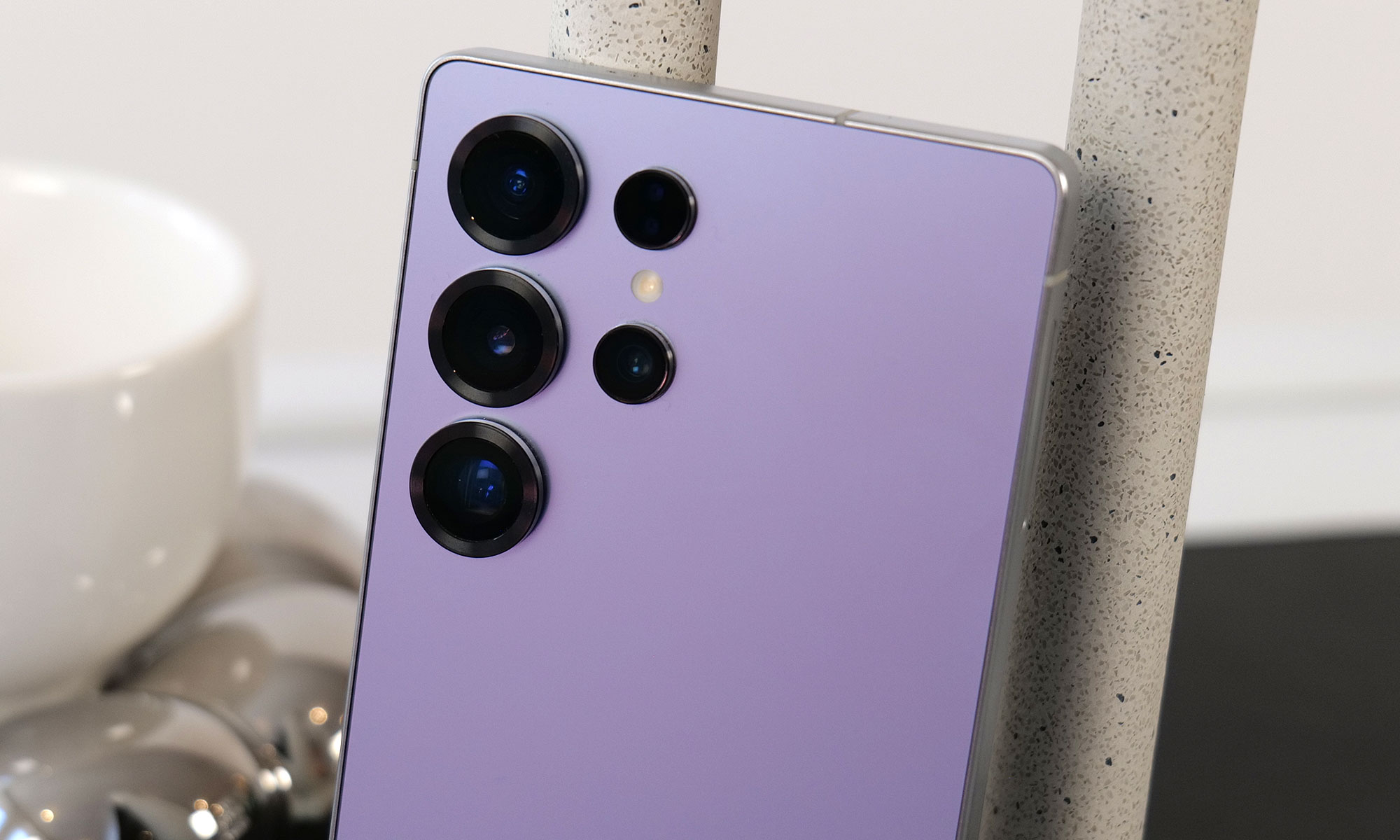
Samsung's restrained approach to updating its phones will likely continue with the Galaxy S26. Based on leaked images of the new lineup, the company is not expected to radically reinvent the look of the Galaxy S26, Galaxy S26+ or Galaxy S26 Ultra, and instead will stick with a similar design to what it used on the Galaxy S25. The phones will have a flat front screen and frame, with rounded corners and cameras housed in a vertical pill-shaped plateau on the back. Unlike Apple's move from the iPhone 16 Pro to the iPhone 17 Pro, the biggest difference here will likely be internal components like the screens, chips and camera sensors Samsung uses.

Qualcomm's new Snapdragon 8 Elite Gen 5 chip is expected to be in all Samsung Galaxy S26 phones, though Korean news site Yonhap News reports Samsung's relatively new Exynos 2600 chip could be used in some phones in the lineup depending on the region, a strategy Samsung has deployed in the past. Either way the new phones should be more performant than the previous generation, and in the case of the models with the Snapdragon 8 Elite Gen 5, particularly good at on-device AI processing.

I have compiled the most accurate comprehensive parameter comparison of Galaxy S25, S25+ and Galaxy S26、 S26+. Which one do you want to buy? pic.twitter.com/aQpoSvYjOz

— Ice Universe (@UniverseIce) November 29, 2025

One notable difference between the Galaxy S26 and the Galaxy S25 could be the phone's screen. The new phone will reportedly feature a 6.3-inch FHD+ display according to specs shared by leaker Ice Universe, which makes it ever so slightly larger than the 6.2-inch display used on the Galaxy S25. The S26 will also allegedly come with 12GB of RAM, either 256GB or 512GB of storage and a slightly larger 4,300mAh battery. Samsung isn't changing the cameras on the entry-level phone, though: leaks suggest it'll feature the same 50-megapixel main camera, 12-megapixel ultrawide, 10-megapixel 3x telephoto and 12-megapixel selfie camera as the previous generation. Changes appear to be even more minor on the Galaxy S26+. Other than the new Snapdragon chip, the phone will reportedly feature the same 6.7-inch FHD+ screen, 4,900mAh battery, 12GB of RAM and the same camera array used on the base Galaxy S26.

The difference between the Galaxy S26 Ultra and Galaxy S25 Ultra is reportedly a bit clearer. According to Android Headlines, the new phone's cameras will be slightly more raised, and stand out thanks to a new metallic finish. Samsung may also switch back to using an aluminum frame on the Galaxy S26 Ultra, after using titanium frames on both the Galaxy S24 and S25 Ultras. Most importantly, to make the phone actually support Qi2 rather than only technically work with the standard when a case is attached, rumors suggest Samsung will remove the S Pen digitizer layer in the phone and adopt a new method for accepting stylus input. It's not clear what that new method will actually be, but it could let the Galaxy S26 Ultra more easily work with Qi2 accessories without losing its stylus.

Galaxy Buds 4

Galaxy Buds 3 Pro in case.
Engadget

Samsung released the Galaxy Buds 3 and 3 Pro in 2024, with a major redesign that brought them much more in line with Apple's AirPods. The Galaxy Buds 4 and Buds 4 Pro Samsung is rumored to be announcing soon won't necessarily change that, though they will feature a more compact case and less angular stems, according to leaked images from the Samsung Tips app.

Support for head gestures to accept and decline calls, a feature Apple includes on the AirPods Pro 3 and AirPods 4, is also rumored to work on both versions of the new Galaxy Buds. SamMobile reports the Galaxy Buds 4 and 4 Pro may also ship with a new Ultra Wideband chip that will make them easier to find with Google's Find Hub network.

Galaxy Z Trifold

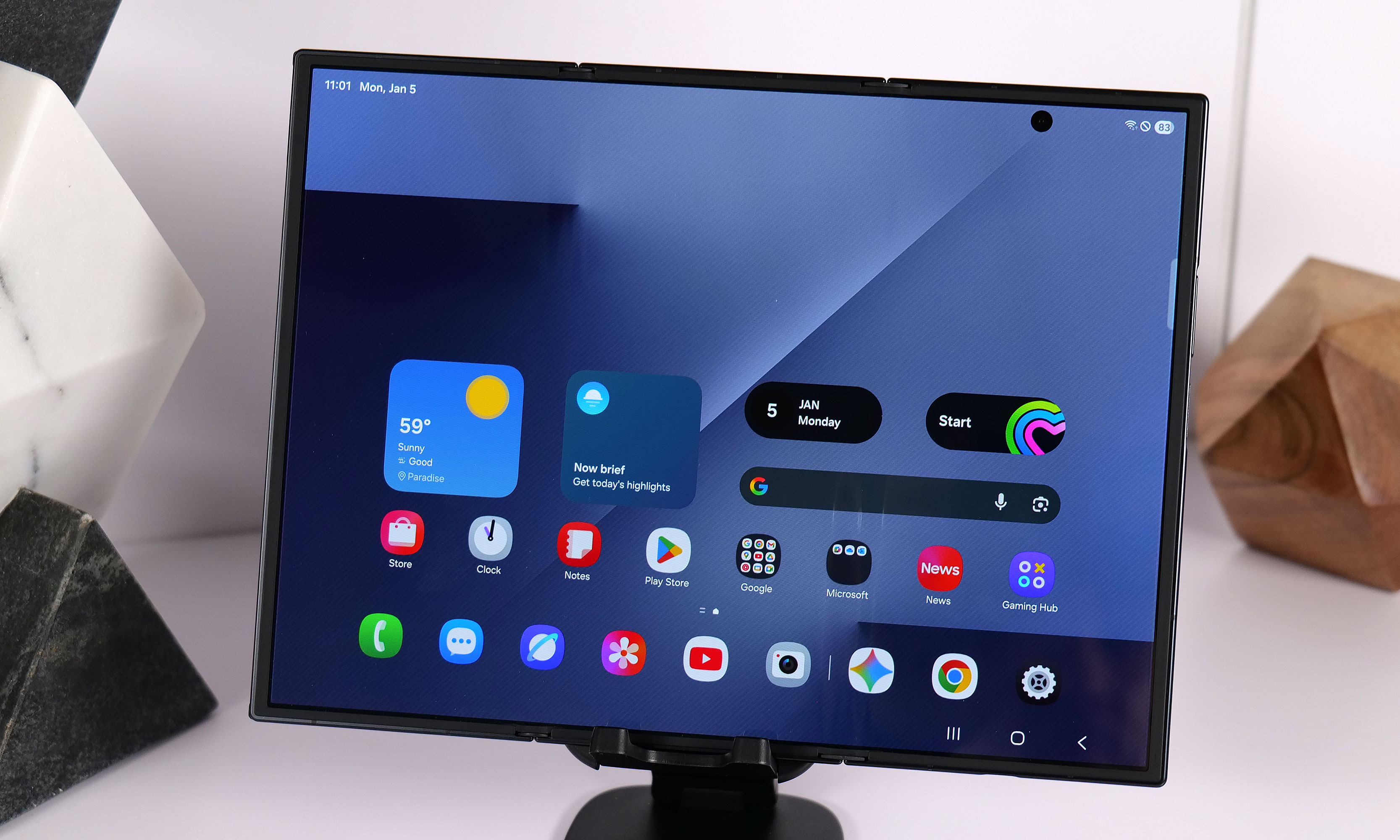
Yes, the TriFold has a crease, two in fact. But they still don't ruin the experience.
Sam Rutherford for Engadget

Samsung announced the Galaxy Z TriFold in late 2025 without firm details of when the new smartphone-that-folds-into-a-tablet would be available in North America. Considering the company had the new device available for hands-on demos at CES 2026, it seems possible it could share more information about when the Galaxy Z TriFold will be widely available at Galaxy Unpacked.

Galaxy S26 Edge

At just 5.8mm thick, the Samsung Galaxy S25 Edge is one of the thinnest smartphones ever made.
Sam Rutherford for Engadget

When the Galaxy S25 Edge was announced in 2025, it seemed possible that Samsung could replace its "Plus" smartphone with a unique form factor, just like Apple has opted to do with the iPhone Air. There have been conflicting reports on the matter, but it seems like Samsung will not be doing that with the Galaxy S26 Edge.

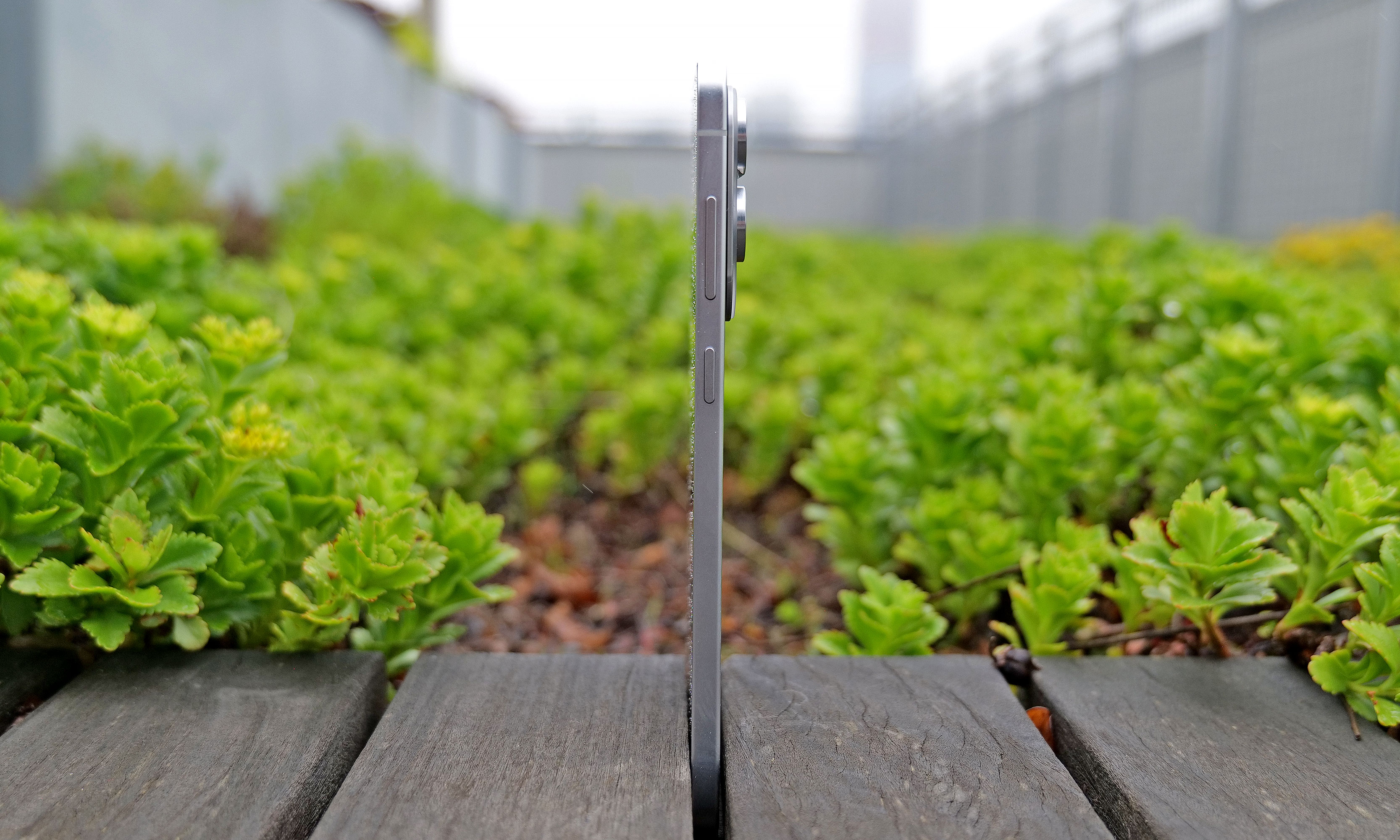
Instead, the smartphone will reportedly remain another option, much like foldables are for customers not swayed by Samsung's traditional smartphones. The Galaxy S26 Edge is rumored to feature a slightly different design than last year's model, according to Android Headlines, with a large rectangular camera plateau that's reminiscent of Google's Pixel phones, and the raised oval Apple used on the iPhone Air. Beyond that, the phone is also expected to be ever so slightly thinner at 5.5mm than the 5.8mm Galaxy S25 Edge.

Bixby and other AI features

A person testing out software features at a Bixby demo area.

Samsung already acts as a first place Google can show off new AI features for Android, but the company is reportedly exploring other AI partnerships, too. In June 2025, Bloomberg reported that Samsung was nearing a deal with Perplexity to integrate its AI-powered search engine across OneUI and its homegrown mobile browser. Perplexity already has a deal with Motorola on its Razr phones, so the only thing that would make a deal with Samsung unusual is the close relationship the company already has with Google.

The company also accidentally announced a new version of its Bixby AI assistant, which will likely also be integrated with Perplexity and could serve as an alternative to Google Gemini. Both a new Bixby and a deeper integration with Perplexity seem like natural new software features to show off at Galaxy Unpacked.

This article originally appeared on Engadget at https://www.engadget.com/mobile/smartphones/what-to-expect-at-samsung-galaxy-unpacked-2026-130000003.html?src=rss

©

The best wireless chargers for 2026

If you’ve upgraded your phone recently, there’s a good chance it supports wireless charging. Battery life can be one of the first things to deteriorate as your phone ages, so you’ll need quick and easy ways to power up wherever you are. You may not always be able to have a cable on your person, but investing in a wireless phone charger (or a few) can make it more convenient to plop your phone down and know it’ll have more juice when you pick it back up again.

While you’re not going to get the same charging speed with a wireless charger that you would with a power cable, the convenience of a power source like this is undeniable. Stick a wireless charger on your bedside, on your desk at work, in your kitchen or wherever you spend a good chunk of your time and you’ll have a reliable way to power up your phone, sans bulky, messy cables. Needless to say, there are a ton of options out there with different charging capabilities and price ranges. Below, we’ve collected the best wireless chargers we’ve tested to make your search a little easier.

Table of contents

Best wireless chargers for 2026

What to look for in a wireless charger

While it’s tempting to buy a wireless charging pad optimized for the specific phone you have now, resist that urge. Instead, think about the types of devices (phones included) that you could see yourself using in the near future. If you’re sure you’ll use iPhones for a long time, an Apple MagSafe-compatible magnetic wireless charger will be faster and more convenient. If you use Android phones or think you might switch sides, however, you’ll want a more universal design. If you have other accessories like wireless earbuds or a smartwatch that supports wireless charging, maybe you’d be better off with a 3-in-1 wireless charger or full wireless charging station.

Where and how will you use your charger?

Odds are that you have a specific use case in mind for your charger. You may want it by your bedside on your nightstand for a quick charge in the morning, or on your desk for at-a-glance notifications. You might even keep it in your bag for convenient travel charging instead of bulky portable chargers or power banks. Think about where you want to use this accessory and what you want to do with the device(s) it charges while it’s powering up. For example, a wireless charging pad might be better for bedside use if you just want to be able to drop your phone down at the end of a long day and know it’ll be powered up in the morning. However, a stand will be better if you have an iPhone and want to make use of the Standby feature during the nighttime hours.

For a desk wireless charger, a stand lets you more easily glance at phone notifications throughout the day. For traveling, undoubtedly, a puck-style charging pad is best since it will take up much less space in your bag than a stand would. Many power banks also include wireless charging pads built in, so one of those might make even more sense for those who are always on the go. Some foldable chargers are also designed for travel, collapsing flat to take up less space.

Wireless charging performance

Although wireless charging is usually slower than its wired equivalent, speed and wattage are still important considerations. A fast charger can supply enough power for a long night out in the time it takes to change outfits. Look for options that promise faster charging and support standards like Qi2 certified charging for the best balance of efficiency and compatibility.

In general, a 15W charger is more than quick enough for most situations, and you’ll need a MagSafe-compatible charger to extract that level of performance from an iPhone. With that said, even the slower 7.5W and 10W chargers are fast enough for an overnight power-up. If anything, you’ll want to worry more about support for cases. While many models can deliver power through a reasonably thick case (typically 3mm to 5mm), you’ll occasionally run into examples that only work with naked phones.

There are some proprietary chargers that smash the 15W barrier if you have the right phone. Apple’s latest MagSafe charging pad can provide up to 25W of wireless power to compatible iPhones when paired with a 30W or 35W adapter — the latter being another component you’ll have to get right to make sure the whole equation works as fast as it possibly can.

Quality and box contents

Pay attention to what’s included in the box. Some wireless chargers don’t include power adapters, and others may even ask you to reuse your phone’s USB-C charging cable. What may seem to be a bargain may prove expensive if you have to buy extras just to use it properly. As mentioned above, you’ll want to make sure all of the components needed to use the wireless charger can provide the level of power you need — you’re only as strong (or in this case, fast) as your weakest link.

Fit and finish is also worth considering. You’re likely going to use your wireless charger every day, so even small differences in build quality could make the difference between joy and frustration. If your charger doesn’t use MagSafe-compatible tech, textured surfaces like fabric or rubberized plastic are more likely to keep your phone in place. The base should be grippy or weighty enough that the charger won’t slide around. Also double check that the wireless charger you’re considering can support phones outfitted with cases — the specifications are usually listed in the charger’s description or specs.

You’ll also want to think about the minor conveniences. Status lights are useful for indicating correct phone placement, but an overly bright light can be distracting. Ideally, the light dims or shuts off after a certain period of time. And while we caution against lips and trays that limit compatibility, you may still want some barriers to prevent your device falling off its perch on the charging station.

Wireless chargers FAQs

Do wireless chargers work if you have a phone case?

Many wireless chargers do work if you leave the case on your phone. Generally, a case up to 3mm thick should be compatible with most wireless chargers. However, you should check the manufacturer’s guide to ensure a case is supported.

How do I know if my phone supports wireless charging?

Checking the phone’s specification should tell you if your phone is compatible with wireless charging. You might see words like “Qi wireless charging” or “wireless charging compatible.”

Do cords charge your phone faster?

Most often, wired charging will be faster than wireless charging. However, wired charging also depends on what the charging cable’s speed is and how much power it’s designed to carry. A quick-charging cable that can transmit up to 120W of power is going to be faster than a wireless charger.

This article originally appeared on Engadget at https://www.engadget.com/computing/accessories/best-wireless-charger-140036359.html?src=rss

©

© Engadget

Best wireless chargers

How to pair AirPods with any device

By: Rob Webb

AirPods work most smoothly with Apple hardware, but they also connect reliably to Android phones, Windows laptops and other Bluetooth devices. The pairing process depends on the platform in use although the basics remain the same. Once the AirPods are placed in pairing mode, most devices detect them quickly and handle the remaining steps in the background. The guide below explains how to pair AirPods with Apple products, how the process differs on newer iPhones that support H2 features and how to connect them to non-Apple devices.

How to pair AirPods with Apple devices

Apple builds AirPods to pair almost instantly with devices in its own ecosystem. Opening the charging case near an unlocked iPhone or iPad usually brings up an on-screen prompt. Tapping Connect links the earbuds to the device and to every other Apple product signed into the same iCloud account. After that, switching between devices is automatic. Audio output follows the active device as long as each product is using updated software and is signed in with the same Apple ID.

If the pairing prompt does not appear, there are a few simple checks that help things move along. Opening the Control Center and selecting the audio output menu confirms whether the AirPods already appear as an available device. If they are listed there, choosing them establishes the connection. If they do not appear, opening the Settings app and checking Bluetooth usually reveals whether the AirPods are in range or already recognized. Opening the case while viewing the Bluetooth menu often triggers the pairing card once more.

The process is similar across Apple Watch and Mac. When the AirPods are already linked to an iPhone, they tend to show up automatically on a paired Apple Watch. On Mac, opening System Settings and viewing the Bluetooth section reveals the same device list seen on an iPhone. Selecting the AirPods from that list completes the connection and also syncs the pairing status back to every other Apple device using the same account.

Enhanced pairing with newer iPhones

Some newer iPhones support features enabled by the H2 chip used in newer AirPods models. With compatible AirPods, models such as iPhone 15 Pro, iPhone 15 Pro Max and the iPhone 16 lineup tend to deliver a faster and more responsive setup experience. When an AirPods case is opened near one of these phones, the device quickly detects the earbuds and displays the pairing card with little delay. This also tends to speed up transitions between devices and improves reliability when switching audio sources.

If the fast pairing prompt does not appear on a newer iPhone, reopening the case while the phone is unlocked is usually enough to reinitiate the process. It also helps to confirm that Bluetooth is turned on. Placing the AirPods back in the case for a few seconds and trying again will often reset the pairing state if the earbuds were connected elsewhere.

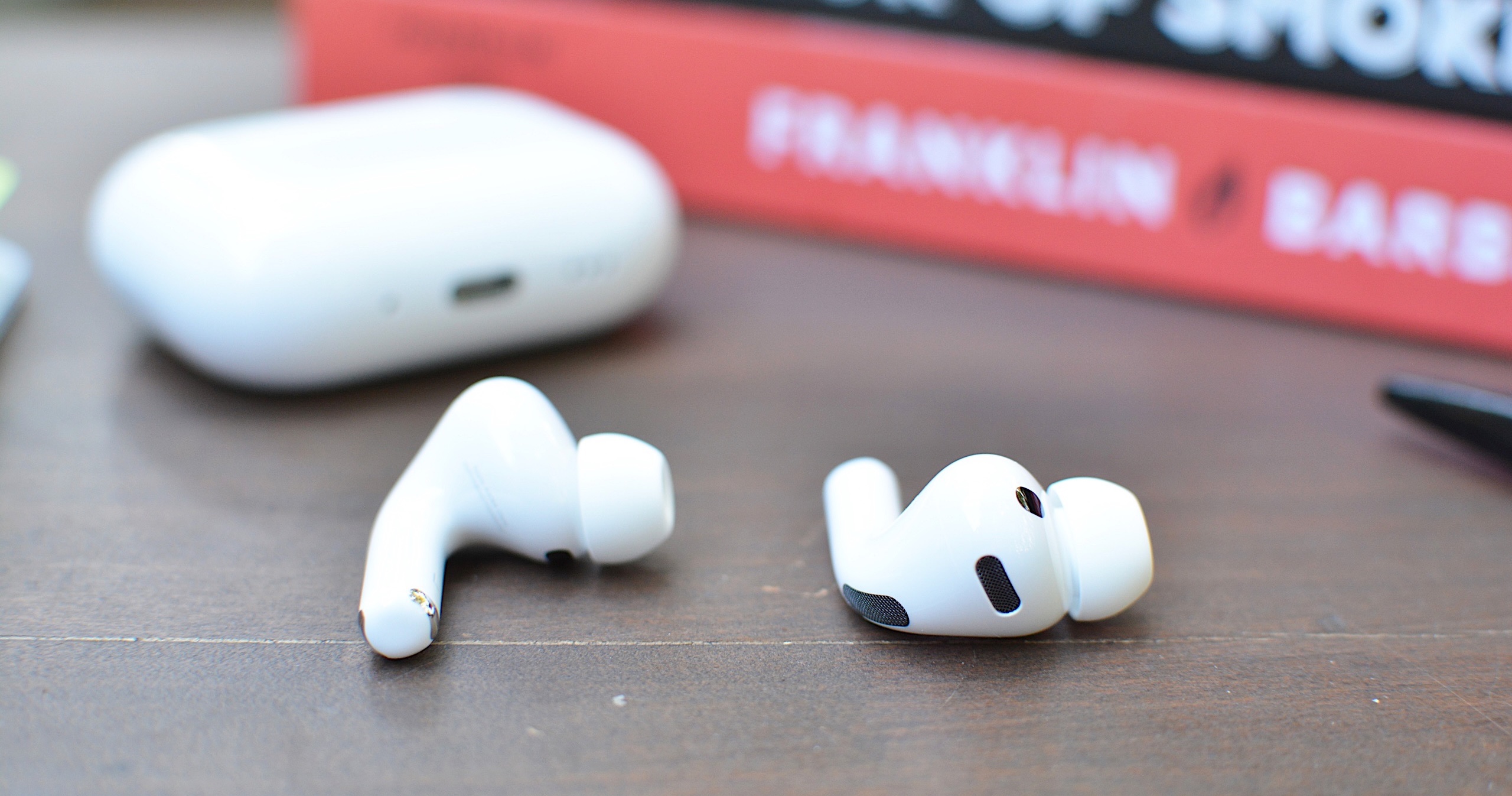
AirPods Pro 3
AirPods Pro 3
Engadget

How to put AirPods into pairing mode

Every AirPods model supports a manual pairing mode. This is essential when linking the earbuds to devices outside the Apple ecosystem, or when the automatic prompt fails to appear on an iPhone or Mac. On older AirPods models, pairing mode is activated by opening the lid and pressing and holding the setup button on the back of the case until the LED light flashes white. Newer models, including AirPods 4 and AirPods Pro 3, use a touch-based method instead. With the lid open, tapping the area near the LED light places the earbuds into pairing mode. Leaving the lid open keeps the AirPods discoverable for nearby devices. Closing the case ends the process and requires it to be repeated if the device fails to detect them.

Pairing mode does not remove any previous connections. It simply makes the AirPods available to new devices, which is helpful when switching between ecosystems. However, connecting to a new device usually takes priority. If the AirPods are already linked to something else that is nearby, turning off Bluetooth on the previously connected device prevents interference and helps the new device detect them more easily.

How to pair AirPods with Android devices

Although AirPods are designed for Apple hardware, they function like any other Bluetooth earbuds on Android. Opening the case and placing the AirPods in pairing mode allows Android phones to detect them through the standard Bluetooth menu. The earbuds appear in the list of available devices and selecting them initiates the connection. Once paired, AirPods work for calls and media playback. Some features, such as automatic ear detection and battery status indicators, may require a third-party app on Android and are not supported at a system level. Features such as spatial audio and device switching remain exclusive to Apple’s ecosystem but day-to-day performance is consistent on Android.

If the AirPods fail to appear, refreshing the Bluetooth device list on the Android phone usually helps. Making sure the earbuds are still in pairing mode is essential since the white LED indicator stops flashing after a short period. Reopening the case and holding the button again, or tapping on the front for newer models, restores discoverability.

How to pair AirPods with Windows laptops

Windows 11 handles AirPods as a regular audio device. Opening the Bluetooth and Devices menu in System Settings displays a list of nearby accessories. With the AirPods in pairing mode, the laptop should detect them and display them as an audio device. Selecting them completes the process and adds the earbuds to the device’s known accessories. Windows generally reconnects to AirPods automatically on future sessions as long as Bluetooth remains enabled.

If the earbuds do not appear in the list, toggling Bluetooth off and back on helps the system refresh the device scan. Checking whether the AirPods are already linked to a different device is another useful step. Windows sometimes struggles to take over a connection when the earbuds remain in range of a previously paired phone so disabling Bluetooth on the other device often resolves the issue.

Troubleshooting common pairing issues

Most pairing problems come down to the AirPods not being in discoverable mode or being connected to another device nearby. Resetting the earbuds solves many problems. On AirPods models with a setup button, placing the AirPods in the case, leaving the lid open and holding the button until the LED turns amber then white restores the factory pairing state. On newer models without a physical button, place the AirPods in the case, close the lid for about 30 seconds, then open it and quickly tap the front of the case three times. The status light should then flash amber and then white, to indicate that the reset is complete. This clears previous connections and makes the AirPods behave as if they are new out of the box. 

Low battery levels can also interrupt pairing. Ensuring both the earbuds and the case have enough charge prevents unexpected disconnections during setup. Interference from other wireless accessories affects pairing on crowded networks. Moving to a quieter spot or turning off surrounding Bluetooth devices helps the AirPods stand out when scanning.

AirPods are built to pair quickly with Apple devices but they also integrate smoothly with other platforms. Keeping the earbuds in pairing mode and confirming that Bluetooth is enabled on the device in use ensures a smooth setup every time. Once connected, the AirPods tend to remember the device and reconnect whenever they are nearby which keeps day-to-day use simple regardless of the platform.


This article originally appeared on Engadget at https://www.engadget.com/audio/headphones/how-to-pair-airpods-with-any-device-140000234.html?src=rss

©

The best midrange smartphone for 2026

Gone are the days in which you needed to spend a fortune to get a good smartphone. In 2026, features once exclusive to high-end smartphones – big batteries, multi-camera arrays, high refresh rate OLED displays and more – have made their way down to more affordable models. Yes, you’ll still need to buy a flagship smartphone to get the best camera or fastest processor, but you don't have to make nearly as many compromises as you once did if you have a strict budget to adhere to when you go shopping for your next smartphone. If you have less than $600 to spend, let us help you figure out what features to prioritize when trying to find the best midrange smartphone.

Table of contents

Best midrange phones for 2026

What is a midrange phone?

While the term frequently appears in articles and videos, there isn’t an agreed-upon definition for “midrange” beyond a phone that isn’t a flagship or an entry-level option. Most of our recommendations cost between $400 and $600 — any less and you should expect significant compromises. If you have more to spend, you might as well consider flagships like the Apple iPhone 17 and the Samsung Galaxy S25 if you want the best smartphone experience. Devices like Pixel phones often sit in this price range too, offering some of the best value for Android buyers.

What to consider before buying a midrange smartphone

Buying a new device can be intimidating, but a few questions can help guide you through the process. First: what platform do you want to use? If the answer is iOS, that narrows your options down to exactly one phone. (Thankfully, it’s great.) And if you’re an Android fan, there’s no shortage of compelling options. Both platforms have their strengths, so you shouldn’t rule either out.

Of course, also consider how much you’re comfortable spending. Even increasing your budget by $100 more can get you a dramatically better product. Moreover, manufacturers tend to support their more expensive devices for longer with software updates and security updates, so it’s worth buying something toward the top limit of what you can afford. 

Having an idea of your priorities will help inform your budget. Do you want a long battery life or fast charging? Do you value speedy performance above all else? Or would you like the best possible cameras with high megapixel counts? While they continue to improve every year, even the best midrange smartphones still demand some compromises, and knowing what’s important to you will make choosing one easier.

What won’t you get from a midrange smartphone?

Every year, the line between midrange and flagship phones blurs as more upmarket features and functions trickle down to more affordable models. When Engadget first published this guide in 2020, it was tricky to find a $500 phone with waterproofing and 5G. In 2026, the biggest thing you might miss out on is wireless charging – and even then, that’s becoming less true.

One thing your new phone probably won’t come with is a power adapter; many companies have stopped including chargers with all of their smartphones. Performance has improved in recent years, but can still be hit or miss as most midrange phones use slower processors that can struggle with multitasking. Thankfully, their camera systems have improved dramatically, and you can typically expect at least a dual-lens system on most midrange smartphones below $600 with decent camera quality, selfie performance and software support to keep things running smoothly for years to come..

Midrange smartphone FAQs

How long do midrange phones get software updates?

Support varies by brand, but most midrange phones receive around three to five years of software and security updates. Apple tends to support iPhones longer while companies like Google and Samsung now promise several years of Android and security patches for their midrange models. Budget-focused brands might offer less so it’s worth checking the update policy before you buy.

Are midrange phones good for gaming?

Yes, many midrange phones handle gaming well, especially popular titles like Fortnite, Genshin Impact and Call of Duty Mobile. They usually include capable processors, though you won’t always get the smoothest performance in the most demanding mobile games or at max settings. If you play casually or stick to less graphically intensive titles a midrange phone will feel more than adequate.

Georgie Peru contributed to this report.

This article originally appeared on Engadget at https://www.engadget.com/mobile/smartphones/best-midrange-smartphone-183006463.html?src=rss

©

© Engadget

Best midrange smartphone

How to claim Verizon's $20 credit for Wednesday's service outage

Verizon is offering a very small mea culpa after Wednesday's massive outage, which drew more than 1.5 million reports on Downdetector and lasted hours. Initially, the carrier posted on X that it will offer a $20 credit, but customers must redeem it in the myVerizon app. The company then said the credit could be claimed though customer service (via phone or chat), but our editors’ attempts to do so via chat were met with a message to wait for a text with further instructions.

Engadget editors began receiving the texts this morning (Jan 16) with a link to redeem. From there, you need to log into your account and visit the Account Overview section. Up top, there should be a Take Action or Mobile Actions button with a red notification circle. Click that and you’ll see a pop-up about the credit and a Redeem Now button. After you click that, you’re done, and Verizon says you should see the credit in one or two billing cycles. Of course, you’ll want to keep an eye out that it actually happens and contact the company if it doesn’t show up.

"This credit isn’t meant to make up for what happened. No credit really can," the company wrote. "But it’s a way of acknowledging your time and showing that this matters to us." Incensed customers have largely replied with incredulity, both at the miniscule amount, and that it isn't being applied automatically. The entire redemption process takes a few clicks and about a minute to complete, which makes it even more frustrating that it can’t be automatically applied to every customer’s bill.

Update, January 15 2026, 11:57 PM ET: Verizon says the credit can be claimed through customer service via phone, chat and online in addition to the myVerizon app. 

Update, January 16 2026, 10:29 AM ET: This story has been updated with detailed info about the redemption process which Verizon now says is completed with a link that will be texted to customers.

This article originally appeared on Engadget at https://www.engadget.com/mobile/how-to-claim-verizons-20-credit-for-wednesdays-service-outage-171909695.html?src=rss

©

© Unsplash / Marques Thomas

A logo on a phone.

Samsung’s refreshed Mobile Gaming Hub is trying to make it easier to discover new games

During CES 2026, Samsung unveiled plenty of new TVs, monitors and other hardware. However, the company is also looking to expand further into video games and has announced a significant refresh to its Gaming Hub on smartphones.

Engadget spoke with Samsung’s Jong Woo, VP of Game Services, who explained that the update will offer more personalized, faster ways to play and place greater emphasis on up-and-coming titles. Now available on Galaxy devices, with further updates planned, the new hub wants to be a more active space for the latest mobile games.

"We believe that gamers want to find new content that is personalized to them," said the VP of Samsung Games Services. He continued: "We want to bring content to users and make it immediately available for them to play. We have instant plays where, through our cloud streaming technology, we can take Android-native games and put them in the cloud, so that when users want to try them, they don't have to go through the friction of downloading them first.”

According to Samsung, the mobile Gaming Hub attracts over 160 million users across smartphones and other devices. However, the VP of Game Services at Samsung believes that, despite the vast library of games across many genres available to mobile users, "mobile game discovery is broken."

Samsung's updated Gaming Hub on mobile
Samsung

Initially, the mobile Gaming Hub was a supplemental app for all purchased games, allowing users to track their collection. With this update, all games purchased from both Google Play and the Galaxy Store are stored in the Gaming Hub. It's designed to be a single place for players to view their owned games, find recommendations, access cloud streaming for select games and even watch highlights from content creators.

According to Woo, the larger goal of the new Samsung mobile Gaming Hub is to personalize and guide the mobile gaming experience for players, which has remained nebulous compared with gaming discovery experiences on PC and consoles.

“We're getting a lot of feedback from the users, a lot of it from focus testing and beta testing, and what we're finding is that we believe we are solving pain points for mobile gamers," said Woo about rebuilding the Gaming Hub. "We're getting an idea of gamer preferences at the individual, personalized level. Based on all of that, we're able to provide different types of recommendations."

Another reason for the new changes to the Samsung Gaming Hub was to help foster a community for mobile gamers, including players and developers. In addition to sharing YouTube videos and content from gaming creators and streamers, the company plans to add more social elements to the Gaming Hub to make mobile gaming feel more active and less isolating.

"Mobile is a very personal experience, right? It's your personal device, and oftentimes when you play games on mobile, it feels like a solitary experience,” said Woo. Currently, the revamped Mobile Gaming Hub is only available for Galaxy smartphones and tablets. Users on non-Galaxy devices will still use the previous version of the Gaming Hub, for now.

Compared with PC and console online hubs like Steam and PlayStation Network, it's clear that mobile platforms are still figuring out how to create an equally compelling space for engagement. Even with the vast user base, mobile game hubs tend to be a go-between for users to get to the products. There's more work to do, but the new Gaming Hub could be the first step in the right direction.

This article originally appeared on Engadget at https://www.engadget.com/gaming/samsung-refreshed-mobile-gaming-hub-150010632.html?src=rss

©

© Samsung

Samsung's updated Gaming Hub on mobile

Civilization VII comes to Apple Arcade in February

The App Store is a home for many kinds of apps (including, inexplicably, one that lets users undress strangers without their consent). But hey, it also has games! And soon the store's Apple Arcade service will include one more: the not-so-highly rated Civilization VII.

Apple announced on Wednesday that Sid Meier's Civilization VII will arrive almost exactly a year after launch. The game is already available for Apple devices, but its arrival on Apple Arcade will be a first.

Still from the game Civilization VII. Overhead view of game board, with figures fighting.
Civilization VII arrives on Apple Arcade on February 5.
Firaxis Games / Apple

“Free (for Apple Arcade subscribers)” may be the right pricing for the game, given its mixed reviews. A common complaint is the way it handles transitions between eras. ("I have Ben Franklin leading the Romans that turned into Ben Franklin leading Spain... like what? Who asked for this?" a Steam reviewer wrote.) On the other hand, its visuals are praised by most.

The Apple Arcade edition of Civilization VII is scheduled to arrive on February 5. It will be playable on Mac, iPhone and iPad.

This article originally appeared on Engadget at https://www.engadget.com/gaming/civilization-vii-comes-to-apple-arcade-in-february-203000754.html?src=rss

©

It's the last day to get up to $90 off reMarkable E Ink tablet bundles

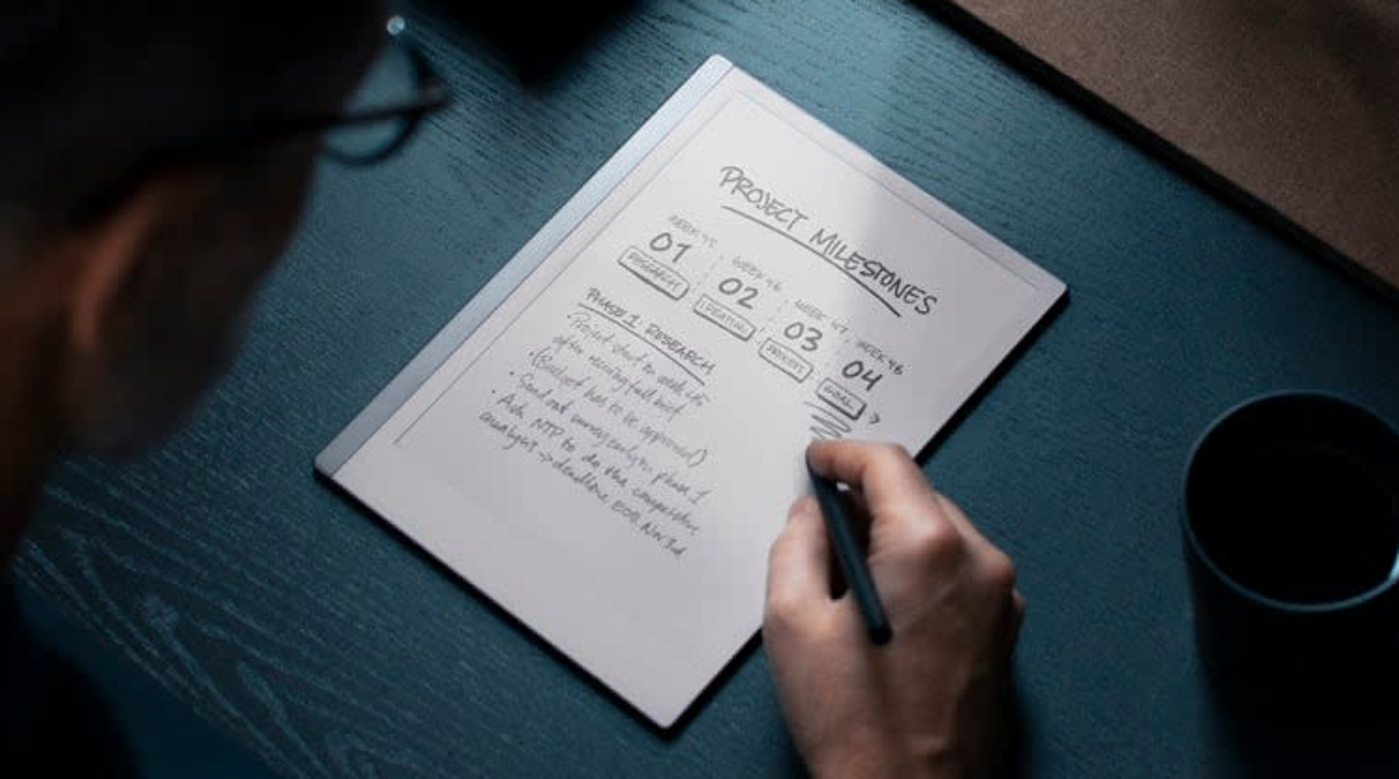
E Ink tablet maker reMarkable is running a bundle deal right now that can save you between $80 and $90 when buying a reMarkable 2 along with a Marker stylus and a folio case. The savings vary depending on the bundle you configure, but this can bring your out-the-door cost down to $449 from $529 for the tablet, Marker stylus and polymer weave book folio. The offer runs through January 17.

The company also sells a newer stylus called Marker Plus that lets you erase by flipping it around just like a real pencil, but that will cost you an extra $50. If you’ve been eyeing a dedicated writing tablet for work, school or just jotting down notes without the distraction of endless apps, this bundle deal is an ideal opportunity to pick one up.

The reMarkable 2 earned our top pick for best e-ink tablet. In our review, we said the tablet was prettier than ever with a 10.3-inch display and a handsome aluminum frame. The tablet is only 4.7mm thick and weighs less than a pound, helping it feel lean and portable.

The display can detect over 4,000 different levels of pressure with the Marker stylus, allowing for precise shading when sketching and the latency between the stylus and the screen is just 21ms. reMarkable fitted the display with a resin layer on top of the glass to make writing on it feel more realistic. We didn't think this passed muster, but we found writing on it was a joy nonetheless.

The tablet supports PDFs and ePUBs, which can be added via the companion mobile app or a desktop computer. You can also pair the reMarkable 2 with Google Drive, Microsoft OneDrive or Dropbox to access files. The battery is rated for an impressive two weeks between charges.

The reMarkable Paper Pro, a higher-end model with a richer feature set like a full color display and a built-in reading light, is our pick for best premium e-ink tablet. The pricier tablet also has bundle deals right now with savings up to $80 depending on configuration.

Follow @EngadgetDeals on X for the latest tech deals and buying advice.

This article originally appeared on Engadget at https://www.engadget.com/mobile/tablets/its-the-last-day-to-get-up-to-90-off-remarkable-e-ink-tablet-bundles-150242090.html?src=rss

©

© reMarkable

A person looking at a tablet.

Apple's latest 25W MagSafe charger is on sale for $30

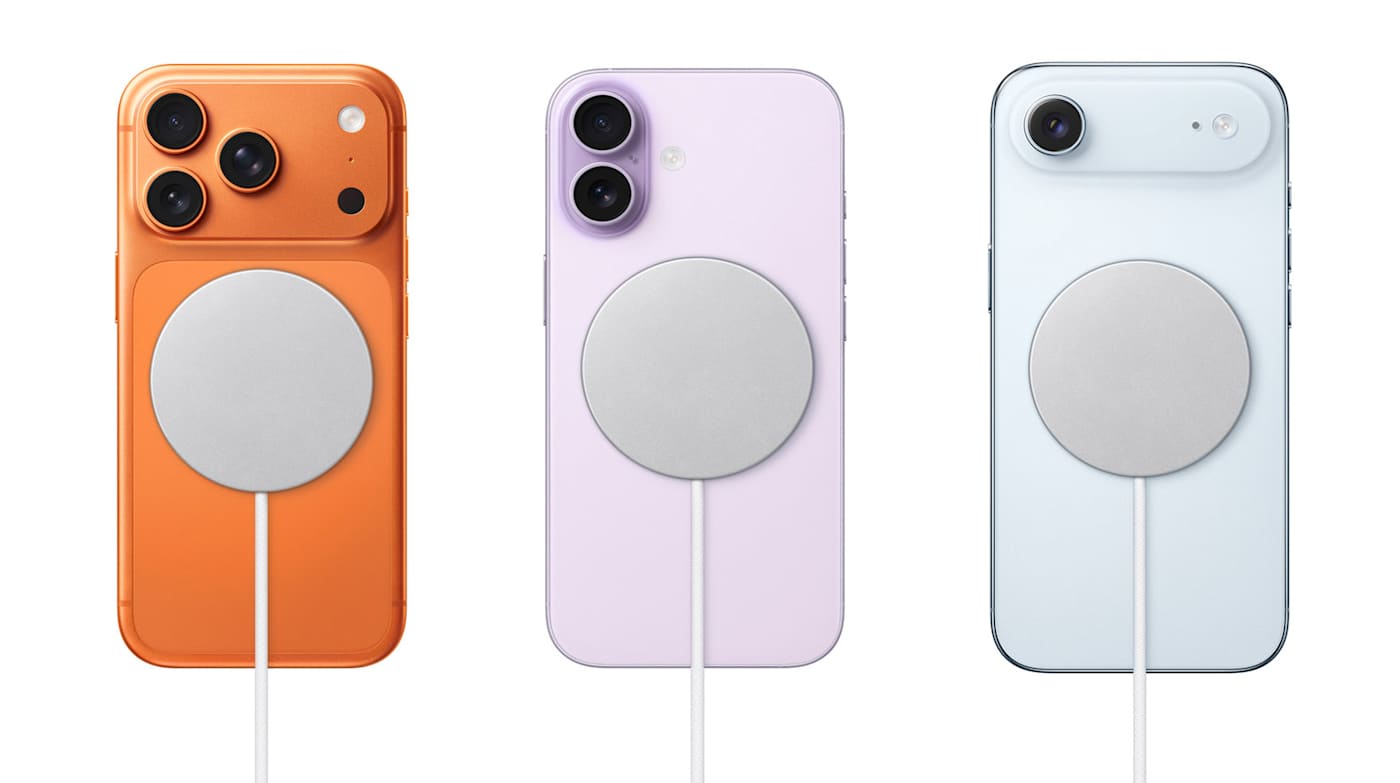
If you want a wireless charger for your iPhone and prefer to stick with Apple, Amazon has a sale that may pique your interest. The retailer is selling the one meter Apple Magsafe charger for $30, saving you $10 off the regular price, while also selling the two meter model for $40 ($10 off).

If you have an iPhone 16, iPhone 17 or iPhone Air, this cable can charge your device at 25W as long as it's connected to a 30W power adapter on the other end. While you'll need a more recent iPhone to get the fastest MagSafe charging speeds, the charger can wirelessly top up the battery of any iPhone from the last eight years (iPhone 8 and later). With older iPhones, the charging speed tops out at 15W. The cable works with AirPods wireless charging cases too — it's certified for Qi2.2 and Qi charging.

The MagSafe charger is one of our favorite iPhone accessories, and would pair quite nicely with your new iPhone if you're picking up one of the latest models. If you're on the fence about that, be sure to check out our reviews of the iPhone 17, iPhone Pro/Pro Max and iPhone Air.

Follow @EngadgetDeals on X for the latest tech deals and buying advice.

This article originally appeared on Engadget at https://www.engadget.com/deals/apples-latest-25w-magsafe-charger-is-on-sale-for-30-141707297.html?src=rss

©

© Apple

Apple Magsafe charger on sale at Amazon
❌