If you follow electronics history, few names were as ubiquitous as RCA, the Radio Corporation of America. Yet in modern times, the company is virtually forgotten for making large computers. [Computer History Archive Project] has a rare film from the 1970s (embedded below) explaining how RCA planned to become the number two supplier of business computers, presumably behind behemoth IBM. They had produced other large computers in the 1950s and 1960s, like the BIZMAC, the RCA 510, and the Spectra. But these new machines were their bid to eat away at IBM’s dominance in the field.
RCA had innovative ideas and arguably one of the first demand paging, virtual memory operating systems for mainframes. You can hope they were better at designing computers than they were at making commercials.
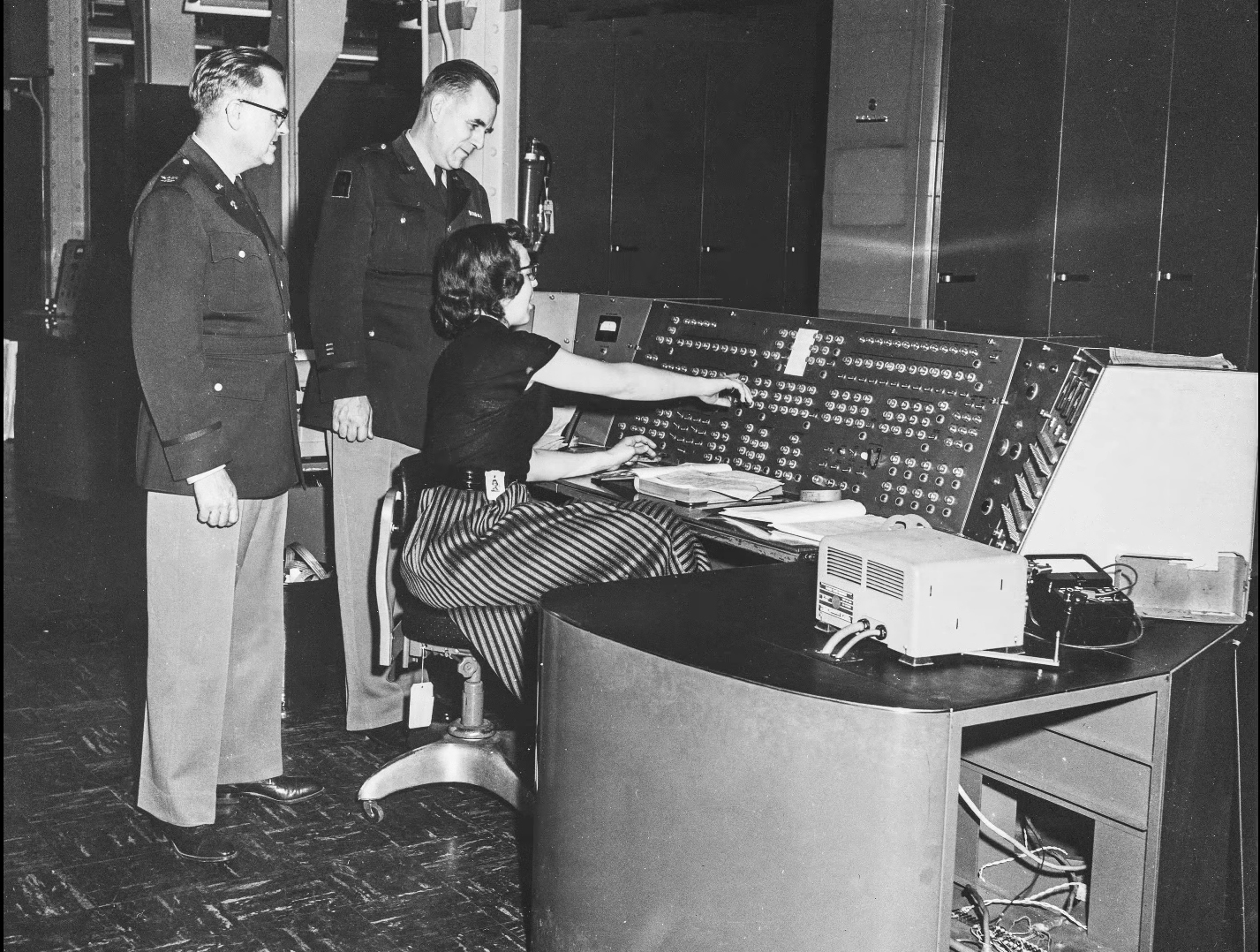
The BIZMAC was much earlier and used tubes (public domain).
In 1964, [David Sarnoff] famously said: “The computer will become the hub of a vast network of remote data stations and information banks feeding into the machine at a transmission rate of a billion or more bits of information a second … Eventually, a global communications network handling voice, data and facsimile will instantly link man to machine — or machine to machine — by land, air, underwater, and space circuits. [The computer] will affect man’s ways of thinking, his means of education, his relationship to his physical and social environment, and it will alter his ways of living. … [Before the end of this century, these forces] will coalesce into what unquestionably will become the greatest adventure of the human mind.”
He was, of course, right. Just a little early.
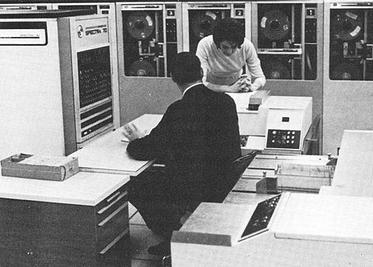
The machines in the video were to replace the Spectra 70 computers, seen here from an RCA brochure.
The machines were somewhat compatible with IBM computers, touted virtual memory, and had flexible options, including a lease that let you own your hardware in six years. They mention, by the way, IBM customers who were paying up to $60,000 / month to IBM. They mentioned that an IBM 360/30 with 65K was about $13,200 / month. You could upgrade with a 360/30 for an extra $3,000 / month, which would double your memory but not double your computing power. (If you watch around the 18-minute mark, you’ll find the computing power was extremely slow by today’s standards.)
RCA, of course, had a better deal. The RCA 2 had double the memory and reportedly triple the performance for only $2,000 extra per month. We don’t know what the basis for that performance number was. For $3,500 a month extra, you could have an RCA 3 with the miracle of virtual memory, providing an apparent 2 megabytes per running job.
There are more comparisons, and keep in mind, these are 1970 dollars. In 1970, a computer programmer probably made $10,000 to $20,000 a year while working on a computer that cost $158,000 in lease payments (not to count electricity and consumables). How much cloud computing could you buy in a year for $158,000 today? Want to buy one? They started at $700,000 up to over $1.6 million.
By their release, the systems were named after their Spectra 70 cousins. So, officially, they were Spectra 70/2, 70/3, 70/5, and 70/6.
Despite all the forward-looking statements, RCA had less than 10% market share and faced increasing costs to stay competitive. They decided to sell the computer business to Sperry. Sperry rebranded several RCA computers and continued to sell and support them, at least for a while.
Now, RCA is a barely remembered blip on the computer landscape. You are more likely to find someone who remembers the RCA 1800 family of CPUs than an actual RCA mainframe. Maybe they should have throw in the cat with the deal.
Want to see the IBM machines these competed with? Here you go. We doubt there were any RCA computers in this data center, but they’d have been right at home.
Looking for a unique vacation spot? Have at least $10 million USD burning a hole in your pocket? If so, then you’re just the sort of customer the rather suspiciously named “GRU Space” is looking for. They’re currently taking non-refundable $1,000 deposits from individuals looking to stay at their currently non-existent hotel on the lunar surface. They don’t expect you’ll be able to check in until at least the early 2030s, and the $1K doesn’t actually guarantee you’ll be selected as one of the guests who will be required to cough up the final eight-figure ticket price before liftoff, but at least admission into the history books is free with your stay.
This never happened.
The whole idea reminds us of Mars One, which promised to send the first group of colonists to the Red Planet by 2024. They went bankrupt in 2019 after collecting ~$100 deposits from more than 4,000 applicants, and we probably don’t have to tell you that they never actually shot anyone into space. Admittedly, the Moon is a far more attainable goal, and the commercial space industry has made enormous strides in the decade since Mars One started taking applications. But we’re still not holding our breath that GRU Space will be leaving any mints on pillows at one-sixth gravity.
Speaking of something which actually does have a chance of reaching the Moon on time — on Saturday, NASA rolled out the massive Space Launch System (SLS) rocket that will carry a crew of four towards our nearest celestial neighbor during the Artemis II mission. There’s still plenty of prep work to do, including a dress rehearsal that’s set to take place in the next couple of weeks, but we’re getting very close. Artemis II won’t actually land on the Moon, instead performing a lunar flyby, but it will still be the first time we’ve sent humans beyond Low Earth Orbit (LEO) since Apollo 17 in 1972. We can’t wait for some 4K Earthrise video.
In more terrestrial matters, Verizon users are likely still seething from the widespread outages that hit them mid-week. Users from all over the US reported losing cellular service for several hours, though outage maps at the time showed the Northeast was hit particularly hard. At one point, the situation got so bad that Verizon’s own system status page crashed. In a particularly embarrassing turn of events, some of the other cellular carriers actually reached out to their customers to explain it wasn’t their fault if they couldn’t reach friends and family on Verizon’s network. Oof.
Speaking of phones, security researchers recently unveiled WhisperPair, an attack targeting Bluetooth devices that utilize Google’s Fast Pair protocol. When the feature is implemented correctly, a Bluetooth accessory should ignore pairing requests unless it’s actually in pairing mode, but the researchers found that many popular models (including Google’s own Pixel Buds Pro 2) can be tricked into accepting an unsolicited pairing request. While an attacker hijacking your Bluetooth headset might not seem like a huge deal at first, consider that it could allow them to record your conversations and track your location via Google’s Find Hub network.
Incidentally, something like WhisperPair is the kind of thing we’d traditionally leave for Jonathan Bennett to cover in his This Week in Security column, but as regular readers may know, he had to hang up his balaclava back in December. We know many of you have been missing your weekly infosec dump, but we also know it’s not the kind of thing that just anyone can take over. We generally operate under a “Write What You Know” rule around here, and that means whoever takes over the reins needs to know the field well enough to talk authoritatively about it. Luckily, we think we’ve found just the hacker for the job, so hopefully we’ll be able to start it back up in the near future.
Finally, we don’t generally promote crowdfunding campaigns due to their uncertain nature, but we’ll make an exception for the GameTank. We’ve covered the open hardware 6502 homebrew game console here in the past, and even saw it in the desert of the real (Philadelphia) at JawnCon 0x2 in October. The project really embraces the retro feel of using a console from the 1980s, even requiring you to physically swap cartridges to play different games. It’s a totally unreasonable design choice from a technical perspective, given that an SD card could hold thousands of games at once, but of course, that’s not the point. There’s a certain joy in plugging in a nice chunky cartridge that you just can’t beat.
See something interesting that you think would be a good fit for our weekly Links column? Drop us a line, we’ve love to hear about it.
In today’s Chromed-up world it can be hard to remember an era where browsers could be extended with not just extensions, but also with plugins. Although for those of us who use traditional Netscape-based browsers like Pale Moon the use of plugins has never gone away, for the rest of the WWW’s users their choice has been limited to increasingly more restrictive browser extensions, with Google’s Manifest V3 taking the cake.
Although most browsers stopped supporting plugins due to “security concerns”, this did nothing to address the need for executing code in the browser faster than the sedate snail’s pace possible with JavaScript, or the convenience of not having to port native code to JavaScript in the first place. This led to various approaches that ultimately have culminated in the WebAssembly (WASM) standard, which comes with its own set of issues and security criticisms.
Other than Netscape’s Plugin API (NPAPI) being great for making even 1990s browsers ready for 2026, there are also very practical reasons why WASM and JavaScript-based approaches simply cannot do certain basic things.
It’s A JavaScript World
One of the Achilles heels of the plugin-less WWW is that while TCP connections are easy and straightforward, things go south once you wish to do anything with UDP datagrams. Although there are ugly ways of abusing WebRTC for UDP traffic with WASM, ultimately you are stuck inside a JavaScript bubble inside a browser, which really doesn’t want you to employ any advanced network functionality.
Technically there is the WASI Sockets proposal that may become part of WASM before long, but this proposal comes with a plethora of asterisks and limitations attached to it, and even if it does work for your purposes, you are limited to whatever browsers happen to implement it. Meanwhile with NPAPI you are only limited by what the operating system can provide.
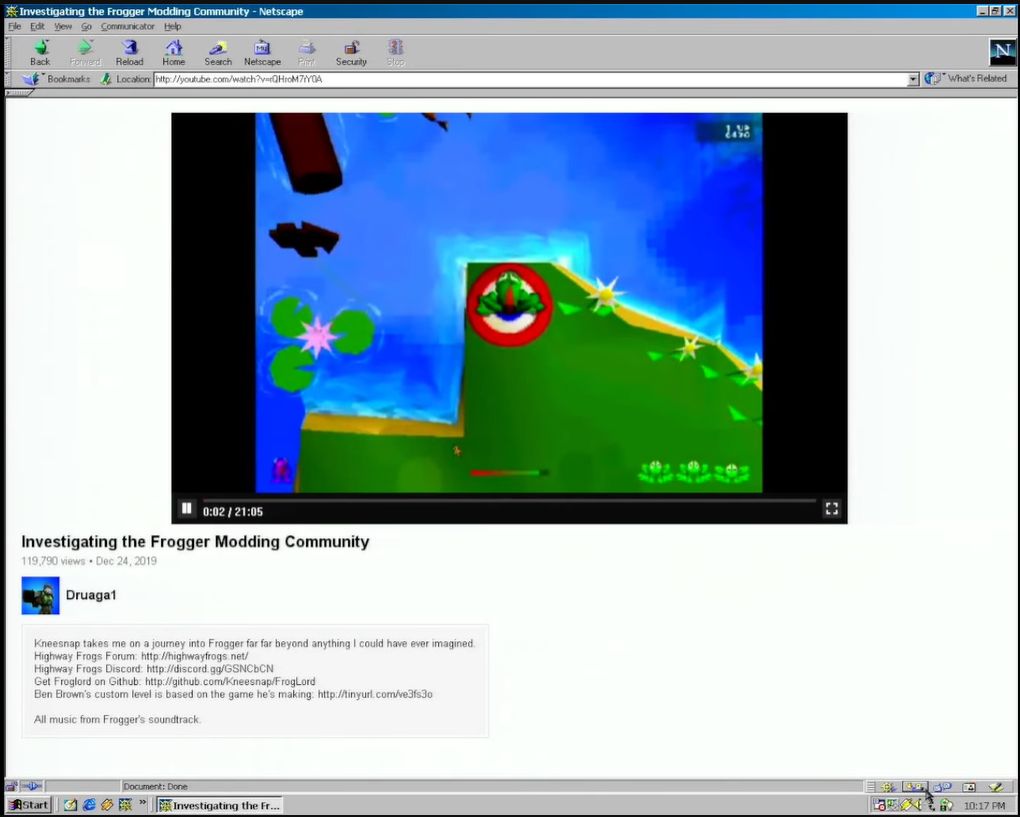
NPAPI plugin rendering YouTube videos in a Netscape 4.5 browser on Windows 98. (Credit: Throaty Mumbo, YouTube)
With NPAPI plugins you can even use the traditional method of directly rendering to a part of the screen, removing any need for difficult setup and configuration beyond an HTML page with an <embed> tag that set up said rendering surface. This is what Macromedia Flash and the VLC media player plugin use, for example.
These limitations of a plugin-less browser are a major concern when you’d like to have, say, a client running in the browser that wishes to use UDP for something like service discovery or communication with UDP-based services. This was a WASM deal breaker with a project of mine, as UDP-based service discovery is essential unless I wish to manually mash IP addresses into an input field. Even the WASI Sockets don’t help much, as retrieving local adapter information and the like are crucial, as is UDP broadcast.
Meanwhile the NPAPI version is just the existing client dynamic library, with a few NPAPI-specific export functions tagged onto it. This really rubs in just how straightforward browser plugins are.
Implementing It
With one’s mind set on implementing an NPAPI plugin, and ignoring that Pale Moon is only one of a small handful of modern browsers to support it, the next question is where to start. Sadly, Mozilla decided to completely obliterate every single last trace of NPAPI-related documentation from its servers. This leaves just the web.archive.org backup as the last authoritative source.
For me, this provided also a bit of an obstacle, as I had originally planned to first do a quick NPAPI plugin adaptation of the libnymphcast client library project, along with a basic front-end using the scriptable interface and possibly also direct rendering of a Qt-based GUI. Instead, I would spend a lot of time piecing back together the scraps of documentation and sample projects that existed when I implemented my last NPAPI plugin back in about 2015 or 2016, back when Mozilla’s MDN hadn’t yet carried out the purge.
One of the better NPAPI tutorials, over on the ColonelPanic blog, had also been wiped, leaving me again with no other discourse than to dive into the archives. Fortunately I was still able to get my hands on the Mozilla NPAPI SDK, containing the npruntime headers. I also found a pretty good and simple sample plugin called npsimple (forked from the original) that provides a good starting point for a scriptable NPAPI plugin.
Starting With The Basics
At its core an NPAPI plugin is little more than a shared library that happens to export a handful of required and optional functions. The required ones pertain to setting up and tearing down the plugin, as well as querying its functionality. These functions all have specific prefixes, with the NP_ prefixed functions being not part of any API, but simply used for the basic initialization and clean-up. These are:
NP_GetEntryPoints (not on Linux)
NP_Initialize
NP_Shutdown
During the initialization phase the browser simply loads the plugin and reads its MIME type(s) along with the resources exported by it. After destroying the last instance, the shutdown function is called to give the plugin a chance to clean up all resources before it’s unloaded. These functions are directly exported, unlike the NPP_ functions that are assigned to function pointers.
The NPP_ prefixed functions are part of the plugin (NP Plugin), with the following being required:
NPP_New
NPP_Destroy
NPP_GetValue
Each instance of the plugin (e.g. per page) has its own NPP_New called, with an accompanying NPP_Destroy when the page is closed again. These are set in an NPPluginFuncs struct instance which is provided to the browser via the appropriate NP_ function, depending on the OS.
Finally, there are NPN_ prefixed functions, which are part of the browser and can be called from the plugin on the browser object that is passed upon initialization. These we will need for example when we set up a scriptable interface which can be called from e.g. JavaScript in the browser.
When the browser calls NPP_GetValue with as variable an instance of NPPVpluginScriptableNPObject, we can use these NPP_ functions to create a new NPP instance and retain it by calling the appropriate functions on the browser interface instance which we got upon initialization.
Registration of the MIME type unfortunately differs per OS , along with the typical differences of how the final shared library is produced on Windows, Linux/BSD and MacOS. These differences continue with where the plugin is registered, with on Windows the registry being preferred (e.g. HKLM/Software/MozillaPlugins/plugin-identifier), while on Linux and MacOS the plugin is copied to specific folders.
Software Archaeology
It’s somewhat tragic that a straightforward technology like NPAPI-based browser plugins was maligned and mostly erased, as it clearly holds many advantages over APIs that were later integrated into browsers, thus adding to their size and complexity. With for example the VLC browser plugin, part of the VLC installation until version 4, you would be able to play back any video and audio format supported by VLC in any browser that supports NPAPI, meaning since about Netscape 2.x.
Although I do not really see mainstream browsers like the Chromium-based ones returning to plugins with their push towards a locked-down ecosystem, I do think that it is important that everything pertaining to NPAPI is preserved. Currently it is disheartening to see how much of the documentation and source code has already been erased in a mere decade. Without snapshots from archive.org and kin much it likely would already be gone forever.
In the next article I will hopefully show off a working NPAPI plugin or two in Pale Moon, both to demonstrate how cool the technology is, as well as how overblown the security concerns are. After all, how much desktop software in use today doesn’t use shared libraries in some fashion?

 Login
Login