Reading view

There are new articles available, click to refresh the page.

7 Types of Hacker Motivations

By: McAfee

Hackers are not created equal, nor do they have the same purpose. Some hackers are paid to scrutinize security systems, find loopholes, fix weaknesses, and ultimately protect organizations and people. Others exploit those same gaps for profit, power, or disruption. What separates hackers isn’t just skill level or tactics; it’s intent. 

The purpose behind an attack changes everything about how hackers shape their tactics and how the hacking process unfolds: who is targeted, which methods and tools are used, how patient the attacker is, and the kind of damage they want to cause.

The primary motivations behind these cyberattacks fall into several categories, from financial gain to recognition, and sometimes even coercion. Each driver creates different risk scenarios for your digital life, from your home banking sessions to your workplace communications. Understanding a hacker’s motivations will enable you to better protect yourself and recognize potential threats in both your personal and professional life. 

In this article, we’ll look at the main types of hackers you might encounter, the core motivations and mindset that drive these cyberattacks, and finally, how you can protect yourself against these attacks.

Good and bad hackers

From its beginnings as an intellectual exploration in universities, hacking was driven by curiosity, learning, and the thrill of solving complex problems. Today, it has become industrialized with organized criminal groups and state-sponsored actors entering the scene. 

Modern hacking has seen the emergence of advanced persistent threats and nation-state campaigns targeting critical infrastructure and combining traditional techniques with artificial intelligence. To better understand the types of hackers, here is a window into what they do and why:

White hat hackers

These are the good guys, typically computer security experts who specialize in penetration testing and other methodologies to ensure that a company’s information systems are secure. These IT security professionals rely on a constantly evolving arsenal of technology to battle hackers.

Black hat hackers

These are the bad guys, who are typically referred to as just plain hackers. The term is often used specifically for hackers who break into networks or computers, or create computer viruses. Unfortunately, black hat hackers continue to technologically outpace white hats, often finding the path of least resistance, whether due to human error or laziness, or with a new type of attack. Hacking purists often use the term “crackers” to refer to black hat hackers, whose motivation is generally to get paid.

Script kiddies

This is a derogatory term for black hat hackers who use borrowed programs to attack networks and deface websites in an attempt to make names for themselves. Script kiddies, sometimes called script kitties, might be beginners, but don’t be fooled by their newbie status. With the right tools and right targets, they can wreak as much havoc as a seasoned hacker.

Hacktivists

Some hacker activists are motivated by politics or religion, while others aim to expose wrongdoing or exact revenge. Activists typically target government agencies, public services, and organizations involved in controversial issues related to defense, elections, wars, finance, or social movements. They also attack high-profile individuals, such as executives, public figures, journalists, and activists.

State-sponsored hackers

State-sponsored hackers have limitless time and funding to target civilians, corporations, other governments, or even prominent citizens connected to a larger objective. Their motivations are driven by their government’s strategic goals: gathering intelligence, stealing sensitive research or intellectual property, influencing public perception, or disrupting critical infrastructure. Because they are playing a long game, state-sponsored hackers are stealthy and persistent, quietly embedding themselves in systems, mapping networks, and waiting for the right moment to act.

Spy hackers

Corporations hire hackers to infiltrate their competitors and steal trade secrets, including product designs, source code, pricing plans, customer lists, legal documents, and merger or acquisition strategies. They may hack from the outside or gain employment in order to act as a mole, impersonating recruiters, partners, or vendors to get insiders to share access. They also take advantage of weak internal controls, such as excessive permissions, unsecured file-sharing links, or poor offboarding practices. Spy hackers may use similar tactics as hacktivists or state-sponsored espionage on a smaller scale: stealthy entry, careful privilege escalation, and long-term persistence to avoid triggering alarms. The stolen data is often not leaked publicly but delivered directly to the client and used behind the scenes.

Cyber terrorists

These hackers, generally motivated by religious or political beliefs, attempt to create terror, chaos, and real-world harm by disrupting critical infrastructures such as power grids, water systems, transportation networks, hospitals, emergency services, and government operations. They combine cyber operations with propaganda campaigns and physical attacks on the systems people rely on to live safely to create turmoil far beyond the screen. 

Understand hackers’ motivations

Cybercriminals aren’t just faceless entities; they’re driven by specific goals that shape their tactics and targets. Understanding their motivations empowers you to recognize potential threats and better protect yourself, your family, and colleagues.

Financial gain

Money remains the most common motivator. These profit-driven attacks directly impact your personal finances through methods such as ransomware, credit card fraud, and identity theft. In your home, financially motivated hackers target your banking apps, shopping accounts, and personal devices to steal payment information or hold your data hostage. In the workplace, they focus on payroll systems, customer databases, and business banking credentials.

Ideological motivations

Ideologically driven hackers, called hacktivists, pursue political or social causes through cyber means. These attacks can disrupt services that you rely on daily, from public utilities to private organizations that provide essential services or take public stances on divisive issues. Your best defense involves staying informed about potential disruptions and maintaining backup communication methods for essential services.

Curiosity and learning

Many hackers begin their journey with genuine curiosity about how systems work. They might probe your home network, test website security, or experiment with app vulnerabilities, not necessarily for malicious purposes, but their activities can still expose your data or disrupt services. In professional environments, these individuals might target systems or databases simply to see if they can gain access.

Recognition and reputation building

Some hackers seek fame, respect within hacker communities, or professional advancement rather than immediate financial benefit. They often target high-profile individuals, popular websites, or well-known companies to maximize the visibility for their exploits. If you have a significant social media following, your accounts could become targets for these attacks. They might also focus on defacing company or government websites, or leaking non-sensitive but embarrassing information.

State and corporate intelligence

Nation-state and corporate espionage are some of the most sophisticated threats in cyberspace, making it a top national security concern for both government and private sector. These operations compromise daily services and infrastructure such as internet service providers, email platforms, or cloud storage services to gather intelligence such as intellectual property, customer lists, or strategic planning documents. 

Coercion and extortion

Some hackers use cyber capabilities to intimidate or coerce victims into specific actions. In the FBI’s Internet Crime Complaint Center report for 2024, extortion was the 2nd top cybercrime by number of complaints, demonstrating the growing prevalence of coercion-based attacks. Coercion might involve compromising personal photos, social media accounts, or private communications to demand payment or behavioral changes. Workplace coercion could target executives with embarrassing information or threaten to leak sensitive business data unless demands are met. 

The intersection of motivations

Many real-world attacks combine multiple motivations—a financially driven criminal might also seek recognition within hacker communities, or an ideological hacker might generate revenue through ransomware. The contrast between ethical hacker motivations and malicious ones often lies in the permission, legality, and intent. Understanding why people become hackers helps you recognize that not all hacking activity is inherently malicious, although all unauthorized access ultimately poses risks to your security and privacy.

The psychology behind cyberattacks

Understanding the psychology behind cyberattacks gives you a powerful advantage in protecting yourself. When you know what drives hackers, you can better spot their tactics and stay one step ahead.

High reward, low risk

Many hackers operate with the goal of achieving high reward for perceived low risk. This risk-reward imbalance motivates attackers because they can potentially access valuable personal or financial information while remaining physically distant from their victims. This means hackers often target easy opportunities, such as when you click on suspicious links or download questionable attachments, to gain access with minimal effort. For instance, a hacker would rather send 10,000 phishing emails hoping for a few bites than attempt one complex, risky attack.

Exploiting normal human responses 

Hackers exploit well-known psychological shortcuts your brain takes. They understand that you’re more likely to trust familiar-looking emails, act quickly under pressure, or follow authority figures without question. These aren’t weaknesses, these are normal human responses that attackers deliberately manipulate. For example, urgent messages claiming your account will be closed create an artificial time pressure, making you more likely to click without thinking.

The power of group dynamics

Many successful cyberattacks leverage the human tendency to follow what others are doing. Hackers create fake social media profiles, forge customer reviews, or impersonate colleagues to make their requests seem legitimate and widely accepted. In ransomware attacks targeting businesses, criminals often research company hierarchies and communication styles to make their demands appear to come from trusted sources within the organization. 

The gamification of cybercrime

Modern hacking has elements that make it feel like a game to perpetrators. Some online forums award points for successful attacks, creating competition and recognition among criminals. This helps explain why some hackers target individuals rather than large corporations, as every successful phishing attempt becomes a score, and why attacks continue to evolve. 

Common hacking methods

Hackers don’t all use the same tricks, but most successful attacks rely on a familiar toolkit of methods that exploit common technical gaps and human habits. Recognizing these common techniques will help you avoid danger earlier on.

  • Phishing and smishing. These attacks trick you into revealing sensitive information through fraudulent emails or text messages, respectively known as phishing and smishing. Modern attackers increasingly use AI-generated content and sophisticated social engineering techniques that make these messages appear more legitimate than ever before. 
  • Credential stuffing. Cybercriminals use automated tools to test stolen username and password combinations across multiple websites, exploiting the fact that many people reuse passwords. This attack method has become more efficient with attackers leveraging large-scale data breaches and improved automation tools.
  • Multi-factor authentication (MFA) fatigue. Attackers repeatedly send multi-factor authentication requests until overwhelmed, frustrated, and confused users approve one. This technique has gained prominence as more organizations adopt MFA, with attackers finding ways to exploit user behavior around security notifications. 
  • Malvertising. Malicious advertisements on legitimate websites can install malware or redirect you to harmful sites without requiring any clicks. Recent trends show attackers using sophisticated techniques to bypass ad network security filters. 
  • Remote desktop attacks. Hackers exploit weak or default passwords on remote desktop services to gain unauthorized access to systems, particularly targeting businesses with remote work setups. The rise of hybrid work environments since 2023 has made this attack vector increasingly attractive to cybercriminals. Disable remote desktop services when not needed and use VPNs with strong authentication for legitimate remote access.
  • USB baiting. Attackers leave infected USB devices in public places, hoping curious individuals will plug them into their computers, automatically installing malware. Modern USB attacks can execute within seconds of being connected, making them particularly dangerous in today’s fast-paced work environment.
  • Unsecured Wi-Fi networks. Unsecured public Wi-Fi and home networks create opportunities for hackers to gain access to your devices or intercept your sensitive information, such as passwords, emails, and banking details. Sometimes, cybercriminals create fake Wi-Fi hotspots with legitimate-sounding names to trick users into connecting.
  • Unsafe downloads. Hackers disguise malicious software as legitimate programs, games, documents, or updates to trick users into installing them. These malicious downloads may come from infected email attachments, fake or pirated software, or even compromised websites. Once installed, the malware can steal your information, lock your files for ransom, or give hackers access to your computer.
  • Tech support scams. Tech support scams rely on social engineering rather than technical exploits, where scammers typically contact you by phone and insist your computer has been infected or compromised. They create urgency and fear to convince you to install remote access software that gives them complete control of your computer. Once they have access, they can steal personal information, install malware, or hold your files hostage.
  • Outdated software. Running outdated software creates security vulnerabilities that hackers actively leverage. When software developers discover security vulnerabilities, they release patches to fix these problems. If you don’t install these updates promptly, your system remains vulnerable to attacks. Hackers maintain databases of unpatched systems and use automated tools to find and exploit them.

Defensive tips to protect yourself from hack attacks

Your strongest defense against hacking combines technical safeguards, security awareness, and some consistent habits that shut down the most common paths attackers use. Here’s how to put those defenses in place and make your digital life a much harder target.

  • Install comprehensive security software. The Cybersecurity and Infrastructure Security Agency recommends a layered security approach to prevent multiple types of threats simultaneously. Choose a reputable security suite that offers real-time protection, anti-malware scanning, and web browsing safety features. 
  • Enable MFA everywhere. Add an extra security layer to all your important accounts: email, banking, social media, and work platforms. Only approve MFA requests that you initiated yourself, and report any unexpected authentication prompts to your IT team or service provider immediately.
  • Use a password manager. Create complex, unique passwords using a trusted password manager for every account you own. The National Institute of Standards and Technology recommends passwords that are at least 12 characters long and completely unique across all your accounts to prevent credential stuffing attacks.
  • Keep all software updated. Enable automatic updates for your operating system, apps, and security software, as many successful cyberattacks exploit known weaknesses that could have been prevented with timely updates.
  • Secure your internet connections. Avoid using public Wi-Fi for sensitive activities, and use a reputable VPN when you must connect to untrusted networks. Unsecured public networks make it easy for attackers to intercept your data and credentials.
  • Implement the 3-2-1 backup strategy. Regular, tested backups are your best defense against ransomware and data loss incidents. Keep three copies of important data—on your device, on an external drive, and in secure cloud storage. 
  • Develop scam-spotting skills. Scammers continuously adapt their tactics to current events, so staying informed about the latest schemes and learning to recognize phishing emails, suspicious links, and social engineering tactics will help you stay one step ahead.
  • Practice good digital hygiene. Regularly review your account permissions, remove unused apps, and monitor your financial statements for unauthorized activity to lessen your exposure to identity theft and privacy breaches.
  • Monitor your accounts regularly. Check bank statements, credit reports, and account activity monthly. Set up account alerts for unusual activity when available.
  • Limit personal information sharing. Only provide the necessary information to companies or service providers to reduce your digital footprint. In addition, review privacy settings and avoid oversharing on social media as scammers and hackers regularly prowl these platforms. 

Final thoughts

Now that you understand hackers’ motivations and psychological drivers, you can flip the script and turn it to your advantage. Instead of being the target, become the informed defender who recognizes manipulation tactics and responds thoughtfully rather than reactively. This knowledge empowers you to spot potential threats earlier, choose stronger protective measures, and navigate the digital world with greater confidence.

When someone pressures you to act immediately, that’s your cue to slow down and verify the request. Question familiar-looking messages, even if they look official. Check the sender’s address and contact the company through official channels. Trust your instincts and investigate before acting. Stay curious and keep learning from reputable cybersecurity resources that publish current research and threat intelligence. Share these tips with your family members and friends, especially those who might be less technologically savvy. 

McAfee+ includes proactive identity surveillance to monitor subscribers’ credit and personal information, as well as access to live fraud resolution agents who can help subscribers work through the process of resolving identity theft issues.

The post 7 Types of Hacker Motivations appeared first on McAfee Blog.

Verify Secure Wireless Networks to Prevent Identity Theft

By: McAfee

The ability to connect wirelessly is indispensable in our lives today. Wireless internet is available in our homes, offices, cafes, restaurants, parks, hotels, airports, cars, and even airplanes. The mobility factor allows us to work anytime, anywhere, on numerous devices. “Being connected” is at an all-time high.

Wireless internet is amazing and convenient. Sadly, unsecured, unprotected wireless is everywhere. When a device connects to unprotected Wi-Fi, all the data stored on that device becomes accessible to a hacker using the proper sniffing tools.

It is, however, possible to protect your Wi-Fi from being hacked. In this article, we’ll walk you through some practical steps to stay protected when you connect, from recognizing dangerous networks to securing your home Wi-Fi. We’ll also show you what to do if you think you’ve been targeted.

What is a wireless network attack?

Wireless network attacks happen when cybercriminals target your Wi-Fi connection to steal your personal information. It it’s equivalent to digital eavesdropping, where attackers exploit weaknesses in your wireless connection to intercept all the information you send and receive online.

Criminals can intercept your login credentials as you type them, redirect you to legitimate-looking but fake websites, or even impersonate you online using stolen information. The goal is often wireless identity theft, that is, using your compromised data for financial fraud or other malicious purposes.

The risks of unprotected Wi-Fi are particularly high because many wireless networks lack proper security measures. When you connect to an unsecured network, your data travels in a way that skilled attackers can capture and decode. This puts your banking information, social media accounts, work credentials, and personal communications at risk.

Common wireless attacks include creating fake hotspots that mimic legitimate networks, known as evil twins, intercepting data on public Wi-Fi, and using specialized software to crack network passwords.

Wi-Fi security weaknesses that enable hacking

Cybercriminals usually circumvent wireless network security in several ways, including:

  • Outdated Wi-Fi encryption: Networks still using WEP or older WPA/WPA2 protocols without security updates create easy targets for wireless identity theft. For more stringent security, your router settings should indicate the more current WPA3 or the latest WPA2-AES encryption.
  • Weak default passwords: Many routers ship with simple default passwords like “admin” or “password123.” When you set up your home Wi-Fi router, make sure to change the router’s default network name and password to at least 12 characters that combine words, numbers, and symbols.
  • Default network names: Keeping your router’s default network name broadcasts your device model to potential attackers. Rename your network to something that doesn’t identify your router brand and model, nor your address or family name.
  • Rogue access points and evil twins: Cybercriminals can set up fake Wi-Fi networks that mimic legitimate ones to intercept your data and steal your identity.
  • Poorly configured guest networks: Guest networks without proper isolation can expose your main network and connected devices to hacking risks.
  • Outdated router firmware: Router manufacturers regularly release firmware updates to patch security vulnerabilities. Running outdated firmware leaves your network exposed to known threats.
  • Unsecured Internet of Things (IoT) devices: IoT home devices such as smart TVs, security cameras, voice assistants, and other smart appliances often have weak security settings and can serve as entry points for attackers seeking to compromise your network, especially if not isolated on a separate network.

What hackers can do after hacking your Wi-Fi

Once scammers gain access to your home or an unsecured public Wi-Fi network, they can launch several types of wireless attacks that directly put your personal information and financial security at risk.

Credential theft and account takeovers

One of the most common dangers is credential theft, where attackers intercept your login information as it travels over unsecured networks. When you check your email, log into social media, or access work accounts on a compromised Wi-Fi network, cybercriminals can capture your usernames and passwords. This wireless identity theft often leads to unauthorized access to your bank accounts, credit cards, and personal profiles.

Session hijacking and traffic sniffing

In session hijacking, attackers take over your current online activities on public Wi-Fi, then impersonate you on websites and services you’re logged into. This tactic is called the man-in-the-middle attack. They might apply for credit cards in your name, make purchases, or even commit crimes while pretending to be you. Through traffic sniffing, they can monitor all data flowing through the compromised networks, capturing everything from personal messages to financial information.

Traffic redirection to fake sites

Cybercriminals will also reroute your internet traffic to malicious websites that look similar to legitimate ones. You think you’re logging into your real bank website, but you’re actually entering your credentials into a scammer’s fake site. This technique, known as DNS poisoning, makes it nearly impossible to detect the deception until it’s too late.

Malware installation

The attackers will push malicious software directly onto your devices, enabling them to log every keystroke you make, steal stored passwords, access your files, and even quietly activate your camera or microphone without your knowledge.

Device surveillance

Hackers can monitor not only your device but all connected devices on your network. That means they can access your entire family’s browsing habits, private messages, stored photos and documents, and online activities, giving them detailed personal information for their identity theft schemes.

These attacks directly affect your daily activities, from online banking to e-commerce shopping to working from home. Even simple tasks, such as checking social media, can result in identity theft when conducted over compromised networks.

Actions to verify a secure wireless network

You don’t have to avoid public Wi-Fi entirely. By being aware of these risks and taking appropriate precautions, you can significantly reduce your exposure to wireless identity theft. The protective measures we’ll explore in the following sections will show you how to recognize dangerous networks, browse safely, and maintain your privacy even when using public connections.

  • Look for the missing lock icon: In your Wi-Fi settings, secure networks display a lock symbol next to the network name. Networks without this icon are open and unencrypted, making your data vulnerable to anyone within range.
  • Avoid generic or suspicious network names: Be wary of networks with names like “Free WiFi,” “Public,” “Guest,” or random combinations of letters and numbers. Legitimate businesses typically use their brand name in their network identifier.
  • Question misspelled business names: If you’re at a Starbucks cafe but see a network called “Starbuckz” or “Starbucks_Free,” it could be a fake network designed to steal your information. Always verify the correct network name with the staff.
  • Check for HTTPS on captive portals: When connecting to public Wi-Fi that requires you to accept terms or log in through a web page, ensure the login page URL starts with “https://” and shows a lock icon in your browser’s address bar.
  • Be cautious in unfamiliar locations: Networks appearing in unexpected places, such as “Coffee Shop WiFi” in a residential area or multiple networks with similar names in one location may indicate malicious hotspots.
  • Verify encryption type: Right-click the network in your Wi-Fi list and navigate to Properties > Security type. A secure network will use WPA2 or WPA3 encryption, while “Open” or “WEP” indicates weak or no protection.
  • Heed certificate warnings: If your device displays security certificate errors or warnings when connecting to public Wi-Fi, make sure to follow them. These alerts could indicate security risks or man-in-the-middle attacks.

Recognize and respond to a Wi-Fi hacking incident

If you suspect your Wi-Fi network has been compromised, don’t panic. Recognizing the warning signs early and taking decisive action can protect your identity and restore your network security.

The most common indicators of a compromised network include unexpected slowdowns in your internet speed, unfamiliar devices appearing on your network, and settings that have changed without your knowledge. You might also notice unusual data usage patterns, your router admin password no longer working, or being redirected to suspicious websites when browsing. When you detect these signs, take quick action.

Immediate steps to take

  1. Immediately disconnect affected devices: As soon as you suspect a compromise, disconnect all devices from your Wi-Fi network to prevent further unauthorized access and limit potential damage from identity theft attempts.
  2. Change your router admin password first: Access your router’s admin panel and immediately update the administrator password to something strong and unique to block attackers from regaining access to your network settings.
  3. Update your Wi-Fi network password. Create a new, complex Wi-Fi password using a combination of letters, numbers, and symbols. Use at least 12 characters for wireless networks.
  4. Install the latest firmware updates: Check your router manufacturer’s website for recent firmware updates that patch security vulnerabilities.
  5. Review and remove unknown devices. Use your router’s device management features to identify and remove any unauthorized devices from your network’s allowed devices list.
  6. Enable WPA3 security if available: Upgrade to WPA3 encryption if your router supports it for enhanced protection from the wireless exploits that commonly affect older security protocols.
  7. Perform a factory reset if necessary: If you cannot identify the source of the compromise or if multiple security indicators persist, reset your router to factory defaults and reconfigure it with strong security settings.

Ongoing safeguards against Wi-Fi hacking

  1. Change your router’s admin and Wi-Fi passwords regularly: Your router’s default credentials are often publicly available online, making them easy targets for wireless identity theft. Create strong, unique passwords for both your router’s admin panel and Wi-Fi network. Update them every 3-6 months and immediately if you suspect any unauthorized access.
  2. Disable WPS (Wi-Fi Protected Setup) on your router: WPS creates a convenient backdoor that hackers can exploit through brute-force attacks. Access your router’s admin panel and turn off WPS completely. This simple step closes a major vulnerability that wireless exploits often target.
  3. Set up a separate guest network for visitors and IoT devices: Isolating your main devices from guest access and smart home gadgets reduces the risks of unprotected Wi-Fi spreading throughout your network. Configure guest network access with time limits and bandwidth restrictions to maintain better control over your network security.
  4. Turn off SSID QR code sharing and disable automatic network sharing: Many modern devices offer convenient network sharing through QR codes or automatic syncing, but these features can inadvertently expose your credentials. Disable these options in your device settings and share Wi-Fi access manually when needed.
  5. Properly wipe devices before selling, donating, or disposing of them: Your old devices store Wi-Fi passwords and network configurations that could compromise your security long after disposal. Perform factory resets and use secure wiping tools to ensure all saved network credentials are completely removed from the device’s memory.
  6. Review and manage your cloud backup settings: Cloud services often sync Wi-Fi passwords and network settings across devices, which can create unexpected security risks. Check your iCloud, Google, or Microsoft account settings to control which network information gets backed up and shared between your devices.
  7. Keep your router firmware updated and monitor connected devices: Manufacturers regularly release security patches to address newly discovered vulnerabilities. Enable automatic firmware updates when possible, and regularly review your router’s connected devices list to spot any unauthorized access attempts that could lead to wireless identity theft.
  8. Monitor your network regularly: Set up ongoing monitoring through your router’s logging features or third-party network monitoring tools to detect future unauthorized access attempts and maintain awareness of your network’s security status.

If you must connect to public Wi-Fi

  • Use your cellular hotspot instead: Your phone’s mobile data connection is far more secure than any public Wi-Fi network. Enable hotspot mode and connect your laptop or tablet to avoid the risks of unprotected Wi-Fi entirely.
  • Enable HTTPS-only mode in your browser: In Chrome, go to Settings > Privacy and Security > Security and enable “Always use secure connections.” For Firefox, visit Settings > Privacy & Security and check “HTTPS-Only Mode.” This prevents wireless attacks that intercept unencrypted traffic.
  • Configure DNS encryption: Use secure DNS services like Cloudflare (1.1.1.1) or Quad9 (9.9.9.9) in your device settings. On Windows, go to Settings > Network & Internet > Advanced network settings > Change adapter options, then configure DNS servers in your connection properties.
  • Disable automatic Wi-Fi connections: On iOS, go to Settings > Wi-Fi and turn off “Auto-Join” for public networks. On Android, navigate to Settings > Network & internet > Wi-Fi > Wi-Fi preferences and disable “Connect to open networks.” This prevents automatic connecting to potentially dangerous networks.
  • Enable multi-factor authentication and use passkeys: Protect your accounts with MFA through apps like Google Authenticator or Microsoft Authenticator. When available, choose passkeys over passwords, which are more resistant to phishing and man-in-the-middle attacks.
  • Avoid sensitive tasks on public Wi-Fi: Never access banking, make financial transactions, or log into administrative accounts while connected to public networks. Save these activities for your secure home network or use your cellular data connection instead.
  • Forget networks after use: Always remove public Wi-Fi networks from your saved connections when you leave. On your device’s Wi-Fi settings, select the network and choose “Forget” or “Remove” to prevent automatic reconnection to potentially compromised networks.
  • Verify network authenticity: Before connecting, confirm the exact network name and password with venue staff. Attackers often create fake networks with similar names, such as “Free_WiFi” or “Hotel_Guest,” to capture your data.
  • Keep your device updated: Install security updates promptly on all devices. These patches often fix vulnerabilities that could be exploited on public networks, helping you stay protected.
  • Use a reputable VPN service: When you must use public Wi-Fi, connect through a trusted virtual private network to encrypt all your traffic and create a secure tunnel that protects your data even on compromised networks.

Final thoughts

To guard your network or device from hacking attempts, take action today by updating your router’s firmware and passwords, reviewing and removing unnecessary saved networks from your devices, and enabling multi-factor authentication on all your important accounts. These small, but consistent steps will deliver tangible benefits to your daily digital activities.

For better security, subscribe to an identity theft protection service such as McAfee+, which offers proactive identity surveillance, lost wallet protection, and alerts when suspicious activity is detected on your accounts. All things considered, the investment in these security measures is minimal compared to the peace of mind they provide.

The post Verify Secure Wireless Networks to Prevent Identity Theft appeared first on McAfee Blog.

What Does It Take To Be Digitally Secure?

By: McAfee
woman taking a digital detox

It’s no longer possible to deny that your life in the physical world and your digital life are one and the same. Coming to terms with this reality will help you make better decisions in many aspects of your life.

The same identity you use at work, at home, and with friends also exists in apps, inboxes, accounts, devices, and databases, whether you actively post online or prefer to stay quiet. Every purchase, login, location ping, and message leaves a trail. And that trail shapes what people, companies, and scammers can learn about you, how they can reach you, and what they might try to take.

That’s why digital security isn’t just an IT or a “tech person” problem. It’s a daily life skill. When you understand how your digital life works, what information you’re sharing, where it’s stored, and how it can be misused, you make better decisions. This guide is designed to help you build that awareness and translate it into practical habits: protecting your data, securing your accounts, and staying in control of your privacy in a world that’s always connected.

The essence of digital security

Being digitally secure doesn’t mean hiding from the internet or using complicated tools you don’t understand. It means having intentional control over your digital life to reduce risks while still being able to live, work, and communicate online safely. A digitally secure person focuses on four interconnected areas:

Personal information

Your personal data is the foundation of your digital identity. Protecting it includes limiting how much data you share, understanding where it’s stored, and reducing how easily it can be collected, sold, or stolen. At its heart, personal information falls into two critical categories that require different levels of protection:

  • Personally identifiable information (PII):This represents the core data that defines you, such as your name, contact details, financial data, health information, location history, Social Security number, driver’s license number, passport information, home address, and online behavior. Financial data such as bank account numbers, credit card details, and tax identification numbers also fall into this category. Medical information, including health insurance numbers and medical records, represents some of your most sensitive PII that requires the highest level of protection.
  • Sensitive personal data:While not always directly identifying you, this type of information can be used to build a comprehensive profile of your life and activities. This includes your phone number, email address, employment details, educational background, and family information. Your online activities, browsing history, location data, and social media posts also constitute sensitive personal data that can reveal patterns about your behavior, preferences, and daily routines.

Digital accounts

Account security ensures that only you can access them. Strong, unique passwords, multi-factor authentication, and secure recovery options prevent criminals from hijacking your email, banking, cloud storage, social media, and other online accounts, often the gateway to everything else in your digital life.

Privacy

Privacy control means setting boundaries and deciding who can see what about you, and under what circumstances. This includes managing social media visibility, app permissions, browser tracking, and third-party access to your data.

Digital security is an ongoing effort as threats evolve, platforms change their policies, and new technologies introduce new risks. Staying digitally secure requires periodic check-ins, learning to recognize scams and manipulation, and adjusting your habits as the digital landscape changes.

Common exposure points in daily digital life

Your personal information faces exposure risks through multiple channels during routine digital activities, often without your explicit knowledge.

  • Public Wi-Fi networks: When you connect to unsecured networks in coffee shops, airports, hotels, or retail locations, your internet traffic can be intercepted by cybercriminals using the same network. This puts your login credentials, banking information, and communications at risk, even on networks that appear secure.
  • Data brokers: These companies gather data, often without your explicit knowledge, from public records, social media platforms, online purchases, and other digital activities to create your profile. They then sell this information to marketers, employers, and other interested parties.
  • Social media: When you overshare details about your location, vacation plans, family members, workplace, or daily routines, you provide cybercriminals with valuable information for identity theft and social engineering attacks. Regular platform policy changes can reset your previously private information or expose you to data breaches.
  • Third-party applications: Mobile apps, browser extensions, and online services frequently collect more data than necessary for their stated functionality, creating additional privacy risks for you. You could be granting these apps permission to access your personal data, contacts, location, camera, and other device functions without fully understanding how your data will be used, stored, or shared.
  • Web trackers: These small pieces of code embedded in websites follow your browsing behavior, monitoring which sites you visit, how long you stay, what you click on, and even where you move your mouse cursor. Advertising networks use this information to build a profile of your interests and online habits to serve you targeted ads.

Core pillars of digital security

Implementing comprehensive personal data protection requires a systematic approach that addresses the common exposure points. These practical steps provide layers of security that work together to minimize your exposure to identity theft and fraud.

Minimize data sharing across platforms

Start by conducting a thorough audit of your online accounts and subscriptions to identify where you have unnecessarily shared more data than needed. Remove or minimize details that aren’t essential for the service to function. Moving forward, provide only the minimum required information to new accounts and avoid linking them across different platforms unless necessary.

Be particularly cautious with loyalty programs, surveys, and promotional offers that ask for extensive personal information, as they may share it with third parties. Read privacy policies carefully, focusing on sections that describe data sharing, retention periods, and your rights regarding your personal information.

If possible, consider using separate email addresses for different accounts to limit cross-platform tracking and reduce the impact if one account is compromised. Create dedicated email addresses for shopping, social media, newsletters, and important accounts like banking and healthcare.

Adjust account privacy settings

Privacy protection requires regular attention to your account settings across all platforms and services you use. Social media platforms frequently update their privacy policies and settings, often defaulting to less private configurations that allow them to collect and share your data. For this reason, it is a good idea to review your privacy settings at least quarterly. Limit who can see your posts, contact information, and friend lists. Disable location tracking, facial recognition, and advertising customization features that rely on your personal data. Turn off automatic photo tagging and prevent search engines from indexing your profile.

On Google accounts, visit your Activity Controls and disable Web & App Activity, Location History, and YouTube History to stop this data from being saved. You can even opt out of ad personalization entirely if desired by adjusting Google Ad Settings. If you are more tech savvy, Google Takeout allows you to export and review what data Google has collected about you.

For Apple ID accounts, you can navigate to System Preferences on Mac or Settings on iOS devices to disable location-based Apple ads, limit app tracking, and review which apps have access to your contacts, photos, and other personal data.

Meanwhile, Amazon accounts store extensive purchase history, voice recordings from Alexa devices, and browsing behavior. Review your privacy settings to limit data sharing with third parties, delete voice recordings, and manage your advertising preferences.

Limit app permissions

Regularly audit the permissions you’ve granted to installed applications. Many apps request far more permissions to your location, contacts, camera, and microphone even though they don’t need them. Cancel these unnecessary permissions, and be particularly cautious about granting access to sensitive data.

Use strong passwords and multi-factor authentication

Create passwords that actually protect you; they should be long and complex enough that even sophisticated attacks can’t easily break them. Combine uppercase letters, lowercase letters, numbers, and special characters to make it harder for attackers to crack.

Aside from passwords, enable multi-factor authentication (MFA) on your most critical accounts: banking and financial services, email, cloud storage, social media, work, and healthcare. Use authenticator apps such as Google Authenticator, Microsoft Authenticator, or Authy rather than SMS-based authentication when possible, as text messages can be intercepted through SIM swapping attacks. When setting up MFA, ensure you save backup codes in a secure location and register multiple devices when possible to keep you from being locked out of your accounts if your primary authentication device is lost, stolen, or damaged.

Alternatively, many services now offer passkeys which use cryptographic keys stored on your device, providing stronger security than passwords while being more convenient to use. Consider adopting passkeys for accounts that support them, particularly for your most sensitive accounts.

Enable device encryption and automatic backups

Device encryption protects your personal information if your smartphone, tablet, or laptop is lost, stolen, or accessed without authorization. Modern devices typically offer built-in encryption options that are easy to enable and don’t noticeably impact performance.

You can implement automatic backup systems such as secure cloud storage services, and ensure backup data is protected. iOS users can utilize encrypted iCloud backups, while Android users should enable Google backup with encryption. Regularly test your backup systems to ensure they’re working correctly and that you can successfully restore your data when needed.

Request data deletion and opt out from data brokers

Identify major data brokers that likely have your information and look for their privacy policy or opt-out procedures, which often involves submitting a request with your personal information and waiting for confirmation that your data has been removed.

In addition, review your subscriptions and memberships to identify services you no longer use. Request account deletion rather than simply closing accounts, as many companies retain data from closed accounts. When requesting deletion, ask specifically for all personal data to be removed from their systems, including backups and archives.

Keep records of your opt-out and deletion requests, and follow up if you don’t receive confirmation within the stated timeframe. In the United States, key data broker companies include Acxiom, LexisNexis, Experian, Equifax, TransUnion, Whitepages, Spokeo, BeenVerified, and PeopleFinder. Visit each company’s website.

Use only trusted, secure networks

Connect only to trusted, secure networks to reduce the risk of your data being intercepted by attackers lurking behind unsecured or fake Wi-Fi connections. Avoid logging into sensitive accounts on public networks in coffee shops, airports, or hotels, and use encrypted connections such as HTTPS or a virtual private network to hide your IP address and block third parties from monitoring your online activities.

Rather than using a free VPN service that often collects and sells your data to generate revenue, it is better to choose a premium, reputable VPN service that doesn’t log your browsing activities and offers servers in multiple locations.

Ongoing monitoring and maintenance habits

Cyber threats evolve constantly, privacy policies change, and new services collect different types of personal information, making personal data protection an ongoing process rather than a one-time task. Here are measures to help regularly maintain your personal data protection:

  • Quarterly reviews: Set up a quarterly review process to examine your privacy settings across all platforms and services. Create a calendar reminder to check your social media privacy settings, review app permissions on your devices, and audit your online accounts for unused services that should be deleted.
  • Credit monitoring: Monitor your financial accounts regularly for unauthorized activity and consider using credit monitoring services to alert you to potential identity theft.
  • Breach alerts: Stay informed about data breaches in the services you use by signing up for breach notification services. If a breach occurs, this will allow you to take immediate action to change passwords, monitor affected accounts, and consider additional security measures for compromised services.
  • Device updates: Enable automatic security and software updates on your devices, as these updates include important privacy and security improvements that protect you from newly discovered vulnerabilities.
  • Education and awareness: Stay informed about new privacy risks, learn about emerging protective technologies, and share knowledge with family members and friends who may benefit from improved personal data protection practices.

By implementing these systematic approaches and maintaining regular attention to your privacy settings and data sharing practices, you significantly reduce your risk of identity theft and fraud while maintaining greater control over your digital presence and personal information.

Final thoughts

You don’t need to dramatically overhaul your entire digital security in one day, but you can start making meaningful improvements right now. Taking action today, even small steps, builds the foundation for stronger personal data protection and peace of mind in your digital life. Choose one critical account, update its password, enable multi-factor authentication, and you’ll already be significantly more secure than you were this morning. Your future self will thank you for taking these proactive steps to protect what matters most to you.

Every step you take toward better privacy protection strengthens your overall digital security and reduces your risk of becoming a victim of scams, identity theft, or unwanted surveillance. You’ve already taken the first step by learning about digital security risks and solutions. Now it’s time to put that knowledge into action with practical steps that fit seamlessly into your digital routine.

The post What Does It Take To Be Digitally Secure? appeared first on McAfee Blog.

The Top 12 Scams Of Christmas To Watch Out For

By: McAfee
Holiday Shopping Online

The holidays are just around the corner and amid the hustle and bustle, many of us will fire up our devices to go online, order gifts, plan travel, and spread cheer. But while we’re getting festive, the cybercriminals are getting ready to take advantage of the influx of your good cheer to spread scams and malware.

With online shopping expected to grow by 7.9% year-on-year in the U.S. alone in 2025, according to Mastercard, and more people than ever using social media and mobile devices to connect, the cybercriminals have a lot of opportunities to spoil our fun. Using multiple devices provides the bad guys with more ways to access your valuable “digital assets,” such as personal information and files, especially if the devices are under-protected.

In this guide, let’s look into the 12 most common cybercrimes and scams of Christmas, and what you can do to keep your money, information, and holiday spirit safe.

The psychology of holiday fraud

The festive atmosphere, continued increase in online shopping activity, and charitable spirit that define the holidays create perfect conditions for scammers to exploit your generosity and urgency.

Not surprisingly, digital criminals become more active and professional during this period, driven even more by the increasing power of artificial intelligence. A new McAfee holiday shopping report revealed that 86% of consumers surveyed receive a daily average of 11 shopping-related text or email messages that seem suspicious. This includes 3 scam texts, 5 emails, and 3 social media messages. Meanwhile, 22% admit they have been scammed during a holiday season in the past.

Their scams succeed because they exploit the psychological and behavioral patterns that are rife during the holidays. The excitement and time pressure of holiday shopping often prevail over our usual caution, while the emotional aspects of gift-giving and charitable donations can be exploited and move us to be more generous. Meanwhile, scammers understand that you’re more likely to make quick purchasing decisions when the fear of missing out on limited-time offers overtakes your judgment or when you’re rushing to find the perfect gift before it’s too late.

Overall, the frenzied seasonal themes create an environment where criminals can misuse the urgency of their fake offers and cloud our judgment, making fraudulent emails and websites appear more legitimate, while you’re already operating under the stress of holiday deadlines and budget concerns. After all, holiday promotions and charity appeals are expected during this time of year.

Now that you understand the psychology behind the scams, it’s time to become more aware of the common scams that cybercriminals run during the holiday season.

The 12 Scams of Christmas

As you head online this holiday season, stay on guard and stay aware of scammers’ attempts to steal your money and your information. Familiarize yourself with the “12 Scams of Christmas” to ensure a safe and happy holiday season:

1. Social media scams

Many of us use social media sites to connect with family, friends, and co-workers over the holidays, and the cybercriminals know that this is a good place to catch you off guard because we’re all “friends,” right? Here are some ways that criminals will use these channels to obtain shoppers gift money, identity or other personal information:

  • Be careful when liking pages, clicking on fake alerts from friends’ accounts that have been hacked, taking advantage of raffles, ads, and deals that you get from “friends,” or installing suspicious “holiday deal” apps that give your private data away. These links can automatically download malware onto your computer that can steal personal information.
  • Ads announcing special discounts for popular gifts are especially popular, and utilize blind, shortened links, many of which could easily be malicious. Criminals are getting savvier with authentic-looking social ads and deals that direct you to fake websites. To take advantage of the deals or contests, scammers will ask you for personal information that will enable them to obtain your credit card number, email address, phone number, or home address.

2. Malicious mobile apps

As the popularity of smartphone apps has grown, so have the chances of you downloading a malicious application that steals your information or sends premium-rate text messages without your knowledge. Apps ask for more permissions than they need, such as access to your contacts or location.

If you unwrap a new smartphone this holiday season, make sure that you only download applications from official app stores and check other users’ reviews, as well as the app’s permission policies, before downloading. Software, such as McAfee Mobile Security, can also help protect you against dangerous apps.

3. Travel scams

Many of us travel to visit family and friends over the holidays. We begin our journey online by looking for deals on airfare, hotels, and rental cars. Before you book, keep in mind that scammers are looking to hook you with phony travel webpages with too-fantastic deals—beautiful pictures and rock-bottom prices—to deceive you into handing over your financial details and money.

Even when you’re already on the road, you need to be careful. Sometimes, scammers who have gained unauthorized access to hotel Wi-Fi will release a malicious pop-up ad on your device screen, and prompt you to install software before connecting. If you agree to the installation, it downloads malware onto your machine. To thwart such an attempt, it’s important that you perform a security software update before traveling.

4. Holiday spam/phishing

You are probably already familiar with email phishing and SMiShing messages containing questionable offers and links. The scammer will mimic a legitimate organization offering cheap Rolex watches and luxury products as the “perfect gift” for that special someone, or send a message posing as your bank with a holiday promo and try to lure you into revealing information or direct you to a fake webpage. Never respond to these scams or click on an included link. Be aware that real banks won’t ask you to divulge personal information via text message. If you have any questions about your accounts, you should contact your bank directly.

5. Quishing

QR code phishing, or “quishing,” has emerged as a significant new threat during holiday shopping seasons. In this scam method, cybercriminals place malicious QR codes in holiday advertisements posted on social media or printed flyers, parking meters and payment kiosks at shopping centers, or at restaurant tables during holiday dining. They could also email attachments claiming to offer exclusive holiday deals or fake shipping labels placed over legitimate tracking QR codes.

6. The new iPad, iPhone, and other hot holiday gift scams

The kind of excitement and buzz surrounding Apple’s new iPad and iPhone is just what cybercrooks dream of when they plot their scams. They will mention must-have holiday gifts in dangerous links, phony contests, and phishing emails to grab your attention. Once they’ve caught your eye, they will again try to get you to reveal personal information or click on a dangerous link that could download malware onto your machine. Be suspicious of any deal mentioning hot holiday gift items—especially at extremely low prices—and try to verify the offer with the real retailer involved.

7. Bogus HR and bonus emails

Cybercriminals exploit employee expectations of year-end communications by creating fake emails that appear to come from your HR department. These messages often claim to contain annual bonus information, updated benefits packages, or mandatory holiday attendance announcements. These scams are particularly effective because they prey on legitimate employee concerns about compensation, benefits, and personal time off during the holiday season. The emails often feature real-looking company logos, proper formatting, and even references to company policies to increase their credibility.

8. Bogus gift cards

Gift cards are probably the perfect gift for some people on your holiday list. Given their popularity, cybercriminals can’t help but want to get in on the action by offering bogus gift cards online. Be wary of buying gift cards from third parties. It’s best to buy from the official retailer. Just imagine how embarrassing it would be to find out that the gift card you gave your mother-in-law was fraudulent!

9. Phony e-tailers

No matter what gift you’re looking for, chances are you can find it quickly and easily online, but you still want to be careful in selecting which site to shop. By promoting great deals, phony e-commerce sites will try to convince you to type in your credit card number and other personal details. After obtaining your money and information, you never receive the merchandise, and your personal information is put at risk. To prevent falling victim to bogus e-commerce stores, shop only at trusted and well-known e-commerce sites. If you’re shopping on a site for the first time, check other users’ reviews and verify that the phone number listed on the site is legitimate.

10. Fake charities

This is one of the biggest scams of every holiday season. As we open our hearts and wallets, the bad guys will send spam emails and pretend to be a real charity in the hope of getting in on the giving. Their emails will sport a stolen logo and copycat text, or come from an entirely invented charity. If you want to give, it’s always safer to visit the charity’s legitimate website, and do a little research about the charity before you donate.

11. Dangerous e-cards

E-cards are a popular way to send a quick “thank you” or holiday greeting. While most e-cards are safe, some are malicious and may contain spyware or viruses that download onto your computer once you click on the link to view the greeting. Before clicking, look for clues that the e-card is legitimate. Make sure it comes from a well-known e-card site by checking the domain name of the included link. Also check to see that the sender is someone you actually know, and that there are no misspellings or other red flags that the card is a fake.

12. Fake shipping and delivery notices

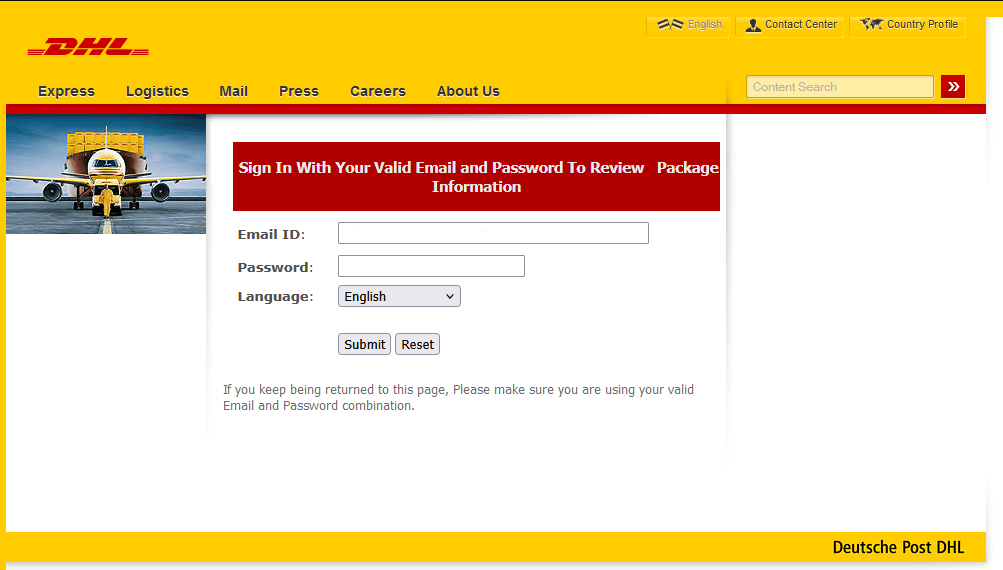
With increased package deliveries during the holiday season, fake shipping notifications have become a common attack. These messages claim to be from legitimate shipping companies such as UPS, FedEx, or DHL, informing you of package delivery attempts or shipping delays. To complete the delivery, these notices will ask you to click on malicious links or attachments that will download malware or direct you to fake websites that will steal personal information. The timing of these attacks coincides with legitimate increased shipping activity, making them harder to distinguish from authentic communications. To track your deliveries, it is best to check the shipping company’s real website or through the trusted platform from which you ordered the product.

Protect yourself from scams during the holidays and year-round

Knowing about these common scam tactics is only the first step toward protecting yourself and those you care about. The next step is for you to learn and implement practical, effective strategies to stay safe while still enjoying digital holiday shopping and giving.

  • Stay suspicious: Be wary of any offer that sounds extremely unrealistic, such as 90% discounts on luxury brands, and always learn to spot telltale signs of a fake marketing promotion such as low-resolution images, high-pressure tactics, misspellings, poor grammar, or odd links.
  • Practice safe surfing: Find out if a website is potentially dangerous before you click on it by using a safe search plug-in such as McAfee Web Protection, which blocks malware and phishing sites if you accidentally click on a malicious link, alerts you if you type a web address incorrectly and points you in the right direction, and scans your downloads and alerts you if there’s a known risk.
  • Shop mindfully: Stick to reputable e-commerce sites and platforms, and look for a trustmark that indicates that the site has been verified as safe by a reliable third-party. Also, look for a lock symbol beside the HTTPS at the beginning of the web address to see if the site uses encryption to protect your data.
  • Check before clicking: Don’t click on any links in messages from people you don’t know. If you come across a shortened URL, use a URL expander to see where the link directs to before you click.
  • Be cautious of high-pressure tactics: Legitimate businesses and charities will respectfully give you time to make purchase or donation decisions. Be suspicious of organizations that pressure you to buy or give immediately. Charities specifically should be able to provide written information about their programs and financial management.
  • Use strong passwords: Make sure your passwords are at least 12 characters long with randomly combined letters, numbers, and characters. Avoid reusing the same password across your important accounts, and never share your passwords with anyone.
  • Monitor your financial accounts actively: During peak shopping periods, review your bank and credit card statements at least once daily for charges you don’t recognize, even small ones that scammers sometimes use to test stolen card information. Set up account alerts for all transactions, low balances, and any changes to your account information.
  • Use credit instead of debit: When shopping online or in unfamiliar locations, use credit cards rather than debit cards. Credit cards typically offer better fraud protection, and fraudulent charges don’t immediately affect your bank account balance.
  • Monitor your credit reports: Check your credit reports regularly for new accounts or inquiries you didn’t authorize. The FTC provides free annual credit reports through AnnualCreditReport.com, and many services now offer free ongoing credit monitoring.
  • Consider temporary credit freezes: If you’re not planning to apply for new credit during the holidays, consider placing a temporary freeze on your credit reports to prevent scammers from opening new accounts in your name, and you can lift the freeze quickly when needed.
  • Recognize red flags: Holiday-themed phishing attempts abound during the season, making it crucial to identify and avoid suspicious communications. Closely check email addresses and phone numbers from unexpected communications, be suspicious of urgent language, watch for poor grammar and spelling, and don’t just click any link or scan any QR code.
  • Practice safe app downloads and installation: If you gift yourself with a new device this holiday season, download only well-reviewed apps developed by legitimate developers and sourced from official sources such as the Apple App Store, Google Play Store, or Microsoft Store. When installing, limit the app’s permission to only what it needs to function.
  • Keep apps updated: Regularly update your apps to ensure you have the latest security patches. Enable automatic updates when possible, and review what’s being updated periodically. Remove apps you no longer use.
  • Use a complete security solution: With the growing sophistication of scams coming in from all fronts of technology, you will need comprehensive protection with antivirus, antispyware, antispam, and a firewall. McAfee+ can help protect all of your devices—PCs, laptops, smartphones, and tablets—from AI-driven malware, phishing, spyware, and other common and emerging threats.
  • Educate yourself and your family: Keep increasing your knowledge of the latest scams and tricks cybercriminals use so you can recognize and avoid potential attacks. You can find helpful information on the McAfee Blogs and the McAfee Guides.

Final thoughts

The holiday season brings joy and connection, but it’s also a time when scammers work hardest to exploit your festive but rushed and distracted spirit. Effective Christmas scam prevention starts with awareness. By slowing down and taking a moment to verify before you click or buy, and using layered cybersecurity protections, you can worry about one less thing and focus on what matters most this season.

Stay security-conscious without letting fear diminish your holiday enjoyment and pursue your digital holiday activities with the right knowledge and tools. We hope that the specific, actionable protections will help you identify red flags, verify legitimate offers, secure your devices and accounts, and respond effectively to suspicious activity. Stay informed by following trusted sources for the latest cybersecurity tips during the holidays, and make this season about celebrating safely with the people you care about most.

Send the link to this page to your family and friends to increase their awareness and take steps to protect themselves.

The post The Top 12 Scams Of Christmas To Watch Out For appeared first on McAfee Blog.

Helpful Tips for Safe Online Shopping

By: McAfee
Shopper using smartphone app

Thanksgiving—not before Halloween as we see things in stores and online now. It seems like the holiday season and decorations start earlier and earlier every year.

But one thing that hasn’t changed is that Black Friday is still a big shopping day. With the advent of online shopping has emerged Cyber Monday, another big sale day for online shoppers on the first Monday after Thanksgiving.

Although many of us may take advantage of these great deals that the holidays offer, we also need to be aware of the risks. Online shopping is a fun and convenient way to make purchases, locate hard-to-find items, and discover bargains, but we need to take steps to protect ourselves.

This guide looks at the methods and warning signs behind online shopping scams, shows you how to recognize fake shopping apps and websites, and shares tips for staying safe online.

Online shopping safety amid growing e-commerce concerns

Online shopping has become a cornerstone of American life. CapitalOne Shopping projects American online spending to reach $1.34 trillion in 2024 and exceed $2.5 trillion in 2030.

With such a massive sum at stake, cybercriminals are laser-focused on taking a share of it, posing financial risk to the 288 million Americans who shop online. As e-commerce grows, so does fraud. In 2024, e-commerce fraud was valued at $44.3 billion, a number seen to grow by 141% to $107 billion in 2029.

Be that as it may, there are many smart shopping habits you can apply to dramatically reduce your risk of becoming a victim of online shopping fraud and enjoy the convenience and benefits of online commerce.

Common online shopping scams

Online shopping scams are designed to look normal—at first glance—especially during busy sale seasons when we’re distracted by a million preparations, moving fast, and chasing deals. These are the very circumstances that fraudsters bank on to victimize you into taking the bait. Being aware of the common scam indicators will help you pause and think, recognize trouble early, and protect both your money and your personal information.

  • Non-delivery scams: You pay for items that never arrive, often from fake storefronts or fraudulent sellers who disappear with your money. The seller might have required you to pay through a wire transfer, cryptocurrency, or gift card, methods that are indisputable and untraceable. If you check the website, it may look new and have no customer reviews or suspiciously have only perfect 5-star ratings. It may also offer prices that are significantly below market value.
  • Counterfeit goods scams: You receive knock-off products instead of authentic brand-name items, particularly affecting electronics, cosmetics, and luxury goods. On closer inspection, you will notice spelling errors in brand names or product descriptions, the prices seem too good to be true for premium brands, and sellers have no proof of authenticity or authorized dealer status.
  • Bait-and-switch scams: Attractive deals lure you in, but you’re pressured to buy different, more expensive items or receive products that don’t match what was advertised. This type of scam is usually characterized by items that are always “out of stock,” but offer readily available, more expensive alternatives. The seller also applies high-pressure sales tactics or limited-time offers that prevent you from comparison shopping, while the product descriptions are vague or don’t match the images shown.
  • Refund and overpayment scams: In this scheme, scammers will pose as buyers who “accidentally” overpay you for items you’re selling, then request you to refund the difference before their original payment bounces. They will also use payment methods that can be reversed such as checks or money orders, then ask for a refund and suggest sending shipping companies to collect items before the payment clears.
  • Website and marketplace impersonations: Fake websites designed to look like legitimate popular brands can steal your payment information and personal data. Watch out for websites that have slightly misspelled URLs or don’t use secure HTTPS encryption as marked by the padlock icon in your browser, as well as missing or incomplete contact information, privacy policies, or terms of service.
  • Product return fraud: Scammers exploit return policies by selling you used, damaged, or counterfeit items while making returns and refunds difficult or impossible through fake or non-existent customer service. Their return policies are overly complicated, buried in fine print, or require original packaging that wasn’t provided. They will disappear from marketplaces immediately after the return period expires.

A guide to knowing if a shopping website is legit

Safe online shopping starts with recognizing the hallmarks of legitimate retailers. Before you enter any payment details, take a moment to verify that the website you’re shopping on is genuine. Scam stores can look polished and convincing, but they often leave behind subtle clues. Here are quick ways to check their authenticity:

  1. Verify the website URL: By typing the URL directly into your browser rather than clicking links from emails or ads, you will avoid typosquatting scams—fake websites with URLs that look almost identical to real retailers, except for slight misspellings. Look for clear return and shipping policies. Read the fine print to understand your rights if something goes wrong.
  2. Confirm physical address and customer service: Real businesses provide multiple ways to contact them, including a physical address, phone number, and email.
  3. Evaluate pricing for realism: The prices are too good to be true, especially for high-demand or hard-to-find items. Many legitimate retailers now offer price-matching policies, allowing you to get market-average or competitive prices.
  4. Check for verified customer reviews: Look for reviews on independent platforms like Google, Yelp, or Trustpilot rather than relying solely on testimonials on the retailer’s website. Cross-reference feedback across multiple platforms.
  5. Ensure secure payment options: Look for HTTPS in the URL and avoid sites that only accept wire transfers, gift cards, peer-to-peer payment apps, or cryptocurrency. For online purchases, check that the seller offers secure payment options with dispute protection, such as digital wallets and/or credit cards.
  6. Research domain age and registration: Use WHOIS lookup tools to check when the domain was registered. Fraudulent sites are usually newly created domains designed to disappear quickly after collecting payments. In addition, established retailers and official brand websites have invested heavily in solid security infrastructure and payment processing, customer protection programs, fraud prevention systems, and long-standing relationships with credit card companies that smaller or unknown sellers often lack.
  7. Check the Better Business Bureau: Search for the seller’s company on the Better Business Bureau to see their rating, complaint history, and accreditation status, and help you identify potential risks before making a purchase.
  8. Pay attention to browser safety warnings: Modern browsers like Chrome, Firefox, and Safari will warn you about potentially dangerous or untrustworthy sites. Google’s Safe Browsing technology blocks millions of unsafe sites daily, so don’t ignore these warnings when they appear. Some comprehensive security tools also include web protection that alert you against dangerous links and downloads, malicious websites, and more.
  9. Verify secure checkout processes: Legitimate sites use SSL (Secure Sockets Layer) encryption during checkout, which you can confirm by looking for “https://” and a lock icon in your browser’s address bar.

11 Tips for safe holiday shopping online

  • Be extra vigilant: Cybercriminals send millions of fake shopping emails that contain suspicious links, with the aim of exploiting your anxiety over catching that amazing deal or deliveries. For example, you might receive an unexpected “Amazon Prime renewal” email or a text from UPS, FedEx, or other carriers when you didn’t purchase anything online. These phishing emails and texts contain malicious links designed to steal your personal information or install malware on your devices. Don’t click the link. Verify delivery notifications through your account or the carrier’s official website or app, then delete the scam email or text immediately.
  • Stick with trusted sellers: When shopping on marketplaces, stick with your trusted online retailers and sellers with high ratings, extensive review histories, and “fulfilled by” programs where the main platform handles shipping and returns. Download retailer apps directly from official app stores rather than third-party sources, as these include enhanced security features and exclusive customer protections.
  • Check the site’s web address: Always type retailer URLs directly into your browser’s address bar or use your bookmarks. Once you arrive at a site, make sure it is the correct URL such as www.amazon.com and not www.amazan.com. Purchase directly from official brand websites or authorized retailers, and verify seller credentials through the brand’s official dealer locator when shopping on marketplaces.
  • Check that the site is secure: Some people cannot tell if a site is secure. Some things to look for on a secure site include:
    • A web address that starts with HTTPS instead of HTTP, indicating that encryption is used to protect your information.
    • A lock symbol beside the URL, proper SSL certificates, and several contact methods.
    • A security seal, such as the McAfee SECURE™ trustmark, indicating that the site has been scanned and verified as secure by a trusted third party. This security seal indicates that the site will help protect you from identity theft, credit card fraud, spam, and other malicious threats.

  • Pay with a credit card or digital wallet: Credit cards offer better protection against fraud than debit cards. You won’t be liable for fraudulent purchases, while cyberthieves won’t be able to drain your bank account if they get your account log-in credentials. Better yet, use a virtual credit card number or a digital wallet such as Apple Pay or Google Pay to prevent your actual card details from being stored on merchant sites. Also, avoid storing your credit card information on new or questionable sites to reduce your exposure if those sites experience security breaches.
  • Take note of shipping and return policies: Always review shipping timelines, return windows, and refund policies before completing your purchase. Not reading the fine print can leave you stuck with unwanted purchases or unexpected fees.
  • Validate social media sellers: Shopping directly through social media platforms or unknown sellers bypasses traditional consumer safeguards. Before you buy from a social media seller, verify their legitimacy, check for customer reviews outside the platform, and use payment methods that offer dispute resolution.
  • Keep communications on-platform: Never move conversations or payments outside the marketplace platform. Scammers often try to lure buyers to external communication channels or direct payment methods to circumvent buyer protections. Legitimate sellers understand that platform policies protect both parties and will keep all interactions within the official channels.
  • Do not use a public computer or Wi-Fi when shopping online: Strangers may be able to access your browsing history and even your login information on shared devices or over unsecured public Wi-Fi. To protect yourself, do all of your online shopping from your home computer or your personal mobile device.
  • Make sure you have a clean computer or mobile device: Make sure you have up-to-date security software on all your devices to safeguard your privacy, protect against identity theft, and defend against viruses and online threats.
  • Keep a paper trail: Take a screenshot of product listings and advertisements before purchasing. Keep a copy of your order number and receipt, and note which credit card you used. When you receive your credit card statement, review it to make sure that the charge on your card is correct, with no extra fees.

The FTC also recommends these additional tips so you can enjoy all the advantages that online shopping has to offer and prevent risking your personal information.

Immediate steps to take if you ordered from a fake online store

  1. Contact your credit card issuer immediately: Call the customer service number on the back of your card once you realize you’ve been scammed. Request a chargeback and explain that you received counterfeit goods, nothing at all, or that the merchant was fraudulent. You usually have 60 days from your statement date to dispute charges, but acting quickly improves your chances of a successful resolution.
  2. Freeze or replace your payment card: Contact your bank or card issuer to freeze your current card and request a new account to prevent more unauthorized charges. If you used a debit card, this step is especially critical since debit card fraud protections are more limited than credit cards.
  3. Change your passwords and enable two-factor authentication: If you created an account on the fake website, change your password immediately on your real account and any linked accounts such as email, banking, and social media. Enable two-factor authentication and think about using a password manager to generate and store unique passwords for each account.
  4. Report the fraudulent seller to the platform or hosting service: Protect other consumers by reporting the fake store. If the site appeared in search results or social media ads, report it to those platforms. You can also report fraudulent websites to their hosting companies to take down fraudulent sites once notified.
  5. File reports with federal and state authorities: Report the scam to the Federal Trade Commission (FTC) and the Internet Crime Complaint Center (IC3) to help authorities track scam trends and assist in investigations. Additionally, contact your state’s attorney general office, as many have consumer protection divisions that handle online fraud.
  6. Save and organize all evidence: Document everything related to your purchase in both digital and printed formats: screenshots of the website, confirmation emails, receipts, payment records, and any communication with the seller. Save copies of your credit card or bank statements showing the charge. These documents are essential for your chargeback dispute and law enforcement investigations.
  7. Monitor your credit report and identity closely: Keep a close eye on your bank and credit card statements, as well as credit reports from all three major bureaus—Experian, Equifax, and TransUnion—for suspicious activity, and place a fraud alert or credit freeze on your accounts if you’re concerned about identity theft.
  8. Follow up on your chargeback and dispute process: Stay in regular contact with your credit card company about your dispute and provide additional documents promptly if requested. Be patient and persistent as the investigation process could take up to 90 days.

Final thoughts

Online shopping should feel exciting, not a dangerous undertaking you have to brace for, especially during the season of giving. It can be, with a few simple steps—checking the URL, looking for HTTPS, verifying the seller, paying with a credit card or virtual number, and trusting your gut when something feels suspicious. These small habits will keep your money and your identity where they belong: with you.

For increased safety while shopping online, seek out the help of a trusted security solution such as McAfee+ that will alert you of risky links and compromised websites to prevent identity theft or malware infection.

If this guide helps you, pass it along to someone you care about. Scams don’t just target individuals—they cascade into families and friend groups. The more we normalize safe shopping habits and increase our vigilance, the harder it is for fraudsters to win. If you ever feel unsure mid-purchase, take a breath and double-check. A few extra seconds now can save you a lot of stress later. Stay safe, and happy shopping!

The post Helpful Tips for Safe Online Shopping appeared first on McAfee Blog.

15 Vital Tips To Better Password Security

By: McAfee
better password security

Even as passkeys and biometric sign-ins become more common, nearly every service still relies on a password somewhere in the process—email, banking, social media, health portals, streaming, work accounts, and device logins.

Most people, however, don’t realize the many ways we make our accounts vulnerable due to weak passwords, enabling hackers to easily crack them. In truth, password security isn’t complicated once you understand what attackers do and what habits stop them.

In this guide, we will look into the common mistakes we make in creating passwords and offer tips on how you can improve your password security. With a few practical changes, you can make your accounts dramatically harder to compromise.

Password security basics

Modern password strength comes down to three truths. First, length matters more than complexity. Every extra character multiplies the number of guesses an attacker must make. Second, unpredictability matters because attack tools prioritize the most expected human choices first. Third, usability matters because rules that are painful to follow lead to workarounds like reuse, tiny variations, or storing written passwords in unsafe ways. Strong password security is a system you can sustain, not a heroic one-time effort.

Protection that strong passwords provide

Strong passwords serve as digital barriers that are more difficult for attackers to compromise. Mathematically, password strength works in your favor when you choose well. A password containing 12 characters with a mix of uppercase letters, lowercase letters, numbers, and symbols creates over 95 trillion possible combinations. Even with advanced computing power, testing all these combinations requires substantial time and resources that most attackers prefer to invest in easier targets.

This protection multiplies when you use a unique password for each account. Instead of one compromised password providing access to multiple services, attackers must overcome several independent security challenges, dramatically reducing your overall risk profile.

Benefits of good password habits

Developing strong password security habits offers benefits beyond protecting your accounts. These habits contribute to your overall digital security posture and create positive momentum for other security improvements, such as:

  • Reduced attack success: Strong, unique passwords make you a less attractive target for cybercriminals who prefer easier opportunities.
  • Faster recovery: When security incidents do occur, good password practices limit the scope of damage and accelerate recovery.
  • Peace of mind: Knowing your accounts are well-protected reduces anxiety about potential security threats.
  • Professional credibility: Good security habits demonstrate responsibility and competence in professional settings.
  • Family protection: Your security practices often protect family members who share devices or accounts.

The impact of weak passwords

On the other hand, weak passwords are not just a mild inconvenience. They enable account takeovers and identity theft, and can become the master key to your other accounts. Here’s a closer look at the consequences:

Your digital identity becomes someone else’s

Account takeover happens when cybercriminals gain unauthorized access to your online accounts using compromised credentials. They could impersonate you across your entire digital presence, from email to social media. For instance, they can send malicious messages to your contacts, make unauthorized purchases, and change your account recovery information to lock you out permanently.

The effects of an account takeover can persist for years. You may discover that attackers used your accounts to create new accounts in your name, resulting in damaged relationships and credit scores, contaminated medical records, employment difficulties, and legal complications with law enforcement.

The immediate and hidden costs of financial loss

Financial losses from password-related breaches aren’t limited to money stolen from your accounts. Additional costs often include:

  • Bank penalty fees from overdrawn accounts
  • Needing to hire credit monitoring services to prevent future fraud
  • Legal fees for professional help resolving complex cases
  • Lost income from time spent dealing with fraud resolution
  • Higher insurance premiums due to damaged credit

The stress and time required to resolve these issues also affect your overall well-being and productivity.

Your personal life becomes public

Your passwords also guard your personal communications, private photos, confidential documents, and intimate details about your life. When these barriers fail, you could find your personal photos and messages shared without consent, confidential business information in competitors’ hands. The psychological, emotional, and professional impact of violated trust can persist long after the immediate crisis passes.

15 tips for better password security: Small steps, big impact

You can dramatically improve your password security with relatively small changes. No need to invest in expensive or highly technical tools to substantially improve your security. Here are some simple tips for better password security:

1) Long passwords are better than short, “complex” passwords

If you take away only one insight from this article, let it be this: password length is your biggest advantage. A long password creates a search effort that brute force tools will take a long time to finish. Instead of trying to remember short strings packed with symbols, use passphrases made of several unrelated words. Something like “candle-river-planet-tiger-47” is both easy to recall and extremely hard to crack. For most accounts, 12–16 characters is a solid minimum; for critical accounts, longer is even better.

2) Never reuse passwords

Password reuse is the reason credential stuffing works. When one site is breached, attackers immediately test those leaked credentials on other services. If you reuse those credentials, you have effectively given the keys to your kingdom. Unique passwords can block that entry. Even if a shopping site leaks your password, your email and banking stay protected because their passwords are different.

3) Don’t use your personal information

Attackers always try the obvious human choices first: names, birthdays, pets, favorite teams, cities, schools, and anything else that could be pulled from social media or public records. Even combinations that feel “creative,” such as a pet name plus a year, tend to be predictable to cracking tools. Your password should be unrelated to your life.

4) Avoid patterns and common substitutions

In the past, security experts encouraged people to replace letters with symbols such as turning “password” into “P@ssw0rd” and calling it secure. That advice no longer holds today, as attack tools catch these patterns instantly. The same goes for keyboard walks (qwerty, asdfgh), obvious sequences (123456), and small variations like “MyPassword1” and “MyPassword2.” If your password pattern makes sense to a human, a modern cracking tool will decipher it in seconds.

5) Use a randomness method you trust

Humans think they’re random, but they aren’t. We pick symbols and words that look good together, follow habits, and reuse mental templates. Two reliable ways to break that habit are using Diceware—an online dice-rolling tool that selects words from a list—and password generators, which create randomness better than your human brain. In addition, the variety of characters in your password impacts its strength. Using only lowercase letters gives you 26 possible characters per position, while combining uppercase, lowercase, numbers, and symbols expands this to over 90 possibilities.

6) Match password strength to account importance

Not every account needs the same level of complexity, but every account needs to be better than weak. For email, banking, and work systems, use longer passphrases or manager-generated passwords of 20 characters or more. For daily convenience accounts such as shopping or social media, a slightly shorter but still unique passphrase is fine. For low-stakes logins you rarely use, still keep at least a 12-character unique password. This keeps your accounts secure without being mentally exhausting.

7) Turn on multi-factor authentication where possible

Multi-factor authentication (MFA) adds a second checkpoint in your security, stopping most account takeovers even if your password leaks. Authenticator apps are stronger than SMS codes, which can be intercepted in SIM-swap attacks. Hardware or physical security keys are even stronger. Start with your email and financial accounts, then expand to everything that offers MFA.

8) Learn to spot phishing scams to prevent stolen passwords

A perfect password is useless if you type it into the wrong place. Phishing attacks work by imitating legitimate login pages or sending urgent messages that push you to click. Build the habit of checking URLs in unsolicited emails or texts, being wary of pressure tactics, and taking a moment to question the message. When in doubt, open a fresh tab and navigate to the service directly.

9) Avoid signing in on shared devices

You may not know it, but shared computers may carry keyloggers, unsafe browser extensions, or saved sessions from other users. If you have no choice but to sign in using a shared device, don’t allow the browser to save your log-in details, log out fully afterward, and change the password later from your own device.

10) Be careful with public Wi-Fi

On public networks in places like such as cafes or airports, cybercriminals could be prowling for their next victim. Attackers sometimes create fake hotspots with familiar names to trick people into connecting. Even on real public Wi-Fi, traffic can be intercepted. The safest choice is to avoid logging into sensitive accounts on public networks. If you must use public Wi-Fi, protect yourself by using a reputable virtual private network and verify the site uses HTTPS.

11) Ensure your devices, apps, and security tools are updated

Many password thefts happen as a result of compromised devices and software. Outdated operating systems and browsers can contain security vulnerabilities known to hackers, leading to malware invasion, session hijacking, or credential harvesting. The best recourse is to set up automatic updates for your OS, browser, and antivirus tool to remove a huge chunk of risk with no additional effort from you.

12) Use a reputable password manager

Password managers solve two hard problems at once: creating strong unique passwords and remembering them. They store credentials in an encrypted vault protected by a master password, generate high-entropy passwords automatically, and often autofill only on legitimate sites (which also helps against phishing). In practice, password managers are what make “unique passwords everywhere” feasible.

13) Protect your password manager like it’s your digital vault

Among all others, your master password that opens your password manager is the one credential you must memorize. Make it long, passphrase-style, and make sure you have never reused it anywhere else. Then add MFA to the manager itself. This makes it extremely difficult for someone to get into your vault even if they somehow learn your master password.

14) Audit and update passwords when there’s a reason

The old “change every 90 days no matter what” guideline could backfire, leading to password-creation fatigue and encouraging people to make only tiny predictable tweaks. A smarter approach is to update only when something changes in your risk: a breach, a suspicious login alert, or a health warning from your password manager. For critical accounts, doing a yearly review is a reasonable rhythm.

15) Reduce your attack surface by cleaning up old accounts

Unused accounts are easy to forget and easy to compromise. Delete services you don’t use anymore, and review which third-party apps are connected to your Google, Apple, Microsoft, or social logins. Each unnecessary connection is another doorway you don’t need open.

Practical implementation strategies for passphrases

As mentioned in the tips above, passphrases have become the better, more secure alternative to traditional passwords. A passphrase is essentially a long password made up of multiple words, forming a phrase or sentence that’s meaningful to you but not easily guessed by others.

Attackers use sophisticated programs that can guess billions of predictable password combinations per second using common passwords, dictionary words, and patterns. But when you string together four random words, you create over 1.7 trillion possible combinations, even though the vocabulary base contains only 2,000 common words.

Your brain, meanwhile, is great at remembering stories and images. When you think “Coffee Bicycle Mountain 47,” you might imagine riding your bike up a mountain with your morning coffee, stopping at mile marker 47. That mental image sticks with you in ways that “K7#mQ9$x” never could.

The approach blending unpredictability and the human ability to remember stories offers the ideal combination of security and usability.

To help you create more effective passphrases, here are a few principles you can follow:

  • Use unrelated words: Choose words that don’t naturally go together. “Sunset beach volleyball Thursday” is more predictable than “elephant tumbler stapler running” because the first phrase contains related concepts.
  • Add personal meaning: While the words shouldn’t be personally identifiable, you can create a mental story or image that helps you remember them. This personal connection makes the passphrase memorable without making it guessable.
  • Avoid quotes and common phrases: Don’t use song lyrics, movie quotes, or famous sayings. These appear in dictionaries and can be vulnerable to specialized attacks.
  • The sentence method: Create a memorable sentence and use the first letter of each word, plus some numbers or punctuation. “I graduated from college in 2010 with a 3.8 GPA!” becomes “IgfCi2010wa3.8GPA!” This method naturally creates long, unique passwords.
  • The story method: Create a memorable short story using random elements and turn it into a passphrase. “The purple elephant drove a motorcycle to the library on Tuesday” becomes “PurpleElephantMotorcycleLibraryTuesday” or can be used as-is with spaces.
  • The combination method: Combine a strong base passphrase with site-specific elements. For example, if your base is “CoffeeShopRainbowUnicorn,” you might add “Amazon” for your Amazon account: “CoffeeShopRainbowUnicornAmazon.”
  • Use mixed case: For maximum security, the mixed-case approach capitalizes on random letters within words: “coFfee biCycLe mouNtain 47.” This dramatically increases entropy while remaining typeable.
  • Add symbols: When used sparingly, this technique adds complexity. You can separate the words or substitute some letters with random symbols. But make sure you will remember them.
  • Use words from other languages: Multi-language passphrases offer a layer of security, assuming you’re comfortable with multiple languages. “Coffee Bicicleta Mountain Vier” combines English, Spanish, and German words, creating combinations that appear in no standard dictionary.
  • Personalize it: For the security-conscious, consider adding random elements that hold personal meaning, as long as this information isn’t publicly available. It could be the coordinates of a special place or a funny inside story within your family.

Password managers: Your password vault

Password managers are encrypted digital vaults that store all your login credentials behind a single master password. They are your personal security assistant that never forgets, never sleeps, and constantly works to keep your accounts protected with unique, complex passwords.

Modern password managers create passwords that are truly random, combining uppercase and lowercase letters, numbers, and special characters in patterns that are virtually impossible for cybercriminals to guess or crack through brute force attacks. These passwords typically range from 12 to 64 characters long, exceeding what most people could realistically remember or type consistently.

Encryption scrambles your passwords

The encrypted format scrambles your passwords using advanced cryptographic algorithms before being saved. This means that even if someone gained access to your password manager’s servers, your actual passwords would appear as meaningless strings of random characters without the encryption key. Only you possess this key through your master password.

The auto-fill functionality also offers convenience, recognizing the login page of your account and instantly filling in your username and password with a single click or keystroke. This seamless process happens across operating systems, browsers, and devices—your computer, smartphone, and tablet—keeping your credentials synchronized and accessible wherever you need them.

Choose a reputable password manager

Selecting the right password manager requires careful consideration of several factors that directly impact your security and user experience.

The reputation and track record of the company offering the password manager should be your first consideration. Look for companies that have been operating in the security space for several years and have a transparent approach to security practices.

Reputable companies regularly undergo independent security audits by third-party cybersecurity firms to examine the password manager’s code, encryption methods, and overall security architecture. Companies that publish these audit results demonstrate transparency and commitment to security.

Also consider password managers that use AES-256 encryption, currently the gold standard for data protection used by government agencies and financial institutions worldwide. Additionally, ensure the password manager employs zero-knowledge architecture, meaning the company cannot access your passwords even if they wanted to.

Intuitive user interface, reliable auto-fill functionality, responsive customer support, and ease of use should be checked as well. A password manager that is confusing to navigate or constantly malfunctions will likely be abandoned, defeating the purpose of improved password security.

Choose a solution that offers other features aside from the basic password storage. Modern password managers often include secure note storage for sensitive information such as Social Security numbers, passport details, password sharing capabilities for family accounts, and dark web monitoring that alerts you if your credentials appear in data breaches.

Final thoughts

Strong password security doesn’t have to be complicated. Small changes you make today can dramatically improve your digital security. By creating unique, lengthy passwords or passphrases for each account and enabling multi-factor authentication on your most important services, you’re taking control of your online safety.

Consider adopting a reputable password manager to simplify the process while maximizing your protection. It’s one of the smartest investments you can make for your digital security.

The post 15 Vital Tips To Better Password Security appeared first on McAfee Blog.

15 Critical Tips to Stay Safe on Social Media

By: McAfee
woman checking her social media on mobile

Social media platforms connect you to thousands of people worldwide. But while these platforms offer incredible opportunities for bonding, learning, and entertainment, they also present personal security challenges. Navigating them safely requires being aware of risks and proactively protecting your accounts.

The three most common risks you’ll encounter are privacy exposure, account takeover, and scams. Privacy exposure occurs when your personal information becomes visible to unintended audiences, potentially leading to identity theft, stalking, or professional damage. You have control over your social media security. By implementing safe social media practices, you can dramatically reduce your risk exposure.

This guide rounds up 15 practical, everyday tips to help you secure your accounts and use them more safely. It covers smart posting habits, safer clicking and app-permission choices, stronger privacy settings, and core security basics like using updated browsers, reliable protection tools, and identity-theft safeguards—so you can enjoy social media without making yourself an easy target.

Before we dive in, we want to remind you first that our strongest recommendation amid anything and everything unsolicited, unusual, or suspicious on social media is this: verify, verify, verify through separate communication channels such as phone, email, and official websites.

15 top tips to stay safer on social media

1. Realize that you can become a victim at any time.

Not a day goes by when we don’t hear about a new hack. With 450,000 new pieces of malware released to the internet every day, security never sleeps. For your increased awareness, here’s a short list of the most common social media scams:

  • Giveaway and lottery scams: Fake contests promising expensive prizes like iPhones, gift cards, or cash in exchange for personal information or payment of “processing fees” before you can claim your prize.
  • Impersonation scams: Criminals create fake profiles mimicking friends, family members, celebrities, or trusted organizations to build false relationships and extract money or information from you. One warning sign is that the direct message, link, or post will originate from accounts with limited posting history or generic profile photos.
  • Romance scams: Fraudsters develop fake romantic relationships on social platforms over time, eventually requesting money for emergencies, travel, or other fabricated situations. Never send money to someone you’ve only met online and use reverse image searches to verify profile photos aren’t stolen.
  • Fake job offers: Scammers will post attractive employment opportunities, promising unrealistic salaries for minimal work. During your “onboarding,” the fake HR person will require upfront payments for equipment, training, or background checks, or use job interviews to harvest personal information such as Social Security numbers.
  • Cryptocurrency and investment scams: Fraudulent investment schemes promise guaranteed returns through cryptocurrency trading, forex, or other financial opportunities, often using fake testimonials and urgent time pressure. The fraudsters will promise guaranteed high returns, pressure you to invest quickly, and ask you to recruit friends and family into the “opportunity.”
  • Charity and disaster relief scams: Fake charitable organizations exploit current events, natural disasters, or humanitarian crises to solicit donations that never reach legitimate causes. They will pressure you for immediate donations, offer vague descriptions about how funds will be used, and request cash, gift cards, or cryptocurrency payments.
  • Shopping and marketplace spoofing: Phony online stores or marketplace sellers advertise products at suspiciously low prices, then collect payment but will never deliver the goods. If they do, it will likely be counterfeit. Be on guard for prices that are way below market value, poorly presented websites or badly written advertisements, pressure tactics, and limited payment options.

2. Think before you post.

Social media is quite engaging, with all the funny status updates, photos, and comments. However, all these bits of information can reveal more about you than you intended to disclose. The examples below might be extreme, but they are real-world scenarios that continue to happen to real people daily on social media:

  • Social engineering attacks: When you post details about your daily routine, workplace, or family members, scammers can use this information to build trust and manipulate you into revealing more sensitive information. Limit sharing specific details about your schedule and locations.
  • Employment and reputation damage: Potential employers increasingly review social media profiles during hiring processes, and controversial opinions, inappropriate content, or unprofessional behavior can eliminate your chances of being hired for job opportunities or damage your professional reputation. Similarly, personal relationships may be strained when private information is shared publicly or when posts reveal information that others expected to remain confidential.
  • Financial scams and fraud: Sharing details about expensive purchases, vacations, or financial situations makes you a target for scammers who craft personalized fraud attempts. Apply safe social media practices by avoiding posts about money, luxury items, or financial struggles that could attract unwanted attention from fraudsters.

3. Nothing good comes from filling out a “25 Most Amazing Things About You” survey.

Oversharing on social media creates significant risks that extend beyond embarrassment or regret. Identity thieves actively monitor social platforms for personal information they can use to answer security questions, predict passwords, or impersonate you in social engineering attacks.

Avoid publicly answering questionnaires with details like your middle name, as this is the type of information financial institutions—and identity thieves—may use to verify your identity.

  • Password reset clues: Sharing your birth date, hometown, or pet’s name gives cybercriminals the answers to common security questions used in password resets. Do your best to keep personal details private and use unique, unguessable answers for security questions that only you would know.
  • Identity theft: Oversharing personal information such as your full name, address, phone number, and family details gives identity thieves the building blocks to impersonate you or open accounts in your name. In addition, these details frequently serve as backup authentication methods for your email or bank accounts. You wouldn’t want identity thieves to know them, then. Protect your accounts by tightening privacy settings and limiting the information in your profile and posts.
  • Doxxing: This publication of your private information without consent is another malicious consequence of oversharing. Your seemingly harmless social media posts can be combined with other public records to reveal your home address, workplace information, and family details, which can then be used to harass, intimidate, or endanger you and your loved ones as part of a scam or revenge scheme.
  • Data collection: The scope of data collection and its potential for misuse continues to evolve. Anything you share on social media becomes data for hundreds of third-party companies for advertising and analytics purposes that you may not realize. This widespread distribution of your personal information increases the odds that your data will be involved in a breach or used in nefarious ways.

4. Think twice about applications that request permission to access your data.

Third-party apps with excessive permissions can access your personal data, post to social media at any time on your behalf, or serve as entry points for attackers, regardless of whether you’re using the application. To limit app access and reduce your attack surface significantly, review all apps and services connected to your social media accounts. Revoke permissions to applications you no longer use or don’t remember authorizing.

5. Don’t click on short links that don’t clearly show the link location.

Shortened links can be exploited in social media phishing attacks as they hide the final destination URL, making it difficult for you to determine where it actually leads. These tactics mimic legitimate communications from trusted sources and come in the form of direct messages, comments, sponsored posts, and fake verification alerts, all in an effort to steal your personal information, login credentials, or financial details. Often, these attacks appear as urgent messages claiming your account will be suspended or fake prize notifications.

When you identify phishing attempts, immediately report and block the suspicious accounts using the platform’s built-in reporting features. This will protect not only you but other users on the platform.

If the link is posted by a product seller or service provider, it is a good idea to:

  1. Verify the link independently: Don’t click suspicious links or download files from unknown sources. Instead, navigate to official websites directly by typing the URL yourself or using trusted search engines.
  2. Verify the profile before engaging: Look for verified checkmarks, consistent posting history spanning several months or years, and mutual connections. As scammers often use stolen photos, check if the photo appears elsewhere online by doing a reverse image search.
  3. Use only trusted payment methods: Stick to secure payment platforms with buyer protection such as PayPal, credit cards, or official app payment systems. Never send money through wire transfers, gift cards, cryptocurrency, or peer-to-peer payment apps to strangers, as these transactions are irreversible and untraceable.
  4. Research sellers and causes thoroughly: Before making any purchase or donation, search for the business name online, check reviews on multiple sites, and verify charity registration numbers through official databases. Look up the organization’s official website and ensure that the business has verifiable contact information, a physical address, and good reviews.
  5. Keep conversations on the platform: Legitimate sellers and organizations rarely need to move discussions to private messaging apps, email, or phone calls immediately. When scammers push you off-platform, they’re avoiding security measures and community reporting systems.

6. Beware of posts with subjects along the lines of, “LOL! Look at the video I found of you!”

You might think the video or link relates directly to you. But when you click it, you get a message saying that you need to upgrade your video player in order to see the clip. When you attempt to download the “upgrade,” the malicious page will instead install malware that tracks and steals your data. As mentioned, don’t click suspicious links or download files from unknown sources before verifying independently. Visit the official websites by directly typing the URL yourself or using trusted search engines.

This also brings us to the related topic of being tagged on other people’s content. If you don’t want certain content to be associated with you, adjust the settings that enable you to review posts and photos before they appear on your profile. This allows you to maintain control over your digital presence and prevents embarrassing or inappropriate content associations.

7. Be suspicious of anything that sounds unusual or feels odd.

If one of your friends posts, “We’re stuck in Cambodia and need money,” keep your radar up as it’s most likely a scam. It is possible that a scammer has taken over your friend’s account, and is using it to impersonate them, spread malicious content, or extract sensitive information from their contacts, including you. Don’t engage with this post or the fraudster, otherwise the next account takeover could be yours.

In this kind of scam, some critical areas of your life are affected:

  • Financially, successful attacks can result in unauthorized purchases, drained bank accounts, or damaged credit scores through identity theft.
  • Your reputation faces threats from impersonation, where attackers post harmful content under your name, or from oversharing personal information that employers, colleagues, or family members might frown upon.
  • In terms of misusing your identity, criminals could further exploit your social media profile by collecting data from your posts to conduct other fraudulent activities, from opening accounts in your name to bypassing security questions on other services.

When you encounter suspicious activity, always use official support pages rather than responding to questionable messages. Major social media platforms provide dedicated help centers and verified contact methods.

  • Configure message and comment filtering: Set up keyword filters to automatically block suspicious messages and enable message request filtering from unknown users. This helps you verify suspicious messages on social media before they reach your main inbox.
  • Watch for urgency and pressure tactics: Scammers create false urgency through “limited time offers” or “emergency situations” to prevent you from thinking clearly. Legitimate opportunities and genuine emergencies allow time for verification.

8. Understand your privacy settings.

Select the most secure options and check periodically for changes that can open up your profile to the public. Depending on your preference and the privacy level you are comfortable with, you can choose from these options:

  • Public profiles make your content searchable and accessible to anyone, including potential employers, strangers, and data collectors. This setting maximizes your visibility and networking potential but also increases your exposure to unwanted contact and data harvesting.
  • Friends-only profiles limit your content to approved connections, balancing your social interaction and privacy protection. This setting, however, doesn’t prevent your approved friends from reposting your content or protect you from data collection.

  • Private profiles provide the highest level of content protection, requiring approval for anyone to see your posts. While this setting offers maximum control over your audience, it can limit legitimate networking opportunities and may not protect you from all forms of data collection.
We suggest that you review your privacy settings every three months, as platforms frequently update their policies and default settings. While you are at it, take the opportunity to audit your friend lists and remove inactive or suspicious accounts.

9. Reconsider broadcasting your location.

Posting real-time locations or check-ins can alert potential stalkers to your whereabouts and routine patterns, while geo-tagged photos can reveal where you live, study, work, shop, or work out. Location sharing creates patterns that criminals can exploit for security threats such as stalking, harassment, and other physical crimes.

To avoid informing scammers of your whereabouts, turn off location tagging in your social media apps and avoid posting about your routine. You might also consider disabling “last seen” or “active now” indicators that show when you’re online. This prevents others from monitoring your social media activity patterns and reduces unwanted contact attempts, significantly improving your personal and family safety while maintaining your ability to share experiences.

10. Use an updated browser, social media app, and devices.

Older browsers tend to have more security flaws and often don’t recognize newer scam patterns, while updated versions are crucial for security by patching vulnerabilities. Updates add or improve privacy controls such as tracking prevention, cookie partitioning, third-party cookie blocking, stronger HTTPS enforcement, transparent permission prompts. They also support newer HTML/CSS/JavaScript features, video and audio codecs, payment and login standards, and accessibility features.

In terms of performance, new browser versions offer faster performance, better memory management, and more efficient rendering, so you get fewer freezes, less fan noise, and longer battery life and better extension compatibility.

11. Choose unique logins and passwords for each of the websites you use.

Consider using password managers, which can create and store secure passwords for you. Never reuse passwords across platforms. This practice ensures that if one account is compromised, your other accounts remain secure. Password managers also help you monitor for breached credentials and update passwords regularly.

In addition, implement multi-factor authentication (MFA)on every social media account using authenticator apps. This single step can protect social media accounts from 99% of automated attacks. MFA enforcement should be non-negotiable for both personal and business accounts, as it adds critical security that makes account takeovers exponentially more difficult.

12. Check the domain to be sure that you’re logging into a legitimate website.

Scammers build fake login pages that look identical to real ones. The only obvious difference is usually the domain. They want you to type your username/password into their site, so they can steal it. So if you’re visiting a Facebook page, make sure you look for the https://www.facebook.com address.

The rule is to read the domain from right to left because the real domain is usually the last two meaningful segments before the slash. For instance, https://security.facebook.com—read from right to left—is legitimate because the main domain is facebook.com, and “security” is just a subdomain.

Watch out for scam patterns such as:

  • Look-alike domains such as faceboook.com (extra “o”), facebook-login.com, fb-support.com.
  • Subdomain tricks that hide the real domain such as https://facebook.com.login-security-check.ru.

13. Be cautious of anything that requires an additional login.

Within the social media platform, scammers often insert a “second” sign-in step to capture your credentials. A common trick is sending you to a page that looks like a normal email, business, or bank website but then suddenly asks you to log in again “to continue,” “to verify your identity,” or “because your session expired.” That extra login prompt is frequently a fake overlay or a malicious look-alike page designed to steal passwords.

Clicking a shared document link, viewing a receipt, or checking a delivery status usually shouldn’t require you to re-enter your email and password—especially if you’re already signed in elsewhere. Another example is a fake security notification claiming your account has been compromised, directing you to another page or website that requires a new login. Attackers usually rely on urgency, panic, and habit; you might be so used to logging in all the time, that you could do it automatically without noticing the context is wrong.

A safer habit is to stop and reset the flow. If something unexpectedly asks for another login, don’t use the embedded prompt. Instead, open a new tab, type the site’s official address yourself, check account status, and log in there if needed. If the request was legitimate, it will still work once you’re signed in through the official site; if it was a trap, you’ve just avoided handing over your credentials.

14. Make sure your security suite is up to date.

Your suite should include an antivirus, anti-spyware, anti-spam, a firewall, and a website safety advisor. Keeping your security suite up to date is essential as threats evolve daily, and outdated protection can miss new malware, phishing kits, ransomware variants, and scam techniques. Updates also patch security weaknesses in the software itself, improve detection technologies, and add protections for newer attack methods.

The McAfee Social Privacy Manager extends “security updates” beyond your device and into your social media footprint by scanning your privacy settings across supported platforms, flagging exposures, and recommending safer configurations. Because social platforms frequently change their settings and defaults, Social Privacy Manager also needs to stay updated to recognize and apply the right privacy protections.

15. Invest in identity theft protection.

Regardless of how careful you may be or any security systems you put in place, there is always a chance that you can be compromised in some way. It’s nice to have identity theft protection watching your back.

McAfee+ combines every day device security with identity monitoring in one suite. Depending on the plan, McAfee+ can watch for your personal info on the dark web and breach databases, monitor financial and credit activity, and send real-time alerts for anomalies. The Advanced and Ultimate plans add wider support such as credit monitoring and tracking for bank or investment accounts, as well as tools that reduce your exposure such as Personal Data Cleanup that removes your info from data broker sites. It doesn’t just warn you after a breach; it helps shrink the chances your data gets misused in the first place.

Final thoughts

Social media brings incredible opportunities, but privacy exposure, scams, and account takeovers remain real challenges that can impact your finances, reputation, and personal security. The tips outlined above give you practical ways to recognize the risks and protect your social media accounts. By raising your level of awareness and applying safe social media practices, you are building a stronger defense against evolving threats.

Make security a family affair by sharing these safe social media practices with everyone in your household—especially children and teens who use social media—so they can enjoy a safer experience.

The post 15 Critical Tips to Stay Safe on Social Media appeared first on McAfee Blog.

Smart Ways to Keep Your Social Security Number from Being Cracked

By: McAfee

A determined cybercriminal can find ways to guess or predict an individual’s Social Security number, which increases the risk of identity theft for all of us.

In 2009, researchers from Carnegie Mellon University revealed that a reliable method for predicting Social Security numbers was discovered using information from social networking sites, data brokers, voter registration lists, online white pages, and the publicly available Social Security Administration’s Death Master File.

Originally, the first three numbers on a Social Security card represented the state in which a person had initially applied for their card. Numbers started in the Northeast and moved westward. This meant that people born on the East Coast were assigned the lowest numbers and those born on the West Coast were assigned the highest numbers. Before 1986, people were rarely assigned a Social Security number until age 14 or so, since the numbers were used for income tracking purposes.

The Carnegie Mellon research

The Carnegie Mellon researchers were able to guess the first five digits of a Social Security number on their first attempt for 44% of people born after 1988. For those in less populated states, the researchers had a 90% success rate. In fewer than 1,000 attempts, the researchers could identify a complete Social Security number, “making SSNs akin to 3-digit financial PINs.” The researchers concluded, “Unless mitigating strategies are implemented, the predictability of SSNs exposes people born after 1988 to risks of identity theft on mass scales.”

To address this security gap, the Social Security Administration in 2011 changed the way SSNs are issued by randomizing number assignment to make predicting patterns more difficult. While this is certainly an accomplishment, the potential to predict Social Security numbers is the least of our problems. Social Security numbers can be found in unprotected file cabinets and databases in thousands of government offices, corporations, and educational institutions, exposing people to identity theft and other related risks. With the growing losses from all identity theft cases, protecting SSNs is a serious concern.

Your SSN: It’s more than a string of numbers

Your Social Security number might be only nine digits, but in the wrong hands, it can act like a master key that unlocks far more. It can reveal details about your life, serving as a powerful linking tool for cybercriminals to access or verify other personal details and build a more comprehensive profile of your identity.

  • Credit and financial information: When combined with other identity elements, such as your name and address, your SSN can help criminals access your credit reports and financial accounts. Fortunately, legitimate financial institutions require multiple forms of verification beyond your SSN, including security questions, account numbers, and authentication codes sent to your registered devices.
  • Government benefits access: Your SSN serves as a key identifier for Social Security benefits, Medicare, unemployment claims, and tax refunds. Criminals may attempt to file fraudulent claims using your SSN, but the Social Security Administration has implemented stronger identity verification requiring additional documentation and in-person visits for many services.
  • Employment records: While your SSN identity theft risk includes employment fraud, most employers now use E-Verify and require physical documentation such as driver’s licenses and passports. Your SSN alone typically isn’t enough for someone to successfully impersonate you for employment, though it can be part of a broader identity theft scheme.
  • Medical records and insurance: Healthcare providers use SSNs to verify insurance coverage and access medical histories. Criminals have attempted medical identity theft, but most healthcare systems now require photo ID, insurance cards, and often biometric verification to access sensitive medical information and services.

Your stolen SSN could be on the dark web

Your Social Security number is one of your most private identifiers, but in today’s data economy, it can quietly slip into criminal marketplaces on the dark web. Even if you’re careful with your information, you can’t control how organizations protect the data they collect from you. These exposures often result from data breaches, scams, or systems you had to trust — employers, hospitals, banks, schools, and even government agencies. When your SSN shows up there, it’s usually bundled with your other information—name, birthdate, address—making it far more valuable and dangerous than a random number on its own.

Being familiar with the common paths that take your SSN to the dark web will help you recognize and avoid the risks earlier, and act fast if your information is ever compromised.

  • Third-party data breaches: Your SSN could end up on the dark web when companies, healthcare providers, or government agencies you’ve shared it with experience security breaches. Recent high-profile incidents have exposed millions of records, including major credit reporting agencies and healthcare systems.
  • Device malware and info-stealing attacks: Cybercriminals use sophisticated malware that can capture data as you type, including Social Security numbers entered on tax forms, job applications, or financial websites. Banking trojans and keyloggers specifically target sensitive information for sale on illicit markets.
  • Phishing schemes and social engineering: Scammers impersonate trusted organizations like the IRS, your bank, or employers and create convincing fake websites, emails, or phone calls that trick you into “verifying” your SSN. They will claim your SSN has been “suspended” or “compromised,” threaten you with arrest or legal action, or request to verify your SSN for any reason. Pressure tactics and demands for immediate action are classic red flags.
  • Compromised data brokers: Data brokers legally collect and sell personal information, gathered from public records, social media, and other sources, creating comprehensive profiles that become valuable targets for cybercriminals. When their systems are breached, your SSN and other details can be exposed.
  • Social engineering of service providers: Criminals sometimes target employees at companies that handle your information, manipulating them to gain unauthorized access to customer records. Call center representatives, healthcare workers, or government employees may be tricked into providing access to systems containing SSNs.
  • Account takeovers: Account takeovers occur when criminals gain access to your existing accounts through stolen passwords, security question answers, or two-factor authentication bypasses. Once inside accounts at financial institutions, healthcare providers, or government services, they can view stored SSNs or use account access to request more information.
  • Mailbox theft: Physical mail theft remains a surprisingly effective way for criminals to guess or find documents containing your SSN. Tax documents, insurance statements, pre-approved credit offers, and government correspondence often contain complete or partial Social Security numbers that help criminals piece together your identity.
  • Public records: Public records databases, court filings, property records, and voter registration information sometimes contain complete or partial SSNs. While efforts have been made to remove SSNs from public records, older documents and some current filings may still expose this information.

The doors that open with your Social Security Number

Once criminals have your SSN, they can do a range of fraudulent activities that can compromise your relationships, health, career, financial standing, and even your freedom. A single SSN can fuel everything from credit and loan scams to tax fraud, medical identity theft, and even long-term schemes like synthetic identities. Here are some examples:

  • New account fraud: Criminals could use your SSN and other personal information to open credit cards, loans, or bank accounts in your name. This can destroy your credit score and leave you responsible for fraudulent debt that can take years to resolve.
  • Tax refund fraud: Scammers file fake tax returns using your SSN to claim your refund before you file your legitimate return. This leaves you dealing with IRS complications and delays in receiving your actual refund, often extending into the following tax year.
  • Medical identity theft: When someone uses your SSN to receive medical care, prescription drugs, or submit insurance claims, it can contaminate your medical records with incorrect information and exhaust your insurance benefits. This puts your health at risk and can result in thousands in fraudulent medical bills.
  • Government benefits fraud: Criminals apply for unemployment benefits, Social Security benefits, or other government assistance using your SSN. This complicates your own eligibility and creates tax complications when benefits are reported under your name.
  • Employment fraud: Someone may use your SSN for employment, which means their income gets reported to the IRS under your name, potentially affecting your tax liability and Social Security benefits calculation. You might receive unexpected tax documents or face complications with the IRS over unreported income you never earned.
  • SIM swap setup: Your SSN serves as a verification tool when criminals attempt to transfer your phone number to their device, giving them access to two-factor authentication codes and potentially your financial accounts. This can lead to rapid-fire account takeovers across multiple platforms.
  • Synthetic identity creation: Fraudsters combine your real SSN with fake names and addresses to create entirely new identities for long-term fraud schemes. These synthetic identities can build credit over time, making the fraud harder to detect and potentially more damaging when discovered.

Verify and block anyone using your Social Security Number

Social Security identity theft isn’t always obvious right away. In many cases, people don’t realize their SSN has been compromised until weeks or months later. If you want to know if your SSN has been misused, there are clear warning signs and reliable ways to check. By reviewing a few key records, you can spot red flags early and shut down fraud before it snowballs into a long, expensive recovery process.

  1. Check your credit reports: Request your free annual credit reports from federally authorized sources. Look for accounts you didn’t open, credit inquiries you didn’t authorize, or addresses you’ve never lived at. You’re entitled to one free report from Experian, Equifax, or TransUnion every 12 months, so stagger them quarterly for ongoing monitoring.
  2. Set up fraud alerts and credit monitoring: Place a fraud alert with any of the three credit bureaus to require creditors to verify your identity before opening new accounts. Consider setting up account alerts with your bank and credit card companies as well to notify you of unusual activity. These notifications can catch SSN identity theft early before damage occurs.
  3. Review your Social Security Administration account: Create or log into your Social Security account to check your earnings history and benefit statements. Look for employment or earnings you don’t recognize, as criminals often use stolen SSNs for work authorization. Any discrepancies could indicate someone is using your SSN for employment fraud.
  4. Examine IRS documents and consider an IP PIN: Check your annual Social Security Statement for accuracy and review any IRS letters about duplicate tax filings or suspicious activity. If you suspect SSN details leaked, request an Identity Protection PIN (IP PIN) from the IRS or tax transcripts through the IRS Get Transcript portal.
  5. Monitor medical statements and insurance claims: Review your health insurance statements, Medicare summaries, and medical bills for services you didn’t receive or providers you’ve never visited. Medical identity theft using your SSN can result in incorrect information in your medical records and unexpected bills. Contact your insurance company immediately if you spot unfamiliar claims or treatments.
  6. Check for unemployment and government benefits fraud: Contact your state’s unemployment office to verify that no claims were filed in your name. Review any government benefit accounts you have as well for suspicious activity.
  7. Conduct a comprehensive identity audit: Search your name combined with personal details online to see if your information appears on data broker sites. Set up ongoing dark web monitoring through reputable services to alert you if your SSN appears in future breaches.

Your first steps to stop the fraudulent activity

If you discover that someone has been using your SSN, take these steps immediately:

  1. Freeze your credit: Contact all three major credit bureaus to place a free credit freeze on your accounts. This prevents anyone from opening new credit accounts in your name. Keep your PIN numbers safe as you’ll need them to lift the freeze when applying for credit temporarily.
  2. File an identity theft report: Report the SSN theft to the Federal Trade Commission. The FTC’s step-by-step, personalized guidance will help you navigate the recovery process and provide documentation for creditors and other institutions.
  3. Contact affected financial institutions: Notify your bank, credit card companies, and other financial institutions where you have accounts. Request new account numbers, cards, and fraud alerts to monitor for suspicious activity.
  4. Secure your Social Security Administration account: Create or secure your my Social Security account to prevent fraudsters from creating one in your name. Enable two-factor authentication and review your earnings record for any unauthorized employment. If someone is already using your SSN for work, contact the SSA immediately to report the misuse.
  5. Document everything: Keep detailed records of all communications, including dates, names of representatives, reference numbers, and actions taken. Create a file with copies of all reports, correspondence, and documentation. This paper trail will be invaluable if you need to dispute fraudulent accounts or prove your case to creditors and law enforcement.
  6. Stay vigilant and follow up: Monitor your credit reports, bank statements, and government benefits regularly for at least the next 12 months. The effects of SSN theft can surface months later, so ongoing monitoring is crucial for your long-term financial security.

Long-term, preventive measures to limit your exposure

Since your SSN can’t be easily changed and is still treated like a universal ID, the safest approach is to put up barriers that make it harder for criminals to use, even if they get it. Aside from the steps listed above, here are additional measures you can follow to protect your SSN from the start:

  • Minimize sharing your SSN: Only provide your SSN when absolutely required by law or for essential services such as banking, employment, or medical care.
  • Ask for alternatives: Many organizations request your Social Security number out of habit. Ask if you can use an alternative identifier, such as a driver’s license number.
  • Be cautious with Social Security number requests over the phone or email: Legitimate organizations rarely ask for your full SSN via phone or email. When in doubt, hang up and call the organization directly using a number from their official website to verify the request.
  • Use strong, unique passwords: Since details leaked in data breaches can help criminals predict Social Security numbers and crack passwords, it is best to protect all your accounts with complex, unique credentials using a password manager.
  • Enable two-factor authentication: Add an extra layer of security to your Social Security Administration, IRS, banking, and credit accounts by setting up two-factor or multi-factor authentication, which blocks 99% of automated attacks.
  • Keep your devices and software updated: Install security updates promptly on all devices. Malware often targets personal information, including Social Security numbers, so staying current with patches protects your data from the latest threats.
  • Shred physical documents: Physical theft remains a common way criminals obtain Social Security numbers. So before throwing away tax returns, medical records, or financial statements, put them through a cross-cut shredder.
  • Monitor your credit reports and account statements: Check for unauthorized accounts or inquiries that could indicate SSN misuse. Request free credit reports and review bank and credit card statements monthly.
  • Consider additional protections: Consider enrolling in credit monitoring services and identity theft protection. These services can alert you to other types of SSN identity theft, such as employment fraud or medical identity theft.

FAQs about Social Security Numbers

When can organizations legally request my SSN?

Federal law requires SSN disclosure in specific situations. Organizations can legally require your SSN when no reasonable alternative exists and when they have a specific legal requirement or legitimate business need, such as:

  • Tax reporting is involved: Employers, financial institutions, and others who must file tax documents with the IRS
  • Credit checks are necessary: Lenders, landlords, and others performing background or credit verification
  • Government benefits: Social Security, Medicare, unemployment, and other federal or state programs
  • For legal compliance: Situations where federal or state law specifically mandates SSN collection

What notices are organizations required to present when requesting my Social Security number?

When an organization requests your SSN, they must provide what’s called a disclosure statement, as clarified under the updated Privacy Act of the Department of Justice’s Office of Privacy and Civil Liberties. Legitimate organizations requesting your SSN must tell you:

  • Whether providing your SSN is mandatory or voluntary
  • What legal authority permits them to request it
  • How they plan to use your SSN
  • What happens if you refuse to provide it

If an organization can’t provide clear answers to these questions, that’s a red flag. The FTC’s consumer guidance emphasizes that you have the right to understand why your SSN is needed before you provide it.

When can I decline to provide my SSN?

You can typically decline when it’s not a necessity, alternative identification exists, it seems excessive, and there is no clear legal requirement. Common situations where you can often say no include gym memberships, retail purchases, job applications that don’t require credit checks, and various service sign-ups.

What are safer alternatives to SSN disclosure?

When you need to verify your identity but want to minimize SSN exposure, several alternatives can work depending on the situation:

  • Individual Taxpayer Identification Numbers
  • Driver’s license numbers
  • Partial SSN disclosure
  • Alternative methods such as bank statements, utility bills, or other documents

Final thoughts

While it’s concerning that Social Security numbers can be predicted or leaked through data breaches, you’re not powerless against SSN identity theft. The practical steps we’ve outlined put you firmly in control of your personal information security—from placing credit freezes and setting up IRS IP PINs to securing your Social Security Administration account with strong authentication. Take action today by implementing these protective measures to reduce your risk significantly.

For added security, consider a McAfee Identity Protection plan to experience proactive identity surveillance, lost wallet protection, and alerts when suspicious activity is detected on your financial accounts.

The post Smart Ways to Keep Your Social Security Number from Being Cracked appeared first on McAfee Blog.

Essential Tips to Avoid ATM Skimming

By: McAfee

With the rise in digital banking and online transactions, the number of automated teller machines (ATMs) worldwide declined to 2.95 million in 2025, according to the finance and crypto resource site CoinLaw. Despite this decline, ATM fraud continues to victimize innocent consumers, with global losses estimated at $2.4 billion in 2025.

Among the ATM-related security issues, card skimming accounted for almost 60% of all reported global ATM fraud cases in 2025, according to CoinLaw. Other ATM-related security threats include malware (21%) and cryptocurrency ATM scams. AI-driven ATM fraud, although still in its infancy (0.11% in 2025), is gaining traction as cybercriminals develop new phishing techniques.

In this guide, we will explore some of the security threats associated with ATMs, with a focus on skimming, and provide tips on protecting your data and money in your bank account.

What is ATM skimming?

ATM skimming is a form of payment card fraud where criminals secretly install illegal devices on card readers, fuel pumps, or point-of-sale terminals, which then steal your debit or credit card information. These devices, called skimmers, capture the magnetic stripe data from your card while hidden cameras or fake PIN pads record your personal identification number. With both pieces of information, criminals can create counterfeit cards or make unauthorized online purchases using your account.

Skimming devices have become increasingly sophisticated and harder to detect. Traditional overlay skimmers sit on top of legitimate card readers, but newer “shimmer” devices are inserted more deeply into the card slot, making them virtually invisible to casual inspection. These devices can store data from hundreds of cards before criminals retrieve them, often using Bluetooth technology to wirelessly download stolen information without physically accessing the skimmer.

ATMs remain the most common target for skimming attacks, but criminals also target gas station fuel pumps, which often have weaker security systems and less frequent maintenance checks. Point-of-sale terminals at retail locations, restaurants, and other businesses also present opportunities for skimming, particularly when employees are involved in the scheme.

The threat persists for several interconnected reasons. Payment card fraud is quite a profitable business and can be scaled across states or countries. Technology gaps also contribute to the problem, as many ATMs and payment terminals continue to use legacy magnetic stripe technology despite the introduction of more secure EMV chips in newer cards. Criminals also exploit legacy systems, especially if the ATM does not receive regular security updates.

Additionally, decommissioned ATMs can be freely gathered from junkyards or casually bought from online marketplaces, giving criminals the chance to collect personal data stored in the computer and study the discarded machine’s security features to improve their skimming techniques.

In some cases, used ATMs are purchased on eBay or Craigslist and then installed in areas with ample foot traffic. These machines, which can be powered by car batteries or simply plugged into a nearby outlet, are programmed to read and copy credit card data.

Consequences of skimming

When your card information is compromised through skimming, the financial and personal consequences can be significant. Criminals may drain your account through ATM withdrawals or fraudulent purchases, potentially leaving you unable to access your own money. Since debit card transactions often clear immediately, unauthorized withdrawals can cause overdraft fees and bounced check charges before you even realize your account has been compromised.

Beyond the financial losses, ATM skimming can lead to identity theft, where the personal information captured becomes part of larger criminal databases used in other fraud schemes.

Consequently, your credit score and banking relationships may also suffer if fraudulent accounts are opened in your name or if you’re unable to resolve unauthorized charges quickly. While the law gives you limited liability for fraudulent transactions, the process of restoring your accounts can be time-consuming and stressful.

Types of ATM skimming devices and how to spot them

Criminals use a range of devices—some obvious, others nearly invisible—to steal card data and PINs right at the machine. Knowing the main types of skimmers, what they look like, and where they’re usually placed can help you recognize them and avoid a compromised ATM.

Overlay card readers

The most common type of skimming device, overlay card readers are fake attachments that criminals place directly over the legitimate card slot of an ATM. As you insert your card, it passes through the skimmer first, which captures the magnetic stripe data from your card before it reaches the actual card reader.

Deep-insert or shimmer devices

An evolution of skimming technology, shimmer devices are extremely thin circuit boards that criminals insert deep into the card slot, making them nearly impossible to detect through visual inspection alone. When you insert your card, you might notice increased resistance, unusual vibrations, or your card feeling momentarily stuck.

Pinhole cameras

Criminals use tiny cameras to capture your PIN as you enter it on the keypad. They are so small they can be hidden in seemingly innocent locations around the ATM. Look for a small camera attached to the top of the screen, hidden in a brochure holder, or even concealed in a fake security sign.

Fake PIN pads

These devices are placed over the legitimate ATM keypad to capture your PIN as you enter it. The keypad may feel spongier than usual, have a different texture, or seem thicker than normal. You might notice the numbers are printed differently, the buttons don’t press down as far as expected, or there’s a slight color difference between the keypad and the rest of the ATM. If the keypad feels loose, raised, or different from other ATMs you’ve used, don’t enter your PIN.

Bluetooth-enabled skimmers

Considered an advanced skimming technique, wireless Bluetooth-enabled skimmers can wirelessly transmit your stolen card and PIN data to criminals, eliminating the need for them to return to retrieve the device. You could detect them by checking your phone’s Bluetooth settings for unusual device names appearing in the area, though many criminals use generic names to avoid detection. If you notice people loitering near ATMs with mobile devices, especially if they seem to be monitoring ATM users, this could indicate that a Bluetooth skimming operation is in progress.

Combination attacks

Criminals often combine multiple types of skimming devices to maximize their data capture. A typical combination attack might involve an overlay card reader paired with a pinhole camera, or a shimmer device combined with a fake PIN pad. This is why security experts recommend following all protective measures when you use an ATM.

Emerging technologies

Recent advances in skimming technologies include devices that can be inserted through existing openings in ATMs without requiring external attachments, as well as skimmers that use near-field communication (NFC) technology to capture contactless payment information.

Protective steps to take before inserting your ATM card

Choose bank-operated ATMs in well-lit areas

Your safest bet is to use ATMs inside bank branches or those clearly operated by major financial institutions. These locations have better security measures, such as surveillance cameras and regular checks that detect tampering. At outdoor ATMs, select machines in well-lit, high-traffic areas where criminal activity is less likely to occur unnoticed. Avoid ATMs in dimly lit, isolated locations where skimmers can be easily installed.

Examine the card slot

Before inserting your card, closely inspect the card insertion slot. Legitimate ATM card readers should have a uniform appearance with smooth edges and consistent coloring. Look for unusual attachments or devices that seem to have been added on top of the original reader. The card slot should align perfectly with the surrounding ATM fascia. Any gaps, misalignments, or signs that something has been glued or attached should raise immediate red flags. Trust your gut.

Perform the wiggle test

One of the most effective ways to detect fake card readers on ATMs is through tactile inspection. Gently grasp the card reader and try to wiggle it. A legitimate card reader should feel solid and permanently attached. If the reader or the housing feels loose, this is a strong indicator of a skimmer. If anything moves when it shouldn’t, do not use that ATM and report it to the bank immediately.

Inspect the keypad

Examine the keypad carefully for any signs of modification or overlay devices. Overlay keypads often appear slightly thicker or misaligned with the surrounding area. When pressing the buttons, each one should have consistent resistance and feel. Any button that sticks or seems higher than others could indicate tampering. Pay attention to the area around the keypad for adhesive residue or scratches. Legitimate ATM keypads have consistent button spacing, uniform coloring, and should feel solid when pressed.

Check the ATM’s fascia and bezel

The ATM’s outer casing and bezel should have a uniform appearance with no obvious modifications such as loose panels, extra pieces of plastic, or areas with different coloring or texture from the rest of the machine. Check for any unusual wiring, small cameras, or devices that appear out of place. The area around the screen should be examined for any tiny cameras or recording devices that capture PIN entry. All text, logos, and branding should appear professional and consistent with the bank’s standard ATM design.

Survey the surrounding area

Before using any ATM, check the area for any unusual objects that could house cameras or recording equipment, including fake brochure holders, unusual signage, or any items that seem out of place. Check for people loitering nearby who seem to be watching ATM users or vehicles parked unusually close to outdoor ATMs with passengers or drivers who appear to be monitoring ATM activity.

Scan for Bluetooth devices

Before using an ATM, check your smartphone’s Bluetooth settings to scan for nearby devices with suspicious names, such as those with generic or random characters, or names that don’t correspond to legitimate businesses in the area. An unusual concentration of unknown devices near an ATM could be a warning sign. This technique works best in areas where there are typically few Bluetooth devices, such as standalone ATMs.

ATM safety tips

Enable and use contactless withdrawal

Enable contactless withdrawals through your bank’s mobile app to authenticate and authorize QR code-based transactions and reduce your need to use an ATM. This technology uses tap-to-pay functionality or near-field communication (NFC) features, providing the same convenient access to your funds. Contact your bank to learn about contactless ATM options and how to activate these features on your accounts.

Verify ATM authenticity through official channels

Bank websites or mobile apps usually show the locations of their legitimate ATMs. If you’re unsure about an ATM’s authenticity, check these official resources to confirm the machine is listed as a legitimate location. This step can help you avoid both skimming devices and other fraudulent ATM operations entirely. Be particularly cautious of ATMs in unusual areas. When traveling, stick to ATMs inside recognizable financial institutions.

Shield your PIN entry

Even when ATMs appear legitimate, always protect your PIN entry from potential observation. Use your free hand, body, or a purse to cover the keypad while entering your PIN to guard against both hidden cameras and shoulder-surfing by nearby criminals. Consider changing your PIN regularly and never write it down. If you suspect your PIN may have been compromised, change it immediately through secure channels.

Monitor your account activity vigilantly

Implement robust account monitoring to detect and address any skimming-related fraud as quickly as possible. Set up real-time account alerts through your bank’s mobile app to receive immediate notifications of all transactions. Review your account statements regularly and report any unauthorized activity immediately. Consider setting daily withdrawal limits to match your usage patterns to minimize losses if your card information is compromised.

Report suspicious ATMs immediately

If you notice signs of tampering or suspicious activity at an ATM, report it immediately to the bank to protect other customers from becoming victims and to help law enforcement track down the perpetrators. Contact the bank’s customer service line using the phone number on the back of your card, rather than the numbers displayed on the potentially compromised ATM. Document the ATM’s location, including the address and any identifying numbers or codes visible on the machine.

Stay informed about ATM fraud trends

Stay informed about the latest ATM skimming techniques and prevention strategies through reputable sources. Consumer alerts provide updated guidance on protecting yourself from these crimes, as do major credit card networks such as Visa and Mastercard. Following your bank’s security updates and fraud alerts helps you stay aware of new threats in your area and emerging criminal techniques to watch for during ATM transactions.

Avoid assistance from strangers

Be highly cautious of anyone offering to help you with ATM troubles, even if they appear well-intentioned, especially if they suggest using their phone to call the bank or offer to show you how to complete your transaction. If you encounter problems with an ATM, cancel your transaction, retrieve your card, and contact your bank directly.

Use ATMs during daylight or banking business hours

Criminals usually install skimming devices when fewer people are around to witness their actions. Daytime transactions in high-traffic areas increase the likelihood of suspicious behavior being noticed and reported. If you must use an ATM at night, choose one in a well-lit area with good visibility, preferably near businesses that are still open and have staff and customers present. Consider using indoor ATMs exclusively.

Keep your ATM receipts secure

Always take your ATM receipts and store them securely until you have verified the transaction on your statement. Don’t leave them at the machine or throw them away in nearby trash cans where criminals might retrieve them to gather information about your account; even partial account numbers and transaction details could be useful to identity thieves. You can shred the receipts once you’ve confirmed the transactions.

Understand your rights and protections

Familiarize yourself with your bank’s policies regarding ATM fraud and your rights under federal law. The Electronic Fund Transfer Act provides specific protections for consumers who experience unauthorized ATM transactions. These protections offer you up to 60 days to report unauthorized transactions to limit your liability, but reporting within two business days provides the strongest protection.

Plan your cash needs in advance

Reduce your ATM usage by planning your cash needs and making larger, less frequent withdrawals to reduce your overall exposure to potential skimming attempts. Consider getting cash back during purchases at grocery stores, pharmacies, and trusted retailers, rather than using unfamiliar ATMs, especially when traveling or in unfamiliar areas.

Be extra vigilant during the holiday season

ATM skimming attempts surge during peak shopping and travel periods when foot traffic increases at malls, airports, hotel lobbies, and other commercial or tourist locations. Increased cash withdrawals, crowded shopping areas, and travelers using unfamiliar ATMs create ideal conditions for skimming operations. In addition, criminals know that holiday shoppers are often distracted, rushed, and less vigilant about using ATMs. That’s why it’s important for you to be extra cautious. If you must use an ATM, take a breath and slow down to thoroughly inspect the machine and your surroundings before inserting your card.

Immediate steps to take if your card was skimmed

The guidance below walks you through exactly what to do in the moment and right after, so you can limit risk to yourself and prevent others from becoming victims, too.

  1. Contact your bank immediately. Call the number on the back of your card or use your bank’s mobile app to report unauthorized transactions. Most banks have 24/7 fraud hotlines that can freeze your account within minutes to prevent further unauthorized use.
  2. Dispute unauthorized charges promptly. Your liability protections depend on how quickly you report fraud. For credit cards, federal law limits your liability to $50 for unauthorized charges. For debit cards, report any unauthorized transactions within two business days to limit liability to $50, or within 60 days to cap liability at $500. After 60 days, you could be responsible for all unauthorized transactions.
  3. Request a replacement card. Your bank will cancel your compromised card and issue a new one with different numbers. Most banks can expedite delivery within 1-2 business days, though some may charge a fee for rush delivery. Ask about temporary digital cards for immediate online use while waiting for your physical card.
  4. Inform your ID Theft protection provider. If you have an identity theft protection subscription, inform your service to activate proactive identity surveillance, monitor your credit and personal information, and seek support from fraud resolution agents who can work through the process of resolving the identity theft issues.
  5. Place a fraud alert on your credit reports. Contact one of the three major credit bureaus—Experian, Equifax, or TransUnion—to place a free fraud alert. This alert requires creditors to verify your identity before opening new accounts and automatically applies to all three bureaus for one year.
  6. Consider a credit freeze for enhanced protection. A credit freeze prevents new creditors from accessing your credit report and identity thieves from opening accounts in your name. You can freeze and unfreeze your credit for free with all three bureaus online, by phone, or by mail.
  7. Monitor your accounts closely. Review all bank and credit card statements for the next few months. Set up account alerts for transactions over a certain amount, and consider using your bank’s mobile app to check account activity daily during this period.
  8. File additional reports if identity theft occurs. If criminals used your card information for identity theft beyond just card fraud, file a report with the Federal Trade Commission and consider filing a police report. The FTC provides a personalized recovery plan and pre-filled forms for creditors.
  9. Update automatic payments. Replace your old card information with your new card details for any automatic payments, subscriptions, or saved payment methods with online retailers to avoid service interruptions.
  10. Keep detailed records. Document all communications with your bank, including dates, times, representative names, and reference numbers. Save copies of dispute forms and any correspondence related to the fraud investigation.

Final thoughts

Protecting yourself from ATM skimming requires ongoing attention, but you’re now equipped with the knowledge to use ATMs confidently and securely—perform a visual inspection, do the wiggle test, review the keypad, and be aware of your surroundings. Trust your instincts. If something feels wrong or looks suspicious about an ATM, consider finding an alternative location. Your intuition is a valuable tool in recognizing potentially compromised machines.

Share these ATM safety practices with your family members and friends to strengthen their security as well. Take a moment to revisit your bank’s fraud protection guidelines and ensure you understand their notification procedures for suspicious activity. Your financial institution can partner with you in preventing fraud, so don’t hesitate to reach out with questions about their latest security features.

The post Essential Tips to Avoid ATM Skimming appeared first on McAfee Blog.

Celebrate Data Privacy Day by Applying These Best Practices

By: McAfee

This is a critical time for our personal security, particularly in terms of privacy and personal information. A battle is being waged over our data by multiple parties, from criminal hackers to advertisers and data brokers. This article provides essential tips to help you protect the personal details you want to keep private and stay safe online.

The Battle for Your Personal Data

Criminal hackers and identity thieves want to use your name to open new accounts, which they can turn into cash. They may try to obtain credit cards, utility services, or mobile phones using your good credit. In other cases, these same thieves take over existing bank or credit card accounts and completely empty them out. Identity theft affects millions of Americans each year, with over 1.4 million reports filed to the FTC in recent years and an estimated 15 million victims annually.

Online Tracking and Advertising

Online, advertisers and marketers use tracking cookies and sophisticated technologies to gather information about you and your web browsing habits. They can then offer you products or services based on the profile they’ve developed. Almost every major website contains cookies, and they are changing the way advertising is created and targeted.

The Federal Trade Commission (FTC) has explored options, such as “Do Not Track” mechanisms, to allow consumers to opt out of data collection; however, these efforts have faced significant challenges. Browser-based solutions have been proposed, but the advertising industry’s partnerships with major media and tech companies have made comprehensive opt-out mechanisms difficult to implement effectively.

Social Media Privacy Risks

Social media companies compete for your attention and your information because user data is valuable to advertisers and marketers. Whatever you post in your profile is broken down, cataloged, and disseminated. Your name, age, address, email, phone number, contacts, income status, job description, and other personal details are of use to anyone targeting your wallet.

However, legitimate advertisers aren’t the only ones targeting social networks. Criminal hackers and identity thieves are accessing your data, either through the public portion of these sites or by hacking through the back door. The bad guy is using your profile information to come up with an answer to your password reset question, or to trick you into opening your wallet or entering login credentials that might allow them to take over your existing accounts.

What is Data Privacy Day?

Amid all these developments, the National Cyber Security Alliance established Data Privacy Day, an annual awareness event observed every January 28, which encourages you to take control of your personal information and understand your online privacy rights. Initially launched in 2008, this important day coincides with the anniversary of the signing of Convention 108, the first legally binding international treaty dealing with privacy and data protection.

As a U.S. consumer, Data Privacy Day matters to you more than ever because your personal information has become incredibly valuable and, unfortunately, increasingly vulnerable. Every day, you share personal details through social media, shopping websites, mobile apps, and online services, often without realizing how this information is collected, used, or shared.

The observance of this day highlights several key risks that affect your daily digital life. Data misuse occurs when companies collect more information than necessary or use your personal details in ways you haven’t explicitly approved. Identity theft remains a significant threat, with criminals using stolen personal information to open fraudulent accounts, make unauthorized purchases, or even file fake tax returns. Additionally, data breaches continue to expose millions of Americans’ personal information each year, from social security numbers to financial details.

What makes Data Privacy Day empowering is its focus on actionable steps you can take immediately. Rather than feeling overwhelmed by privacy concerns, you can use this day as motivation to review and strengthen your digital privacy habits. The day is a reminder that privacy and data protection aren’t just technical concepts. They’re fundamental rights that help you maintain control over your digital life.

Data privacy core concepts

Before delving deeper into regulations and best practices, let’s take a look at the core concepts. The Federal Trade Commission defines data privacy as the reasonable expectation that your personal information will be handled appropriately by the organizations that collect it. It is your fundamental right to control how your personal information is collected, used, shared, and retained by the companies and services you interact with every day. At its heart, data privacy ensures that you have a say in what happens to details about your life, from your name and email address to your online shopping preferences, videos watched, social media usage, and down to your browsing habits and location data.

Your data follows a path that starts with collection, when companies gather information directly from you, such as when you fill out a form, or indirectly through cookies and tracking pixels. The use phase refers to how organizations process your information, whether to improve their services, target advertisements, or analyze user behavior. Sharing involves passing your data to third parties, from business partners to data brokers. Retention determines how long your information stays in their systems, often well beyond the end of your active relationship with the service.

Throughout this process, your information is governed by three principles of modern data privacy:

  • Consent means companies should ask for your permission before collecting and using your personal information, and this permission should be freely given, specific, and informed. You shouldn’t have to accept data collection just to use basic services.
  • Control gives you the power to access, correct, delete, or restrict the use of your personal data.
  • Transparency requires companies to clearly explain their data practices in plain language, rather than burying them in lengthy legal documents.

When Netflix asks if you want to share viewing data to improve recommendations, that’s consent in action. When Google lets you download your search history or delete location tracking, you’re exercising control. When Apple’s privacy labels show exactly what data an app collects, that’s transparency working for you.

Your data privacy rights

Under these newly instituted state privacy laws, you have several key rights that put you in control of your personal information:

  • Right to know: You can request information about what personal data companies collect about you, how it’s used, and who it is shared with.
  • Right to access: You can obtain copies of the personal information companies have collected about you.
  • Right to delete: You can request companies to delete your personal information, with certain exceptions.
  • Right to opt out: You can opt out of the sale or sharing of your personal data for targeted advertising.
  • Right to correct: You can request corrections to inaccurate personal information.
  • Right to non-discrimination: Companies cannot penalize you for exercising your privacy rights.

Data privacy and data protection

Data protection and data privacy are sometimes used interchangeably, but they serve different but complementary roles in keeping your personal information safe:

  • Data privacy is about your rights and choices in how your personal information gets collected, used, and shared. It’s less about technical security and more about giving you control over what happens with your data.
  • Data protection is about securing your information from threats such as hackers, breaches, and technical failures. It is the digital equivalent of a bank vault, using technical and organizational safeguards to keep your data safe from unauthorized access, theft, or loss.

Here are some everyday scenarios that show how these concepts work differently:

  • Your encrypted backup files represent data protection in action. Even if someone gains access to your backup drive without the proper key, encryption makes your photos, documents, and files unreadable. The technical safeguard protects your data from misuse.
  • Choosing who can see your location on social media is a privacy decision. When you decide what personal information to share and with whom, you are exercising control over your data.
  • Your password manager provides data protection by securely storing and encrypting your login credentials, making them nearly impossible for criminals to steal and use.
  • Declining to provide your phone number when signing up for a shopping account is a privacy choice. You’re limiting the amount of personal information that gets collected about you in the first place.

Data privacy laws

As a consumer, your data privacy rights translate into real, actionable benefits you can use today. However, the effectiveness of these protections often depends on enforcement and your own awareness of the tools available to you.

The U.S. privacy landscape

U.S. state privacy laws are increasingly giving you the right to know what personal information companies collect, the right to delete your data, and the right to opt out of having your information sold or shared.

America’s privacy framework is built on sector-specific federal regulations combined with increasingly robust state legislation. This approach means your rights and protections can vary significantly depending on where you live and what type of data is being collected.

At the federal level, key laws include the Health Insurance Portability and Accountability Act (HIPAA) for healthcare data, the Fair Credit Reporting Act (FCRA) for credit information, and the Children’s Online Privacy Protection Act (COPPA) for children under 13 years. While these provide important protections in specific areas, they leave significant gaps in comprehensive consumer data privacy protection.

To fill these gaps, California established crucial precedents through the California Consumer Privacy Act (CCPA) and its successor, the California Privacy Rights Act (CPRA). Other states are also now enacting comprehensive privacy laws, including Virginia’s Consumer Data Protection Act, Colorado Privacy Act, Connecticut’s Data Privacy Act, and Utah’s Consumer Privacy Act. Each provides residents with fundamental rights over their personal data while requiring businesses to implement stronger protection measures.

Extra care for highly sensitive personal data

Sensitive personal data represents the most valuable and vulnerable information about you—the details that, if compromised, could cause significant harm to your finances, safety, and peace of mind. Unlike basic contact information, sensitive data requires stronger legal protections and your extra vigilance because of its potential for misuse.

Health Information

Your health information deserves particular care because it reveals intimate details about your physical and mental well-being. HIPAA protections cover medical records, but health data collected by fitness apps, mental health platforms, or wellness websites may not receive the same legal safeguards.

Biometric data

Biometric data—your unique physical characteristics such as fingerprints, voice patterns, or facial features—can’t be changed if stolen, making this information particularly precious.

Children’s Information

Children’s data receives special attention under privacy laws because minors can’t meaningfully consent to data collection. The Children’s Online Privacy Protection Act requires explicit parental consent before companies can collect information from children under 13, while some state laws extend these protections to older teens.

GDPR for the global services

Meanwhile, global services such as Google, Facebook, or Netflix apply the Europe-established General Data Protection Regulation (GDPR) laws worldwide to maintain consistent data practices.

GDPR personal data includes obvious identifiers such as your name, email address, phone number, and Social Security number. But it also covers less obvious information, such as IP addresses, device IDs, location data, and even your online shopping habits or social media activity. Essentially, if data points can be combined to create a profile of you, they qualify as personal data under GDPR standards. This broader definition gives you stronger control over your information and has influenced many U.S. companies to offer the same rights to all users, not just those in the European Union.

Whether a company follows GDPR, California’s privacy laws, or other frameworks, the core principle remains the same: you deserve transparency and control over your personal information.

How can you celebrate Data Privacy Day?

Your privacy rights are expanding, but exercising them effectively requires staying informed and taking proactive steps. As we celebrate Data Privacy Day, we recommend you participate by taking simple, practical steps to exercise your data privacy rights.

Review your privacy settings regularly

Start with the platforms and services you use most frequently. Look for the privacy or data protection section in your account settings and review the information being collected and shared.

Submit data access requests

Many major companies now provide online forms or dedicated email addresses for privacy requests. Take advantage of these to understand what data they have about you. Popular platforms such as Google, Facebook, and Amazon have streamlined processes for data downloads.

Opt out of data sales

Look for “Do Not Sell My Personal Information” links on websites, typically found in footers or privacy policy pages. You can also use opt-out tools such as the Global Privacy Control browser setting that automatically signals your opt-out preferences.

Use data broker opt-out services

Many data brokers now offer opt-out mechanisms, though the process can be time-consuming. Consider using privacy services that handle multiple opt-out requests on your behalf.

Monitor your digital footprint

Regularly search for your name and personal information online. Set up Google Alerts for your name and key personal details to stay informed about new appearances of your information. In addition, monitor your credit reports for unauthorized changes, and use identity monitoring services that watch for your personal information appearing in data breaches or on the dark web.

Use reputable websites and tools

When sharing sensitive information online, verify that websites use https:// in the address bar and read privacy policies before providing personal details. Only use well-established, privacy-focused health, financial, and communication platforms with a strong track record of privacy and data protection.

Oversee your kids’ online activities

For children’s data, maintaining active oversight will help you stay ahead of potential problems in their online activities. Review the apps and websites they use, understand what information these platforms collect, and use parental controls to limit data sharing. Teach your children about privacy and the risks of sharing personal information online.

Everyday tips to maintain your privacy

Protecting your personal data doesn’t have to feel like a giant, technical project. Most privacy wins come from small, repeatable habits that you can do in minutes to shrink your digital footprint, and use the internet on your terms.

  • Limit what you share online: Review your social media privacy settings and share only what’s necessary to reduce your exposure to identity thieves and the potential for your data to be used against you.
  • Review your location permissions: For location data, regularly review and delete location history from your devices and disable location sharing for apps that don’t need it.
  • Crumble that cookie: You can turn cookies off in your browser settings. This step may prevent you from using certain websites, but it is a step toward privacy.
  • Stay private while browsing: Use a virtual private network from a reputable, reliable company to keep your online activities private, especially when using unsecured Wi-Fi in public places such as cafes, airports, and libraries.

Your personal information has value, so make sure you’re getting a fair return through services that respect your privacy.

FAQs about data privacy

What counts as personal data?

Personal data includes any information that can directly or indirectly identify you. This covers obvious details such as your name, email, and Social Security number, but also extends to IP addresses, device identifiers, location data, browsing history, and even inferences about your preferences or behavior.

How can I opt out of data sale and sharing?

On company websites, look for “Do Not Sell My Personal Information” or “Your Privacy Choices” links, usually found in the footer. You can also use the Global Privacy Control browser signal to send opt-out requests automatically. Services such as DeleteMe or manual removal requests can help you reclaim control of your information from data brokers and multiple platforms.

What should I do after a data breach?

First, change passwords for affected accounts and enable two-factor authentication. Next, monitor your credit reports and bank statements for unusual activity. If Social Security numbers or financial data were involved, place a credit freeze with all three major credit bureaus. Sign up for identity monitoring services if offered by the breached company. Be sure to document everything and report identity theft to the FTC if you notice fraudulent activity.

How do I spot dark consent patterns?

Watch for manipulative design tricks that push you toward sharing more data. Red flags include pre-checked boxes for marketing emails, making privacy-friendly options harder to find or understand, using confusing language that hides the intent, or making it much easier to accept all cookies than to customize your preferences. Legitimate consent should be freely given, specific, informed, and easily withdrawn.

What rights do I have over my personal data?

Depending on your location, you may have the right to know what data companies collect about you, request copies of your data, correct inaccurate information, delete your data, and opt out of its sale or use for targeted advertising. Some laws also give you the right to data portability and protect you from discrimination for exercising these rights. Check if your state has comprehensive privacy laws or if you’re covered by GDPR.

What essential resources can I read to stay informed?

To stay current with your privacy rights and the evolving legal landscape, bookmark these authoritative resources:

Final thoughts

Data Privacy Day serves as an important annual reminder, but your commitment to privacy and data protection shouldn’t end when January 28th passes. The digital threats we face continue to evolve throughout the year, making ongoing vigilance essential to protect your personal details.

Small, consistent habits can make a profound difference in your digital security. By regularly updating your passwords, enabling multi-factor authentication, reviewing privacy settings on your accounts, and staying informed about emerging threats, you create layers of protection that work together to safeguard your information.

Invest in McAfee+ identity protection, which includes proactive identity surveillance to monitor subscribers’ credit and personal information, as well as access to live fraud resolution agents who help subscribers work through the process of resolving identity theft issues.

The post Celebrate Data Privacy Day by Applying These Best Practices appeared first on McAfee Blog.

Following the digital trail: what happens to data stolen in a phishing attack

Introduction

A typical phishing attack involves a user clicking a fraudulent link and entering their credentials on a scam website. However, the attack is far from over at that point. The moment the confidential information falls into the hands of cybercriminals, it immediately transforms into a commodity and enters the shadow market conveyor belt.

In this article, we trace the path of the stolen data, starting from its collection through various tools – such as Telegram bots and advanced administration panels – to the sale of that data and its subsequent reuse in new attacks. We examine how a once leaked username and password become part of a massive digital dossier and why cybercriminals can leverage even old leaks for targeted attacks, sometimes years after the initial data breach.

Data harvesting mechanisms in phishing attacks

Before we trace the subsequent fate of the stolen data, we need to understand exactly how it leaves the phishing page and reaches the cybercriminals.

By analyzing real-world phishing pages, we have identified the most common methods for data transmission:

  • Send to an email address.
  • Send to a Telegram bot.
  • Upload to an administration panel.

It also bears mentioning that attackers may use legitimate services for data harvesting to make their server harder to detect. Examples include online form services like Google Forms, Microsoft Forms, etc. Stolen data repositories can also be set up on GitHub, Discord servers, and other websites. For the purposes of this analysis, however, we will focus on the primary methods of data harvesting.

Email

Data entered into an HTML form on a phishing page is sent to the cybercriminal’s server via a PHP script, which then forwards it to an email address controlled by the attacker. However, this method is becoming less common due to several limitations of email services, such as delivery delays, the risk of the hosting provider blocking the sending server, and the inconvenience of processing large volumes of data.

As an example, let’s look at a phishing kit targeting DHL users.

Phishing kit contents

Phishing kit contents

The index.php file contains the phishing form designed to harvest user data – in this case, an email address and a password.

Phishing form imitating the DHL website

Phishing form imitating the DHL website

The data that the victim enters into this form is then sent via a script in the next.php file to the email address specified within the mail.php file.

Contents of the PHP scripts

Contents of the PHP scripts

Telegram bots

Unlike the previous method, the script used to send stolen data specifies a Telegram API URL with a bot token and the corresponding Chat ID, rather than an email address. In some cases, the link is hard-coded directly into the phishing HTML form. Attackers create a detailed message template that is sent to the bot after a successful attack. Here is what this looks like in the code:

Code snippet for data submission

Code snippet for data submission

Compared to sending data via email, using Telegram bots provides phishers with enhanced functionality, which is why they are increasingly adopting this method. Data arrives in the bot in real time, with instant notification to the operator. Attackers often use disposable bots, which are harder to track and block. Furthermore, their performance does not depend on the quality of phishing page hosting.

Automated administration panels

More sophisticated cybercriminals use specialized software, including commercial frameworks like BulletProofLink and Caffeine, often as a Platform as a Service (PaaS). These frameworks provide a web interface (dashboard) for managing phishing campaigns.

Data harvested from all phishing pages controlled by the attacker is fed into a unified database that can be viewed and managed through their account.

Sending data to the administration panel

Sending data to the administration panel

These admin panels are used for analyzing and processing victim data. The features of a specific panel depend on the available customization options, but most dashboards typically have the following capabilities:

  • Sorting of real-time statistics: the ability to view the number of successful attacks by time and country, along with data filtering options
  • Automatic verification: some systems can automatically check the validity of the stolen data like credit cards and login credentials
  • Data export: the ability to download the data in various formats for future use or sale
Example of an administration panel

Example of an administration panel

Admin panels are a vital tool for organized cybercriminals.

One campaign often employs several of these data harvesting methods simultaneously.

Sending stolen data to both an email address and a Telegram bot

Sending stolen data to both an email address and a Telegram bot

The data cybercriminals want

The data harvested during a phishing attack varies in value and purpose. In the hands of cybercriminals, it becomes a method of profit and a tool for complex, multi-stage attacks.

Stolen data can be divided into the following categories, based on its intended purpose:

  • Immediate monetization: the direct sale of large volumes of raw data or the immediate withdrawal of funds from a victim’s bank account or online wallet.
    • Banking details: card number, expiration date, cardholder name, and CVV/CVC.
    • Access to online banking accounts and digital wallets: logins, passwords, and one-time 2FA codes.
    • Accounts with linked banking details: logins and passwords for accounts that contain bank card details, such as online stores, subscription services, or payment systems like Apple Pay or Google Pay.
  • Subsequent attacks for further monetization: using the stolen data to conduct new attacks and generate further profit.
    • Credentials for various online accounts: logins and passwords. Importantly, email addresses or phone numbers, which are often used as logins, can hold value for attackers even without the accompanying passwords.
    • Phone numbers, used for phone scams, including attempts to obtain 2FA codes, and for phishing via messaging apps.
    • Personal data: full name, date of birth, and address, abused in social engineering attacks
  • Targeted attacks, blackmail, identity theft, and deepfakes.
    • Biometric data: voice and facial projections.
    • Scans and numbers of personal documents: passports, driver’s licenses, social security cards, and taxpayer IDs.
    • Selfies with documents, used for online loan applications and identity verification.
    • Corporate accounts, used for targeted attacks on businesses.

We analyzed phishing and scam attacks conducted from January through September 2025 to determine which data was most frequently targeted by cybercriminals. We found that 88.5% of attacks aimed to steal credentials for various online accounts, 9.5% targeted personal data (name, address, and date of birth), and 2% focused on stealing bank card details.

Distribution of attacks by target data type, January–September 2025 (download)

Selling data on dark web markets

Except for real-time attacks or those aimed at immediate monetization, stolen data is typically not used instantly. Let’s take a closer look at the route it takes.

  1. Sale of data dumps
    Data is consolidated and put up for sale on dark web markets in the form of dumps: archives that contain millions of records obtained from various phishing attacks and data breaches. A dump can be offered for as little as $50. The primary buyers are often not active scammers but rather dark market analysts, the next link in the supply chain.
  2. Sorting and verification
    Dark market analysts filter the data by type (email accounts, phone numbers, banking details, etc.) and then run automated scripts to verify it. This checks validity and reuse potential, for example, whether a Facebook login and password can be used to sign in to Steam or Gmail. Data stolen from one service several years ago can still be relevant for another service today because people tend to use identical passwords across multiple websites. Verified accounts with an active login and password command a higher price at the point of sale.
    Analysts also focus on combining user data from different attacks. Thus, an old password from a compromised social media site, a login and password from a phishing form mimicking an e-government portal, and a phone number left on a scam site can all be compiled into a single digital dossier on a specific user.
  3. Selling on specialized markets
    Stolen data is typically sold on dark web forums and via Telegram. The instant messaging app is often used as a storefront to display prices, buyer reviews, and other details.
    Offers of social media data, as displayed in Telegram

    Offers of social media data, as displayed in Telegram

    The prices of accounts can vary significantly and depend on many factors, such as account age, balance, linked payment methods (bank cards, online wallets), 2FA authentication, and service popularity. Thus, an online store account may be more expensive if it is linked to an email, has 2FA enabled, and has a long history, with a large number of completed orders. For gaming accounts, such as Steam, expensive game purchases are a factor. Online banking data sells at a premium if the victim has a high account balance and the bank itself has a good reputation.

    The table below shows prices for various types of accounts found on dark web forums as of 2025*.

    Category Price Average price
    Crypto platforms $60–$400 $105
    Banks $70–$2000 $350
    E-government portals $15–$2000 $82.5
    Social media $0.4–$279 $3
    Messaging apps $0.065–$150 $2.5
    Online stores $10–$50 $20
    Games and gaming platforms $1–$50 $6
    Global internet portals $0.2–$2 $0.9
    Personal documents $0.5–$125 $15

    *Data provided by Kaspersky Digital Footprint Intelligence

  4. High-value target selection and targeted attacks
    Cybercriminals take particular interest in valuable targets. These are users who have access to important information: senior executives, accountants, or IT systems administrators.

    Let’s break down a possible scenario for a targeted whaling attack. A breach at Company A exposes data associated with a user who was once employed there but now holds an executive position at Company B. The attackers analyze open-source intelligence (OSINT) to determine the user’s current employer (Company B). Next, they craft a sophisticated phishing email to the target, purportedly from the CEO of Company B. To build trust, the email references some facts from the target’s old job – though other scenarios exist too. By disarming the user’s vigilance, cybercriminals gain the ability to compromise Company B for a further attack.

    Importantly, these targeted attacks are not limited to the corporate sector. Attackers may also be drawn to an individual with a large bank account balance or someone who possesses important personal documents, such as those required for a microloan application.

Takeaways

The journey of stolen data is like a well-oiled conveyor belt, where every piece of information becomes a commodity with a specific price tag. Today, phishing attacks leverage diverse systems for harvesting and analyzing confidential information. Data flows instantly into Telegram bots and attackers’ administration panels, where it is then sorted, verified, and monetized.

It is crucial to understand that data, once lost, does not simply vanish. It is accumulated, consolidated, and can be used against the victim months or even years later, transforming into a tool for targeted attacks, blackmail, or identity theft. In the modern cyber-environment, caution, the use of unique passwords, multi-factor authentication, and regular monitoring of your digital footprint are no longer just recommendations – they are a necessity.

What to do if you become a victim of phishing

  1. If a bank card you hold has been compromised, call your bank as soon as possible and have the card blocked.
  2. If your credentials have been stolen, immediately change the password for the compromised account and any online services where you may have used the same or a similar password. Set a unique password for every account.
  3. Enable multi-factor authentication in all accounts that support this.
  4. Check the sign-in history for your accounts and terminate any suspicious sessions.
  5. If your messaging service or social media account has been compromised, alert your family and friends about potential fraudulent messages sent in your name.
  6. Use specialized services to check if your data has been found in known data breaches.
  7. Treat any unexpected emails, calls, or offers with extreme vigilance – they may appear credible because attackers are using your compromised data.

Ways to Tell if a Website Is Fake

By: McAfee

Unfortunately, scammers today are coming at us from all angles, trying to trick us into giving up our hard-earned money. We all need to be vigilant in protecting ourselves online. If you aren’t paying attention, even if you know what to look for, they can still catch you off guard. There are numerous ways to detect fake sites, phishing, and other scams, including emails.

Before we delve into the signs of fake websites, we will first take a closer look at the common types of scams that use websites, what happens when you accidentally access a fake website, and what you can do in case you unknowingly purchased items from it.

What are fake or scam websites?

Fake or scam websites are fraudulent sites that look legitimate while secretly attempting to steal your personal information, money, or account access.

These deceptive platforms masquerade as trustworthy businesses or organizations, sending urgent messages that appear to be from popular shopping websites offering fantastic limited-time deals, banking websites requesting immediate account verification, government portals claiming you owe taxes or are eligible for refunds, and shipping companies asking for delivery fees.

The urgency aims to trick you into logging in and sharing sensitive information, such as credit card numbers, Social Security details, login credentials, and personal data. Once you submit your data, the scammers will steal your identity, drain your accounts, or sell your details to other criminals on the dark web.

These scam websites have become increasingly prevalent because they’re relatively inexpensive to create and can reach millions of potential victims quickly through email and text campaigns, social media ads, and search engine manipulation.

Cybersecurity researchers and consumer protection agencies discover these fraudulent sites through various methods, including monitoring suspicious domain registrations, analyzing reported phishing attempts, and tracking unusual web traffic patterns. According to the FBI’s Internet Crime Complaint Center, losses from cyber-enabled fraud totaled $13.7 billion, with fake websites accounting for a significant portion of these losses.

Consequences of visiting a fake website

Visiting a fake website, accidentally or intentionally, can expose you to several serious security risks that can impact your digital life and financial well-being:

  • Credential theft: Scammers can capture your login information through fake login pages that look identical to legitimate sites. Once they have your username and password, they can access your real accounts and steal personal information or money.
  • Credit card fraud: When you enter your bank or credit card details on fraudulent shopping or fake service portals, scammers can use your payment information for unauthorized purchases or sell these to other criminals on the dark web.
  • Malware infection: Malicious downloads, infected ads, or drive-by downloads may happen automatically when you visit certain fake sites. These, in turn, can steal personal files, monitor your activity, or give criminals remote access to your device.
  • Identity theft: Fake sites can collect personal information, such as Social Security numbers, addresses, or birthdates, through fraudulent forms or surveys.
  • Account takeovers: Criminals can use stolen credentials to access your email, banking, or social media accounts, potentially locking you out and using your accounts for further scams.

Common types of scam websites

Scammers employ various tactics to create fake websites that appear authentic, but most of these techniques follow familiar patterns. Knowing the main types of scam sites helps you recognize danger faster. This section lists the most common categories of scam websites, explains how they operate, and identifies the red flags that alert you before they can steal your information or money.

  • Fake shopping stores: These fraudulent e-commerce sites steal your money and personal information without delivering products. They offer unrealistic discounts (70%+ off), have no customer service contact information, or accept payments only through wire transfers or gift cards. These sites often use stolen product images and fake customer reviews to appear legitimate.
  • Phishing login pages: These sites mimic legitimate services such as banks, email providers, or social media platforms to harvest your credentials. Their URLs that don’t match the official domain, such as “bankofamerica-security.com” instead of “bankofamerica.com.” Their urgent messages claim your account will be suspended unless you log in immediately.
  • Tech support scam sites: These fake websites claim to detect computer problems and offer remote assistance for a fee. They begin with a pop-up ad with a loud alarm to warn you about viruses, providing phone numbers to call “immediately” or requesting remote desktop access from unsolicited contacts.
  • Investment and crypto sites: These sites guarantee incredible returns on cryptocurrency or investment opportunities, feature fake celebrity endorsements, or pressure you to invest quickly before a “limited-time opportunity” expires.
  • Giveaway and lottery pages: You receive notifications with a link to a page that claims you’ve won prizes In contests you never entered, but require upfront fees or personal information to receive them. They will request bank account details to “process your winnings” or upfront processing fees.
  • Shipping and parcel update portals: These typically appear as tracking pages that mimic delivery services, such as USPS, UPS, or FedEx, to steal personal information or payment details. The pages ask for immediate payment to release and deliver the packages, or for login credentials to accounts you don’t have with that carrier.
  • Malware download pages: These ill-intentioned sites offer “free” but uncertified software, games, or media files that contain harmful code to infect your device once you click on the prominent “Download” button.
  • Advance fee and loan scams: These sites claim to guarantee approved loans or financial services, regardless of your credit score. But first, you will have to post an upfront payment or processing fees before any actual assistance is rendered.

Understanding these common scam types helps you recognize fake sites before they can steal your information or money. When in doubt, verify legitimacy by visiting official websites directly through bookmarks or search engines rather than clicking suspicious links.

For the latest warnings and protection guidance, check resources from the Federal Trade Commission and the FBI’s Internet Crime Complaint Center.

Recognize a fake site

You can protect yourself by learning to recognize the warning signs of fake sites. By understanding what these scams look like and how they operate, you’ll be better equipped to shop, bank, and browse online with confidence. Remember, legitimate companies will never pressure you to provide sensitive information through unsolicited emails or urgent pop-up messages.

  1. Mismatched domain name and brand: The website URL doesn’t match the company name they claim to represent, like “amazoon-deals.com” instead of “amazon.com.” Scammers use similar-looking domains to trick you into thinking you’re on a legitimate site.
  2. Spelling mistakes and poor grammar: Legitimate businesses invest in professionally created content to ensure clean and error-free writing or graphics. If you are on a site with multiple typos, awkward phrasing, or grammatical errors, this indicates that it was hastily created and not thoroughly reviewed, unlike authentic websites.
  3. Missing or invalid security certificate: The site lacks the “https://” prefix in the URL or displays security warnings in your browser. Without proper encryption, any information you enter can be intercepted by criminals.
  4. Fantastic deals: Look out for prices that are dramatically low—like designer items at 90% off or electronics at impossibly low costs. Scammers use unrealistic bargains to lure victims into providing payment information.
  5. High-pressure countdown timers: The site displays urgent messages such as “Only 2 left!” or countdown clocks with limited-time offers that reset when you refresh the page. These fake urgency tactics push you to make hasty decisions without proper research.
  6. No physical address, contact information, or legitimate business details: The site provides only an email address or contact form. In the same vein, any email address they provide may look strange, like northbank@hotmail.com. Any legitimate business will not use a public email account, such as Hotmail, Gmail, or Yahoo.
  7. Missing or vague return policy: Legitimate businesses want satisfied customers and provide clear policies for returns and exchanges. Scams, however, often fail to provide clear refund policies, return instructions, or customer service information.
  8. Stolen or low-quality images: Scammers often steal images from legitimate sites without permission, making their product photos look pixelated, watermarked, or inconsistent in style and quality.
  9. Fake or generic reviews: Authentic reviews include specific details and a mix of ratings and comments. On fake websites, however, customer reviews are often overly positive, using generic language, posted on the same dates, or containing similar phrasing patterns.
  10. Limited payment options: Legitimate businesses offer secure payment options with buyer protection. Fake websites, however, only accept wire transfers, cryptocurrency, gift cards, or other non-reversible or untraceable payment methods.
  11. Recently registered domain: The website was created very recently—often just days or weeks ago, whereas established businesses typically have older, stable web presences.
  12. Fake password: If you’re at a fake site and type in a phony password, the fake site is likely to accept it.

Recognize phishing, SMiShing, and other fake communications

Most scams typically start with social engineering tactics, such as phishingsmishing, and fake social media messages containing suspicious links, before directing you to a fake website.

From these communications, the scammers impersonate legitimate organizations before finally executing their malevolent intentions. To avoid being tricked, it is essential to recognize the warning signs wherever you encounter them.

Email phishing red flags

Fake emails are among the most common phishing attempts you’ll encounter. If you see any of these signs in an unsolicited email, it is best not to engage:

  • One way to recognize a phishing email is by its opening greeting. A legitimate email from your real bank or business will address you by name rather than a generic greeting like “Valued Customer” or something similar.
  • In the main message, look for urgent language, such as “Act now!” or “Your account will be suspended immediately.” Legitimate organizations rarely create artificial urgency around routine account matters. Also, pay attention to the sender’s email address. Authentic companies use official domains, not generic email services like Gmail or Yahoo for business communications.
  • Be suspicious of emails requesting your credentials, Social Security number, or other sensitive information. Banks and reputable companies will never ask for passwords or personal details via email.
  • Look closely at logos and formatting. Spoofed emails often contain low-resolution images, spelling errors, or slightly altered company logos that don’t match the authentic versions.

SMS and text message scams

Smishing messages bear the same signs as phishing emails and have become increasingly sophisticated. These fake messages often appear to come from delivery services, banks, or government agencies. Common tactics include fake package delivery notifications, urgent banking alerts, or messages claiming you’ve won prizes or need to verify account information.

Legitimate organizations typically don’t include clickable links in unsolicited text messages, especially for account-related actions. When in doubt, don’t click the link—instead, open your banking app directly or visit the official website by typing the URL manually.

Social media phishing

Social media platforms give scammers new opportunities to create convincing fake profiles and pages. They might impersonate customer service accounts, create fake giveaways, or send direct messages requesting personal information. These fake sites often use profile pictures and branding that closely resemble legitimate companies.

Unusual sender behavior is another indicator of a scam across all platforms. This includes messages from contacts you haven’t heard from in years, communications from brands you don’t typically interact with, or requests that seem out of character for the supposed sender.

Examples of fake or scam websites

Scammers have become increasingly cunning in creating fake websites that closely mimic legitimate businesses and services. Here are some real-life examples of how cybercriminals use fake websites to victimize consumers:

USPS-themed scams and websites

Scammers exploit your trust in the United States Postal Service (USPS), designing sophisticated fake websites to steal your personal information, payment details, or money. They know you’re expecting a package or need to resolve a delivery issue, making you more likely to enter sensitive information without carefully verifying the site’s authenticity.

USPS-themed smishing attacks arrive as text messages stating your package is delayed, undeliverable, or requires immediate action. Common phrases include “Pay $1.99 to reschedule delivery” or “Your package is held – click here to release.”

Common URL tricks in USPS scams

Scammers use various URL manipulation techniques to make their fake sites appear official. Watch for these red flags:

  • Misspelled domains: Sites like “uspps.com,” “uspo.com,” or “us-ps.com” instead of the official “usps.com”
  • Extra characters: URLs containing hyphens, numbers, or additional words like “usps-tracking.com” or “usps2024.com”
  • Different extensions: Domains ending in .net, .org, .info, or country codes instead of .com
  • Subdomain tricks: URLs like “usps.fake-site.com” where “usps” appears as a subdomain rather than the main domain
  • HTTPS absence: Legitimate USPS pages use secure HTTPS connections, while some fake sites may only use HTTP

Verify through official USPS channels

Always verify package information and delivery issues through official USPS channels before taking any action on suspicious websites or messages:

  • Official USPS website: Report the incident directly to usps.com by typing the URL into your browser rather than clicking links from emails or texts. Use the tracking tool on the homepage to check your package status with the official tracking number.
  • Official USPS mobile app: The USPS mobile app, available from official app stores, provides secure access to tracking, scheduling, and delivery management. Verify that you are downloading from USPS by checking the publisher name and official branding.
  • USPS Customer Service: If you receive conflicting information or suspect a scam, call USPS Customer Service at 1-800-ASK-USPS (1-800-275-8777) to verify delivery issues or payment requests.
  • Your local post office: When you need definitive verification, speak with postal workers at your local USPS location who can access your package information directly in their systems.

Where and how to report fake USPS websites

Reporting fake USPS websites helps protect others from falling victim to these scams and assists law enforcement in tracking down perpetrators.

  • Report to USPS: Forward suspicious emails to the United States Postal Inspection Service and report fake websites through the USPS website’s fraud reporting section. The Postal Inspection Service investigates mail fraud and online scams targeting postal customers.
  • File with the Federal Trade Commission: Report the fraudulent website at ReportFraud.ftc.gov, providing details about the fake site’s URL, any money lost, and screenshots of the fraudulent pages.
  • Contact the Federal Bureau of Investigation: Submit reports through the FBI’s Internet Crime Complaint Center, especially if you provided personal information or lost money to the scam.
  • Alert your state attorney general: Many state attorneys general’s offices track consumer fraud and can investigate scams targeting residents in their jurisdiction.

Remember that legitimate USPS services are free for standard delivery confirmation and tracking. Any website demanding payment for basic package tracking or delivery should be treated as suspicious and verified through official USPS channels before providing any personal or financial information.

Tech support pop-up ads scams

According to the Federal Trade Commission, tech support scams cost Americans nearly $1.5 billion in 2024. These types of social engineering attacks are increasingly becoming sophisticated, making it more important than ever to verify security alerts through official channels.

Sadly, many scammers are misusing the McAfee name to create fake tech support pop-up scams and trick you into believing your computer is infected or your protection has expired, and hoping you’ll act without thinking.

These pop-ups typically appear while you’re browsing and claim your computer is severely infected with viruses, malware, or other threats. They use official-looking McAfee logos, colors, and messaging to appear legitimate to get you to call a fake support number, download malicious software, or pay for unnecessary services.

Red flags of fake McAfee pop-up

Learning to detect fake sites and pop-ups protects you from scams. Be on the lookout for these warning signs:

  • Offering phone numbers to call immediately: Legitimate McAfee software never displays pop-ups demanding you call a phone number right away for virus removal.
  • Requests for remote access: Authentic McAfee alerts won’t ask you for permission to control your computer to “fix” issues remotely.
  • Immediate payment demands: Real McAfee pop-ups don’t require instant payment to resolve security threats.
  • Countdown timers: Fake alerts often include urgent timers claiming your computer will be “locked” or “damaged” if you don’t act immediately.
  • Poor grammar and spelling: Many fraudulent pop-ups contain obvious spelling and grammatical errors.
  • Browser-based alerts: Genuine McAfee software notifications appear from the actual installed program, not through your web browser.

Properly close a McAfee-themed pop-up ad

If you see a suspicious pop-up claiming to be from McAfee, here’s exactly what you should do:

  1. Close the tab immediately: Don’t click anywhere on the pop-up, not even the “X” button, as this might trigger malware downloads.
  2. Use keyboard shortcuts: Press Ctrl+Alt+Delete or Command+Option+Escape (Mac) to force-close your browser safely.
  3. Don’t call any phone numbers: Never call support numbers displayed on the pop-ups, as these connect you directly to scammers.
  4. Avoid downloading software: Don’t download any “cleaning” or “security” tools offered through pop-ups.
  5. Clear your browser cache: After closing the pop-up, clear your browser’s cache and cookies to remove any tracking elements.

Verify your actual McAfee protection status

To check if your McAfee protection is genuinely active and up-to-date:

  • Open your installed McAfee software directly: Click on the McAfee icon in your system tray or search for McAfee in your start menu.
  • Visit the official McAfee website: Go directly to mcafee.com by typing it into your address bar.
  • Log in to your McAfee account: Check your subscription status through your official McAfee online account.
  • Use the McAfee mobile app: Download the official McAfee Mobile Security app to monitor your protection remotely.

Remember, legitimate McAfee software updates and notifications come through the installed program itself, not through random browser pop-ups. Your actual McAfee protection works quietly in the background without bombarding you with alarming messages.

Crush fake tech support pop-ups

Stay protected by trusting your installed McAfee software and always verifying security alerts through official McAfee channels, such as your installed McAfee dashboard or the official website.

  1. Close your browser safely. If you see a fake McAfee pop-up claiming your computer is infected, don’t click anything on the pop-up. Instead, close your browser completely using Alt+F4 (Windows) or Command+Q (Mac). If the pop-up does not close, open Task Manager (Ctrl+Shift+Esc) and end the browser process. This prevents any malicious scripts from running and stops the scammers from accessing your system.
  2. Clear browser permissions. Fake security pop-ups often trick you into allowing notifications that can bombard you with more scam alerts. Go to your browser settings and revoke notification permissions for suspicious sites. In Chrome, go to Settings > Privacy and Security > Site Settings > Notifications, then remove any unfamiliar or suspicious websites from the list of allowed sites.
  3. Remove suspicious browser extensions. Malicious extensions can generate fake McAfee alerts and redirect you to scam websites. Check your browser extensions by going to the extensions menu and removing any that you don’t recognize or that you didn’t intentionally install.
  4. Reset your browser settings. If fake pop-ups persist, reset your browser to its default settings to remove unwanted changes made by malicious websites or extensions, while preserving your bookmarks and saved passwords. In most browsers, you can find the reset option under Advanced Settings.
  5. Run a complete security scan. Use your legitimate antivirus software to perform a full system scan. If you don’t have security software, download a reputable program from the official vendor’s website only, such as McAfee Total Protection, to detect and remove any malware that might be generating the fake pop-ups.
  6. Update your operating system and browser. Ensure your device has the latest security and web browser updates installed, which often include patches for vulnerabilities that scammers exploit. Enable automatic updates to stay protected against future threats.
  7. Review and adjust notification settings. Configure your browser to block pop-ups and block sites from sending you notifications. You could be tempted to allow some sites to send you alerts, but we suggest erring on the side of caution and just block all notifications.

Steps to take if you visited or purchased from a fake site

Be prepared and know how to respond quickly when something doesn’t feel right. If you suspect you’ve encountered a fake website, trust your instincts and take these protective steps immediately.

  1. Disconnect immediately: Close your browser by using Alt+F4 (Windows), Ctrl + W (Chrome), or Command+Q (Mac) on your keyboard.
  2. Run a comprehensive security scan: If you suspect a virus or malware, disconnect from the internet to prevent data transmission. Conduct a full scan using your antivirus software to detect and remove any potential threats that may have been downloaded.
  3. Contact your credit card issuer: Call the number on the back of your card and report the fraudulent charges for which you can receive zero liability protection. Card companies allow up to 60 days for charge disputes under federal law and can refund payments made to the fake store. Consider requesting a temporary freeze on your account while the investigation proceeds.
  4. Cancel your credit card: Request a replacement card with a new number to give you a fresh start. Your card issuer can expedite the request if needed, often within 24-48 hours.
  5. Document everything thoroughly: Save all emails, receipts, order confirmations, and screenshots of the fake website before it potentially disappears. This documentation will be crucial for your chargeback and insurance claims, and any legal proceedings.
  6. Update passwords on other accounts: Scammers often test stolen credentials across multiple platforms, so if you reused the same password on the fake site that you use elsewhere, change those passwords immediately. Enable two-factor authentication on important accounts like email, banking, and social media.
  7. Stay alert for follow-up scams: Scammers may attempt to contact you via phone, email, or text claiming to “resolve” your situation through fake shipping notifications, additional payments to “release” your package, or “refunds” on your money in exchange for personal information.
  8. Monitor your credit and financial accounts. Keep a close eye on your bank and credit card statements for several months and place a fraud alert on your credit reports through one of the three major credit bureaus—TransUnion, Equifax, and Experian. Consider a credit freeze for maximum protection.
  9. Check for legitimate alternatives. If you were trying to purchase a specific product, research authorized retailers or the manufacturer’s official website. Verify business credentials, secure payment options, and return policies before making new purchases.

Report a scam website, email, or text message

  • Federal Trade Commission: Report fraudulent websites to the FTC, which investigates consumer complaints and uses this data to identify patterns of fraud and take enforcement action against scammers.
  • FBI’s Internet Crime Complaint Center: Submit detailed reports to the IC3 for suspected internet crimes. IC3 serves as a central hub for reporting cybercrime and coordinates with law enforcement agencies nationwide.
  • State Attorney General: If the fake store claimed to be located in your state, consider reporting to your state attorney general’s office, as these have dedicated fraud reporting systems and can take action against businesses operating within state boundaries. Find your state’s reporting portal through the National Association of Attorneys General website.
  • Domain registrar, hosting provider, social media: Look up the website’s registration details using a WHOIS tool, then report abuse to both the domain registrar and web hosting company. Most providers have dedicated abuse reporting emails and will investigate violations of their terms of service. If the fake page is on social media, you can report it to the platform to protect other consumers.
  • Search engines: Report fraudulent sites to Google through their spam report form and to Microsoft Bing via their webmaster tools to prevent the fake sites from appearing in search results.
  • The impersonated brand: If scammers are impersonating a legitimate company, report directly to that company’s fraud department or customer service. Most brands have dedicated channels for reporting fake websites and will work to shut them down.
  • Share your experience to protect others: Leave reviews on scam-reporting websites such as the Better Business Bureau’s Scam Tracker or post about your experience on social media to warn friends and family. Your experience can help others avoid the same trap and contribute to the broader fight against online fraud.
  • Essential evidence to gather:
    • Full website URL and any redirected addresses
    • Screenshots of the fraudulent pages, including fake logos or branding
    • Transaction details, if you made a purchase (receipts, confirmation emails, payment information)
    • Email communications from the scammers
    • Date and time when you first encountered the site
    • Any personal information you may have provided
  • Additional reporting resources: The CISA maintains an updated list of reporting resources, while the Anti-Phishing Working Group investigates cases of fake sites that appear to be collecting personal information fraudulently. For text message scams, forward the message to 7726 (SPAM).

Final thoughts

Recognizing fake sites and emails becomes easier with practice. The key is to trust your instincts—if something feels suspicious or too good to be true, take a moment to verify through official channels. With the simple verification techniques covered in this guide, you can confidently navigate the digital world and spot fake sites and emails before they cause harm.

Your best defense is to make these quick security checks a regular habit—verify URLs, look for secure connections, and trust your instincts when something feels off. Go directly to the source or bookmark your most frequently used services and always navigate to them. Enable two-factor authentication on important accounts, and remember that legitimate companies will never ask for sensitive information via email. Maintaining healthy skepticism about unsolicited communications will protect not only your personal information but also help create a safer online environment for everyone.

For the latest information on fake websites and scams and to report them, visit the Federal Trade Commission’s scam alerts or the FBI’s Internet Crime Complaint Center.

The post Ways to Tell if a Website Is Fake appeared first on McAfee Blog.

How to Remove Your Personal Information From the Internet

Chances are, you have more personal information posted online than you think.

In 2024, the U.S. Federal Trade Commission (FTC) reported that 1.1 million identity theft complaints were filed, where $12.5 billion was lost to identity theft and fraud overall—a 25% increase over the year prior.

What fuels all this theft and fraud? Easy access to personal information.

Here’s one way you can reduce your chances of identity theft: remove your personal information from the internet.

Scammers and thieves can get a hold of your personal information in several ways, such as information leaked in data breaches, phishing attacks that lure you into handing it over, malware that steals it from your devices, or by purchasing your information on dark web marketplaces, just to name a few.

However, scammers and thieves have other resources and connections to help them commit theft and fraud—data broker sites, places where personal information is posted online for practically anyone to see. This makes removing your info from these sites so important, from both an identity and privacy standpoint.

What are data brokers?

Data broker sites are massive repositories of personal information that also buy information from other data brokers. As a result, some data brokers have thousands of pieces of data on billions of individuals worldwide.

What kind of data could they have on you? A broker may know how much you paid for your home, your education level, where you’ve lived over the years, who you’ve lived with, your driving record, and possibly your political leanings. A broker could even know your favorite flavor of ice cream and your preferred over-the-counter allergy medicine thanks to information from loyalty cards. They may also have health-related information from fitness apps. The amount of personal information can run that broadly, and that deeply.

With information at this level of detail, it’s no wonder that data brokers rake in an estimated $200 billion worldwide every year.

Sources of your information

Your personal information reaches the internet through six primary methods, most of which are initiated by activities you perform on a daily basis. Understanding these channels can help you make more informed choices about your digital footprint.

Digitized public records

When you buy a home, register to vote, get married, or start a business, government agencies create public records that contain your personal details. These records, once stored in filing cabinets, are now digitized, accessible online, and searchable by anyone with an internet connection.

Social media sharing and privacy gaps

Every photo you post, location you tag, and profile detail you share contributes to your digital presence. Even with privacy settings enabled, social media platforms collect extensive data about your behavior, relationships, and preferences. You may not realize it, but every time you share details with your network, you are training algorithms that analyze and categorize your information.

Data breaches

You create accounts with retailers, healthcare providers, employers, and service companies, trusting them to protect your information. However, when hackers breach these systems, your personal information often ends up for sale on dark web marketplaces, where data brokers can purchase it. The Identity Theft Research Center Annual Data Breach Report revealed that 2024 saw the second-highest number of data compromises in the U.S. since the organization began recording incidents in 2005.

Apps and ad trackers

When you browse, shop, or use apps, your online behavior is recorded by tracking pixels, cookies, and software development kits. The data collected—such as your location, device usage, and interests—is packaged and sold to data brokers who combine it with other sources to build a profile of you.

Loyalty programs

Grocery store cards, coffee shop apps, and airline miles programs offer discounts in exchange for detailed purchasing information. Every transaction gets recorded, analyzed, and often shared with third-party data brokers, who then create detailed lifestyle profiles that are sold to marketing companies.

Data broker aggregators

Data brokers act as the hubs that collect information from various sources to create comprehensive profiles that may include over 5,000 data points per person. Seemingly separate pieces of information become a detailed digital dossier that reveals intimate details about your life, relationships, health, and financial situation.

The users of your information

Legally, your aggregated information from data brokers is used by advertisers to create targeted ad campaigns. In addition, law enforcement, journalists, and employers may use data brokers because the time-consuming pre-work of assembling your data has largely been done.

Currently, the U.S. has no federal laws that regulate data brokers or require them to remove personal information if requested. Only a few states, such as Nevada, Vermont, and California, have legislation that protects consumers. In the European Union, the General Data Protection Regulation (GDPR) has stricter rules about what information can be collected and what can be done with it.

On the darker side, scammers and thieves use personal information for identity theft and other forms of fraud. With enough information, they can create a high-fidelity profile of their victims to open new accounts in their name. For this reason, cleaning up your personal information online makes a great deal of sense.

Types of personal details to remove online

Understanding efforts to remove personal information, which data types pose the greatest threat, can help you prioritize your removal efforts. Here are the high-risk personal details you should target first, ranked by their potential for harm.

Highest priority: Identity theft goldmines

  • Social Security Number (SSN) with full name and address: This combination provides everything criminals need for identity theft, leading to fraudulent credit accounts, tax refund theft, and employment fraud that may take years to resolve, according to the FTC.
  • Financial account information: Bank account numbers, credit card details, and investment account information enable direct financial theft. Even partial account numbers can be valuable when combined with other personal details from data breaches.
  • Driver’s license and government-issued ID information: These serve as primary identity verification for many services and can be used to bypass security measures at financial institutions and government agencies.

High priority: Personal identifiers

  • Full name combined with home address: This pairing makes you vulnerable to targeted scams and physical threats, while enabling criminals to gather additional information about your household and family members.
  • Date of birth: Often used as a security verification method, your date of birth, combined with other identifiers, can unlock accounts and enable age-related targeting for scams.
  • Phone numbers: This information enables SIM swapping, where criminals take control of your phone number to bypass two-factor authentication and access your accounts.

Medium-high priority: Digital and health data

  • Email addresses: Your primary email serves as the master key to password resets across multiple accounts. In contrast, secondary emails can reveal personal interests and connections that criminals exploit in social engineering.
  • Medical and health app data: This is highly sensitive information that can be used for insurance discrimination, employment issues, or targeted health-related scams.
  • Location data and photos with metadata: Reveals your daily patterns, workplace, home address, and frequented locations. Photos with embedded GPS coordinates can reveal your exact location and potentially enable stalking or burglary.

Medium priority: Account access points

  • Usernames and account handles: These help criminals map your digital footprint across platforms to discover your personal interests, connections, and even potential security questions and answers. They also enable account impersonation and social engineering against your contacts.

When prioritizing your personal information removal efforts, focus on combinations of data rather than individual pieces. For example, your name alone poses minimal risk, but when combined with your address, phone number, and date of birth, it creates a comprehensive profile that criminals can exploit. Tools such as McAfee Personal Data Cleanup can help you identify and systematically remove these high-risk combinations from data broker sites.

Step-by-step guide to finding your personal data online

  1. Targeted search queries: Search for your full name in quotes (“John Smith”), then combine it with your city, phone number, or email address. Try variations like “John Smith” + “123 Main Street” or “John Smith” + “555-0123”. Don’t forget to search for old usernames, maiden names, or nicknames you’ve used online. Aside from Google, you can also check Bing, DuckDuckGo, and people search engines.
  2. Major data broker and people search sites: Search for yourself in common data aggregators: Whitepages, Spokeo, BeenVerified, Intelius, PeopleFinder, and Radaris. Take screenshots of what you find as documentation. To make this process manageable, McAfee Personal Data Cleanup scans some of the riskiest data broker sites and shows you which ones are selling your personal info.
  3. Social media platforms and old accounts: Review your Facebook, Instagram, LinkedIn, Twitter, and other platforms for publicly visible personal details. Check old accounts—dating sites, forums, gaming platforms, or professional networks. Look for biographical information, location data, contact details, photos, and even comment sections where you may have shared details.
  4. Breach and dark web monitoring tools: Have I Been Pwned and other identity monitoring services can help you scan the dark web and discover if your email addresses or phone numbers appear in data breaches.
  5. Ongoing monitoring alerts: Create weekly Google Alerts for your and your family members’ full names, address combinations, and phone numbers. Some specialized monitoring services can track once your information appears on new data broker sites or gets updated on existing ones.
  6. Document everything in a tracker: Create a spreadsheet or document to systematically track your findings. Include the website name and URL, the specific data shown, contact information for removal requests, date of your opt-out request, and follow-up dates. Many sites require multiple follow-ups, so having this organized record is essential for successful removal.

This process takes time and persistence, but services such as McAfee Personal Data Cleanup can continuously monitor for new exposures and manage opt-out requests on your behalf. The key is to first understand the full scope of your online presence before beginning the removal process.

Remove your personal information from the internet

Let’s review some ways you can remove your personal information from data brokers and other sources on the internet.

Request to remove data from data broker sites

Once you have found the sites that have your information, the next step is to request that it be removed. You can do this yourself or employ services such as McAfee’s Personal Data Cleanup, which can help manage the removal for you depending on your subscription. ​It also monitors those sites, so if your info gets posted again, you can request its removal again.

Limit the data Google collects

You can request to remove your name from Google search to limit your information from turning up in searches. You can also enable “Auto Delete” in your privacy settings to ensure your data is regularly deleted. Occasionally, deleting your cookies or browsing in incognito mode prevents websites from tracking you. If Google denies your initial request, you can appeal using the same tool, providing more context, documentation, or legal grounds for removal. Google’s troubleshooter tool may explain why your request was denied—either legitimate public interest or newsworthiness—and how to improve your appeal.

It’s important to know that the original content remains on the source website. You’ll still need to contact website owners directly to have your actual content removed. Additionally, the information may still appear in other search engines.

Delete old social media accounts

If you have old, inactive accounts that have become obsolete, such as Myspace or Tumblr, you may want to deactivate or delete them entirely. For social media platforms that you use regularly, such as Facebook and Instagram, consider adjusting your privacy settings to keep your personal information to the bare minimum.

Remove personal info from websites and blogs

If you’ve ever published articles, written blogs, or created any content online, it is a good time to consider taking them down if they no longer serve a purpose. If you were mentioned or tagged by other people, it is worth requesting them to take down posts with sensitive information.

Delete unused apps and restrict permissions in those you use

Another way to tidy up your digital footprint is to delete phone apps you no longer use, as hackers are able to track personal information on these and sell it. As a rule, share as little information with apps as possible using your phone’s settings.

Remove your info from other search engines

  • Bing: Submit removal requests through Bing’s Content Removal tool for specific personal information like addresses, phone numbers, or sensitive data. Note that Bing primarily crawls and caches content from other websites, so removing the original source content first will prevent re-indexing.
  • Yahoo: Yahoo Search results are powered by Bing, so use the same Bing Content Removal process. For Yahoo-specific services, contact their support team to request the removal of cached pages and personal information from search results.
  • DuckDuckGo and other privacy-focused engines: These search engines don’t store personal data or create profiles, but pull results from multiple sources. We suggest that you focus on removing content from the original source websites, then request the search engines to update their cache to prevent your information from reappearing in future crawls.

Escalate if needed

After sending your removal request, give the search engine or source website 7 to 10 business days to respond initially, then follow up weekly if needed. If a website owner doesn’t respond within 30 days or refuses your request, you have several escalation options:

  • Contact the hosting provider: Web hosts often have policies against sites that violate privacy laws
  • File complaints: Report to your state attorney general’s office or the Federal Trade Commission
  • Seek legal guidance: For persistent cases involving sensitive information, consult with a privacy attorney

For comprehensive guidance on website takedown procedures and your legal rights, visit the FTC’s privacy and security guidance for the most current information on consumer data protection. Direct website contact can be time-consuming, but it’s often effective for removing information from smaller sites that don’t appear on major data broker opt-out lists. Stay persistent, document everything, and remember that you have legal rights to protect your privacy online.

Remove your information from browsers

After you’ve cleaned up your data from websites and social platforms, your web browsers may still save personal information, such as your browsing history, cookies, autofill data, saved passwords, and even payment methods. Clearing this information and adjusting your privacy settings helps prevent tracking, reduces targeted ads, and limits the amount of personal data websites can collect about you.

  • Clear your cache: Clearing your browsing data is usually done by going to Settings and looking for the Privacy and Security section, depending on the specific browser. This is applicable in Google Chrome, Safari, Firefox, Microsoft Edge, as well as mobile phone operating systems such as Android and iOS.
  • Disable autofill: Autofill provides the convenience of not having to type your information every time you complete a form. That convenience has a risk, though, autofill saves addresses, phone numbers, and even payment methods. To prevent websites from automatically populating forms with your sensitive data, disable the autofill settings independently. For better security, consider using a dedicated password manager instead of browser-based password storage.
  • Set up automatic privacy protection: Set up your browsers to automatically clear cookies, cache, and site data when you close them. This ensures your browsing sessions don’t leave permanent traces of your personal information on your device.
  • Use privacy-focused search engines: Consider using privacy-focused search engines like DuckDuckGo as your default. These proactive steps significantly reduce the amount of personal information that browsers collect and store about your online activities.

Get your address off the internet

When your home address is publicly available, it can expose you to risks like identity theft, stalking, or targeted scams. Taking steps to remove or mask your address across data broker sites, public records, and even old social media profiles helps protect your privacy, reduce unwanted contact, and keep your personal life more secure.

  1. Opt out of major data broker sites: The biggest address exposers are Whitepages, Spokeo, and BeenVerified. Visit their opt-out pages and submit removal requests using your full name and current address. Most sites require email verification and process removals within 7-14 business days.
  2. Contact public records offices about address redaction: Many county and state databases allow address redaction for safety reasons. File requests with your local clerk’s office, voter registration office, and property records department. Complete removal isn’t always possible, but some jurisdictions offer partial address masking.
  3. Enable WHOIS privacy protection on domain registrations: If you own any websites or domains, request your domain registrar to add privacy protection services to replace your personal address with the registrar’s information.
  4. Review old forums and social media profiles: Check your profiles on forums, professional networks, and social platforms where you may have shared your address years ago. Delete or edit posts containing location details, and update bio sections to remove specific address information.
  5. Verify removal progress: Every month, do a search of your name and address variations on different search engines. You can also set up Google Alerts to monitor and alert you when new listings appear. Most data broker removals need to be renewed every 6-12 months as information gets re-aggregated.

The cost to delete your information from the internet

The cost to remove your personal information from the internet varies, depending on whether you do it yourself or use a professional service. Read the guide below to help you make an informed decision:

DIY approach

Removing your information on your own primarily requires time investment. Expect to spend 20 to 40 hours looking for your information online and submitting removal requests. In terms of financial costs, most data brokers may not charge for opting out; however, other expenses could include certified mail fees for formal removal requests, which range from $3 to $8 per letter, and possibly notarization fees for legal documents. In total, this effort can be substantial when dealing with dozens of sites.

Professional removal services

Depending on which paid removal and monitoring service you employ, basic plans typically range from $8 to $25 monthly, while annual plans, which often provide better value, range from $100 to $600. Premium services that monitor hundreds of data broker sites and provide ongoing removal can cost $1,200-$2,400 annually.

The difference in pricing is driven by several factors. This includes the number of data broker sites to be monitored, which could cover more than 200 sites, and the scope of removal requests, which may include basic personal information or comprehensive family protection. The monitoring frequency and additional features, such as dark web monitoring, credit protection, identity restoration support, and insurance coverage, typically command higher prices.

The value of continuous monitoring

The upfront cost may seem significant, but continuous monitoring provides essential value. A McAfee survey revealed that 95% of consumers’ personal information ends up on data broker sites without their consent. It is possible that after the successful removal of your information, it may reappear on data broker sites without ongoing monitoring. This makes continuous protection far more cost-effective than repeated one-time cleanups.

Services such as McAfee Personal Data Cleanup can prove invaluable, as it handles the initial removal process, as well as ongoing monitoring to catch when your information resurfaces, saving you time and effort while offering long-term privacy protection.

Aside from the services above, comprehensive protection software can help safeguard your privacy and minimize your exposure to cybercrime with these offerings, such as:

  • An unlimited virtual private network to make your personal information much more difficult to collect and track
  • Identity monitoring that tracks and alerts you if your specific personal information is found on the dark web
  • Identity theft coverage and restoration helps you pay for legal fees and travel expenses, and further assistance from a licensed recovery pro to repair your identity and credit
  • Other features, such as safe browsing to help you avoid dangerous links, bad downloads, malicious websites, and more online threats when you’re online

So while it may seem like all this rampant collecting and selling of personal information is out of your hands, there’s plenty you can do to take control. With the steps outlined above and strong online protection software in place, you can keep your personal information more private and secure.

Essential steps if your information is found on the dark web

Unlike legitimate data broker sites, the dark web operates outside legal boundaries where takedown requests don’t apply. Rather than trying to remove information that’s already circulating, you can take immediate steps to reduce the potential harm and focus on preventing future exposure. A more effective approach is to treat data breaches as ongoing security issues rather than one-time events.

Both the FTC and Cybersecurity and Infrastructure Security Agency have released guidelines on proactive controls and continuous monitoring. Here are the key steps of those recommendations:

  1. Change your passwords immediately and enable multi-factor authentication. Start with your most critical accounts—banking, email, and any services linked to financial information. Create unique, strong passwords for each account and enable MFA where possible for an extra layer of protection.
  2. Monitor your financial accounts and credit reports closely. Check your bank statements, credit card accounts, and investment accounts for any unauthorized activity. Request your free annual credit reports from all three major bureaus and carefully review them for accounts you didn’t open or activities you don’t recognize.
  3. Place fraud alerts or credit freezes. Contact Equifax, Experian, and TransUnion to place fraud alerts, which require creditors to verify your identity before approving new accounts. Better yet, consider a credit freeze to block access to your credit report entirely until you lift it.
  4. Replace compromised identification documents if necessary. If your Social Security number, driver’s license, or passport information was exposed, contact the appropriate agencies to report the breach and request new documents. IdentityTheft.gov provides step-by-step guidance for replacing compromised documents.
  5. Set up ongoing identity monitoring and protection. Consider using identity monitoring services that scan the dark web and alert you to new exposures of your personal information.
  6. Document everything and report the incident. Keep detailed records of any suspicious activities you discover and all steps you’ve taken. File a report with the FTC and police, especially if you’ve experienced financial losses. This documentation will be crucial for disputing fraudulent charges or accounts.

Legal and practical roadblocks

As you go about removing your information from the internet, it is important to set realistic expectations. Several factors may limit how completely you can remove personal data from internet sources:

  • The United States lacks comprehensive federal privacy laws requiring companies to delete personal information upon request.
  • Public records, court documents, and news articles often have legal protections that prevent removal.
  • International websites may not comply with U.S. deletion requests.
  • Cached copies could remain on search engines and archival sites for years.
  • Data brokers frequently repopulate their databases from new sources even after opt-outs.

While some states like California have stronger consumer privacy rights, most data removal still depends on voluntary compliance from companies.

Final thoughts

Removing your personal information from the internet takes effort, but it’s one of the most effective ways to protect yourself from identity theft and privacy violations. The steps outlined above provide you with a clear roadmap to systematically reduce your online exposure, from opting out of data brokers to tightening your social media privacy settings.

This isn’t a one-time task but an ongoing process that requires regular attention, as new data appears online constantly. Rather than attempting to completely erase your digital presence, focus on reducing your exposure to the most harmful uses of your personal information. Services like McAfee Personal Data Cleanup can help automate the most time-consuming parts of this process, monitoring high-risk data broker sites and managing removal requests for you.

The post How to Remove Your Personal Information From the Internet appeared first on McAfee Blog.

What to Do If Your Email Is Hacked

I think I could count on one hand the people I know who have NOT had their email hacked. Maybe they found a four-leaf clover when they were kids! Email hacking is one of the very unfortunate downsides of living in our connected, digital world. And it usually occurs as a result of a data breach – a situation that even the savviest tech experts find themselves in.

What is a data breach?

In simple terms, a data breach happens when personal information is accessed, disclosed without permission, or lost. Companies, organisations, and government departments of any size can be affected. Data stolen can include customer login details (email addresses and passwords), credit card numbers, identifying IDs of customers e.g. driver’s license numbers and/or passport numbers, confidential customer information, company strategy, or even matters of national security.

Data breaches have made headlines, particularly over the last few years. When the Optus and Medibank data breaches hit the news in 2022 affecting almost 10 million Aussies apiece, we were all shaken. But then when Aussie finance company Latitude was affected in 2023 with a whopping 14 million people from both Australia and New Zealand, it almost felt inevitable that by now, most of us would have been impacted.

The reality is that data breaches have been happening for years. In fact, the largest data breach in Australian history happened in 2019 to the online design site Canva which affected 139 million users globally. In short, it can happen to anyone, and the chances are you may have already been affected.

Your email is more valuable than you think

The sole objective of a hacker is to get their hands on your data. Any information that you share in your email account can be very valuable to them. Why do they want your data, you ask? It’s simple really – so they can cash in!

Some will keep the juicy stuff for themselves – passwords or logins to government departments or large companies they may want to ’target’ with the aim of extracting valuable data and/or funds. The more sophisticated ones will sell your details including name, telephone, email address, and credit card details to cash in on the dark web. They often do this in batches. Some experts believe they can get as much as AU$250 for a full set of details including credit cards. So, you can see why they’d be interested in you.

The other reason why hackers will be interested in your email address and password is that many of us re-use our login details across our other online accounts. Once they’ve got their hands on your email credentials, they may be able to access your online banking and investment accounts, if you use the same credentials everywhere. So, you can see why I harp on about using a unique password for every online account!

How big is the problem?

There is a plethora of statistics on just how big this issue is – all of them concerning. According to the Australian Institute of Criminology, of all the country’s cybercrime reports in 2024, about 21.9% involved identity theft and misuse. The Australian Bureau of Statistics adds that the identity theft victimisation rate has steadily increased from 0.8% to 1.2% from 2021 to 2024, respectively.

Meanwhile, The Australian Government revealed that at least one cybercrime is reported every 6 minutes, with business email compromise alone costing the national economy up to $84 million in losses. Regardless of which statistic you choose to focus on, we have a big issue on our hands.

How does an email account get hacked?

Hackers use a range of techniques—some highly sophisticated, others deceptively simple—to gain access. It is important to know how these attacks happen so you can stay ahead and prevent them.

  • Phishing scams: These are deceptive emails that trick you into entering your login details on a fake website that looks legitimate.
  • Data breaches: If a website where you used your email and password gets breached, criminals can use those leaked credentials to try and access your email account.
  • Weak or reused passwords: Using simple, easy-to-guess passwords or the same password across multiple sites makes it easy for hackers to gain access.
  • Malware: Malicious software like keyloggers can be installed on your computer without your knowledge, capturing everything you type, including passwords.
  • Unsecure Wi-Fi networks: Using public Wi-Fi without a VPN can expose your data to criminals monitoring the network.

From email hack to identity theft

Yes, absolutely. An email account is often the central hub of your digital life. Once a cybercriminal controls it, they can initiate password resets for your other online accounts, including banking, shopping, and social media. They can intercept sensitive information sent to you, such as financial statements or medical records.

With enough information gathered from your emails, they can commit identity theft, apply for credit in your name, or access other sensitive services. If you suspect your email was hacked, it’s crucial to monitor your financial statements and consider placing a fraud alert with credit bureaus.

Signs that your email has been hacked

  • You can no longer log in. The most obvious sign of an email hack is when your password suddenly stops working. Cybercriminals often change the password immediately to lock you out.
  • Friends receive strange messages from you. If your contacts report receiving spam or phishing emails from your address that you didn’t send, it’s a major red flag that someone else has control of your account.
  • Unusual activity in your folders. Check your “Sent” folder for messages you don’t recognize. Hackers might also set up forwarding rules to send copies of your incoming emails to their own address, so check your settings for any unfamiliar forwarding addresses.
  • Password reset emails you didn’t request. Receiving unexpected password reset emails for other services (like your bank or social media) is a sign that a hacker is using your email to try and take over your other online accounts.
  • Security alerts from your provider. Pay attention to notifications about new sign-ins from unfamiliar devices, locations, or IP addresses. These are often the first warnings that your account has been compromised.

Steps to email recovery

If you find yourself a victim of email hacking, these are a few very important steps you need to take. Fast.

Change your password

Using a separate, clean device, this is the very first thing you must do to ensure the hacker can’t get back into your account. It is essential that your new password is complex and totally unrelated to previous passwords. Always use random words and characters, a passphrase with a variety of upper and lower cases, and throw in some symbols and numbers.

I really like the idea of a crazy, nonsensical sentence – easier to remember and harder to crack! But, better still, get yourself a password manager that will create a password that no human would be capable of creating. If you find the hacker has locked you out of your account by changing your password, you will need to reset the password by clicking on the ‘Forgot My Password’ link.

Update other accounts that use the same password

This is time-consuming, but essential. Ensure you change any other accounts that use the same username and password as your compromised email. Hackers love the fact that many people use the same logins for multiple accounts, so it is guaranteed they will try your info in other email applications and sites such as PayPal, Amazon, Netflix – you name it!

Once the dust has settled, review your password strategy for all your online accounts. A best practice is to ensure every online account has its own unique and complex password.

Sign out of all devices

Most email services have a security feature that lets you remotely log out of all active sessions. Once you’ve changed your password, signing out from your email account also signs out the hacker and forces them to log-in with the new password, which fortunately they do not know. These, combined with two- or multi-factor authentication, will help you to regain control of your account and prevent further compromise.

Inform your email contacts

A big part of the hacker’s strategy is to get their claws into your address book to hook others as well. Send a message to all your email contacts as soon as possible so they know to avoid opening any emails—most likely loaded with malware—that have come from you.

Commit to multi-factor authentication

Two-factor or multi-factor authentication may seem like an additional, inconvenient step to your login, but it also adds another layer of protection. Enabling this means you will need a special one-time-use code to log in, aside from your password. This is sent to your mobile phone or generated via an authenticator app. So worthwhile!

Check your email settings

It is common for hackers to modify your email settings so that a copy of every email you receive is automatically forwarded to them. Not only can they monitor your logins to other sites; they can also keep a watchful eye on any particularly juicy personal information. So, check your mail forwarding settings to ensure no unexpected email addresses have been added.

Also, ensure your ‘reply to’ email address is actually yours. Hackers have been known to create an email address that looks similar to yours, so that when someone replies, it will go straight to their account, not yours.

Don’t forget to check your email signature to ensure nothing spammy has been added, as well as your recovery phone number and alternate email address. Hackers also change these to maintain control. Update them to your own secure details.

Scan your computer for malware and viruses

Regularly scanning your devices for unwanted invaders is essential. If you find anything, please ensure it is addressed, and then change your email password again. If you don’t have antivirus software, please invest in it.

Comprehensive security software will provide you with a digital shield for your online life, protecting all your devices – including your smartphone – from viruses and malware. Some services also include a password manager to help you generate and store unique passwords for all your accounts.

Consider creating a new email address

If you have been hacked several times and your email provider isn’t mitigating the amount of spam you are receiving, consider starting afresh. Do not, however, delete your old email address because email providers are known to recycle old email addresses. This means a hacker could spam every site they can find with a ‘forgot my password’ request and try to impersonate you and steal your identity.

Your email is an important part of your online identity so being vigilant and addressing any fallout from hacking is essential for your digital reputation. Even though it may feel that getting hacked is inevitable, you can definitely reduce your risk by installing some good-quality security software on all your devices.

Trusted and reliable comprehensive security software will alert you when visiting risky websites, warn you when a download looks dodgy, and block annoying and dangerous emails with anti-spam technology. It makes sense really – if you don’t receive the dodgy phishing email – you can’t click on it. Smart!

Finally, don’t forget that hackers love social media – particularly those of us who overshare on it. So, before you post details of your adorable new kitten, remember it may just provide the perfect clue for a hacker trying to guess your email password!

Report the incident

Reporting an email hack is a crucial step to create a necessary paper trail for disputes with banks or credit agencies. When reporting, gather evidence such as screenshots of suspicious activity, unrecognized login locations and times, and any phishing emails you received. This information can be vital for the investigation.

  • Your email provider: Use their official support or recovery channels immediately. They can help you investigate and regain control of your account. Do not use links from suspicious emails claiming to be from support.
  • Financial institutions: If you’ve disclosed sensitive financial information or use the email for banking, contact your bank and credit card companies immediately. Alert them to potential fraud and monitor your statements.
  • Friends, family, and contacts: Send a message to your contacts warning them that your account was compromised. Advise them not to open suspicious messages or click on links sent from your address during that time.
  • Your employer: If it’s a work email, or if your personal email is used for work purposes, notify your IT department immediately. They need to take steps to protect company data and systems.
  • Relevant authorities: For financial loss or identity theft, you can report the incident to authorities like the FBI’s Internet Crime Complaint Center or Action Fraud in the UK. This creates an official record and aids in wider law enforcement efforts.

Check if online accounts linked to your email were compromised

  • Prioritize critical accounts: Immediately check your online banking, financial, and government-related accounts. Review recent activity for any unauthorized transactions or changes.
  • Review social media and shopping sites: Check your social media for posts or messages you didn’t send. Review your online shopping accounts like Amazon for any purchases or address changes you don’t recognize.
  • Enable alerts: Turn on login and transaction alerts for your sensitive accounts. This will give you real-time notifications of any suspicious activity in the future.

Should you delete your hacked email account?

Generally, no. Deleting the account can cause more problems than it solves. Many online services are linked to that email, and deleting it means you lose the ability to receive password reset links and security notifications for those accounts.

More importantly, some email providers recycle deleted addresses, meaning a hacker could potentially re-register your old email address and use it to impersonate you and take over your linked accounts.

The better course of action is to regain control, thoroughly secure the account with a new password and multi-factor authentication, and clean up any damage. Only consider migrating to a new email address after you have fully secured the old one.

Future-proof your email after reclaiming control

  • Run a full security scan: Before doing anything else, run a comprehensive scan with a trusted antivirus program on all your devices to ensure no malware or keyloggers remain.
  • Double-check security settings: Confirm that your recovery email and phone number are correct and that multi-factor authentication is enabled, preferably using an authenticator app rather than SMS.
  • Review account permissions: Check which third-party apps and websites have access to your email account. Revoke access for any service you don’t recognize or no longer use.
  • Set periodic reminders: Make it a habit to review your account’s security logs and settings every few months to catch any potential issues early.
  • Learn to spot phishing: Be skeptical of unsolicited emails asking for personal information or creating a sense of urgency. Check the sender’s address and hover over links before clicking.
  • Keep software updated:Regularly update your operating system, web browser, and security software to protect against the latest vulnerabilities.
  • Secure your devices: Use comprehensive security software like McAfee+ on all your devices—computers, tablets, and smartphones—to protect against malware, viruses, and risky websites.

Provider-specific email recovery

Each email provider has a specific, structured process for account recovery. It is vital to only use the official recovery pages provided by the service and be wary of scam websites or third-party services that claim they can recover your account for a fee. Below are the official steps of the major providers that you can follow.

Gmail

  1. Go to Google’s official Account Recovery page.
  2. Enter your email address and follow the on-screen prompts. You will be asked questions to confirm your identity, such as previous passwords or details from your recovery phone number or email.
  3. Once you regain access, you will be prompted to create a new password.
  4. Immediately visit the Google Security Checkup to review recent activity, remove unfamiliar devices, check third-party app access, and enable 2-step verification.

Yahoo email

  1. Navigate to the Yahoo Sign-in Helper page.
  2. Enter your email address or recovery phone number and click “Continue.”
  3. Follow the instructions to receive a verification code or account key to prove your identity.
  4. Once verified, create a new, strong password.
  5. After regaining access, go to your Account Security page to review recent activity, check recovery information, and turn on 2-step verification.

Outlook or Hotmail

  1. Go to the official Microsoft account recovery page.
  2. You’ll need to provide your email, phone, or Skype name, and verify your identity using the security information linked to your account.
  3. If you cannot access your recovery methods, you will be directed to an account recovery form where you must provide as much information as possible to prove ownership.
  4. After resetting your password, visit your Microsoft account security dashboard to review sign-in activity, check connected devices, and enable two-step verification.

Final thoughts

Your email account is the master key to your digital kingdom, and protecting it is more critical than ever since many of your other accounts are connected with your email. Realizing “my email has been hacked” is a stressful experience, but taking swift and correct action can significantly limit the damage.

By following the recovery steps and adopting strong, ongoing security habits like using a password manager and enabling multi-factor authentication, you can turn a potential crisis into a lesson in digital resilience. Stay vigilant, stay proactive, and keep your digital front door securely locked.

To add another wall of defense, consider investing in a trusted and reliable comprehensive security software like McAfee+. Our solution will help you dodge hacking attempts by alerting you when visiting risky websites, or downloading questionable apps, and blocking malicious emails with anti-spam technology.

The post What to Do If Your Email Is Hacked appeared first on McAfee Blog.

Cookies and how to bake them: what they are for, associated risks, and what session hijacking has to do with it

When you visit almost any website, you’ll see a pop-up asking you to accept, decline, or customize the cookies it collects. Sometimes, it just tells you that cookies are in use by default. We randomly checked 647 websites, and 563 of them displayed cookie notifications. Most of the time, users don’t even pause to think about what’s really behind the banner asking them to accept or decline cookies.

We owe cookie warnings to the adoption of new laws and regulations, such as GDPR, that govern the collection of user information and protection of personal data. By adjusting your cookie settings, you can minimize the amount of information collected about your online activity. For example, you can decline to collect and store third-party cookies. These often aren’t necessary for a website to function and are mainly used for marketing and analytics. This article explains what cookies are, the different types, how they work, and why websites need to warn you about them. We’ll also dive into sensitive cookies that hold the Session ID, the types of attacks that target them, and ways for both developers and users to protect themselves.

What are browser cookies?

Cookies are text files with bits of data that a web server sends to your browser when you visit a website. The browser saves this data on your device and sends it back to the server with every future request you make to that site. This is how the website identifies you and makes your experience smoother.

Let’s take a closer look at what kind of data can end up in a cookie.

First, there’s information about your actions on the site and session parameters: clicks, pages you’ve visited, how long you were on the site, your language, region, items you’ve added to your shopping cart, profile settings (like a theme), and more. This also includes data about your device: the model, operating system, and browser type.

Your sign-in credentials and security tokens are also collected to identify you and make it easier for you to sign in. Although it’s not recommended to store this kind of information in cookies, it can happen, for example, when you check the “Remember me” box. Security tokens can become vulnerable if they are placed in cookies that are accessible to JS scripts.

Another important type of information stored in cookies that can be dangerous if it falls into the wrong hands is the Session ID: a unique code assigned to you when you visit a website. This is the main target of session hijacking attacks because it allows an attacker to impersonate the user. We’ll talk more about this type of attack later. It’s worth noting that a Session ID can be stored in cookies, or it can even be written directly into the URL of the page if the user has disabled cookies.

Example of a Session ID as displayed in the Firefox browser's developer panel

Example of a Session ID as displayed in the Firefox browser’s developer panel

Example of a Session ID as seen in a URL address: example.org/?account.php?osCsid=dawnodpasb<...>abdisoa.

Besides the information mentioned above, cookies can also hold some of your primary personal data, such as your phone number, address, or even bank card details. They can also inadvertently store confidential company information that you’ve entered on a website, including client details, project information, and internal documents.

Many of these data types are considered sensitive. This means if they are exposed to the wrong people, they could harm you or your organization. While things like your device type and what pages you visited aren’t typically considered confidential, they still create a detailed profile of you. This information could be used by attackers for phishing scams or even blackmail.

Main types of cookies

Cookies by storage time

Cookies are generally classified based on how long they are stored. They come in two main varieties: temporary and persistent.

Temporary, or session cookies, are used during a visit to a website and deleted as soon as you leave. They save you from having to sign in every time you navigate to a new page on the same site or to re-select your language and region settings. During a single session, these values are stored in a cookie because they ensure uninterrupted access to your account and proper functioning of the site’s features for registered users. Additionally, temporary cookies include things like entries in order forms and pages you visited. This information can end up in persistent cookies if you select options like “Remember my choice” or “Save settings”. It’s important to note that session cookies won’t get deleted if you have your browser set to automatically restore your previous session (load previously opened tabs). In this case, the system considers all your activity on that site as one session.
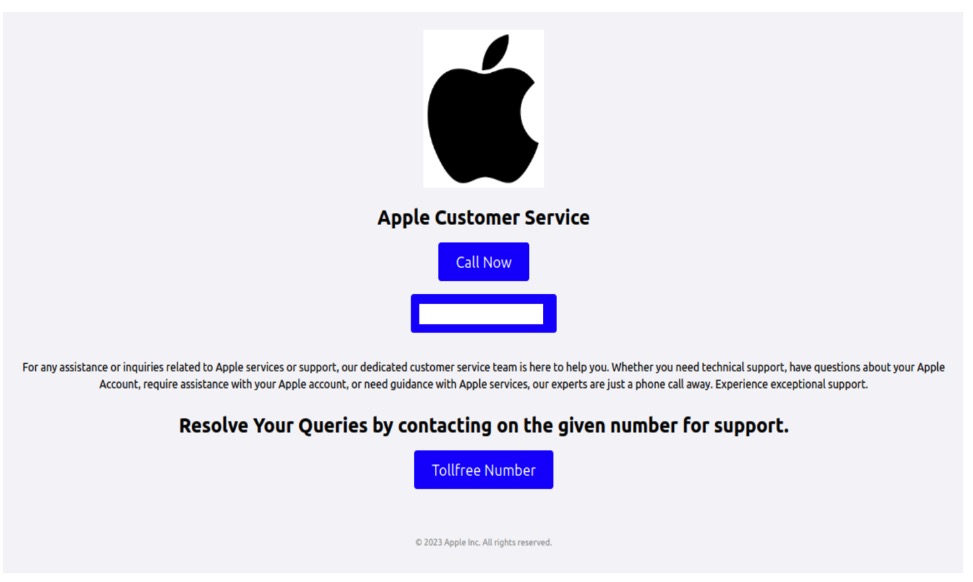
Persistent cookies, unlike temporary ones, stick around even after you leave the site. The website owner sets an expiration date for them, typically up to a year. You can, however, delete them at any time by clearing your browser’s cookies. These cookies are often used to store sign-in credentials, phone numbers, addresses, or payment details. They’re also used for advertising to determine your preferences. Sensitive persistent cookies often have a special attribute HttpOnly. This prevents your browser from accessing their contents, so the data is sent directly to the server every time you visit the site.

Notably, depending on your actions on the website, credentials may be stored in either temporary or persistent cookies. For example, when you simply navigate a site, your username and password might be stored in session cookies. But if you check the “Remember me” box, those same details will be saved in persistent cookies instead.

Cookies by source

Based on the source, cookies are either first-party or third-party. The former are created and stored by the website, and the latter, by other websites. Let’s take a closer look at these cookie types.

First-party cookies are generally used to make the site function properly and to identify you as a user. However, they can also perform an analytics or marketing function. When this is the case, they are often considered optional – more on this later – unless their purpose is to track your behavior during a specific session.

Third-party cookies are created by websites that the one you’re visiting is talking to. The most common use for these is advertising banners. For example, a company that places a banner ad on the site can use a third-party cookie to track your behavior: how many times you click on the ad and so on. These cookies are also used by analytics services like Google Analytics or Yandex Metrica.

Social media cookies are another type of cookies that fits into this category. These are set by widgets and buttons, such as “Share” or “Like”. They handle any interactions with social media platforms, so they might store your sign-in credentials and user settings to make those interactions faster.

Cookies by importance

Another way to categorize cookies is by dividing them into required and optional.

Required or essential cookies are necessary for the website’s basic functions or to provide the service you’ve specifically asked for. This includes temporary cookies that track your activity during a single visit. It also includes security cookies, such as identification cookies, which the website uses to recognize you and spot any fraudulent activity. Notably, cookies that store your consent to save cookies may also be considered essential if determined by the website owner, since they are necessary to ensure the resource complies with your chosen privacy settings.

The need to use essential cookies is primarily relevant for websites that have a complex structure and a variety of widgets. Think of an e-commerce site that needs a shopping cart and a payment system, or a photo app that has to save images to your device.

A key piece of data stored in required cookies is the above-mentioned Session ID, which helps the site identify you. If you don’t allow this ID to be saved in a cookie, some websites will put it directly in the page’s URL instead. This is a much riskier practice because URLs aren’t encrypted. They’re also visible to analytics services, tracking tools, and even other users on the same network as you, which makes them vulnerable to cross-site scripting (XSS) attacks. This is a major reason why many sites won’t let you disable required cookies for your own security.

Example of required cookies on the Osano CMP website

Example of required cookies on the Osano CMP website

Optional cookies are the ones that track your online behavior for marketing, analytics, and performance. This category includes third-party cookies created by social media platforms, as well as performance cookies that help the website run faster and balance the load across servers. For instance, these cookies can track broken links to improve a website’s overall speed and reliability.

Essentially, most optional cookies are third-party cookies that aren’t critical for the site to function. However, the category can also include some first-party cookies for things like site analytics or collecting information about your preferences to show you personalized content.

While these cookies generally don’t store your personal information in readable form, the data they collect can still be used by analytics tools to build a detailed profile of you with enough identifying information. For example, by analyzing which sites you visit, companies can make educated guesses about your age, health, location, and much more.

A major concern is that optional cookies can sometimes capture sensitive information from autofill forms, such as your name, home address, or even bank card details. This is exactly why many websites now give you the choice to accept or decline the collection of this data.

Special types of cookies

Let’s also highlight special subtypes of cookies managed with the help of two similar technologies that enable non-standard storage and retrieval methods.

A supercookie is a tracking technology that embeds cookies into website headers and stores them in non-standard locations, such as HTML5 local storage, browser plugin storage, or browser cache. Because they’re not in the usual spot, simply clearing your browser’s history and cookies won’t get rid of them.

Supercookies are used for personalizing ads and collecting analytical data about the user (for example, by internet service providers). From a privacy standpoint, supercookies are a major concern. They’re a persistent and hard-to-control tracking mechanism that can monitor your activity without your consent, which makes it tough to opt out.
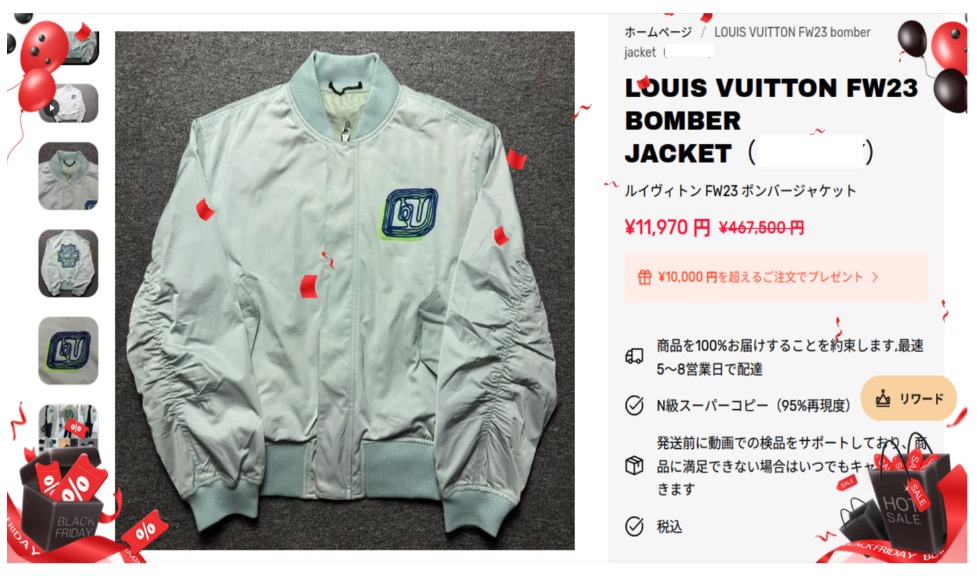
Another unusual tracking method is Evercookie, a type of zombie cookie. Evercookies can be recovered with JavaScript even after being deleted. The recovery process relies on the unique user identifier (if available), as well as traces of cookies stored across all possible browser storage locations.

How cookie use is regulated

The collection and management of cookies are governed by different laws around the world. Let’s review the key standards from global practices.
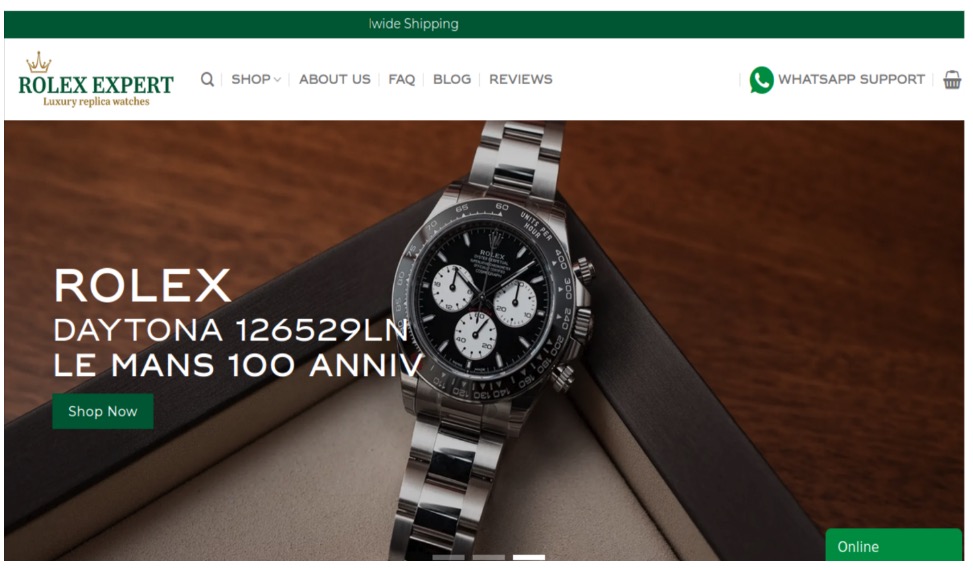
  1. General Data Protection Regulation (GDPR) and ePrivacy Directive (Cookie Law) in the European Union.
    Under EU law, essential cookies don’t require user consent. This has created a loophole for some websites. You might click “Reject All”, but that button might only refuse non-essential cookies, allowing others to still be collected.
  2. Lei Geral de Proteção de Dados Pessoais (LGPD) in Brazil.
    This law regulates the collection, processing, and storage of user data within Brazil. It is largely inspired by the principles of GDPR and, similarly, requires free, unequivocal, and clear consent from users for the use of their personal data. However, LGPD classifies a broader range of information as personal data, including biometric and genetic data. It is important to note that compliance with GDPR does not automatically mean compliance with LGPD, and vice versa.
  3. California Consumer Privacy Act (CCPA) in the United States.
    The CCPA considers cookies a form of personal information. This means their collection and storage must follow certain rules. For example, any California resident has the right to stop cross-site cookie tracking to prevent their personal data from being sold. Service providers are required to give users choices about what data is collected and how it’s used.
  4. The UK’s Privacy and Electronic Communications Regulations (PECR, or EC Directive) are similar to the Cookie Law.
    PECR states that websites and apps can only save information on a user’s device in two situations: when it’s absolutely necessary for the site to work or provide a service, or when the user has given their explicit consent to this.
  5. Federal Law No. 152-FZ “On Personal Data” in Russia.
    The law broadly defines personal data as any information that directly or indirectly relates to an individual. Since cookies can fall under this definition, they can be regulated by this law. This means websites must get explicit consent from users to process their data.

In Russia, website owners must inform users about the use of technical cookies, but they don’t need to get consent to collect this information. For all other types of cookies, user consent is required. Often, the user gives this consent automatically when they first visit the site, as it’s stated in the default cookie warning.

Some sites use a banner or a pop-up window to ask for consent, and some even let users choose exactly which cookies they’re willing to store on their device.

Beyond these laws, website owners create their own rules for using first-party cookies. Similarly, third-party cookies are managed by the owners of third-party services, such as Google Analytics. These parties decide what kind of information goes into the cookies and how it’s formatted. They also determine the cookies’ lifespan and security settings. To understand why these settings are so important, let’s look at a few ways malicious actors can attack one of the most critical types of cookies: those that contain a Session ID.

Session hijacking methods

As discussed above, cookies containing a Session ID are extremely sensitive. They are a prime target for cybercriminals. In real-world attacks, different methods for stealing a Session ID have been documented. This is a practice known as session hijacking. Below, we’ll look at a few types of session hijacking.

Session sniffing

One method for stealing cookies with a Session ID is session sniffing, which involves intercepting traffic between the user and the website. This threat is a concern for websites that use the open HTTP protocol instead of HTTPS, which encrypts traffic. With HTTP, cookies are transmitted in plain text within the headers of HTTP requests, which makes them vulnerable to interception.

Attacks targeting unencrypted HTTP traffic mostly happen on public Wi-Fi networks, especially those without a password and strong security protocols like WPA2 or WPA3. These protocols use AES encryption to protect traffic on Wi-Fi networks, with WPA3 currently being the most secure version. While WPA2/WPA3 protection limits the ability to intercept HTTP traffic, only implementing HTTPS can truly protect against session sniffing.

This method of stealing Session ID cookies is fairly rare today, as most websites now use HTTPS encryption. The popularity of this type of attack, however, was a major reason for the mass shift to using HTTPS for all connections during a user’s session, known as HTTPS everywhere.

Cross-site scripting (XSS)

Cross-site scripting (XSS) exploits vulnerabilities in a website’s code to inject a malicious script, often written in JavaScript, onto its webpages. This script then runs whenever a victim visits the site. Here’s how an XSS attack works: an attacker finds a vulnerability in the source code of the target website that allows them to inject a malicious script. For example, the script might be hidden in a URL parameter or a comment on the page. When the user opens the infected page, the script executes in their browser and gains access to the site’s data, including the cookies that contain the Session ID.

Session fixation

In a session fixation attack, the attacker tricks your browser into using a pre-determined Session ID. Thus, the attacker prepares the ground for intercepting session data after the victim visits the website and performs authentication.

Here’s how it goes down. The attacker visits a website and gets a valid, but unauthenticated, Session ID from the server. They then trick you into using that specific Session ID. A common way to do this is by sending you a link with the Session ID already embedded in the URL, like this: http://example.com/?SESSIONID=ATTACKER_ID. When you click the link and sign in, the website links the attacker’s Session ID to your authenticated session. The attacker can then use the hijacked Session ID to take over your account.

Modern, well-configured websites are much less vulnerable to session fixation than XSS-like attacks because most current web frameworks automatically change the user’s Session ID after they sign in. However, the very existence of this Session ID exploitation attack highlights how crucial it is for websites to securely manage the entire lifecycle of the user session, especially at the moment of sign-in.

Cross-site request forgery (CSRF)

Unlike session fixation or sniffing attacks, cross-site request forgery (CSRF or XSRF) leverages the website’s trust in your browser. The attacker forces your browser, without your knowledge, to perform an unwanted action on a website where you’re signed in – like changing your password or deleting data.

For this type of attack, the attacker creates a malicious webpage or an email message with a harmful link, piece of HTML code, or script. This code contains a request to a vulnerable website. You open the page or email message, and your browser automatically sends the hidden request to the target site. The request includes the malicious action and all the necessary (for example, temporary) cookies for that site. Because the website sees the valid cookies, it treats the request as a legitimate one and executes it.

Variants of the man-in-the-middle (MitM) attack

A man-in-the-middle (MitM) attack is when a cybercriminal not only snoops on but also redirects all the victim’s traffic through their own systems, thus gaining the ability to both read and alter the data being transmitted. Examples of these attacks include DNS spoofing or the creation of fake Wi-Fi hotspots that look legitimate. In an MitM attack, the attacker becomes the middleman between you and the website, which gives them the ability to intercept data, such as cookies containing the Session ID.

Websites using the older HTTP protocol are especially vulnerable to MitM attacks. However, sites using the more secure HTTPS protocol are not entirely safe either. Malicious actors can try to trick your browser with a fake SSL/TLS certificate. Your browser is designed to warn you about suspicious invalid certificates, but if you ignore that warning, the attacker can decrypt your traffic. Cybercriminals can also use a technique called SSL stripping to force your connection to switch from HTTPS to HTTP.

Predictable Session IDs

Cybercriminals don’t always have to steal your Session ID – sometimes they can just guess it. They can figure out your Session ID if it’s created according to a predictable pattern with weak, non-cryptographic characters. For example, a Session ID may contain your IP address or consecutive numbers, and a weak algorithm that uses easily predictable random sequences may be used to generate it.

To carry out this type of attack, the malicious actor will collect a sufficient number of Session ID examples. They analyze the pattern to figure out the algorithm used to create the IDs, then apply that knowledge to predicting your current or next Session ID.

Cookie tossing

This attack method exploits the browser’s handling of cookies set by subdomains of a single domain. If a malicious actor takes control of a subdomain, they can try to manipulate higher-level cookies, in particular the Session ID. For example, if a cookie is set for sub.domain.com with the Domain attribute set to .domain.com, that cookie will also be valid for the entire domain.

This lets the attacker “toss” their own malicious cookies with the same names as the main domain’s cookies, such as Session_id. When your browser sends a request to the main server, it includes all the relevant cookies it has. The server might mistakenly process the hacker’s Session ID, giving them access to your user session. This can work even if you never visited the compromised subdomain yourself. In some cases, sending invalid cookies can also cause errors on the server.

How to protect yourself and your users

The primary responsibility for cookie security rests with website developers. Modern ready-made web frameworks generally provide built-in defenses, but every developer should understand the specifics of cookie configuration and the risks of a careless approach. To counter the threats we’ve discussed, here are some key recommendations.

Recommendations for web developers

All traffic between the client and server must be encrypted at the network connection and data exchange level. We strongly recommend using HTTPS and enforcing automatic redirect from HTTP to HTTPS. For an extra layer of protection, developers should use the HTTP Strict Transport Security (HSTS) header, which forces the browser to always use HTTPS. This makes it much harder, and sometimes impossible, for attackers to slip into your traffic to perform session sniffing, MitM, or cookie tossing attacks.

It must be mentioned that the use of HTTPS is insufficient protection against XSS attacks. HTTPS encrypts data during transmission, while an XSS script executes directly in the user’s browser within the HTTPS session. So, it’s up to the website owner to implement protection against XSS attacks. To stop malicious scripts from getting in, developers need to follow secure coding practices:

  • Validate and sanitize user input data.
  • Implement mandatory data encoding (escaping) when rendering content on the page – this way, the browser will not interpret malicious code as part of the page and will not execute it.
  • Use the HttpOnly flag to protect cookie files from being accessed by the browser.
  • Use the Content Security Policy (CSP) standard to control code sources. It allows monitoring which scripts and other content sources are permitted to execute and load on the website.

For attacks like session fixation, a key defense is to force the server to generate a new Session ID right after the user successfully signs in. The website developer must invalidate the old, potentially compromised Session ID and create a new one that the attacker doesn’t know.

An extra layer of protection involves checking cookie attributes. To ensure protection, it is necessary to check for the presence of specific flags (and set them if they are missing): Secure and HttpOnly. The Secure flag ensures that cookies are transmitted over an HTTPS connection, while HttpOnly prevents access to them from the browser, for example through scripts, helping protect sensitive data from malicious code. Having these attributes can help protect against session sniffing, MitM, cookie tossing, and XSS.

Pay attention to another security attribute, SameSite, which can restrict cookie transmission. Set it to Lax or Strict for all cookies to ensure they are sent only to trusted web addresses during cross-site requests and to protect against CSRF attacks. Another common strategy against CSRF attacks is to use a unique, randomly generated CSRF token for each user session. This token is sent to the user’s browser and must be included in every HTTP request that performs an action on your site. The site then checks to make sure the token is present and correct. If it’s missing or doesn’t match the expected value, the request is rejected as a potential threat. This is important because if the Session ID is compromised, the attacker may attempt to replace the CSRF token.

To protect against an attack where a cybercriminal tries to guess the user’s Session ID, you need to make sure these IDs are truly random and impossible to predict. We recommend using a cryptographically secure random number generator that utilizes powerful algorithms to create hard-to-predict IDs. Additional protection for the Session ID can be ensured by forcing its regeneration after the user authenticates on the web resource.

The most effective way to prevent a cookie tossing attack is to use cookies with the __Host- prefix. These cookies can only be set on the same domain that the request originates from and cannot have a Domain attribute specified. This guarantees that a cookie set by the main domain can’t be overwritten by a subdomain.

Finally, it’s crucial to perform regular security checks on all your subdomains. This includes monitoring for inactive or outdated DNS records that could be hijacked by an attacker. We also recommend ensuring that any user-generated content is securely isolated on its own subdomain. User-generated data must be stored and managed in a way that prevents it from compromising the security of the main domain.

As mentioned above, if cookies are disabled, the Session ID can sometimes get exposed in the website URL. To prevent this, website developers must embed this ID into essential cookies that cannot be declined.

Many modern web development frameworks have built-in security features that can stop most of the attack types described above. These features make managing cookies much safer and easier for developers. Some of the best practices include regular rotation of the Session ID after the user signs in, use of the Secure and HttpOnly flags, limiting the session lifetime, binding it to the client’s IP address, User-Agent string, and other parameters, as well as generating unique CSRF tokens.

There are other ways to store user data that are both more secure and better for performance than cookies.

Depending on the website’s needs, developers can use different tools, like the Web Storage API (which includes localStorage and sessionStorage), IndexedDB, and other options. When using an API, data isn’t sent to the server with every single request, which saves resources and makes the website perform better.

Another exciting alternative is the server-side approach. With this method, only the Session ID is stored on the client side, while all the other data stays on the server. This is even more secure than storing data with the help of APIs because private information is never exposed on the client side.

Tips for users

Staying vigilant and attentive is a big part of protecting yourself from cookie hijacking and other malicious manipulations.

Always make sure the website you are visiting is using HTTPS. You can check this by looking at the beginning of the website address in the browser address bar. Some browsers let the user view additional website security details. For example, in Google Chrome, you can click the icon right before the address.

This will show you if the “Connection is secure” and the “Certificate is valid”. If these details are missing or data is being sent over HTTP, we recommend maximum caution when visiting the website and, whenever possible, avoiding entering any personal information, as the site does not meet basic security standards.

When browsing the web, always pay attention to any security warnings your browser gives you, especially about suspicious or invalid certificates. Seeing one of these warnings might be a sign of an MitM attack. If you see a security warning, it’s best to stop what you’re doing and leave that website right away. Many browsers implement certificate verification and other security features, so it is important to install browser updates promptly – this replaces outdated and compromised certificates.

We also recommend regularly clearing your browser data (cookies and cache). This can help get rid of outdated or potentially compromised Session IDs.

Always use two-factor authentication wherever it’s available. This makes it much harder for a malicious actor to access your account, even if your Session ID is exposed.

When a site asks for your consent to use cookies, the safest option is to refuse all non-essential ones, but we’ll reiterate that sometimes, clicking “Reject cookies” only means declining the optional ones. If this option is unavailable, we recommend reviewing the settings to only accept the strictly necessary cookies. Some websites offer this directly in the pop-up cookie consent notification, while others provide it in advanced settings.

The universal recommendation to avoid clicking suspicious links is especially relevant in the context of preventing Session ID theft. As mentioned above, suspicious links can be used in what’s known as session fixation attacks. Carefully check the URL: if it contains parameters you do not understand, we recommend copying the link into the address bar manually and removing the parameters before loading the page. Long strings of characters in the parameters of a legitimate URL may turn out to be an attacker’s Session ID. Deleting it renders the link safe. While you’re at it, always check the domain name to make sure you’re not falling for a phishing scam.

In addition, we advise extreme caution when connecting to public Wi-Fi networks. Man-in-the-middle attacks often happen through open networks or rogue Wi-Fi hotspots. If you need to use a public network, never do it without a virtual private network (VPN), which encrypts your data and makes it nearly impossible for anyone to snoop on your activity.

Watch Out For IRS Scams and Avoid Identity Theft

By: McAfee

Tax season isn’t just busy for taxpayers—it’s prime time for scammers, too. As you gather your W-2s, 1099s, and other tax documents, cybercriminals are gearing up to exploit the flood of personal and financial data in circulation. From phishing emails posing as the IRS to fake tax preparers looking to steal your refund, these scams can lead to identity theft, fraudulent tax returns, and serious financial headaches. 

The good news? IRS scams follow predictable patterns, and with a little awareness, you can spot the warning signs before falling victim. Let’s break down the most common tax scams and how you can safeguard your personal information this filing season. 

Impersonation Schemes

A commonly used tactic involves hackers posing as collectors from the IRS, as tax preparers, or government bureaus. This tactic is pretty effective due to Americans’ concerns about misfiling their taxes or accidentally running into trouble with the IRS. Scammers take advantage of this fear, manipulating innocent users into providing sensitive information or money over the phone or by email. And in extreme cases, hackers may be able to infect computers with malware via malicious links or attachments sent through IRS email scams.

Robocalls

Another tactic used to take advantage of taxpayers is the canceled social security number scam. Hackers use robocalls claiming that law enforcement will suspend or cancel the victim’s Social Security number in response to taxes owed. Often, victims are scared into calling the fraudulent numbers back and persuaded into transferring assets to accounts that the scammer controls. Users need to remember that the IRS will only contact taxpayers through snail mail or in person, not over the phone.

Emails

Another scam criminals use involves emails impersonating the IRS. Victims receive a phishing email claiming to be from the IRS, reminding them to file their taxes or offering them information about their tax refund via malicious links. If a victim clicks on the link, they will be redirected to a spoofed site that collects the victim’s personal data, facilitating identity theft. What’s more, a victim’s computer can become infected with malware if they click on a link with malicious code, allowing fraudsters to steal more data.

Phony CPAs

Scammers also take advantage of the fact that many users seek out the help of a tax preparer or CPA during this time. These criminals will often pose as professionals, accepting money to complete a user’s taxes but won’t sign the return. This makes it look like the user completed the return themselves. However, these ghost tax preparers often lie on the return to make the user qualify for credits they haven’t earned or apply changes that will get them in trouble. Since the scammers don’t sign, the victim will then be responsible for any errors. This could lead to the user having to repay money owed, or potentially lead to an audit.

While these types of scams can occur at any time of the year, they are especially prevalent leading up to the April tax filing due date. Consumers need to be on their toes during tax season to protect their personal information and keep their finances secure. To avoid being spoofed by scammers and identity thieves, follow these tips:

File before cybercriminals do it for you. The easiest defense you can take against tax seasons schemes is to get your hands on your W-2 and file as soon as possible. The more prompt you are to file, the less likely your data will be raked in by a cybercriminal.

Keep an eye on your credit and your identity. Keeping tabs on your credit report and knowing if your personal information has been compromised in some way can help prevent tax fraud. Together, they can let you know if someone has stolen your identity or if you have personal info on the dark web that could lead to identity theft.

  • Our credit monitoring servicecan keep an eye on changes to your credit score, report, and accounts with timely notifications and guidance so you can take action to tackle identity theft.
  • Our identity monitoring servicechecks the dark web for your personal info, including email, government IDs, credit card and bank account info, and more—then provides alerts if your data is found on the dark web, an average of 10 months ahead of similar services.​


Beware of phishing attempts. It’s clear that phishing is the primary tactic crooks are leveraging this tax season, so it’s crucial you stay vigilant around your inbox. This means if any unfamiliar or remotely suspicious emails come through requesting tax data, double check their legitimacy with a manager or the security department before you respond. Remember: the IRS will not initiate contact with taxpayers by email, text messages, or social media channels to request personal or financial info. So someone contacts you that way, ignore the message.

Watch out for spoofed websites. Scammers have extremely sophisticated tools that help disguise phony web addresses for DIY tax software, such as stolen company logos and site designs. To avoid falling for this, go directly to the source. Type the address of a website directly into the address bar of your browser instead of following a link from an email or internet search. If you receive any suspicious links in your email, investigating the domain is usually a good way to tell if the source is legitimate or not.

Use a VPN, especially in public. Also known as a virtual private network, a VPN helps protect your vital personal info and other data with bank-grade encryption. The VPN encrypts your internet connection to keep your online activity private on any network, even public networks. Using a public network without a VPN can increase your risk because others on the network can potentially spy on your browsing and activity. If you’re new to the notion of using a VPN, check out this article on VPNs and how to choose one so that you can get the best protection and privacy possible. (Our McAfee+ plans offer a VPN as part of your subscription.)

Protect yourself from scam messages. Scammers also send links to scam sites via texts, social media messages, and email. Text Scam Detector can help you spot if the message you got is a fake. It uses AI technology that automatically detects links to scam URLs. If you accidentally click, don’t worry, it can block risky sites if you do.

Clean up your personal info online. Crooks and scammers have to find you before they can contact you. After all, they need to get your phone number or email from somewhere. Sometimes, that’s from “people finder” and online data brokers that gather and sell personal info to any buyer. Including crooks. McAfee Personal Data Cleanup can remove your personal info from the data broker sites scammers use to contact their victims.

Consider an identity theft protection solution. If for some reason your personal data does become compromised, be sure to use an identity theft solution such as McAfee Identity Theft Protection, which allows users to take a proactive approach to protect their identities with personal and financial monitoring and recovery tools to help keep their identities personal and secured.

The post Watch Out For IRS Scams and Avoid Identity Theft appeared first on McAfee Blog.

This Holiday Season, Watch Out for These Cyber-Grinch Tricks Used to Scam Holiday Shoppers

McAfee threat researchers have identified several consumer brands and product categories most frequently used by cybercriminals to trick consumers into clicking on malicious links in the first weeks of this holiday shopping season. As holiday excitement peaks and shoppers hunt for the perfect gifts and amazing deals, scammers are taking advantage of the buzz. The National Retail Federation projects holiday spending will reach between $979.5 and $989 billion this year, and cybercriminals are capitalizing by creating scams that mimic the trusted brands and categories consumers trust. From October 1 to November 12, 2024, McAfee safeguarded its customers from 624,346 malicious or suspicious URLs tied to popular consumer brand names – a clear indication that bad actors are exploiting trusted brand names to deceive holiday shoppers. 

McAfee’s threat research also reveals a 33.82% spike in malicious URLs targeting consumers with these brands’ names in the run-up to Black Friday and Cyber Monday. This rise in fraudulent activity aligns with holiday shopping patterns during a time when consumers may be more susceptible to clicking on offers from well-known brands like Apple, Yeezy, and Louis Vuitton, especially when deals seem too good to be true – pointing to the need for consumers to stay vigilant, especially with offers that seem unusually generous or come from unverified sources.  

McAfee threat researchers have identified a surge in counterfeit sites and phishing scams that use popular luxury brands and tech products to lure consumers into “deals” on fake e-commerce sites designed to appear as official brand pages. While footwear and handbags were identified as the top two product categories exploited by cybercrooks during this festive time, the list of most exploited brands extends beyond those borders: 

Top Product Categories and Brands Targeted by Holiday Hustlers 

  • Product categories: Handbags and footwear were the two most common product categories for bad actors. Yeezy (shoes) and Louis Vuitton (luxury handbags) were the most common brands that trick consumers into engaging with malicious/suspicious sites. 
  • Footwear: Adidas, especially the Yeezy line, was a top target, with counterfeit sites posing as official Adidas or Yeezy outlets. 
  • Luxury goods and handbags: Louis Vuitton emerged as a frequent target, particularly its handbag line. Cybercrooks frequently set up fake sites advertising high-demand luxury items like Louis Vuitton bags and apparel. 
  • Watches: Rolex was one of the most frequently counterfeited brands, with fraudulent sites openly selling counterfeit versions of the brand’s coveted watches. 
  • Technology: Scammers frequently used the Apple brand to trick consumers, including fake customer service websites and stores selling counterfeit Apple items alongside unrelated brands. 

By mimicking trusted brands like these, offering unbelievable deals, or posing as legitimate customer service channels, cybercrooks create convincing traps designed to steal personal information or money. Here are some of the most common tactics scammers are using this holiday season: 

Unwrapping Cybercriminals’ Holiday Shopping Scam Tactics 

  • Fake e-commerce sites: Scammers often set up fake shopping websites mimicking official brand sites. These sites use URLs similar to those of the real brand and offer too-good-to-be-true deals to attract bargain hunters. 
  • Phishing sites with customer service bait: Particularly with tech brands like Apple, some scam sites impersonate official customer service channels to lure customers into revealing personal information. 
  • Knockoff and counterfeit products: Some scam sites advertise counterfeit items as if they are real; there is often no indication that they are not legitimate products. This tactic was common for scammers leveraging the Rolex and Louis Vuitton brands, which appeal to consumers seeking luxury goods. 

 With holiday shopping in full swing, it’s essential for consumers to stay one step ahead of scammers. By understanding the tactics cybercriminals use and taking a few precautionary measures, shoppers can protect themselves from falling victim to fraud. Here are some practical tips for safe shopping this season: 

Smart Shopping Tips to Outsmart Holiday Scammers 

  • Stay alert, particularly during shopping scam season: The increase in malicious URLs during October and November is a strong indicator that scammers capitalize on holiday shopping behaviors. Consumers should be especially vigilant during this period and continue to exercise caution throughout the holiday shopping season. 
  • Wear a skeptic’s hat: To stay safe, consumers should verify URLs, look for signs of secure websites (like https://), and be wary of any sites offering discounts that seem too good to be true. 
  • Exercise additional caution: Adidas, Yeezy, Louis Vuitton, Apple, and Rolex are brand names frequently used by cybercrooks looking to scam consumers, so sticking with trusted sources is particularly important when shopping for these items online. 

Research Methodology 

McAfee’s threat research team analyzed malicious or suspicious URLs that McAfee’s web reputation technology identified as targeting customers, by using a list of key company and product brand names—based on insights from a Potter Clarkson report on frequently faked brands—to query the URLs. This methodology captures instances where users either clicked on or were directed to dangerous sites mimicking trusted brands. Additionally, the team queried anonymized user activity from October 1st through November 12th. 

Examples: 

The image below is a screenshot of a fake / malicious / scam site: Yeezy is a popular product brand formerly from Adidas found in multiple Malicious/Suspicious URLs. Often, they present themselves as official Yeezy and/or Adidas shopping sites. 


The image below is a screenshot of a fake / malicious / scam site: The Apple brand was a popular target for scammers. Many sites were either knock offs, scams, or in this case, a fake customer service page designed to lure users into a scam. 


The image below is a screenshot of a fake / malicious / scam site: This particular (fake) Apple sales site used Apple within its URL and name to appear more official. Oddly, this site also sells Samsung Android phones. 

The image below is a screenshot of a fake / malicious / scam site: This site, now taken down, is a scam site purporting to sell Nike shoes. 

The image below is a screenshot of a fake / malicious / scam site: Louis Vuitton is a popular brand for counterfeit and scams. Particularly their handbags. Here is one site that was entirely focused on Louis Vuitton Handbags. 

The image below is a screenshot of a fake / malicious / scam site: This site presents itself as the official Louis Vuitton site selling handbags and clothes. 


The image below is a screenshot of a fake / malicious / scam site: This site uses too-good-to-be-true deals on branded items including this Louis Vuitton Bomber jacket. 

The image below is a screenshot of a fake / malicious / scam site: Rolex is a popular watch brand for counterfeits and scams. This site acknowledges it sells counterfeits and makes no effort to indicate this on the product.  


The post This Holiday Season, Watch Out for These Cyber-Grinch Tricks Used to Scam Holiday Shoppers appeared first on McAfee Blog.

❌