Reading view

There are new articles available, click to refresh the page.

Riot Games is making an anti-cheat change that could be rough on older PCs

At this point, most competitive online multiplayer games on the PC come with some kind of kernel-level anti-cheat software. As we’ve written before, this is software that runs with more elevated privileges than most other apps and games you run on your PC, allowing it to load in earlier and detect advanced methods of cheating. More recently, anti-cheat software has started to require more Windows security features like Secure Boot, a TPM 2.0 module, and virtualization-based memory integrity protection.

Riot Games, best known for titles like Valorant and League of Legends and the Vanguard anti-cheat software, has often been one of the earliest to implement new anti-cheat requirements. There’s already a long list of checks that systems need to clear before they’ll be allowed to play Riot’s games online, and now the studio is announcing a new one: a BIOS update requirement that will be imposed on “certain players” following Riot’s discovery of a UEFI bug that could allow especially dedicated and motivated cheaters to circumvent certain memory protections.

In short, the bug affects the input-output memory management unit (IOMMU) “on some UEFI-based motherboards from multiple vendors.” One feature of the IOMMU is to protect system memory from direct access during boot by external hardware devices, which otherwise might manipulate the contents of your PC’s memory in ways that could enable cheating.


Read full article

Comments

© Riot Games

RAM and SSD prices are still climbing—here’s our best advice for PC builders

The first few months of 2025 were full of graphics card reviews where we generally came away impressed with performance and completely at a loss on availability and pricing. The testing in these reviews is useful regardless, but when it came to extra buying advice, the best we could do was to compare Nvidia’s imaginary pricing to AMD’s imaginary pricing and wait for availability to improve.

Now, as the year winds down, we’re facing price spikes for memory and storage that are unlike anything I’ve seen in two decades of pricing out PC parts. Pricing for most RAM kits has increased dramatically since this summer, driven by overwhelming demand for these parts in AI data centers. Depending on what you’re building, it’s now very possible that the memory could be the single most expensive component you buy; things are even worse now than they were the last time we compared prices a few weeks ago.

Component Aug. 2025 price Nov. 2025 price Dec. 2025 price
Patriot Viper Venom 16GB (2 x 8GB) DDR-6000 $49 $110 $189
Western Digital WD Blue SN5000 500GB $45 $69 $102*
Silicon Power 16GB (2 x 8GB) DDR4-3200 $34 $89 $104
Western Digital WD Blue SN5000 1TB $64 $111 $135*
Team T-Force Vulcan 32GB DDR5-6000 $82 $310 $341
Western Digital WD Blue SN5000 2TB $115 $154 $190*
Western Digital WD Black SN7100 2TB $130 $175 $210
Team Delta RGB 64GB (2 x 32GB) DDR5-6400 $190 $700 $800

Some SSDs are getting to the point where they’re twice as expensive as they were this summer (for this comparison, I’ve swapped the newer WD Blue SN5100 pricing in for the SN5000, since the drive is both newer and slightly cheaper as of this writing). Some RAM kits, meanwhile, are around four times as expensive as they were in August. Yeesh.

Read full article

Comments

© Andrew Cunningham

Software leaks point to the first Apple Silicon “iMac Pro,” among other devices

Apple doesn’t like to talk about its upcoming products before it’s ready, but sometimes the company’s software does the talking for it. So far this week we’ve had a couple of software-related leaks that have outed products Apple is currently testing—one a pre-release build of iOS 26, and the other some leaked files from a kernel debug kit (both via MacRumors).

Most of the new devices referenced in these leaks are straightforward updates to products that already exist: a new Apple TV, a HomePod mini 2, new AirTags and AirPods, an M4 iPad Air, a 12th-generation iPad to replace the current A16 version, next-generation iPhones (including the 17e, 18, and the rumored foldable model), a new Studio Display model, some new smart home products we’ve already heard about elsewhere, and M5 updates for the MacBook Air, Mac mini, Mac Studio, and the other MacBook Pros. There’s also yet another reference to the lower-cost MacBook that Apple is apparently planning to replace the M1 MacBook Air it still sells via Walmart for $599.

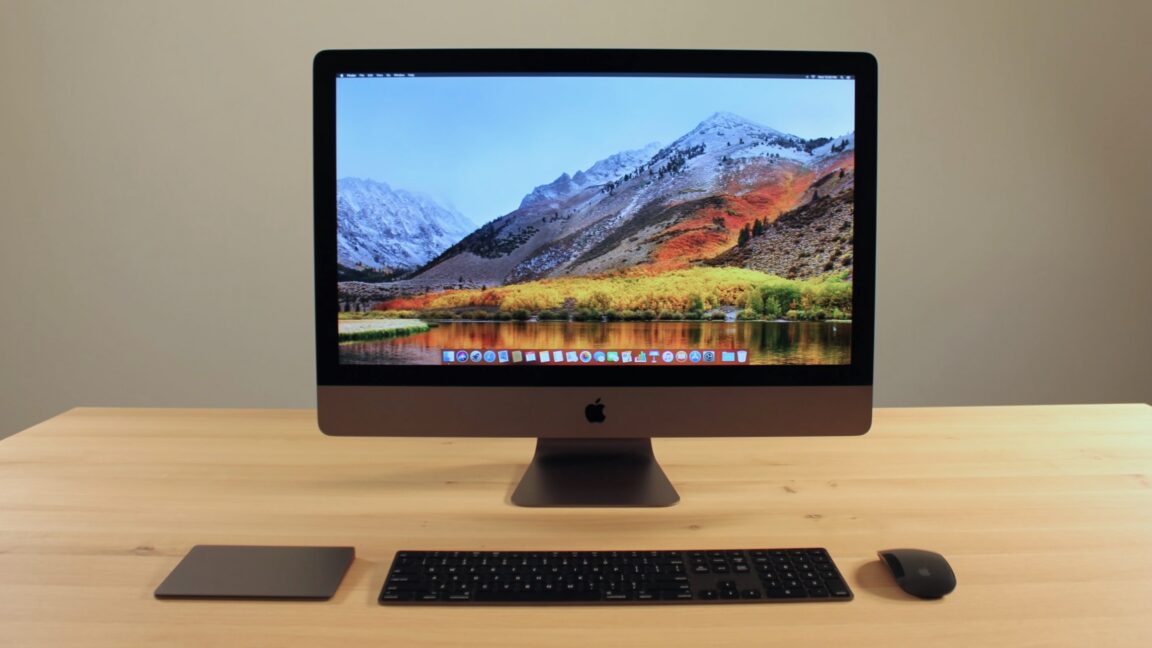
For power users, though, the most interesting revelation might be that Apple is working on a higher-end Apple Silicon iMac powered by an M5 Max chip. The kernel debug kit references an iMac with the internal identifier J833c, based on a platform identified as H17C—and H17C is apparently based on the M5 Max, rather than a lower-end M5 chip. (For those who don’t have Apple’s branding memorized, “Max” is associated with Apple’s second-fastest chips; the M5 Max would be faster than the M5 or M5 Pro, but slower than the rumored M5 Ultra.)

Read full article

Comments

© Samuel Axon

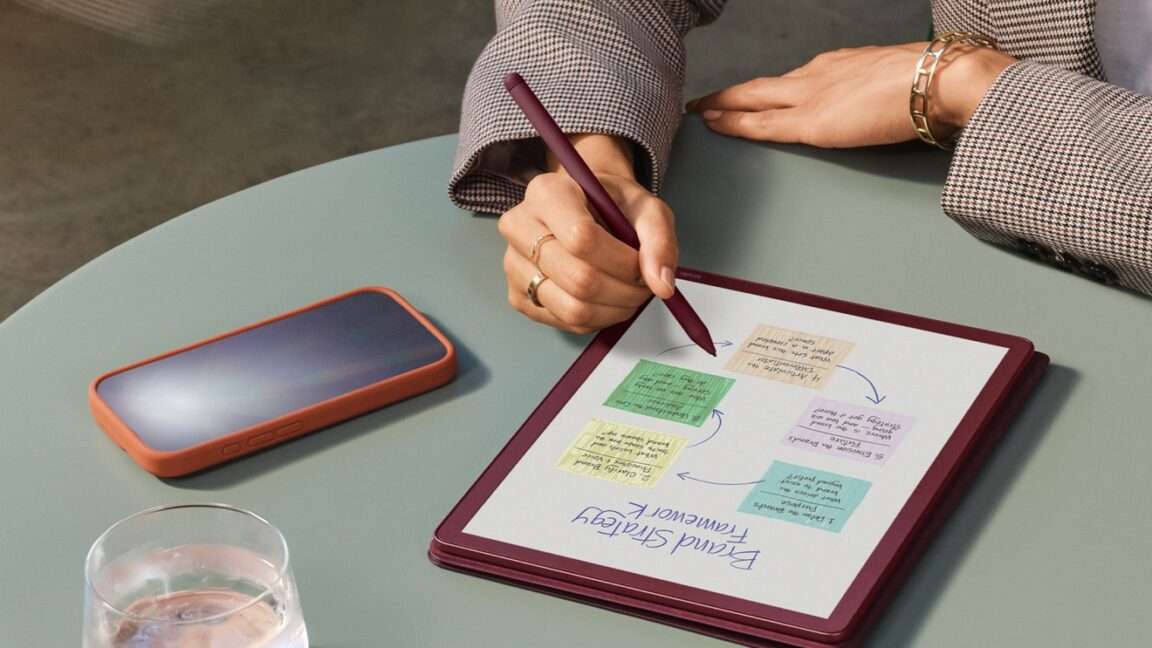
Kindle Scribe Colorsoft brings color e-ink to Amazon’s 11-inch e-reader

Amazon has been updating the large-screened Kindle Scribe tablet more frequently and regularly than it updates its standard e-readers, and today the company is announcing the tablet’s third hardware update in four years. The regular Scribe is also being joined by a lower-end Scribe with less storage and no front light and an upgraded Kindle Scribe Colorsoft model with a color e-ink screen. This makes it only the second Kindle to include a color screen, after last year’s Kindle Colorsoft.

Both the regular Kindle Scribe and the Kindle Scribe Colorsoft are available to order starting today for $500 and $630, respectively. Both of those devices include a Premium Pen accessory and 32GB of internal storage; 64GB of storage is available for an extra $50 for both devices. The cheaper front light-less Scribe is coming sometime next year and will run $430 for a model with a more modest 16GB of storage. (These are all much more expensive than the original Scribe’s $340 launch price, but inflation, tariffs, and shortages are wreaking havoc with all kinds of tech prices for the past few years.)

The Scribe and Scribe Colorsoft both come with an updated front light “with miniaturized LEDs that fit tightly against the display,” narrowing the bezel and improving the uniformity of the lighting. Amazon has also tweaked the friction level of the paper-like texture on the glass display, shrunk the gap between the glass and the actual display panel to make writing on the tablet feel more like writing on paper, and added a quad-core processor and more RAM to speed the tablet up.

Read full article

Comments

© Amazon

AMD’s next-gen “FSR Redstone” brings big gains, as long as you’re using a new GPU

Nvidia, AMD, and Intel have all made high-quality image upscaling a cornerstone feature of their new GPUs this decade. Upscaling technologies like Nvidia’s Deep Learning Super Sampling (DLSS), AMD’s FidelityFX Super Resolution (FSR), and Intel’s Xe Super Sampling (XeSS) are all ways to transform a lower-resolution source image into a higher-resolution image, delivering better-looking games without requiring as much graphics hardware as you’d need to render the higher-resolution image natively. Later additions have focused on improving ray-tracing performance and “frame generation” technologies that boost frame rates by creating new AI-generated frames to insert between natively rendered frames.

Generally speaking, Nvidia’s DLSS technologies have provided better image quality than AMD’s FSR, but they have only been available on newer Nvidia hardware—the GeForce RTX 20-series or newer for most features, with frame-generation features locked to the RTX 40- and 50-series. FSR’s results don’t look as good, but they have benefited from running on just about anything, including older GPUs, Nvidia GPUs, and even integrated Intel and AMD GPUs.

Today, AMD is trying to shift that dynamic with something called “FSR Redstone,” a collection of ray-tracing and frame-generation features all intended to boost AMD’s image quality while being relatively easy to implement for game developers who are already using FSR 3.1 or FSR 4.

Read full article

Comments

© AMD

SteamOS tested on dedicated GPUs: No, it’s not always faster than Windows

I wrote a couple of weeks ago about my personal homebrew Steam Machine, a self-built desktop under my TV featuring an AMD Ryzen 7 8700G processor and a Radeon 780M integrated GPU. I wouldn’t recommend making your own version of this build, especially with RAM prices as they currently are, but there are all kinds of inexpensive mini PCs on Amazon with the same GPU, and they’ll all be pretty good at playing the kinds of games that already run well on the less-powerful Steam Deck.

But this kind of hardware is an imperfect proxy for the Steam Machine that Valve plans to launch sometime next year—that box will include a dedicated GPU with 8GB of dedicated video memory, presenting both benefits and possible pitfalls compared to a system with an integrated GPU.

As a last pre-Steam Machine follow-up to our coverage so far, we’ve run tests on several games we test regularly in our GPU reviews to get a sense of how current versions of SteamOS stack up to Windows running on the same hardware. What we’ve found so far is basically the inverse of what we found when comparing handhelds: Windows usually has an edge on SteamOS’s performance, and sometimes that gap is quite large. And SteamOS also exacerbates problems with 8GB GPUs, hitting apparent RAM limits in more games and at lower resolutions compared to Windows.

Read full article

Comments

© Andrew Cunningham

Testing shows why the Steam Machine’s 8GB of graphics RAM could be a problem

By Valve’s admission, its upcoming Steam Machine desktop isn’t swinging for the fences with its graphical performance. The specs promise decent 1080p-to-1440p performance in most games, with 4K occasionally reachable with assistance from FSR upscaling—about what you’d expect from a box with a modern midrange graphics card in it.

But there’s one spec that has caused some concern among Ars staffers and others with their eyes on the Steam Machine: The GPU comes with just 8GB of dedicated graphics RAM, an amount that is steadily becoming more of a bottleneck for midrange GPUs like AMD’s Radeon RX 7060 and 9060, or Nvidia’s GeForce RTX 4060 or 5060.

In our reviews of these GPUs, we’ve already run into some games where the RAM ceiling limits performance in Windows, especially at 1440p. But we’ve been doing more extensive testing of various GPUs with SteamOS, and we can confirm that in current betas, 8GB GPUs struggle even more on SteamOS than they do running the same games at the same settings in Windows 11.

Read full article

Comments

© Andrew Cunningham

Even Microsoft’s retro holiday sweaters are having Copilot forced upon them

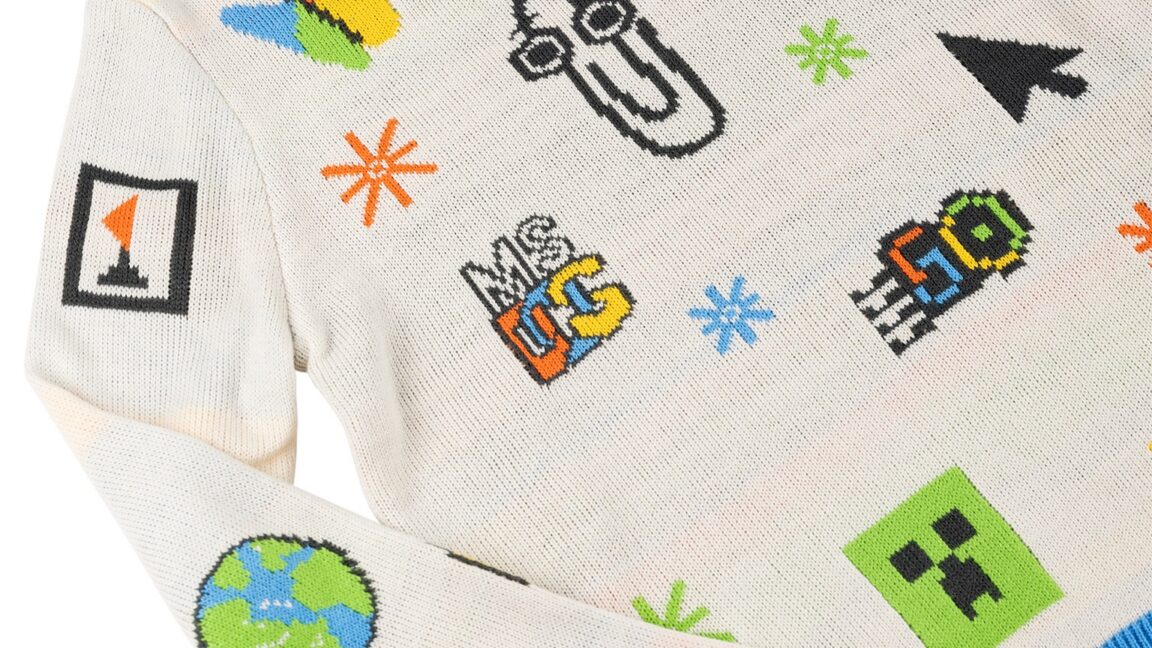
I can take or leave some of the things that Microsoft is doing with Windows 11 these days, but I do usually enjoy the company’s yearly limited-time holiday sweater releases. Usually crafted around a specific image or product from the company’s ’90s-and-early-2000s heyday—2022’s sweater was Clippy themed, and 2023’s was just the Windows XP Bliss wallpaper in sweater form—the sweaters usually hit the exact combination of dorky/cute/recognizable that makes for a good holiday party conversation starter.

Microsoft is reviving the tradition for 2025 after taking a year off, and the design for this year’s flagship $80 sweater is mostly in line with what the company has done in past years. The 2025 “Artifact Holiday Sweater” revives multiple pixelated icons that Windows 3.1-to-XP users will recognize, including Notepad, Reversi, Paint, MS-DOS, Internet Explorer, and even the MSN butterfly logo. Clippy is, once again, front and center, looking happy to be included.

Not all of the icons are from Microsoft’s past; a sunglasses-wearing emoji, a “50” in the style of the old flying Windows icon (for Microsoft’s 50th anniversary), and a Minecraft Creeper face all nod to the company’s more modern products. But the only one I really take issue with is on the right sleeve, where Microsoft has stuck a pixelated monochrome icon for its Copilot AI assistant.

Read full article

Comments

© Microsoft

❌