Reading view

There are new articles available, click to refresh the page.

How to Remove Your Personal Information From the Internet
Chances are, you have more personal information posted online than you think.

In 2024, the U.S. Federal Trade Commission (FTC) reported that 1.1 million identity theft complaints were filed, where $12.5 billion was lost to identity theft and fraud overall—a 25% increase over the year prior.

What fuels all this theft and fraud? Easy access to personal information.

Here’s one way you can reduce your chances of identity theft: remove your personal information from the internet.

Scammers and thieves can get a hold of your personal information in several ways, such as information leaked in data breaches, phishing attacks that lure you into handing it over, malware that steals it from your devices, or by purchasing your information on dark web marketplaces, just to name a few.

However, scammers and thieves have other resources and connections to help them commit theft and fraud—data broker sites, places where personal information is posted online for practically anyone to see. This makes removing your info from these sites so important, from both an identity and privacy standpoint.

Data brokers: Collectors and aggregators of your information

Data broker sites are massive repositories of personal information that also buy information from other data brokers. As a result, some data brokers have thousands of pieces of data on billions of individuals worldwide.

What kind of data could they have on you? A broker may know how much you paid for your home, your education level, where you’ve lived over the years, who you’ve lived with, your driving record, and possibly your political leanings. A broker could even know your favorite flavor of ice cream and your preferred over-the-counter allergy medicine thanks to information from loyalty cards. They may also have health-related information from fitness apps. The amount of personal information can run that broadly, and that deeply.

With information at this level of detail, it’s no wonder that data brokers rake in an estimated $200 billion worldwide every year.

Sources of your information

Your personal information reaches the internet through six main methods, most of which are initiated by activities you perform every day. Understanding these channels can help you make more informed choices about your digital footprint.

Digitized public records

When you buy a home, register to vote, get married, or start a business, government agencies create public records that contain your personal details. These records, once stored in filing cabinets, are now digitized, accessible online, and searchable by anyone with an internet connection.

Social media sharing and privacy gaps

Every photo you post, location you tag, and profile detail you share contributes to your digital presence. Even with privacy settings enabled, social media platforms collect extensive data about your behavior, relationships, and preferences. You may not realize it, but every time you share details with your network, you are training algorithms that analyze and categorize your information.

Data breaches

You create accounts with retailers, healthcare providers, employers, and service companies, trusting them to protect your information. However, when hackers breach these systems, your personal information often ends up for sale on dark web marketplaces, where data brokers can purchase it. The Identity Theft Research Center Annual Data Breach Report revealed that 2024 saw the second-highest number of data compromises in the U.S. since the organization began recording incidents in 2005.

Apps and ad trackers

When you browse, shop, or use apps, your online behavior is recorded by tracking pixels, cookies, and software development kits. The data collected—such as your location, device usage, and interests—is packaged and sold to data brokers who combine it with other sources to build a profile of you.

Loyalty programs

Grocery store cards, coffee shop apps, and airline miles programs offer discounts in exchange for detailed purchasing information. Every transaction gets recorded, analyzed, and often shared with third-party data brokers, who then create detailed lifestyle profiles that are sold to marketing companies.

Data broker aggregators

Data brokers act as the hubs that collect information from the various sources to create comprehensive profiles that may include over 5,000 data points per person. Seemingly separate pieces of information become a detailed digital dossier that reveals intimate details about your life, relationships, health, and financial situation.

The users of your information

Legally, your aggregated information from data brokers is used by advertisers to create targeted ad campaigns. In addition, law enforcement, journalists, and employers may use data brokers because the time-consuming pre-work of assembling your data has largely been done.

Currently, the U.S. has no federal laws that regulate data brokers or require them to remove personal information if requested. Only a few states, such as Nevada, Vermont, and California, have legislation that protects consumers. In the European Union, the General Data Protection Regulation (GDPR) has stricter rules about what information can be collected and what can be done with it.

On the darker side, scammers and thieves use personal information for identity theft and fraud. With enough information, they can create a high-fidelity profile of their victims to open new accounts in their name. For this reason, cleaning up your personal information online makes a great deal of sense.

Types of personal details to remove online

Understanding which data types pose the greatest threat can help you prioritize your removal efforts. Here are the high-risk personal details you should target first, ranked by their potential for harm.

Highest priority: Identity theft goldmines

  • Social Security Number (SSN) with full name and address: This combination provides everything criminals need for identity theft, leading to fraudulent credit accounts, tax refund theft, and employment fraud that may take years to resolve, according to the FTC.
  • Financial account information: Bank account numbers, credit card details, and investment account information enable direct financial theft. Even partial account numbers can be valuable when combined with other personal details from data breaches.
  • Driver’s license and government-issued ID information: These serve as primary identity verification for many services and can be used to bypass security measures at financial institutions and government agencies.

High priority: Personal identifiers

  • Full name combined with home address: This pairing makes you vulnerable to targeted scams and physical threats, while enabling criminals to gather additional information about your household and family members.
  • Date of birth: Often used as a security verification method, your DOB combined with other identifiers can unlock accounts and enable age-related targeting for scams.
  • Phone numbers: This information enables SIM swapping, where criminals take control of your phone number to bypass two-factor authentication and access your accounts.

Medium-high priority: Digital and health data

  • Email addresses: Your primary email serves as the master key to password resets across multiple accounts, while secondary emails can reveal personal interests and connections that criminals exploit in social engineering.
  • Medical and health app data: This is highly sensitive information that can be used for insurance discrimination, employment issues, or targeted health-related scams.
  • Location data and photos with metadata: Reveals your daily patterns, workplace, home address, and frequented locations. Photos with embedded GPS coordinates can expose your exact whereabouts and enable stalking or burglary.

Medium priority: Account access points

  • Usernames and account handles: These help criminals map your digital footprint across platforms to discover your personal interests, connections, and even potential security questions answers. They also enable account impersonation and social engineering against your contacts.

When prioritizing your personal information removal efforts, focus on combinations of data rather than individual pieces. For example, your name alone poses minimal risk, but your name combined with your address, phone number, and date of birth creates a comprehensive profile that criminals can exploit. Tools such as McAfee Personal Data Cleanup can help you identify and remove these high-risk combinations from data broker sites systematically.

Step-by-step guide to finding your personal data online

  1. Targeted search queries: Search for your full name in quotes (“John Smith”), then combine it with your city, phone number, or email address. Try variations like “John Smith” + “123 Main Street” or “John Smith” + “555-0123”. Don’t forget to search for old usernames, maiden names, or nicknames you’ve used online. Aside from Google, you can also check Bing, DuckDuckGo, and people search engines.
  2. Major data broker and people search sites: Search for yourself in common data aggregators: Whitepages, Spokeo, BeenVerified, Intelius, PeopleFinder, and Radaris. Take screenshots of what you find as documentation. To make this process manageable, McAfee Personal Data Cleanup scans some of the riskiest data broker sites and shows you which ones are selling your personal info.
  3. Social media platforms and old accounts: Review your Facebook, Instagram, LinkedIn, Twitter, and other platforms for publicly visible personal details. Check old accounts—dating sites, forums, gaming platforms, or professional networks. Look for biographical information, location data, contact details, photos, and even comment sections where you may have shared details.
  4. Breach and dark web monitoring tools: Have I Been Pwned and other identity monitoring services can help you scan the dark web and discover if your email addresses or phone numbers appear in data breaches.
  5. Ongoing monitoring alerts: Create weekly Google Alerts for your and your family member’s full name, address combinations, and phone number. Some specialized monitoring services can track once your information appears on new data broker sites or gets updated on existing ones.
  6. Document everything in a tracker: Create a spreadsheet or document to systematically track your findings. Include the website name and URL, the specific data shown, contact information for removal requests, date of your opt-out request, and follow-up dates. Many sites require multiple follow-ups, so having this organized record is essential for successful removal.

This process takes time and persistence, but services such as McAfee Personal Data Cleanup can continuously monitor for new exposures and manage opt-out requests on your behalf. The key is to first understand the full scope of your online presence before beginning the removal process.

Remove your personal information from the internet

Let’s review some ways you can remove your personal information from data brokers and other sources on the internet.

Request to remove data from data broker sites

Once you have found the sites that have your information, the next step is to request to have it removed. You can do this yourself or employ services such as McAfee’s Personal Data Cleanup, which can help manage the removal for you depending on your subscription. ​It also monitors those sites, so if your info gets posted again, you can request its removal again.

Limit the data Google collects

You can request to remove your name from Google search to limit your information from turning up in searches. You can also turn on “Auto Delete” in your privacy settings to ensure your data is deleted regularly. Occasionally deleting your cookies or browsing in incognito mode prevents websites from tracking you. If Google denies your initial request, you can appeal using the same tool, providing more context, documentation, or legal grounds for removal. Google’s troubleshooter tool may explain why your request was denied—either legitimate public interest or newsworthiness—and how to improve your appeal.

It’s important to know that the original content remains on the source website. You’ll still need to contact website owners directly to have your actual content removed. Additionally, the information may still appear in other search engines.

Delete old social media accounts

If you have old, inactive accounts that have gone by the wayside such as Myspace or Tumblr, you may want to deactivate or delete them entirely. For social media platforms that you use regularly, such as Facebook and Instagram, consider adjusting your privacy settings to keep your personal information to the bare minimum.

Remove personal info from websites and blogs

If you’ve ever published articles, written blogs, or created any content online, it is a good time to consider taking them down if they no longer serve a purpose. If you were mentioned or tagged by other people, it is worth requesting them to take down posts with sensitive information.

Delete unused apps and restrict permissions in those you use

Another way to tidy up your digital footprint is to delete phone apps you no longer use as hackers are able to track personal information on these and sell it. As a rule, share as little information with apps as possible using your phone’s settings.

Remove your info from other search engines

  • Bing: Submit removal requests through Bing’s Content Removal tool for specific personal information like addresses, phone numbers, or sensitive data. Note that Bing primarily crawls and caches content from other websites, so removing the original source content first will prevent re-indexing.
  • Yahoo: Yahoo Search results are powered by Bing, so use the same Bing Content Removal process. For Yahoo-specific services, contact their support team to request removal of cached pages and personal information from search results.
  • DuckDuckGo and other privacy-focused engines: These search engines don’t store personal data or create profiles, but pull results from multiple sources. We suggest that you focus on removing content from the original source websites, then request the search engines to update their cache to prevent your information from reappearing in future crawls.

Escalate if needed

After sending your removal request, give the search engine or source website 7 to 10 business days to respond initially, then follow up weekly if needed. If a website owner doesn’t respond within 30 days or refuses your request, you have several escalation options:

  • Contact the hosting provider: Web hosts often have policies against sites that violate privacy laws
  • File complaints: Report to your state attorney general’s office or the Federal Trade Commission
  • Seek legal guidance: For persistent cases involving sensitive information, consult with a privacy attorney

For comprehensive guidance on website takedown procedures and your legal rights, visit the FTC’s privacy and security guidance for the most current information on consumer data protection. Direct website contact can be time-consuming, but it’s often effective for removing information from smaller sites that don’t appear on major data broker opt-out lists. Stay persistent, document everything, and remember that you have legal rights to protect your privacy online.

Remove your information from browsers

After you’ve cleaned up your data from websites and social platforms, your web browsers may still save personal information such as your browsing history, cookies, autofill data, saved passwords, and even payment methods. Clearing this information and adjusting your privacy settings helps prevent tracking, reduces targeted ads, and limits how much personal data websites can collect about you.

  • Clear your cache: Clearing your browsing data is usually done by going to Settings and looking for the Privacy and Security section, depending on the specific browser. This is applicable in Google Chrome, Safari, Firefox, Microsoft Edge, as well as mobile phone operating systems such as Android and iOS.
  • Disable autofill: Autofill gives you the convenience of not having to type your information every time you accomplish a form. That convenience has a risk, though—autofill saves addresses, phone numbers, and even payment methods. To prevent websites from automatically populating forms with your sensitive data, disable the autofill settings independently. For better security, consider using a dedicated password manager instead of browser-based password storage.
  • Set up automatic privacy protection: Set up your browsers to automatically clear cookies, cache, and site data when you close them. This ensures your browsing sessions don’t leave permanent traces of your personal information on your device.
  • Use privacy-focused search engines: Evaluate the possibility of using privacy-focused search engines like DuckDuckGo as your default. These proactive steps significantly reduce how much personal information browsers collect and store about your online activities.

Get your address off the internet

When your home address is publicly available, it can expose you to risks like identity theft, stalking, or targeted scams. Taking steps to remove or mask your address across data broker sites, public records, and even old social media profiles helps protect your privacy, reduce unwanted contact, and keep your personal life more secure.

  1. Opt out of major data broker sites: The biggest address exposers are Whitepages, Spokeo, and BeenVerified. Visit their opt-out pages and submit removal requests using your full name and current address. Most sites require email verification and process removals within 7-14 business days.
  2. Contact public records offices about address redaction: Many county and state databases allow address redaction for safety reasons. File requests with your local clerk’s office, voter registration office, and property records department. Complete removal isn’t always possible, but some jurisdictions offer partial address masking.
  3. Enable WHOIS privacy protection on domain registrations: If you own any websites or domains, request your domain registrar to add privacy protection services to replace your personal address with the registrar’s information.
  4. Review old forum and social media profiles: Check your profiles on forums, professional networks, and social platforms where you may have shared your address years ago. Delete or edit posts containing location details, and update bio sections to remove specific address information.
  5. Verify removal progress: Every month, do a search of your name and address variations on different search engines. You also can set up Google Alerts to monitor and alert you when new listings appear. Most data broker removals need to be renewed every 6-12 months as information gets re-aggregated.

The cost to delete your information from the internet

The cost to remove your personal information from the internet varies, depending on whether you do it yourself or use a professional service. Read the guide below to help you make an informed decision:

DIY approach

Removing your information on your own primarily requires time investment. Expect to spend 20 to 40 hours looking for your information online and submitting removal requests. In terms of financial costs, most data brokers may not charge for opting out, but other expenses could include certified mail fees for formal removal requests—about $3-$8 per letter—and possibly notarization fees for legal documents. In total, this effort can be substantial when dealing with dozens of sites.

Professional removal services

Depending on which paid removal and monitoring service you employ, basic plans typically range from $8 to $25 monthly while annual plans, which often provide better value, range from $100 to $600. Premium services that monitor hundreds of data broker sites and provide ongoing removal can cost $1,200-$2,400 annually.

The difference in pricing is driven by several factors. This includes the number of data broker sites to be monitored, which could cover more than 200 sites, and the scope of removal requests which may include basic personal information or comprehensive family protection. The monitoring frequency and additional features such as dark web monitoring, credit protection, and identity restoration support and insurance coverage typically command higher prices.

The value of continuous monitoring

The upfront cost may seem significant, but continuous monitoring provides essential value. A McAfee survey revealed that 95% of consumers’ personal information ends up on data broker sites without their consent. It is possible that after the successful removal of your information, it may reappear on data broker sites without ongoing monitoring. This makes continuous protection far more cost-effective than repeated one-time cleanups.

Services such as McAfee Personal Data Cleanup can prove invaluable, as it handles the initial removal process, as well as ongoing monitoring to catch when your information resurfaces, saving you time and effort while offering long-term privacy protection.

Aside from the services above, comprehensive protection software can help safeguard your privacy and minimize your exposure to cybercrime with these offerings such as:

  • An unlimited virtual private network to make your personal information much more difficult to collect and track
  • Identity monitoring that tracks and alerts you if your specific personal information is found on the dark web
  • Identity theft coverage and restoration helps you pay for legal fees and travel expenses, and further assistance from a licensed recovery pro to repair your identity and credit
  • Other features such as safe browsing to help you avoid dangerous links, bad downloads, malicious websites, and more online threats when you’re online

So while it may seem like all this rampant collecting and selling of personal information is out of your hands, there’s plenty you can do to take control. With the steps outlined above and strong online protection software at your back, you can keep your personal information more private and secure.

Essential steps if your information is found on the dark web

Unlike legitimate data broker sites, the dark web operates outside legal boundaries where takedown requests don’t apply. Rather than trying to remove information that’s already circulating, you can take immediate steps to reduce the potential harm and focus on preventing future exposure. A more effective approach is to treat data breaches as ongoing security issues rather than one-time events.

Both the FTC and Cybersecurity and Infrastructure Security Agency have released guidelines on proactive controls and continuous monitoring. Here are key steps of those recommendations:

  1. Change your passwords immediately and enable multi-factor authentication. Start with your most critical accounts—banking, email, and any services linked to financial information. Create unique, strong passwords for each account and enable MFA where possible for an extra layer of protection.
  2. Monitor your financial accounts and credit reports closely. Check your bank statements, credit card accounts, and investment accounts for any unauthorized activity. Request your free annual credit reports from all three major bureaus and carefully review them for accounts you didn’t open or activities you don’t recognize.
  3. Place fraud alerts or credit freezes. Contact Equifax, Experian, and TransUnion to place fraud alerts, which require creditors to verify your identity before approving new accounts. Better yet, consider a credit freeze to block access to your credit report entirely until you lift it.
  4. Replace compromised identification documents if necessary. If your Social Security number, driver’s license, or passport information was exposed, contact the appropriate agencies to report the breach and request new documents. IdentityTheft.gov provides step-by-step guidance for replacing compromised documents.
  5. Set up ongoing identity monitoring and protection. Consider using identity monitoring services that scan the dark web and alert you to new exposures of your personal information.
  6. Document everything and report the incident. Keep detailed records of any suspicious activities you discover and all steps you’ve taken. File a report with the FTC and police, especially if you’ve experienced financial losses. This documentation will be crucial for disputing fraudulent charges or accounts.

Legal and practical roadblocks

As you go about removing your information for the internet, it is important to set realistic expectations. Several factors may limit how completely you can remove personal data from internet sources:

  • The United States lacks comprehensive federal privacy laws requiring companies to delete personal information upon request.
  • Public records, court documents, and news articles often have legal protections that prevent removal.
  • International websites may not comply with U.S. deletion requests.
  • Cached copies could remain on search engines and archival sites for years.
  • Data brokers frequently repopulate their databases from new sources even after opt-outs.

While some states like California have stronger consumer privacy rights, most data removal still depends on voluntary compliance from companies.

Final thoughts

Removing your personal information from the internet takes effort, but it’s one of the most effective ways to protect yourself from identity theft and privacy violations. The steps outlined above provide you with a clear roadmap to systematically reduce your online exposure, from opting out of data brokers to tightening your social media privacy settings.

This isn’t a one-time task but an ongoing process that requires regular attention, as new data appears online constantly. Rather than attempting to complete digital erasure, focus on reducing your exposure to the most harmful uses of your personal information. Services like McAfee Personal Data Cleanup can help automate the most time-consuming parts of this process, monitoring high-risk data broker sites and managing removal requests for you.

The post How to Remove Your Personal Information From the Internet appeared first on McAfee Blog.


Data Breach Exposes 3 Billion Personal Information Records

News of a major data breach that could affect nearly three billion records comes to light from a somewhat unusual source — a class-action complaint filed in Florida. Even as details come to light, we advise people to act as if this is indeed a large and significant breach and thus will need to take precautions. In this case, we will guide you on what to do if your sensitive personal information has been exposed in a data breach and how you can stay protected in the future.

The National Public Data breach

First, the details. The filed complaint concerns the National Public Data (NPD), a public records data provider that offers background checks and fraud prevention services. Per their website, “[NPD obtains] information from various public record databases, court records, state and national databases, and other repositories nationwide.” The complaint alleges that NPD was hit by a data breach in or around April 2024. The complaint filed in the U.S. District Court further alleges that:

  • The company had sensitive information breached, such as full names, current and past addresses spanning at least the last three decades, Social Security numbers (SSNs), info about parents, siblings, and other relatives including some who have been deceased for nearly 20 years, and other personal info.
  • The company “scraped” this information from non-public sources. This info was collected without the consent of the complainant and the billions of others who might qualify to join in the class action complaint.
  • The company “assumed legal and equitable duties to those individuals to protect and safeguard that information from unauthorized access and intrusion.”

When combined, these data points create a comprehensive profile of an individual, significantly increasing the risk of sophisticated identity theft. With this information, criminals could open new lines of credit, file fraudulent tax returns, or access other sensitive accounts in your name. While details of the NPD breach are still emerging, the potential scope of this personal data breach means it’s wise to act now to protect your identity.

Unreported data breach discovered by McAfee

In the United States, there is no single federal law governing data breach notifications. Instead, a patchwork of laws across all 50 states, the District of Columbia, and U.S. territories requires companies to notify consumers if their personal information is compromised. These laws specify who must be notified, when, and how.

Typically, companies self-report these breaches, thanks to regulations and legislation that require them to do so in a timely manner. Consumers then receive notifications via email or physical mail. However, as this alleged National Public Data breach shows, information about an incident can sometimes surface through other channels, such as court filings, security researcher reports, or identity theft protection alerts, occasionally even before a formal announcement from the affected company.

That way, initial word of breaches may reach customers through emails, news reports, and sometimes through notifications to certain state attorney generals. In this case, it appears that no notices were sent to potential victims. Further, we were unable to find any filings with state attorneys general.

The primary plaintiff discovered the breach when he “received a notification from his identity theft protection service provider notifying him that his [personal info] was compromised as a direct result of the ‘nationalpublicdata.com’ breach …”

Further, in June, The Register reported that a hacker group by the name of USDoD claimed it hacked the records of nearly 3 billion people and put them up for sale on the dark web. The price tag—U.S. $3.5 million. The group further claimed that the records include information about U.S., Canadian, and British citizens.

From an online protection standpoint, this alleged breach could contain highly sensitive information that, if true, would put three billion people at risk of identity theft. The mere possibility of breached Social Security numbers alone makes it something worth acting on.

Data breaches and how they happen

A data breach is a security incident where sensitive, protected, or confidential data is copied, transmitted, viewed, stolen, or used by an individual unauthorized to do so.

The main goal for attackers is often financial gain; they can sell vast datasets of personal information on the dark web or use it directly for identity theft and fraud. Large, aggregated records like those allegedly exposed in the NPD breach are especially valuable because they provide a complete picture of an individual, making fraudulent activities easier to execute.

Data breaches happen in several ways:

  • Phishing and social engineering: Criminals trick employees or individuals into revealing sensitive information, like passwords or account details, through deceptive emails, texts, or calls.
  • Stolen or weak credentials: Hackers use passwords and usernames exposed in previous breaches (a technique called credential stuffing) to gain access to other systems. Using simple or reused passwords makes this easy.
  • Software vulnerabilities: Cybercriminals exploit security flaws in outdated software, applications, or operating systems to gain unauthorized access to a company’s network.
  • Misconfigured databases and cloud services: Sometimes, sensitive data is left on servers that are not properly secured, making them publicly accessible to anyone who knows where to look.
  • Insider threats: A data breach can be caused intentionally or unintentionally by a current or former employee with access to sensitive information.

Data breach impact on Social Security numbers

The legal complaint against National Public Data explicitly alleges that Social Security numbers were part of the compromised information. An SSN is one of the most critical pieces of personal data because it is a unique, lifelong identifier used for employment, banking, credit, and government benefits.

Unlike a credit card number, an SSN cannot be easily changed. If your SSN is exposed in a data breach, it puts you at a much higher risk for serious financial and legal fraud that can be difficult to resolve. Given the severity of this allegation, it is essential to take immediate preventative actions as if your SSN has been compromised.

Check if your Social Security data is exposed

It’s natural to want to know immediately if your information was part of a data breach. However, you should be extremely cautious. Never enter your Social Security number or other sensitive data into an unknown website that claims to have the capability to check for breach exposure.

Many of these are scams designed to steal your information. The safest approach is to use a trusted identity monitoring service, which scans the dark web and breach databases for your information without requiring you to share sensitive details insecurely. Be wary of phishing emails that pretend to be official notifications about the breach. Instead of clicking links, go directly to the company’s official website for information.

Follow these steps if your Social Security number is exposed

  1. Place a security freeze on your credit. Contact all three major credit bureaus (Equifax, Experian, and TransUnion) to freeze your credit. A freeze restricts access to your credit report, making it much harder for identity thieves to open new accounts in your name.
  2. Set up fraud alerts. A fraud alert requires potential creditors to verify your identity before issuing new credit. You can place an initial one-year alert for free by contacting just one of the credit bureaus, which will then notify the other two.
  3. Change your passwords: Secure your online accounts, starting with your email, financial, and government accounts. Use strong, unique passwords for each one and enable two-factor authentication (2FA) wherever possible.
  4. Monitor your financial accounts and credit reports. Keep a close eye on your bank accounts, credit card statements, and credit reports for any suspicious activity. You are entitled to free weekly credit reports from all three bureaus at AnnualCreditReport.com.
  5. File a report if you see fraud. If you find evidence of identity theft, file a report immediately with the Federal Trade Commission (FTC) at IdentityTheft.gov. This report is crucial for disputing fraudulent charges and accounts.
  6. Consider an IRS Identity Protection PIN (IP PIN). This is a six-digit number known only to you and the IRS, which provides an extra layer of protection against tax refund fraud.
  7. Check your Social Security benefits. Create a “my Social Security” account on the Social Security Administration’s website to check your statement for any unauthorized activity.
  8. Document everything: Keep detailed records of all calls, emails, and correspondence related to the theft. Note dates, times, and the names of people you speak with.

Protect yourself against data breaches moving forward

The NPD breach shows the risks and frustrations that we, as consumers, face in the wake of such attacks. It often takes months before we receive any kind of notification. And of course, that gap gives hackers plenty of time to do their damage. They might use stolen info to commit identity crimes, or they might sell it to others who’ll do the same.

Either way, we’re often in the dark until we get hit with a case of identity theft ourselves. Indeed, word of an attack that affects you might take some time to reach you. With that, a mix of measures offer the strongest protection from data breaches. To fully cover yourself, we suggest the following:

Check your credit, consider a security freeze, and get ID theft protection

With your personal info potentially on the dark web, strongly consider taking preventive measures now. Checking your credit and getting identity theft protection can help keep you safer in the aftermath of a breach. Further, a security freeze can help prevent identity theft if you spot any unusual activity. You can get all three in place with our McAfee+ Advanced or Ultimate plans. Features include:

  • Credit monitoring keeps an eye on changes to your credit score, report, and accounts, providing timely notifications and guidance so you can take action to tackle identity theft.
  • Security freeze protects you proactively by stopping unauthorized access to existing credit card, bank, and utility accounts or from new ones being opened in your name. And it won’t affect your credit score.
  • ID Theft & Restoration Coverage gives you $2 million in identity theft coverage and identity restoration support if it is determined that you’re a victim of identity theft.​ This way, you can cover losses and repair your credit and identity with a licensed recovery expert.

Monitor your identity and transactions

Breaches and leaks can lead to exposure, particularly on dark web marketplaces where personal info gets bought and sold. Our Identity Monitoring can help notify you quickly if that happens. It keeps tabs on everything from email addresses to IDs and phone numbers for signs of breaches. If spotted, it offers advice that can help secure your accounts before they’re used for identity theft.​

Also in our McAfee+ plans, you’ll find several types of transaction monitoring that can spot unusual activity. These features track transactions on credit cards and bank accounts, along with retirement accounts, investments, and loans for questionable transactions. Finally, further features can help prevent a bank account takeover and keep others from taking out short-term payday loans in your name.

Keep an eye out for phishing attacks

With some personal info in hand, bad actors might seek out more. They might follow up a breach with rounds of phishing attacks that direct you to bogus sites designed to steal your personal info — either by tricking you into providing it or by stealing it without your knowledge. So look out for phishing attacks, particularly after breaches.

If you are contacted by a company, make certain the communication is legitimate. Bad actors might pose as authorized services to steal personal info. Don’t click or tap on links sent in unsolicited or unexpected emails, texts, or messages. Instead, go straight to the appropriate website or contact them by phone directly.

For even more security, you can use our new Scam Detector. It puts a stop to scams even before you click by detecting any suspicious links and sending you an alert. If you accidentally tap a bad link, it blocks the sketchy sites they can take you to.

Update your passwords and use two-factor authentication

Changing your password is a strong preventative measure. Strong and unique passwords are best, which means never reusing your passwords across different sites and platforms. Using a password manager helps you keep on top of it all, while also storing your passwords securely.

While a strong and unique password is a good first line of defense, enabling two-factor authentication across your accounts helps your cause by providing an added layer of security. It’s increasingly common to see nowadays, where banks and all manner of online services will only allow access to your accounts after you’ve provided a one-time passcode sent to your email or smartphone.

Remove your personal info from data broker sites

According to the filed complaint, National Public Data “scrapes” personal info from non-public sources. Further, the home page of the website mentions that it gathers info “from various public record databases, court records, state and national databases, and other repositories nationwide.” While we can’t confirm this ourselves, we can cautiously call out that these sources might include data broker sites.

While any damage here has already been done, we recommend removing your personal info from these data broker sites. This can prevent further exposure in the event of future breaches elsewhere. Our Personal Data Cleanup can do this work for you. It scans data broker sites and shows you which ones sell your personal info.

From there, it shows how you can remove your data. McAfee+ Advanced and Ultimate plans come with full-service Personal Data Cleanup, and automatically sends removal requests on your behalf..

Additional steps to help prevent future data breaches

  • Minimize data sharing: When signing up for new services or apps, provide only the minimum information required. The less data you share, the less can be exposed in a breach.
  • Set up account alerts: Enable notifications for your financial and credit card accounts to get real-time alerts for transactions or login attempts.
  • Keep software updated: Regularly update your operating system and applications to patch security vulnerabilities.
  • Limit your digital footprint: Use a service like McAfee’s Personal Data Cleanup to find and request the removal of your personal info from data broker sites that collect and sell it.

Final thoughts

News of a massive personal data breach can be unsettling, but it’s important to respond with calm, proactive steps rather than panic. The best defense is a strong offense: actively monitor your financial accounts and credit reports, consider placing a security freeze on your credit as a powerful preventative measure, and strengthen your online account security with unique passwords and two-factor authentication. By using identity monitoring services and taking these incremental actions today, you can significantly reduce your risk and stay ahead of potential threats, empowering you to live your digital life more confidently.

The post Data Breach Exposes 3 Billion Personal Information Records appeared first on McAfee Blog.

Bitcoin Security: Mining Threats You Need to Know

Working from home

The value of Bitcoin has had its ups and downs since its inception in 2013, but its recent skyrocket in value has created renewed interest in this virtual currency. The rapid growth of this alternative currency has dominated headlines and ignited a cryptocurrency boom that has consumers everywhere wondering how to get a slice of the Bitcoin pie. For those who want to join the craze without trading traditional currencies like U.S. dollars (i.e., fiat currency), a process called Bitcoin mining is an entry point. However, Bitcoin mining poses a number of security risks that you need to know.

What Is Bitcoin Mining?

Mining for Bitcoin is like mining for gold—you put in the work and you get your reward. But instead of back-breaking labor, you earn the currency with your time and computer processing power. Miners, as they are called, essentially maintain and secure Bitcoin’s decentralized accounting system. Bitcoin transactions are recorded in a digital ledger called a blockchain. Bitcoin miners update the ledger by downloading a special piece of software that allows them to verify and collect new transactions. Then, they must solve a mathematical puzzle to secure access to add a block of transactions to the chain. In return, they earn Bitcoins, as well as a transaction fee.

What Are Bitcoin Security Risks?

As the digital currency has matured, Bitcoin mining has become more challenging. In the beginning, a Bitcoin user could mine on their home computer and earn a good amount of the digital currency, but these days the math problems have become so complicated that it requires a lot of expensive computing power. This is where the risks come in. Since miners need an increasing amount of computer power to earn Bitcoin, some have started compromising public Wi-Fi networks so they can access users’ devices.

One example of this security breach happened at a coffee shop in Buenos Aires, which was infected with malware that caused a 10-second delay when logging in to the cafe’s Wi-Fi network. The malware authors used this time delay to access the users’ laptops for mining. In addition to public Wi-Fi networks, millions of websites are being compromised to access users’ devices for mining. When an attacker loads mining software onto devices without the owner’s permission, it’s called a cryptocurrency mining encounter or cryptojacking.

It’s estimated that 50 out of every 100,000 devices have encountered a cryptocurrency miner. Cryptojacking is a widespread problem and can slow down your device; though, that’s not the worst that can happen. Utility costs are also likely to go through the roof. A device that is cryptojacked could have 100 percent of its resources used for mining, causing the device to overheat, essentially destroying it.

What Are Some Bitcoin Privacy Tips?

Now that you know a little about mining and the Bitcoin security risks associated with it, here are some tips to keep your devices safe as you monitor the cryptocurrency market:

  • Avoid public Wi-Fi networks: These networks often aren’t secured, opening your device and information up to a number of threats.
  • Use a VPN: If you’re away from your secure home or work network, consider using a virtual private network (VPN). A VPN is a piece of software that gives you a secure connection to the Internet, so that third parties cannot intercept or read your data. A product like McAfee+ can help safeguard your online privacy no matter where you go.
  • Secure your devices: New Bitcoin threats, security concerns, and malware are emerging all of the time. Protect your devices and information with comprehensive security software

The post Bitcoin Security: Mining Threats You Need to Know appeared first on McAfee Blog.

What to Do if Your Phone is Stolen or Lost: 10 Steps to Protect Your Identity

Losing your phone or having it stolen can feel like a nightmare, especially when you consider the treasure trove of personal information stored on your device. From banking apps and email accounts to social media profiles and payment methods, smartphones contain virtually our entire digital lives. When a criminal or pickpocket gains access to your phone, they potentially have the keys to your identity, finances, and online presence. However, acting quickly and methodically can help minimize the risks and protect you from identity theft and financial fraud.

Online safety advocate Amy Bunn emphasizes the scope of this vulnerability: “What many people don’t realize is how much information is stored or accessible through their phone — not just apps, but things like saved passwords, cloud backups, and multi-factor authentication codes. If someone gains access, they can move quickly to impersonate you or steal your identity. Features like remote wipe, app-specific PINs, and identity monitoring may not feel urgent until something goes wrong — but having them in place can make a big difference in how quickly you can recover and how much damage you can prevent.” The reality is sobering, criminals with access to your phone can make unauthorized purchases, hack into your accounts, and even steal your identity to open new credit lines in your name. But by following these nine critical steps immediately after discovering your phone is missing, you can significantly reduce the potential damage and protect your most sensitive information.

1. Try to Locate Your Phone Using Built-in Tracking

Before taking any drastic measures, start with the obvious: try calling your phone from another device. You might hear it ring nearby, or someone who found it might answer and be willing to return it. If this doesn’t work, turn to your phone’s built-in tracking capabilities.

For iPhone users, Apple’s Find My service allows you to see your device’s location on a map, play a sound to help locate it, and even view its last known location if the battery has died. Android users can access Google’s Find My Device with similar functionality. Both services can be accessed from any computer or other device by logging into your Apple or Google account. These tracking tools not only help you locate your phone but also provide remote control options that become crucial if recovery seems unlikely.

2. Lock Your Phone Remotely to Prevent Unauthorized Access

If you can’t physically retrieve your phone or suspect it’s in the wrong hands, immediately lock it remotely. This creates an additional barrier between a potential thief and your personal information, preventing access to your apps, messages, emails, and saved payment methods.

Both iPhone and Android devices offer remote locking capabilities through their respective tracking services. You can also set a custom message to display on the lock screen with your contact information, which could help if someone honest finds your phone and wants to return it. For iPhone users, this means accessing iCloud.com or using the Find My app on another Apple device, selecting your lost phone, and choosing “Mark as Lost.” Android users can visit android.com/find, select their device, and choose “Secure Device” to lock it and display a custom message.

3. File a Police Report for Documentation

While law enforcement may not actively search for your stolen phone, filing a police report creates an official record that can prove invaluable if you need to dispute fraudulent charges or deal with insurance claims. When you visit your local police department, bring as much information as possible about when and where your phone was lost or stolen.

Having your phone’s IMEI number (International Mobile Equipment Identity) or serial number available will strengthen your report. You can usually find these numbers in your phone’s settings, on the original packaging, or through your carrier’s account portal. This documentation becomes particularly important if criminals use your phone to commit further crimes or if you need to prove to financial institutions that fraudulent activity resulted from theft.

4. Contact Your Mobile Carrier Immediately

Your next call should be to your mobile carrier to suspend service on your stolen or lost device. This prevents unauthorized calls, texts, or data usage that could result in unexpected charges on your bill. More importantly, it helps protect your account from being hijacked or used to access two-factor authentication codes sent to your number.

Most major carriers can also blacklist your stolen device, making it much harder for thieves to use even if they manage to bypass the screen lock. When you contact your carrier, ask about temporary suspension options if you’re still hoping to recover your phone, or proceed with permanent cancellation if you’re ready to move to a replacement device. Many carriers also offer insurance programs that may help cover the cost of a replacement phone.

5. Secure All Connected Accounts

Even with remote locking enabled, sophisticated criminals may find ways to access your stored information. This makes securing your online accounts one of the most critical steps in protecting yourself from identity theft. Your phone likely has saved passwords, active app sessions, and stored payment information that could be exploited.

Start by changing passwords for your most sensitive accounts, particularly email, banking, and financial services. Focus on creating strong, unique passwords that would be difficult for criminals to guess. McAfee’s Password Manager can secure your accounts by generating and storing complex passwords and auto-filling your info for faster logins across devices. Next, remotely sign out of all apps and services that were logged in on your stolen device. Most major platforms, including Google, Apple, Microsoft, and social media sites, offer account security settings where you can view active sessions and log out of all devices remotely. This step is crucial because it prevents thieves from accessing your accounts even if they bypass your phone’s lock screen.

Consider this an opportunity to enable two-factor authentication on accounts that support it, adding an extra layer of security for the future. While you’re at it, monitor your online and financial accounts closely for any suspicious activity, unauthorized transactions, or login attempts from unfamiliar locations.

6. Remove Stored Payment Methods from Mobile Apps

Your stolen phone likely contains mobile payment apps like Apple Pay, Google Pay, or individual retailer apps with stored credit card information. Criminals can potentially use these payment methods to make unauthorized purchases, so removing them quickly is essential for protecting your finances.

For Apple Pay users, marking your device as lost through Find My iPhone will automatically suspend Apple Pay on that device. Alternatively, you can manually remove payment methods by signing into your Apple ID account at appleid.apple.com, selecting your lost device, and choosing to remove all cards. Google Pay users should visit payments.google.com, navigate to payment methods, and remove any cards linked to the compromised device.

Don’t stop there – contact your bank or credit card issuer directly to alert them about the potential for fraud. They can freeze or cancel the cards linked to your mobile payment apps and monitor for any suspicious transactions. Review your recent statements carefully and report any charges that weren’t made by you. Most financial institutions have straightforward fraud dispute processes and will work quickly to resolve unauthorized transactions.

7. Erase Your Phone’s Data Remotely

When all hope of recovering your phone is lost, remote data erasure becomes your final line of defense against identity theft. This nuclear option wipes all stored data, settings, media, and personal information from your device, ensuring that criminals can’t access your photos, contacts, passwords, financial information, or any other sensitive data.

Both iPhone and Android devices offer comprehensive remote wipe capabilities through their respective tracking services. For iPhone users, this means accessing Find My and selecting “Erase iPhone,” which will restore the device to factory settings and remove all personal information. Android users can accomplish the same thing through Find My Device by selecting “Erase Device.”

Keep in mind that once you erase your phone remotely, you’ll lose the ability to track it further, so make sure you’ve exhausted all other options first. However, the peace of mind that comes from knowing your personal information can’t be accessed often outweighs the slim chance of recovery.

8. Alert Your Contacts About Potential Scams

Criminals with access to your phone may attempt to exploit your personal relationships by impersonating you in messages or calls to your contacts. They might send urgent requests for money, ask for sensitive information, or attempt to trick your friends and family into various scams using your trusted identity.

As Amy Bunn warns, “Unfortunately, a stolen or lost phone often triggers the next wave of problems — scams. Criminals may use your personal details to send convincing phishing messages or pose as you to friends and family. That’s why tools like scam detection, identity monitoring, and security alerts matter. They not only help people lock down their accounts quickly but also give them an early warning when fraudsters try to take advantage of the situation.”

Reach out to your closest contacts through alternative communication methods to warn them that your phone has been compromised. Let them know to be suspicious of any unusual requests coming from your number and to verify your identity through a different channel if they receive anything questionable. This proactive step can prevent your loved ones from becoming secondary victims of the crime.

9. Plan Your Replacement Device

Once you’ve accepted that your phone is truly gone, it’s time to focus on getting back online securely. Check with your mobile carrier about replacement options, as some plans include insurance coverage that can significantly reduce the cost of a new device. Even if you don’t have insurance, carriers often offer payment plans for replacement phones.

When you get your new device, you’ll be able to restore your data from cloud backups like iCloud or Google Drive. This is why maintaining regular automatic backups is so important – they ensure you don’t lose photos, contacts, app data, and other important information permanently. During the setup process, take the opportunity to review and strengthen your security settings based on what you’ve learned from this experience.

10. How McAfee Can Help Protect Against Identity Theft

The theft of your phone represents just one potential pathway to identity theft, but it’s often one of the most impactful because of how much personal information our devices contain. While following the steps above can help minimize immediate damage, comprehensive protection requires ongoing vigilance and professional monitoring services.

McAfee’s Identity Protection offers multiple layers of defense that can alert you to potential identity theft before it becomes a major problem. Through comprehensive identity monitoring, McAfee identifies your personal information across the dark web and various databases, providing early warnings when your data appears in places it shouldn’t. This includes monitoring of social security numbers, government IDs, credit card numbers, bank account details, email addresses, and phone numbers – often alerting users up to 10 months earlier than similar services.

The credit monitoring component keeps watch over changes to your credit score, reports, and accounts, sending timely notifications when new accounts are opened, credit inquiries are made, or suspicious activity is detected. This early warning system can help you catch identity thieves before they cause significant financial damage. Perhaps most importantly, if you do become a victim of identity theft in the U.S., McAfee provides up to $2 million in identity theft coverage and restoration support for select McAfee+ plans.

Prevention Strategies for the Future

While no one plans to have their phone stolen, taking preventive measures can significantly reduce the potential impact if it happens to you. Enable device tracking features like Find My or Find My Device before you need them, and make sure you know how to access these services from other devices. Use a strong passcode or biometric authentication that would be difficult for thieves to guess or bypass quickly.

Consider adding a PIN to your SIM card to prevent thieves from removing it and using it in another device. Maintain regular automatic backups to cloud services so you won’t lose important data permanently if your phone disappears. Most importantly, review and limit the amount of sensitive information you store directly on your device and consider using additional authentication methods for your most critical accounts.

Record your phone’s IMEI number and serial number in a safe place where you can access them if needed for police reports or insurance claims. These small preparatory steps can save significant time and stress if the worst happens.

The Bigger Picture: Comprehensive Digital Protection

Phone theft is just one of many ways criminals can gain access to your personal information and identity. In our interconnected digital world, comprehensive protection requires a multi-layered approach that goes beyond device security. Data breaches at major companies, phishing attacks, social engineering scams, and various online threats all pose risks to your identity and financial well-being.

This is where integrated protection services like McAfee+ become invaluable. Rather than trying to manage multiple security concerns separately, comprehensive identity and device protection provides peace of mind through continuous monitoring, early warning systems, and professional restoration support when things go wrong. The goal isn’t just to react to problems after they occur, but to prevent them from happening in the first place and to minimize their impact when prevention isn’t enough.

Having your phone stolen is stressful enough without worrying about the long-term consequences for your identity and finances. By following these nine essential steps quickly and methodically, you can significantly reduce the potential damage and protect yourself from becoming a victim of identity theft. Remember, the key is acting fast – every minute counts when it comes to protecting your digital life from criminals who might have gained access to your most personal information.

The post What to Do if Your Phone is Stolen or Lost: 10 Steps to Protect Your Identity appeared first on McAfee Blog.

How to Create a Family Technology Pledge

As another school year begins, the digital landscape our children navigate has become increasingly complex. With artificial intelligence tools now readily available and social media platforms evolving rapidly, considering creating a family technology pledge has never been more crucial, or more challenging.

Gone are the days when we simply worried about screen time limits. Today’s parents must address everything from AI-assisted homework to the growing threat of deepfake cyberbullying. The technology shaping our kids’ lives isn’t just about phones and social media anymore—it’s about preparing them for a world where artificial intelligence is reshaping how they learn, communicate, and express themselves.

The New Digital Reality for Tweens and Teens

Recent research from the Pew Research Center shows that 26% of students aged 13-17 are using ChatGPT to help with their assignments, double the number from 2023. Meanwhile, surveys reveal that between 40 and 50 percent of students are aware of deepfakes being circulated at school. These statistics underscore a reality many parents aren’t prepared for: our children are already immersed in an AI-powered world, whether we’ve given them permission or not.

The key to successful digital parenting in 2025 isn’t necessarily about banning technology—it’s about having intentional, educational conversations that prepare our children to use these powerful tools responsibly. We need to acknowledge that technology is here to stay, so the best thing we can do is accept it’s here, educate our kids on how to use it safely, and introduce boundaries and rules to help keep them protected.

Creating Your Family Technology Pledge: A Collaborative Approach

For any pledge to be effective, lasting, and conflict-free, we need to shift the focus from simply setting rules to creating an open, constructive dialogue that helps all family members use technology in healthy ways. The most successful technology pledges are created collaboratively, not decided without collaboration. This ensures everyone feels included and that the guidelines reflect your family’s unique needs and values.

The most important consideration in tailoring a pledge to your kids’ ages and maturity levels, and to your family’s schedule. There’s no point making pledges that don’t reflect your children’s actual technology use or your family’s realistic expectations. Remember, this is about starting conversations and creating a framework for ongoing dialogue, not a rigid set of rules that’s destined to fail.

Responsible AI Use for Academic Success

One of the biggest changes in recent years is the need to address AI tools like ChatGPT, Claude, and other learning platforms. Rather than trying to catch assignments written by AI, many schools are now launching programs that include AI Learning Modes, recognizing that these tools can be valuable when used appropriately.

The benefits of AI assistance in education are significant and shouldn’t be ignored. AI can serve as a personalized tutor, explaining complex concepts in multiple ways until a student understands. It can help students with learning differences access the curriculum more effectively, and students working in a second language can use these tools to level the playing field. When used properly, AI can enhance critical thinking by helping students explore different perspectives on topics and organizing their thoughts more clearly.

However, the risks of over-reliance on AI are equally real and concerning. New research has shown that overreliance on AI might erode our ability to think critically, and critical thinking skills are essential for success in the real world. Students may become dependent on AI for basic problem-solving, missing opportunities to develop their own analytical skills and unique voice. Academic integrity concerns arise when AI does the work instead of supporting learning, potentially undermining the entire educational process.

Your family technology pledge should address these nuances.. Children should understand that they will use AI tools to enhance their learning, not replace it. This means always disclosing when they’ve used AI assistance on assignments, using AI to explain concepts they don’t understand while still working through problems themselves, and never submitting AI-generated work as their own original thinking. They should learn to ask AI to help with organizing thoughts, not creating them, and use AI to check their work for errors while ensuring the ideas and solutions remain their own.

Digital Identity and Deepfake Prevention

The rise of AI-generated content has created unprecedented risks for students, particularly regarding deepfake technology. Research shows that girls are most often targeted by deepfake images, and for victims, the emotional and psychological impact can be severe and long-lasting. What’s particularly alarming is that one photo posted online is all that’s needed to create a deepfake, making this a potential risk for every student.

Parents should help their children become mindful of what photos they share on social media, understanding that any image could potentially be misused. Children must understand that they should never participate in group chats or conversations where deepfakes are being shared, even passively. They need to recognize that creating deepfakes of others, even as a “joke,” can cause serious psychological harm and that possession of manipulated sexual imagery involving minors is illegal.

Helpful Tips for Parents

Creating a family technology pledge isn’t about limiting your child’s potential—it’s about empowering them to navigate an increasingly complex digital world safely and ethically. The emergence of AI tools and deepfakes is forcing families to have important conversations about ethics, empathy, and responsibility that previous generations never had to consider.

The goal isn’t to create a perfect document that anticipates every possible scenario. Instead, it’s to establish a foundation for ongoing dialogue about how technology can enhance rather than detract from your family’s values and your child’s growth into a thoughtful, responsible digital citizen. To help parents and guardians start discussions, we’ve created a first draft Technology Pledge that you can use to start a discussion with your family. Click here to download McAfee’s Technology Pledge

The digital landscape will continue to evolve, but the fundamental principles of kindness, honesty, and critical thinking remain constant. By creating a thoughtful technology pledge and maintaining open dialogue about digital challenges, you’re giving your child the tools they need to thrive in whatever technological environment they encounter. Start the conversation today. Your child’s digital future depends on it.

The post How to Create a Family Technology Pledge appeared first on McAfee Blog.

Secure Your World This Cybersecurity Awareness Month

October marks Cybersecurity Awareness Month, and this year’s message couldn’t be clearer: small actions can make a big difference in your online safety. As cyber threats continue to evolve and become more sophisticated, the importance of taking proactive steps to protect yourself, your family, and your personal information has never been greater.

The 2025 theme, “Secure Our World,” focuses on simple yet powerful steps that anyone can implement to boost their digital security. At the heart of this year’s campaign are the “Core 4” essential practices that form the foundation of good cybersecurity habits. These four pillars represent the most impactful actions you can take to strengthen your digital defenses without requiring technical expertise or significant time investment.

The Foundation: Understanding the Core 4

The Core 4 principles serve as your digital security roadmap. Using strong passwords paired with a reliable password manager eliminates one of the most common vulnerabilities that cybercriminals exploit. When every account has a unique, complex password, a breach of one service doesn’t compromise your entire digital life.

Enabling multifactor authentication adds a crucial second layer of protection that makes unauthorized access exponentially more difficult. Even if someone obtains your password, they would still need access to your phone or authentication app to breach your accounts. This simple step blocks the vast majority of automated attacks and significantly raises the bar for would-be intruders.

Keeping your software updated ensures that known security vulnerabilities are patched as soon as fixes become available. Cybercriminals often target outdated software because they know exactly which weaknesses to exploit. By maintaining current versions of your operating system, apps, and security software, you close these doors before attackers can walk through them.

The fourth pillar, recognizing and reporting scams, has become increasingly critical as fraudulent schemes grow more sophisticated and prevalent. Today’s scammers leverage artificial intelligence to create convincing fake emails, text messages, and even video content that can fool even cautious consumers.

The Growing Scam Epidemic

The statistics paint a sobering picture of today’s threat landscape. According to McAfee’s comprehensive Scamiverse Report, 59% of people globally say they or someone they know has been a victim of an online scam, with Americans facing an average of 14+ scams per day. Between February and March 2025 alone, scam text volumes nearly quadrupled, with almost half using cloaked links to disguise malicious intent.

The burden on consumers is staggering. Americans spend an average of 93.6 hours per year – nearly two and a half work weeks, just reviewing messages to identify fakes. This represents 1.6 hours per week spent verifying whether communications are legitimate, a significant drain on time that could be spent on productive activities. The emotional toll is equally concerning, with 35% of people globally experiencing moderate to significant distress from scams, and two-thirds of people reporting they are more worried about scams than ever before.

What makes modern scams particularly dangerous is their increasing sophistication and alarming success rates. When scams do succeed, 87% of victims lose money, with financial losses often being substantial. According to the Scamiverse Report, 33% of scam victims lost over $500, while 21% lost more than $1,000, and 8% lost over $5,000. Most troubling is the speed at which these crimes unfold – 64% of successful scams result in money or information theft in less than one hour.

Young adults face particularly high risks, with 77% of people aged 18-24 having been scam victims – significantly higher than the global average. This demographic encounters an average of 3.5 deepfake videos daily, compared to 1.2 daily for Americans over 65. The pattern suggests that digital nativity doesn’t necessarily translate to better scam detection abilities.

The Evolution of Digital Deception

Today’s cybercriminals have embraced artificial intelligence as a force multiplier for their fraudulent activities. The accessibility of deepfake creation tools has democratized sophisticated fraud techniques that were once available only to well-funded criminal organizations. For just $5 and in 10 minutes, scammers can create realistic deepfake videos using any of the 17 different AI tools tested by McAfee Labs.

The scale of this threat has exploded exponentially. North America has seen a staggering 1,740% increase in deepfakes over the past year, with over 500,000 deepfakes shared on social media in 2023 alone. Americans now encounter an average of 3 deepfake videos per day, yet confidence in detection abilities remains concerning – while 56% of Americans believe they can spot deepfake scams, 44% admit they lack confidence in their ability to identify manipulated content.

The platform distribution reveals where consumers are most at risk. Among Americans, 68% report encountering deepfakes on Facebook, followed by 30% on Instagram, 28% on TikTok, and 17% on X (formerly Twitter). Older adults appear particularly vulnerable on Facebook, with 81% of those 65+ encountering deepfakes on the platform.

Understanding these evolving threats requires more than awareness—it demands tools that can keep pace with rapidly changing criminal tactics. Traditional approaches that rely solely on user education and manual verification are no longer sufficient when facing AI-generated content that can fool even security-conscious individuals. The challenge becomes even greater when considering that repeat victimization is common, with 26% of scam victims falling victim to another scam within 12 months.

People are developing some detection strategies, but these manual methods have limitations. According to the Scamiverse Report, 40% of people look for over-the-top claims like unrealistic discounts, while 35% watch for distorted imagery or suspicious website links. Other detection methods include identifying images that seem too perfect (33%), generic audio (28%), and audio-lip sync mismatches (28%). However, only 17% use more advanced techniques like reverse image searches to verify content authenticity.

Technology Fighting Back: The Rise of AI-Powered Protection

The same artificial intelligence that enables sophisticated scams can also serve as our defense against them. Advanced security solutions now use machine learning algorithms to analyze patterns, context, and content in real-time, identifying threats that would be impossible for humans to detect quickly enough. This technological arms race requires consumers to leverage AI-powered protection to match the sophistication of modern threats.

McAfee’s Scam Detector represents a significant advancement in consumer protection, using AI-powered detection to identify and alert consumers of scam texts, emails, and AI-generated audio in deepfake videos across multiple platforms and devices. This technology addresses the reality that manual detection methods, while useful, aren’t sufficient against the volume and sophistication of current threats. When people are spending nearly 94 hours per year just trying to identify fake messages, automated protection becomes essential for reclaiming both time and peace of mind. With scam detector, you can automatically know what’s real and what’s fake.

Comprehensive Scam Protection in Action

McAfee’s Scam Detector works across three critical communication channels: text messages, emails, and video content. For text message protection, the system monitors incoming SMS communications and alerts users to potentially dangerous content before they open suspicious messages. This proactive approach prevents the curiosity factor that often leads people to engage with scam content—total protection with no guesswork.

Email protection extends to major providers, including Gmail, Microsoft, Yahoo Mail, and more, with lightning-fast background scanning that identifies suspicious messages and provides clear explanations of the risks involved. This educational component helps users understand the specific tactics scammers employ, from urgency language to impersonation strategies.

The scam detection capability represents a unique advancement in consumer protection, using AI to detect deepfake audio and other manipulative media designed to impersonate trusted individuals or spread disinformation. This feature addresses the growing threat of fake celebrity endorsements, manipulated political content, and fraudulent investment pitches that leverage realistic-sounding audio content and is trained to identify AI-generated audio.

In February 2025, McAfee Labs found that 59% of deepfake detections came from YouTube, more than all other domains combined, reinforcing the platform’s role as a primary source of deepfake content. This data underscores the importance of having protection that works across the platforms where people naturally consume video content.

Building Comprehensive Digital Protection

Effective cybersecurity extends beyond scam detection to encompass all aspects of digital life. Password management remains fundamental, as weak or reused passwords continue to be primary attack vectors. A quality password manager not only generates strong, unique passwords for every account but also alerts users when their credentials appear in data breaches.

Virtual private networks (VPNs) such as Secure VPN provide essential protection when using public Wi-Fi networks, encrypting internet traffic to prevent eavesdropping and man-in-the-middle attacks. This protection is particularly important for remote workers and travelers who frequently connect to untrusted networks.

Identity monitoring services watch for signs that personal information has been compromised or is being misused. McAfee’s Identity Monitoring services scan for data breach databases, monitor credit reports, and alert users to suspicious activity across various financial and personal accounts. Select plans of McAfee+, can provide up to $2M of identity theft coverage. Early detection of identity theft can significantly reduce the time and effort required for recovery. Our identity monitoring service can notify you up to 10 months sooner than similar services.

Device protection through comprehensive antivirus and anti-malware solutions remains crucial as cyber threats continue to target endpoints. Modern security suites use behavioral analysis and machine learning to identify previously unknown threats while maintaining system performance.

The Human Element in Online Protection

While technology provides powerful tools for protection, human judgment remains irreplaceable in maintaining security. Understanding common social engineering tactics helps consumers recognize when they’re being manipulated, even when automated systems might not detect a threat immediately.

Scammers frequently exploit emotions like fear, urgency, and greed to bypass rational decision-making. Messages claiming immediate action is required to avoid account closure, unexpected windfalls that require upfront payments, or urgent requests from family members in distress all follow predictable patterns that become easier to recognize with awareness and practice.

Verification through independent channels remains one of the most effective defense strategies. When receiving unexpected requests for money or personal information, contacting the supposed sender through a known, trusted method can quickly expose fraudulent communications.

Creating a Culture of Security Awareness

Cybersecurity is most effective when it becomes a shared responsibility within families and communities. Parents can model good digital hygiene practices for their children while teaching age-appropriate lessons about online safety. Regular family discussions about recent scam trends and security practices help create an environment where everyone feels comfortable reporting suspicious activity.

Workplace security awareness programs extend protection beyond individual households to encompass professional environments where data breaches can have far-reaching consequences. Employees who understand their role in organizational security are more likely to follow proper protocols and report potential threats promptly.

Community education initiatives, often supported by local law enforcement and cybersecurity organizations, provide valuable resources for groups that might be particularly vulnerable to certain types of fraud, such as seniors targeted by tech support scams or small business owners facing ransomware threats.

Looking Forward: The Future of Consumer Protection

The cybersecurity landscape will continue evolving as both threats and defenses become more sophisticated. Artificial intelligence will play an increasingly central role on both sides of this digital arms race, making advanced protection tools essential for ordinary consumers who lack specialized technical knowledge.

Integration between different security tools will likely improve, creating more seamless protection that works across all devices and platforms without requiring separate management interfaces. This consolidation will make comprehensive security more accessible to consumers who currently find managing multiple security solutions overwhelming.

Regulatory initiatives may also shape the future of consumer protection, potentially requiring stronger default security measures on devices and platforms while establishing clearer responsibilities for organizations that handle personal data.

Taking Action This Cybersecurity Awareness Month

Cybersecurity Awareness Month provides an excellent opportunity to evaluate and improve your digital protection strategy. Start by implementing the Core 4 practices: use strong passwords with a password manager, enable multifactor authentication on all important accounts, keep your software updated, and learn to recognize and report scams.

Consider comprehensive protection solutions that address multiple threat vectors simultaneously rather than relying on piecemeal approaches. Look for services that combine device protection, identity monitoring, scam detection, and privacy tools in integrated packages that work together seamlessly.

Remember that cybersecurity is an ongoing process rather than a one-time setup. Threats evolve constantly, requiring regular updates to both your tools and your knowledge. Stay informed about emerging threats through reliable sources and adjust your protection strategies accordingly. McAfee delivers smarter protection against evolving threats.

The digital world offers tremendous benefits for communication, commerce, education, and entertainment. By taking proactive steps to protect yourself and your family, you can enjoy these advantages while minimizing the risks that come with our increasingly connected lives. Small actions today can prevent significant problems tomorrow, making cybersecurity one of the most valuable investments you can make in your digital future.

The post Secure Your World This Cybersecurity Awareness Month appeared first on McAfee Blog.

“If You’re Real, Prove Me Wrong”: Beth’s Romance Scam Story

Beth Hyland never imagined love would cost her $26,000. At 53, she considered herself cautious and financially aware. But when she matched with someone calling himself “Richard Dobb”, the whirlwind connection, late-night conversations, and promises of a future together felt genuine. What she didn’t realize was that she was being drawn into one of the most devastating and personal scams out there—romance fraud.

The Beginning of the Scam

Beth and Richard’s connection quickly escalated. They weren’t “officially” engaged, but in her mind, they were planning a future together. Richard told her he had just completed a project in Qatar and needed to pay a translator to finalize things. The catch? He claimed he couldn’t access his funds unless he went in person to a bank branch in England.

That’s when the requests for money began.

How the Fraud Unfolded

Richard framed it as a temporary problem. If Beth could just help him raise the money, they’d be set. Wanting to support her partner, she took out a $15,000 loan and added another $5,000 in cash advances from her credit card.

When she asked how to send the money, he directed her to a cryptocurrency site.

Beth’s financial advisor became concerned. “I think you’re in a romance scam,” he told her. But Beth didn’t want to believe it.

“No,” she thought, “we’re in love. He wouldn’t do this to me.”

Her last message to Richard was desperate: “If you’re real, prove me wrong. Bring me my money, and maybe we’ll talk.”

She never heard from him again.

Why Beth Shared Her Story

Romance scams are uniquely painful because they prey on trust, hope, and human connection. Beth said, “People would be surprised at how much this happens, how much it goes on.”

Like many victims, she wishes there had been a tool to fact-check the links, the stories, and the too-good-to-be-true excuses. That’s where technology like McAfee’s Scam Detector could have made all the difference, flagging suspicious links and warning her before thousands of dollars vanished.

Protect Yourself from Romance Scams

  • Be cautious with requests for money. Love should never come with a price tag.
  • Watch for excuses. Scammers often create urgent, dramatic reasons why they can’t access funds.
  • Fact-check with technology. Tools like McAfee’s Scam Detector analyze suspicious links and help you avoid falling for fake websites or fraudulent requests.
  • Trust your gut and outside voices. If friends, family, or advisors raise concerns, listen.

Beth’s Final Word

Romance scams thrive on silence. Victims often feel embarrassed, but Beth wants her story out there.

“It would have been really good if there was technology where I could have checked these links to fact-check all of that,” she reflected.

Her experience is a reminder that scammers aren’t just after money—they target trust. By sharing her story, Beth hopes others will pause before sending money to someone they’ve never met in person. And with tools like McAfee’s Scam Detector, more people can spot the lies before love turns into loss.


The post “If You’re Real, Prove Me Wrong”: Beth’s Romance Scam Story appeared first on McAfee Blog.

A Fake Delivery Text Nearly Cost Deshawn Hundreds: His Scam Story

Deshawn never thought he’d be the kind of person to fall for a scam. At 30, he was tech-savvy, careful, and always aware of the world around him. But one busy afternoon, a single text message changed everything. What looked like a routine delivery notification turned into a $420 lesson that convenience can be a scammer’s greatest weapon.“I thought this stuff only happened to older people.” That’s what Deshawn, 30, told us after a fake delivery text nearly drained his bank account. It all started on what he thought was just a busy day.

How the Scam Hooked Him

Deshawn was juggling errands when a text came through: a delivery company said his package was being held at a facility. To recover it, all he had to do was click the link.

Since he really was expecting packages, it felt routine. He tapped the link, entered his information, and moved on.

The next day, his bank flagged a transaction: $420 spent—in Jamaica. Deshawn had never been there. That’s when it clicked. The delivery text was a scam, and the fraudsters had his financial info.

The Aftermath

“When I saw purchases hitting my card, I felt like an idiot,” Deshawn admitted. “I thought things like this only happened to older people.”

But scams don’t discriminate. Deshawn realized the very convenience he relied on—quick taps, fast responses—was exactly what scammers exploit.

“Even if you’re detail-oriented, even if you check all the boxes, it can happen to you,” he said.

Why His Story Matters

Scammers count on assumptions. They count on younger people thinking they’re “too smart” or “too aware” to get tricked. But as Deshawn’s story shows, anyone can fall for a scam—especially when it looks like an everyday task, like recovering a package.

“It’s crazy how a device in your pocket and one tap can take your money,” Deshawn reflected. He wishes more people his age would share their experiences, so others wouldn’t let their guard down.

How to Stay Safe from Fake Delivery Scams

  • Don’t click links in unexpected texts. Go directly to the retailer’s or delivery service’s official site or app to track packages.
  • Double-check the sender. Scammers often spoof numbers or use odd-looking email addresses.
  • Watch for urgency. Messages that push you to act fast are classic scam red flags.
  • Use security tools. McAfee’s Scam Detector can help identify and block suspicious links before you click.

Final Word from Deshawn

“I used to laugh at the idea of being a scam target. Now I know it can happen to anyone. Sharing my story means maybe the next person will pause before they tap.”

The post A Fake Delivery Text Nearly Cost Deshawn Hundreds: His Scam Story appeared first on McAfee Blog.

How Do Hackers Hack Phones and How Can I Prevent It?

How do hackers hack phones? In several ways. But also, there are several ways you can prevent it from happening to you. The thing is that our phones are like little treasure chests. They’re loaded with plenty of personal data, and we use them to shop, bank, and take care of other personal and financial matters—all of which are of high value to identity thieves. However, you can protect yourself and your phone by knowing what to look out for and by taking a few simple steps. Let’s break it down by first understanding what phone hacking is, taking a look at some common attacks, and learning how you can prevent it.

What is phone hacking?

Phone hacking refers to any method where an unauthorized third party gains access to your smartphone and its data. This isn’t just one single technique; it covers a wide range of cybercrimes. A phone hack can happen through software vulnerabilities, like the spyware campaigns throughout the years that could monitor calls and messages. It can also occur over unsecured networks, such as a hacker intercepting your data on public Wi-Fi. Sometimes, it’s as simple as physical access, where someone installs tracking software on an unattended device. 

Types of smartphone hacks and attacks

Hackers have multiple avenues of attacking your phone. Among these common methods are using malicious apps disguised as legitimate software, exploiting the vulnerabilities of unsecure public Wi-Fi networks, or deploying sophisticated zero-click exploits that require no interaction from you at all. The most common method, however, remains social engineering, where they trick you into giving them access. Let’s further explore these common hacking techniques below.

Hacking software

Whether hackers sneak it onto your phone by physically accessing your phone or by tricking you into installing it via a phony app, a sketchy website, or a phishing attack, hacking software can create problems for you in a couple of ways:

  • Keylogging: In the hands of a hacker, keylogging works like a stalker by snooping information as you type, tap, and even talk on your phone.
  • Trojans: Trojans are malware disguised in your phone to extract important data, such as credit card account details or personal information.

Some possible signs of hacking software on your phone include:

  • A battery that drains way too quickly.
  • Your phone runs a little sluggish or gets hot.
  • Apps quit suddenly or your phone shuts off and turns back on.
  • You see unrecognized data, text, or other charges on your bill.

In all, hacking software can eat up system resources, create conflicts with other apps, and use your data or internet connection to pass your personal information into the hands of hackers.

Phishing attacks

This classic form of attack has been leveled at our computers for years. Phishing is where hackers impersonate a company or trusted individual to get access to your accounts or personal info or both. These attacks take many forms such as emails, texts, instant messages, and so forth, some of which can look really legitimate. Common to them are links to bogus sites that attempt to trick you into handing over personal info or that install malware to wreak havoc on your device or likewise steal information. Learning to spot a phishing attack is one way to keep yourself from falling victim to one.

Bluetooth hacking

Professional hackers can use dedicated technologies that search for vulnerable mobile devices with an open Bluetooth connection. Hackers can pull off these attacks when they are within range of your phone, up to 30 feet away, usually in a populated area. When hackers make a Bluetooth connection to your phone, they might access your data and info, yet that data and info must be downloaded while the phone is within range. This is a more sophisticated attack given the effort and technology involved.

SIM card swapping

In August of 2019, then CEO of Twitter had his phone hacked by SIM card swapping scam. In this type of scam, a hacker contacts your phone provider, pretends to be you, then asks for a replacement SIM card. Once the provider sends the new SIM to the hacker, the old SIM card is deactivated, and your phone number will be effectively stolen. This enables the hacker to take control of your phone calls, messages, among others. The task of impersonating someone else seems difficult, yet it happened to the CEO of a major tech company, underscoring the importance of protecting your personal info and identity online to prevent hackers from pulling off this and other crimes.

Vishing or voice phishing

While a phone call itself cannot typically install malware on your device, it is a primary tool for social engineering, known as vishing or voice phishing. A hacker might call, impersonating your bank or tech support company, and trick you into revealing sensitive information like passwords or financial details. They might also try to convince you to install a malicious app. Another common tactic is the “one-ring” scam, where they hang up hoping you’ll call back a premium-rate number. To stay safe, be wary of unsolicited calls, never provide personal data, block suspicious numbers, and check that your call forwarding isn’t enabled.

Low-power mode hacks

Generally, a phone that is powered off is a difficult target for remote hackers. However, modern smartphones aren’t always truly off. Features like Apple’s Find My network can operate in a low-power mode, keeping certain radios active. Furthermore, if a device has been previously compromised with sophisticated firmware-level malware, it could activate upon startup. The more common risk involves data that was already stolen before the phone was turned off or if the device is physically stolen. While it’s an uncommon scenario, the only sure way to take a device offline and completely sever all power is by removing the battery, where possible.

Camera hacks

Hacking a phone’s camera is referred to as camfecting, usually done through malware or spyware hidden within a rogue application. Once installed, these apps can gain unauthorized permission to access your camera and record video or capture images without your knowledge. Occasionally, vulnerabilities in a phone’s operating system (OS) have been discovered that could allow for this, though these are rare and usually patched quickly. Protect yourself by regularly reviewing app permissions in your phone’s settings—for both iOS and Android—and revoking camera access for any app that doesn’t absolutely need it. Always keep your OS and apps updated to the latest versions.

Android vs. iPhone: Which is harder to hack?

This is a long-standing debate with no simple answer. iPhones are generally considered more secure due to Apple’s walled garden approach: a closed ecosystem, a strict vetting process for the App Store, and timely security updates for all supported devices. Android’s open-source nature offers more flexibility but also creates a more fragmented ecosystem, where security updates can be delayed depending on the device manufacturer. However, both platforms use powerful security features like application sandboxing. 

The most important factor is not the brand but your behavior. A user who practices good digital hygiene—using strong passwords, avoiding suspicious links, and vetting apps—is well-protected on any platform.

Signs your phone has been hacked

Detecting a phone hack early can save you from significant trouble. Watch for key red flags: your battery draining much faster than usual, unexpected spikes in your mobile data usage, a persistently hot device even when idle, or a sudden barrage of pop-up ads. You might also notice apps you don’t remember installing or find that your phone is running unusually slow. To check, go into your settings to review your battery and data usage reports for any strange activity. The most effective step you can take is to install a comprehensive security app, like McAfee® Mobile Security, to run an immediate scan and detect any threats.

How to remove a hacker from your phone

Discovering that your phone has been hacked can be alarming, but acting quickly can help you regain control and protect your personal information. Here are the urgent steps to take so you can remove the hacker, secure your accounts, and prevent future intrusions.

  1. Disconnect immediately: Turn on Airplane Mode to cut off the hacker’s connection to your device via Wi-Fi and cellular data.
  2. Run an antivirus scan: Use a reputable mobile security app to scan your phone, and identify and remove malicious software.
  3. Review and remove apps: Manually check your installed applications. Delete any you don’t recognize or that look suspicious. While you’re there, review app permissions and revoke access for any apps that seem overly intrusive.
  4. Change your passwords: Using a separate, secure device, change the passwords for your critical accounts immediately—especially for your email, banking, and social media.
  5. Perform a factory reset: For persistent infections, a factory reset is the most effective solution. This will wipe all data from your phone, so ensure you have a clean backup—the time before you suspected a hack—to restore from.
  6. Monitor your accounts: After securing your device, keep a close eye on your financial and online accounts for any unauthorized activity.

10 tips to prevent your phone from being hacked

While there are several ways a hacker can get into your phone and steal personal and critical information, here are a few tips to keep that from happening:

  1. Use comprehensive security software. We’ve gotten into the good habit of using this on our desktop and laptop computers. Our phones? Not so much. Installing security software on your smartphone gives you a first line of defense against attacks, plus additional security features.
  2. Update your phone OS and its apps. Keeping your operating system current is the primary way to protect your phone. Updates fix vulnerabilities that cybercriminals rely on to pull off their malware-based attacks. Additionally, those updates can help keep your phone and apps running smoothly while introducing new, helpful features.
  3. Stay safe on the go with a VPN. One way that crooks hack their way into your phone is via public Wi-Fi at airports, hotels, and even libraries. This means your activities are exposed to others on the network—your bank details, password, all of it. To make a public network private and protect your data, use a virtual private network.
  4. Use a password manager. Strong, unique passwords offer another primary line of defense, but juggling dozens of passwords can be a task, thus the temptation to use and reuse simpler passwords. Hackers love this because one password can be the key to several accounts. Instead, try a password manager that can create those passwords for you and safely store them as well. Comprehensive security software will include one.
  5. Avoid public charging stations. Charging your device at a public station seems so convenient. However, some hackers have been known to juice jack by installing malware into the charging station, while stealing your passwords and personal info. Instead, bring a portable power pack that you can charge ahead of time. They’re pretty inexpensive and easy to find.
  6. Keep your eyes on your phone. Many hacks happen simply because a phone falls into the wrong hands. This is a good case for password or PIN protecting your phone, as well as turning on device tracking to locate your phone or wipe it clean remotely if you need to. Apple and Google provide their users with a step-by-step guide for remotely wiping devices.
  7. Encrypt your phone. Encrypting your cell phone can save you from being hacked and can protect your calls, messages, and critical information. To check if your iPhone is encrypted, go into Touch ID & Passcode, scroll to the bottom, and see if data protection is enabled. Typically, this is automatic if you have a passcode enabled. Android users have automatic encryption depending on the type of phone.
  8. Lock your SIM card. Just as you can lock your phone, you can also lock the SIM card that is used to identify you, the owner, and to connect you to your cellular network. Locking it keeps your phone from being used on any other network than yours. If you own an iPhone, you can lock it by following these simple directions. For other platforms, check out the manufacturer’s website.
  9. Turn off your Wi-Fi and Bluetooth when not in use. Think of it as closing an open door. As many hacks rely on both Wi-Fi and Bluetooth to be performed, switching off both can protect your privacy in many situations. You can easily turn off both from your settings by simply pulling down the menu on your home screen.
  10. Steer clear of unvetted third-party app stores. Google Play and Apple’s App Store have measures in place to review and vet apps, and ensure that they are safe and secure. Third-party sites may not have that process and might intentionally host malicious apps. While some cybercriminals have found ways to circumvent Google and Apple’s review process, downloading a safe app from them is far greater than anywhere else.

Final thoughts

Your smartphone is central to your life, so protecting it is essential. Ultimately, your proactive security habits are your strongest defense against mobile hacking. Make a habit of keeping your operating system and apps updated, be cautious about the links you click and the networks you join, and use a comprehensive security solution like McAfee® Mobile Security.

By staying vigilant and informed, you can enjoy all the benefits of your mobile device with confidence and peace of mind. Stay tuned to McAfee for the latest on how to protect your digital world from emerging threats.

The post How Do Hackers Hack Phones and How Can I Prevent It? appeared first on McAfee Blog.

Scammers Take Advantage of Back-to-School Shopping Scams.

Scammers didn’t take a summer break. They kept busy, ramping up a fresh wave of back-to-school shopping scams. As busy families rush to get kitted out for a new school year, scammers are ready with a glut of phony shopping sites, bogus offers, and fake delivery notifications designed to steal your money and personal info. Let’s get a rundown of what scams are out there this year and how you can avoid them.

What back-to-school shopping scams are out there?

Scammers look to cash in on all the spending that tends to peak in July and August. According to the National Retail Federation, the average U.S. family spends nearly $860 per child to prep them for school—which includes supplies, clothing, and shoes for the new school year. So, like any time of year where a holiday or seasonal event drives a spike in online shopping, we see a rise in scam shopping sites.

The scammers behind these sites promote them in several ways, such as through sponsored search links, email offers, and through social media ads (more on that in a moment). Typically, these sites fall into two categories:

  • Bogus shopping sites where shoppers pay for goods and never receive them. Not only are victims charged for the non-existent goods, but the scammers also have their payment info to use moving forward.
  • Sites that sell counterfeit or cheap knockoff goods. Shoppers get less than they pay for, and they potentially unwittingly support sweatshops and child labor in the process.

While scammers use the lure of low-priced classroom staples like pens, notebooks, backpacks, and the like, they also crank out non-existent deals everything from clothing and shoes to big-ticket items like laptop computers. Also popular are phony shopping sprees and giveaways, which also lure shoppers into handing over their account and personal info. In all, with online shopping hitting another seasonal peak, it’s time for shoppers to give those ads and deals a particularly closer look. Scammers are out there in force.

How are scammers using social media for back-to-school scams?

Fake social media ads remain a mainstay of the scammer arsenal, and scammers most certainly put them to use during back-to-school time. Scammers love social media ads because they offer precise audience targeting. With a convincing-looking ad created using AI tools, they can reach vast numbers of interested buyers—people who are on the lookout for back-to-school deals. With these ads, they point potential victims to the sites mentioned above, all with the hope that unsuspecting shoppers will impulsively click on the deal. From there, the scam works much the same as above. Shoppers end up on a scam site that often looks convincing (thanks again to AI tools that help scammers spin them up quickly) where they enter their personal and account info, only to end up getting scammed.

Three ways you can avoid back-to-school shopping scams.

  1. Look up retailers you’re not familiar with. When you’re shopping online and come across a retailer you haven’t seen before, do some quick research on the company. How long have they been around? Have any complaints been recorded by your attorney general or local consumer protection agency? Also a quick search of “[company name] scam” can help. You might come across posts and reports about a scam related to that company. One extra resource comes courtesy of the Better Business Bureau (BBB) at BBB.org. There you can look up a company, verify its info, and see a list of any complaints against it.
  2. When shopping, pay with a credit card instead of your debit card. In the U.S., the Fair Credit Billing Act offers the public protection against fraudulent charges on credit cards. Citizens can dispute charges of over $50 for goods and services that were never delivered or otherwise billed incorrectly. (Note that many credit card companies have their own policies that improve upon the Fair Credit Billing Act as well.) However, debit cards don’t get the same protection under the act. Avoid using a debit card while shopping online and use your credit card for extra assurance.
  3. Get a scam detector to spot bogus links and offers for you. Even with these tips and tools, spotting bogus links with the naked eye can get tricky. Some look “close enough” to a legitimate link that you might overlook it. Yet a combination of features in our McAfee+ plans can help do that work for you. Our Scam Detector helps you stay safer with advanced scam detection technology built to spot and stop scams across text messages, emails, and videos. Likewise, our Web Protection will alert you if a link might take you to a sketchy site. It’ll also block those sites if you accidentally tap or click on a bad link.

Also watch out for phony delivery message scams during back-to-school season.

Another popular scammer ploy involves shipping notifications. Scammers know that with lots of online shopping comes a lot of online shipping notifications. They send phony delivery messages by the thousands, all with the aim of catching a few victims who have real packages on the way.

They pose as legitimate shippers and retailers, do their best to look and sound like them, and use urgency to get people to act. “Your package can’t be delivered. Please click this link within the next 24 hours to get your shipment.” And so on. In some cases, those links lead to phishing and malware sites. In others, the notification contains an attachment that installs malware if clicked.

With these scams in the mix, here’s how you can stay safe:

  1. Don’t tap on links in text messages: If you follow one piece of advice, it’s this. Companies use their standard addresses and phone numbers to contact customers. Follow up on their websites to see what they are. The USPS, UPS, FedEx, and Amazon each have pages dedicated to sharing that info.
  2. Confirm directly: If you have concerns, get in touch with the company you think might have sent it. Manually type in their website and enquire there. Again, don’t click or tap any links.
  3. Use the shipping company’s or retailer’s app: the USPS, UPS, FedEx, and Amazon all have legitimate apps available in Apple’s App Store and Google Play. You can also count on those to track packages and verify info about your shipments.


The post Scammers Take Advantage of Back-to-School Shopping Scams. appeared first on McAfee Blog.

You Have a Right to Delete Your Data—But Dozens of Data Brokers Hide How to Do It

You can request data brokers to remove your personal info from their databases. But finding their request forms is another challenge entirely, especially when they’re hidden. Recent reporting from CalMatters and The Markup found that 35 data brokers injected code into their websites that hid their opt out pages from search, making it more difficult for people to delete their data.If you don’t like the idea of your sensitive personal info being collected, bought, and sold without your knowledge, this is important news for you.
And these brokers collect plenty of it. They compile often exacting profiles of people, which can include things like purchasing habits, health data, financial info, real-time location data (gathered from smartphone apps), and even inferred info like political leanings, lifestyle choices, and religious beliefs.
As you can see, this level of data collection can get entirely personal.

Moreover, practically anyone can purchase this sensitive info. That ranges from advertisers to law enforcement and from employers to anyone on the street who wants to know a lot more about you.
This report stands as a good reminder that data collection on this level is an everyday fact of life—and that you can still take some control of it.
With a quick look at the report, we’ll then show you what’s going on with all this data collection and what you can do about it.

Data brokers making it tougher to remove personal data from their sites

As part of the article, reporters analyzed 499 data broker sites registered in the state of California. Of them, 35 had search-blocking code. Additionally per the article, many opt out pages “required scrolling multiple screens, dismissing pop-ups for cookie permissions, and newsletter sign-ups and then finding a link that was a fraction the size of other text on the page.” Once the publications contacted the data brokers in question, multiple companies halted the practice, some responding that they were unaware their site had search-blocking code. Several others didn’t respond by the time the article was published and kept their practices in place.

Where do data brokers get such personal info?

There are several ways information brokers can get information about you…

Sources available to the public: Some of your personal records are easily available to the public. Data brokers can collect public records like your voter registration records, birth certificate, criminal record, and even bankruptcy records. By rounding them up from multiple sources and gathering them in one place, it takes someone seconds to find out all these things about you, rather than spending hours poring over public records.

Search, browsing, and app usage: Through a combination of data collected from internet service providers (ISPs), websites, and apps, data brokers can get access to all kinds of activity. They can see what content you’re interested in, how much time you spend on certain sites, and even your daily travels thanks to location data. They also use web scraping tools (software that pulls info from the web), to gather yet more. All this data collecting makes up a multi-billion-dollar industry where personal data is gathered, analyzed, sold, and then sold again and again—all without a person’s knowledge.
Online agreements: As it is with smartphone apps, you’ll usually have to sign an agreement when signing up for a new online service. Many of these agreements have disclosures in the fine print that give the company the right to collect and distribute your personal info.

Purchase history: Data brokers want to know what products or services you’ve purchased, how you paid for them (credit card, debit card, or coupon), and when and where you purchased them. In some cases, they get this info from loyalty programs at places like supermarkets, drugstores, and other retailers. Kroger, one of the largest grocery chains, is a good example of how purchasing insights end up in the hands of others. According to Consumer Reports, the company draws 35% of its net income from selling customer data to other companies.
“What can I do about companies collecting my data?”

For starters, there aren’t any data privacy laws on the federal level. So far, that has fallen to individual states to enact. As such, data privacy laws vary from state-to-state, with California having some of the earliest and strongest protections on record, via the California Consumer Privacy Act (CCPA) and the California Privacy Rights Act (CPRA).

In all, 20 states currently have comprehensive privacy laws in place, with five others that have put narrower privacy protections in place, covering data brokers, internet service providers, and medical/biometric data.
States with Comprehensive Data Privacy Laws

  • California
  • Virginia
  • Colorado
  • Connecticut
  • Utah
  • Iowa
  • Indiana
  • Tennessee
  • Texas
  • Florida
  • Montana
  • Oregon
  • Delaware
  • New Hampshire
  • New Jersey
  • Kentucky
  • Nebraska
  • Rhode Island

For specific laws in your state and how they can protect you, we suggest doing a search for “data privacy laws [your state]” for more info.
Even if your state has no or narrow data privacy laws in place, you still have several ways you can take back your privacy.

How to protect your data from data brokers

The first thing you can do is keep a lower profile online. That can limit the amount of personal info they can get their hands on:

Be selective about what you share online. Don’t overshare personal info on social media. Avoid things like online quizzes and sweepstakes. And be aware that some data brokers indeed scour the web with scraping tools that gather up info from things like forum posts.

Go private. Even better, lock down your privacy on social media. Social media platforms like Facebook, Instagram, and others have several settings that keep your profile from being scraped in the ways mentioned above. Features like our Social Privacy Manager can make quick work of this by adjusting more than 100 privacy settings across your accounts in a few clicks.

Use a virtual private network (VPN) whenever possible. A VPN hides your IP address and encrypts your data while you surf the web. McAfee’s Secure VPN protects your personal data and credit card information so you can browse, bank, and shop online without worrying about prying eyes, like data brokers and internet service providers (ISPs) that collect info about what you do online.

Remove your info from data brokers quickly with McAfee

The list of data brokers is long. Cleaning up your personal data online can quickly eat up your time, as it requires you to reach out to multiple data brokers and opt out. Rather than removing yourself one by one from the host of data broker sites out there, you have a solution: our Personal Data Cleanup.
Personal Data Cleanup scans data broker sites and shows you which ones are selling your personal info. It also provides guidance on how you can remove your data from those sites. And if you want to save time on manually removing that info, you have options. Our McAfee+ Advanced and Ultimate plans come with full-service Personal Data Cleanup, which sends requests to remove your data automatically. If the thought of your personal info getting bought and sold in such a public way bothers you, our Personal Data Cleanup can put you back in charge of it.

The post You Have a Right to Delete Your Data—But Dozens of Data Brokers Hide How to Do It appeared first on McAfee Blog.

Going Lacoocoo over Labubu: How Viral Toy Trends Are Becoming Scams

Scammers are exploiting the massive popularity of Labubu collectible toys through fake websites and social media ads, resulting in consumers losing hundreds of dollars to counterfeit “Lafufu” dolls or receiving nothing at all. Here’s how to protect yourself from becoming their next victim.

The Viral Phenomenon That Caught Cybercriminals’ Attention

If you haven’t heard of Labubu dolls yet, you’re about to understand why they’ve become both a cultural obsession and a cybersecurity nightmare. These small, mischievous-looking plush toys with distinctive sharp teeth have exploded in popularity thanks to celebrity endorsements from Rihanna, Dua Lipa, and BLACKPINK’s Lisa, plus viral TikTok unboxing videos.

Created by Hong Kong artist Kasing Lung and sold exclusively by Pop Mart since 2019, these $20-$30 “blind box” collectibles have generated such intense demand that rare “secret” versions are reselling for thousands of dollars. Fans line up for hours at Pop Mart stores and even travel internationally to get their hands on authentic Labubus. Where there’s viral demand and limited supply, cybercriminals inevitably follow.

The Anatomy of a Modern Scam Operation

The Scale of the Problem

The Better Business Bureau has received over 76 reports from consumers who thought they were purchasing authentic Labubu dolls but instead received counterfeit versions dubbed “Lafufus” – or worse, nothing at all. Some victims report losses of nearly $500 from a single fraudulent transaction.

How the Scam Works

The attack vector is disturbingly familiar yet devastatingly effective:

1. Social Media Infiltration: Scammers flood TikTok and Instagram with sponsored ads featuring “limited edition” Labubu dolls at discounted prices
2. Fake Website Creation: Professional-looking e-commerce sites mimic Pop Mart’s official branding and use urgent language like “limited stock” and countdown timers
3. Payment Harvesting: Once victims enter payment information, scammers either ship low-quality counterfeits or disappear entirely
4. Digital Vanishing Act: When complaints mount, the entire operation disappears overnight, only to resurface under a new domain name

The Most Dangerous Platforms

The BBB has specifically flagged these scam operations:

  • Kawaii Room
  • Cult Neo
  • Bubulands
  • Bears R Us
  • Labubu Fantasy

Additionally, TikTok live streams claiming to be “Pop Mart USA” have been particularly problematic, using high-pressure sales tactics and fake countdown timers to rush buyers into immediate purchases.

Red Flags To Recognize

Website Warning Signs

  • Prices significantly below retail ($20-30 for authentic Labubus)
  • Domains that slightly misspell official brand names
  • Lack of verifiable contact information or customer service
  • No official Pop Mart branding or licensing information
  • Generic order confirmation emails without proper company details

Sponsored Ads on TikTok or Instagram Promoting “Exclusive Deals”

These fraudulent advertisements are designed to look legitimate and often feature professional product photography stolen from Pop Mart’s official channels. The ads frequently claim unrealistic discounts such as “50% off limited edition Labubu” or similar offers that seem too good to be true. Promotional copy emphasizes false urgency with phrases like “Last 24 hours!” or “Only 100 left!” to pressure consumers into making immediate purchases without proper consideration.

Warning signs include links that redirect to domains other than popmart.com or Pop Mart’s official Amazon store, indicating fraudulent operations. These ads typically originate from accounts with generic names or recently created profiles that have little post history, suggesting they were established specifically for scamming purposes. The comments sections are either disabled entirely or filled with obviously fake positive reviews designed to create an illusion of satisfied customers.

Scammers often use unofficial terminology or deliberate misspellings of “Labubu,” sometimes intentionally using variations like “Lafufu” to avoid detection by platform algorithms designed to identify and remove fraudulent content related to official brand names.

Live Streams with Urgent Countdowns Creating Artificial Scarcity

TikTok live streams have become a particularly dangerous vector for Labubu scams, operating as sophisticated psychological manipulation campaigns. These streams claim to be “Pop Mart USA” and run for up to 12 hours daily, using countdown timers that reset repeatedly to create false urgency. The hosts make claims of “restocks” or “newly available inventory” that never actually existed, giving viewers only seconds to purchase once items “drop” to prevent careful consideration.

The manipulation extends to chat features filled with fake comments from bot accounts expressing excitement, while QR codes displayed on stream appear authentic but lead to fraudulent websites. Many hosts wear Pop Mart merchandise or display authentic products while selling counterfeits, using stream titles with official-sounding language like “Official Pop Mart Restock Event” to enhance their credibility.

Multiple Similar Accounts Claiming to be Official Retailers

Scammers create networks of interconnected fake accounts to build credibility and reach wider audiences. These profiles use variations of names like “Pop Mart USA” or “Official Labubu Store,” copying official Pop Mart language and contact information in their bio sections. They use profile pictures featuring Pop Mart’s logo or official product photography without permission, engaging in cross-promotion between fake accounts to create an illusion of legitimacy.

These fraudulent accounts maintain artificially inflated follower counts through bot networks and post histories that are either very recent or filled with stolen content from official accounts. The posting patterns appear inconsistent, suggesting automated or outsourced management, while comments and engagement seem coordinated rather than organic.

QR Codes and Fabricated “Proof of Authenticity”

Visual “proof” elements appear legitimate but are actually fabricated to deceive consumers. QR codes redirect to fake verification websites rather than Pop Mart’s official system, while authenticity certificates or stamps use similar but not identical branding to official materials. Scammers use photos of authentic Labubu products to “prove” legitimacy while shipping counterfeits, providing serial numbers or batch codes that don’t match Pop Mart’s actual numbering systems.

The deception includes holographic stickers or security features that look similar but lack proper verification methods, screenshots of “authentication apps” that are actually fake applications created by scammers, and references to verification through third-party services that don’t actually authenticate Pop Mart products. Authentic packaging may be displayed while the actual shipped products come in generic or counterfeit boxes.

Payment Red Flags

Several warning signs indicate fraudulent operations. Scammers often request payment through peer-to-peer apps like CashApp or Venmo, avoid implementing secure checkout processes or SSL certificates, and make it impossible to cancel orders immediately after placement. Customer service typically becomes unresponsive after payment is received, leaving consumers with no recourse.

Spotting Authentic vs. Counterfeit Labubus

Authentic Labubu Characteristics

Genuine Labubu toys have exactly nine pointed teeth, which serves as the key identifier for authenticity. They feature a pale peach complexion with specific color consistency and display the official Pop Mart logo stamped on the bottom of one foot. Authentic products come in proper packaging with legitimate QR codes and holographic stickers, including authenticity stamps that can be verified through Pop Mart’s official system.

Counterfeit “Lafufu” Warning Signs

Counterfeit versions exhibit several telltale signs of fraudulent manufacturing. These fake toys have more or fewer than nine teeth, different facial colors or expressions, and missing or fake Pop Mart branding. The materials and construction quality are noticeably poor, and packaging lacks verifiable QR codes that connect to official authentication systems.

Your Cybersecurity Action Plan

Protecting yourself from these scams requires a multi-layered approach starting with shopping exclusively through official channels. Purchase only from Pop Mart’s official website at popmart.com or their verified Amazon store to ensure authenticity. Before making purchases from unfamiliar retailers, always search for “[website name] + scam” to verify their legitimacy.

Use secure payment methods that offer fraud protection and dispute capabilities, particularly credit cards rather than peer-to-peer payment apps. Maintain extreme skepticism toward social media ads, especially those creating artificial urgency or pressure to purchase immediately.

If You’ve Been Targeted

If you discover you’ve been scammed, document everything immediately by saving screenshots, emails, and transaction records. Contact your credit card company or bank without delay to dispute charges and report the scam to the Better Business Bureau’s Scam Tracker. File complaints with the Federal Trade Commission to help authorities track these criminal operations.

Financial Recovery

Request chargebacks through your credit card provider and provide all documentation showing misrepresentation of goods. Avoid using peer-to-peer payment apps for future purchases as they offer limited fraud protection and fewer options for recovery when scams occur.

The Broader Cybersecurity Implications

The Labubu scam represents a troubling evolution in cybercriminal tactics, demonstrating how quickly bad actors can weaponize viral trends to create sophisticated fraud networks. These operations exploit consumer psychology around FOMO (fear of missing out) and artificial scarcity to pressure victims into making hasty financial decisions.

Several factors make this particularly dangerous for consumers and cybersecurity professionals alike. The speed of adaptation allows scammers to create convincing fake operations within days of a trend emerging, while social media amplification means platforms struggle to quickly identify and remove fraudulent sponsored content. The international scope of many operations makes law enforcement cooperation challenging, and the target demographics often include Gen Z consumers who may be early adopters of trends but lack experience with sophisticated scams.

Industry Response and Future Outlook

Pop Mart has been working to combat counterfeiting, but the distributed nature of online fraud makes this an ongoing challenge. Social media platforms are slowly improving their ad verification processes, though scammers continue finding workarounds to exploit system vulnerabilities.

International customs officials have begun seizing shipments of counterfeit Labubu toys, with hundreds of thousands of fake units confiscated in recent operations. However, the profit margins on these scams remain attractive enough that new operations continue launching regularly, adapting their tactics to avoid detection.

Protecting the Next Generation of Consumers

As cybersecurity professionals and informed consumers, we have a responsibility to educate others about these evolving threats. The Labubu scam won’t be the last time cybercriminals exploit viral cultural phenomena – it represents the most recent example of an increasingly sophisticated playbook that targets consumer psychology and cultural trends.

Consumer protection requires constant vigilance and education. Always verify the authenticity of sellers before providing payment information, maintain suspicion of deals that seem too good to be true, and use payment methods that offer fraud protection and dispute capabilities. Report suspected scams to relevant authorities to help protect other consumers from similar harm.

The intersection of viral culture and cybercrime is only going to become more complex as digital trends accelerate and criminal operations become more sophisticated. By staying informed about these tactics and sharing knowledge with our communities, we can help reduce the success rate of these operations and protect consumers from financial harm.

Remember that when it comes to viral trends and online shopping, a healthy dose of skepticism isn’t cynicism – it’s cybersecurity best practice. The cost of verification is always less than the cost of victimization.


The post Going Lacoocoo over Labubu: How Viral Toy Trends Are Becoming Scams appeared first on McAfee Blog.

Fortnite Impersonation Scams: A No-Nonsense Parent Guide

Even years after its release, Fortnite still stands as the online “battle royale” game of choice, with millions of younger gamers packing its servers every month—along with fair share of scammers who want to target them both in and out of the game. What makes Fortnite such a proverbial hunting ground for scammers? The answer lies in an in-game economy—one fueled with its own virtual currency that’s backed by real dollars. As to how all that plays out, that calls for a closer look at the game. Fortnite’s in-game currency, V-Bucks, has become a prime target for cybercriminals. One of the most prevalent threats is the so-called “free V-Bucks generator” scam—a fraudulent scheme that promises players free or discounted V-Bucks in exchange for completing online forms, providing account credentials, or downloading software. These offers are entirely illegitimate. No third-party service can generate V-Bucks, and engaging with such sites puts users at significant risk of credential theft, malware infection, and financial fraud.

What is Fortnite?

Fortnite is player-versus-player game where up to 100 players fight as individuals, duos, or squads of up to four, battle on a cartoon-like island where the playable area increasingly shrinks as the game goes on. Along the way, players gain weapons and items that by rummaging through “loot boxes” or through bundles of loot left behind by eliminated players. Fortnite has several game modes, yet the most popular is the “battle royale” mode described here, where the last player, or team, left standing wins.

Is Fortnite free to play?

On the surface, Fortnite is free to play. However, money quickly enters the picture with Fortnite’s in-game currency known as V-Bucks. Players pay real money to purchase different amounts of V-Bucks through the Fortnite Item Shop or through official Fortnite V-Bucks gift cards available in stores and online.

Players use V-Bucks for all kinds of in-game purchases, notably outfits and game avatars known commonly as “skins” based on pop-culture icons like Marvel superheroes and popular singers, along with other game weapons and items. Further, players use V-Bucks to purchase “Battle Passes” that give them access to further in-game purchases and rewards. Finally, players can also purchase “Loot Llamas,” which are bundles of items, skins, and weapons as well (which players can also acquire these through gameplay to some degree).

And that’s where scammers enter the picture. Because wherever money changes hands online, scammers are sure to crop up. And with Fortnite in particular, players are more than willing to pay for V-Bucks, which can turn unwary kids into targets.

What are Fortnite scams, and what do they look like?

In all, players love spending V-Bucks because it lets them create custom avatars loaded with unique items. This makes up a big part of the game’s appeal above and beyond the gameplay itself, to the point where players sporting rarer skins and items take on the air of status symbols.

Bad actors out there do their best to capitalize on this mix of customization, status, and money with several types of scams designed to lure in young gamers. Put plainly, the game’s economy gives scammers a powerful emotional hook they can set—the drive to stand out on the battlefield is high.

Three of the most common Fortnite scams include:

Phishing scams

Just like shopping scams, fake ticket scams, and the like, these scams lure children into clicking links to phishing sites that promise in-game rewards, items, and discounted V-Bucks—but steal credit and debit card info. Young gamers might come across these links in search, yet YouTube has been rife with links to Fortnite scams as well. An examination of domains such as 750ge.com and ggfn.us reveals the use of established phishing methodologies coupled with malware delivery systems. These sites leverage Fortnite’s widespread appeal to attract users seeking free premium content, employing social engineering techniques that mirror those seen in Roblox-related scams and other forms of online fraud.

Social engineering scams

Scammers pose as friendly gamers and build up trust over time, only to betray that trust by asking children to share personal info, passwords, or credit card numbers for “discounted” V-Bucks or items. Some also get children to download malware, promising that the (harmful) app “generates” V-Bucks or gives them “upgrades” of some kind.

Account takeovers and ransoms

Also under the guise of providing items, upgrades, or V-Bucks, scammers persuade children into handing over their login info. This can give them access to personal and financial info contained in the Epic Games Launcher. Further, because some players have spent a great deal of time and money on their account, some scammers hold hijacked accounts for ransom—demanding payment for the return of the account. As it is with any kind of ransomware or ransom attack online, payment is no guarantee that the scammer will return the account.

How to Secure Your Epic Games Account

When it comes to protecting your Fortnite and Epic purchases, a few disciplined habits go a long way. Follow the guidance below to significantly reduce account-takeover risk and streamline recovery if something goes wrong.

Use Unique Passwords

Use a password that you don’t use anywhere else. Credential-stuffing attacks rely on recycled passwords from other breaches; a unique, long passphrase (ideally 14+ characters) blocks that common tactic. Consider a reputable password manager to generate and store complex credentials safely.

Enable Two-Factor Authentication (2FA)

Turn on 2FA so a one-time code is required at sign-in, stopping most unauthorized logins even if a password leaks. Epic supports email, SMS, and authenticator-app methods—use an app whenever possible for stronger protection. Note: 2FA is required for certain programs (e.g., tournaments, Support-A-Creator) and is strongly recommended for all players.

Secure and Verify your Email Address

Your email is the recovery backbone for your Epic account. Use an email you’ll keep long-term, enable that mailbox’s own 2FA, and verify the address within Epic. A verified, secured email makes account recovery faster and helps Player Support confirm ownership if there’s suspicious activity.

Link Your Social Accounts for Extra Security

Linking trusted single-sign-on options (e.g., Google) can simplify logins without creating yet another password—provided those social accounts are themselves protected with unique passwords and 2FA. Treat your SSO accounts as keys: if they’re well-secured, they reduce friction without sacrificing safety.

Keep Your Devices Secure

Good account security starts with healthy devices. Keep operating systems and browsers up to date, use reputable antivirus/anti-malware, and avoid installing unknown software or extensions. A compromised device can capture keystrokes and tokens regardless of how strong your password is.

Don’t Buy or Share Accounts

Buying, selling, or sharing accounts violates policy and exposes you to scams, chargebacks, and permanent loss of access. If someone else knows your password—or if ownership is disputed—support may not be able to help. Keep your credentials private and your account strictly personal.

Don’t Trust Suspicious Offers

Ignore sites and messages promising free or discounted V-Bucks, skins, or creator perks. These are common phishing and malware lures that mimic Epic branding to steal credentials or install harmful software. Only transact through official Epic channels and in-game menus.

If You Suspect Compromise

If you can still log in: immediately reset your email password, then your Epic password, and enable 2FA. Review recent logins and unlink unknown devices. If you can’t log in: work through Epic’s recovery steps starting with your email account and Epic password reset. Have purchase details handy to verify ownership.

What are the parental controls for Fortnite?

With many Fortnite scams, scammers need a way to speak with your child, ideally in the game itself. Fortunately, Fortnite has several parental controls that make it far more difficult for scammers to approach them and that give you further control over payments made through the platform.

Here are a few of the things you can manage from Fortnite’s parental controls:

Social permissions

This lets you manage your child’s online social interactions across Epic’s experiences and games by setting permissions for friend requests, voice and text chat, and mature language filtering.

Purchasing settings

Here you can set permissions to help prevent unauthorized payments while using Epic Games payment services.

Age-rating restrictions

You can manage which experiences your child can access in Fortnite, and which games your child can access in the Epic Games Store based on age ratings.

Time limit controls & time reports

Set time limits and view the total time your child spends in Fortnite and Unreal Editor for Fortnite (UEFN) each week. Choose if you want to receive email reports for your child’s time spent in Fortnite and UEFN.

Should I trust a website that’s offering free V-Bucks?

As Epic Games states, avoid trusting any offers for Epic Games products—such as free titles or V-Bucks that come from external or unverified sites, as they are likely scams. Legitimate promotions are only shared through the Epic Games Store, the official Epic Games website, or their verified social media channels, so if you don’t see it there, it’s not real.

Additionally, for parents of younger players …

Fortnite offers what Epic Games calls “Cabined Accounts,” a safer space that disables voice and text chat, while also disabling the ability to pay for items with real money. (In the U.S., Cabined Accounts are for children under 13 years old. Elsewhere, under that country’s age of digital consent.) Players with Cabined Accounts can still play titles from Epic Games like Fortnite, Rocket League or Fall Guys, but won’t be able to access certain features such as voice chat until their parent or guardian provides consent.


Source: Epic Games

What other parental controls can you set to keep your kids safe on Fortnite?

Be aware, though. The parental controls listed above only apply to games on the Epic Games platform. That means your child may still be able to access voice chat using the chat system built into the gaming console or device they’re playing on. So you’ll want to check out the parental controls on their console or device as well, which we’ve listed below:

PlayStation

PlayStation® 5 parental controls and PlayStation® 4 parental controls

Xbox

Xbox parental controls

Nintendo Switch

Nintendo Switch™ parental controls

Windows

Windows parental controls

iOS

iOS parental controls

Google Play

Google Play parental controls

More ways you can protect your kids from Fortnite and online game scams

Make sure your kids know that virtual money is often real money.

Whether it’s Fortnite V-Bucks or many of the other virtual currencies used in online games, many are tied back to real dollars. It costs real money to buy them. Ultimately, the same goes for the in-game purchases they make. Younger gamers don’t always make this connection, which is how we get the occasional headline story about a grade-school child who racks up a multi-thousand-dollar credit card bill. Have a sit-down with your child and help them understand this connection between “virtual” money and “real” money. And with that, you can have a follow-on chat about an allowance for online game purchases (which you can often set using a game’s parental controls). Do note, Epic Games does not offer legitimate V-Bucks generators outside their official platforms. Any site claiming otherwise is operating a fraud scheme that poses significant security risks to users.

Set the parental controls for the games they play.

We’ve outlined what Fortnite offers by way of parental controls, as well as the parental controls offered on several top gaming platforms. Once more, note that you’ll want to set parental controls on the any of the games your children play that include online chat or purchases. Granted, the controls vary from game to game, but a quick web search will let you know what your options are. In some cases, as with Fortnite, gaming companies have entire websites dedicated to parental controls and overall child safety.

Help your kids know the difference between “friends” in games and friends in real life.

As we outlined above, many scammers try to trick young gamers into thinking they’re a friend—when in fact any kind of “friendship” is part of a scam. Make sure you let them know it’s always okay to speak with you or another trusted adult if a “friend” asks them for personal info or anything that has to do with money. The same goes for asking them to chat on other apps outside the game, such as Whatsapp, or to meet up in person. Understandably, the answer to questions like these is always “no.” Note that some games and platforms let you report accounts for behavior like this. Use those tools as needed.

Use a credit card to pay for online games.

In the U.S., the Fair Credit Billing Act allows you to dispute charges. Additionally, some credit cards offer their own anti-fraud protections that can help you dispute a billing. Further, if your credit card offers online account alerts for when a purchase is made, set that up so you can track what your children are spending online. Lastly, use credit monitoring to track any unusual purchases. Credit monitoring like ours provides timely notifications and guidance so you can take action to tackle identity theft.

Get a scam detector working for you.

Phony sites, emails, texts, and on and on and on—scammers put them all into play. Yet a combination of features in our McAfee+ plans can help you and your children spot them.

McAfee’s Scam Detector helps you stay safer with advanced scam detection technology built to spot and stop scams across text messages, emails, and videos. Likewise, our Web Protection will alert you if a link might take you to a sketchy site. It’ll also block those sites if you accidentally tap or click on a bad link.


The post Fortnite Impersonation Scams: A No-Nonsense Parent Guide appeared first on McAfee Blog.

Instagram’s New Tracking Feature: What You Need to Know to Stay Safe 

mobile apps on a phone

Meta has unleashed a groundbreaking feature that transforms Instagram from a photo-sharing platform into a real-time location broadcaster. While the company promises enhanced connectivity, cybersecurity experts are sounding alarm bells about potential dangers lurking beneath this seemingly innocent update. 

Understanding the Digital Surveillance Landscape

Instagram’s freshly minted “Map” functionality represents a seismic shift in social media architecture. Unlike traditional posting where you deliberately choose what to share, this feature operates as an always-on location transmitter that continuously broadcasts your whereabouts to selected contacts whenever you launch the application. 

The mechanism mirrors Snapchat’s infamous Snap Map, but with Instagram’s massive user base—over 2 billion active accounts—the implications for personal security amplify exponentially. This feature enables users to share their real-time location with friends and view theirs on a live map, but it also raises serious privacy concerns from targeted advertising to potential stalking and misuse in abusive relationships. 

McAfee’s Chief Technology Officer Steve Grobman provides crucial context: “Features like location sharing aren’t inherently bad, but they come with tradeoffs. It’s about making informed choices. When people don’t fully understand what’s being shared or who can see it, that’s when it becomes a risk.” 

The Hidden Dangers Every Consumer Should Recognize 

Stalking and Harassment Vulnerabilities 

Digital predators can exploit location data to track victims with unprecedented precision. Relationship and parenting experts warn location sharing can turn into a stressful or even dangerous form of control, with research showing that 19 percent of 18 to 24-year-olds think it’s reasonable to expect to track an intimate partner’s location. 

Steve Grobman emphasizes the real-world implications: “There’s also a real-world safety concern. If someone knows where you are in real time, that could lead to stalking, harassment, or even assault. Location data can be powerful, and in the wrong hands, dangerous.” 

Professional and Personal Boundary Erosion

Your boss, colleagues, or acquaintances might gain unwanted insights into your personal activities. Imagine explaining why you visited a competitor’s office or why you called in sick while appearing at a shopping center. 

The Social Network Vulnerability

The danger often comes from within your own network. Grobman warns: “It only takes one person with bad intentions for location sharing to become a serious problem. You may think your network is made up of friends, but in many cases, people accept requests from strangers or someone impersonating a contact without really thinking about the consequences.” 

Data Mining and Commercial Exploitation

While Instagram claims it doesn’t use location data from this feature for ad targeting, the platform’s history with user data suggests caution. Your movement patterns create valuable behavioral profiles for marketers. 

The Mosaic Effect: Building Detailed Profiles

Cybercriminals employ sophisticated data aggregation techniques. According to Grobman: “Criminals can use what’s known as the mosaic effect, combining small bits of data like your location, routines, and social posts to build a detailed profile. They can use that information to run scams against a consumer or their connections, guess security questions, or even commit identity theft.” 

Immediate Action Steps: Protecting Your Digital Territory

Step 1: Verify Your Current Status 

For iPhone Users: 

  • Launch Instagram and navigate to your Direct Messages (DM) inbox 
  • Look for the “Map” icon at the top of your message list 
  • If present, tap to access the feature 
  • Check if your location is currently being broadcast 

For Android Users: 

  • Open Instagram and go to your DM section
  • Locate the map symbol above your conversation threads
  • Select the map to examine your sharing status 

Step 2: Disable Location Broadcasting Within Instagram

Method 1: Through the Map Interface 

  • Access the Map feature in your DMs
  • Tap the Settings gear icon in the upper-right corner 
  • Select “Who can see your location” 
  • Choose “No One” to completely disable sharing 
  • Confirm your selection 

Method 2: Through Profile Settings 

  • Navigate to your Instagram profile 
  • Tap the three horizontal lines (hamburger menu) 
  • Select Settings and Activity 
  • Choose “Privacy and Security” 
  • Find “Story, Live and Location” section 
  • Tap “Location Sharing” 
  • Set preferences to “No One” 

Step 3: Implement Device-Level Protection

iPhone Security Configuration: 

  • Open Settings on your device 
  • Scroll to Privacy & Security 
  • Select Location Services 
  • Find Instagram in the app list 
  • Choose “Never” or “Ask Next Time” 

Android Security Setup: 

  • Access Settings on your phone 
  • Navigate to Apps or Application Manager 
  • Locate Instagram 
  • Select Permissions 
  • Find Location and switch to “Don’t Allow” 

Step 4: Verify Complete Deactivation

After implementing these changes: 

  • Restart the Instagram application 
  • Check the Map feature again 
  • Ensure your location doesn’t appear 
  • Ask trusted contacts to confirm you’re invisible on their maps 

Advanced Privacy Fortification Strategies

Audit Your Digital Footprint 

Review all social media platforms for similar location-sharing features. Snapchat, Facebook, and TikTok offer comparable functionalities that require individual deactivation. 

Implement Location Spoofing Awareness 

Some users consider VPN services or location-spoofing applications, but these methods can violate platform terms of service and create additional security vulnerabilities. 

Regular Security Hygiene 

Establish monthly reviews of your privacy settings across all social platforms. Companies frequently update features and reset user preferences without explicit notification. 

Grobman emphasizes the challenge consumers face: “Most social platforms offer privacy settings that offer fine-grained control, but the reality is many people don’t know those settings exist or don’t take the time to use them. That can lead to oversharing, especially when it comes to things like your location.” 

Family Protection Protocols 

If you’re a parent with supervision set up for your teen, you can control their location sharing experience on the map, get notified when they enable it, and see who they’re sharing with. Implement these controls immediately for underage family members. 

Understanding the Technical Mechanics 

Data Collection Frequency 

Your location updates whenever you open the app or return to it while running in the background. This means Instagram potentially logs your position multiple times daily, creating detailed movement profiles. 

Data Retention Policies 

Instagram claims to hold location data for a maximum of three days, but this timeframe applies only to active sharing, not the underlying location logs the platform maintains for other purposes. 

Visibility Scope 

Even with location sharing disabled, you can still see others’ shared locations on the map if they’ve enabled the feature. This asymmetric visibility creates potential social pressure to reciprocate sharing. 

Red Flags and Warning Signs 

Monitor these indicators that suggest your privacy may be compromised: 

  • Unexpected visitors appearing at locations you’ve visited 
  • Colleagues or acquaintances referencing your whereabouts without your disclosure
  • Targeted advertisements for businesses near places you’ve recently visited
  • Friends asking about activities they shouldn’t know about 

The Broader Cybersecurity Context

This Instagram update represents a concerning trend toward ambient surveillance in social media. Companies increasingly normalize continuous data collection by framing it as connectivity enhancement. As consumers, we must recognize that convenience often comes at the cost of privacy. 

The feature’s opt-in design provides some protection, but user reports suggest the system may automatically activate for users with older app versions who previously granted location permissions. This highlights the importance of proactive privacy management rather than reactive protection. 

Your Privacy Action Plan

Immediate (Next 10 Minutes): 

  • Disable Instagram location sharing using the steps above
  • Check device-level location permissions for Instagram 

This Week: 

  • Audit other social media platforms for similar features
  • Review and update privacy settings across all digital accounts
  • Inform family members about these privacy risks 

Monthly Ongoing: 

  • Monitor Instagram for new privacy-affecting features 
  • Review location permissions for all mobile applications 
  • Stay informed about emerging digital privacy threats 

Expert-Recommended Protection Strategy:

Grobman advises a comprehensive approach: “The best thing you can do is stay aware and take control. Review your app permissions, think carefully before you share, and use tools that help protect your privacy. McAfee+ includes identity monitoring, scam detection. McAfee’s VPN keeps your IP address private, but if a consumer allows an application to identify its location via GPS or other location services, VPNs will not protect location in that scenario. Staying safe online is always a combination of the best technology along with good digital street smarts.” 

Remember: Your location data tells the story of your life—where you work, live, worship, shop, and spend leisure time. Protecting this information isn’t paranoia; it’s fundamental digital hygiene in our hyper-connected world. 

The choice to share your location should always remain yours, made with full awareness of the implications. By implementing these protective measures, you’re taking control of your digital footprint and safeguarding your personal security in an increasingly surveilled digital landscape. 


The post Instagram’s New Tracking Feature: What You Need to Know to Stay Safe  appeared first on McAfee Blog.

Does Windows 10 or 11 Need Antivirus Software?

If your PC runs on Windows 10, you’re in very good company. The Microsoft operating system is the most widely used OS in the world.

However, the rollout to Windows 11 began in 2021, with Windows 10’s support lifecycle ending on October 14, 2025. After this date, Microsoft will stop providing free security updates, technical support, or software updates for Windows 10. If you are a Windows 10 user, this means you will need to upgrade to the newer OS or purchase extended security updates to continue using the old OS securely.

Unfortunately, its success as a widely used operating system makes Windows attractive to hackers. If malicious software could make a home in Windows, a lot of targets would ask how best to protect your Windows 10 or 11 device. Should you just use Windows Security — Microsoft’s free version of antivirus software — or buy additional protection?

Read on to learn what Microsoft Security covers and how additional virus protection can secure all of your connected devices.

Windows 10 antivirus software

Windows Defender is a free antivirus tool that’s built into the Windows operating system. Initially released as an anti-spyware program for Windows XP and Windows Server 2003, it became a full antivirus program with Windows 8 in 2012.

Today, Windows Defender antivirus is part of the Windows Security suite, which offers a comprehensive solution that includes Windows Firewall and Smart App Control for real-time protection against threats. While it’s considered one of the best free antivirus software programs, Windows Defender doesn’t have any extra features that might come with paid security software. If you’re just looking for good antivirus software, it can get the job done.

Check that Windows Defender is on

If you’re not using third-party antivirus protection, you’ll want to make sure that your Windows Defender antivirus coverage is working on your computer. Here’s how to check:

  1. Go to the control panel and click System and Security.
  2. Click Windows Defender Firewall.
  3. A window will open showing if the firewall is on.
  4. If you need to turn on Windows Defender, use the settings in the menu.
  5. Close all browser windows and restart your computer.

To make sure your Windows Security is running, follow these steps:

  1. Click CTRL+Alt+Del and select Task Manager.
  2. Look at the tabs and click Services.
  3. Scroll down to Windows Defender and see if it is classified as “running.”

Windows Defender capabilities and limitations

Windows Defender is a convenient and cost-effective way to protect your Microsoft device from viruses. With features like real-time protection, firewall integration, and cloud-based threat detection, it provides a solid baseline of security for your computer. This overview explores what Windows Defender does well and where it falls short:

Key features

  • Real-time protection: Monitors your system continuously for threats and blocks them before they can cause harm
  • Cloud-delivered protection: Utilizes cloud intelligence for near-instant detection and blocking of new and emerging threats
  • Firewall: Allows you to control network traffic in and out of your device
  • Ransomware protection: Prevents unauthorized applications from modifying important files. This feature, however, needs to be enabled manually
  • Security intelligence updates: Receives regular updates to its malware definitions to stay protected against the latest threats

Limitations

While Windows Defender has vastly improved, it still has some limitations compared to other comprehensive security and antivirus suites.

  • Phishing protection: Phishing detection is not as strong as some third-party solutions, according to PCMag tests.
  • Web protection: SmartScreen works only in Microsoft Edge, potentially leaving users of other browsers more vulnerable.
  • Performance impact: Sometimes impacts system performance, particularly during scans
  • Ransomware protection: Not enabled by default and might not be as robust as dedicated anti-ransomware tools
  • Limited features: Lacks advanced features found in many paid security products that integrate capabilities, such as VPNs, password managers, dark web monitoring, and dedicated webcam protection.

Activate Windows Defender antivirus features

  1. Open Windows Security: Click the Start menu, type “Windows Security,” and select the app from the results. This is your central hub for PC protection.
  2. Run a scan: In Windows Security, go to “Virus & threat protection” and run a “Quick scan” to check common areas for threats. For a more thorough check, click “Scan options” and select “Full scan,” which examines every file and running programs on your hard disk.
  3. Manage real-time protection: Under “Virus & threat protection settings,” ensure that “Real-time protection” is on to actively scan for malware and prevent infections.
  4. Schedule a scan: Type “Task Scheduler” in the Start menu, then navigate to Task Scheduler Library > Microsoft > Windows > Windows Defender. Customize the “Windows Defender Scheduled Scan” properties to run at a convenient time.
  5. Update virus definitions: Under “Virus & threat protection,” find “Virus & threat protection updates.” Click “Check for updates” to ensure Defender has the latest information to identify new threats. Windows typically does this automatically, but a manual check is always a good idea.

More hostile threats call for more extensive protection

While Windows Security and Windows Defender offer robust baseline malware protection, modern digital threats go far beyond simple viruses. To stay truly safe, you need to look at the bigger picture of online security. This is where a comprehensive security suite offers significant advantages over a standalone antivirus tool.

Here’s a quick comparison between the built-in Windows Defender and what a full-featured security suite offers:

Feature Windows Defender Comprehensive Suites
Antivirus & malware protection Yes (strong baseline) Yes (advanced)
Firewall Yes Yes (advanced, customizable)
Secure VPN No Yes
Identity monitoring No Yes
Cross-device protection (Mac, Android, iOS) No Yes
Password manager Limited (browser-based) Yes (secure, cross-device)
Web protection Yes (Edge browser) Yes (all browsers)

Staying protected with Windows 11

Cybercriminals constantly develop new malware, sophisticated phishing scams, elaborate ruses and zero-day exploits that target your behavior—like tricking you into clicking a malicious link, downloading a compromised file, or giving your personal information such as your bank and credit card numbers. Some scams even target your devices with risky apps or links on social media.

As thousands of new threat variants are discovered daily, having dedicated and up-to-date virus protection for Windows 11 is essential for comprehensive security. Ultimately, you don’t need to disable Windows Defender’s firewall, but adding a comprehensive security suite provides crucial layers of protection against phishing, identity theft, and unsecured Wi-Fi that are essential for staying safe online today. Having another antivirus program can make sure you have real-time protection and access to the latest security features. Better to be safe than sorry!

Better security with Windows 11

From Windows 10, the upgraded Windows 11 introduces significant security enhancements, thanks to a more robust security architecture that applies stricter hardware requirements. Mandatory features such as Trusted Platform Module (TPM) 2.0, Virtualization-Based Security (VBS), and Secure Boot create a much stronger “secure-by-default” defense against attacks that target the boot process and system integrity.

However, this enhanced baseline security does not eliminate the need for more diligent protection. The vast majority of cyberattacks target the user, not the hardware. Cybercriminals still employ phishing emails, malicious downloads, and insecure websites to compromise your device, regardless of the operating system’s strength. While it’s true that Windows 11 has made great strides in security, the threat landscape has evolved even faster. Installing a multi-layered security solution remains a critical tool for proactively protecting your personal data and online activities.

Augmenting with a free antivirus

In Windows 11, you can augment the built-in Windows Defender with a free antivirus option, but it’s important to understand the trade-offs. Free antivirus solutions typically offer only basic malware protection and lack crucial features that are standard in paid suites, such as a secure VPN, identity monitoring services, advanced phishing protection, a password manager, and dedicated customer support. Some free software may also collect and sell your browsing data to third parties to generate revenue.

While free is tempting, investing in a paid suite with total protection provides peace of mind, knowing that all aspects of your digital life—from your device security to your personal identity and online privacy—are actively protected by an integrated, powerful solution.

Best practices for security on Windows

Using Microsoft’s built-in antivirus software can protect your Windows devices from viruses and malware. Follow these basic Windows Defender management steps:

  • Accessing settings: You can access the Windows Security app (where Defender is managed) through the Start menu > Settings > Update & Security > Windows Security > Virus & threat protection.
  • Running scans: Quick, Full, and Custom scans can be initiated through the Windows Security app.
  • Checking for updates: Security intelligence updates can be checked for and downloaded manually within the Windows Security app.

Quick tips to stay more secure on Windows

  • Always keep your Windows operating system and all applications updated.
  • Trust your instincts and think twice before clicking on suspicious links or email attachments.
  • Use a password manager to create and store strong, unique passwords for every account.
  • Protect your privacy on public Wi-Fi by always using a trusted VPN.
  • Go beyond basic antivirus with a solution that also protects your identity and privacy.

Keeping your 3rd-party antivirus with Windows 11

In most cases, you can retain your third-party antivirus when you move to Windows 11. Reputable antivirus providers ensure their software is fully compatible with new operating system releases. Before you upgrade to Windows 11, ensure your antivirus software is updated to the latest version. Your subscription should carry over to the new OS seamlessly.

The benefit of using a cross-platform security suite is that your license and protection extend beyond a single OS version. Whether you’re on Windows 10, Windows 11, a Mac, or a mobile device, your protection remains active and managed from a single account, avoiding the hassle of finding new software or purchasing new licenses every time you upgrade or change devices.

Essential antivirus features

Windows Defender provides a solid starting point of security for your computer, but it is good to reinforce that capability with a comprehensive solution. Antivirus protection programs available in the market today aren’t all created equal. When looking for the best antivirus software for your needs, here are some things to consider for your devices running on Windows 11.

  • Compatibility across multiple operating systems: If you own a Windows personal computer, an iPhone, and a tablet that runs on Chrome, it helps to have an antivirus app that works across multiple operating systems. Many trusted premium protection services are compatible with Windows, Mac, iOS, and Android devices, allowing you to enjoy all your devices without losing protection.
  • Protection against a variety of online threats: For greater cybersecurity, a reliable antivirus software should defend against a variety of online threats like viruses, spyware, and ransomware. Make sure your chosen antivirus software can alert you when it recognizes a risky link, website, or file.
  • Easy to use: Functionality is another thing to consider, especially if you want to easily manage multiple devices. Opt for a suite that allows you to connect and manage all of your desktop and mobile devices from one single dashboard.
  • Real-time and scheduled scanning: To keep your devices free from online threats, good antivirus software should be able to scan your files for threats 24/7, providing protection with real-time, on-demand scanning of files and applications.

McAfee’s capabilities for total protection

Today’s cybercriminals are relentlessly creating new threats every day to steal your identity, money, and personal data. Thinking of antivirus as just for viruses is outdated; modern security suites are about total digital wellness. McAfee+ was developed with an understanding of how cybercriminals operate. Our all-in-one protection includes:

  • Virtual Private Network (VPN): A VPN is one of the biggest benefits of using a complete, third-party antivirus protection. When you use public Wi-Fi, it’s possible for a hacker to see your data. A VPN encrypts your data to protect it from prying eyes. It also conceals your device’s IP address and geolocation.
  • Identity monitoring: Get 24/7 monitoring of your email addresses and bank accounts with up to $1 million in ID theft coverage. With early detection, an easy setup, and extensive monitoring (keeping tabs on up to 60 unique types of personal information), you can continue to live your best life online.
  • Protection score: We’ll look at the health of your online protection and give you a protection score. We’ll also recommend how to address weak spots and improve your security.
  • PC optimization: To speed up your online activities, McAfee PC Optimizer automatically blocks auto-play on pop-up videos to give you more bandwidth and save battery power. It also disposes of temporary files and cookies to free up disk space.
  • Password manager: One good way to keep your data secure is to use strong passwords that are unique for each account. Our password manager generates complex passwords, stores them, and lets you access shared passwords on your mobile devices.

Safe digital habits to regularly observe

  • Enable automatic updates: Ensure both Windows and your applications are set to update automatically. This is your first line of defense against exploits that target software vulnerabilities.
  • Use a standard user account: For daily tasks, use a standard user account instead of an administrator account to limit the potential damage during a malware attack.
  • Implement secure backups: Regularly back up your important files to an external drive or a secure cloud service to ensure you can recover your data in case of a ransomware attack.
  • Activate multi-factor authentication (MFA): Enable MFA on all your important online accounts (email, banking, social media) for a powerful layer of security beyond just a password.
  • Install comprehensive security software: Use a reputable, all-in-one security suite that provides an antivirus, firewall, VPN, and identity protection to cover all your security needs.

Final thoughts

Whether you’re using Windows 10 or the latest Windows 11, the built-in Microsoft Defender provides a good starting point for your device’s security. However, an antivirus is just one layer of security. To be truly protected from the full spectrum of today’s online threats, you need a more comprehensive approach. Adding a trusted security suite gains you layers of protection for your identity, privacy, and data that go far beyond basic antivirus defense.

When you install a third-party antivirus like McAfee Total Protection, it seamlessly takes over as the primary real-time protection provider, while Windows Defender can remain available for periodic scans, ensuring there are no conflicts. To check your security status, simply navigate to Windows Security > Virus & threat protection to see which provider is active.

For complete peace of mind, comprehensive solutions like McAfee Total Protection add critical features like a VPN for online privacy, identity monitoring, and protection for all your devices, not just your Windows personal computer.

The post Does Windows 10 or 11 Need Antivirus Software? appeared first on McAfee Blog.

UK’s New Online Safety Act: What Consumers Need to Know

The UK’s digital landscape underwent its most significant transformation yet on Friday, July 25, 2025. The Online Safety Act 2023, seven years in the making, is now being fully enforced by Ofcom (the UK’s communications regulator). These new rules fundamentally change how British citizens access and interact with online content, with the primary goal of protecting children from harmful material.

What Is the Online Safety Act?

The Online Safety Act is comprehensive legislation designed to make the UK “the safest place in the world to be online.” The law places legal responsibilities on social media companies, search engines, and other online platforms to protect users—especially children—from illegal and harmful content.

The Act applies to virtually any online service that allows user interaction or content sharing, including social media platforms, messaging apps, search engines, gaming platforms, dating apps, and even smaller forums or comment sections.

Origins of the Online Safety Act

The journey to the UK Online Safety Act was a long and complex one, beginning with the Government’s 2019 Online Harms White Paper. This initial proposal outlined the need for a new regulatory framework to tackle harmful content. The draft Online Safety Bill was published in May 2021, sparking years of intense debate and scrutiny in Parliament. Public pressure, significantly amplified by tragic events and tireless campaigning from organizations like the Molly Rose Foundation, played a crucial role in shaping the legislation and accelerating its passage. After numerous amendments and consultations with tech companies, civil society groups, and child safety experts, the bill finally received Royal Assent on October 26, 2023, officially becoming the Online Safety Act.

Who Must Comply with the Online Safety Act?

This new UK internet law applies to a vast range of online services accessible within the UK. The core focus is on platforms that host user-generated content (known as user-to-user services) and search engines. Ofcom, the regulator, has established a tiered system to apply the rules proportionally. Category 1 services are the largest and highest-risk platforms like Meta (Facebook, Instagram), X (formerly Twitter), and Google, which face the most stringent requirements. Category 2A covers search services, and Category 2B includes all other in-scope services that don’t meet the Category 1 threshold. This includes smaller social media sites, online forums, and commercial pornographic websites. Notably, services like email, SMS, and content on recognized news publisher websites are exempt from these specific regulations.

The Changes That Started July 25, 2025

Mandatory Age Verification for Adult Content

The most immediate change for consumers is the replacement of simple “Are you 18?” checkboxes with robust age verification. As Oliver Griffiths from Ofcom explained: “The situation at the moment is often ridiculous because people just have to self-declare what their birthday is. That’s no check at all.”

There are three main ways that Brits will now be asked to prove their age:

Age Estimation Methods:

  • Facial age estimation using approved third-party services like Yoti or Persona
  • Email-based age verification that checks if your email is linked to household utility bills

Information Verification:

  • Bank or mobile provider checks where these institutions confirm your adult status
  • Simple computer verification that gives websites a “yes” or “no” without sharing personal details

Document Verification:

  • Official ID verification requiring passport or driver’s license, similar to showing ID at a supermarket

Important Dates and Compliance Deadlines

  • October 2023: The Online Safety Act receives Royal Assent and becomes law.
  • November 2023 – May 2025: Ofcom undertakes three phases of consultation, developing the detailed rules and codes of practice needed to enforce the Act.
  • July 25, 2025: The first key enforcement date for the Online Safety Act 2025. Ofcom begins enforcing rules on illegal content, with a primary focus on services hosting pornography to implement robust age assurance measures.
  • Late 2025: The deadline for all in-scope services to complete their first illegal content risk assessments.
  • Early 2026: Expected deadline for larger platforms (Category 1) to comply with duties related to protecting children from legal but harmful content.
  • Beyond 2026: Ongoing compliance cycles, with platforms required to submit regular transparency reports to Ofcom detailing the safety measures they have in place.

Stricter Content Controls for Children

Platforms must now actively prevent children from accessing content related to suicide, self-harm, eating disorders, pornography, violent or abusive material, online bullying, dangerous challenges or stunts, and hate speech.

Social media platforms and large search engines must keep harmful content off children’s feeds entirely, with algorithms that recommend content required to filter out dangerous material.

Enhanced Platform Responsibilities

Online services must now provide clear and accessible reporting mechanisms for both children and parents, procedures for quickly taking down dangerous content, and identify a named person “accountable for children’s safety” with annual reviews of how they manage risks to children.

How to Comply with the Online Safety Act

  1. Conduct Detailed Risk Assessments: Platforms must proactively identify and evaluate the risks of illegal and harmful content appearing on their service, paying special attention to risks faced by children.
  2. Practice “Safety by Design”: This principle requires companies to build safety features directly into their services from the start, rather than treating safety as an afterthought. This includes systems to prevent harmful content from being recommended by algorithms.
  3. Implement Robust Age-Assurance: For services that host pornography or other age-restricted content, this means selecting and deploying effective age verification technologies to prevent children from gaining access. This is a key part of the porn law change UK citizens are now seeing.
  4. Publish Transparency Reports: Companies must regularly report to Ofcom and the public on the steps they are taking to manage risks and comply with the Online Safety Act.
  5. Appoint a UK Representative: Companies based outside the UK that are in scope of the Act must appoint a legal representative within the country to be accountable for compliance.

Ofcom’s enforcement will follow a proportionality principle, meaning the largest platforms with the highest reach and risk will face the most demanding obligations. Platforms are strongly advised to seek early legal and technical guidance to ensure they meet their specific duties under the new law.

The Scale of the Problem

The statistics that drove this legislation are shocking:

  • Around 8% of children aged 8-14 in the UK visited an online porn site or app in a month
  • 15% of 13-14-year-olds accessed online porn in a month
  • Boys aged 13-14 are significantly more likely to visit porn services than girls (19% vs 11%)
  • The average age children first see pornography is 13, with 10% seeing it by age 9

According to the Children’s Commissioner, half of 13-year-olds surveyed reported seeing “hardcore, misogynistic” pornographic material on social media sites, with material about suicide, self-harm, and eating disorders described as “prolific.”

Major Platforms Already Complying

Major websites like PornHub, X (formerly Twitter), Reddit, Discord, Bluesky, and Grindr have already committed to following the new rules. Over 6,000 websites hosting adult content have implemented age-assurance measures.

Reddit started checking ages last week for mature content using technology from Persona, which verifies age through uploaded selfies or government ID photos. X has implemented age estimation technology and ID checks, defaulting unverified users into sensitive content settings.

Privacy and Security: What You Need to Know

Many consumers worry about privacy implications of age verification, but the system has built-in protections:

  • Adult websites don’t actually receive your personal information
  • Age-checking services don’t learn what content you’re trying to view
  • The process is compliant with data protection laws and simply gives websites a “yes” or “no”
  • You remain anonymous with no link between your identity and online habits

Best Practices for Privacy:

  • Choose facial age estimation when available (supported by over 80% of users)
  • Avoid photo ID verification when possible to minimize data sharing
  • Understand that verification status may be stored to avoid repeated checks

Enforcement: Real Consequences for Non-Compliance

Companies face serious penalties for non-compliance: fines of up to £18 million or 10% of global revenue (whichever is higher). For a company like Meta, this could mean a £16 billion fine.

In extreme cases, senior managers at tech companies face criminal liability and up to two years in jail for repeated breaches. Ofcom can also apply for court orders to block services from being available in the UK.

Ofcom has already launched probes into 11 companies suspected of breaching parts of the Online Safety Act and expects to announce new investigations into platforms that fail to comply with age check requirements.

The VPN Reality Check

While some might consider using VPNs to bypass age verification, Ofcom acknowledges this limitation but emphasizes that most exposure isn’t from children actively seeking harmful content: “Our research shows that these are not people that are out to find porn — it’s being served up to them in their feeds.”

As Griffiths explained: “There will be dedicated teenagers who want to find their way to porn, in the same way as people find ways to buy alcohol under 18. They will use VPNs. And actually, I think there’s a really important reflection here… Parents having a view in terms of whether their kids have got a VPN, and using parental controls and having conversations, feels a really important part of the solution.”

What This Means for Different Users

For Parents

You now have stronger tools and clearer accountability from platforms. Two-thirds of parents already use controls to limit what their children see online, and the new rules provide additional safeguards, though about one in five children can still disable parental controls.

For Adult Users

You may experience “some friction” when accessing adult material, but the changes vary by platform. On many services, users will see no obvious difference at all, as only platforms which permit harmful content and lack safeguards are required to introduce checks.

For Teens

Stricter age controls mean more restricted access to certain content, but platforms must also provide better safety tools and clearer reporting mechanisms.

The Bigger Picture: Managing Expectations

Industry experts and regulators emphasize that this is “the start of a journey” rather than an overnight fix. As one tech lawyer noted: “I don’t think we’re going to wake up on Friday and children are magically protected… What I’m hoping is that this is the start of a journey towards keeping children safe.”

Ofcom’s approach will be iterative, with ongoing adjustments and improvements. The regulator has indicated it will take swift action against platforms that deliberately flout rules but will work constructively with those genuinely seeking compliance.

Impact of the Online Safety Act on Users and Industry

The UK Online Safety Act is set to have a profound impact, bringing both significant benefits and notable challenges. For users, the primary benefit is a safer online environment, especially for children who will be better shielded from harmful content. Increased transparency from platforms will also empower users with more information about the risks on services they use. However, some users have raised concerns about data privacy related to age verification and the potential for the Act to stifle free expression and lead to over-removal of legitimate content.

For the tech industry, the law presents major operational hurdles. Compliance will require substantial investment in technology, content moderation, and legal expertise, with costs potentially running into the billions across the sector. Smaller platforms may struggle to meet the requirements, potentially hindering innovation and competition. The key takeaway is that the Online Safety Act marks a paradigm shift, moving from self-regulation to a legally enforceable duty of care, the full effects of which will unfold over the coming years as Ofcom’s enforcement ramps up.

Criticism and Future Developments

Some campaigners argue the measures don’t go far enough, with the Molly Rose Foundation calling for additional changes and some MPs wanting under-16s banned from social media completely. Privacy advocates worry about invasive verification methods, while others question effectiveness.

Parliament’s Science, Innovation and Technology Committee has criticized the act for containing “major holes,” particularly around misinformation and AI-generated content. Technology Secretary Peter Kyle has promised to “shortly” announce additional measures to reduce children’s screen time.

Looking Ahead

This week’s implementation represents “the most significant milestone yet” in the UK’s bid to become the safest place online. While the changes may not be immediately visible to all users, they establish crucial foundations for ongoing child safety improvements.

The Online Safety Act is designed to be a living framework that evolves with technology and emerging threats. Expect continued refinements, additional measures, and stronger enforcement as the system matures.

The Online Safety Act represents a fundamental shift in how online platforms operate in the UK. While it may introduce some inconvenience through age verification processes, the legislation prioritizes protecting children from genuine harm.

The success of these measures will depend on consistent enforcement, platform cooperation, and ongoing parental engagement. As one Ofcom official noted: “I think people accept that we’re not able to snap our fingers and do everything immediately when we are facing really deep-seated problems that have built up over 20 years. But what we are going to be seeing is really big progress.”

Stay informed about these changes, understand your verification options, and remember that these new safeguards are designed to protect the most vulnerable internet users while preserving legitimate access for adults.


The post UK’s New Online Safety Act: What Consumers Need to Know appeared first on McAfee Blog.

New TikTok App on the Horizon: What US Users Need to Know About the Risks

As reports emerge of a new TikTok app known internally as “M2” specifically designed for US users, McAfee warns that the transition period could create perfect conditions for cybercriminals to exploit unsuspecting consumers – including by distributing fake or malicious TikTok apps disguised as the real thing. Here’s what you need to know about the potential risks and how to stay protected.

A New App is Coming

According to reports from The Information, TikTok is reportedly building a new version of the app just for the United States that could launch as soon as September 5. This development comes as ByteDance faces pressure to sell TikTok’s US operations or face a ban under federal legislation. The existing TikTok app will be removed from US app stores on the same day the new US app launches, although Americans may be able to continue using the current app until March of next year.

The transition won’t be seamless. Transferring the profiles and content of current users to the new app could pose practical challenges, and such a move could also make it harder for American TikTok users to see content from users in other countries. This disruption period presents significant cybersecurity risks that users must be aware of.

Why This Transition is Happening

ByteDance has been on the clock to find a new owner for TikTok’s US operations since then-President Joe Biden signed the sale-or-ban law last year over national security concerns. The Chinese government has indicated it would block any transfer of TikTok’s algorithm, meaning any new, separate American TikTok would need its own algorithm, possibly built from the ground up. President Trump has stated there are wealthy buyers ready to purchase TikTok’s US operations, though ByteDance currently has until September 17 to sell the app or face a US ban.

The Cybercriminal Opportunity: Fake Apps in the Wild

The announcement of a new TikTok app creates a perfect storm for cybercriminals looking to exploit confused users during the transition period. Based on McAfee’s recent research into Android malware campaigns, we can expect to see a surge in fake TikTok apps appearing across various distribution channels.

How Criminals Will Likely Exploit the Transition

Drawing from our analysis of current malware trends, cybercriminals will likely leverage several tactics:

1. Timing Confusion: During the transition period when users are uncertain about which app is legitimate, scammers will capitalize on this confusion by distributing fake “new TikTok” apps through unofficial channels and app stores.

2. Sophisticated Impersonation: Cybercriminals are getting smarter, using development toolkits like .NET MAUI to create fake apps that look and feel like the real thing. Expect to see convincing fake TikTok apps that mirror the official design and functionality.

3. Advanced Evasion Techniques: These fake apps hide their code in binary files so it can’t be easily detected, letting them stay on your phone longer—stealing quietly in the background. The new TikTok transition provides perfect cover for such sophisticated malware.

Distribution Channels and Unofficial App Stores to Watch

These apps aren’t in the Google Play Store. Instead, hackers will likely share them on fake websites, messaging apps, and sketchy links in texts or chat groups. During the TikTok transition, be especially wary of:

  • Links claiming to offer “early access” to the new US TikTok app
  • Messages from friends or contacts sharing “leaked” versions of the new app
  • Social media posts advertising alternative download sources
  • Websites claiming to host the “official” new TikTok before its actual release

What These Fake Apps Could Steal

Based on recent malware campaigns we’ve analyzed, fake TikTok apps could potentially:

  • Steal contacts, photos, and texts from the phone
  • Request sensitive information like full name, phone number, birthdate, and even financial information
  • Use encrypted channels to send stolen data so even if someone intercepted it, they couldn’t read it
  • Install persistent malware that continues operating even after the legitimate app becomes available

Protecting Yourself During the Transition

To stay safe during this vulnerable period, follow these essential guidelines:

  • Download Apps only from Official App Stores: Download apps only from official app stores like Google Play or the Apple App Store. When the new TikTok app launches, wait for official announcements and download only from these verified sources.
  • Be Skeptical of Early Access Claims: Any app claiming to offer early access to the new TikTok before the official launch date should be treated with extreme suspicion.
  • Verify Before You Click: Avoid clicking on links from strangers or untrusted sources. Even if the link appears to come from someone you know, verify through another communication channel before downloading.
  • Use Comprehensive Mobile Security Software: Install security software like McAfee Mobile Security to catch threats in real-time and protect against malicious apps that might slip through other defenses.
  • Check App Permissions Carefully: If a flashlight app wants access to your texts, that’s a red flag. Similarly, be suspicious if a social media app requests excessive permissions unrelated to its core functionality.

Staying Ahead of Evolving Threats

Hackers are getting creative, but you can stay one step ahead. These recent .NET MAUI-based threats are sneaky—but they’re not unstoppable. The key is maintaining vigilance and using comprehensive security tools that evolve with the threat landscape.

As we navigate the transition to a new TikTok app for US users, remember that cybercriminals will attempt to exploit every opportunity for confusion and uncertainty. By staying informed, using official download sources, and leveraging tools like McAfee’s Mobile Security, you can continue enjoying social media safely.

The digital landscape is constantly evolving, but with the right knowledge and tools, you can stay protected while enjoying the platforms you love. Whether you’re transitioning to a new TikTok app or simply want better control over your social media privacy, McAfee+ provides the comprehensive protection you need in today’s connected world.

The post New TikTok App on the Horizon: What US Users Need to Know About the Risks appeared first on McAfee Blog.
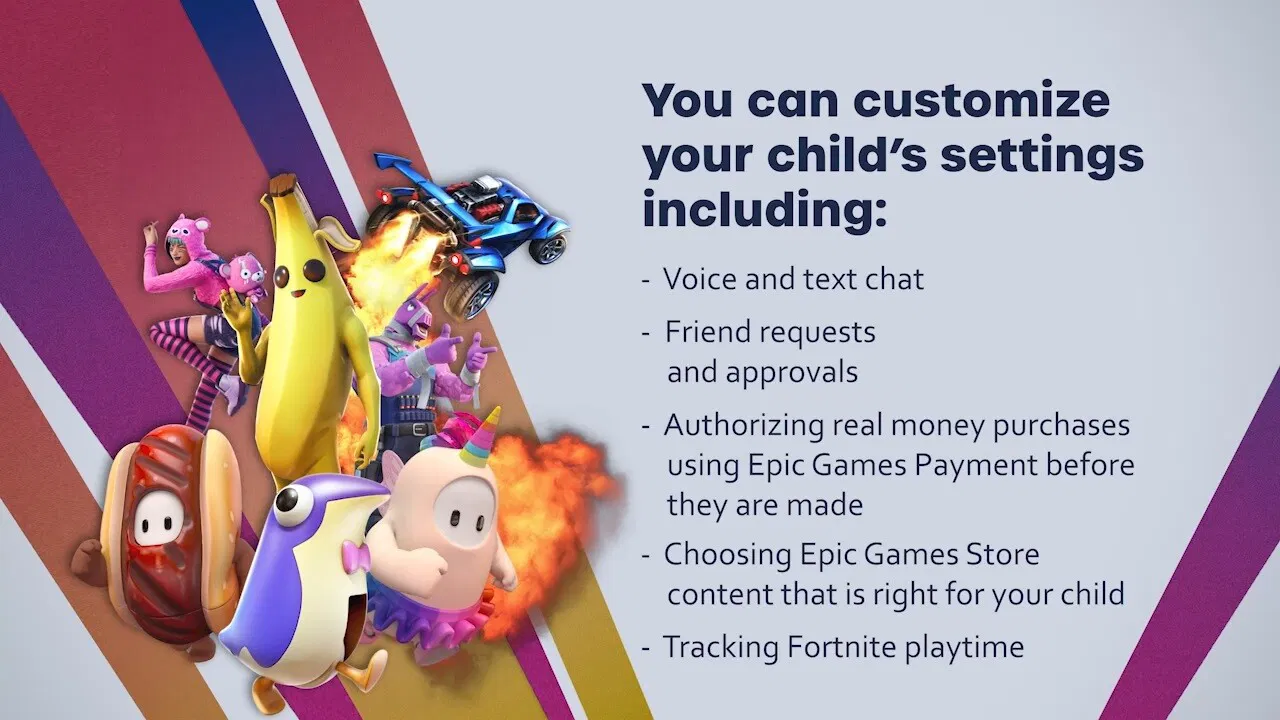
My email has been hacked! What should I do next?

If you find that your email has been hacked, your immediate reaction is probably wondering what you should do next. Take a deep breath before jumping into action. In this guide, we will take a look at the signs of a hacked email account, the steps to take to reclaim your email, and some proactive guidelines you can follow to keep it from getting hacked in the first place.

Hackers’ motivation for targeting your email

Hackers target your email accounts because they are treasure troves of information, containing years of correspondence with friends and family. Not to mention more emails from banks, online retailers, doctors, contractors, business contacts, and more. In all, your email packs a high volume of personal info in one place, making it a top prize for hackers.

Once a cybercriminal is in, they can cause personal chaos or obtain financial gain. Using the information they extract from your emails, they can scan your messages for sensitive information like bank account details, and commit identity theft. They can also take over your online accounts by using the forgot password feature, locking you out of your own social media, shopping, and financial profiles. Another common tactic is to send phishing emails to everyone in your contact list, exploiting your reputation to spread malware or scams. 

If you think, “my email has been hacked, how do I fix it?” understand that because many people reuse passwords, a single compromised email can give criminals the key to unlock numerous other services. This is precisely why a comprehensive service for identity theft monitoring is so crucial; it acts as a vigilant watchdog, alerting you to suspicious activity across your accounts so you can act fast.

Signs your email account is hacked

You can’t log into your email account

You go to check your email and find that your username and password combination has been rejected. You try again, knowing you’re using the right password, and still no luck. There’s a chance that a hacker has gotten hold of your log-in credentials, logged in, then changed the password, locking you out and gaining control of your account.

One of your contacts asks, “Did you really send this email?” 

Hackers compromise email accounts to spread malware on a large scale by blasting emails to everyone on your hacked contact list. If any one of your contacts opens that email attachment, that in turn shoots malware-riddled emails to dozens or hundreds of others. Some of those emails won’t sound or read like you at all, that your contacts might ask if this email really came from you. This is a good reason to never open attachments you weren’t expecting. If you get a strange email from a friend or business contact, let them know through another channel. You could be helping them flag their compromised email account.

Email hacking methods

  • Phishing scams: Deceptive emails, texts, or messages trick you into revealing your login credentials on a legitimate-looking but fake website. These are designed to steal your password directly.
  • Data breaches: Your email and password are often stolen from a less secure company you have an account with. Cybercriminals then test those stolen credentials on high-value targets like email services.
  • Weak or reused passwords: Using simple, easy-to-guess passwords like “password123” or using the same password for multiple online accounts makes it easy for hackers to gain access once one account is breached.
  • Credential stuffing: This is an automated attack where bots take massive lists of stolen usernames and passwords from data breaches and “stuff” them into login forms across the web, looking for accounts that reuse passwords.
  • Malware infections: Malicious software, such as keyloggers or spyware, can infect your computer and secretly record your keystrokes, capturing your email password and other sensitive information as you type it.

Recover your email & strengthen your defenses

Your email is often the key to your digital life, so regaining control quickly is crucial. Below are the basic steps you can take to recover your email account safely and reinforce your defenses to prevent future takeovers.

Use your email provider’s recovery service

Many email providers have web pages dedicated to recovering your account in the event of a lost or stolen password. For example, Google provides this email recovery page for Gmail users and their other services. This is a good reason to keep your security questions and alternate contact info current with your provider, as this is the primary way to regain control of your account.

Change your password

Make it a strong, unique password and don’t reuse a password from another account. Next, update the passwords for other accounts if you use the same or similar passwords for them. Hackers count on people using simpler, less unique passwords across their accounts, or reusing passwords in general. A password manager that’s included with comprehensive online protection software can do that work for you.

Enable two-factor authentication

Several email services support two-factor authentication, which requires a PIN to log in aside from a username and password. If your service offers it, use it. This provides one of the strongest defenses against a hacked email account, and online accounts in general.

Check your other accounts

If someone has access to your email and all the messages in it, they might have what they need to conduct further attacks. Check your other accounts across banking, finances, social media, and other services you use and keep an eye out for any unusual activity. If these accounts offer two-factor authentication, use it on them as well.

Reach out to your email contacts

As quickly as you can, send a message to all your email contacts and let them know that your email was compromised. As well, let them know that you’ve reset your password so that your account is secure again. Instruct them not to open any emails or attachments from you during the time your account was compromised. This protects them from potential phishing scams and preserves your reputation.

Alert your email provider and authorities to the incident

Once you have re-secured your email account, you will need to report the incident to your email provider. This enables them to minimize the damage to you, investigate the attack, and protect others from suffering the same fate. Here are the steps you need to take:

  1. Contact your email provider: Go directly to your provider’s official support or account recovery page. Do not use links from suspicious emails. Report the unauthorized access to help them investigate.
  2. Reset security credentials: After regaining access, immediately review and reset your security questions and update your recovery phone number and alternate email address. This prevents the hacker from using them to get back in.
  3. File an official report: In the U.S., file a report with the Federal Trade Commission (FTC) at IdentityTheft.gov. This creates an official record of the incident and provides a personalized recovery plan.
  4. Activate restoration services: If you suspect your personal information has been stolen, professional help is invaluable. McAfee’s Restoration Experts can guide you through the complex process of securing your identity, disputing fraudulent activity, and restoring your name.

Long-term email protection strategies

Protecting it requires more than quick fixes; it calls for consistent, long-term security practices. Here’s a quick guide that outlines key strategies to keep your email secure for the long haul.

  • Set up smart email filters: Create rules within your email settings to automatically move suspicious-looking emails to your spam or trash folder. This reduces the chance you’ll accidentally click on a malicious link in a phishing attempt.
  • Leverage comprehensive protection: Use an all-in-one security solution like McAfee+, which combines identity monitoring, privacy protection, and powerful antivirus software to safeguard your data and devices from multiple angles.
  • Conduct regular account audits: At least once every few months, take a few minutes to review your account’s security settings, check connected third-party apps, and remove access for any services you no longer use or recognize. Also check for unauthorized changes to your signature or email filters.
  • Run a full scan. Make sure you use a reputable and comprehensive antivirus program that protects computers, smartphones and tablets from malware.
  • Monitor your credit reports: Regularly checking your credit report is a key way to spot a problem such as unauthorized accounts or financial inquiries immediately, before it becomes a bigger problem. In the U.S., you can check yours weekly at AnnualCreditReport.com.

Final thoughts

Your email account is one of the several pieces that make up the big picture of your online identity. Other important pieces include your online banking accounts, online shopping accounts, and so on. Without a doubt, these are matters you need to keep tabs on. Check your credit report for any signs of strange activity, or even if you don’t suspect a problem. Your credit report is a powerful tool for spotting identity theft. In many cases, it’s free to do so. 

With McAfee+, you can check yours any time you like as part of our identity and credit monitoring service. McAfee+ is engineered with powerful capabilities such as real-time protection against viruses, hackers, and risky links. It also automatically alerts you from scams attempts in texts, emails, and videos, to keep you a step ahead of financial fraud and misinformation across all your devices. In case of identity theft, McAfee+ also offers identity theft coverage and restoration services of up to $2 million to help you cover legal and other fees in case you need assistance in the wake of an attack or breach. 

Taking a step like this can help keep your email account safer from attacks, along with your other accounts.

The post My email has been hacked! What should I do next? appeared first on McAfee Blog.

When AI Voices Target World Leaders: The Growing Threat of AI Voice Scams

If someone called you claiming to be a government official, would you know if their voice was real? This question became frighteningly relevant this week when a cybercriminal used social engineering and AI to impersonate Secretary of State Marco Rubio, fooling high-level officials with fake voice messages that sounded exactly like him. It raises a critical concern: would other world leaders be able to tell the difference, or would they fall for it too?

The Rubio Incident: A Wake-Up Call

In June 2025, an unknown attacker created a fake Signal account using the display name “Marco.Rubio@state.gov” and began contacting government officials with AI-generated voice messages that perfectly mimicked the Secretary of State’s voice and writing style. The imposter successfully reached at least five high-profile targets, including three foreign ministers, a U.S. governor, and a member of Congress.

The attack wasn’t just about pranks or publicity. U.S. authorities believe the culprit was “attempting to manipulate powerful government officials with the goal of gaining access to information or accounts.” This represents a sophisticated social engineering attack that could have serious national and international security implications.

Why Voice Scams Are Exploding

The Rubio incident isn’t isolated. In May, someone breached the phone of White House Chief of Staff Susie Wiles and began placing calls and messages to senators, governors and business executives while pretending to be Wiles. These attacks are becoming more common because:

  • AI voice cloning is now accessible to everyone: What once required Hollywood-level resources can now be done with free online tools
  • Social media provides voice samples: Just a few seconds of someone’s voice from a video or podcast is enough
  • People trust familiar voices: We’re psychologically wired to trust voices we recognize
  • High-value targets are everywhere: From government officials to your own family members

It’s Not Just Politicians – Nobody is Immune

While the Rubio case involved government officials, these same techniques are being used against everyday Americans. A recent McAfee study found that 59% of Americans say they or someone they know has fallen for an online scam in the last 12 months, with scam victims losing an average of $1,471. In 2024, our research revealed that 1 in 3 people believe they have experienced some kind of AI voice scam

Some of the most devastating are “grandparent scams” where criminals clone a grandchild’s voice to trick elderly relatives into sending money for fake emergencies. Deepfake scam victims have reported losses ranging from $250 to over half a million dollars.

Common AI voice scam scenarios:

  • Family emergency calls: “Grandma, I’m in jail and need bail money”
  • CEO fraud: Fake executives asking employees to transfer money
  • Investment scams: Celebrities appearing to endorse get-rich-quick schemes
  • Romance scams: Building fake relationships using stolen voices

From Mission Impossible to Mission Impersonated

One big reason deepfake scams are exploding? The tools are cheap, powerful, and incredibly easy to use. McAfee Labs tested 17 deepfake generators and found many are available online for free or with low-cost trials. Some are marketed as “entertainment” — made for prank calls or spoofing celebrity voices on apps like WhatsApp. But others are clearly built with scams in mind, offering realistic impersonations with just a few clicks.

Not long ago, creating a convincing deepfake took experts days or even weeks. Now? It can cost less than a latte and take less time to make than it takes to drink one. Simple drag-and-drop interfaces mean anyone — even with zero technical skills – can clone voices or faces.

Even more concerning: open-source libraries provide free tutorials and pre-trained models, helping scammers skip the hard parts entirely. While some of the more advanced tools require a powerful computer and graphics card, a decent setup costs under $1,000, a tiny price tag when you consider the payoff.

Globally, 87% of scam victims lose money, and 1 in 5 lose over $1,000. Just a handful of successful scams can easily pay for a scammer’s gear and then some. In one McAfee test, for just $5 and 10 minutes of setup time, we created a real-time avatar that made us look and sound like Tom Cruise. Yes, it’s that easy — and that dangerous.

Figure 1. Demonstrating the creation of a highly convincing deepfake

Fighting Back: How McAfee’s Deepfake Detector Works

Recognizing the urgent need for protection, McAfee developed Deepfake Detector to fight AI-powered scams. McAfee’s Deepfake Detector represents one of the most advanced consumer tools available today.

Key Features That Protect You

  • Near-Instant Detection: McAfee Deepfake Detector uses advanced AI to alert you within seconds if a video has AI-generated audio, helping you quickly identify real vs. fake content in your browser.
  • Privacy-First Design: The entire identification process occurs directly on your PC, maximizing on-device processing to keep private user data off the cloud. McAfee does not collect or record a user’s audio in any way.
  • Advanced AI Technology: McAfee’s AI detection models leverage transformer-based Deep Neural Network (DNN) models with a 96% accuracy rate.
  • Seamless Integration: Deepfake Detector spots deepfakes for you right in your browser, without any extra clicks.

How It Would Have Helped in the Rubio Case

While McAfee’s Deepfake Detector is built to identify manipulated audio within videos, it points to the kind of technology that’s becoming essential in situations like this. If the impersonation attempt had taken the form of a video message posted or shared online, Deepfake Detector could have:

  • Analyzed the video’s audio within seconds
  • Flagged signs of AI-generated voice content
  • Alerted the viewer that the message might be synthetic
  • Helped prevent confusion or harm by prompting extra scrutiny

Our technology uses advanced AI detection techniques — including transformer-based deep neural networks — to help consumers discern what’s real from what’s fake in today’s era of AI-driven deception.

While the consumer-facing version of our technology doesn’t currently scan audio-only content like phone calls or voice messages, the Rubio case shows why AI detection tools like ours are more critical than ever — especially as threats evolve across video, audio, and beyond – and why it’s crucial for the cybersecurity industry to continue evolving at the speed of AI.

How To Protect Yourself: Practical Steps

While technology like McAfee’s Deepfake Detector provides powerful protection, you should also:

  • Be Skeptical of “Urgent Requests”
  • Trust and verify identity through alternative channels
  • Ask questions only the real person would know, using secret phrases or safe words
  • Be wary of requests for money or sensitive information
  • Pause if the message stirs strong emotion — fear, panic, urgency — and ask yourself, would this person really say that

The Future of Voice Security

The Rubio incident shows that no one is immune to AI voice scams. It also demonstrates why proactive detection technology is becoming essential. Knowledge is power, and this has never been truer than in today’s AI-driven world.

The race between AI-powered scams and AI-powered protection is intensifying. By staying informed, using advanced detection tools, and maintaining healthy skepticism, we can stay one step ahead of cybercriminals who are trying to literally steal our voices, and our trust.

The post When AI Voices Target World Leaders: The Growing Threat of AI Voice Scams appeared first on McAfee Blog.

How to Protect Yourself from Concert and Festival Ticket Scams

Summer festival season is upon us, and music lovers are eagerly anticipating everything from The Weeknd tickets to intimate local music festivals. But while you’re dreaming of unforgettable performances, scammers are plotting to turn your concert and festival excitement into their profitable payday. The sobering reality? UK gig-goers lost over £1.6 million to ticket fraud in 2024 more than double the previous year’s losses. With approximately 3,700 gig ticket fraud reports made to Action Fraud in 2024, and almost half originating from social media platforms, the threat to festival-goers has never been greater. A Lloyds Bank analysis of scam reports from its customers has revealed that Oasis Live ’25 tickets are a top target for fraudsters. In the first month following the reunion tour announcement, these fake ticket scams made up roughly 70% of all reported concert ticket fraud cases since August 27, 2024. According to Lloyds, the average victim lost £436 ($590), with some reporting losses as high as £1,000 ($1,303).

Why Concerts Are a Scammer’s Paradise

Concert tickets have become the ultimate playground for cybercriminals, and it’s easy to see why. The perfect storm of high demand, limited supply, and emotional urgency creates ideal conditions for fraud. When your favorite artist announces a tour, tickets often sell out in minutes, leaving desperate fans scrambling on secondary markets where scammers thrive. Unlike typical retail purchases, concert tickets are intangible digital products that are difficult to verify until you’re standing at the venue gate, often too late to get your money back. Scammers exploit this by creating fake ticketing websites with legitimate-sounding names, posting counterfeit tickets on social media marketplaces, and even setting up fraudulent “last-minute deals” outside venues.

The emotional investment fans have in seeing their favorite performers makes them more likely to ignore red flags like unusual payment methods, prices that seem too good to be true, or sellers who refuse to use secure payment platforms. Add in the time pressure of limited availability, and scammers have found the perfect recipe for separating music lovers from their money. With the average concert scam victim losing over $400 according to the Better Business Bureau, what should be an exciting musical experience often becomes a costly lesson in digital fraud.

Common Scammer Tactics to Watch For

1. The Fake Ticket Factory

How It Works: Scammers create convincing counterfeit tickets using stolen designs, logos, and QR codes from legitimate events. They may purchase one real ticket and then sell multiple copies to different buyers, knowing only the first person through the gate will succeed.

The Digital Danger: With the rise of digital tickets and QR codes, scammers can easily screenshot, photograph, or forward ticket confirmations to multiple victims. Since many festival-goers don’t realize that QR codes can only be scanned once, multiple people may believe they own the same valid ticket.

Red Flags:

  • Sellers offering only PDF tickets or photos of tickets
  • Reluctance to use official transfer systems
  • Multiple identical tickets being sold by the same person
  • Prices significantly below or above market value

2. The Phantom Festival Scam

How It Works: Fraudsters create entirely fictional festivals, remember the Fyre Festival? A complete fake lineups featuring popular artists, professional websites, and aggressive marketing campaigns. They invest heavily in making these events appear legitimate, sometimes even securing fake venues and promotional partnerships.

The Impersonator: Some scammers specifically target popular festivals by creating fake events with slight name variations or claiming to offer exclusive “VIP experiences” that don’t exist.

Warning Signs:

  • New festivals with suspiciously star-studded lineups
  • Limited information about venue logistics or infrastructure
  • Aggressive marketing with urgent “limited time” offers
  • Lack of official venue confirmation or local authority permits

3. The Social Media Swindle

How It Works: Scammers create fake profiles or hack legitimate accounts to advertise sold-out festival tickets. They often target popular festival hashtags and engage with desperate fans seeking last-minute tickets on TikTok, Instagram, and Facebook Marketplace.

The FOMO Factor: These scammers exploit the fear of missing out by creating false urgency: “Only 2 tickets left!” or “Someone just backed out, quick sale needed!”

4. The Payment Pirate Scam

How It Works: Legitimate-seeming sellers request payment through untraceable methods like bank transfers, gift cards, or cryptocurrency. Once payment is sent, the “seller” disappears, leaving victims with no recourse for recovery.

Common Payment Red Flags:

  • Requests for wire transfers or bank transfers
  • Demands for payment via gift cards or vouchers
  • Cryptocurrency-only payment options
  • Refusal to use secure payment platforms with buyer protection

5. The QR Code Con

How It Works: Fraudsters create fake QR codes that lead to malicious websites designed to steal your personal information or payment details. These might be disguised as “ticket verification” sites or fake festival apps.

The Modern Twist: Some scammers send QR codes claiming they contain your tickets, but scanning them actually downloads malware or leads to phishing sites designed to harvest your personal information.

McAfee’s Festival Protection Kit

McAfee’s Scam Detector is your shield against concert and ticket scams this summer. This advanced scam detection technology is built to spot and stop scams across text messages, emails, and videos. Here’s how Scam Detector protects concert-goers:

1. Smarter Text Scam Detection for Ticket Offers

Scam Detector catches suspicious messages across apps like iMessage, WhatsApp, and Facebook Messenger—exactly where ticket scammers often strike.

2. AI-Based Email Protection Against Phishing

Flags phishing emails that appear to be from venues, ticketing companies, or resale platforms across Gmail, Outlook, and Yahoo. The system alerts you and explains why an email was flagged, helping you learn to spot concert scams as you go.

3. Deepfake Detection for Social Media Scams

Detects AI-generated or manipulated audio in videos on platforms like YouTube, TikTok, and Facebook—perfect for catching fake artist endorsements or fraudulent venue announcements that scammers use to promote fake ticket sales.

4. On-Demand Scam Check for Ticket Purchases

Found a great ticket deal but feeling uncertain? Upload a screenshot, message, or link for instant analysis. Scam Detector offers context so you understand exactly why a ticket offer might be fraudulent.

5. Custom Sensitivity Settings

Choose the level of protection that works for your concert-going habits:

  • High: Maximum caution for those buying from multiple sources
  • Balanced (default): Strong protection without interrupting legitimate purchases
  • Low: Flags only the most obvious ticket scams

6. Safe Browsing Protection

If you do click a suspicious ticket link, McAfee’s Scam Detector can help block dangerous sites before they load, protecting you from fake ticketing websites.

Real Protection for Real Fans

McAfee’s Scam Detector delivers reliable protection against the most common ticket scam tactics without false alarms that might block legitimate communications from venues or artists. Scam Detector uses on-device AI wherever possible, meaning your concert ticket searches and purchase communications aren’t sent to the cloud for analysis. Your excitement about seeing your favorite band stays between you and your devices.

Make This Summer About Music, Not Scams. Don’t let fraudsters steal your summer concert experience. With McAfee’s Scam Detector, you can focus on what really matters: getting legitimate tickets to see amazing live music. The technology works in the background, identifying scams and educating you along the way, so you can make confident decisions about your concert purchases.Summer festivals, arena shows, and outdoor concerts are waiting—make sure you’re protected while you’re getting ready to rock.

Learn more about McAfee’s Scam Detector at: https://www.mcafee.com/en-us/scam-detector.

The post How to Protect Yourself from Concert and Festival Ticket Scams appeared first on McAfee Blog.

❌