Reading view

There are new articles available, click to refresh the page.

CQURE Hacks #69: SMB Signing – Why It Won’t Save Your Data from a Passive Traffic Sniffer

By: Daniel

The Experiment Setup

Our test environment was configured for maximum network security, with both the server (SRV01) and the client (WIN11-01) explicitly set to support and require SMB signing.

  1. The Attacker: We used a Kali Linux machine to act as the attacker and intermediary.
  2. The Attack: We launched a bi-directional ARP Spoofing attack (Man-in-the-Middle) to intercept all traffic flowing between the client and the server.
  3. The Capture: Wireshark was launched on the attacker’s machine to capture the SMB2 traffic.
  4. The Test: From the client system, we accessed a file share (\\SRV01\CertEnroll) and created a new file with the content: “SMB signing test”.

The Critical Finding

Despite having SMB signing enforced on both endpoints, our packet capture yielded a critical, visible finding: the entire contents of the file, “SMB signing test,” were successfully captured and clearly readable in the Wireshark packets.

The conclusion is clear: SMB signing does not protect data from a passive traffic sniffer in a man-in-the-middle scenario.

The Security Takeaway: Signature ≠ Encryption

The reason for this failure is simple: A signature is not the same as encryption.

  • SMB Signing is a mechanism that prevents session spoofing and relay attacks by verifying the identity and integrity of the data sender. It ensures that the traffic hasn’t been tampered with in transit.
  • SMB Encryption is a distinct mechanism that scrambles the data, rendering it unreadable to anyone without the decryption key.

While SMB signing is vital for protecting the integrity of the communication, it does not automatically encrypt the data being transferred. As a result, an attacker who successfully performs an ARP spoofing attack can still read the unencrypted SMB traffic.For true confidentiality and to protect your data from passive snooping, SMB encryption must also be implemented alongside SMB signing.

Check out the Advanced Windows Security Course for 2026 offer >>


Transcript of the video:

Hi and welcome back to another episode of CQURE Hacks.

Today we will observe how packet sniffing behaves when SMB signing is enabled.

We begin in Kali Linux, the attacker’s machine.

The first step is to enable IP forwarding using the echo 1 command,

and that allows Kali to act as an intermediary for network traffic.

Next, we ensure the necessary tools are installed by checking for that dsniff package.

And with dsniff confirmed our environment is ready, we move to our target systems.

On the 1st system, SRV01 (at 10.10.10.20), we check the SMB configuration.

The settings confirm that the system supports and requires SMB signing.

We perform the same check on the client system, WIN11-01 (at 10.10.10.40).

From the client side we see it also supports and requires signing.

The connection we will test will run from the client, so .40 to the server .20.

Now we’ll launch the attack from our Kali machine.

We execute the ARP Spoofing attack.

The goal is to make the Kali host the intermediary.

The traffic flowing from host .40 to host .20 will be intercepted by Kali.

We poison the ERP cache in both directions, telling host .40 we are host .20 and telling host .20 we are host 40.

This establishes a bi-directional Man-in-the-Middle attack.

Next, we launch Wireshark to capture the traffic passing through our machine.

We’ll begin to capture on our active network interface and apply a display filter for SMB2 traffic.

On the Windows client, so .40 we initiate that file access by navigating to the server share and that is \SRV01\CertEnroll.

We then create a new text file and input the content:

SMB signing test.

We return to Kali. As we confirmed signing was enabled on both the server and the client.

Now we search the captured packets in Wireshark for the content we just wrote.

We search that packet bytes for the word signing.

The critical finding is visible.

We successfully capture the entire content of the file.

SMB signing test.

This demonstrates that signing does not protect against man in the middle attacks.

The reason is super simple.

A signature is not the same as encryption.

How good is the signature if a communication is not encrypted while the attacker can still read the unencrypted SMB traffic after performing an ARP spoofing attack?

While SMB signing prevents session spoofing and relay attacks, it does not automatically encrypt data being transferred.

Signing and encryption are two distinct mechanisms.

For true confidentiality, SMB encryption must also be implemented.

SMB signing does not provide encryption and fails to protect data from a passive traffic sniffer in a man in the middle scenario.

Thank you so much for watching our Secure Hacks episodes.

And as always, in order to continue this serial, please don’t forget to support us by hitting the subscribe button.

And as always, stay secure.

The post CQURE Hacks #69: SMB Signing – Why It Won’t Save Your Data from a Passive Traffic Sniffer appeared first on CQURE Academy.

CQURE Hacks #68: NTLM Relay Attacks Explained and Why It’s Time to Phase Out NTLM

By: Daniel

We begin on the Domain Controller, where the Group Policy setting “Network security: Restrict NTLM: NTLM authentication in this domain” is initially set to Disabled. This allows NTLM-based authentication to proceed – opening the door for potential relay attacks.

On the attacker machine (running Kali Linux), the Responder and Impacket’s ntlmrelayx tools are launched. Once a network authentication attempt is triggered, the attacker successfully relays the NTLM authentication to another host, gaining access as CQURE\Administrator. From there, the attacker can enumerate hosts, check privileges, and simulate further connections — all using the relayed credentials.

Next, we tighten security by switching the Group Policy to “Deny All”, effectively disabling NTLM across the domain. When the same attack sequence is repeated, the relay attempt fails — the target returns “status not supported.” Authentication now requires Kerberos, which is not vulnerable to NTLM relay in the same way.

This demonstration clearly shows the real-world impact of disabling NTLM: the attack surface for NTLM relay disappears.

However, phasing out NTLM completely requires careful planning, monitoring, and identification of systems or applications that still depend on it.

For a deeper dive, check out the CQURE NTLM Phase-out Guide for Active Directory Environments – and start preparing your organization for a more secure, NTLM-free future.

And if you’re hungry for more cybersecurity knowledge, we’ve opened the registration for our 6-weeks Advanced Windows Security Course 2026, ensuring you’re prepared for the threat landscape of the next year!

Check out the Advanced Windows Security Course for 2026 offer >>


Transcript of the video:

Hi and welcome back to another episode of CQURE Hacks.

In this video, I’m going to demonstrate how NTLM relay attacks work and what happens when NTLM is disabled.

We start on the domain controller, checking the Group Policy.
We look at the setting:
Network Security → Restrict NTLM: NTLM authentication in this domain.

As you can see, it is currently set to Disabled.

Now on our attacker machine (Kali Linux), we will launch the tools.
First, we start Responder.
Next, in a second window, we set up the NTLM relay with the Impacket ntlmrelayx tool.

The tool initializes its servers and is ready for the attack.

Now we’re going to run \\test\123 just to trigger it.
There we go — back on Kali.

We immediately see the relay succeed.
The tool reports a connection and authenticates to the target as CQURE\Administrator.
That credential can be used for further actions.

Now that we have it, let’s try the connection.
As you can see, we have 11001, and we can pull full details about the hosts listed.
That lets us see what privileges we currently have while leveraging this attack.

In this context, we can also simulate connections to those hosts.

Now, whenever we get in here — as you can see, many poisoned responses — those are expected in verbose mode.

Next, we return to the domain controller and enforce a much stricter policy.
We change Restrict NTLMNTLM authentication in this domain — from Disabled to Deny All.
Then NTLM version 2 will no longer be in place.

Let’s quickly apply the policy, then test whether these attacks still work so you can see the real-world effect.

On Kali, we restart our attack.
First, Responder is relaunched,
and then the ntlmrelayx tool is started again — ready to catch and relay authentication attempts under the new policy.

We are waiting for these authentications to happen so that we can grab that response.
Yep, we can do the same part — \\test\12345, whatever.

We capture the authentication attempt,
but the initial authentication to the target fails.

So, at this point, we no longer have the ability to authenticate using NTLM.

If we try to test with SMB netexec using the captured credential (for example, supplying the captured password),
the attempt fails — the target returns “status not supported.”

But if we check it with Kerberos, as you can see, we’ve got the possibility to get in.

So, at the end, it really depends on how we are doing this spray — how that activity is processed.

And in the end, you’ve got the possibility to compare what it means to have NTLM disabled or not.

Ultimately, this deprecation is about gathering information on which sources, applications, and services still rely solely on NTLM version 2.
That’s the key issue.

Basically, we can add exceptions, and those are applied directly within the policy.

And just for reference — this was a quick introduction because many people are concerned about one key question:
How do we actually phase out NTLMv2?

As you can see, the process is fairly simple —
but of course, don’t forget the monitoring component.
That’s crucial once you apply it in the field.

All right, if you’re interested in this topic and want to dive deeper,
our team has prepared a dedicated document:
NTLM Phase Out – Guiding Active Directory Environments.

You’ll find the link in the description, and I definitely encourage you to check it out.

Thank you so much for watching CQURE Hacks.
Hopefully, you enjoyed the content!

Don’t forget to subscribe to our channel and follow what we do on social media.

The post CQURE Hacks #68: NTLM Relay Attacks Explained and Why It’s Time to Phase Out NTLM appeared first on CQURE Academy.

CQURE Hacks #67 ARP Spoofing + SMB Sniffing: Stealing Files from the Network

Setting up the Attack 

We start with three machines: 

  • DC01 – the domain controller (10.10.10.10) 
  • Windows11-Client01 – a workstation (10.10.10.40) 
  • Kali Linux – the attacker’s machine (10.10.10.106) 

On Kali, we enable packet forwarding and run the arpspoof tool to trick both the client and the domain controller into believing that Kali is the other host. This successfully poisons the ARP cache, redirecting their communication through our machine. 

Sniffing ICMP Traffic 

With ARP spoofing active, we capture traffic in Wireshark. When the Windows client pings the domain controller, we clearly see ICMP packets routed through Kali – confirming the attack worked. 

Sniffing SMB Traffic 

Next, we look at SMB2 traffic. When the Windows client connects to the domain controller and creates a file (e.g., Secret.txt containing SomePassword123), the traffic is transparently routed through the Kali machine due to the ARP-spoofing attack. As a result, the unencrypted SMB data can be captured in Wireshark, allowing the file and its contents to be intercepted and saved. Not only can we view it in real time, but we can also export the file directly from Wireshark and save it locally. 

Key Takeaway 

This demo shows how ARP spoofing combined with unencrypted SMB traffic can expose sensitive information. Even if no passwords are typed directly, files containing credentials or other secrets can be silently intercepted. 

👉 The lesson: Always secure your protocols. Use SMB encryption, network segmentation, and proper monitoring to prevent these types of attacks. 

And if you’re hungry for more cybersecurity knowledge, we’ve opened the registration for our 6-weeks Advanced Windows Security Course 2026, ensuring you’re prepared for the threat landscape of the next year!

Check out the course offer >>


Transcript of the video:

Hi and welcome back to another episode of CQURE Hacks.
Let’s dive into a new video.

Here we have a domain controller, let’s check.
We use host name and it’s DC01 then IP config.
The address is 10.10.10.10.

Next the Windows workstation host name and then we see it’s Windows 11 client 01.
ipconfig shows the address 10.10.10.40.

Finally, the Kali Linux machine: ifconfig – the address is 10.10.10.106.

But first, we need to prepare it by switching to root with sudo -s.
For the ARP config attack to work we need to enable packet forwarding and we do this with the command:

echo 1 > /proc/sys/net/ipv4/ip_forward

We also need the dsniff package, but it’s already installed here.

We know that DC01 has the address 10.10.10.10 and the Windows client has 10.10.10.40 so we can use the arpspoof tool from the dsniff package.
We specify the eth0 interface, and the command is:

arpspoof -i eth0 -t [Domain controller's IP address] -r [client's IP address]

The -r option means that we act in both directions.
The domain controller thinks we are the client and the client thinks we are the domain controller.

Now we see ARP replies where both IPs 10.10.10.10 and 10.10.10.40 are mapped to the same MAC address ending with 61:18:ae.
That’s the MAC of our Kali machine.

On Windows, we can check with arp -a.
The MAC 61:18:ae is assigned to both Kali and DC01, which confirms that ARP spoofing is active.

Let’s start Wireshark on Kali Linux.
Wireshark is a packet analyzer.
It can analyse traffic similar to tools like TCP dump.
It also allows capturing network traffic.

We see available interfaces eth0 and any which captures all.
We select eth0 and start listening.
In the display filter we type ICMP.

On the Windows client, we run: ping DC01.
We can see the ping is working.
The traffic goes from 10.10.10.40 to 10.10.10.10, and then replies from 10.10.10.10 back to 10.10.10.40.

In Wireshark we see ICMP traffic, echo request and echo reply.
If we check the Ethernet source field, we see the replies are coming from MAC 61:18:ae – our Kali machine.
That proves the ARP spoofing attack was successful.

Next we change the Wireshark display filter from ICMP to SMB 2.
Now we see SMB 2 traffic.

On the Windows client we open File Explorer and connect to \\dc01.
That’s of course the domain controller.
We see the NETLOGON folder.

Let’s create a file there named Secret.txt with the content: SomePassword123.

Back in Wireshark we can use the search function.
So for that press Control + F.
Choose the display filter and set it to string.
In the packet list switch to packet bytes.
Now type what we want to search for.

For example: “some”. Click find.
We can see the captured file Secret.txt with the content: SomePassword123.

This shows that with an ARP spoofing attack, if SMB is not encrypted, we can read transmitted content – including files that may contain passwords.

At this point we can stop Wireshark to avoid capturing more packets.
Now, let’s go to File → Export Objects.
Choose the SMB protocol.
Here we see our file Secret.txt.
We select it and click Save.

We can now save this file to the desktop as Secret.txt.
The file is saved on our desktop.

On the desktop we have Secret.txt with exactly the same content we created on the server.

This demonstrates that with ARP spoofing and unencrypted SMB, we can intercept files being transferred, including sensitive ones like password files.

The post CQURE Hacks #67 ARP Spoofing + SMB Sniffing: Stealing Files from the Network appeared first on CQURE Academy.

CQURE HACKS #66 Hiding and Modifying Windows Services with Service Control

Understanding Hidden Services 

Let’s learn how to hide and uncover a service. This is a very important technique for post-incident investigation, as manipulating a service’s security descriptor can be a powerful method for persistence. 

There’s no direct mechanism to hide a service in Windows, but we can manipulate the Security Descriptor Definition Language (SDDL)

We can do this using the built-in sc command. For example, if we run: 

sc sdshow <service-name> 

That gives us the current SDDL string, which we analyze when investigating persistence. 

Of course, this isn’t the only method for service persistence, but it’s one of the most important to understand. 

Demonstration: CQService 

We’ll be working with a service called CQService

If you open services.msc and refresh, you’ll see that CQService is running. It uses CQGoodservice.exe located in the C:\Tools folder. 

The service name and display name are the same: CQService. 

Now, if we apply a modified SDDL string using: 

sc sdset CQService <new-descriptor> 

…you’ll notice the service disappears from the list. Pressing F5 to refresh confirms this. 

Why is it gone? 

We’ve changed the service’s security descriptor to deny visibility or access through certain interfaces. 

Understanding the SDDL Structure 

In the SDDL string, there are multiple sections. The two most important are: 

  • DACL (Discretionary Access Control List) 
  • SACL (System Access Control List) 

We’re focused on the DACL here. 

  • D: means deny 
  • A: means allow 

For example: 

  • IU = Interactive User (users logged in interactively) 
  • BA = Built-in Administrators 
  • SU = Service logon user 

There are specific permissions encoded as well: 

  • DC = Delete Child 
  • LC = Query Status (ability to ask SCM for service status) 
  • RP = Start service 
  • WP = Stop service 
  • DT = Pause/Continue service 
  • SD = Delete service 

So, by denying these permissions to users like IU, we effectively hide the service from standard queries. 

What Happens with PowerShell? 

Try: 

Get-Service 

The CQService doesn’t appear. 

Try: 

Get-Service -Name “CQService” 

It returns an error: the service isn’t found. But this is misleading—it is still there. 

To confirm: 

Set-Service -Name “CQService” -Status Stopped 

Suddenly, the system finds it. 

Why? Because different APIs respond differently based on permissions and visibility. 

Finding Hidden Services 

Now let’s use Autoruns

I ran Autoruns before modifying the SDDL. Under the Services tab, you can still see CQService and its executable. 

If we rescan, Autoruns still detects the service. Why? 

Because Autoruns reads the registry, not the SCM API. That’s why it still finds the service, even when it’s hidden from other tools. 

To go a step further, you could restrict registry permissions as well—but that’s another layer of persistence, and a separate configuration. 

Unhiding the Service 

To reverse the hiding, simply replace the SDDL with a generic or default one—maybe from another service. 

After setting a valid descriptor and refreshing the view, CQService reappears. 

Try: 

Get-Service -Name “CQService” 

Now you see it listed again. 

You can also inspect its details: the executable is still there, and the service is fully functional. 

Advanced Techniques 

There is also a way to hide a process in Windows using DKOM (Direct Kernel Object Modification). But this requires deeper access at the kernel level and often involves rootkits. 

That’s a more advanced topic, and something we could cover in further CQURE Hacks video. Let us know if you’re interested. 

And if you’re hungry for more cybersecurity knowledge, we’ve opened the registration for our 6-weeks Advanced Windows Security Course 2026, ensuring you’re prepared for the threat landscape of the next year!

Check out the course offer >>

Final Thoughts 

As you’ve seen, auditing the security descriptors of services is essential after an incident. You need to check who has the ability to start and stop services on any impacted host. 

The SC command is a powerful built-in tool for this kind of quick analysis. 

And remember, SDDL is the language used to define permissions for many object types in Windows—not just services, but also files, folders, registry keys, Active Directory objects, certificate templates, and even event logs. 

There are many creative and powerful uses for SDDL in cybersecurity. 

I hope this video helped you understand how service hiding works, how to detect it, and how to investigate and respond to these kinds of persistence mechanisms. 

Thanks a lot for watching. 

The post CQURE HACKS #66 Hiding and Modifying Windows Services with Service Control appeared first on CQURE Academy.

CQURE HACKS #65 NTLM reflection SMB flaw – CVE-2025-33073: From zero to Domain Admin

The threat is real – legitimate users can engineer malicious programs that deceive target systems into establishing authentication with a fake SMB server. This exploitation method delivers maximum system authority to attackers, granting them comprehensive dominance over the infiltrated machine.

So, let’s see how granting this access looks like in practice.

Before attempting exploitation, two conditions must be verified:

  • The target machine must have SMB signing disabled. This configuration weakness permits authentication relay attacks through the SMB protocol.
  • COERCER Vulnerability: The target system must be susceptible to authentication coercion techniques, which force the machine to initiate authentication requests to attacker-controlled servers.

Attempt 1: exploitation without adding DNS record

In this approach, we run the relay on this machine. Afterwards, we run PetitPotam and direct it to ourselves.  

Result? PetitPotam worked, but the machine couldn’t authenticate without the mentioned DNS record. 

Attempt 2: using a dedicated DNS record

We’re adding the DNS record to the IP address of the domain controller, and indicating it to our machine. Now, let’s also put add in the place of remove.

With these conditions, the operation is completed successfully.

Attempt 3: using the indication of the added DNS record

After re-running the ntlmrelay again, we change our IP address by the DNS record.  

And just like that, we succeeded, and our machine is relayed to itself. We dumped SAM successfully.

Attempt 4: skipping the DNS record

First, we start with turning off the relay, clearing it and adding one more terminal. 

We delete the previously added DNS record to avoid conflict, and now we can run the Responder with LLMNR poisoning. The Responder should have it turned on by default.  

Second, we can run the impacket-ntmlmrelayx and use netexec with the coerce_plus module to exploit the printerbugPrinterBug vulnerability with this DNS indication.  

You’ll see that tt doesn’t exist, but LLMNR poisoning helps us to identify our attacker’s machine.

After using it, the effect would be the same if we hadn’t added the DNS record. 

At this stage, we have obtained the hash of the local admin, so we can authenticate locally.  

Now, if we use module LSA from netexec, we can dump the LSSAS.

Conclusion

CVE-2025-33073 exemplifies how legacy authentication protocols can be exploited through protocol manipulation techniques. The vulnerability’s severity stems from its ability to transform limited network access into complete system compromise. Organizations must prioritize SMB hardening and authentication modernization to defend against these sophisticated reflection attacks.

And if you’re hungry for more cybersecurity knowledge, we’ve opened the registration for our 6-weeks Advanced Windows Security Course 2026, ensuring you’re prepared for the threat landscape of the next year!

Check out the course offer >>


Transcript of the video:

OK guys, let’s start by enumerating the machine that we want to attack.

First of all, we have to check if the SMB signing is off.

This allows us to relay via SMB. Next, the machine must be vulnerable to coerce.

That’s going to be the attack component. Now I’ll show you that without a special
DNS record, this attack won’t work.

But let’s try it anyway.
We run the relay on this machine and then we run PetitPotam and direct it to ourselves.
As we can see, PetitPotam worked, but a machine couldn’t authenticate without the mentioned DNS record.
OK, so let’s add this DNS record and it looks like this.
Here you have the IP address of the domain controller.
I’m adding the DNS record and indicating it to our machine.

Let me show you the IP that’s actually our machine.
So let’s also change, remove with add. OK, the operation is completed successfully.
Let’s try to launch the attack again, but this time by using the indication of added DNS record.

We rerun the NTLM relay.
Next we change our IP address by DNS record.
As you can see, we succeeded and our machine is relayed to itself.
We dumped SAM successfully.

Now I will show you the second way. We won’t add the DNS record this time.
OK, so let’s turn off the relay, clear it here and add one more terminal.

Let’s put it here.

First of all, we must delete this DNS record to avoid the conflict and make sure that everything gets just like starting from the scratch.
Now we can run the responder with LLMNR poisoning.
The responder should have it turned on by default, as you can see it’s on.
Next we can run impacket-ntlmrelayx and this time we will use netexec with the
coerce_plus module and exploit the PrinterBug vulnerability with this DNS indication.

As we can see, the effect will be the same if we hadn’t added the DNS record.
OK, so let’s see what we can do now.
We have the hash of the local admin and type admin here with his hash and as a local user
so we can authenticate locally.
We can use the module LSA from netexec.

And as we can see, we’ve got a little bit more information at our disposal.

The post CQURE HACKS #65 NTLM reflection SMB flaw – CVE-2025-33073: From zero to Domain Admin appeared first on CQURE Academy.

CQURE Hacks #64: S4U2self in Pieces – Attacking Active Directory by Abusing Kerberos Delegation

During the demonstration, you will see how to use PowerShell to gather more information about a user, generate a Ticket Granting Service (TGS) ticket using the S4U2proxy protocol with Rubeus, and perform a DCSync attack using Mimikatz.

This attack will show you how an account with constrained delegation rights, when compromised, can be leveraged to impersonate high-privilege users and gain elevated access to domain resources, making proper configuration and monitoring of these privileges critical for domain security.

After watching this, you can make sure to keep your kerberos delegations secure!

And if you’re hungry for more cybersecurity knowledge, we’ve opened the registration for our 6-weeks Advanced Windows Security Course 2026, ensuring you’re prepared for the threat landscape of the next year!

Check out the course offer >>


Transcript of the video:

So, let’s start by running PowerShell.

After using the whoami command, we see that we are JamesJ. Let’s import the PowerView module into PowerShell and get more information about user James using the Get-DomainUser command.

The user James has the value TRUSTED_TO_AUTH_FOR_DELEGATION (T2A4D) in userAccountControl; that means he can get a TGS for himself on behalf of any other user. An account can get a TGS on behalf of any user to the service set in msDS-AllowedToDelegateTo.

To do so, it first needs a TGS from that user to itself, but it can use the S4U2self to get that TGS before requesting the other.

Let’s check the next command for what it specifically owns. We see that we have the ability to delegate to LDAP and CIFS services on DC01.cqure.lab. Close PowerShell and open the command prompt. After using klist, we can see our current tickets.

Try to open the c$ directory on the domain controller. Access denied. Let’s now prepare for the attack.

The first step will be using Rubeus to change the password of our user, in this case James, to hashes/keys.

We copy the AES256 key and use Rubeus again with the s4u function.

We authenticate as the Administrator user, so in the impersonateuser we type Administrator, and in msdsspn we now use the CIFS service to get the ticket. As you can see, the ticket was imported successfully. Let’s try opening the DC01 directory again. We have successfully got the permissions to do so.

Now let’s try to connect using PsExec to DC01. We have also succeeded, let’s make sure with the hostname command that this is indeed the correct machine.

You can use whoami /all to check our privileges. We see that we are the Domain Admin. Ok, now exit this host, fire up a new command prompt, and clear our tickets with the klist purge command.

The next step is to reopen the c$ directory on DC01 after clearing the Kerberos tickets. We don’t have the permission to do it. We will now use the LDAP service instead of CIFS to show what the difference is.

We use the same command, only in msdsspn we specify LDAP instead of CIFS, and this time we’ll save the file to dc. kirbi to import it later into Mimikatz. Now let’s turn on Mimikatz and import this ticket. As you can see, importing is successful. Let’s try to use DCsync.

DCsync has been executed, and now let’s exit Mimikatz and try to reopen the c$ directory to dc01 only with the LDAP ticket.

As you can see, we can’t do this because SMB uses the CIFS service, not LDAP. And vice versa, it also works the same way the other way around. If we wanted to do a DCsync with a CIFS ticket, we can’t do it until we get the appropriate ticket.

The post CQURE Hacks #64: S4U2self in Pieces – Attacking Active Directory by Abusing Kerberos Delegation appeared first on CQURE Academy.

Real Cybersecurity Breaches: Undetected Malware and the Cost of Inadequate Security Measures

Undetected Malware and the Cost of Inadequate Security Measures  

One of our clients had recently implemented a new log monitoring system within their company. Shortly after deployment, the system flagged suspicious network traffic originating from two employees’ work laptops. The traffic was being routed to a foreign domain, and logs indicated that this communication had been ongoing for the past three years. Alarmed by the discovery, they turned to CQURE for assistance. 

Investigation & Findings 

The Cqure team conducted a thorough analysis of network logs and disk images from the affected devices. During this process, we identified two distinct malware programs. One of them was specifically designed to steal sensitive company data and transmit it to the suspicious foreign domain.

Upon further investigation of the domain, we discovered that it had been blackholed (blocked) by the company’s internet service provider (ISP) at some point shortly after the malware was introduced. As a result, communication between the infected devices and the malicious domain was cut off, preventing the exfiltration of sensitive data.

While the company’s systems remained intact, this wasn’t due to proactive defense measures but rather a fortunate coincidence. Had the malicious domain remained active longer, the malware could have successfully transmitted sensitive information, leading to severe data loss and security consequences.

However, despite this stroke of luck, the company still suffered massive financial losses. They were forced to halt operations to prevent a potential malware outbreak, as their network lacked sufficient segmentation to contain the threat.

What Went Wrong? 

The financial impact of this incident stemmed not from actual data theft, but from the fear and uncertainty caused by the company’s lack of security visibility. Had proper security measures been in place, this situation could have been detected and mitigated years earlier. The key weaknesses were: 

  1. Delayed Threat Detection: The company had no sufficient log monitoring for three years, allowing the malware to remain undetected. If monitoring had been implemented earlier, the suspicious traffic could have been addressed immediately. 
  2. Lack of Network Segmentation: Without proper network segmentation, the company had no way to contain malware threats. This forced them to suspend operations out of fear that the infection might spread, leading to substantial financial losses. 
  3. Outdated Systems & Poor Patch Management: The company’s systems were outdated, with critical security updates neglected. This likely left them vulnerable to malware infections that could have been prevented with timely updates. 
  4. No USB Device Policy in Place: The most likely infection vector was an infected USB drive. Without a strict USB usage policy, employees unknowingly introduced malware into the company network. 

Summary

This incident highlights the importance of proactive cybersecurity measures. To prevent similar incidents in the future, companies should:

  1. Implement real-time log monitoring to detect suspicious activity immediately.
  2. Enforce network segmentation to prevent malware from spreading across critical systems.
  3. Keep all systems updated and conduct regular security patching.
  4. Establish a strict USB device policy, such as blocking unauthorized external storage devices or using USB scanning solutions.

By proactively securing their environment, organizations can avoid unnecessary disruptions and financial losses caused by undetected cyber threats.

The post Real Cybersecurity Breaches: Undetected Malware and the Cost of Inadequate Security Measures appeared first on CQURE Academy.

Real Cybersecurity Breaches: Unauthorized Software Leads to Admin Account Takeover

Unauthorized Software Leads to Admin Account Takeover 

One of our clients noticed a high number of login attempts to an administrator’s account, all originating from a foreign location. Before they could isolate the account, it was deleted. Concerned about what had happened and the potential consequences, they turned to CQURE for help. 

Investigation & Findings 

The CQURE team began the investigation by conducting cloud analysis and OSINT (Open Source Intelligence). 

During the OSINT process, we discovered multiple passwords associated with the affected user’s name and surname in online databases. Additionally, we found over 30 leaked passwords related to the company’s domain. 

Armed with this information, we performed a thorough examination of the victim’s work laptop. Our analysis revealed spyware responsible for credential theft, along with plaintext password files stored in text documents. The stolen passwords matched those we had found in online databases. 

The affected user later admitted that they had downloaded the spyware based on a recommendation from an online forum they actively participated in. The software was supposedly intended to assist with their work tasks, but in reality, it had been designed to steal credentials. 

Further analysis revealed that the account deletion was not the only malicious activity within the company’s infrastructure. Here’s a timeline of the attack: 

Attack Timeline 

Day 1 – The user’s passwords appeared in online databases. This was also the day they downloaded the malicious software onto their computer. 

Day 4 – The first login attempts were made by the attackers. 

Day 6 – The first successful login using the stolen credentials. The malware intercepted the victim’s access token, which likely allowed the hackers to access the account. 

Day 7 – The attackers created a new user account using the compromised admin’s privileges. 

Day 9 – A second unauthorized user account was created and secured with MFA (Multi-Factor Authentication). The MFA phone numbers were foreign. Using this second account, the attackers then deleted the original admin account. 

Impact & Potential Risks 

Our investigation indicated that the malware did not spread to other accounts. However, the attackers’ primary objective appeared to be data theft. Had they chosen to, they could have caused significantly more damage, leading to operational disruption and financial loss for the company. 

What Went Wrong? 

The primary cause of this breach was the use of unauthorized software. If stricter policies on software installation had been in place, the incident could have been prevented. 

Additionally, our team identified several other security vulnerabilities: 

  • Employees were storing passwords in plain text, using .txt files. 
  • Sensitive data was being uploaded to public file transfer services without encryption. 
  • Log monitoring was insufficient, making it difficult to detect suspicious activity in real-time. 

Summary

Those events highlight how a single lapse in cybersecurity hygiene –such as downloading unauthorized software – can lead to a full-scale security breach. 

To prevent similar incidents in the future, companies should:

  1. Enforce strict software policies – Only allow approved software installations, and implement application whitelisting to block unauthorized programs.
  2. Strengthen password security – Encourage employees to use password managers instead of storing credentials in plaintext files. Implement multi-factor authentication (MFA) to reduce the risk of account takeovers.
  3. Conduct regular security awareness training – Educate employees on the dangers of downloading software from untrusted sources and participating in online forums that promote risky practices.
  4. Monitor logs and unusual activity in real time – Suspicious login attempts and foreign access should trigger immediate alerts and security responses.

By combining strict access controls, user awareness, and proactive monitoring, organizations can reduce the risk of credential theft and stay one step ahead of cybercriminals.

The post Real Cybersecurity Breaches: Unauthorized Software Leads to Admin Account Takeover appeared first on CQURE Academy.

Hacks Weekly #63 – Attacking LSASS memory through VM snapshot

By leveraging snapshots, attackers can bypass security mechanisms and extract passwords or access tokens, allowing privilege escalation across the entire network. 


Watch the video above to find out how hackers can lay their hands on passwords by taking a snapshot of the running VM along with the memory and downloading the snapshot memory status files, VMM, and VMSN accelerate.

We hope this demonstration will help you understand how hackers work and how to keep your infrastructure secure from them.

Watch the full video with step-by-step guidance👉

The post Hacks Weekly #63 – Attacking LSASS memory through VM snapshot appeared first on CQURE Academy.

Hacks Weekly #62 – Bypassing Windows Mark of the Web Protection

How can the Windows Mark-of-the-Web Protection be bypassed? 🦝

Amr Thabet, Malware Researcher & Incident Handler, presented some of the scenarios in episode 62 of our #HacksWeekly series!

Windows Mark-of-the-Web Protection is just the first layer of protection.

The problems start when users use 7-ZIP or delete the specific version of the file and download it again after some time—it won’t have a ZoneId, so the Mark-of-the-Web Protection won’t be there.

One might say that this is an exception and won’t happen to most users. Well, sure. However, even those 5% of users who accidentally bypass the protection can compromise your company’s safety 🚨

That’s why you should never rely 100% on one type of protection and always have multiple security levels implemented.

Watch the full video with step-by-step guidance 👉

The post Hacks Weekly #62 – Bypassing Windows Mark of the Web Protection appeared first on CQURE Academy.

Hacks Weekly #61 – Man in the middle with MITM6 and NTLMRelay

What is MITM6? 

MITM6 is an advanced penetration testing tool that exploits default Windows DNS configurations to facilitate man-in-the-middle (MITM) attacks. It targets mainly networks where IPv6 is enabled but not actively used. By responding to DHCPv6 messages, MITM6 can redirect traffic from vulnerable Windows machines to an attacker’s system. These redirections take place because the Windows operating systems prioritize IPv6 and regularly request DHCPv6 configurations. When a client sends out a request for an IPv6 address, MITM6 listens for these requests and responds with its own configuration, assigning the attacker’s machine as the primary DNS server. 

The mechanism of attack 

  1. DHCPv6 Spoofing: MITM6 acts as a rogue DHCPv6 server. It responds to clients’ requests by providing them with a link-local IPv6 address and setting the attacker’s machine as the DNS server. As a result, the attacker is able to intercept all DNS queries made by the client and redirect them as desired.
  2. Authentication Relaying with NTLMRelay: In order to enhance the attack, MITM6 is often used together with NTLMRelay, capturing NTLM authentication requests from clients. NTLMRelay sends a malicious WPAD (Web Proxy Auto-Discovery) file, prompting clients to authenticate against the attacker’s machine instead of legitimate services. If credentials are captured, they can be later relayed to other services within the network. This can potentially lead to further, dangerous exploitation. 
  3. Traffic Manipulation: With control over DNS responses, attackers can manipulate traffic to redirect users to malicious sites or capture sensitive information. This capability makes MITM6 particularly dangerous in environments where IPv6 is not properly configured, disabled or monitored.

How to protect against MITM6 attacks? 

  1. Disable IPv6 if Not in Use: This step can significantly reduce the surface of an attack, by preventing Windows clients from sending DHCPv6 requests. As a result, it blocks hackers from responding with harmful DNS configurations.
  2. Disable WPAD (Web Proxy Auto-Discovery): If you’re not using WPAD, make sure to disable it via Group Policy settings. This will prevent the attackers from redirecting clients to authenticate against the attacker’s machine instead of legitimate services. 
  3. Implement Security Measures for Authentication: To reduce the risks associated with NTLM relaying, it is recommended to enable SMB and LDAP signing. You can also consider switching to Kerberos authentication to offer a more secure alternative to NTLM. 

Curious to uncover the practical side of man-in-the-middle attacks? Head to our video with Mike!  

Feel free to revisit this episode anytime to brush up on those cyber tips. 

Thank you for being with us, and we look forward to the next one! 

Stay curious and #stayCQURE! 

The post Hacks Weekly #61 – Man in the middle with MITM6 and NTLMRelay appeared first on CQURE Academy.

BLACK HAT EUROPE 2024!

We’re happy to share that the 2024 edition is also taking place with our involvement! 

And we have to admit, this year’s agenda looks promising. As always, we’re ready to share only the most relevant skills, thoroughly tested during real-life scenarios. 

System Forensics, Incident Handling and Threat Hunting 

On December 9, you’ll have the opportunity to participate in System Forensics, Incident Handling and Threat Hunting, delivered by Paula Januszkiewicz, Cybersecurity Expert, Microsoft MVP & RD, CQURE and CQURE Academy CEO. 

This 2-day training will equip you with effective strategies to prevent future attacks. We will dive deep into incident handling, identify malicious applications and network activities. Apart from this, get ready to examine system vulnerabilities and uncover common attack techniques. 
 
You can experience a foretaste of System Forensics, Incident Handling and Threat Hunting here: 
 

SIGN UP HERE!


Advanced Hacking and Securing Windows Infrastructure 

Mike Jankowski-Lorek, PhD, Cybersecurity Expert, Director of Consulting of CQURE, will guide you through Advanced Hacking and Securing Windows Infrastructure from December 9 to December 10. 

During his session, you’ll learn more about high-quality penetration tests and effective network mapping. If you want to dig deeper into vulnerability identification and securing techniques – there’s no better place to be. 
 
You can experience a foretaste of Advanced Hacking and Securing Windows Infrastructure  here:  

SIGN UP HERE!

About Black Hat 

For more than two decades, the Black Hat conference has been one the most recognizable infosec events worldwide. It brings together a diverse audience, ranging from industry enthusiasts, through corporate and government professionals, to cybersecurity leaders. Held each year, it provides access to not only workshops and training sessions, but also networking opportunities. 

Join one of the most globally renowned infosec events and benefit from real-world expertise.

The post BLACK HAT EUROPE 2024! appeared first on CQURE Academy.

Get a Sneak Peek into the Advanced Windows Security Course!

Over the years, the Advanced Windows Security Course has amassed hundreds of satisfied students, building a supportive community of cybersecurity enthusiasts and rising talents. We repeat it yearly, each time brainstorming to deliver the freshest techniques for combating cyber threats. As a result, the formula just keeps getting better. 

At CQURE Academy, our Experts consolidate everything they know into practice-filled classes. Uncover only the most relevant knowledge under the guidance of:

  • Paula Januszkiewicz, CQURE Academy CEO, Cybersecurity Expert, Microsoft MVP & RD,
  • Sami Laiho, Windows OS Expert, Microsoft MVP,
  • Peter Kloep, Cybersecurity Expert, Principal IT Architect,
  • Amr Thabet, Cybersecurity Expert,
  • Artur Kalinowski, Cybersecurity Expert,
  • Marcin Krawczyk, Cloud & Cybersecurity Expert,
  • Przemysław Tomasik, Cybersecurity Expert,
  • Damian Widera, Data Platform MVP, MCT, Software Engineer, Cybersecurity Expert.

This year’s agenda looks promising – have a look at what awaits you this season: 

  • Module 1: Attack Case Studies and Building Incident Response Readiness Strategy
  • Module 2: Zero Trust in Practice: Building Secure Architectures Beyond the Perimeter
  • Module 3: Discover Your External Perimeter and Open Source Intelligence in Azure
  • Module 4: AI Agents for Attack Investigation
  • Module 5: Azure Cloud Incident Response – Part 1: Detection
  • Module 6: Privileged Access Abuse in Databases: Detection and Defense
  • Module 7: Real-World Pentesting: Windows Tips, Tricks, and Countermeasures
  • Module 8: PowerShell for Digital Investigation & Threat Hunting
  • Module 9: Azure Cloud Incident Response – Part 2: Response and Recovery
  • Module 10: Tiering, Just-In-Time, and Admin Forest in “Real Life” (Experience from the field)
  • Module 11: How to Think About Azure Kubernetes Security
  • Module 12: Securing Windows Server and Applications in .NET with TLS: Implementation, Pitfalls, and Best Practices

But that’s enough about theory for now. Let’s move to the more practical part, where the real learning takes place. There’s no better way you can get a taste of our training formula than to experience it yourself!

See what you can look forward to during our live meetings. Dive into Windows Internals: Memory Management with Sami Laiho, Windows OS Expert, Microsoft MVP. 

In this module, Sami will teach you how the most important aspect of an operating system works. Nothing in Windows works without memory, both physical and virtual. Windows can’t read things from the disk; it pages things into memory. Memory fundamentals are filled with myths about the Page File settings, memory leaks, amount of RAM needed etc. During this session, Sami will do a lot of myth busting and this knowledge is vital to anyone working with operating system security and troubleshooting. 

We’ve already shared a bit about the Advanced Windows Security Course with you. Now, discover what our participants have to say about it! 

By joining our training, you’ll gain access to session recordings, additional learning materials, and custom CQURE labs to practice your skills.  

After passing the final exam, you’ll receive a “Windows Security Master 2026” certificate to showcase your skills. 

We will meet from October 28 to December 4, 2025, just in time to kickstart 2026. 

This course is limited to a select number of students only. 

Send us your application and we’ll tell if it’s a good fit.  

See you at CQURE Academy!

The post Get a Sneak Peek into the Advanced Windows Security Course! appeared first on CQURE Academy.

Hacks Weekly #60 – PetitPotam Strikes Back: From (almost) Zero to Domain Admin

PetitPotam: How an NTLM relay attack can threaten Active Directory, Active Directory Certificate Services and your network  

PetitPotam is an advanced coercing attack and in combination with NTLM relay (NTLM redirection) attack it creates a serious threat to Active Directory (AD) infrastructures. By exploiting vulnerabilities in the EFS (Encrypted File System) RPC calls, PetitPotam can invoke NTLM authentication and you can intercept credentials, escalate privileges, and access vital network resources such as Active Directory Certificate Services (AD CS). The result? It gives hackers an opportunity to take control of an entire AD domain, which makes PetitPotam and default unsecure AD CS configuration a particularly dangerous combination.  

And yes, you’ve guessed it right – “petit potam” does mean a “little hippo” in French. Quite ironic, considering how much chaos it can create! 

Understanding PetitPotam 

Threats associated with the PetitPotam attack  

PetitPotam can be used for a range of attacks, including (but not limited to):   

  1. Interception of credentials: Attackers can obtain NTLM response, enabling unauthorized access to network resources (NTLM relay attack). It can easily open the door for lateral movement. 
  2. Credential escalation: By obtaining certificates from AD CS, attackers can acquire higher privileges in an Active Directory domain, potentially achieving domain administrator status and gaining full control over network resources. 
  3. Complete AD domain compromise: Once attackers obtain critical certificates and key, they can gain access to the entire Active Directory domain. It paves the way for a complete IT infrastructure takeover, allowing them to manipulate systems and services. 

NTLM relay in the context of PetitPotam 

What exactly is NTLM relay? It is intercepting NTLM authentication and redirecting it to another server. With PetitPotam, the attacker forces the Windows server to send NTLM authentication request to the malicious server, allowing it to perform NTLM relay attack to authenticate to AD CS Web Enrollment services and obtain certificates in context of attacked Windows server. Through these certificates, the attacker can gain control over the network by impersonating Domain Controller and then using DCSync. 

PetitPotam and Active Directory certificate services  

One of the main targets of the PetitPotam attack is Active Directory Domain Controllers in combination with Active Directory Certificate Services (AD CS) web enrollment service.  

When attackers start manipulating the authentication process, they can get their hands on certificates that allow them to access network resources as privileged users. Once they obtain certificates from AD CS, they’re on the right track to claim full administrative rights across the network. As you can see, it already sounds quite dangerous. And these are only some of the consequences that this attack can lead to. 

Prepare yourself well before PetitPotam strikes back! 

How to minimize the risk of PetitPotam and NTLM relay attacks? Here’s a list of essential steps that you should never skip:  

  1. Protect Active Directory Certificate Services (AD CS) by restricting access to only trusted users and servers.   
  2. Keep an eye on network traffic to quickly spot invalid authentication attempts, as they could signal an NTLM relay attack.   
  3. Disable NTLM where possible and replace it with a more secure authentication protocol, for instance Kerberos
  4. Remove Certificate Web Enrollment or disable completely NTLM on IIS 

Staying safe against attacks 

As you can see, PetitPotam is quite a sophisticated attack. It takes advantages of vulnerabilities in the EFS and NTLM protocol and AD CS, leads to privilege escalation, and gives attackers a chance to take control of network infrastructure. 

To keep your systems safe from this threat, it’s necessary to disable NTLM, secure AD CS Web Enrollment service and keep an eagle eye on network activity – all to detect potential threats immediately. You also can’t forget about performing regular IT security updates within your systems. This way, you can prevent the entire network from being compromised. 

If you’d like to explore PetitPotam in even greater depth – there’s still an entire video with Mike waiting for you at the top of this page. Make sure to hit play and discover real-world tricks for safeguarding your infrastructure. 

You can also return to this article anytime to refresh your knowledge. 

If you have any comments or questions, feel free to shoot us a message. We’d love to hear from you!  That’s all for today, thank you for staying with us – and until the next one! 

The post Hacks Weekly #60 – PetitPotam Strikes Back: From (almost) Zero to Domain Admin appeared first on CQURE Academy.

The Power of Reports and Software Testing

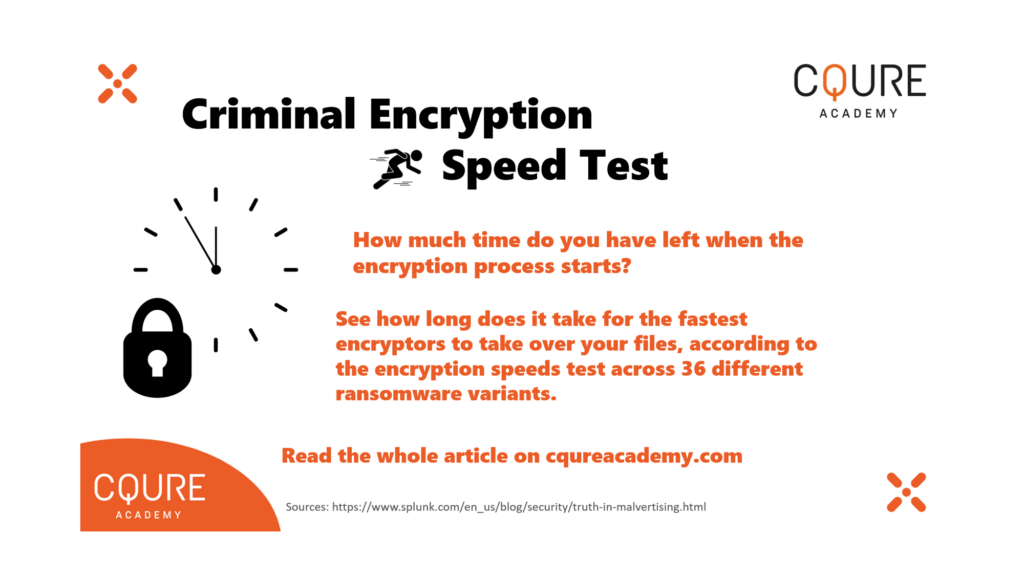
In February, a report appeared on the website of one of the cybercriminal groups – LockBit, in which criminals tested encryption speeds across 36 different ransomware variants, including two of their own: LockBit 1.0 and LockBit 2.0. It turned out that those two solutions; LockBit 2.0 and LockBit 1.0 are at the top of the table. Information about the conditions of these tests was limited.

Splunk specialists decided to verify the test results based on more detailed assumptions. It turned out that LockBit was the fastest tool. But LockBit 1.0 was actually faster than its newer counterpart LockBit 2.0. The total encryption time of nearly 100K test files spread across 100 directories (various file types and sizes) for LockBit 1.0 was 2 minutes 20 seconds, for LockBit 2.0 it was 2 minutes 30 seconds. The test showed that LockBit 2.0 is much more efficient than 1.0, using only half the number of CPU threads, and hitting the disk 27 fewer times.

Yet, it doesn’t change the fact that the older version was faster. Splunk researchers found the second place actually belongs to PwndLocker, as its software needs only 2 minutes and 28 seconds to encrypt the same data.

All three of the fastest tools are using the method of partial encryption. It is enough to render most files unusable. LockBit 2.0 only encrypts the first 4KB of a file, leaving the remainder untouched. PwndLocker leaves the first 128B unencrypted, to encrypt the next 64KB of a file. The fastest variant, LockBit 1.0, encrypts 256KB of every file by utilizing a high number of CPU threads along with high disk access rates.

The slowest, Avos, needs 132 minutes to encrypt data. The median for all tested tools is about 23 minutes. For many organizations, it is impossible to act so fast. There is no chance to counteract during the encryption phase, as it has to be done before. According to Mandiant’s “M-Trends 2022” report ransomware criminals tend to spend three to five days in the victim’s environment collecting information before they start the encryption process. That is enough time to stop them, but when encryption starts, it is already too late.

* https://www.splunk.com/en_us/blog/security/truth-in-malvertising.html

The post The Power of Reports and Software Testing appeared first on CQURE Academy.

Skill Gap in Cybersecurity

In the last few years, cybersecurity professionals have been experiencing extreme stress or burnout. According to a last year’s Forrester’s survey, 65% of them considered leaving their job because of it. This high level of burnout is paramount for cybersecurity professionals’ decision to leave their jobs. For some of them, it means leaving the industry altogether. To some extent, this is an effect of the COVID-19 pandemic. In the last two years, cybersecurity specialists have been asked to take on heavier workloads as companies undergo digital transformations. At the same time companies aren’t increasing wages to compensate for it. Since these jobs remained in high demand, many workers easily found another position and started getting a substantially higher salary. Once these specialists leave, the company has a nearly impossible mission to replace them.

A competitive and adequate salary is important, but a proper set of benefits is the actual way to fight burnout and keep employees. Flexible work options are one of the methods to improve its quality. Another idea may be offering remote work opportunities. This solution supports retention and can be helpful for managers in expanding the hiring pool to a global scale.

However, companies quite often forget that working in the cybersecurity industry requires continuous training. Specialists must learn constantly about the newly discovered vulnerabilities in currently used technology to stay on track. It is essential for them to follow new cyber solutions as their security has not been properly tested by the brutal reality habited by cybercriminals.

The willingness to acquire knowledge is a characteristic of cybersecurity specialists. This particular eagerness to expand the competencies and gain new skills may become one of the foundations of human resources policy. The development opportunity can be a key benefit that will build better relationships with the employer and compensate for inconveniences. This policy is not only about access to trainings. More important is the creation of a proper path of development in cooperation with the employee. It will allow them to develop skills in the direction that is suitable. The key role in this aspect is a career advisor who will create a development plan for each employee. This solution is also beneficial for companies, which in this way acquire the necessary competencies using the available resources. The skill gap in the labor market makes it difficult to hire a specialist in a particular area – a better idea for companies is to equip staff with desirable knowledge through trainings.

The internet makes it easy to learn new skills without access to a physical classroom. However, the vast amount of content online also opens the door to training programs that employers may not view as legitimate. Steer clear of that unwanted outcome by researching courses from companies and organizations with well-known name value. The most important factors that should be taken into account when choosing trainings are, firstly, experience in the field of cyber-combat and the work of a trainer in real-life scenarios. Secondly, take into account their pedagogical competencies that allow you to gain new skills in an effective and accessible way.

Everyone in the cybersecurity world heard about the skill gap. Unfortunately, we do not have time to educate millions of specialists in a short time. It is better to look around and pay more attention to already operating security teams and upgrade their skills.

The post Skill Gap in Cybersecurity appeared first on CQURE Academy.

Salaries in Cybersecurity

According to the data collected by (ISC)2 in the report “Cybersecurity Workforce Study 2021”, the global cybersecurity workforce is well-educated (86% have a bachelor’s degree or higher), technically grounded (most graduated with degrees in STEM and some from business fields). The average annual salary before taxes in the USA is about $90,900 — up from $83,000 among respondents in 2020, and $69,000 in 2019. While only 9% of the North American workforce reported a pre-tax salary below $50,000, the largest single North American grouping (49%) earned more than $100,000. But reality looks different in different parts of the world. Salaries and their distributions vary broadly by region. According to the same report, the average annual salary in Europe is around $78,000, in the Asia-Pacific region, it is $61,000. In Latin America, the average is around $32,000. 

If we break down the cybersecurity workforce according to job profiles, their salaries look very different even just in the labor market in the USA. Security analysts, dealing with the vulnerabilities in the software, hardware and networks, also recommending the solutions, according to portal payscale.com (all data presented in this section comes from that source) can get around $81,000. The salary of a security engineer who performs security monitoring to detect incidents is about $104,000. One of the highest-paid professions in the industry is a security architect responsible for designing new security systems, his average salary is about $125,000. Security administrators’ average salary is $76,000, they manage the organization’s security systems and often perform tasks of the security analyst, especially in a smaller organization. Another job profile, a security software developer can get around $73,000, they implement security into applications’ software and develop software to monitor and analyze traffic to detect intrusion and malware. The chief information security officer (CISO) is a special case because it is a high-level management position responsible for maintaining the entire information security staff. According to the portal payscale.com, the average annual salary in that position is about $166,000. 

However, when we take a closer look at the data, it turns out that experience level has an exceptionally large impact on salaries. For example, a security analyst with less than one year of experience can count on $65,000, employees with more than 20 years of experience in the same position receive an average of $112,000. Experience in a CISO position is even more important, as new managers can count on $106,000 and people with over 20 years of experience on average get $180,000. There are some cybersecurity leadership roles at large U.S. corporations offering one million dollars compensation packages. The recipients of these big pay packages include military cyber experts making a switch to the commercial sector. 

One more thing. According to the mentioned (ISC)2 report there is a significant difference in average salaries between cybersecurity experts who have earned at least one cybersecurity certification compared to those who have not earned any. Those who have a cybersecurity certification earn $33,000 more in annual salary. 

To put it in a nutshell, salaries in the cybersecurity industry vary widely. They are primarily influenced by the region of the world, experience, job profile and earned certificates. It is worth being aware of how the choice of a career path may affect income. 

The post Salaries in Cybersecurity appeared first on CQURE Academy.

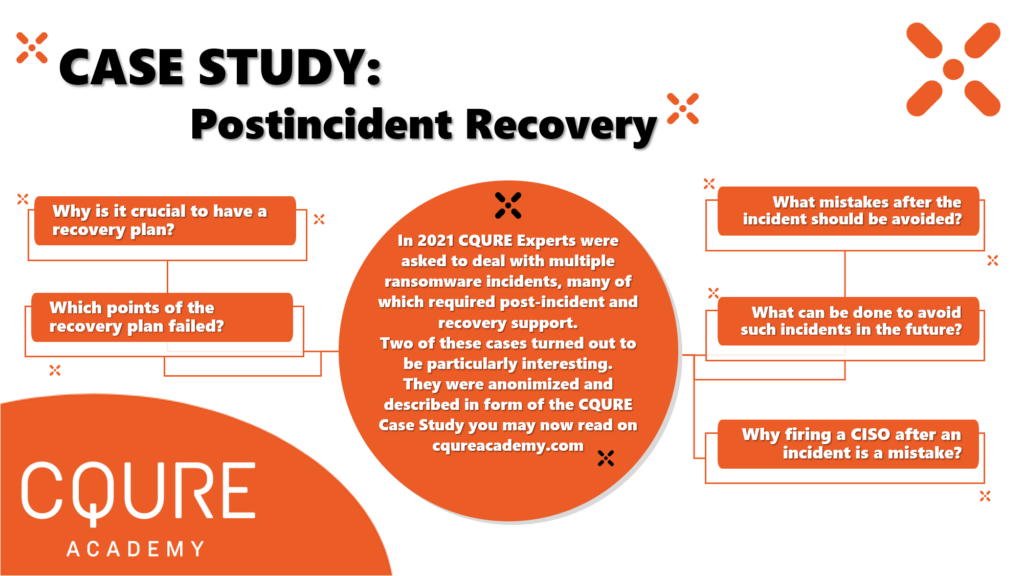
Dark hours – postincident recovery without procedures and documentation

SCENARIO I

A big global company in the chemical industry was attacked by cybercriminals and their data in branches across the world were encrypted. The organization refused to pay the ransom and decided to restore infrastructure by using data backups and paper documentation (the law required the company to keep it in the archive). They decided to take a risk, even if there was a possibility that some of the data would be permanently lost. Operational technology was not infected and there was no direct connection to IT infrastructure.

We were asked for help in post-incident recovery by attacked company’s business partner. On-site, we were expecting to receive proper documentation and procedures, but quickly realized there is none. There were technically competent people at the UK and US headquarters of the attacked company, but they were not prepared for such an event affecting so many countries and regions around the world at the same time on this scale. Their first idea for recovery didn’t work well in branches. We were supposed to perform scanning with a tool provided by them and flag healthy systems. If even one was unhealthy, then all the systems in the network should have been reinstalled, but there was no procedure on how to do it and especially with such a vast number of systems without proper documentation. We were doing it manually as automation for the installation didn’t exist. A much better idea would have been to set up all the systems at the same time with the help of a previously prepared server. Halfway through the work, the headquarters decided that it needed a different, customized system. We needed to start from the beginning. After installation, we realized there was no step to enter a login and password to log into the systems. They were not connected to Active Directory, there was no admin account accessible for us or anyone else. Long story short, HQ made a mistake while preparing new images and there was no time left for them to prepare and deliver new ones. We managed to deal with this problem. We also wrote some scripts that speeded up our work. Finally, in cooperation with us, procedures were created, which finally were to be implemented in other locations.

One of the reasons why the company had such a vast number of problems was connected to serious technological debt. It wasn’t an issue of the IT in a particular branch, but of the entire organization, in particular in the headquarters. There were 80 domain administrators, the attack surface was extensive. They were using old systems without support, e.g., Windows Server 2003. The attack vector was probably classic phishing followed by privilege escalation. Main servers were a mess, with lots of unnecessary things installed, they were like a regular workstation. Fortunately, not all company locations had been encrypted.

SCENARIO II

A global technological company was attacked by a ransomware group of cybercriminals and lost access to encrypted data. In this case, the board decided to pay and the criminals delivered the decryptor. Despite the decryption of files, many systems still didn’t work properly and the company didn’t get access to all of its resources. The documentation existed but was encrypted. The company also had backups, but no one could log into them because the authentication server was encrypted.
Like in the previous case, we were asked for help by our partner. The main consulting company hired by the attacked organization belonged to the group of “the big four.” There was a procedure created by this large consulting company, but it didn’t fully work in the field. We got the hardware into our hands after the decryptor was used and our task was to put everything in motion. The headquarters was unable to start many processes and the preconfigured device that was delivered to us turned out to be inoperative. We spent dozens of hours working with HQ specialists to solve those problems and support them whenever the standard operating procedure was not working for them. Finally, we recovered all the systems and were able to bring back the fully operational state of their production sites. During this time, we even reversed engineered malware and decryptor to fully understand how we can decrypt unrecoverable files which at first looked like they might be lost forever.

Main issue
In post-incident recovery, actions, procedures, and documentation are the key elements for an organization to get back on its feet. Problems in such situations are a result of neglecting to practice catastrophic level event scenarios and recreation of the organization from a non-existent environment. It’s very common among organizations to focus on the idea of having backups but there is no fundamental analysis of ransomware-related risks. There is a lack of decent impact analysis. In our cases, it turns out that the average time of recovery from a catastrophic event was two weeks. During this time, the organizations cannot produce goods, or the logistics department is not operative. In the first case scenario, the company couldn’t print the labels for the barrels that are legally necessary for the circulation of this particular commodity. Production could work on a full scale, the trucks were waiting, but nothing was happening because the print servers were not working.
Another source of the problems are contracts with a specific range of activities signed by organizations with cybersecurity providers. In the first case, they were responsible only for cleaning systems and getting rid of the malware. They didn’t care if the company was operating after they have fulfilled their obligations, it was not the kind of service they were paid for, just wanted to clear the site and move to the next one as soon as possible.

Companies’ reactions
After the incident, the company’s budget usually is more generous for the cybersecurity department. Unfortunately, the memory is short and after a few months’ security loses its importance again. Especially when proposed changes may have an uncomfortable impact on the business, e.g., more standardization, less flexibility, more restrictions for employees processing sensitive data. Sometimes companies fire CISO or CTO and hire a new person for this position. It will always be a mistake, especially just after an incident or even worse, during the incident, because a new CISO will spend a long time before understanding the system into which he or she has entered. A new person comes with some experience and very often changes old solutions for completely new ones. Replacement is not a method to fix the issues. In many organizations there is no position such as a CISO, the person responsible for security is an employee responsible for the maintenance of production, who does not want to complicate their lives in the name of security.

Solution
Permanent cooperation with a managing security service provider could prevent the development of such scenarios. It’s a cost-effective option for organizations without an in-house security operations centre. However, there are some limitations of this solution, the service is generic and there is not much customization with regard to the particular system. Cooperation with a managing security service provider allows the organization to be prepared for incidents and introduce the short-term and long-term post-incident strategy. It is necessary to consider different scenarios, even just on paper. Playbooks are in every security framework, it is standard, but procedures very often don’t have too much in common with reality or they are simply being ignored.

The post Dark hours – postincident recovery without procedures and documentation appeared first on CQURE Academy.

Bug bounty or profound pentest? It’s not the Matrix, take both pills.

Google’s Android, Chrome, and Play platforms continue to be vulnerability-rich environments. In 2021 Google paid a record $8.7 million in rewards to 696 third-party bug hunters from 62 countries who discovered and reported thousands of vulnerabilities in the company’s technologies. It’s a nearly 30% increase from the $6.7 million in 2020.

Companies often hire a team to test the security of their website or system before deployment. But what happens when new features or updates are pushed? What about the bugs or weaknesses that these teams miss? That is why it makes sense to sign up for a bug bounty program to make sure that the system gets tested by a vast range of freelance security experts, not just one team. Bug bounty programs also ensure that the system is always being tested, not just at one point in time. For a mid-size company, it could be a way to save money. After all, an in-house team of cybersecurity experts may be simply too expensive for them. In bug bounty programs cybersecurity experts are rewarded when they discover a new bug, the time they spend to do so doesn’t matter for a company.

There are two most popular variants of the bug bounty program: ethical hackers work directly with the company or with the use of an intermediate platform. This intermediary can provide verification of the cybersecurity expert’s work before notification to the company. Typically, a hacker receives a monetary reward for successful submission. For less critical vulnerabilities they can get branded company merchandise. The prize offered should be equivalent to the severity of the vulnerability discovered and the effort the ethical hacker has made. If the compensation offered is unfair, the company can expect negative backlash. In 2013 Yahoo had to change its bug bounty policies after it offered t-shirts to bug hunters for successfully finding critical vulnerabilities. After that Yahoo’s program reputation was damaged. This part is still often criticized by the community as unfair as the wages paid by standard penetration testing are much higher and not dependent on the number of reported findings.

Some bug bounty ecosystems introduce reputation points and associated leaderboards to reward successful submissions. These reputation points are often the criteria for admission to private programs. While direct programs are often public, allowing for submissions from anyone, in private programs only selected security researchers can see the program details and participate. Private programs allow some organizations to test procedures before going public, some of them remain private for a significant amount of time or permanently. Consequently, these programs avoid some issues prevalent in public operations.

A bug bounty is a side activity for many security researchers, but there is also a group of people who have made bug bounty a way of life. A 30-year-old hacker from Romania worked for his first million in those programs for two years. Such a result is certainly impressive, but it is worth remembering that bug bounty programs do not mean high revenues for everyone. Different companies have a different approach to when the prize should be paid out, some do it when the reported bug is accepted, others only when it is fixed, and this can take many months.

Very often, there is also a dispute about how to classify the severity of the vulnerability. Most companies are friendly to bug hunters cooperating with them, unfortunately, this is not a common standard. The rules of the game are determined by the company, in the event of a disagreement, some researchers break the rules and – giving up the prize – publicly disclose the details of the vulnerability. This, in turn, can lead to legal issues and costs on both sides of the dispute.

Ideal solution

At first glance, the bug bounty program looks like an ideal solution: it enables constant testing of system security and does not ruin the company’s budget. The reality is not so colorful. A significant issue in bug bounty programs is the high volume of low-quality submissions. The poor-quality report is the result of racing to submit a vulnerability. Many ethical hackers look to maximize the number of submissions rather than focusing on specific vulnerabilities. The reason behind it is simple, it’s a more profitable tactic.

One of the key factors influencing the effectiveness of bug hunters is an “arms race” in the category of finding assets. Companies do not always inform about any subdomains or subpages within the scope of the program, because of that it is common to run tools that search for additional targets. The methodologies are different: spidering, brute-forcing, dictionary attacks, they are used at the same time with the fastest available tools and cloud systems. For example, the Axiom tool can divide the work into hundreds of machines in the cloud, which will be deleted a second after the work is finished.

There is also a problem with the duplicate submissions. The race to submit as the first often leads to reports lacking essential details. A company or platform requires from the ethical hacker further information. At this time, another hacker may submit a more significantly detailed report for the same vulnerability. The second report, although possibly more beneficial to the organization, according to the rules, is a duplicate. The treatment of duplicates varies. Synack addresses this issue by setting a 48-hours window for submissions, all reports are accepted. After two days duplicates are grouped together and the one with the most detailed report gets the bounty. Some platforms do not monetarily reward duplicates. This mechanism discourages detailed submissions.

Another disturbing trend within bug bounty programs is the result of the probability of finding a given number of bugs. As the average bounty per program scales super-linearly, while the probability of bug discovery decays rapidly. After some time switching to another program is more profitable than making an in-depth analysis of the old one. There is a potential problem with incomplete coverage possibly leading to a false perception of security.

There is also a lot of controversy in cases where a security researcher has found and reported a bug to a company that does not have an official program. This creates potential legal issues; bug hunters could be seen to be extorting the target rather than acting for good. Above all companies and ethical hackers don’t have binding contractual relationships. There is always the risk that a bug hunter could choose to sell the vulnerabilities they discover on the black market, or even double bluff their client and ask for payment as well as sell the information on the dark web.

Cybersecurity expert Troy Hunt describes the phenomenon of the so-called Beg Bounty. In this scenario, a company receives from researcher unexpected information about a very serious vulnerability. The details will be disclosed in a moment, but first, you need to determine the amount of the payment. Often this particularly important vulnerability is something completely irrelevant from a security point of view: unrealistic clickjacking, missing some HTTP header, or loose SPF record configuration.

Go hybrid

Companies don’t have to choose between bug bounty programs or a team of experts to profoundly test their security. The best model is a combination of two solutions, a third-party penetration testing performed annually or after a major system update and a well-organized bug bounty program to complement the existing vulnerability management process. In-depth tests are an excellent tool to find and fix security weaknesses. Bug bounty programs can help to secure companies in the gaps between penetration tests.

The post Bug bounty or profound pentest? It’s not the Matrix, take both pills. appeared first on CQURE Academy.

Back to Basics: Using PIM in Azure Active Directory Security

By: tribe47

Minimizing who can access your data and when is one of the cornerstones of cybersecurity as it helps to decrease the chance of sensitive information falling into the hands of a malicious actor. It also protects data against being accidentally viewed (or even inadvertently leaked!) by an authorized user.

Because privileged user accounts hold higher levels of access than other user accounts, they need to be monitored more closely. PIM is a service in Azure Active Directory that allows you to restrict access in a variety of cool ways, from making it time-bound to implementing just-in-time access.

In her exploration of Privileged Identity Management in Azure Active Directory, Paula covers:

  •     Assigning roles
  •     Adding assignments
  •     Giving global administrative rights to a user
  •     Configuring limited time access that expires after a specified time
  •     How to activate a role and monitor it using Assigned Admins

You’ll find more beginner-level episodes of CQ Hacks devoted to Azure Active Directory Security on the CQURE Academy blog.


Holiday time is approaching and we know that everyone loves to receive gifts! Especially at CQURE, the idea of sharing is close to us and we would like to invite you to our Great Racoon Giveaway Contest, where you will get a chance to win $3920-worth voucher for any of CQURE Academy Live Courses! 

Please click on the below banner to find out more about the contest:

The post Back to Basics: Using PIM in Azure Active Directory Security appeared first on CQURE Academy.

❌