
❌

Normal view

There are new articles available, click to refresh the page.
Before yesterdayMain stream

Necroprinting Isn’t As Bad As It Sounds

By: Lewin Day
1 December 2025 at 22:00

A mosquito has a very finely tuned proboscis that is excellent at slipping through your skin to suck out the blood beneath. Researchers at McGill University recently figured that the same biological structure could also prove useful in another wasβ€”as a fine and precise nozzle for 3D printing (via Tom’s Hardware).
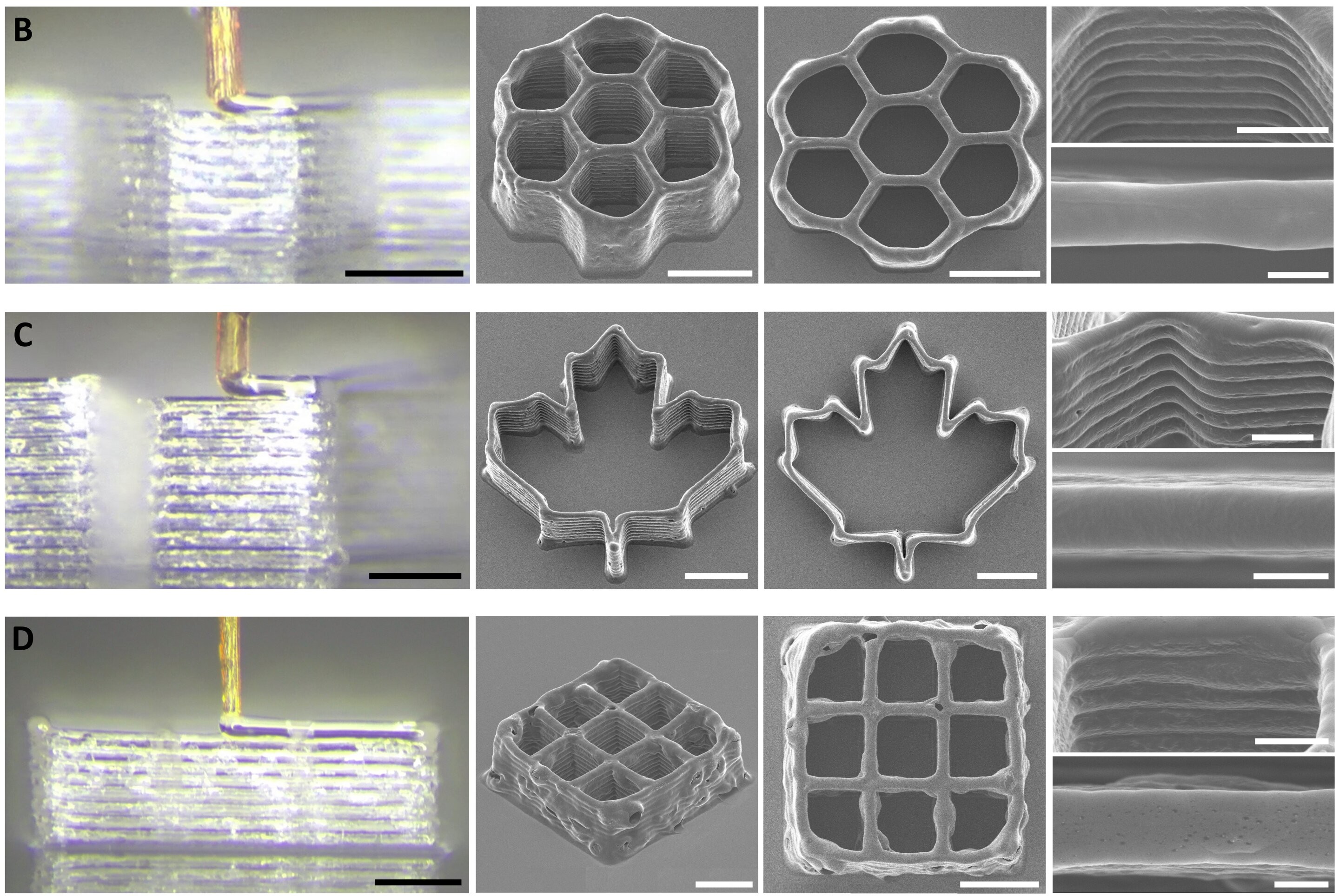
Small prints made with the mosquito proboscis nozzle. Credit: research paper

To achieve this feat, the research team harvested the proboscis from a female mosquito, as only the female of the species sucks blood in this timeline. The mosquito’s proboscis was chosen over other similar biological structures, like insect stingers and snake fangs. It was prized for its tiny size, with an inside diameter of just 20 micrometersβ€”which outdoes just about any man-made nozzle out there. It’s also surprisingly strong, able to resistΒ  up to 60 kPa of pressure from the fluid squirted through it.

Of course, you can’t just grab a mosquito and stick it on your 3D printer. It takes very fine work to remove the proboscis and turn it into a functional nozzle; it also requires the use of 3D printed scaffolding to give the structure additional strength. The nozzle is apparently used with bio-inks, rather than molten plastic, and proved capable of printing some basic 3D structures in testing.

Amusingly, the process has been termed 3D necroprinting, we suspect both because it uses a dead organism and because it sounds cool on the Internet. We’ve created a necroprinting tag, just in case, but we’re not holding our breath for this to become theΒ next big thing. At 20 um, more likely the next small thing.

Further details are available in the research paper. We’ve actually featured quite a few mosquito hacks over the years. Video after the break.

[Thanks to Greg Gavutis for the tip!]
How To Print PETG as Transparently as Possible

By: Lewin Day
29 November 2025 at 07:00

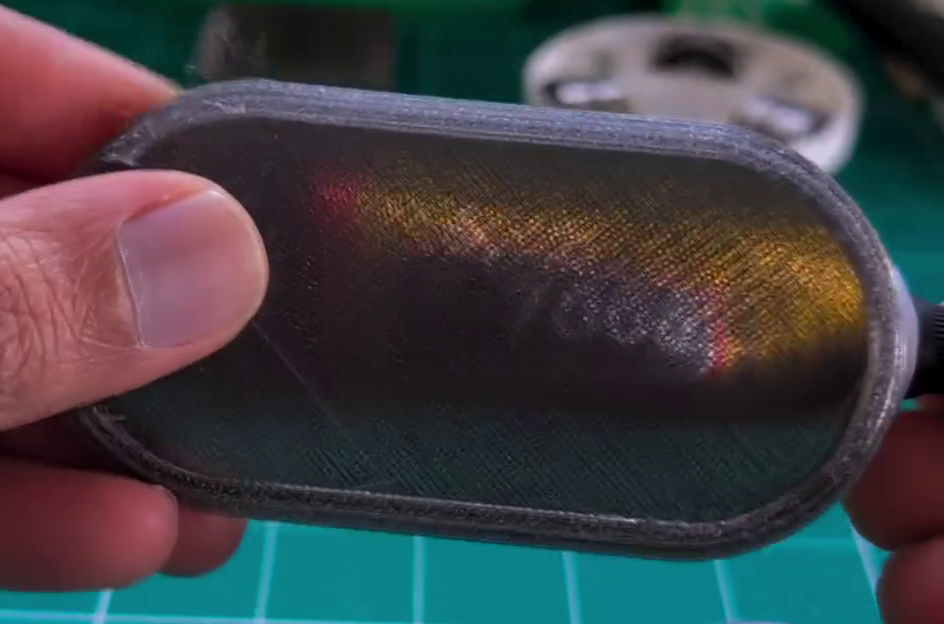
PETG filament can be had in a variety of colors, just like any other. You can even get translucent or transparent forms if you want to print something vaguely see-through. But if you’re looking for a bit more visually impressive, you might like to pick up a few tips from [Tej Grewal] on making sure your prints come out as clear as possible.

Standard print settings aren’t great for transparency.

It all comes down to pathing of the 3D printer’s hot end. If it’s zigzagging back and forth, laying down hot plastic in all different orientations from layer to layer, you’re going to get a hazy, ugly, result that probably doesn’t look very see-through at all.

However, you can work around this by choosing slicer settings that make the tool pathing more suitable for producing a clearer part. [Tej] recommends going slow β€” as little as 20 mm/s during printing. He also states that removing top and bottom shells and setting wall loops to 1 can help to produce a part that’s entirely infill. Then, you’ll want to set infill to 100% and the direction to 0 or 90 degrees. This will ensure your hot end is just making long, straight strokes for layer after layer that will best allow light to pass through. You’ll also want to maximize nozzle flow to avoid any unsightly gaps or bubbles in your print.

[Tej] demonstrates the technique by creating a cover for a display. By using the settings in question, he creates a far more transparent plate, compared to the original part that has an ugly zig-zagging haze effect. You’re not going to get something optically clear this way; the final results are more lightly frosted, but still good.

Transparency will never be something 3D printers areΒ greatΒ at. However, we have seen some interesting post-processing techniques that will blow your mind in this regard.

The Ultimate Creality Falcon Laser Engraver Buyer’s Guide [The Black Friday 2025]

14 November 2025 at 13:59

Feeling overwhelmed by laser engraver choices? Our Creality Falcon buyer's guide breaks down the A1, A1 Pro, and Falcon2 Pro series to help you choose the right machine for your needs and budget.

The post The Ultimate Creality Falcon Laser Engraver Buyer’s Guide [The Black Friday 2025] first appeared on Redmond Pie.

❌
❌