
 Login
Login
Keebin’ with Kristina: the One with the Elegant Macro Pad

Some people are not merely satisfied with functionality, or even just good looks. These persnickety snoots (I am one of them) seek something elegant, a true marriage of form and function.
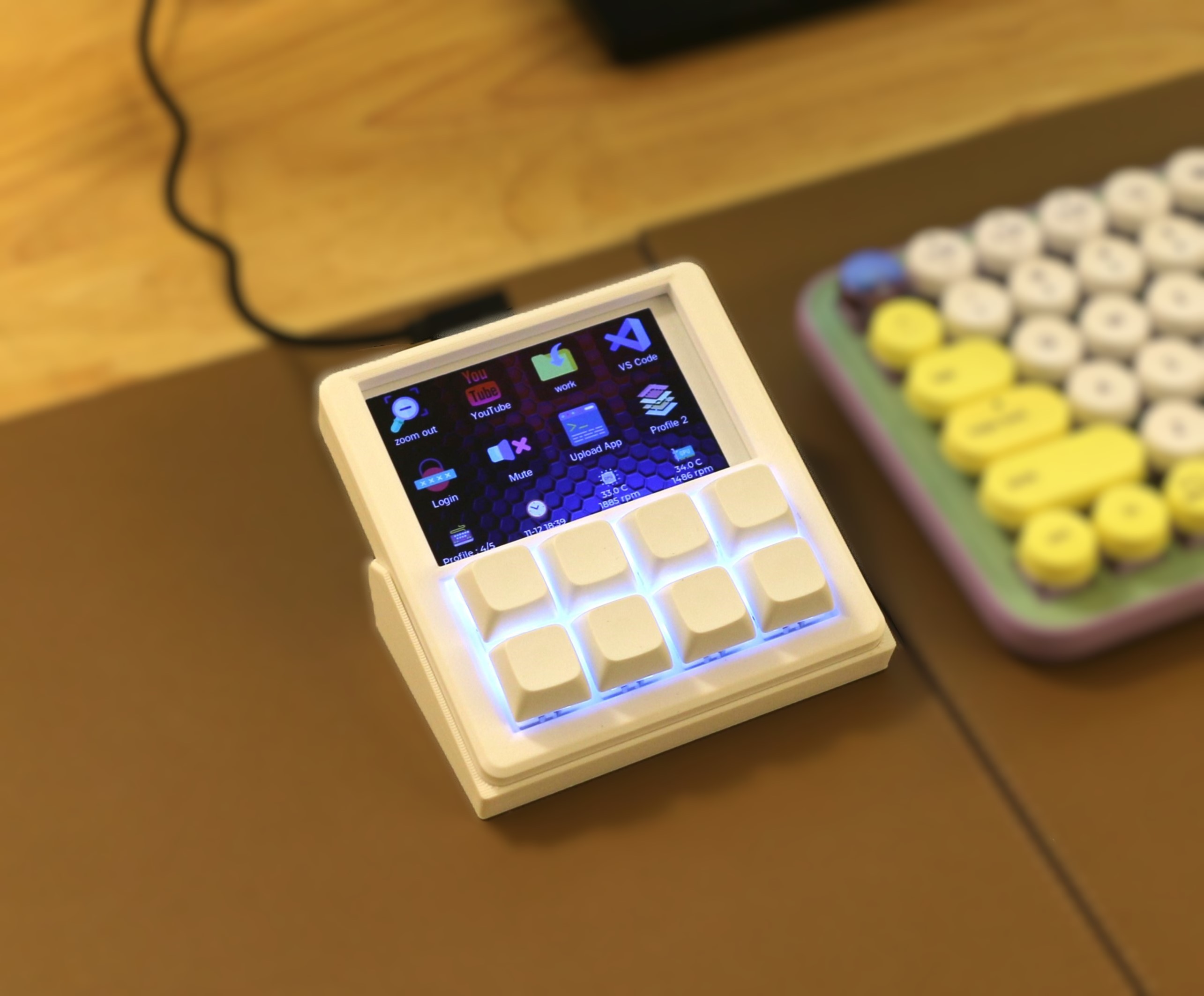
The main goal here was the perfect fusion of display and feel. I’m not sure that an FDM-printed, DIY macro pad can look any better than this one does. But looks are only half the story, of course. There’s also feel, and of course, functionality.
Yes those are (hot-swappable) mechanical key switches, and they are powered by an ESP32-S2. Drawn on the 3.5″ LCD are icons and text for each switch, which of course can be easily changed in the config app.
There’s a three-direction tact switch that’s used to switch between layout profiles, and I’m sure that even this is satisfying on the feel front. Does it get better than this? Besides maybe printing it in black. I ask Hackaday.
KeebDeck Keyboard Gets Two Thumbs Up
Did you make it to Supercon this year? If so, you hold a badge with a special keyboard — a custom job by Hackaday superfriend [Arturo182], aka Solder Party. Were you wondering about its backstory?
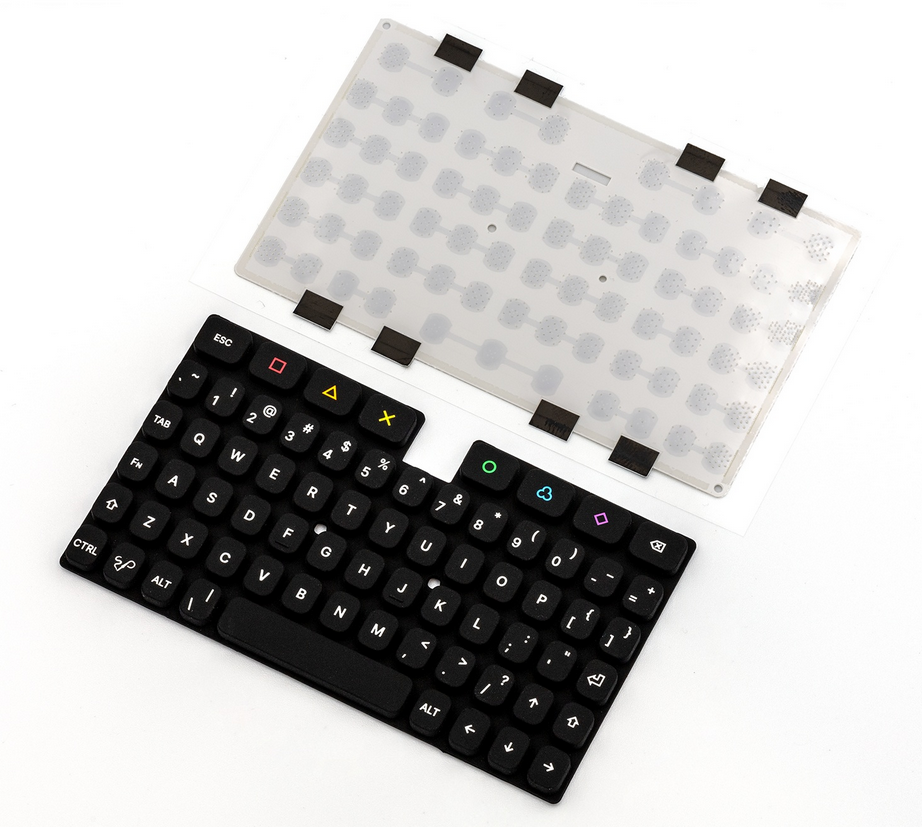
This 69-key alphanumeric silicone number has all the keys a hacker needs, plus a rainbow of extras that can be used for macros. According to [Arturo182], the keyboard has a tactile feel thanks to a snap dome sheet underneath the keys, and this makes it more comfortable for long thumb-typing sessions.
Be sure to check out the teasers at the bottom of the KeebDeck page, because there is some really exciting stuff. If you want to build one, GitHub is your friend, pal.
Thanks for the tip, [Wim Van Gool]!
The Centerfold: Controlled Chaos
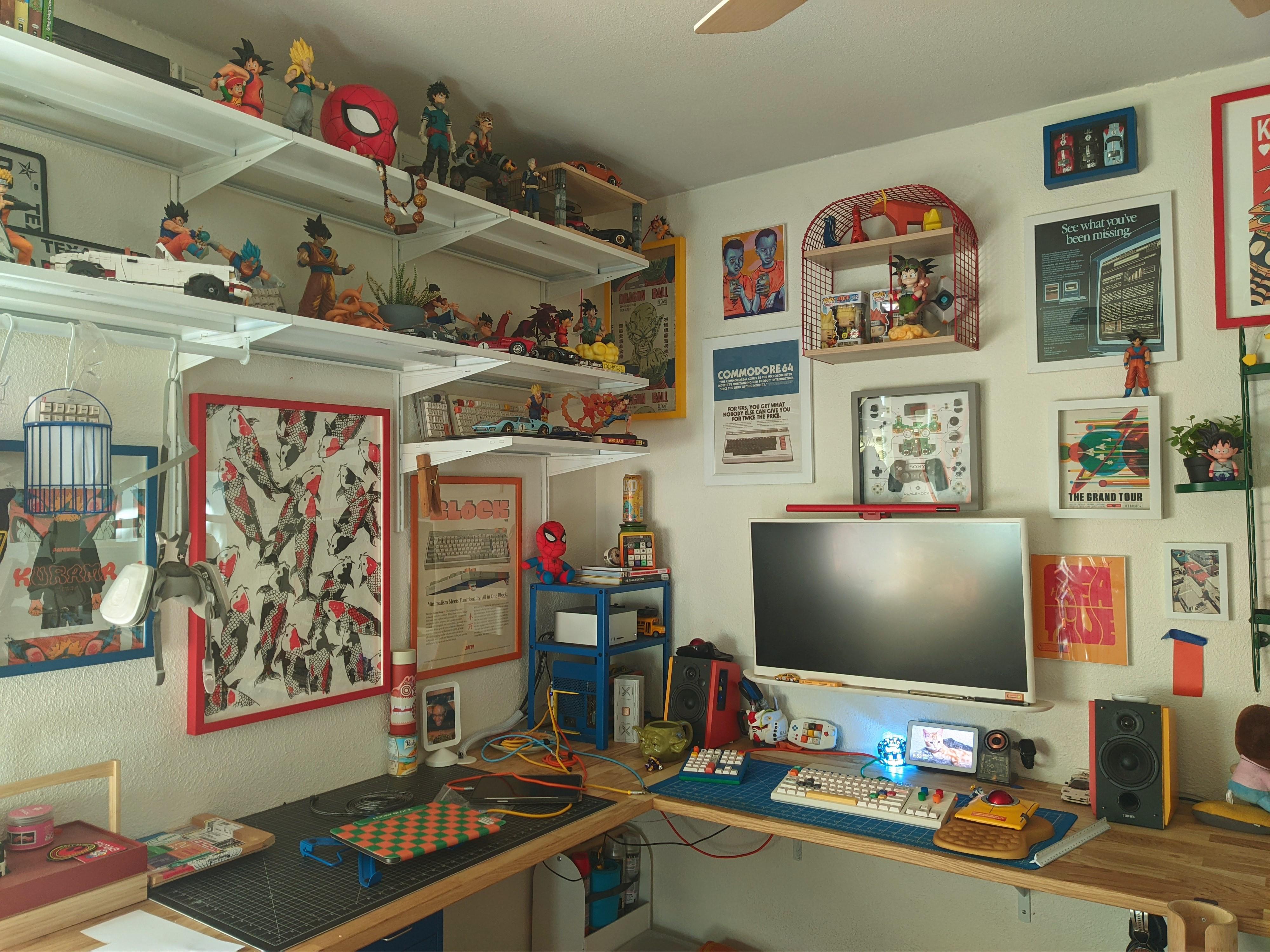
Here’s what I know: That’s a Nulea m512 mouse, the keyboard is a KBD Craft Sachiel LEGO number, and that there is a Cidoo macro pad. Best of all, [Tardigradium] hand-painted the speakers. Neat-o!
Do you rock a sweet set of peripherals on a screamin’ desk pad? Send me a picture along with your handle and all the gory details, and you could be featured here!
Historical Clackers: the Gerda Typewriter Was One of Accessibility
Some of us (okay, I) would have thought that most accessibility inventions are fairly recent, say, from the 1960s onward. But consider the Gerda typewriter, which was created in 1919 to enable blind and one-armed victims of WWI to become employable typists.
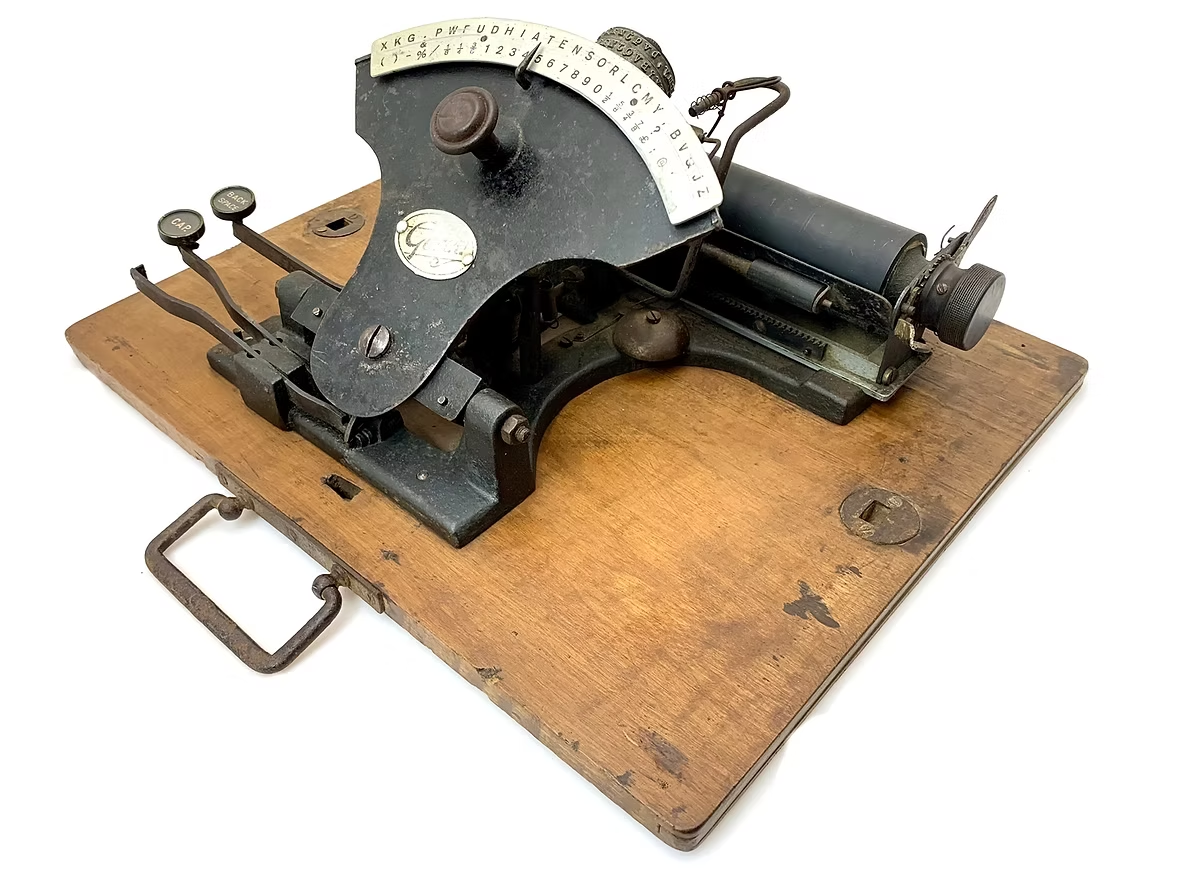
According to the Antikey Chop, it’s quite possible that the German government helped grease the wheels of this project so that these soldiers would have a usable typewriter with which to get on with life.
Three versions of this index typewriter were produced: a two-handed Gerda, one with a Braille index, and one with an English index. All entered the market the same year, and were produced for a total of three years.
The Gerda’s typewheel was quite like Blickensderfer, and some even had the DHIATENSOR layout. More expensive than last week’s Clacker (75 Marks), the Gerdas for blind and sighted people with two hands cost 195 Marks, and the one-handed edition was 205 Marks. Some of the two-handed models had rectangular, wooden key-tops, and others had round, glass-topped keys.
Finally, Module-Based Keyboard Is a Sensory Nightmare
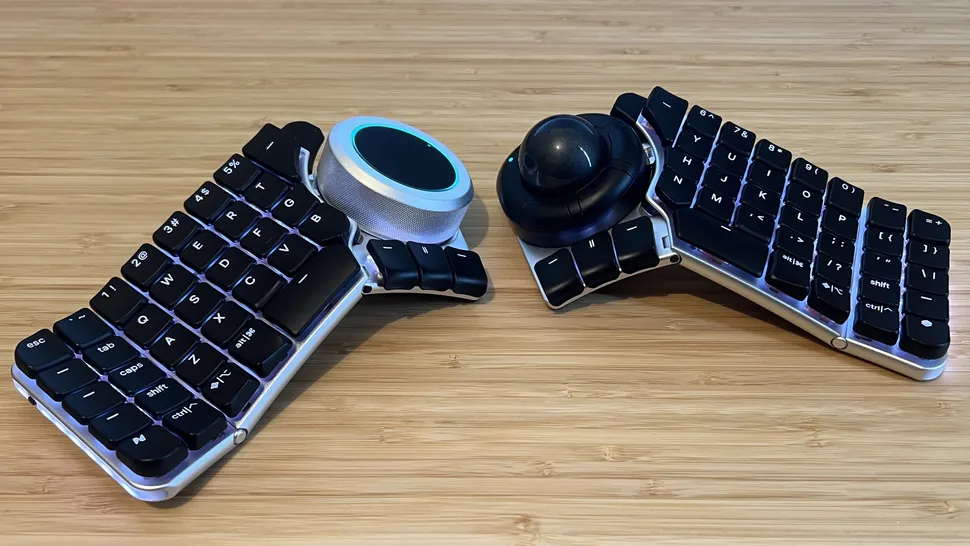
I’ve been an early adopter of keyboards in the past. This is usually to bring them to your attention, either before they’re released, or just as they’ve come out. And never have I ever had this poor of an experience.
Games Radar recently reviewed a surprisingly not-failed Kickstarter keyboard that actually shipped, the Naya Create. It may not look like it, but the Create is supposed to be a gaming keyboard. What it does look like is mouse-focused, or at least mouse-forward. And that’s the point of it. Evidently.
Those big modules are interchangeable, and there are four of them so far: the Touch (a trackpad), Track (a trackball that falls out reliably), the Tune (a dial), and the Float, which is designed for space mousing around. They sound cool enough, and might actually be the best part of this whole setup.
To fully illustrate my poit I hvemt’t corrected any of the typos experieved typim this semtemve with the Naya Create while tryig to maintain my usual speed.
But according to Games Radar, the Naya Create is so not worth the $850 (!) asking price. It has ‘mushy, low-profile switches’ and clammy caps, and although the reviewer complains about the non-staggered keys, y’all know that those are my preference at this point.
And apparently, by default, Backspace is mapped to the left side. What? Of course, you can remap any key, whenever the software decides to work. Whenever the reviewer tried to save changes, the software would say that the keyboard is disconnected. Wonderful.
Despite these shortcomings, Games Radar says the keyboard is rock-solid aluminium with good hinges. So there’s that. Just, you know, swap out the switches and keycaps, and wait for software updates, I guess.
Got a hot tip that has like, anything to do with keyboards? Help me out by sending in a link or two. Don’t want all the Hackaday scribes to see it? Feel free to email me directly.
